Huawei OceanStor Pacific and Philips PACS Joint Solution Test Report
Huawei OceanStor Pacific and Philips PACS Joint Solution Test Report

Axians Global
All Rights Reserved
1.About This Document
1.1 Purpose
This document verifies the functions, performance, and reliability of Philips picture archiving and communication system (PACS) integrated with a Huawei OceanStor Pacific storage cluster in PACS image upload and retrieval scenarios.
1.2 Scope
This document is organized as follows:
- Project overview
- Test scheme (the actual test scheme includes the test networking, materials, software, and other constraints)
- Test case execution process and result
- Test summary
2. Scheme Overview
2.1Test Objective
This document verifies the functions, performance, and reliability of Philips PACS integrated with a Huawei OceanStor Pacific storage cluster in PACS image upload and retrieval scenarios.
2.2 Test Scheme
Focusing on functions, performance, and reliability, this test utilizes professional tools like COSBench and Vdbench to simulate real-world upload and retrieval requests, ensuring comprehensive test case coverage for the system.
2.3 Philips Product
Philips PACS provides « medical consortium + imaging » services to enable seamless connections between images and remote platforms, effectively addressing the shortage of primary care diagnostic physicians. By integrating multimodal imaging data for complex diseases into a unified imaging center, the product enables comprehensive disease management, facilitating holistic diagnostic decisions by physicians. It also offers intra-hospital cloud PACS and digital imaging services, delivering an integrated, all-in-one solution.
2.4 Huawei Product
OceanStor Pacific series adopts a fully symmetric scale-out architecture. It enables a linear growth in system capacity and performance by increasing storage nodes, requiring no complex resource requirement plans. It can be easily expanded to contain thousands of nodes and provide EB-level storage capacity. This helps meet your future storage demands. OceanStor Pacific series supports the interworking of file, object, and HDFS unstructured data storage services. One piece of data can be shared and accessed by all the unstructured services. OceanStor Pacific series leverages high-density hardware to help customers save equipment room space. Specifically, the ultra-large capacity design helps store more data with fewer devices; the superb performance density design helps quickly adapt to the all-flash trend.
2.5 Test Environment
2.5.1 Test Networking
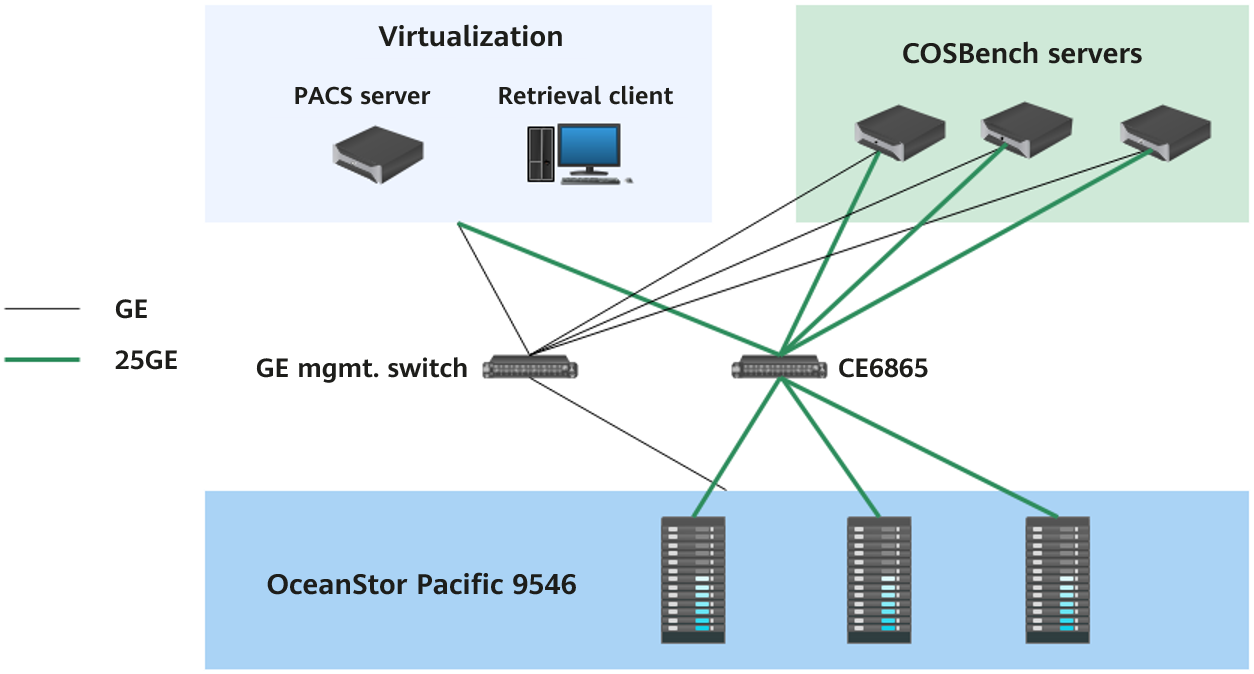
2.5.2 Hardware Configuration
|
Name |
Configuration |
Quantity |
Function |
|
OceanStor Pacific 9546 |
CPU: 2 × Kunpeng 920, 48 cores Memory: 16 × 16 GB Data disk: 30 × 14 TB SATA HDDs Cache disk: 2 × 3.84 TB NVMe SSDs NIC: 1 × Mellanox ConnectX-4 Lx |
3 |
Storage node |
|
CE6865 |
25GE switch |
1 |
Service network switch |
|
CE5810 |
GE switch |
1 |
Management network switch |
|
2288H V5 |
OS: CentOS 7.6 CPU: 2 × Intel(R) Xeon(R) Gold 6130 CPU @ 2.10 GHz, 16 cores Memory: 16 × 16 GB Disk: 2 × 480 GB SATA SSDs NIC: 1 × Mellanox ConnectX-4 Lx |
3 |
COSBench server |
|
VM |
OS: Windows Server 2019 CPU: 22 cores Memory: 64 GB Disk: 2 TB |
1 |
Philips PACS server |
|
VM |
OS: Windows 10 CPU: 10 cores Memory: 32 GB Disk: 200 GB SSD |
1 |
Retrieval client |
2.5.3 Software Configuration
|
Type |
Version |
|
Storage service |
OceanStor Pacific 8.1.5 |
|
PACS |
Philips Vue PACS V12 |
|
OS of PACS image retrieval client |
Windows 10 |
|
OS of PACS server |
Windows Server 2019 |
|
OS of the COSBench server |
CentOS 7.6 |
|
Stress test tool |
COSBench 0.4.2.c4 |
3. Test Execution
3.1 Test Content
|
No. |
Test Category |
Test Case |
|
Function_01 |
Function test |
Philips application integration |
|
Function_02 |
Multi-protocol interworking | |
|
Function_03 |
Quota of any directory | |
|
Function_04 |
Recycle bin | |
|
Benchmark_01 |
Benchmark test |
Upload performance for 512 KB objects |
|
Benchmark_02 |
Download performance for 512 KB objects | |
|
Benchmark_03 |
Upload performance for 4 KB objects | |
|
Benchmark_04 |
Download performance for 4 KB objects | |
|
Performance_01 |
Performance test |
Retrieval performance for 1,316 images |
|
Performance_02 |
Retrieval performance for 1,714 images | |
|
Performance_03 |
Retrieval performance for 2,081 images | |
|
Performance_04 |
Retrieval performance for 2,327 images | |
|
Pressure_01 |
Stress test |
Retrieval performance for 1,316 images in a simulated scenario of 300 concurrent requests |
|
Pressure_02 |
Retrieval performance for 1,714 images in a simulated scenario of 300 concurrent requests | |
|
Pressure_03 |
Retrieval performance for 2,081 images in a simulated scenario of 300 concurrent requests | |
|
Pressure_04 |
Retrieval performance for 2,327 images in a simulated scenario of 300 concurrent requests | |
|
Reliability_01 |
Reliability test |
Disk fault of the storage cluster |
3.2 Test Cases
3.2.1 Function Tests
3.2.1.1 Philips Application Integration
|
Name |
Philips application integration |
|
No. |
Function_01 |
|
Scenario |
Verify the integration between the storage cluster and Philips application, as well as service write and read functions. |
|
Prerequisites |
|
|
Procedure |
|
|
Expected Result |
|
|
Pass or Not |
Yes |
|
Failure Cause | |
|
Execution Result |
The client successfully invokes the application to retrieve images. 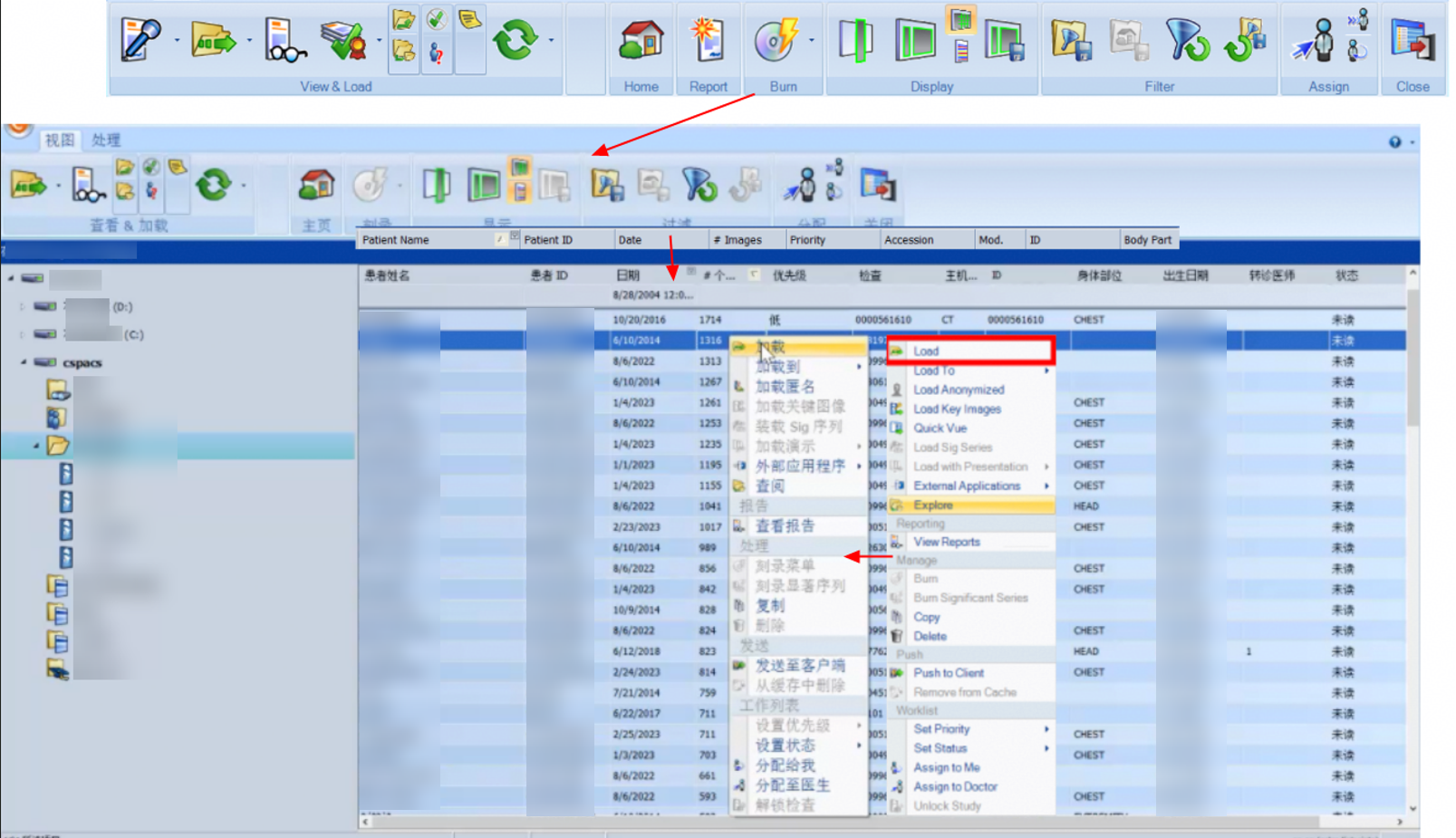 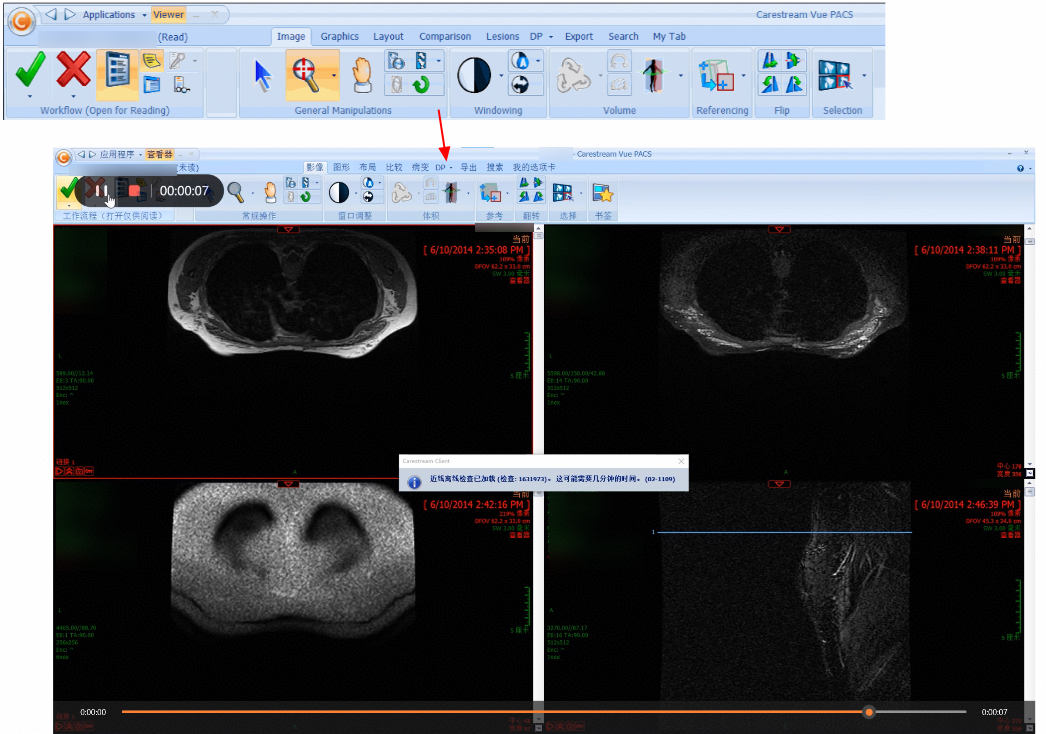 |
3.2.1.2 Multi-Protocol Interworking
|
Name |
Multi-protocol interworking |
|
No. |
Function_02 |
|
Scenario |
Verify that the storage system supports multi-protocol interworking access. |
|
Prerequisites |
|
|
Procedure |
|
|
Expected Result |
|
|
Pass or Not |
Yes |
|
Failure Cause | |
|
Execution Result |
1. Original test text file: 
2. The namespace is successfully created on DeviceManager, and the NFS and object protocols are successfully enabled. 3. The connection to the namespace is successful by using S3 Browser. 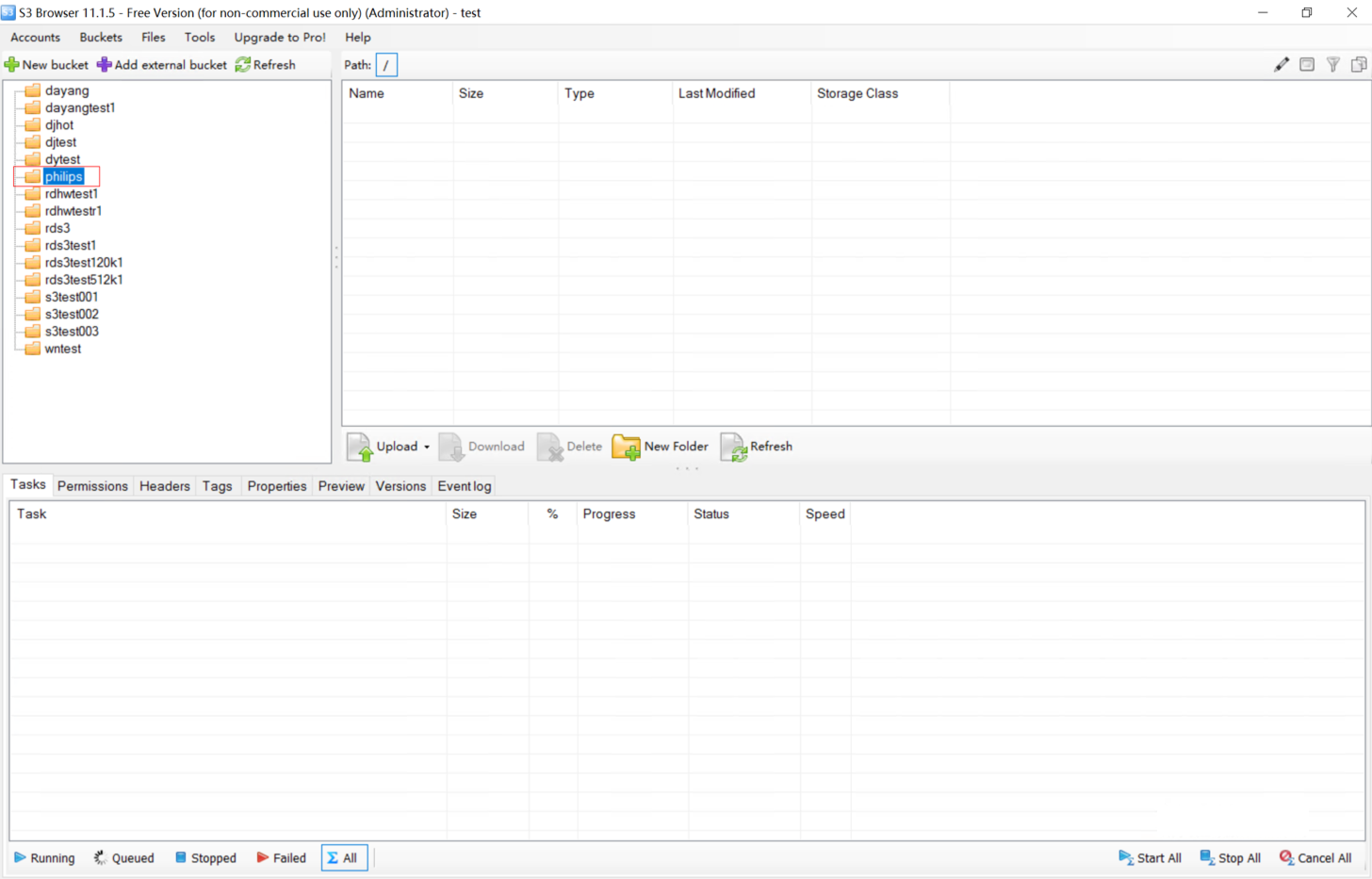
4. The test text file is successfully uploaded through the object protocol. 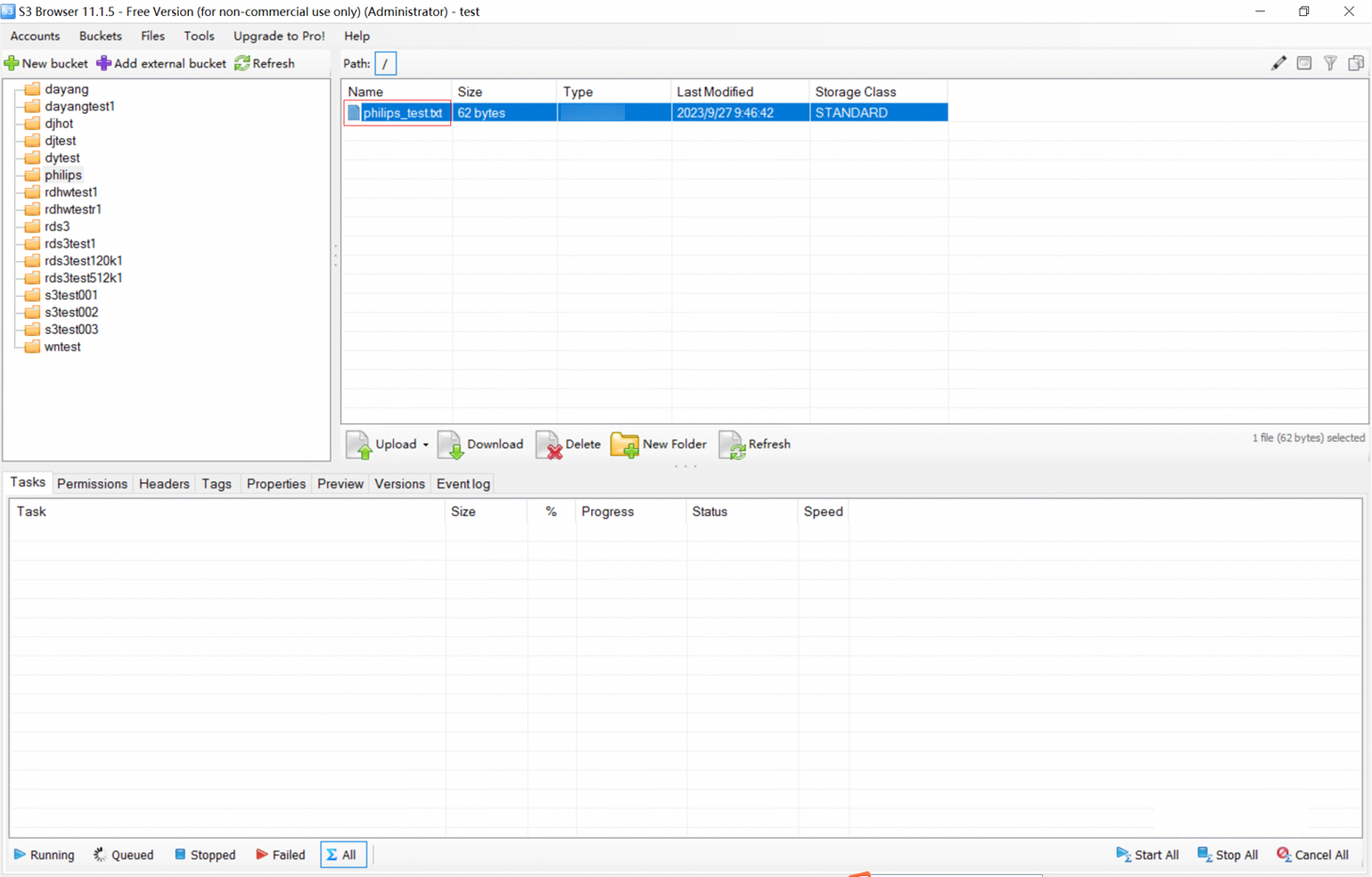
5. The test text file exists in the namespace mount point and is the same as the original file. 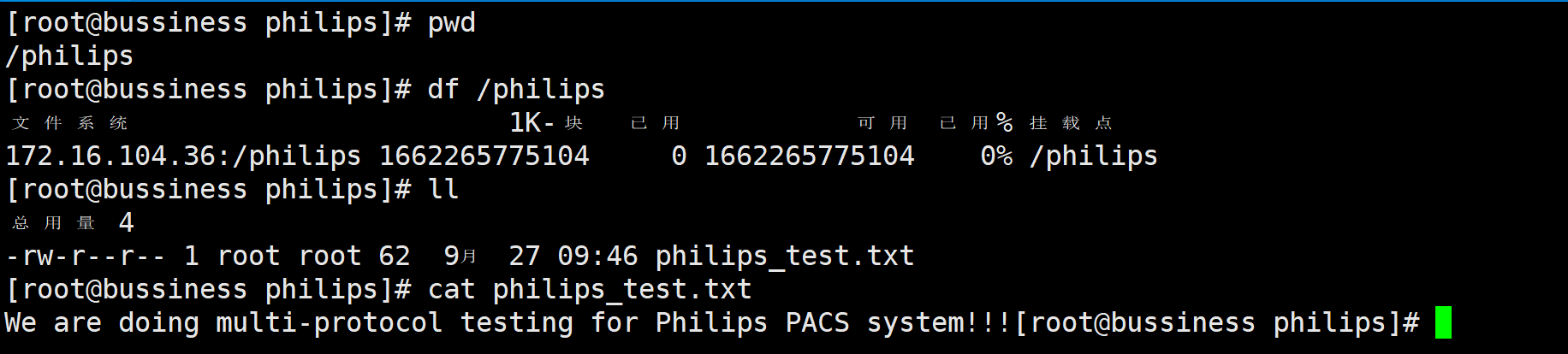 |
3.2.1.3 Quota of Any Directory
|
Name |
Quota of any directory |
|
No. |
Function_03 |
|
Scenario |
Verify that the storage system allows quotas to be configured for any non-empty directory. |
|
Prerequisites |
|
|
Procedure |
|
|
Expected Result |
|
|
Pass or Not |
Yes |
|
Failure Cause | |
|
Execution Result |
1. The namespace quota is set to 80 MB. 2. 89.3 MB data fails to be uploaded using S3 Browser. 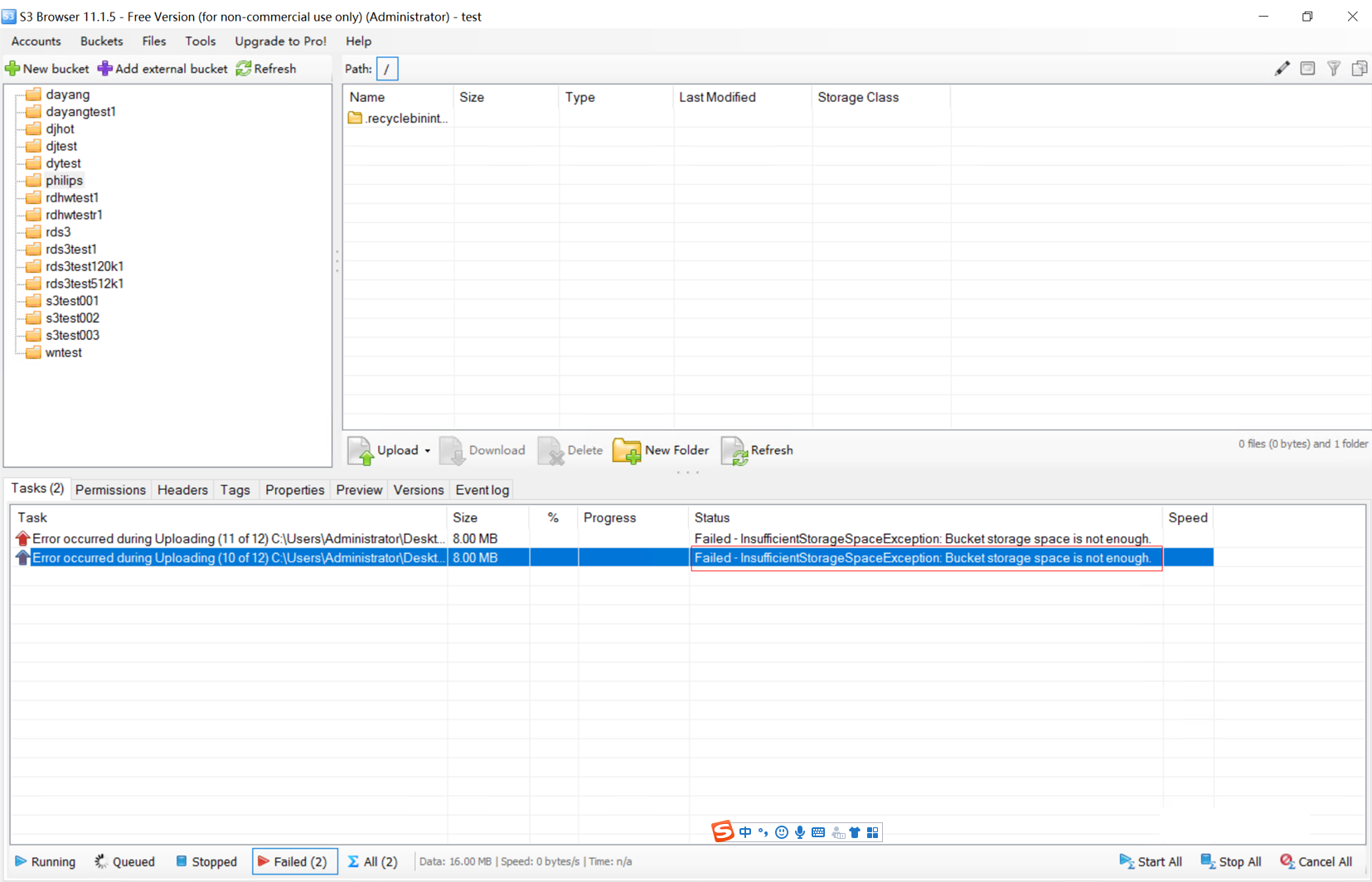
3. Alarm on DeviceManager: ID: 0xFEA6A000B Description: The used [warning-type]{0:space;1:files;2:space;3:files} ([used]) of quota (type [quota-type]{1:directory quota;2:user quota;3:user group quota}) of path [path] in dtree (name [dtree-name], ID [dtree-id]) in namespace (name [fs-name], ID [fs-id]) reaches or approaches the [warning-type]{0:space soft quota;1:file quantity soft quota;2:space hard quota;3:file quantity hard quota} of ([threshold]). Data writing is about to be rejected. Suggestion: Increase the hard quota or delete unnecessary files to ensure that the quota usage is less than 90% of the hard quota. If the alarm persists, repeat the step. |
3.2.1.4 Recycle Bin
|
Name |
Recycle bin |
|
No. |
Function_04 |
|
Scenario |
Verify that the storage system supports the recycle bin function, which prevents data loss caused by users’ accidental deletion and allows accidentally deleted data to be restored from the recycle bin. |
|
Prerequisites |
|
|
Procedure |
|
|
Expected Result |
|
|
Pass or Not |
Yes |
|
Failure Cause | |
|
Execution Result |
1. The namespace recycle bin is enabled and the recycle bin directory is visible. 2. After being deleted, the file is automatically archived to ./recyclebininternal. 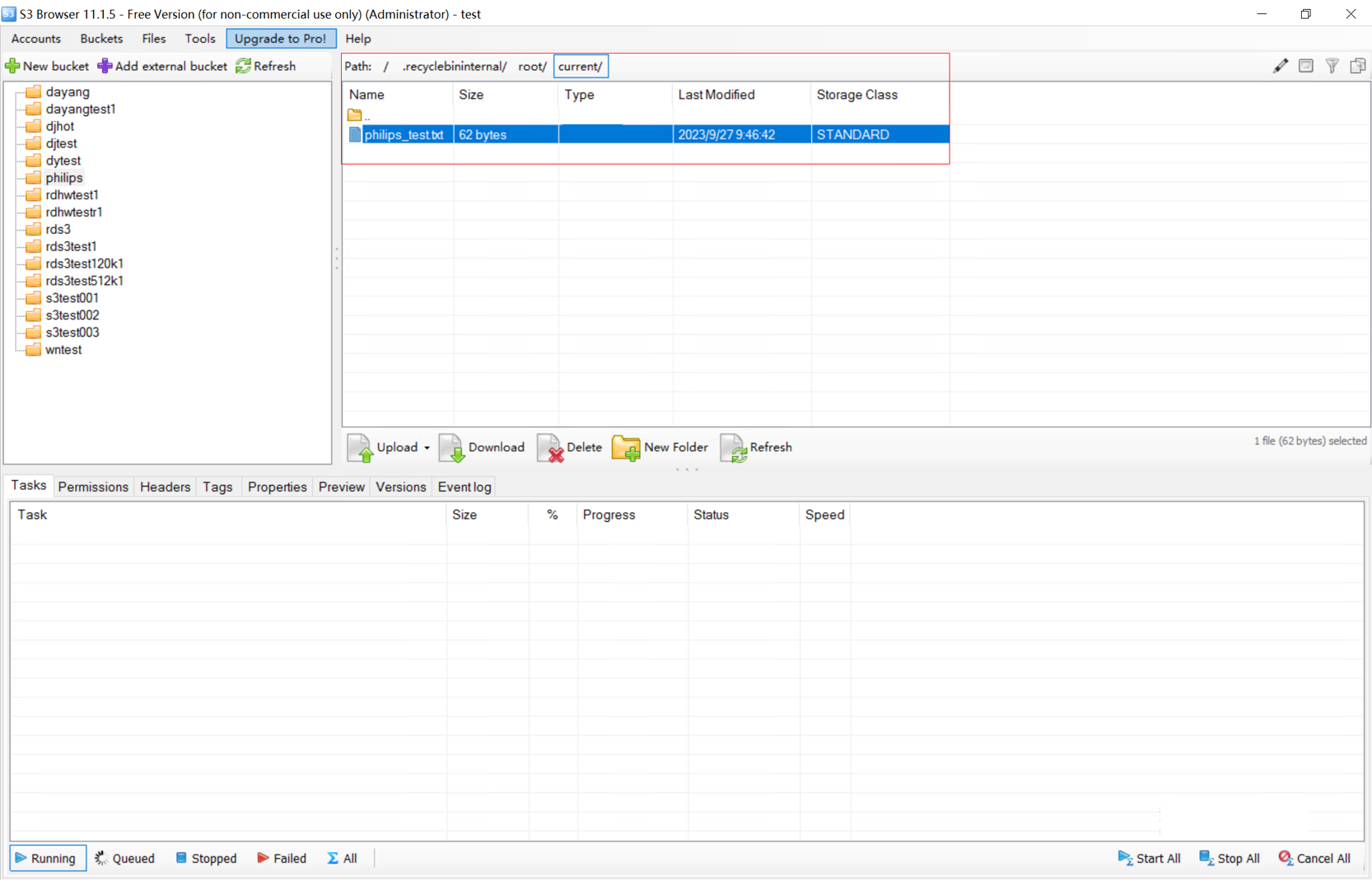
3. The file in the recycle bin is consistent with the original file.  |
3.2.2 Benchmark Performance Tests
3.2.2.1 Upload Performance for 512 KB Objects
|
Name |
Upload performance for 512 KB objects |
|
No. |
Benchmark_01 |
|
Scenario |
Verify the performance of writing 512 KB objects to the object storage system. |
|
Prerequisites |
|
|
Procedure |
|
|
Expected Result |
All objects are uploaded successfully and the TPS is recorded. |
|
Pass or Not |
Yes |
|
Failure Cause | |
|
Execution Result | 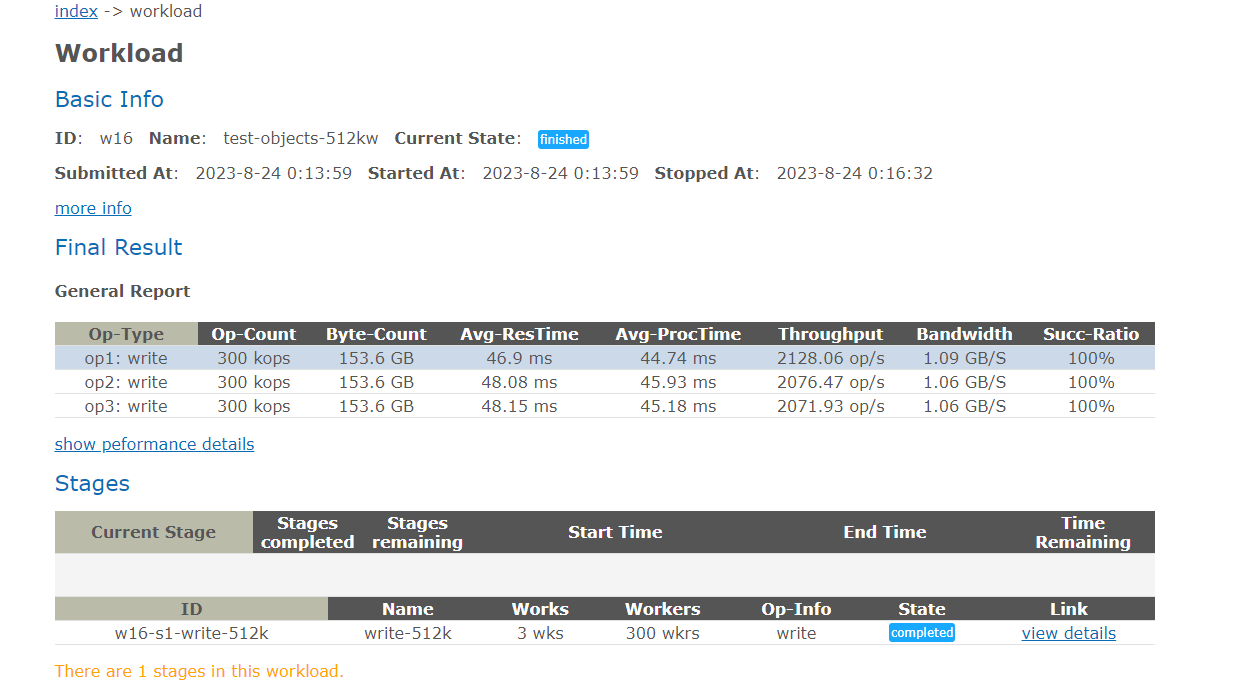
Average values: TPS: 6276.46 op/s; bandwidth: 3.21 GB/s. |
3.2.2.2 Download Performance for 512 KB Objects
|
Name |
Download performance for 512 KB objects |
|
No. |
Benchmark_02 |
|
Scenario |
Verify the performance of reading 512 KB objects from the object storage system. |
|
Prerequisites |
|
|
Procedure |
|
|
Expected Result |
All objects are downloaded successfully and the TPS is recorded. |
|
Pass or Not |
Yes |
|
Failure Cause | |
|
Execution Result | 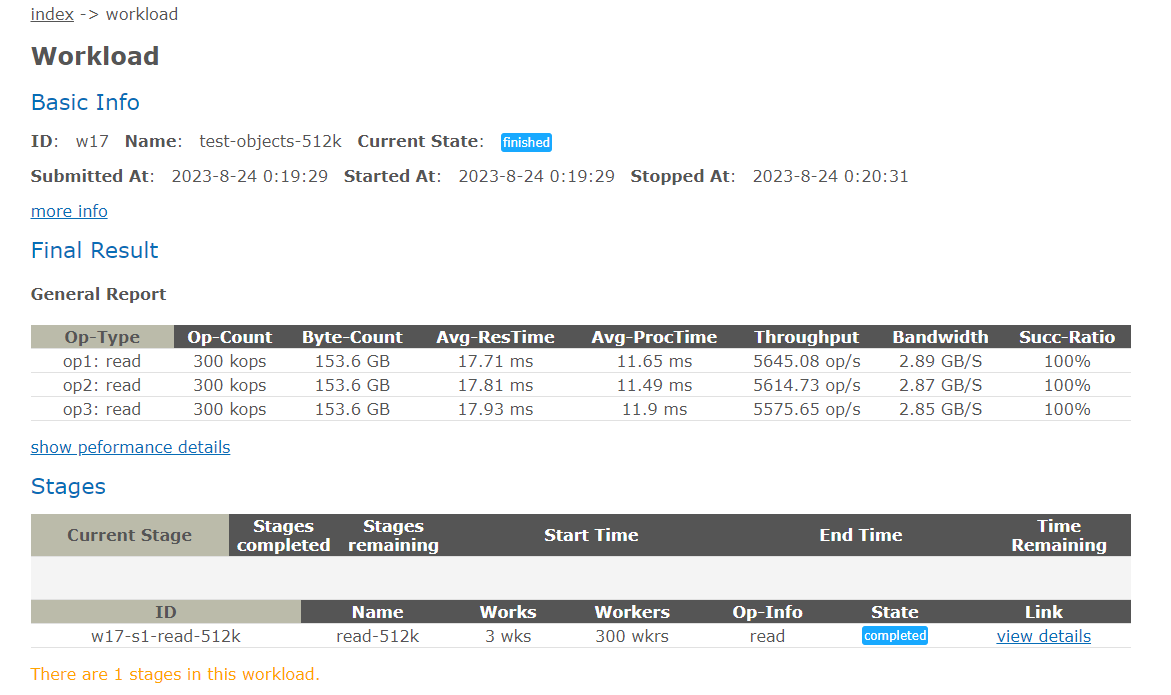
Average values: TPS: 16835.46 op/s; bandwidth: 8.61 GB/s. |
3.2.2.3 Upload Performance for 4 KB Objects
|
Name |
Upload performance for 4 KB objects |
|
No. |
Benchmark_03 |
|
Scenario |
Verify the performance of writing 4 KB objects to the object storage system. |
|
Prerequisites |
|
|
Procedure |
|
|
Expected Result |
All objects are uploaded successfully and the TPS is recorded. |
|
Pass or Not |
Yes |
|
Failure Cause | |
|
Execution Result | 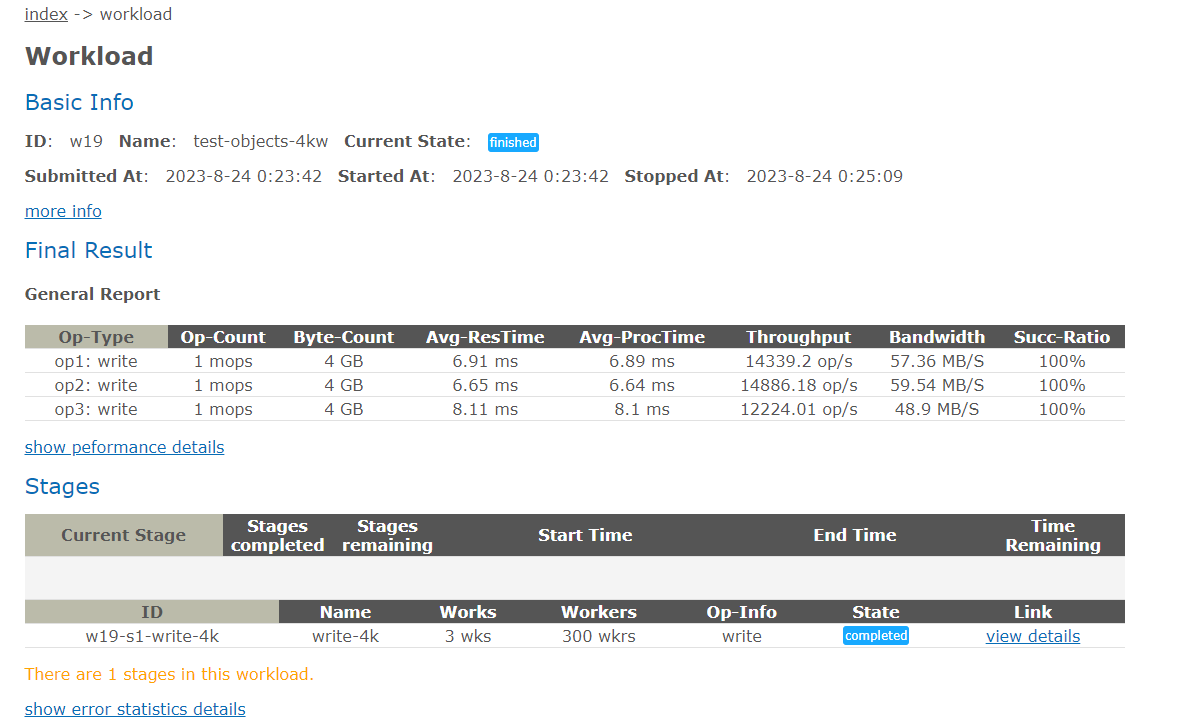
Average values: TPS: 41449.39 op/s; bandwidth: 165.8 MB/s. |
3.2.2.4 Download Performance for 4 KB Objects
|
Name |
Download performance for 4 KB objects |
|
No. |
Benchmark_04 |
|
Scenario |
Verify the performance of reading 4 KB objects from the object storage system. |
|
Prerequisites |
|
|
Procedure |
|
|
Expected Result |
All objects are downloaded successfully and the TPS is recorded. |
|
Pass or Not |
Yes |
|
Failure Cause | |
|
Execution Result | 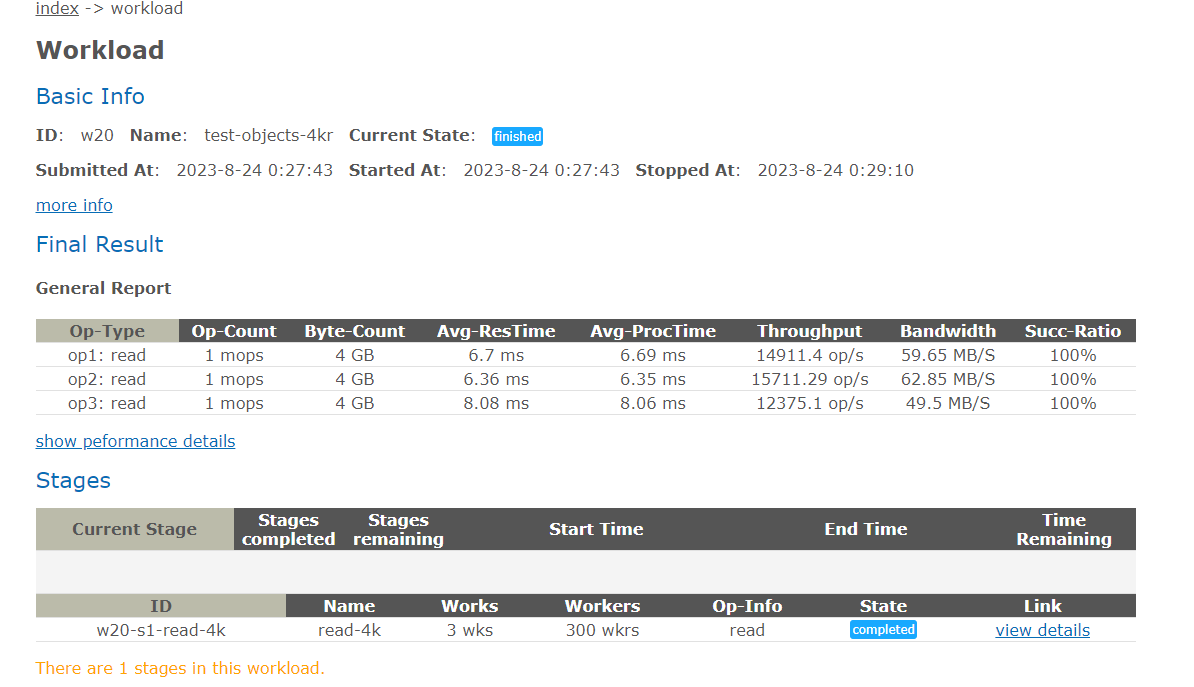
Average values: TPS: 42997.79 op/s; bandwidth: 172 MB/s. |
3.2.3 Retrieval Performance Tests
3.2.3.1 Retrieval Performance for 1,316 Images
|
Name |
Retrieval performance for 1,316 images |
|
No. |
Performance_01 |
|
Scenario |
Verify the performance of retrieving 1,316 images on the client. |
|
Prerequisites |
|
|
Procedure |
|
|
Expected Result |
1,316 images are successfully retrieved and the performance meets the requirements. |
|
Pass or Not |
Yes |
|
Failure Cause | |
|
Execution Result |
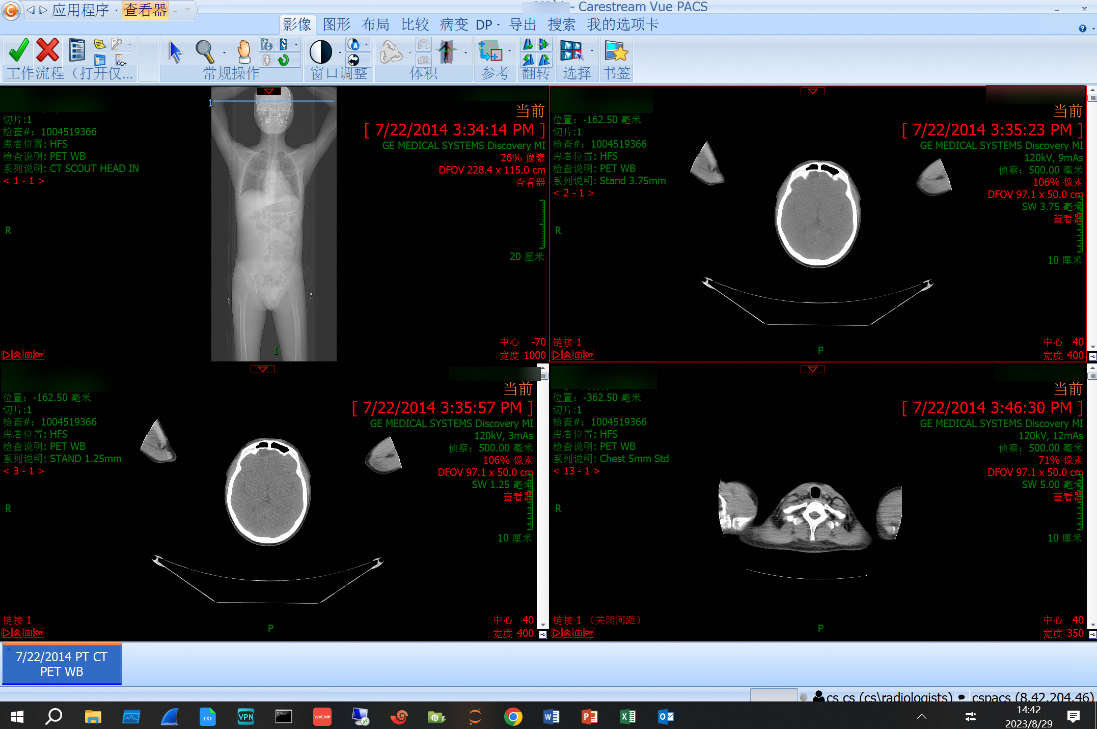
Performance test result: 438.67 images per second 1. Target samples are retrieved on the client. 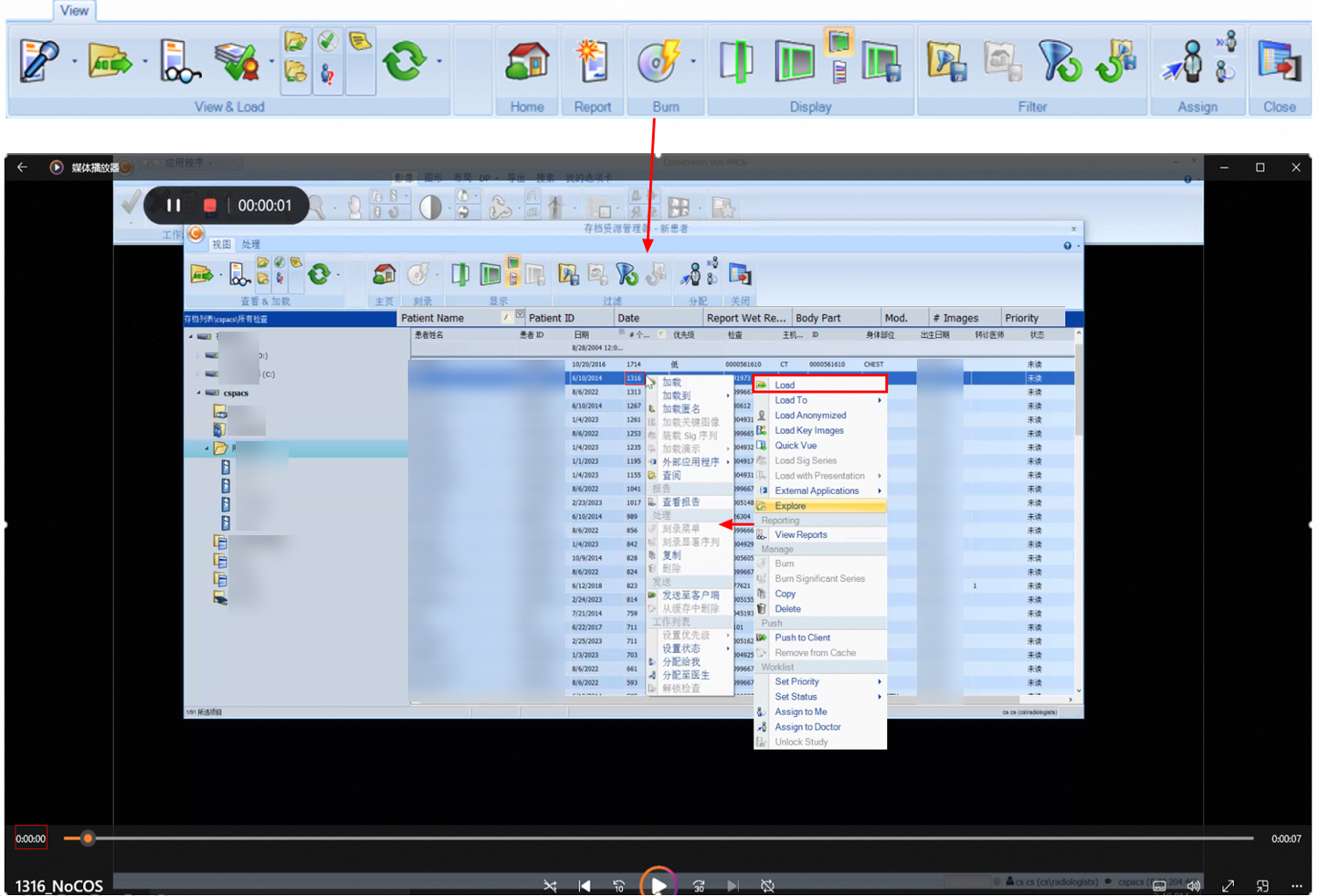
2. The retrieval is complete, which takes about 3 seconds. 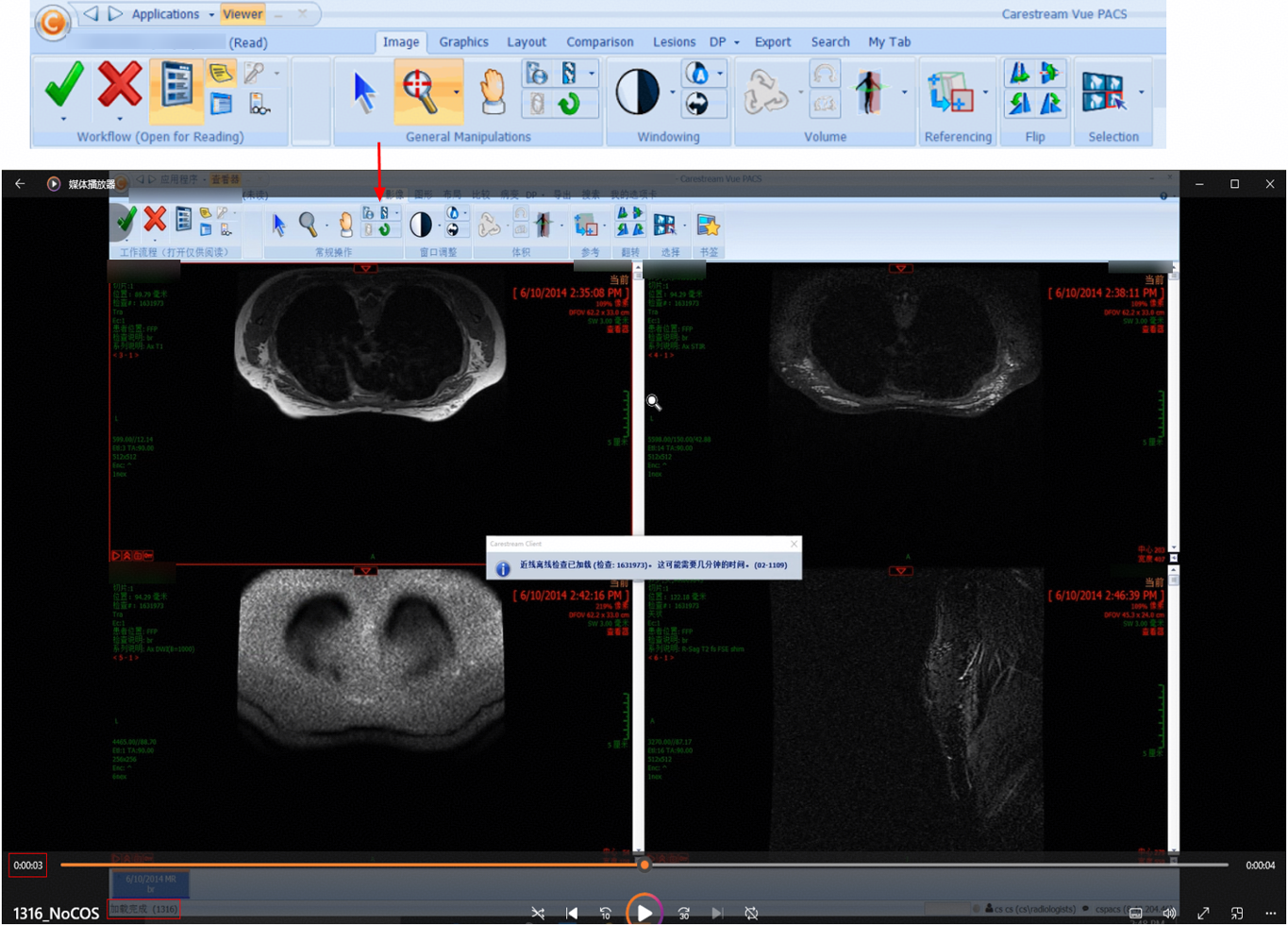 |
3.2.3.2 Retrieval Performance for 1,714 Images
|
Name |
Retrieval performance for 1,714 images |
|
No. |
Performance_02 |
|
Scenario |
Verify the performance of retrieving 1,714 images on the client. |
|
Prerequisites |
|
|
Procedure |
|
|
Expected Result |
1,714 images are successfully retrieved and the performance meets the requirements. |
|
Pass or Not |
Yes |
|
Failure Cause | |
|
Execution Result |
Performance test result: 342.8 images per second 1. Target samples are retrieved on the client. 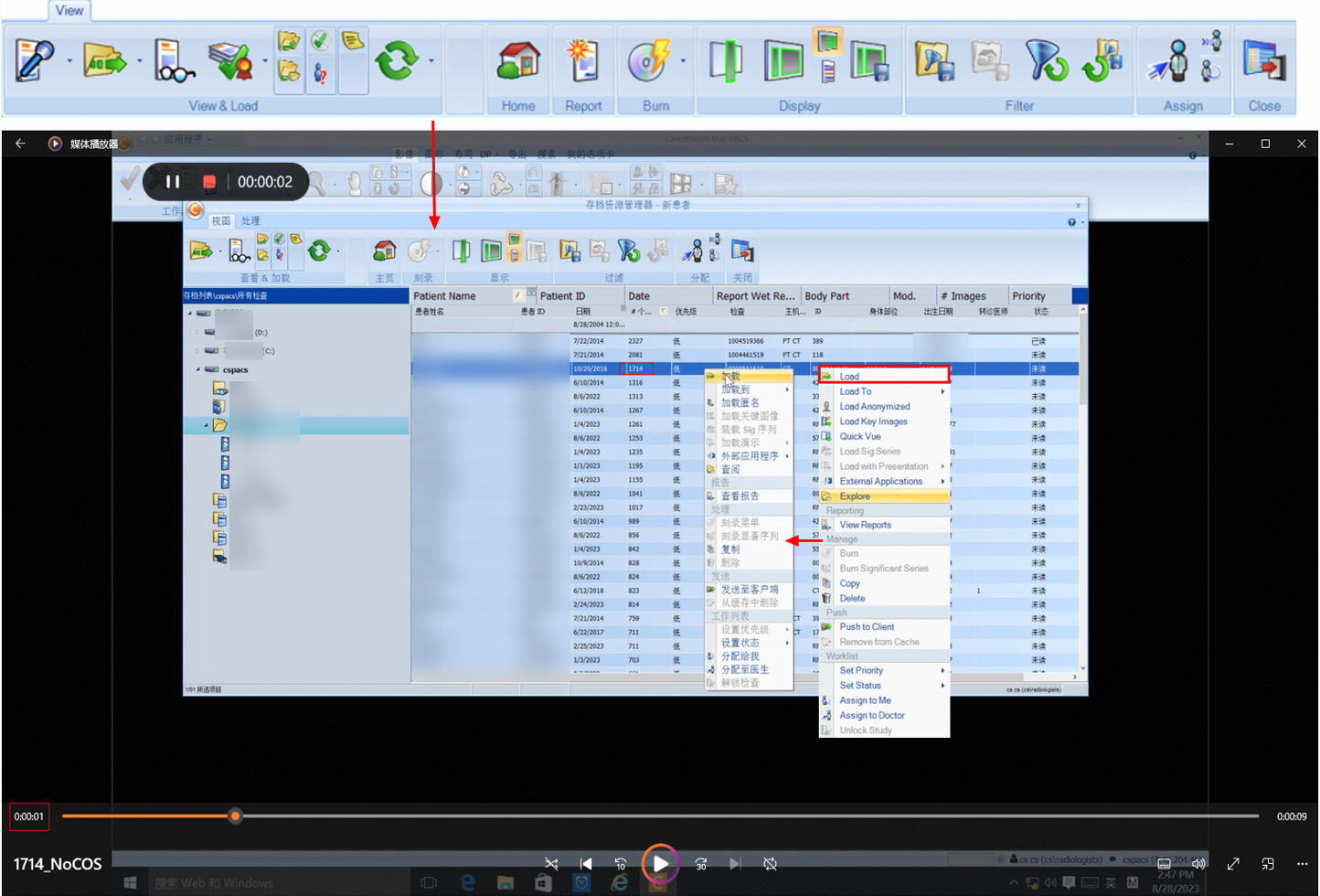
2. The retrieval is complete, which takes about 5 seconds. 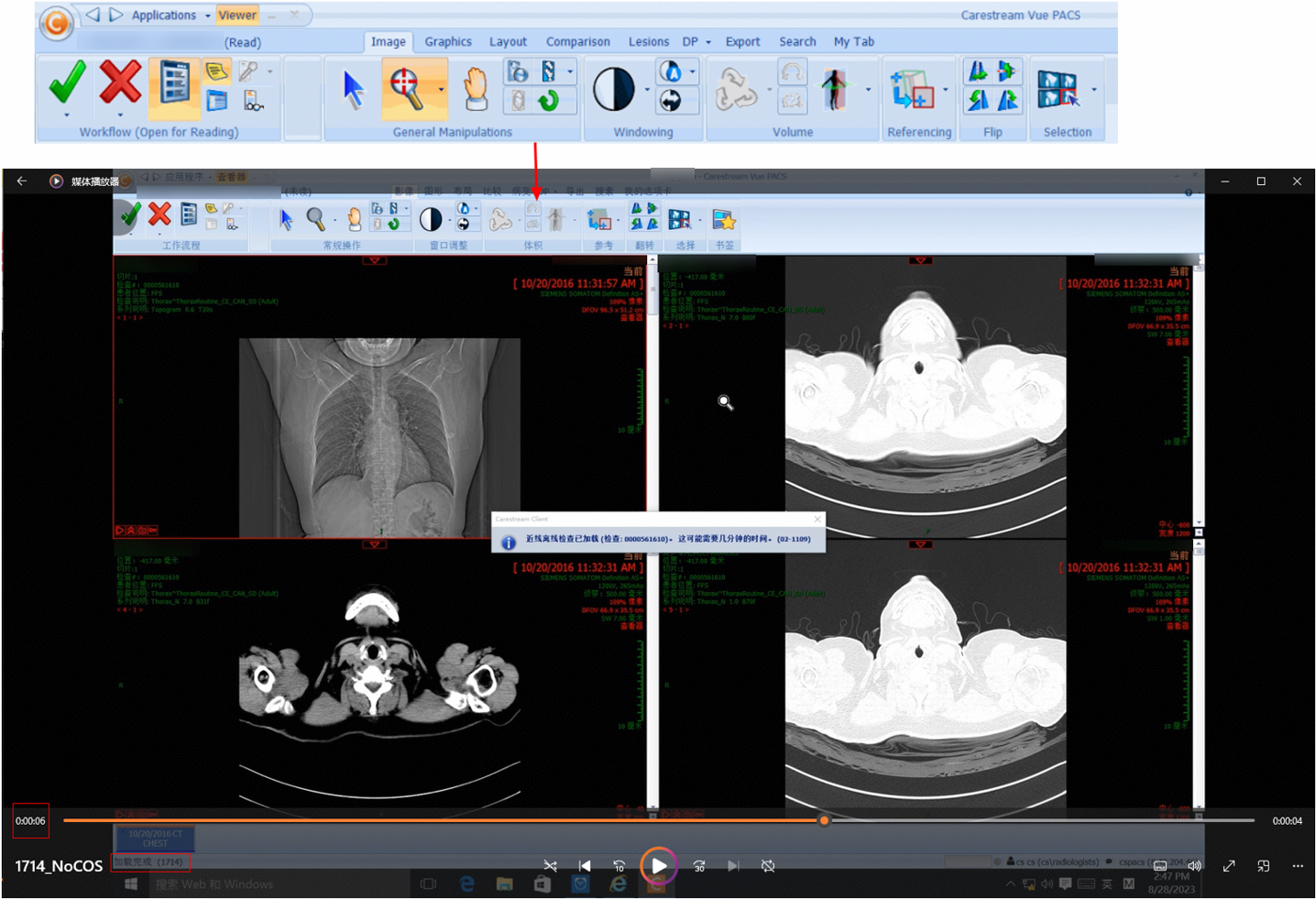 |
3.2.3.3 Retrieval Performance for 2,081 Images
|
Name |
Retrieval performance for 2,081 images |
|
No. |
Performance_03 |
|
Scenario |
Verify the performance of retrieving 2,081 images on the client. |
|
Prerequisites |
|
|
Procedure |
|
|
Expected Result |
2,081 images are successfully retrieved and the performance meets the requirements. |
|
Pass or Not |
Yes |
|
Failure Cause | |
|
Execution Result |
Performance test result: 416.2 images per second 1. Target samples are retrieved on the client. 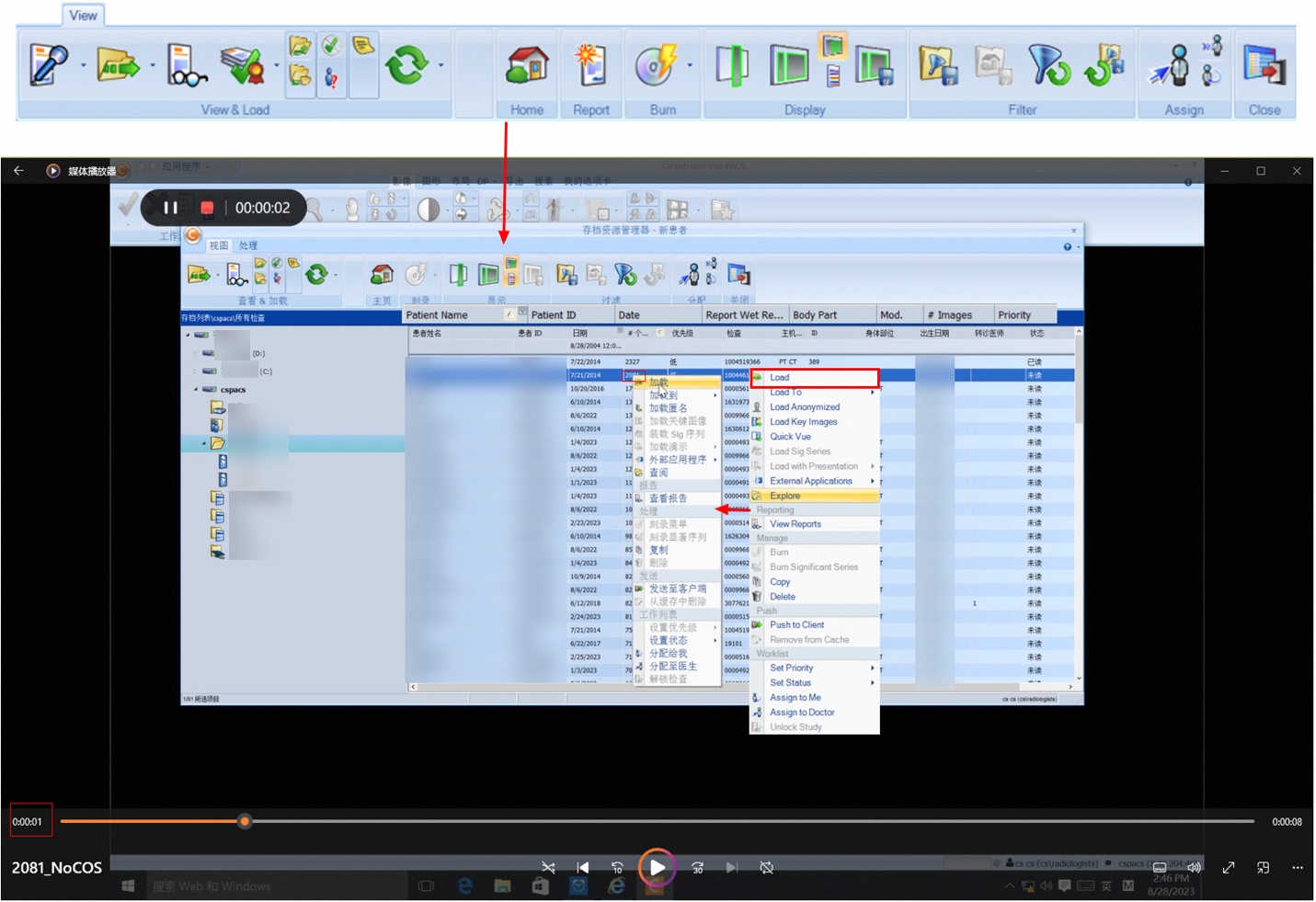
2. The retrieval is complete, which takes about 5 seconds. 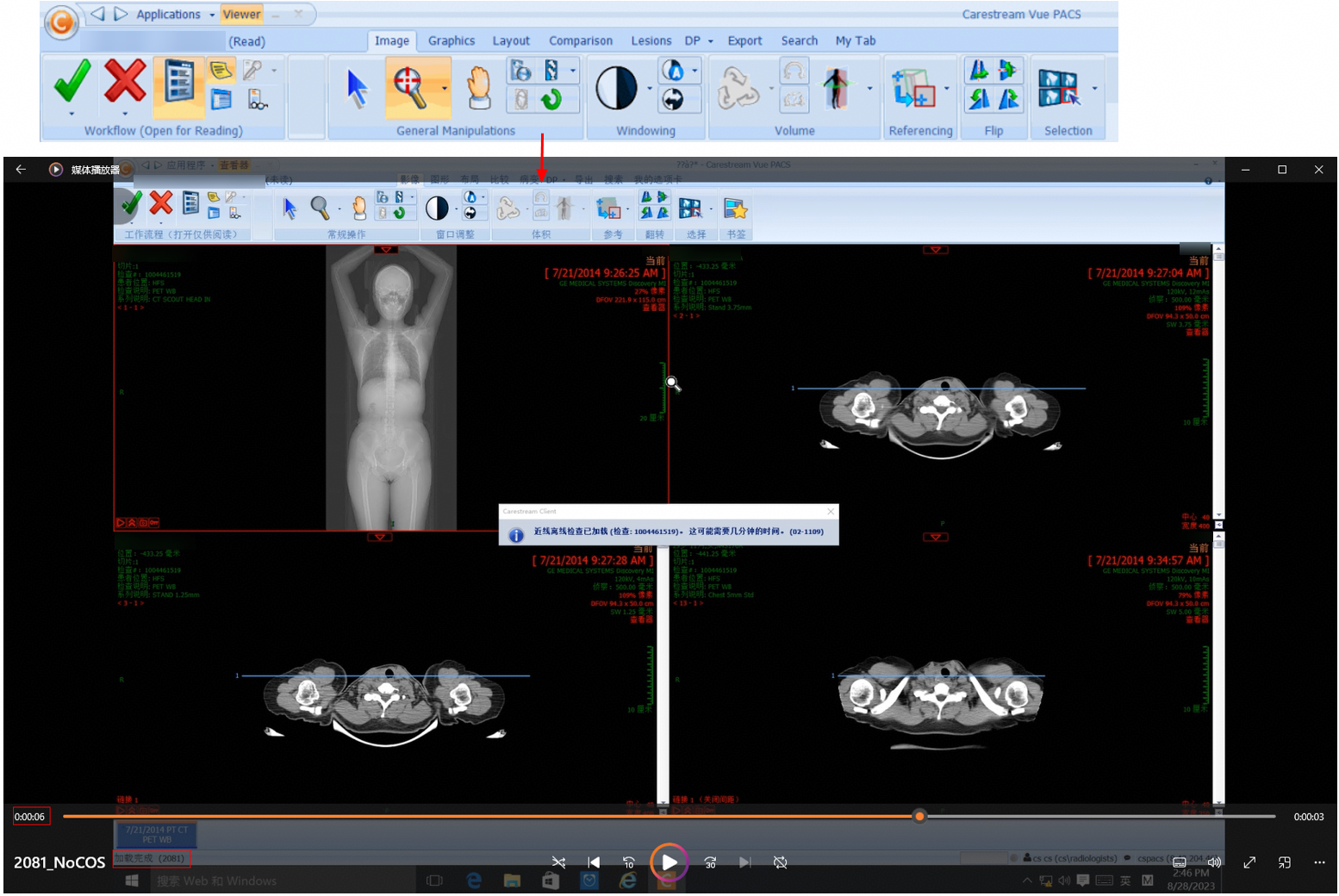 |
3.2.3.4 Retrieval Performance for 2,327 Images
|
Name |
Retrieval performance for 2,327 images |
|
No. |
Performance_4 |
|
Scenario |
Verify the performance of retrieving 2,327 images on the client. |
|
Prerequisites |
|
|
Procedure |
|
|
Expected Result |
2,327 images are successfully retrieved and the performance meets the requirements. |
|
Pass or Not |
Yes |
|
Failure Cause | |
|
Execution Result |
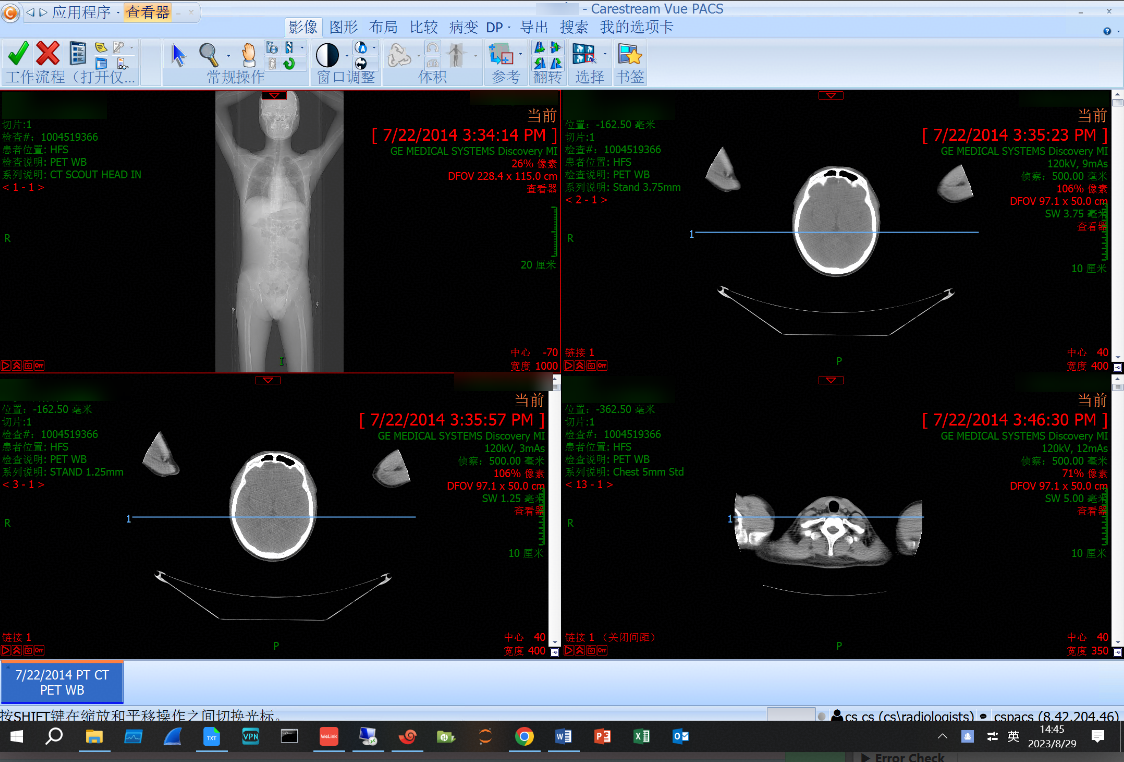
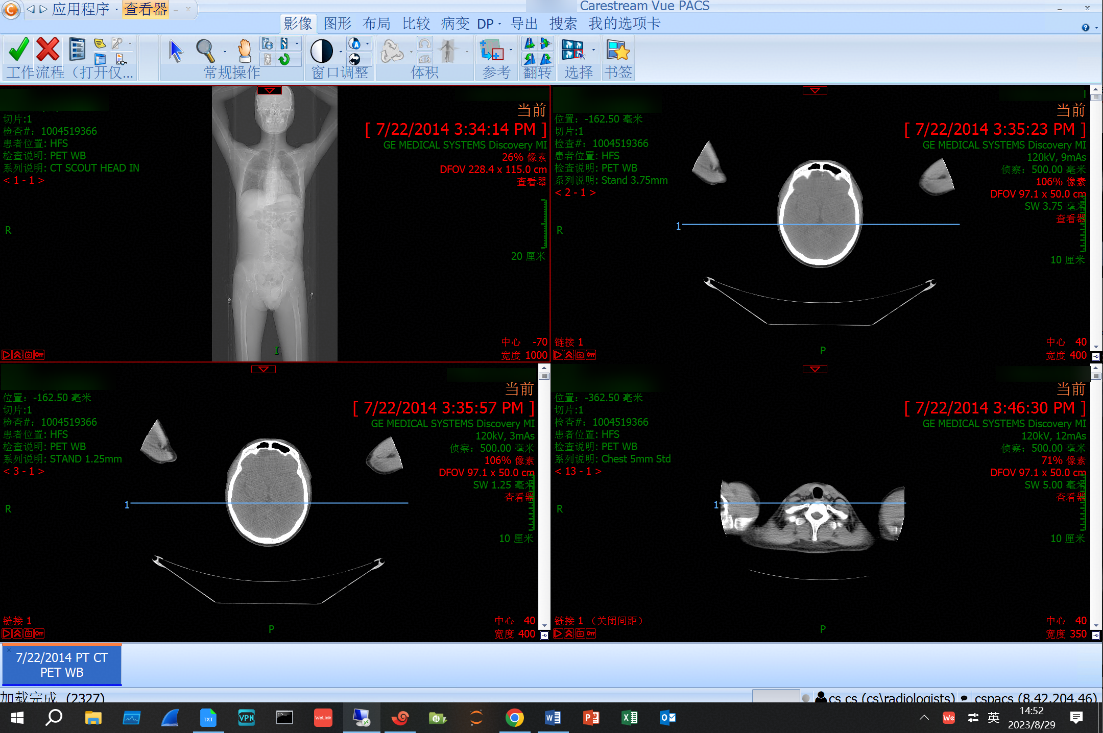
Performance test result: 465.4 images per second 1. Target samples are retrieved on the client. 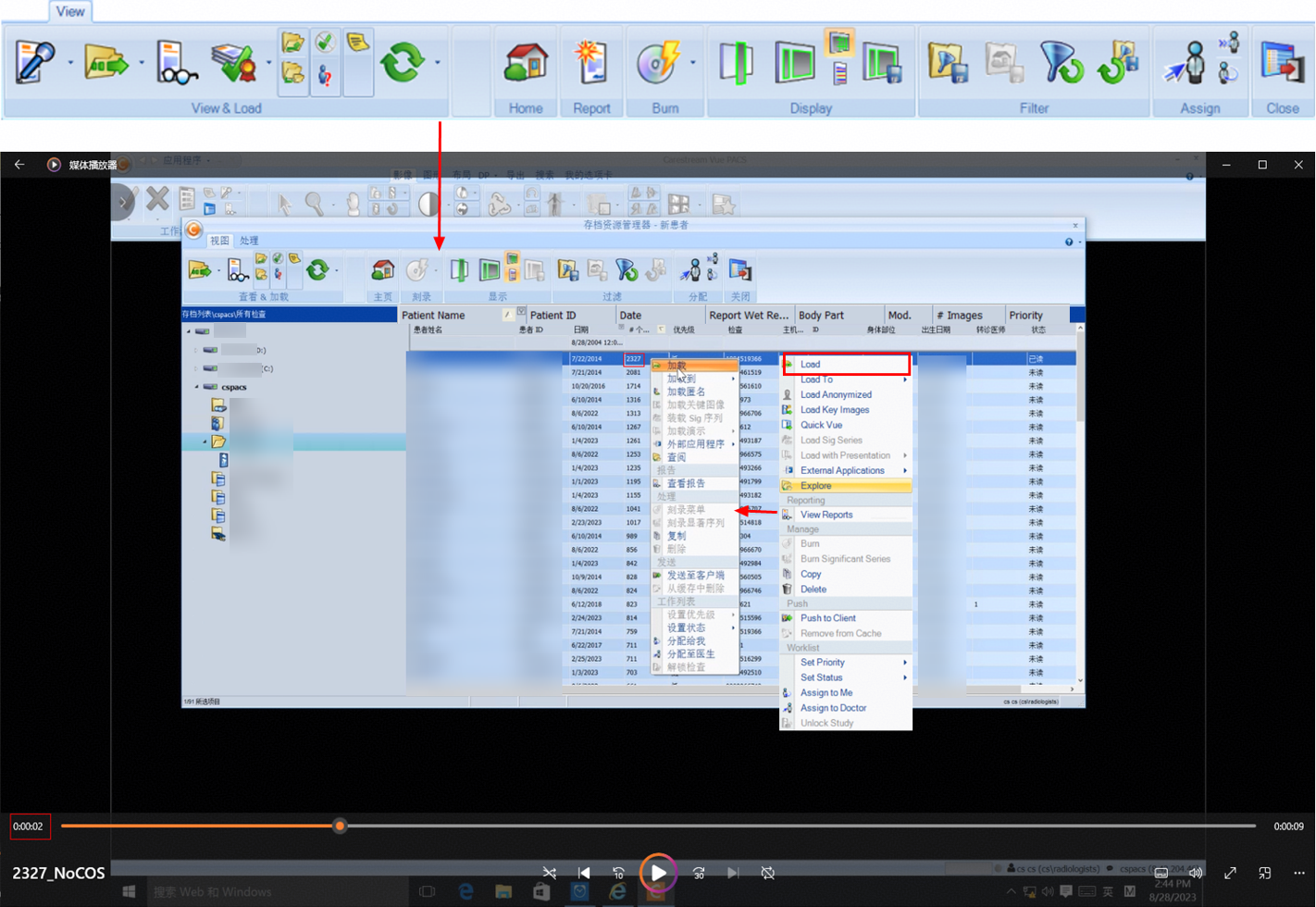
2. The retrieval is complete, which takes about 5 seconds. 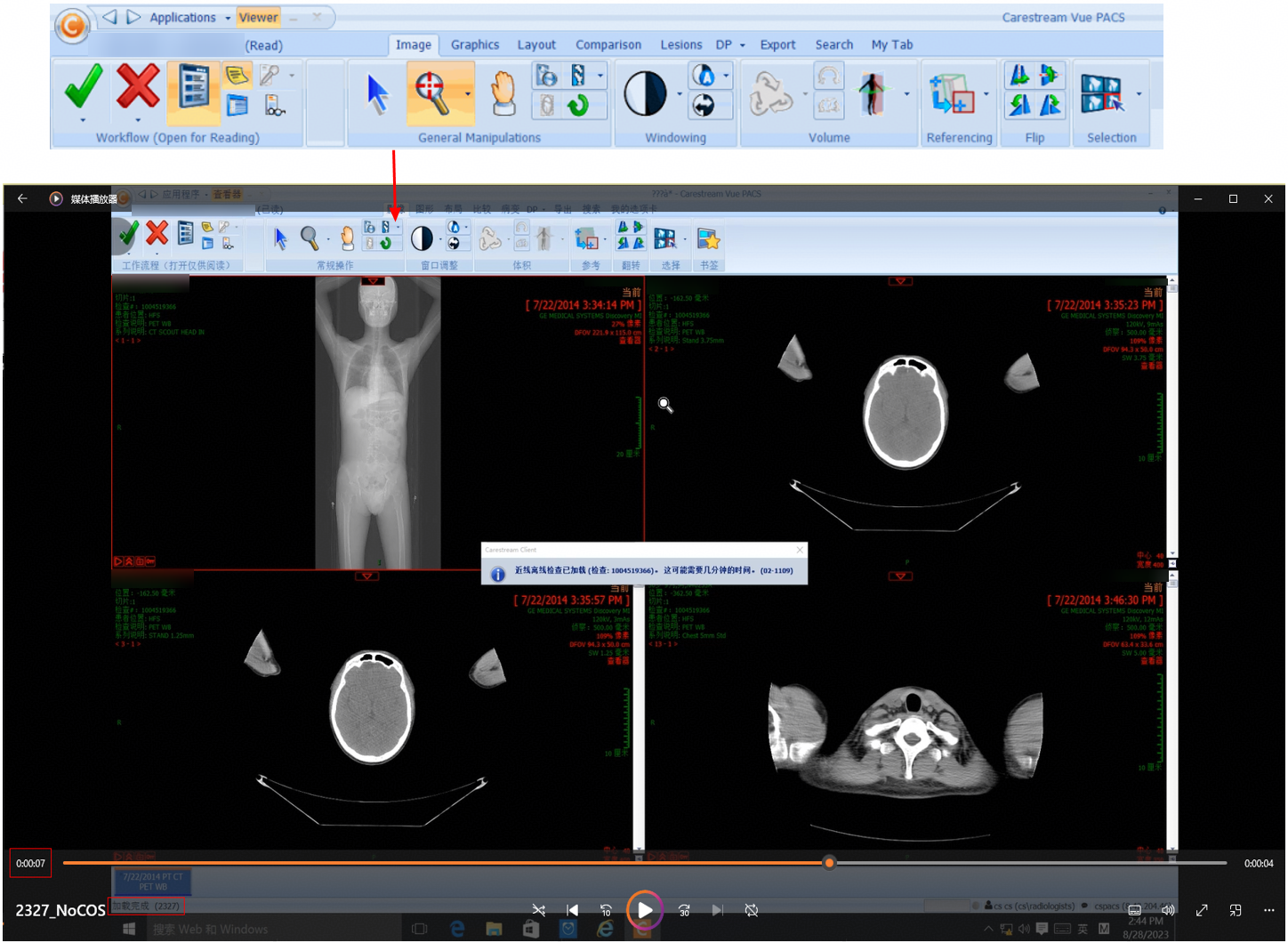 |
3.2.4 Retrieval Stress Tests
3.2.4.1 Retrieval Performance for 1,316 Images in a Simulated Stress Scenario of 300 Concurrent Requests
|
Name |
Retrieval performance for 1,316 images in a simulated stress scenario of 300 concurrent requests |
|
No. |
Pressure_01 |
|
Scenario |
Verify the performance of retrieving 1,316 images on the client in a stress scenario of 300 concurrent requests. |
|
Prerequisites |
|
|
Procedure | |
|
Expected Result |
1,316 images are successfully retrieved and the performance meets the requirements. |
|
Pass or Not |
Yes |
|
Failure Cause | |
|
Execution Result |
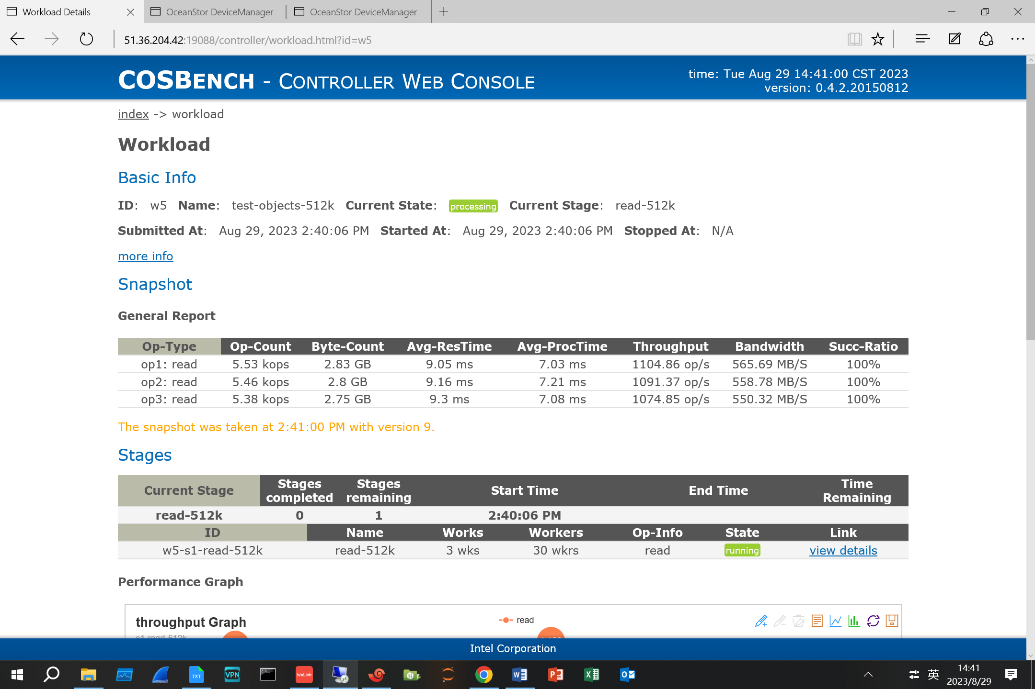
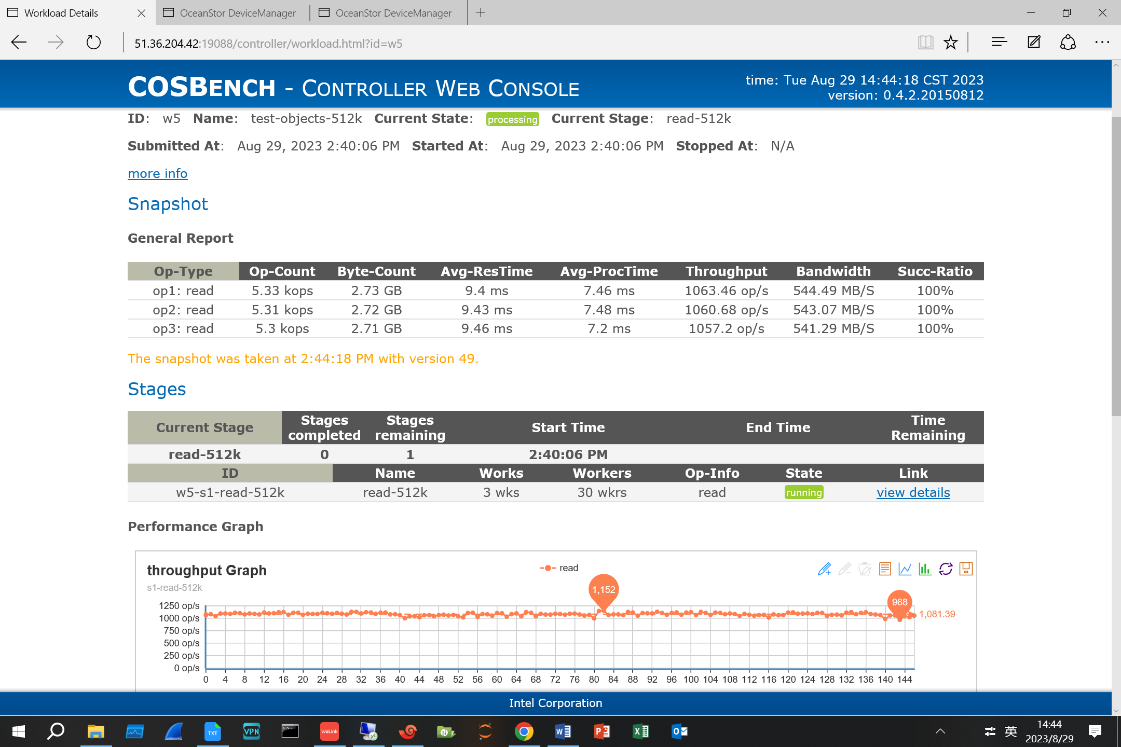
Performance test result: 438.67 images per second 1. Target samples are retrieved on the client. 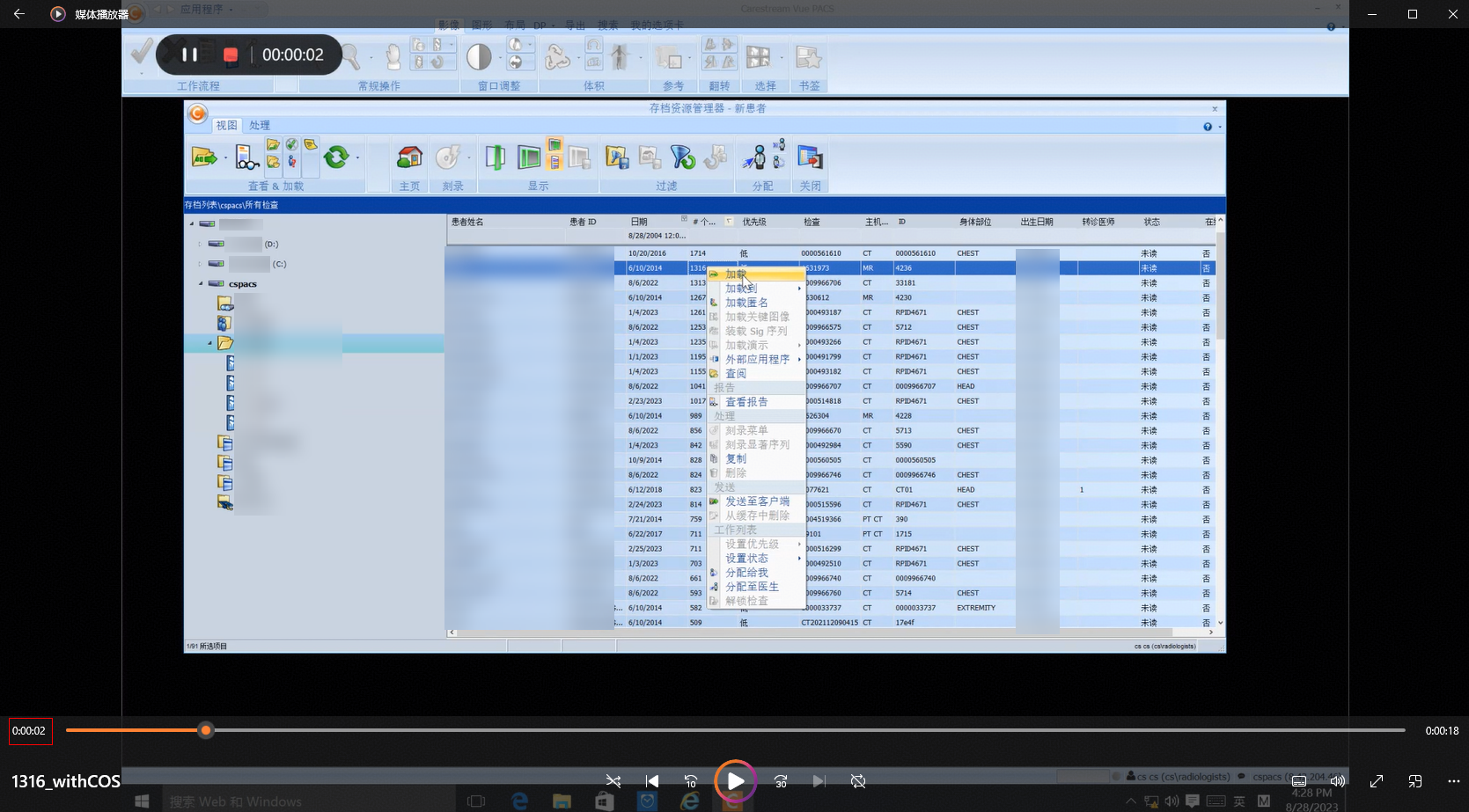
2. The stress test tasks delivered by COSBench run properly during the retrieval. 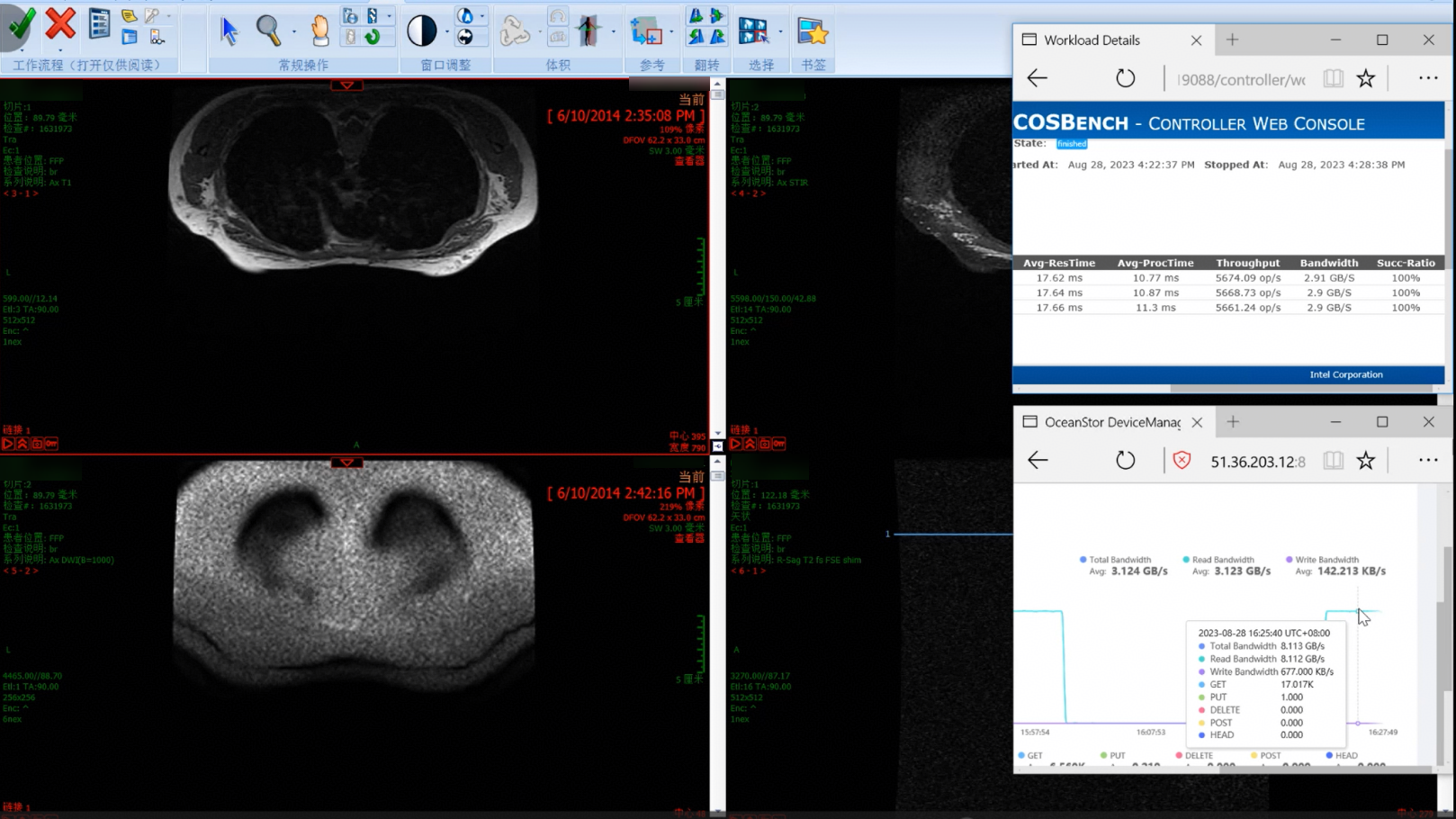
3. The retrieval is complete, which takes about 3 seconds. 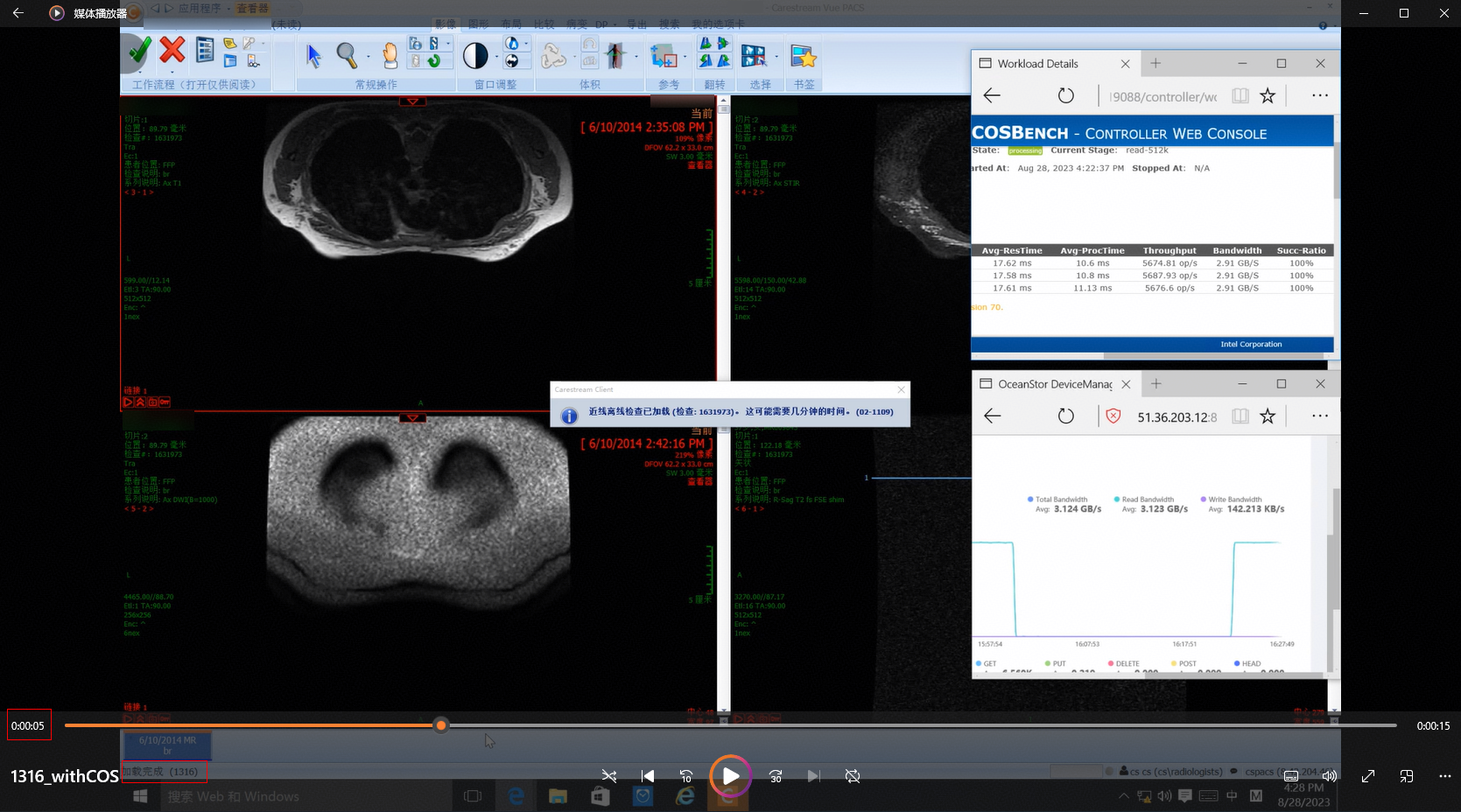 |
 .
.3.2.4.2 Retrieval Performance for 1,714 Images in a Simulated Stress Scenario of 300 Concurrent Requests
|
Name |
Retrieval performance for 1,714 images in a simulated stress scenario of 300 concurrent requests |
|
No. |
Pressure_02 |
|
Scenario |
Verify the performance of retrieving 1,714 images on the client in a stress scenario of 300 concurrent requests. |
|
Prerequisites |
|
|
Procedure | |
|
Expected Result |
1,714 images are successfully retrieved and the performance meets the requirements. |
|
Pass or Not |
Yes |
|
Failure Cause | |
|
Execution Result |
Performance test result: 342.8 images per second 1. Target samples are retrieved on the client. 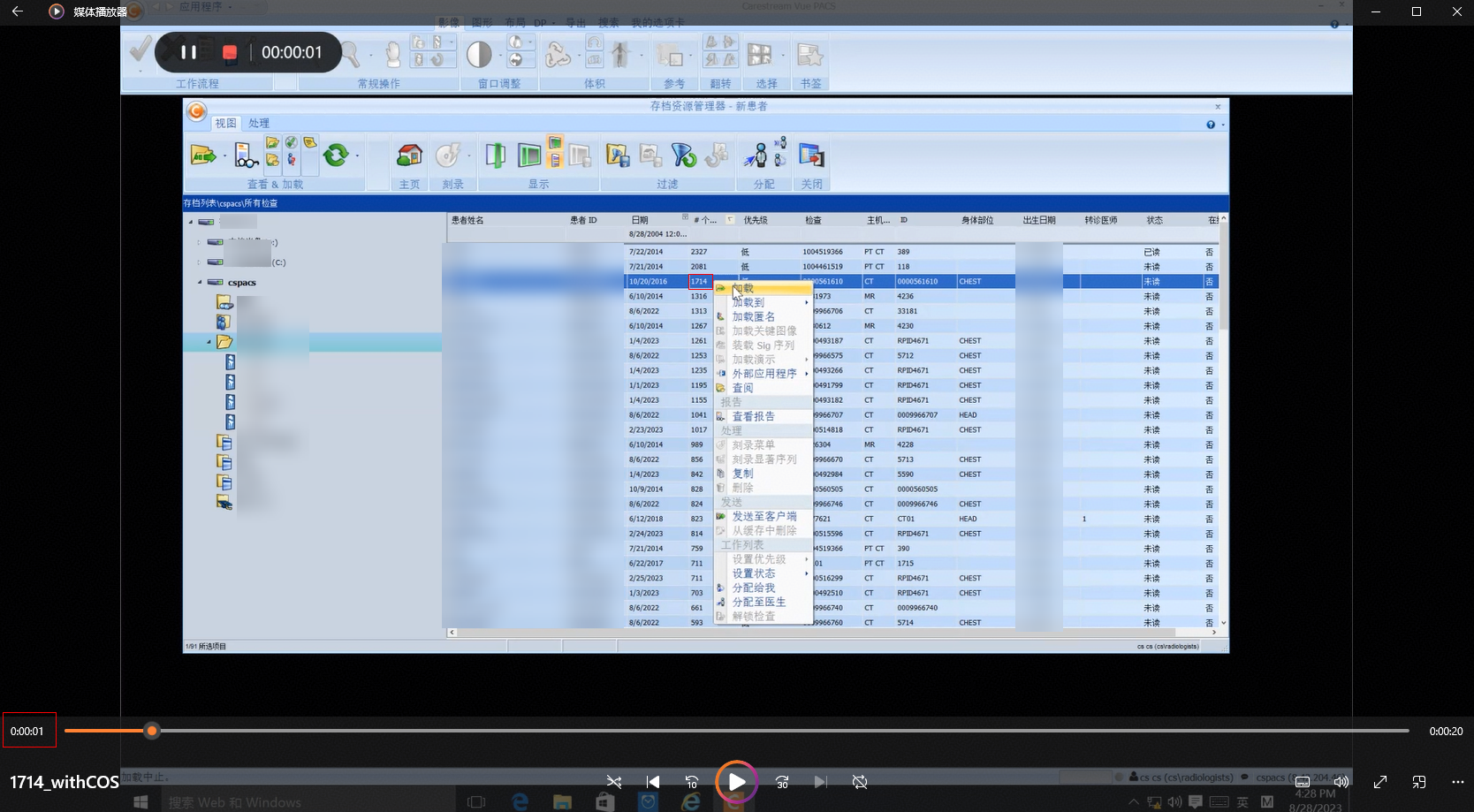
2. The stress test tasks delivered by COSBench run properly during the retrieval. 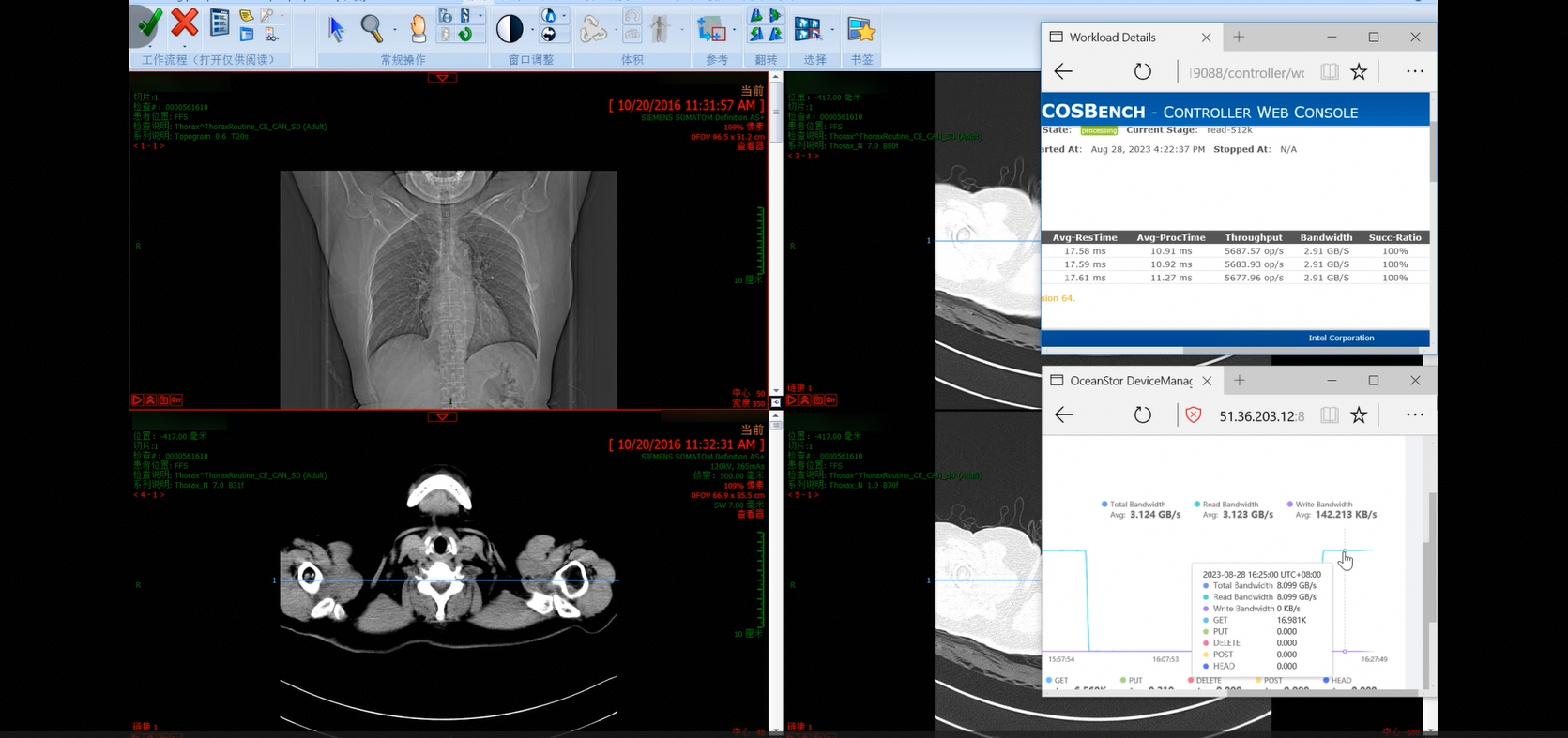
3. The retrieval is complete, which takes about 6 seconds. 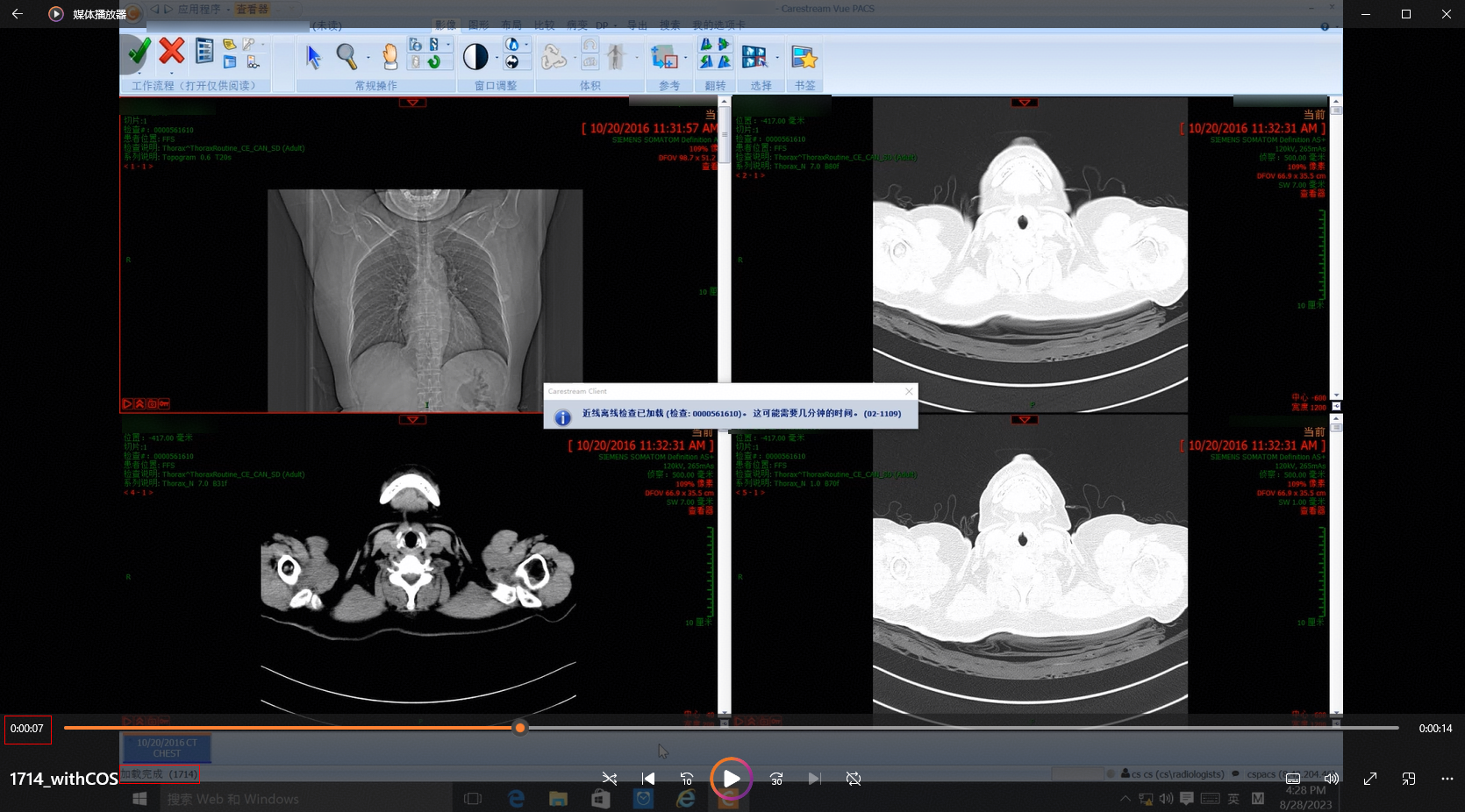 |
 .
.3.2.4.3 Retrieval Performance for 2,081 Images in a Simulated Stress Scenario of 300 Concurrent Requests
|
Name |
Retrieval performance for 2,081 images in a simulated stress scenario of 300 concurrent requests |
|
No. |
Pressure_03 |
|
Scenario |
Verify the performance of retrieving 2,081 images on the client in a stress scenario of 300 concurrent requests. |
|
Prerequisites |
|
|
Procedure | |
|
Expected Result |
2,081 images are successfully retrieved and the performance meets the requirements. |
|
Pass or Not |
Yes |
|
Failure Cause | |
|
Execution Result |
Performance test result: 416.2 images per second 1. Target samples are retrieved on the client. 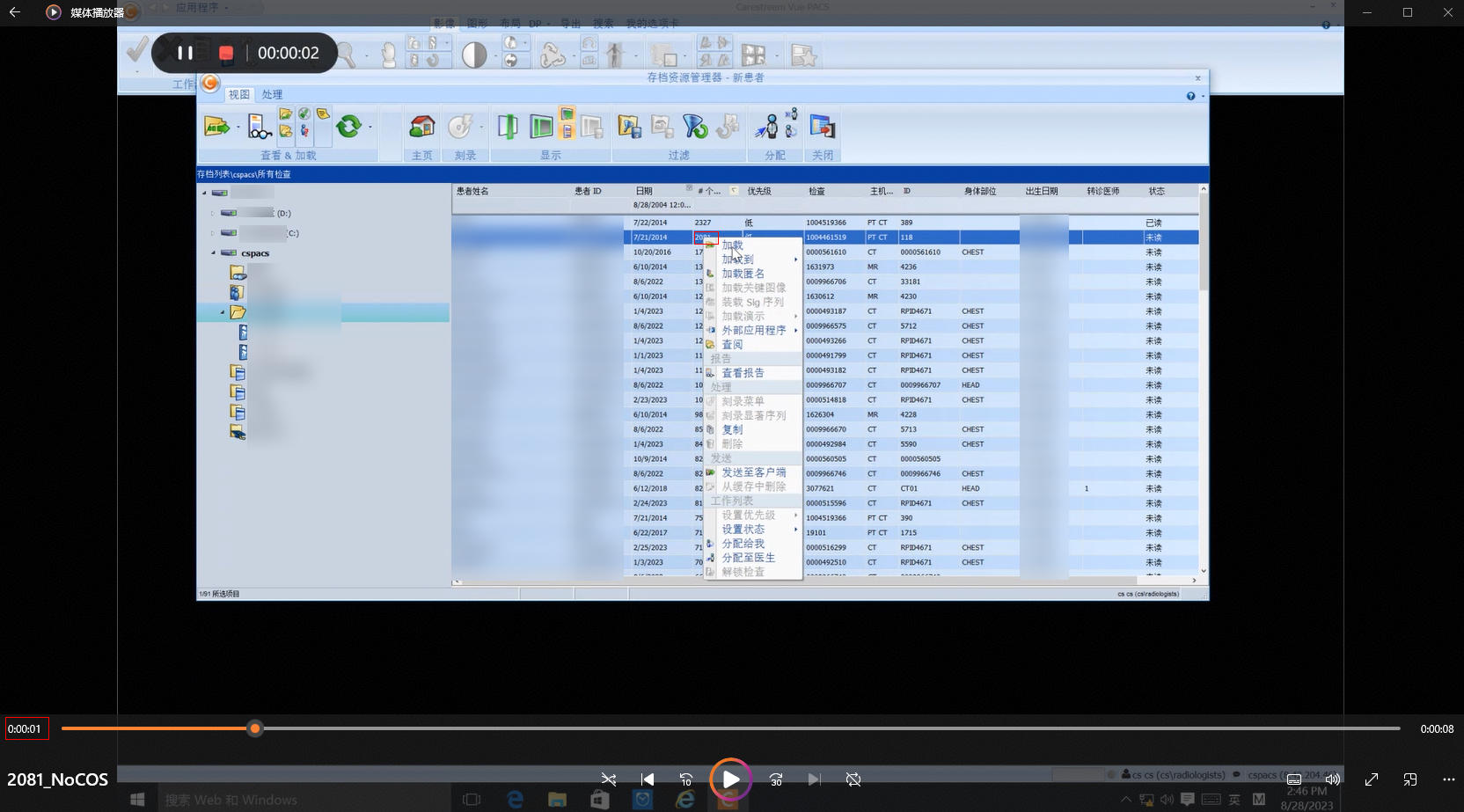
2. The stress test tasks delivered by COSBench run properly during the retrieval. 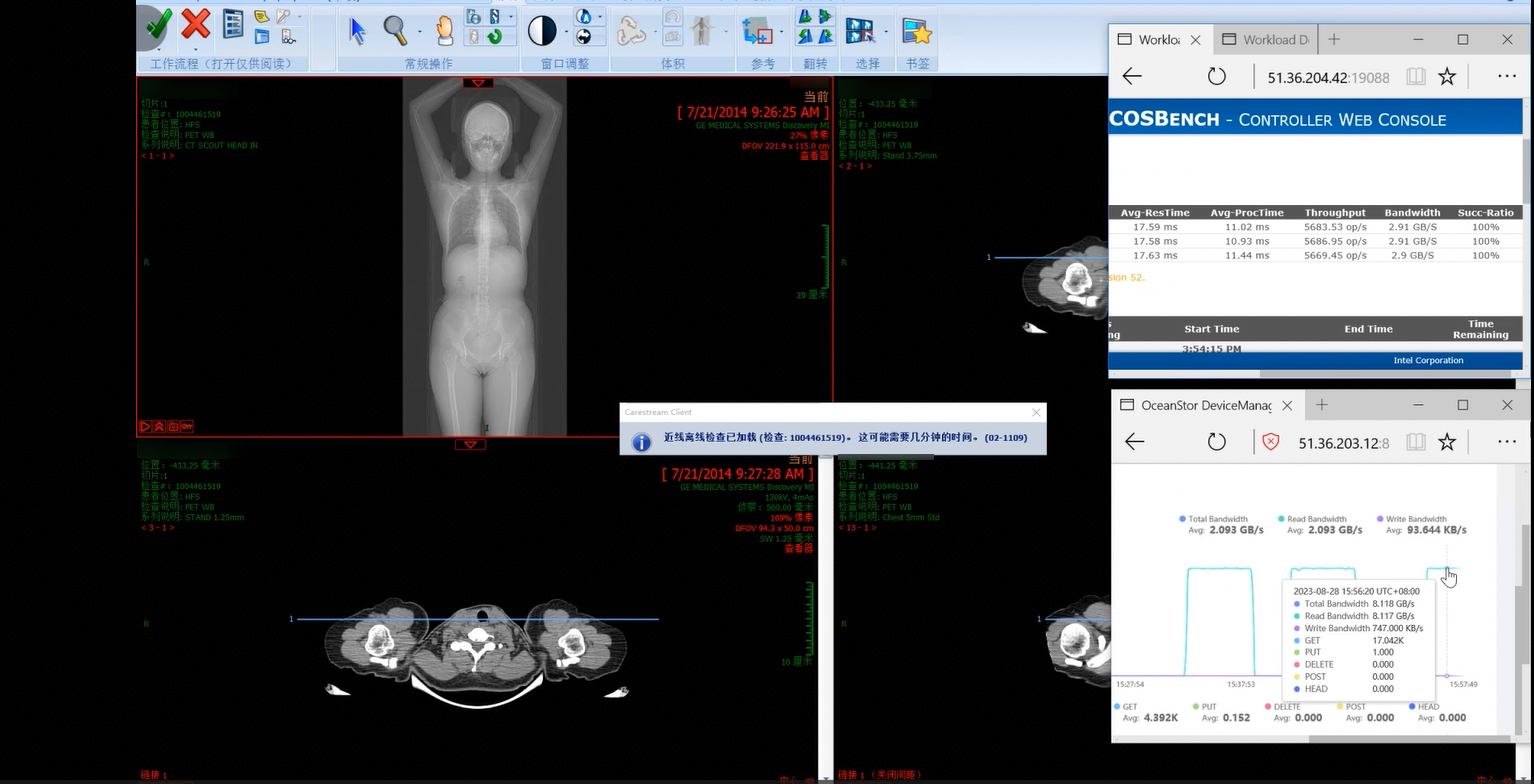
3. The retrieval is complete, which takes about 5 seconds. 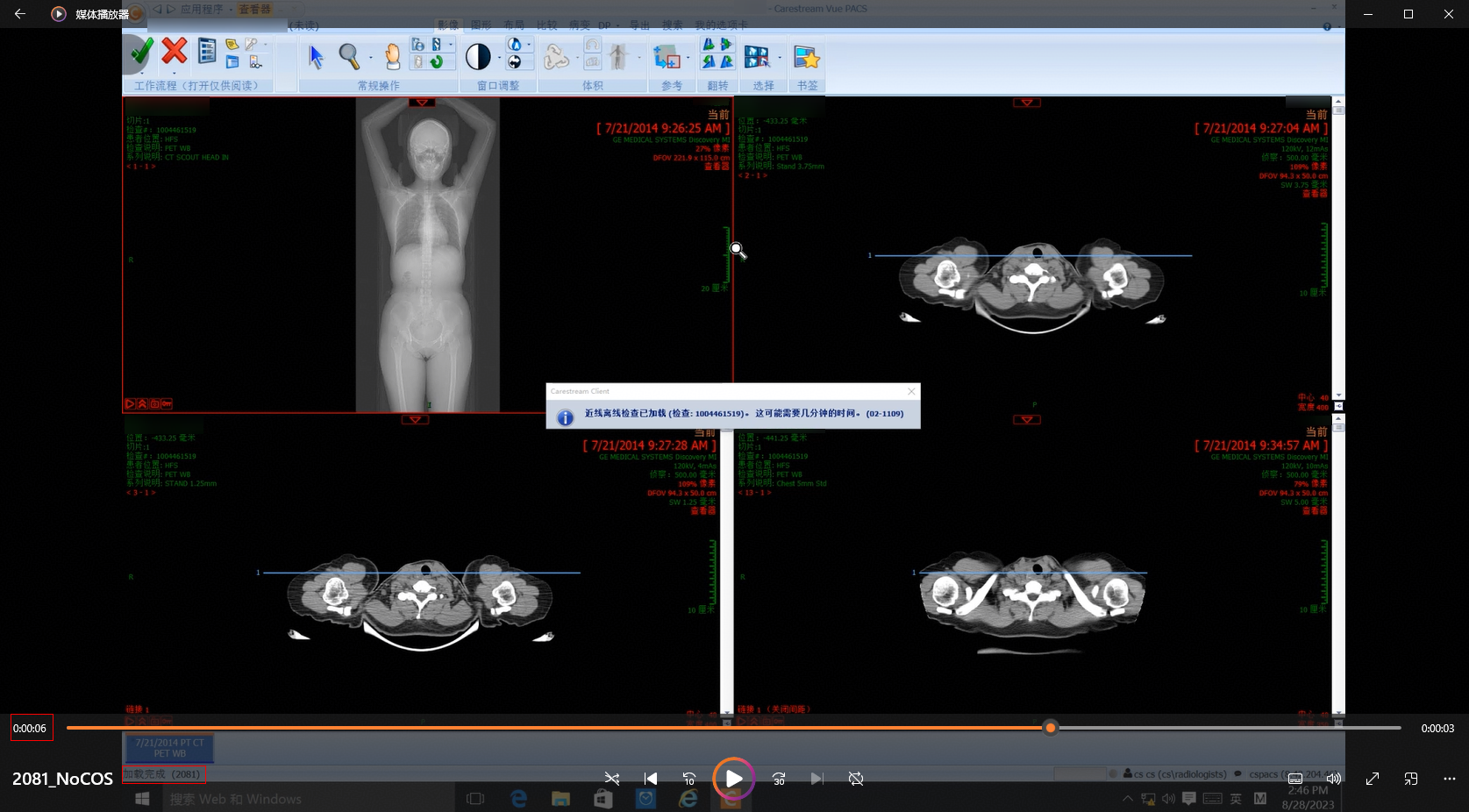 |
 .
.3.2.4.4 Retrieval Performance for 2,327 Images in a Simulated Stress Scenario of 300 Concurrent Requests
|
Name |
Retrieval performance for 2,327 images in a simulated stress scenario of 300 concurrent requests |
|
No. |
Pressure_04 |
|
Scenario |
Verify the performance of retrieving 2,327 images on the client in a stress scenario of 300 concurrent requests. |
|
Prerequisites |
|
|
Procedure | |
|
Expected Result |
2,327 images are successfully retrieved and the performance meets the requirements. |
|
Pass or Not |
Yes |
|
Failure Cause | |
|
Execution Result |
Performance test result: 465.4 images per second 1. Target samples are retrieved on the client. 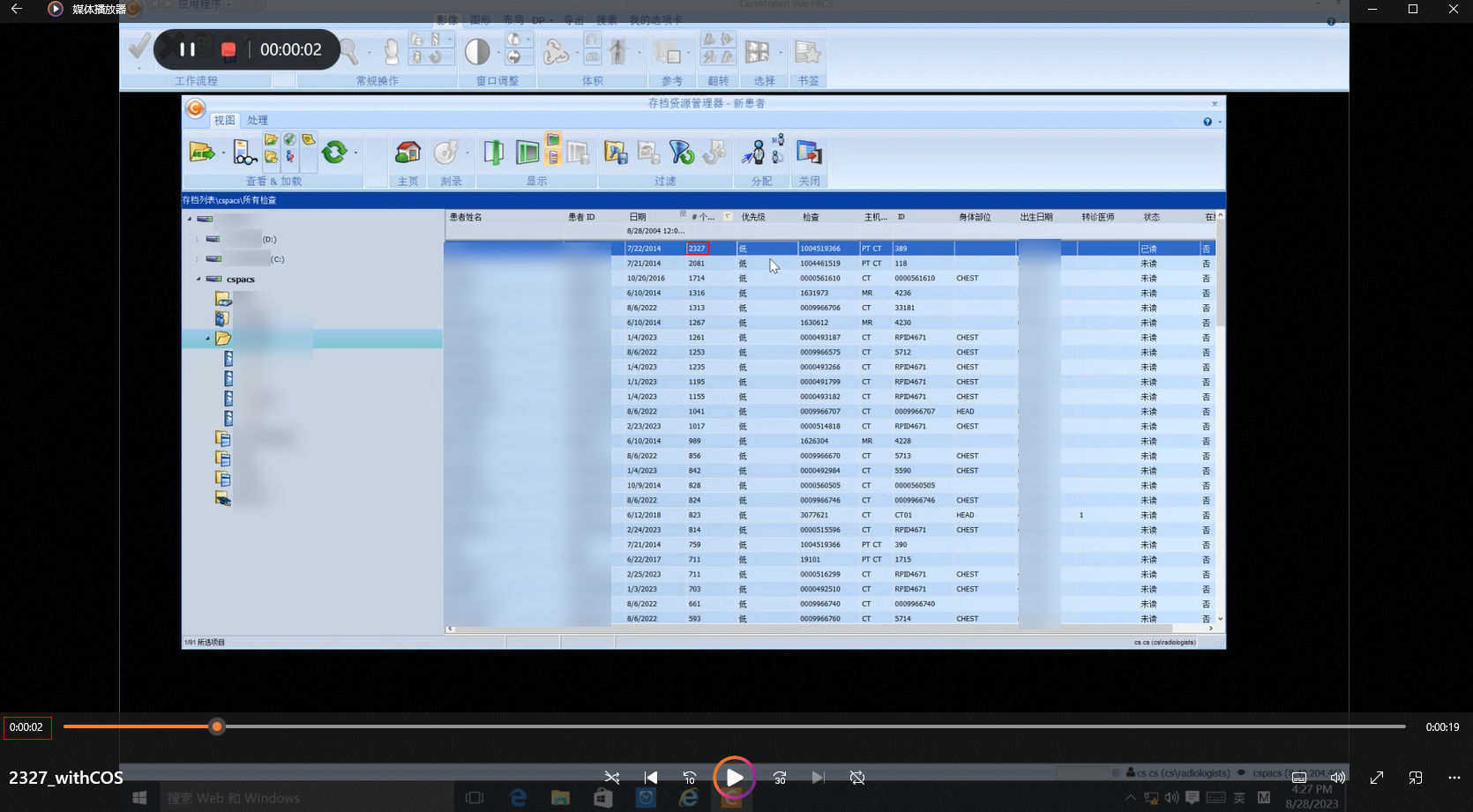
2. The stress test tasks delivered by COSBench run properly during the retrieval. 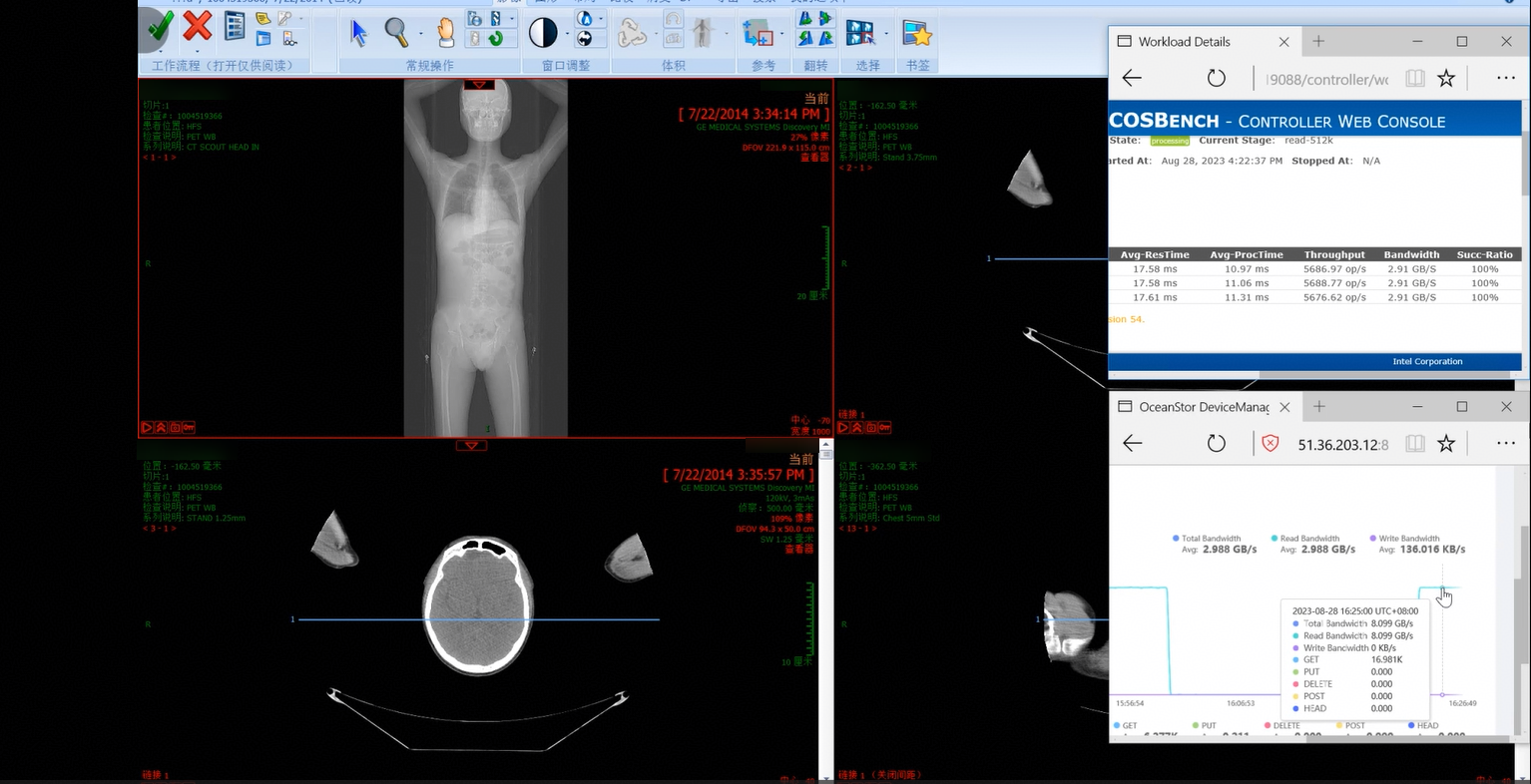
3. The retrieval is complete, which takes about 6 seconds. 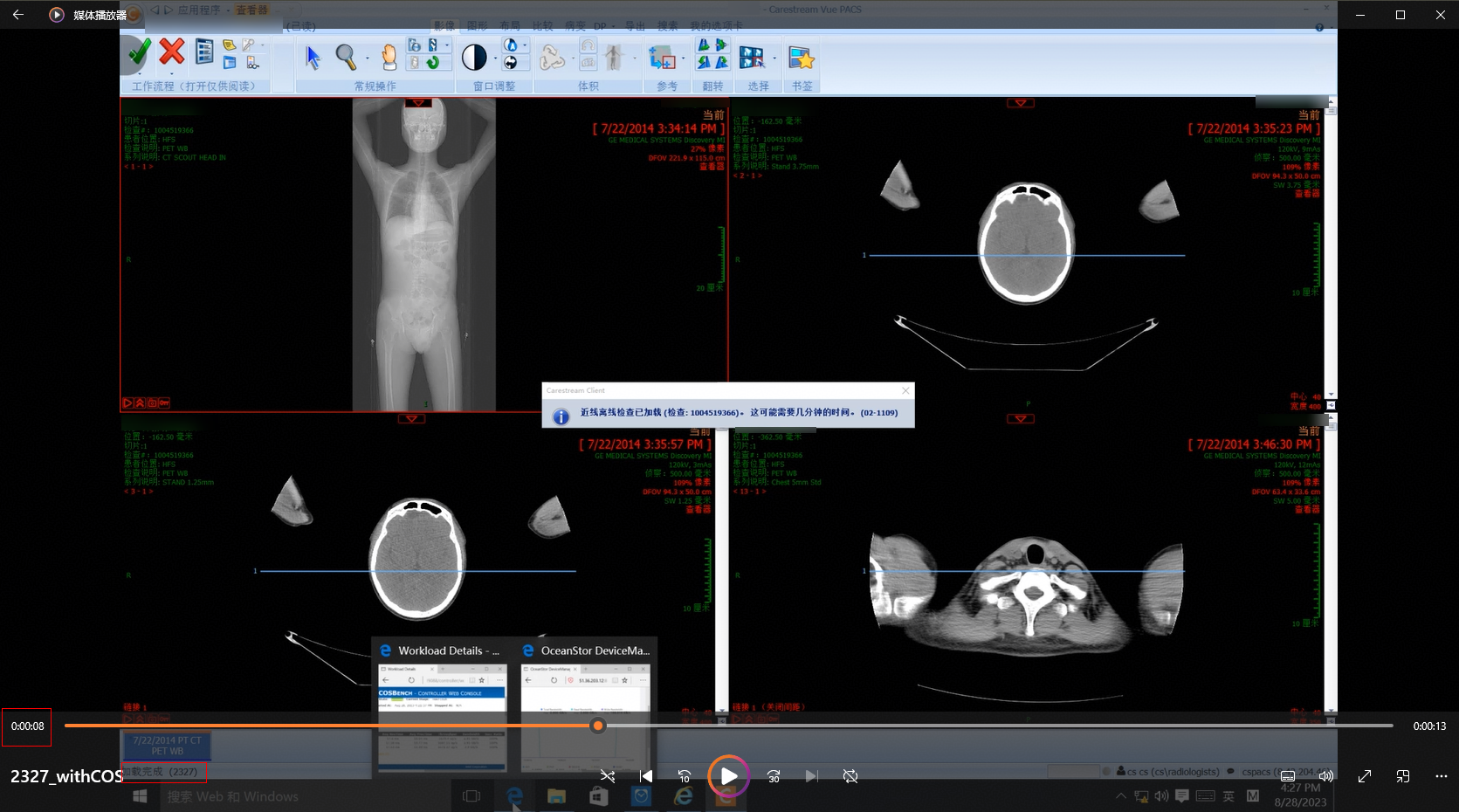 |
 .
.3.2.5 Reliability Tests
3.2.5.1 Disk Fault of the Storage Cluster
 .
.


4. Test Summary
4.1 Test Result
|
No. |
Test Category |
Total Cases |
Passed Cases |
Failed Cases |
Unsupported Cases |
Untested Cases |
|---|---|---|---|---|---|---|
|
1 |
Function test |
4 |
4 |
0 |
0 |
0 |
|
2 |
Performance test |
4 |
4 |
0 |
0 |
0 |
|
3 |
Benchmark test |
4 |
4 |
0 |
0 |
0 |
|
4 |
Stress test |
4 |
4 |
0 |
0 |
0 |
|
5 |
Reliability test |
1 |
1 |
0 |
0 |
0 |
4.2 Test Conclusion
1. All function tests are passed.
2. All benchmark performance tests are passed. The data is as follows.
|
File Size |
Action |
TPS |
Bandwidth |
|
512 KB |
Upload |
6276.46 op/s |
3.21 GB/s |
|
512 KB |
Download |
16835.46 op/s |
8.61 GB/s |
|
4 KB |
Upload |
41449.39 op/s |
165.8 MB/s |
|
4 KB |
Download |
42997.79 op/s |
172 MB/s |
3. All retrieval performance tests are passed. The data is as follows.
|
Number of Samples (Images) |
Retrieval Duration (s) |
Retrieval Speed (Image/s) |
|
1,316 |
3 |
438.67 |
|
1,714 |
5 |
342.8 |
|
2,081 |
5 |
416.2 |
|
2,327 |
5 |
465.4 |
4. All retrieval stress tests in a simulated scenario of 300 concurrent requests are passed. The data is as follows.
|
Number of Samples (Images) |
Retrieval Duration (s) |
Retrieval Speed (Image/s) |
|
1,316 |
3 |
438.67 |
|
1,714 |
6 |
285.67 |
|
2,081 |
5 |
416.2 |
|
2,327 |
6 |
387.83 |
