Huawei OceanStor Dorado All-Flash Storage and Splunk Enterprise 10.2
Interoperability Test Report

Axians Global All Rights Reserved
Executive Summary
Axians Global (“Axians”) assessed the interoperability of Splunk Enterprise 10.2 with Huawei OceanStor Dorado All-Flash Storage (hereinafter referred to as “the storage” as well). The goal of the assessment is to validate that Splunk Enterprise 10.2 is interoperable with Huawei OceanStor Dorado All-Flash Storage.
During the assessment, all interoperability test cases were successfully completed. Splunk Enterprise 10.2 can ingest audit logs from Huawei OceanStor Dorado all‑flash storage for querying within its interface.
Axians has determined that Splunk Enterprise 10.2 will function with Huawei OceanStor Dorado All-Flash Storage for the following scenarios:
Storage Tested | Protocol(s) Tested | Test Scenario | Result |
OceanStor Dorado All-Flash Storage | Syslog | Basic Connectivity Test | Passed |
Basic Funtions Test | Passed | ||
Reliability Test | Passed | ||
CIFS(SMB) | Basic Connectivity Test | Passed | |
Basic Funtions Test | Passed | ||
Reliability Test | Passed |
Tips:All test results are also applicable to Huawei OceanStor Capacity Flash Storage and Huawei OceanStor Hybrid Flash Storage.
1. Environment Configuration
1.1 Network Diagram
Figure 1.1 Storage and Splunk Enterprise Compatibility Test Networking
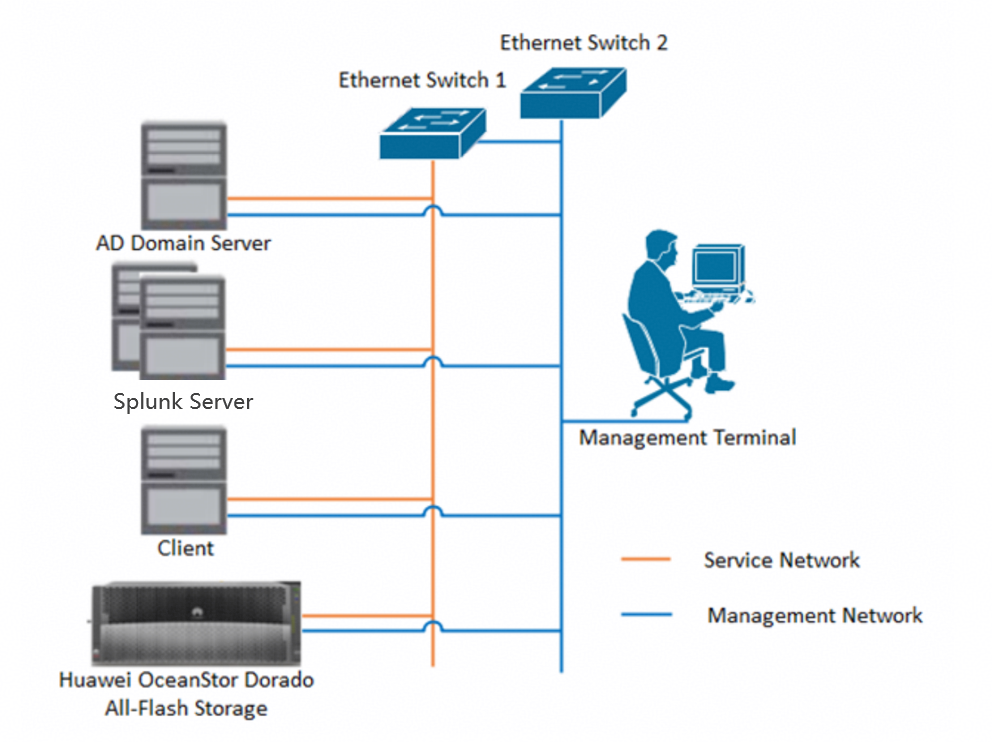
Note: When the client server performs operations such as create, delete, modify and query by mounting the CIFS share of OceanStor Dorado all‑flash storage, these operations are recorded in the storage’s audit log file system. After the Splunk Server connects to the storage via the Syslog protocol or CIFS protocol, it can retrieve and parse the audit log files, and relevant operation records can be queried on the Splunk Server. The AD Domain Server is applicable for the CIFS protocol integration scenario and provides authentication during connection. For details about the audit log configuration, please refer to the following sections.
1.2 Hardware and Software Configuration
1.2.1 Storage and Hardware Configuration
Table 1-1 Hardware Configuration table
Configuration | Usage | Quantity | |
Storage |
| Stores files and records operations performed by different users on the files. | 1 |
VMware ESXi Server |
| Deploy Splunk Server, AD Domain Server, Client Server environment. | 1 |
Ethernet switch |
| The CE6855 Ethernet switch connects the management layer network and service layer network between VMware ESXi Server (include Splunk Server, AD Domain Server, Client Server), Storage. | 2 |
1.2.2 Test Software and Tools
Table 1-2 Test Software and Tool table
Software Name | Usage | Version | Quantity |
OceanStor Dorado Software | Deploy and manage Huawei OceanStor Dorado 5000 storage. | V700 | 1 |
VMware ESXi Software | Manage VMs used for Splunk Server, AD Domain Server, Client Server. | 7.0 | 1 |
Operation System | Deploy the Windows Host for Splunk Enterprise Software, AD Domain, Client. | Windows Server 2022 | 3 |
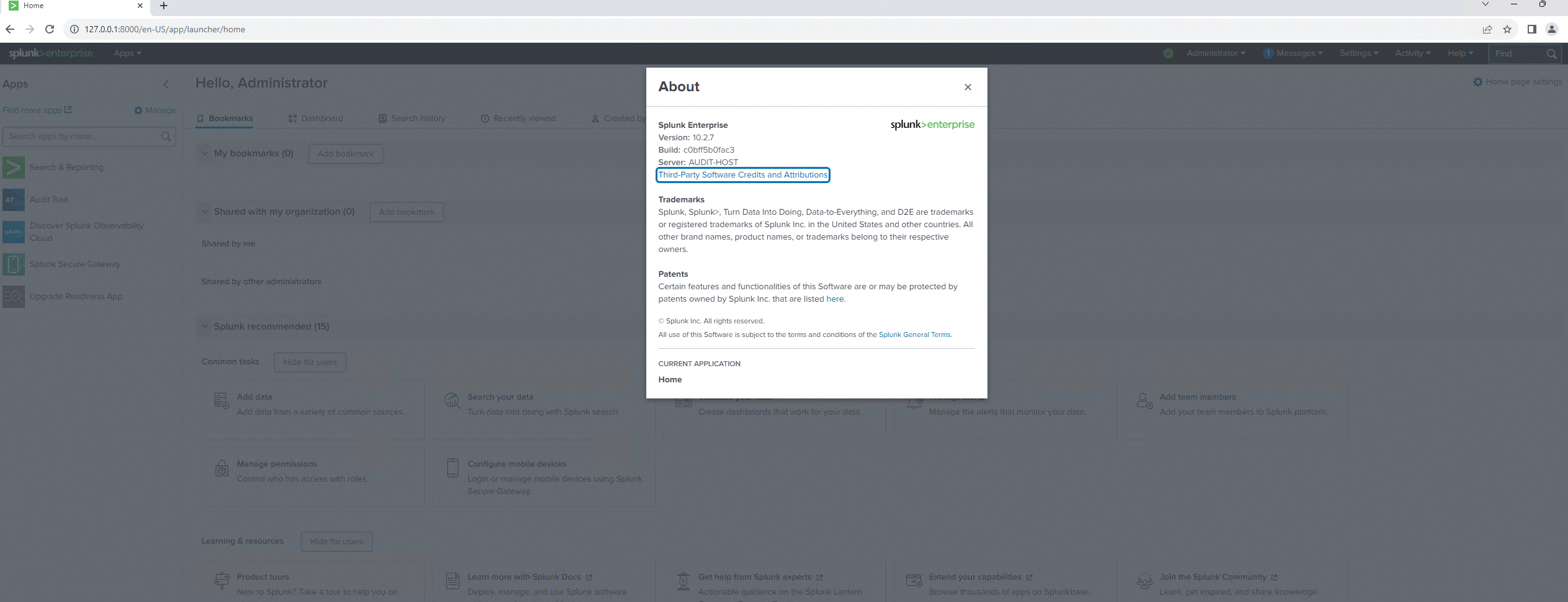
Splunk Enterprise Software | Graphical display of file audit logs. | 10.2 | 1 |
2. Test Preparation
2.1 Huawei OceanStor Dorado All-Flash Storage Pre-configuration
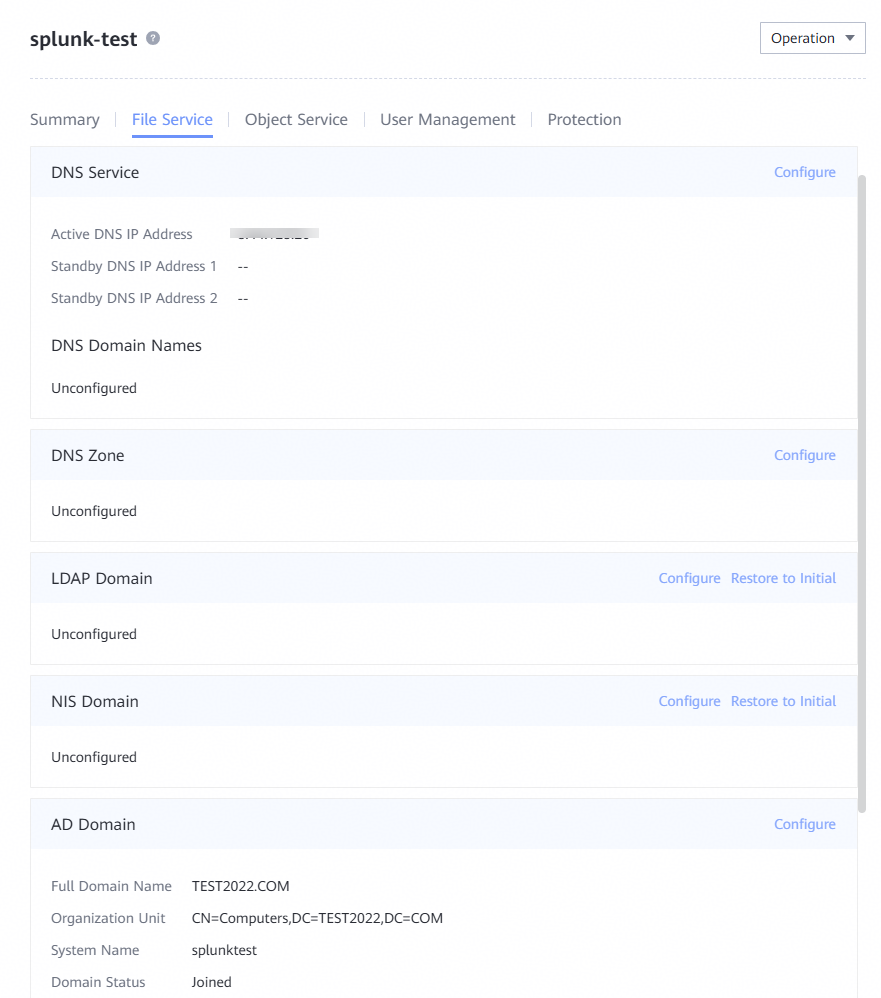
2.1.1 Create the vStore, DNS Service, AD Domain
2.1.2 Create the Logical Port
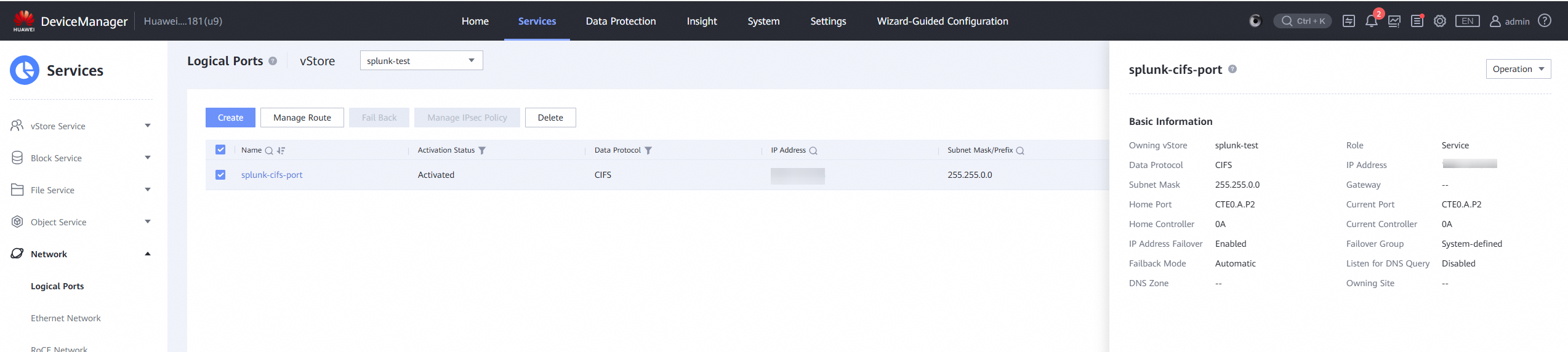
2.1.3 Configure the Audit Log
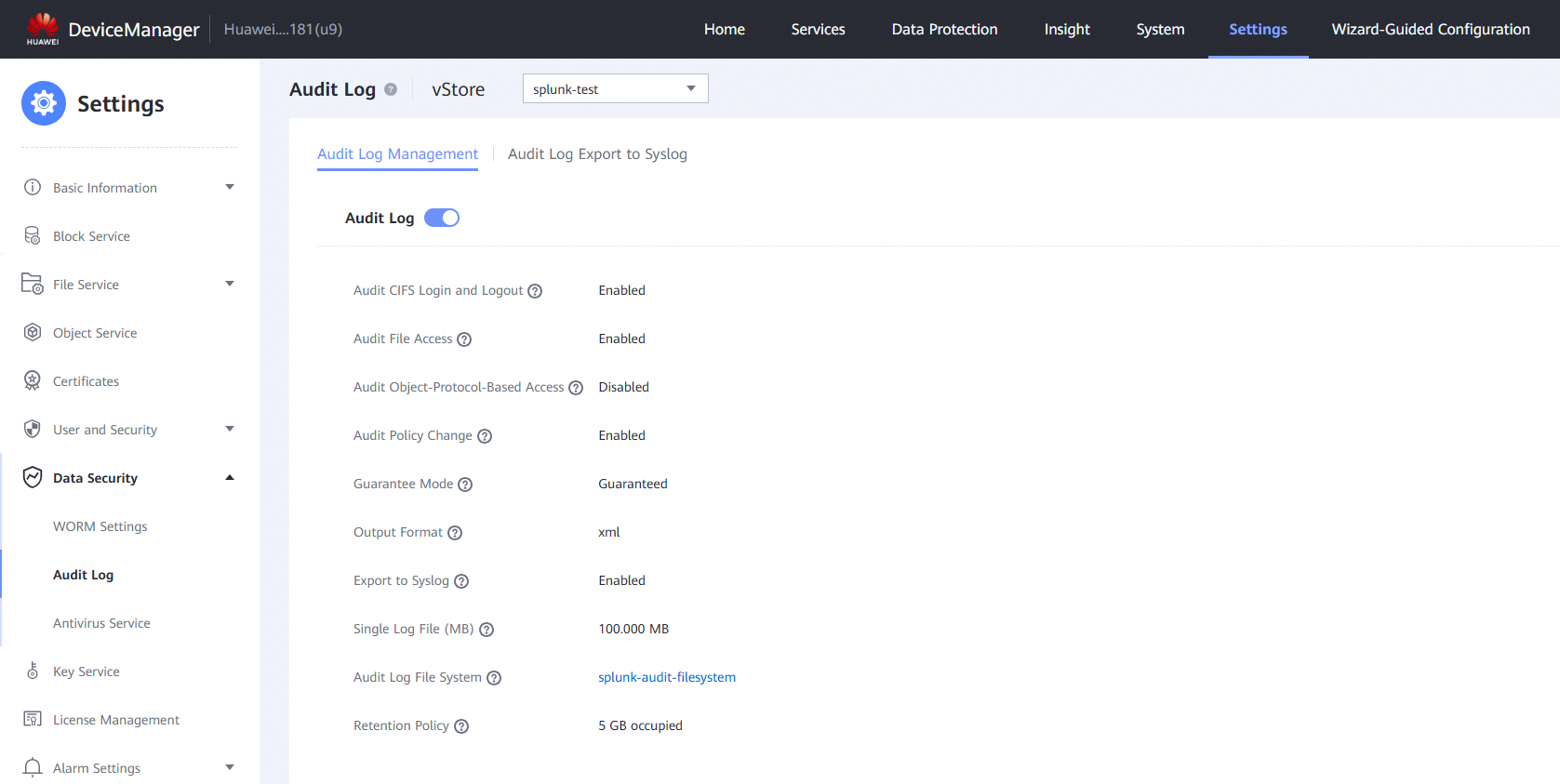
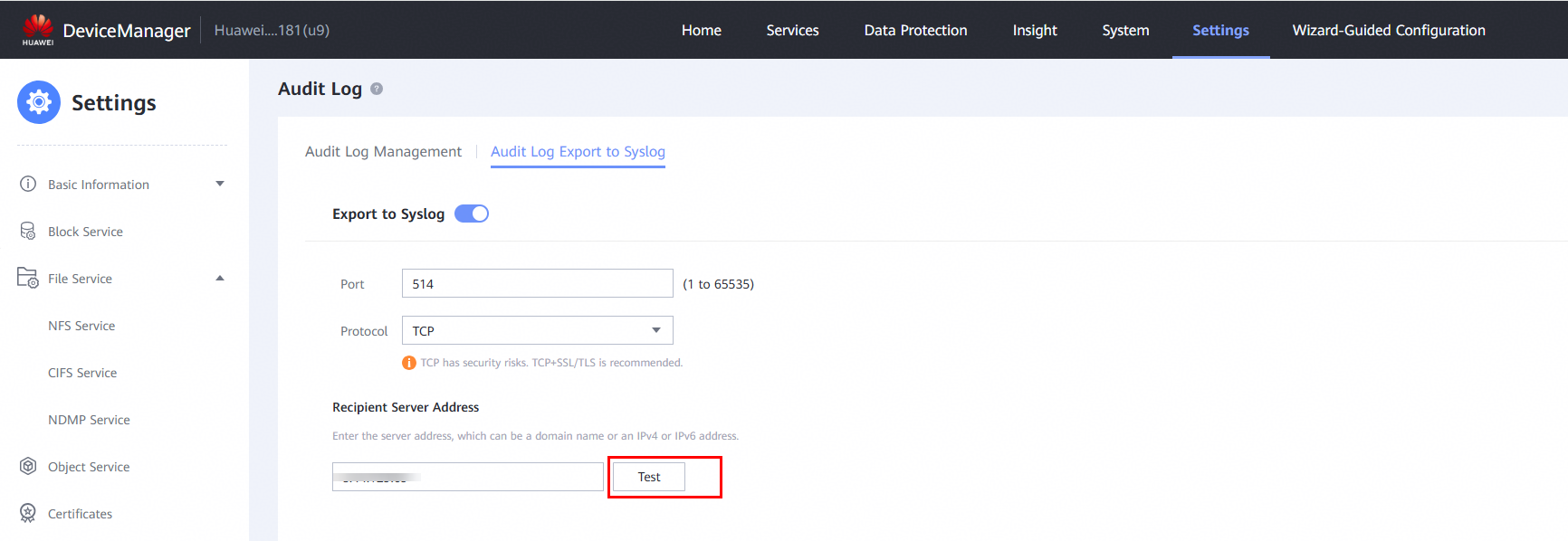
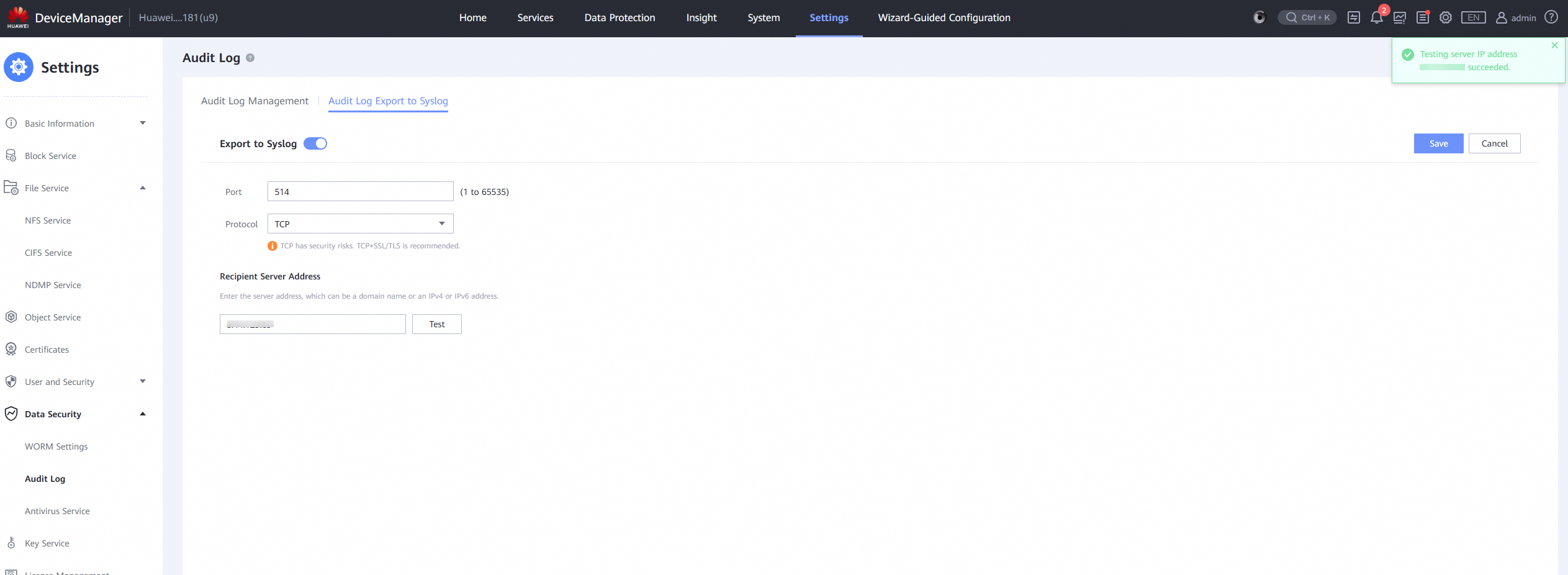
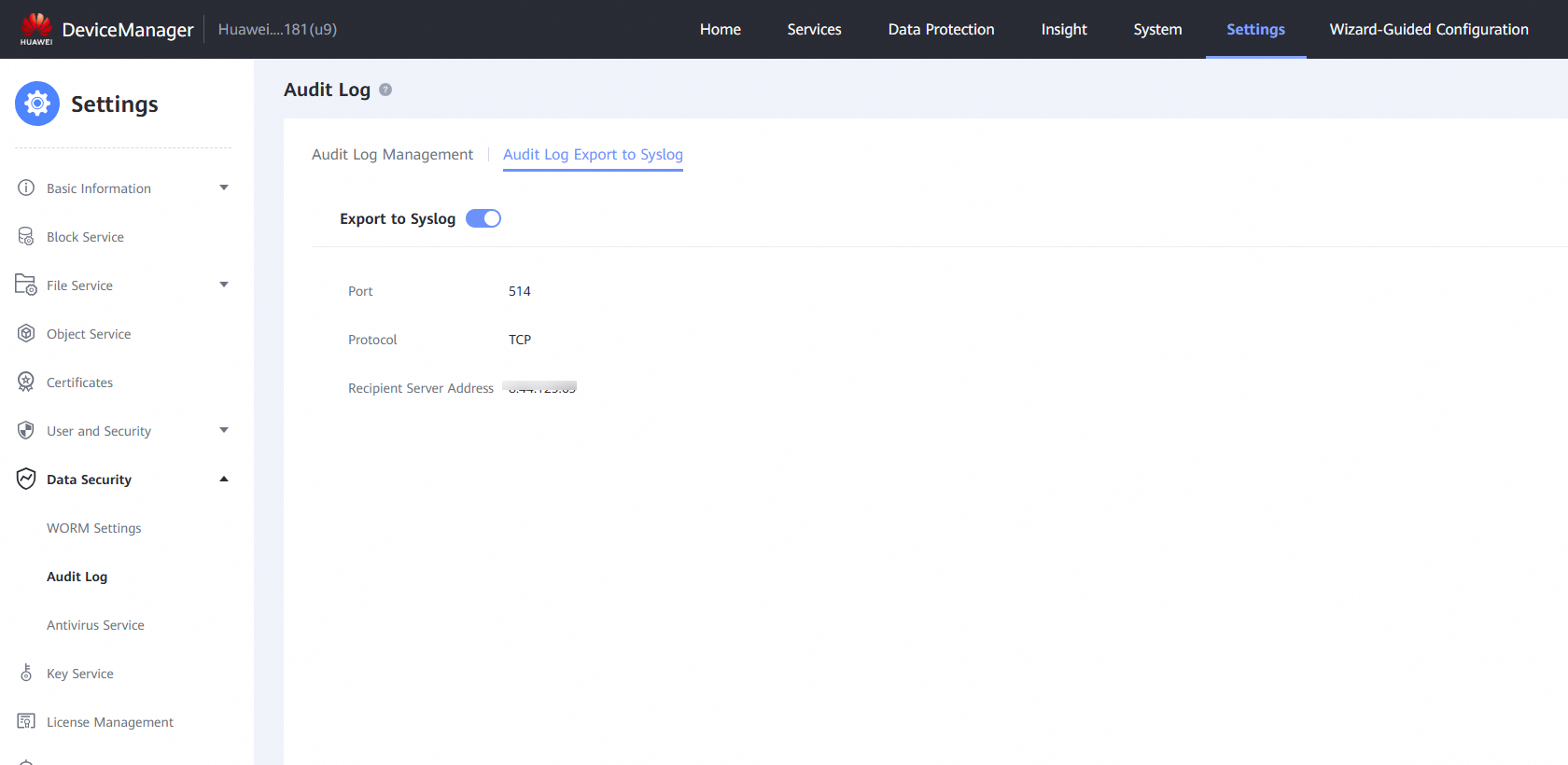
2.1.4 Configure Audit Log Export to Syslog
Note:
a) After setting the port and protocol, ensure that the settings are consistent with those on the peer end.
b) After adding the peer IP address, click Test to check whether the communication is normal (when Splunk is properly configured).
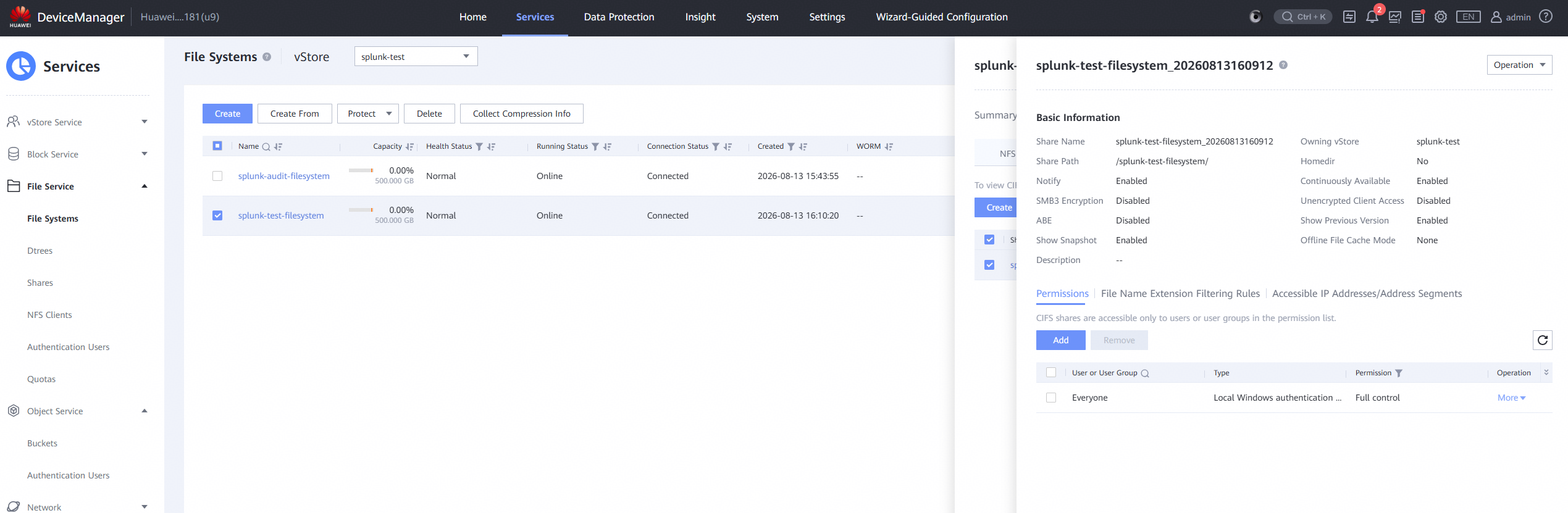
2.1.5 Create the audited filesystem and its corresponding CIFS share
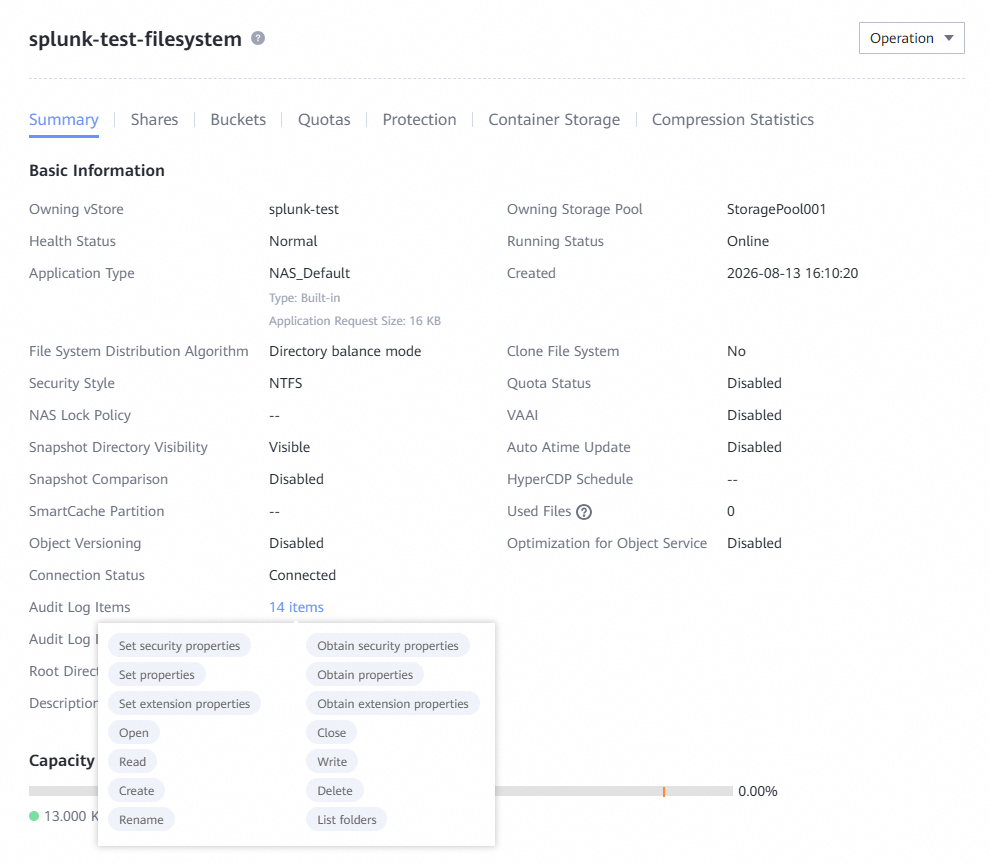
2.1.6 Configure file audit log Items for the audited filesystem
2.2 Splunk Server Pre-configuration
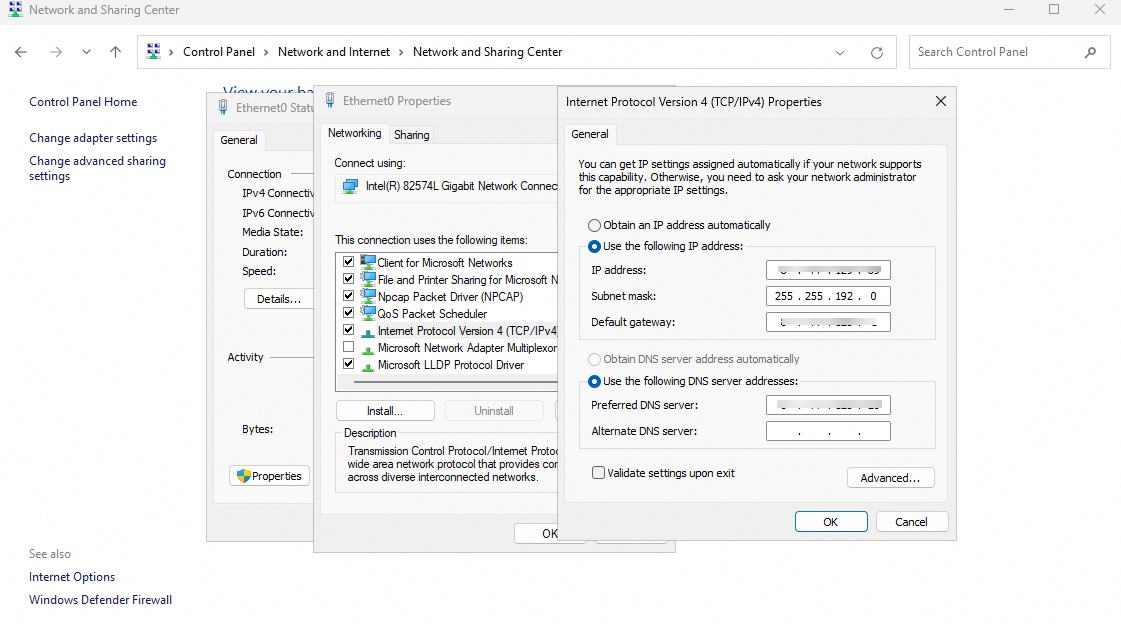
2.2.1 Configure the network of DNS server
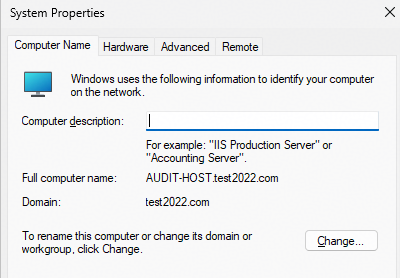
2.2.2 Join the same AD domain as the aforementioned storage device
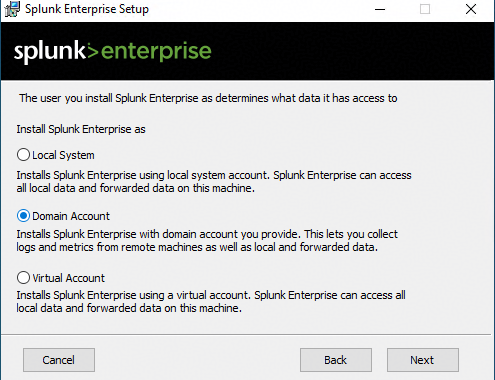
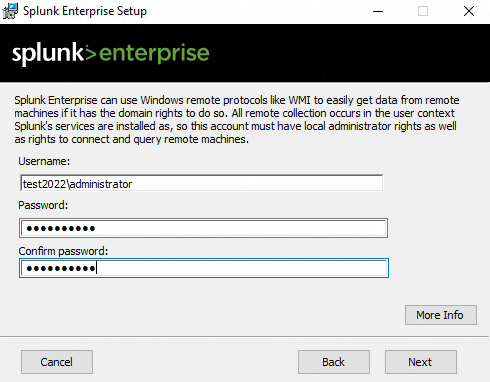
2.2.3 Install Splunk Enterprise using an AD domain user account
3. Syslog —— Basic Connectivity Test
Test Purpose | To verify that the Huawei OceanStor Dorado all‑flash storage can be added as a syslog data source to the Splunk Server. |
Network Diagram | Reference to Figure 1.1 |
Prerequisites |
|
Test Procedures | Step 1: Complete the audit configuration on the Splunk server. Step 2: Write a file to the storage from the application server to generate audit logs. Step 3: On the Splunk Server, verify whether the logs generated in Step 2 can be retrieved. |
Expected Results |
|
Test Results | 1. Complete the audit configuration on the Splunk server. 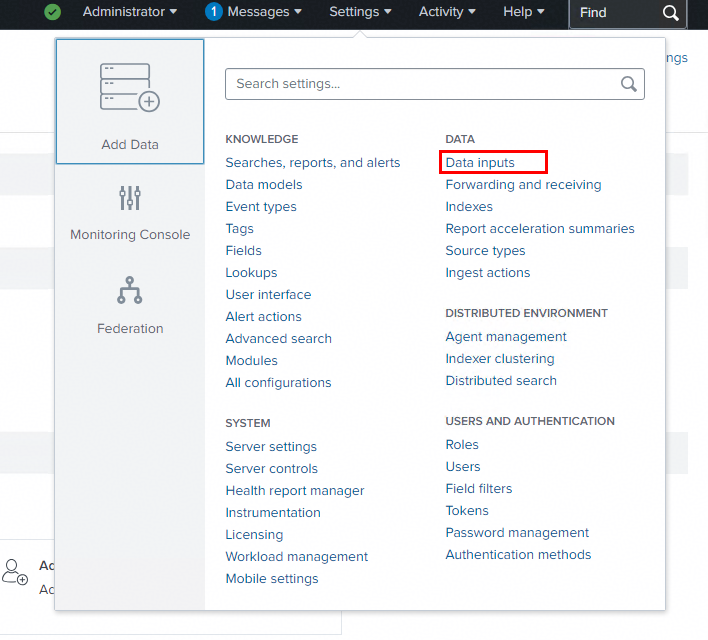
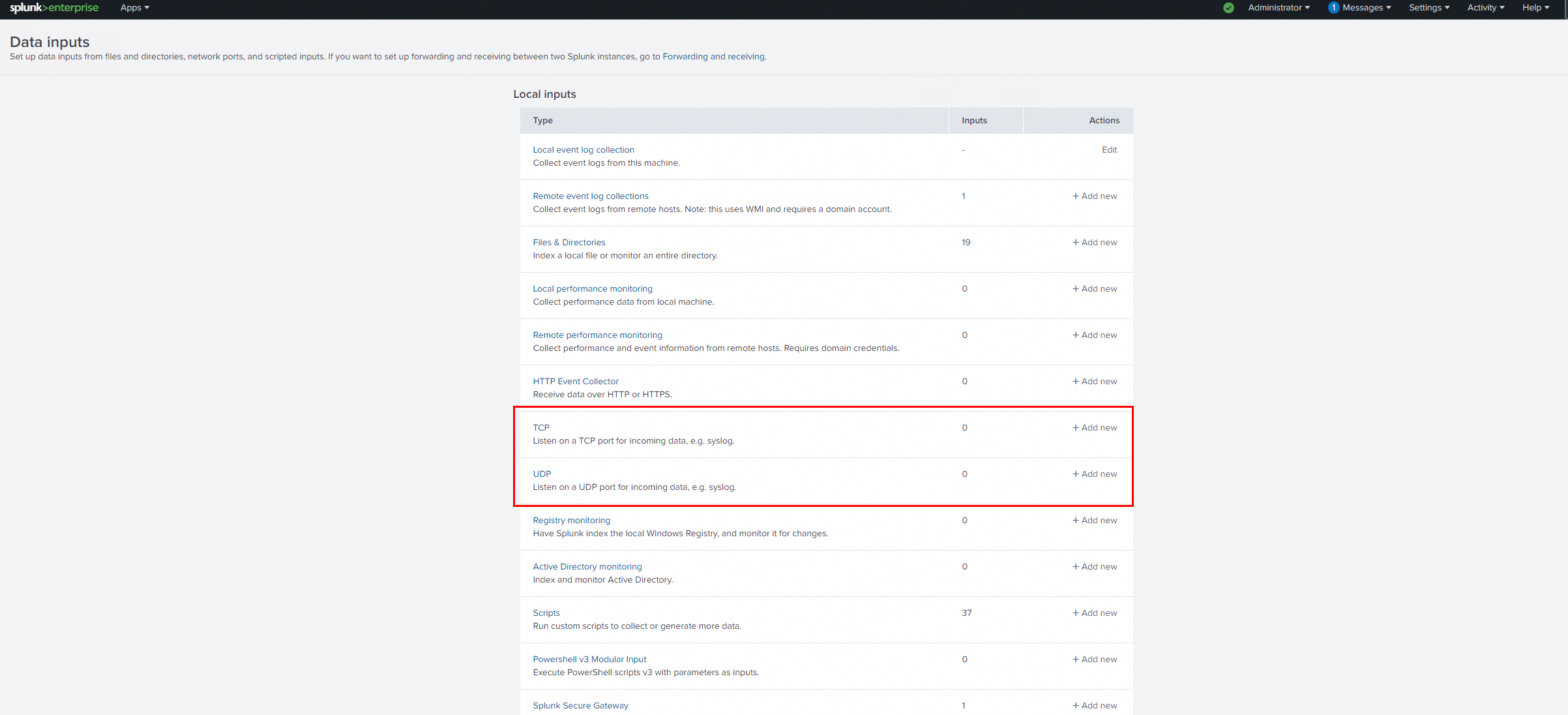
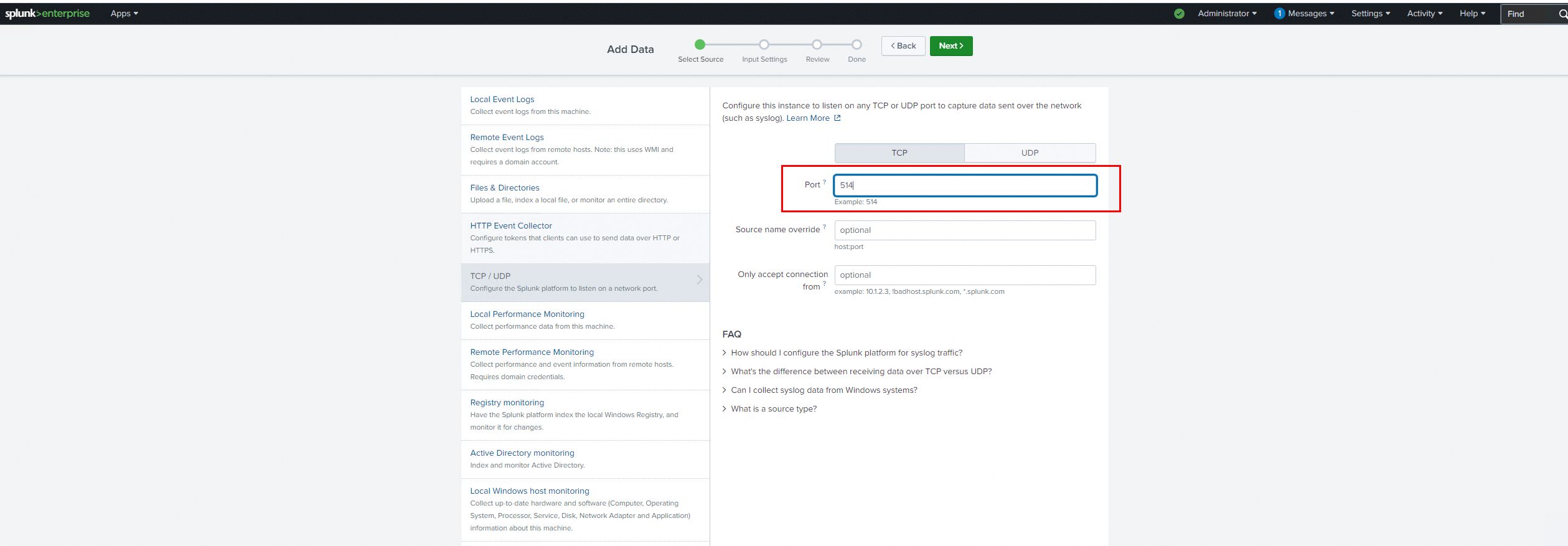
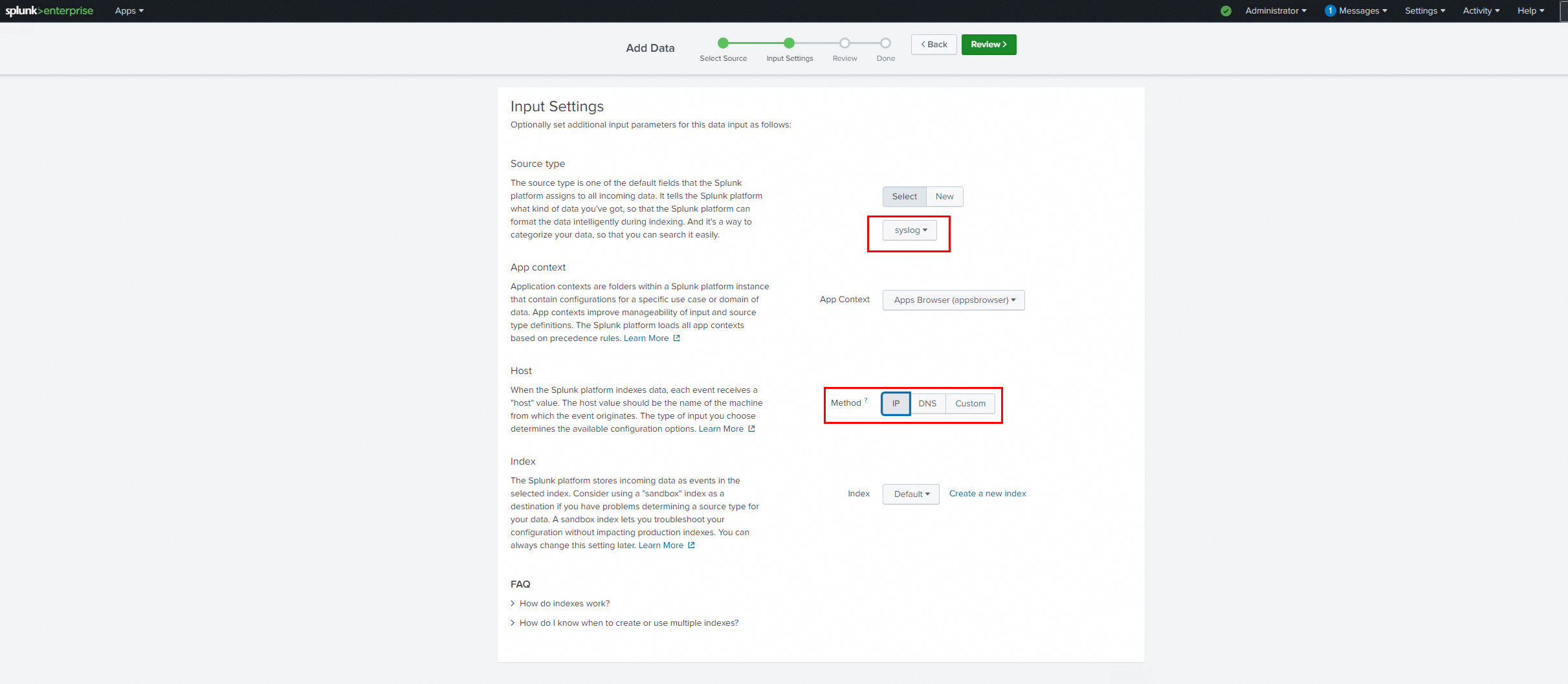
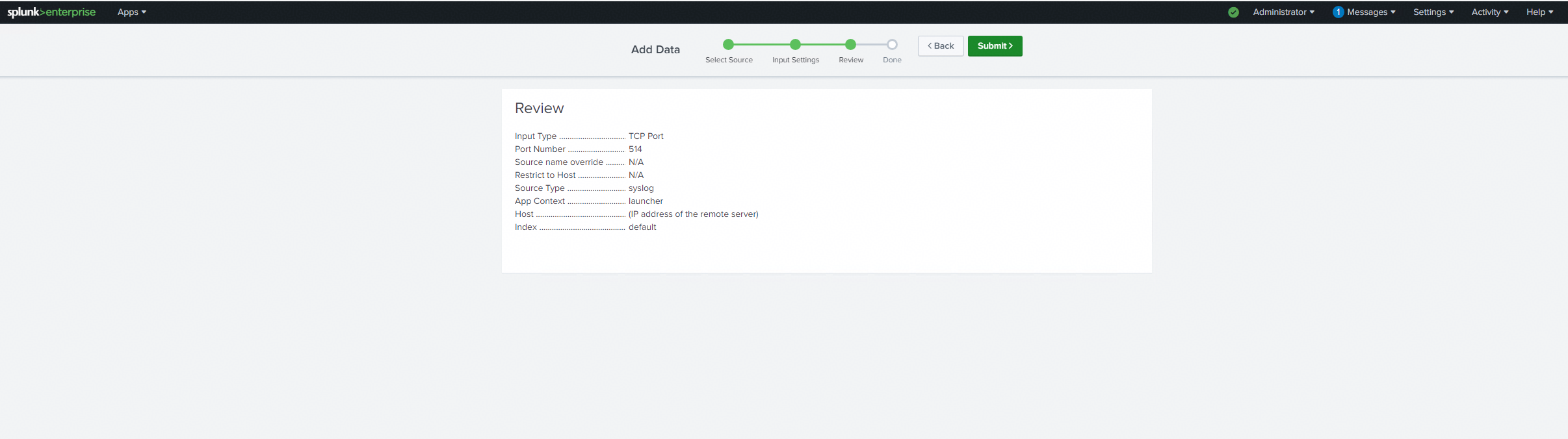
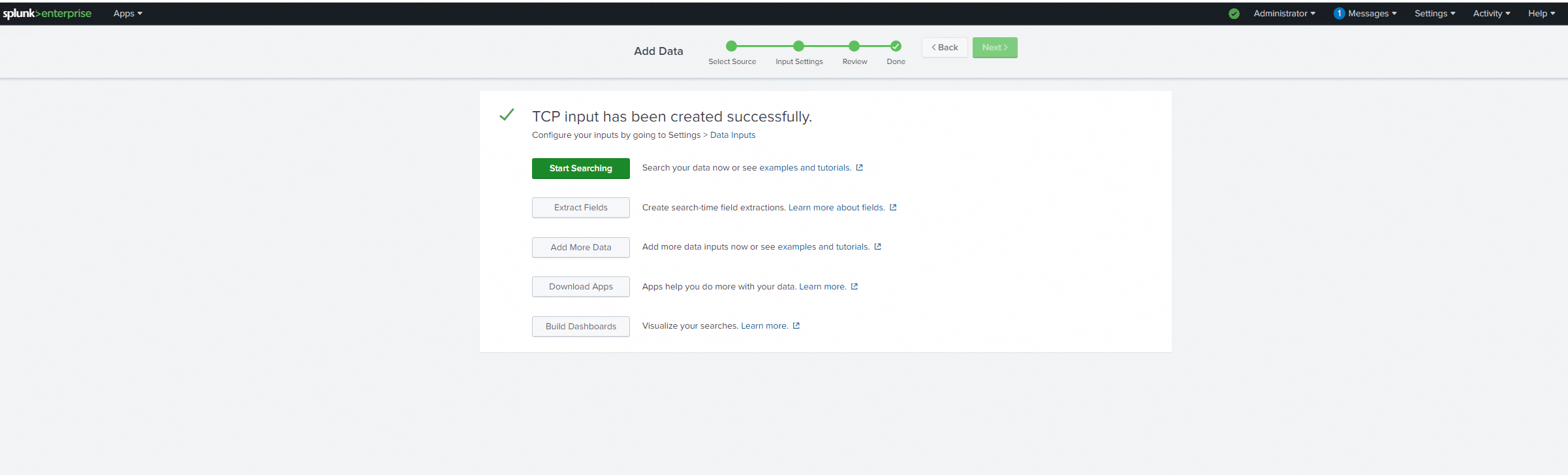
2. Write a file to the storage from the application server to generate audit logs. 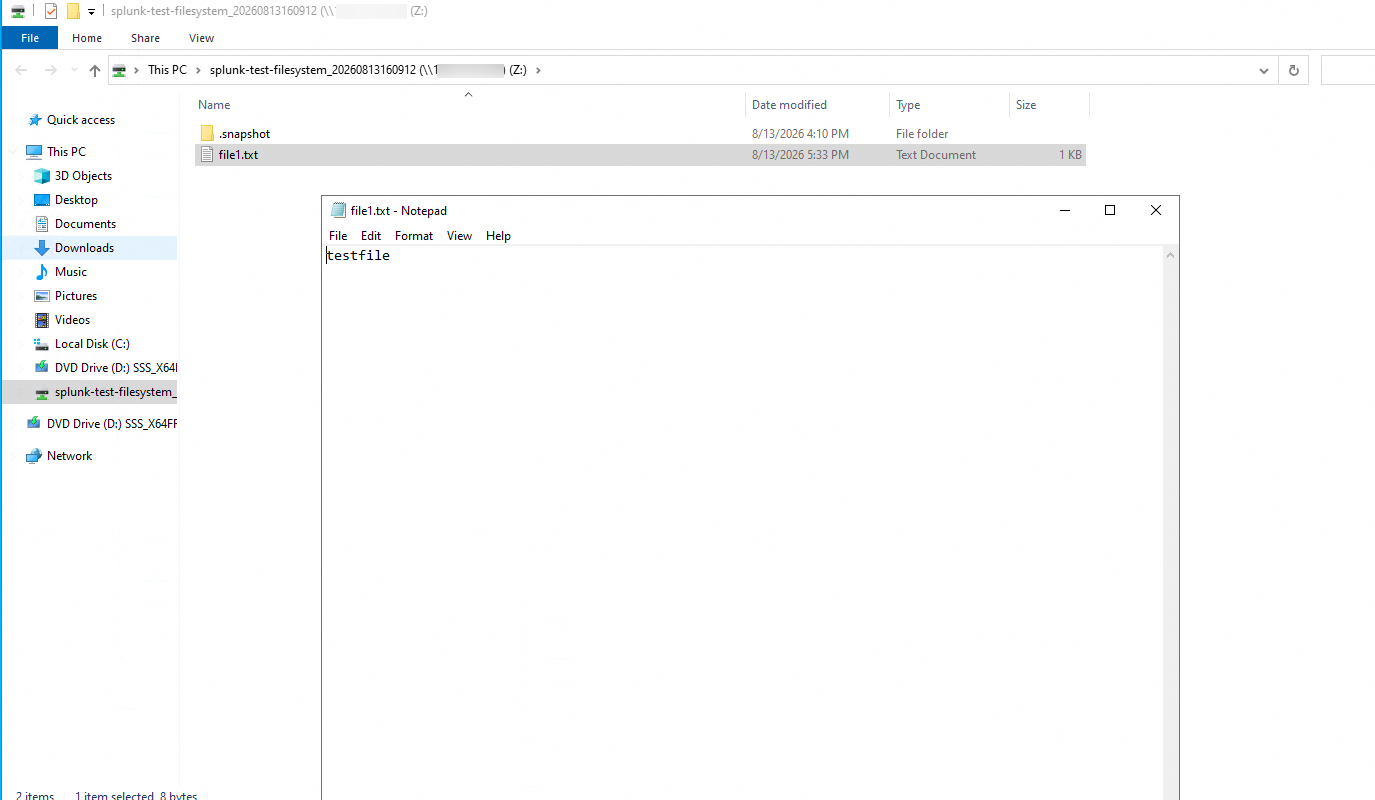
3. On the Splunk Server, verify whether the logs generated in Step 2 can be retrieved. 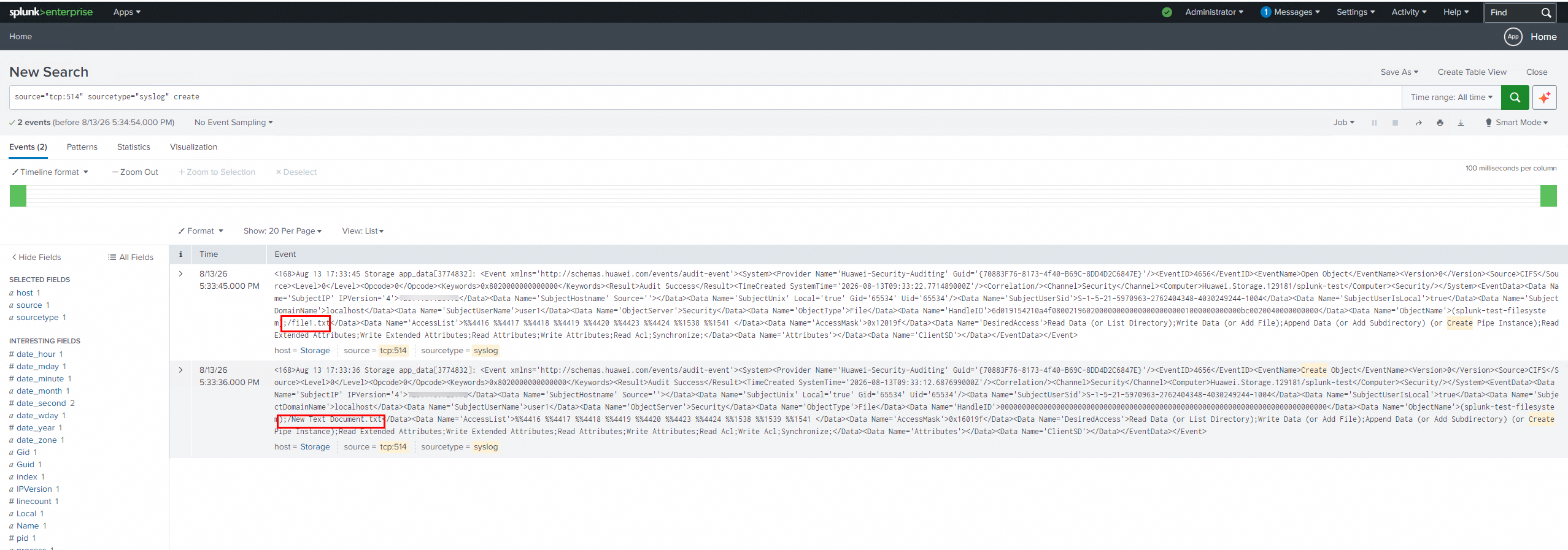
|
Test Conclusion | Passed |
4. Syslog —— Basic Funtions Test
4.1 Log Content Check —— Read
Test Purpose | To verify that read‑operation events can be viewed normally after Huawei OceanStor Dorado all‑flash storage exports audit logs to the Splunk Server via the syslog protocol. |
Network Diagram | Reference to Figure 1.1 |
Prerequisites |
3. Audit configuration has been completed on the Splunk Server. |
Test Procedures | Step 1: Open a file on the storage from the application server to generate audit logs. Step 2: On the Splunk Server, verify whether the logs generated in Step 1 can be retrieved. |
Expected Results |
|
Test Results | 1. Open a file on the storage from the application server to generate audit logs. 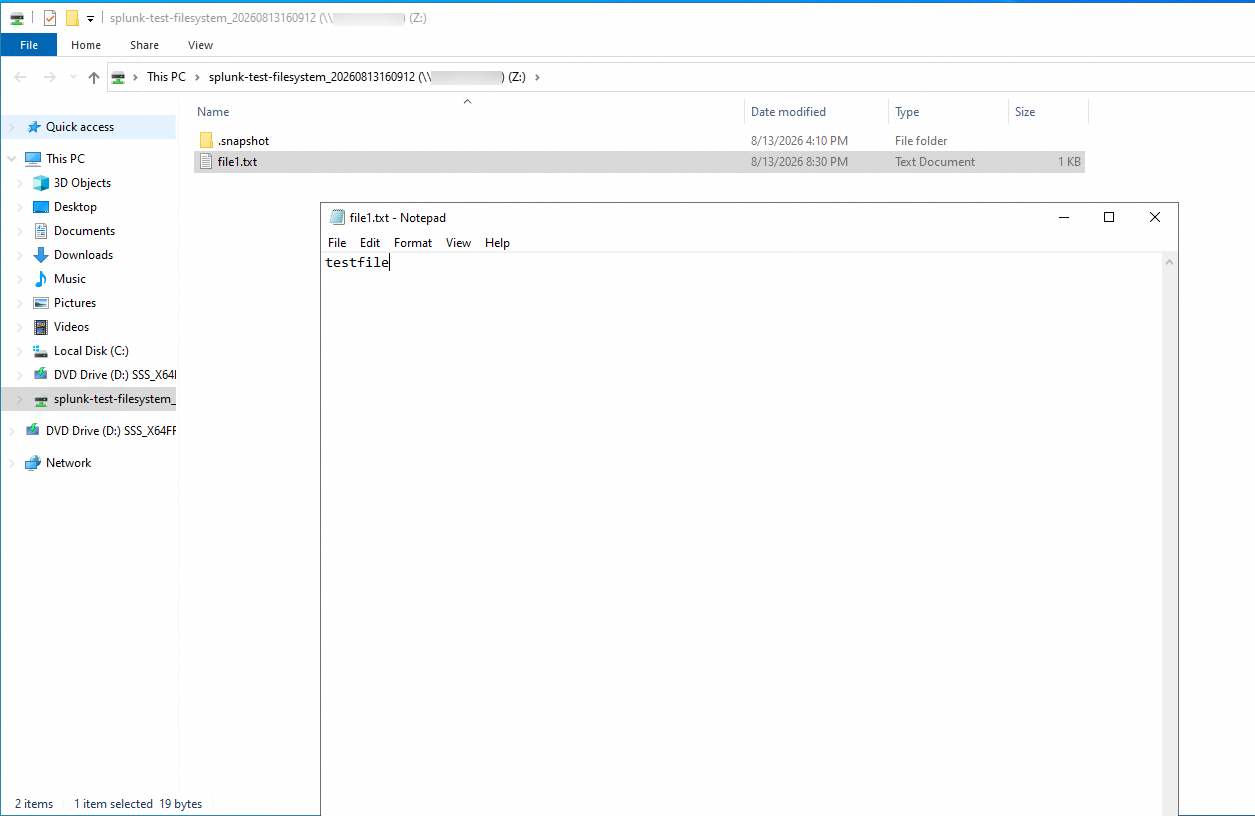
2. On the Splunk Server, verify whether the logs generated in Step 1 can be retrieved. 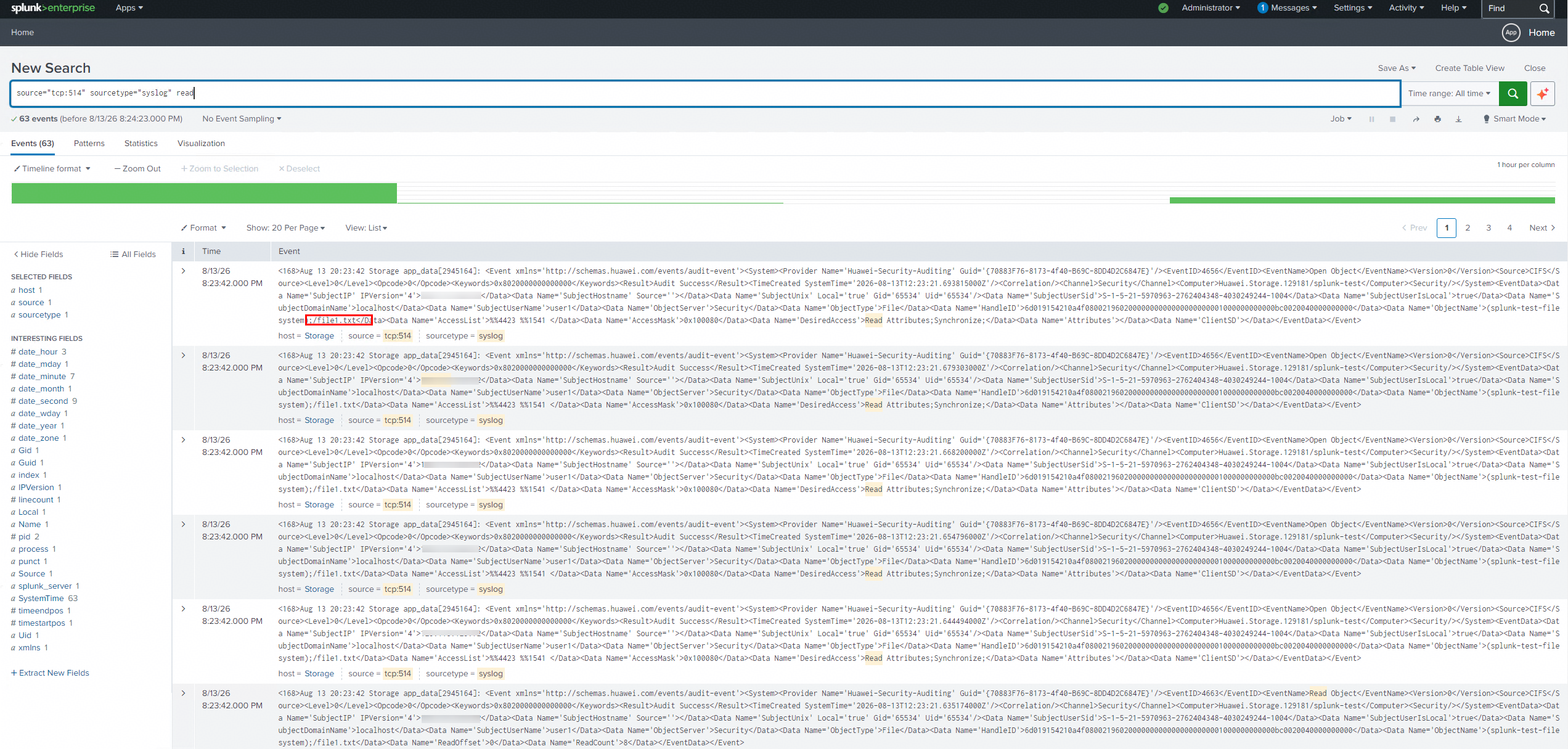
|
Test Conclusion | Passed |
4.2 Log Content Check —— Write
Test Purpose | To verify that write‑operation events can be viewed normally after Huawei OceanStor Dorado all‑flash storage exports audit logs to the Splunk Server via the syslog protocol. |
Network Diagram | Reference to Figure 1.1 |
Prerequisites |
3. Audit configuration has been completed on the Splunk Server. |
Test Procedures | Step 1: Write a file to the storage from the application server to generate audit logs. Step 2: On the Splunk Server, verify whether the logs generated in Step 1 can be retrieved. |
Expected Results |
|
Test Results | 1. Write a file to the storage from the application server to generate audit logs. 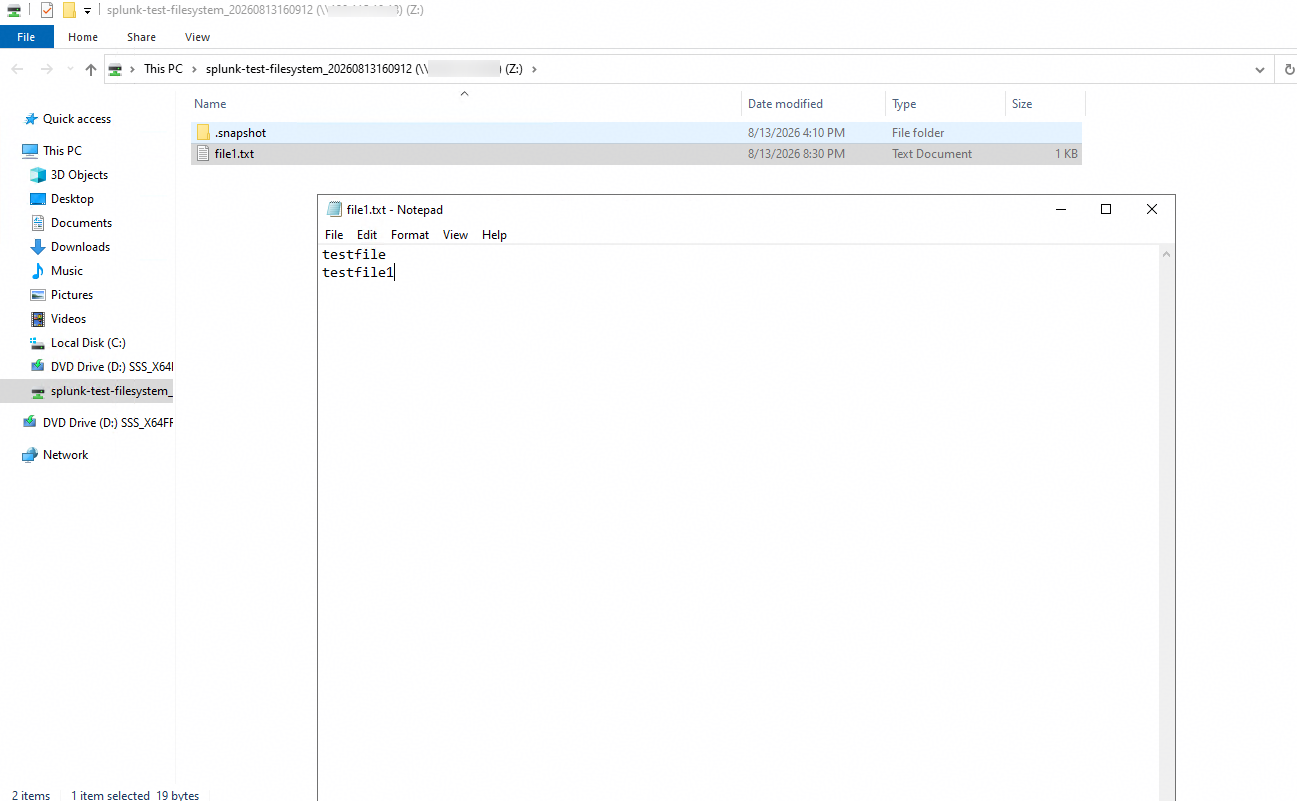
2. On the Splunk Server, verify whether the logs generated in Step 1 can be retrieved. 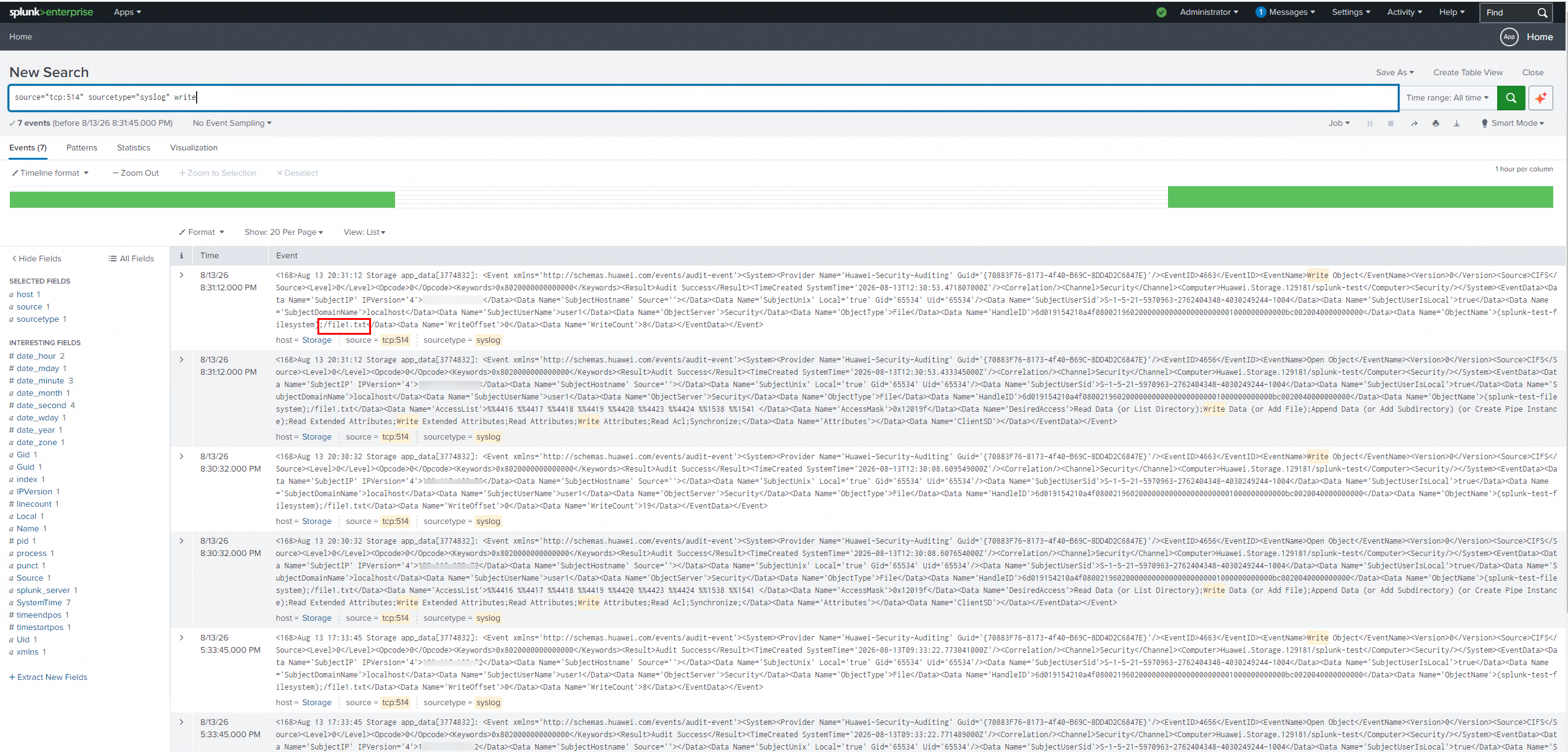
|
Test Conclusion | Passed |
4.3 Log Content Check —— Delete
Test Purpose | To verify that delete‑operation events can be viewed normally after Huawei OceanStor Dorado all‑flash storage exports audit logs to the Splunk Server via the syslog protocol. |
Network Diagram | Reference to Figure 1.1 |
Prerequisites | 1. The Huawei OceanStor Dorado All-Flash Storage, Splunk Server, AD Domain Server, Application Server have been deployed and configured successfully.
3. Audit configuration has been completed on the Splunk Server. |
Test Procedures | Step 1: Delete a file on the storage from the application server to generate audit logs. Step 2: On the Splunk Server, verify whether the logs generated in Step 1 can be retrieved. |
Expected Results |
|
Test Results | 1. Delete a file on the storage from the application server to generate audit logs. 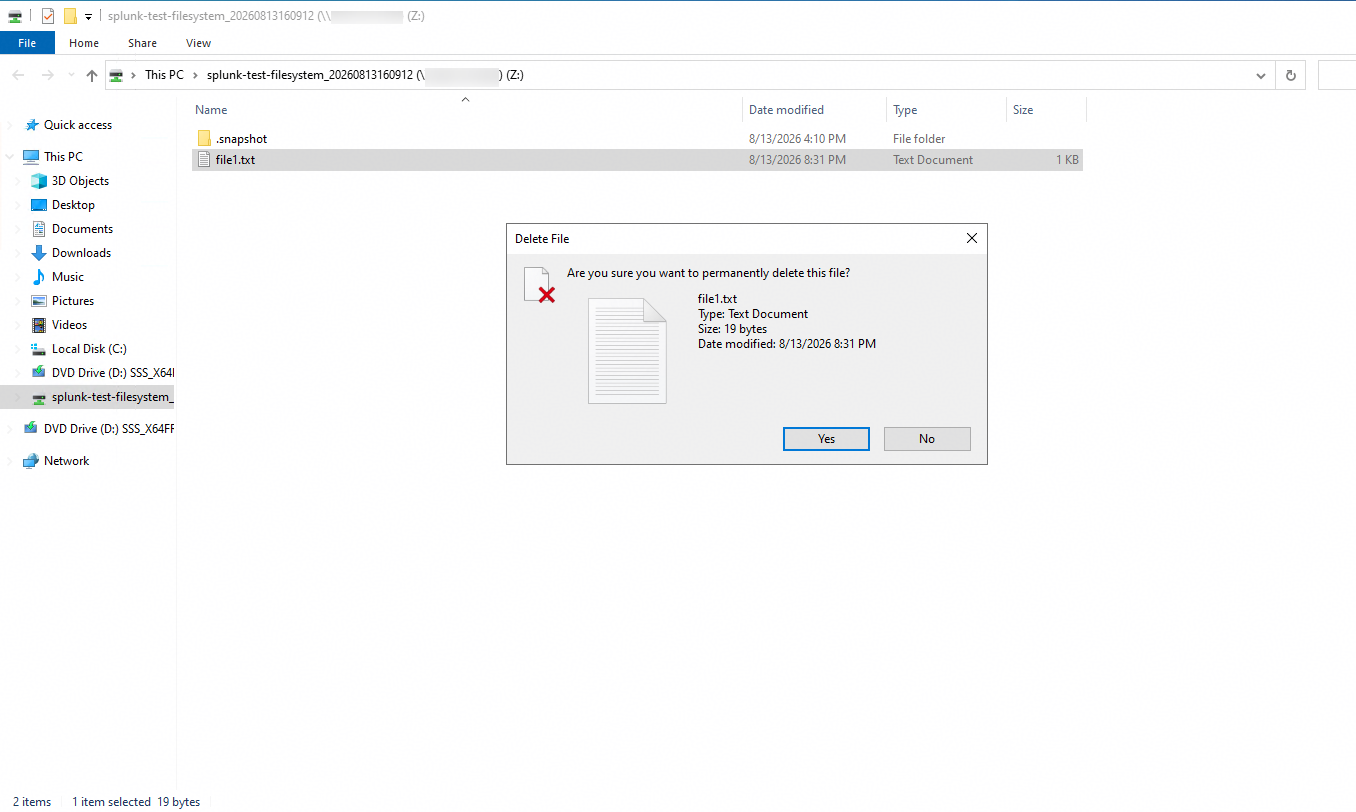
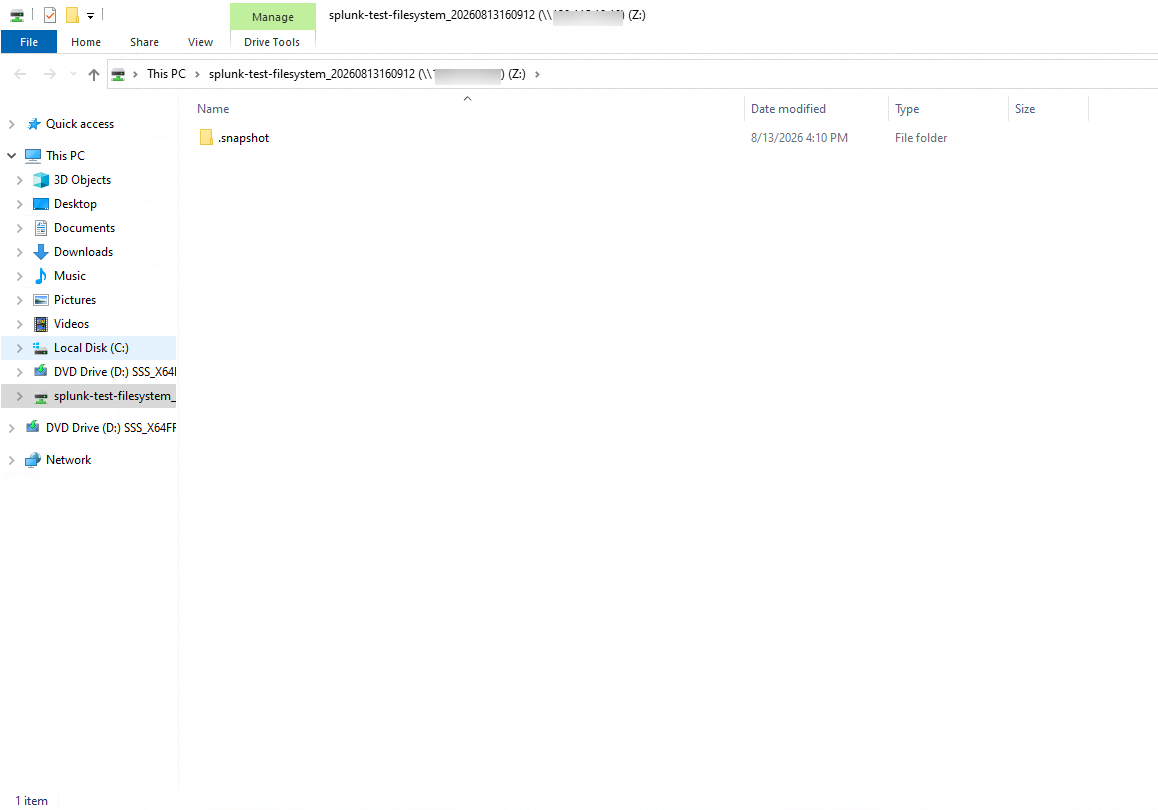
2. On the Splunk Server, verify whether the logs generated in Step 1 can be retrieved. 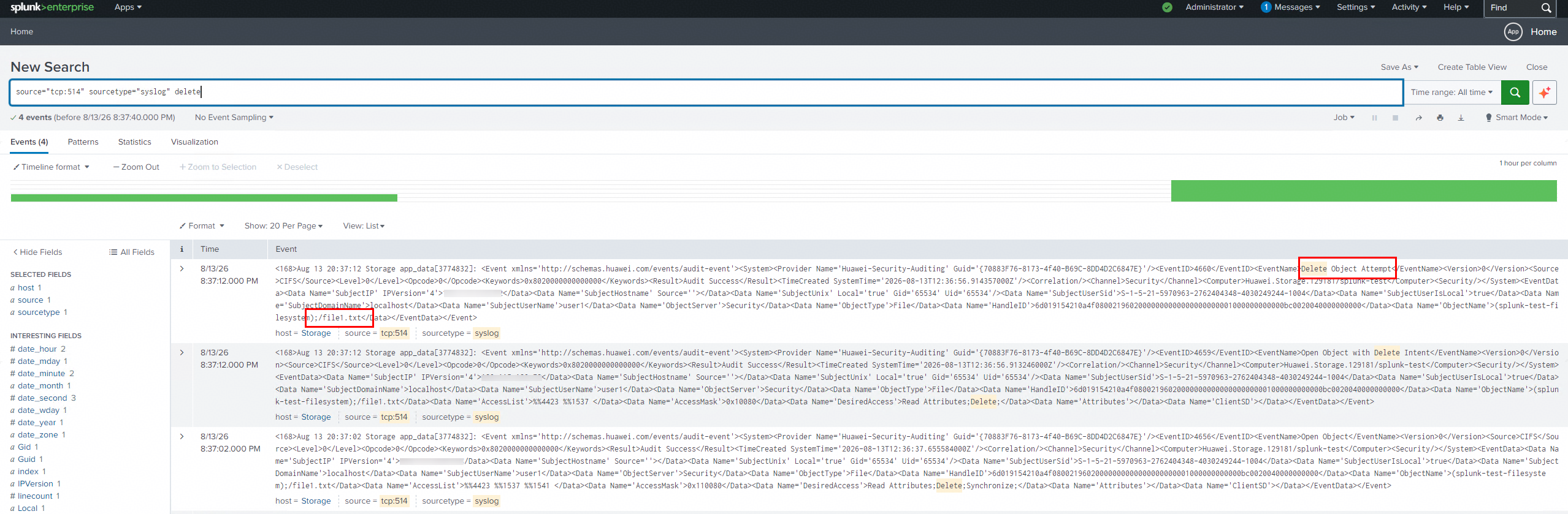
|
Test Conclusion | Passed |
4.4 Log Content Check —— Modify permissions
Test Purpose | To verify that permission‑modification operation events can be viewed normally after Huawei OceanStor Dorado all‑flash storage exports audit logs to the Splunk Server via the syslog protocol. |
Network Diagram | Reference to Figure 1.1 |
Prerequisites | 1. The Huawei OceanStor Dorado All-Flash Storage, Splunk Server, AD Domain Server, Application Server have been deployed and configured successfully.
3. Audit configuration has been completed on the Splunk Server. |
Test Procedures | Step 1: Modify the access permissions of a file on the storage from the application server to generate audit logs. Step 2: On the Splunk Server, verify whether the logs generated in Step 1 can be retrieved. |
Expected Results |
|
Test Results | 1. Modify the access permissions of a file on the storage from the application server to generate audit logs. 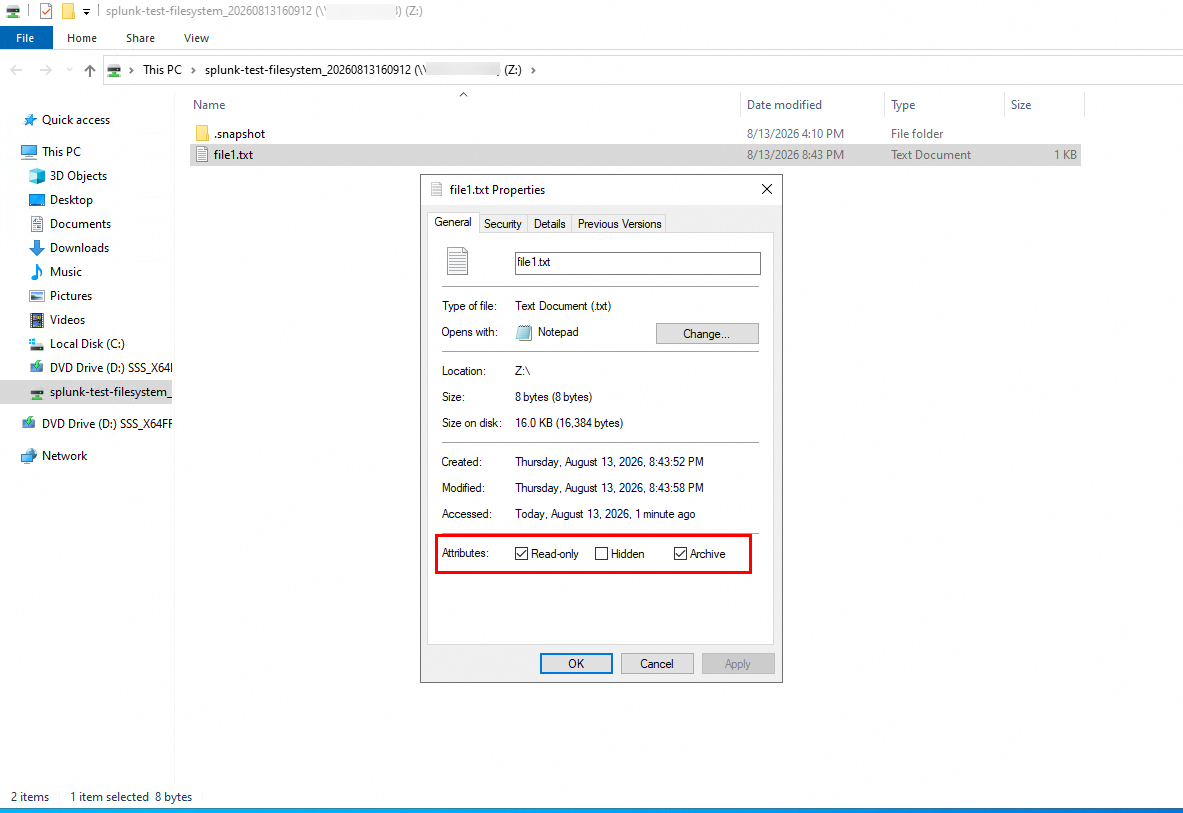
2. On the Splunk Server, verify whether the logs generated in Step 1 can be retrieved. 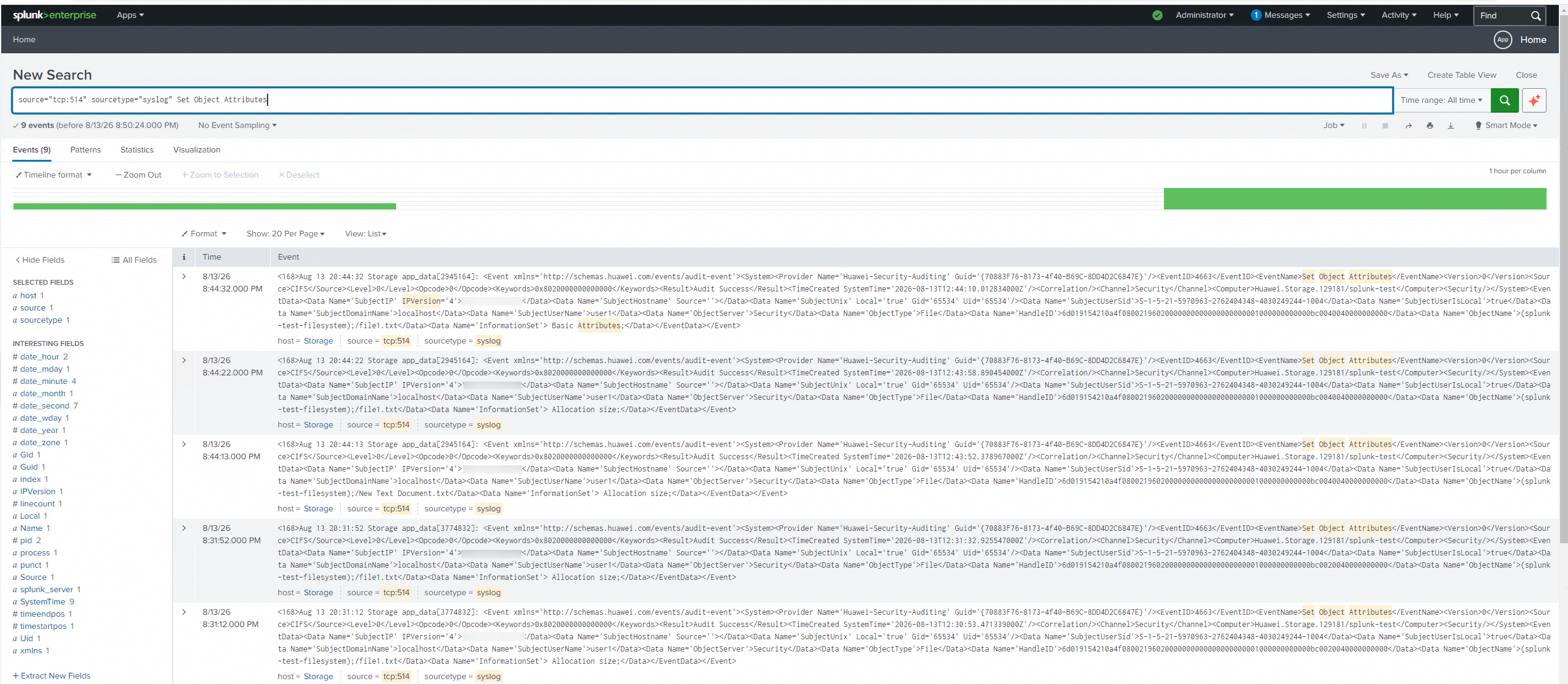
|
Test Conclusion | Passed |
4.5 Multiple vStores Scenario
Test Purpose | To verify that operation events for multiple vStores are properly visible and isolated from one another after Huawei OceanStor Dorado all‑flash storage exports audit logs to the Splunk Server over the syslog protocol. |
Network Diagram | Reference to Figure 1.1 |
Prerequisites | 1. The Huawei OceanStor Dorado All-Flash Storage, Splunk Server, AD Domain Server, Application Server have been deployed and configured successfully.
3. Audit configuration has been completed on the Splunk Server. |
Test Procedures | Step 1: Write a file to the audited filesystems of the two vStores from the application server to generate audit logs. Step 2: On the Splunk Server, verify whether the logs generated in Step 1 can be retrieved. |
Expected Results |
|
Test Results | 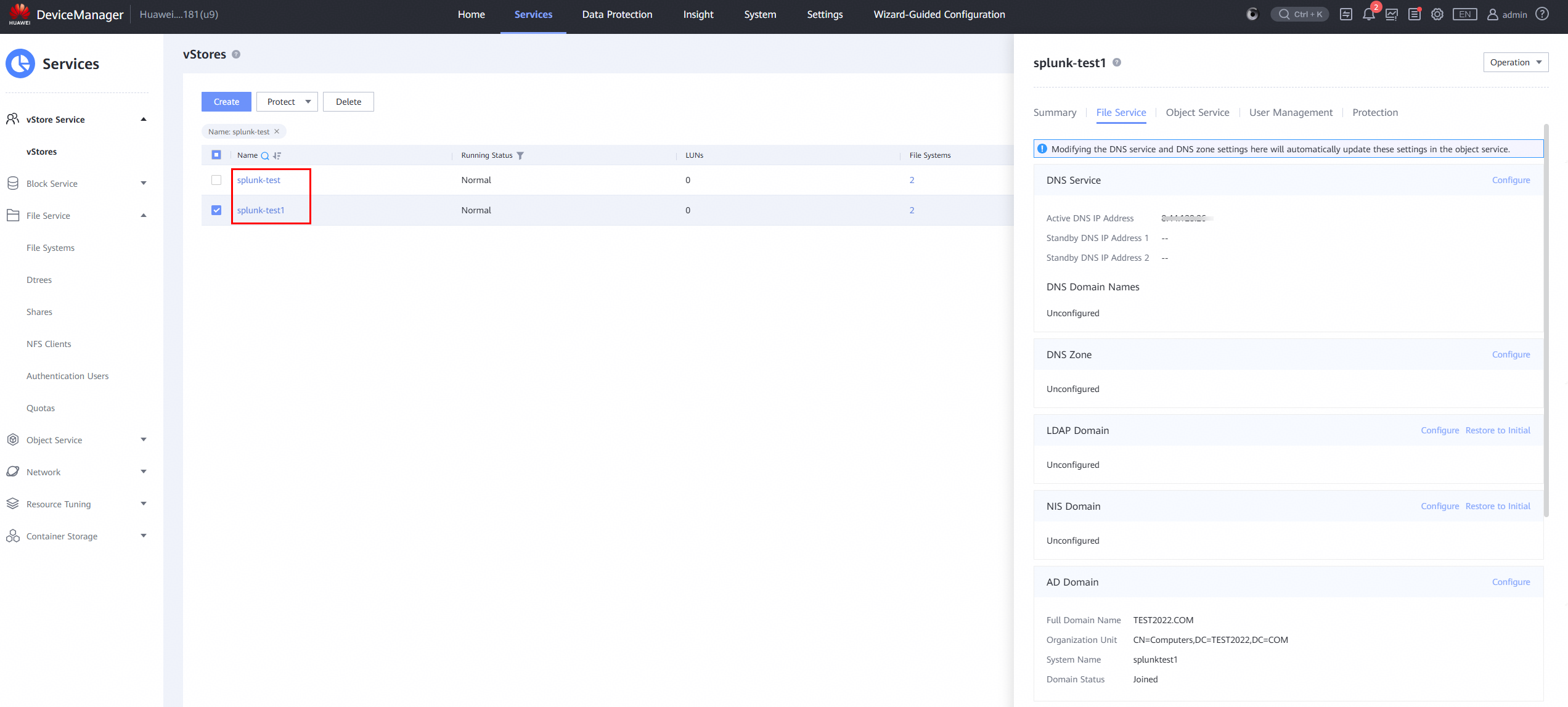
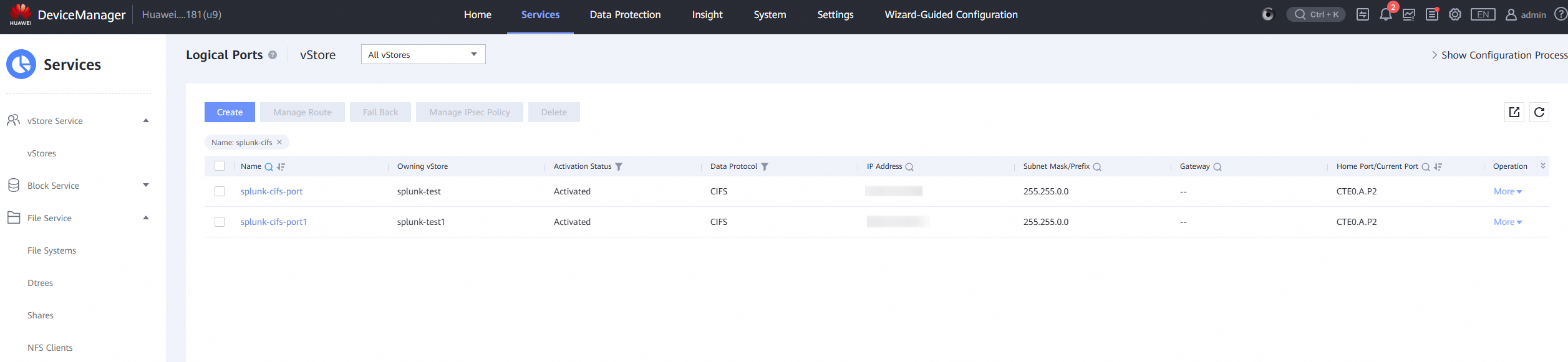
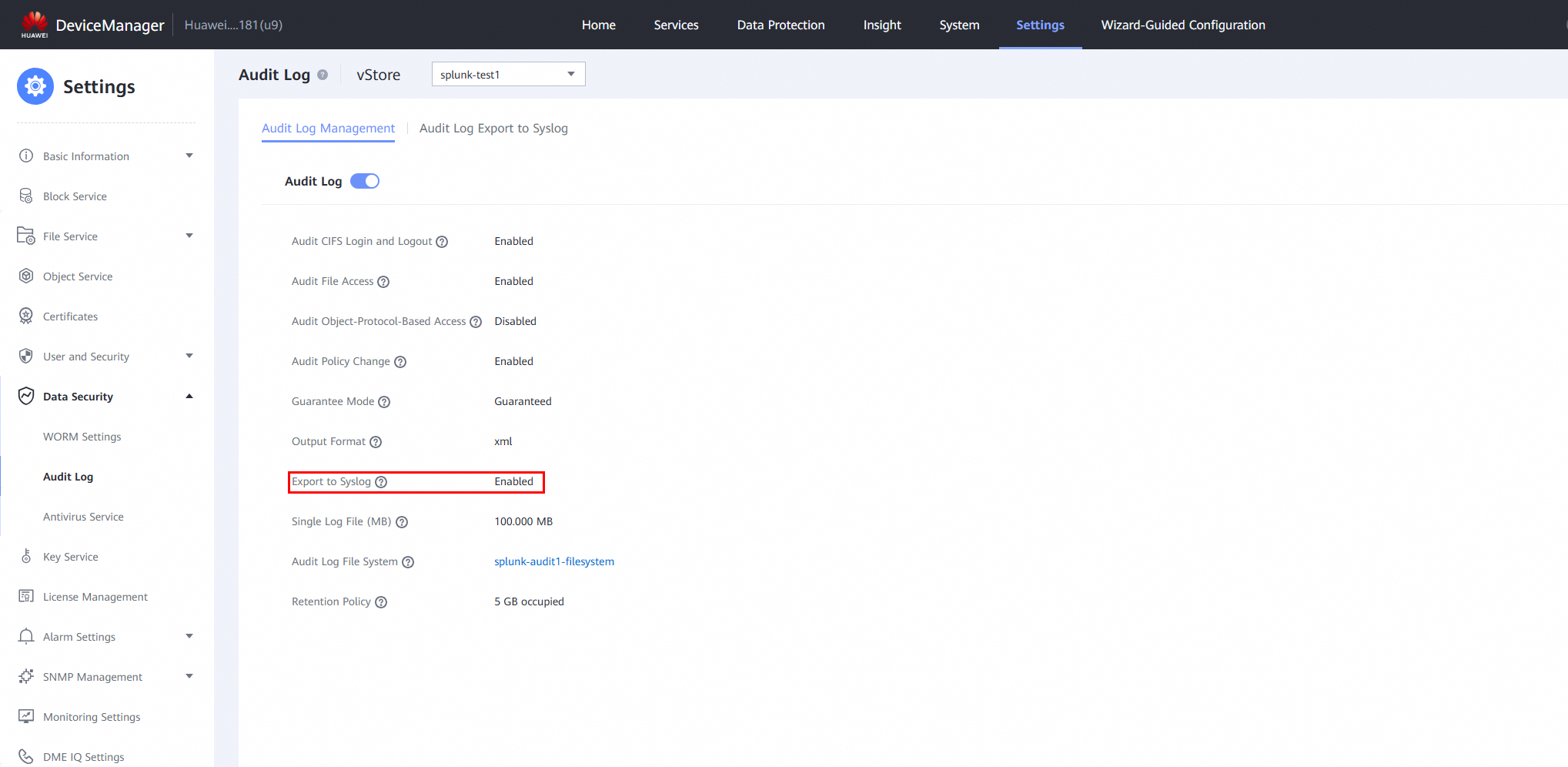
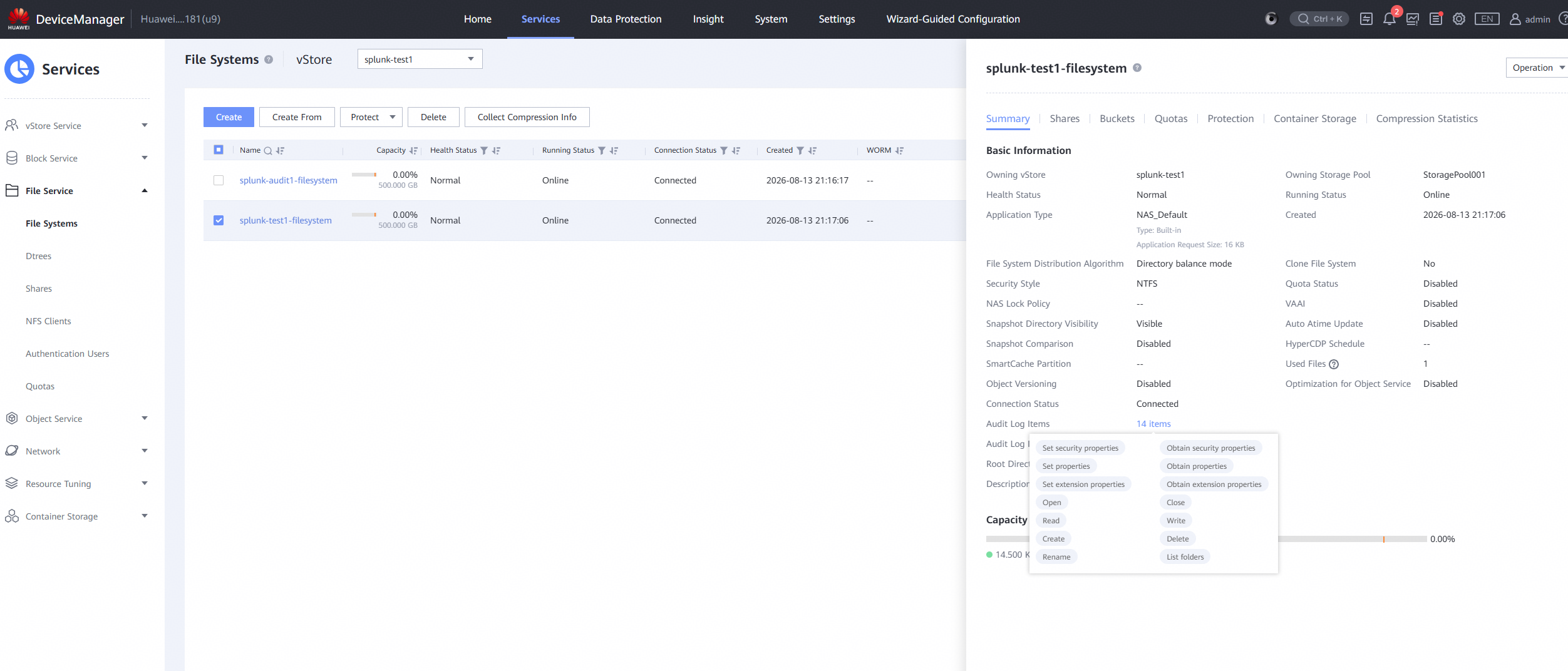
1. Write a file to the audited filesystems of the two vStores from the application server to generate audit logs. 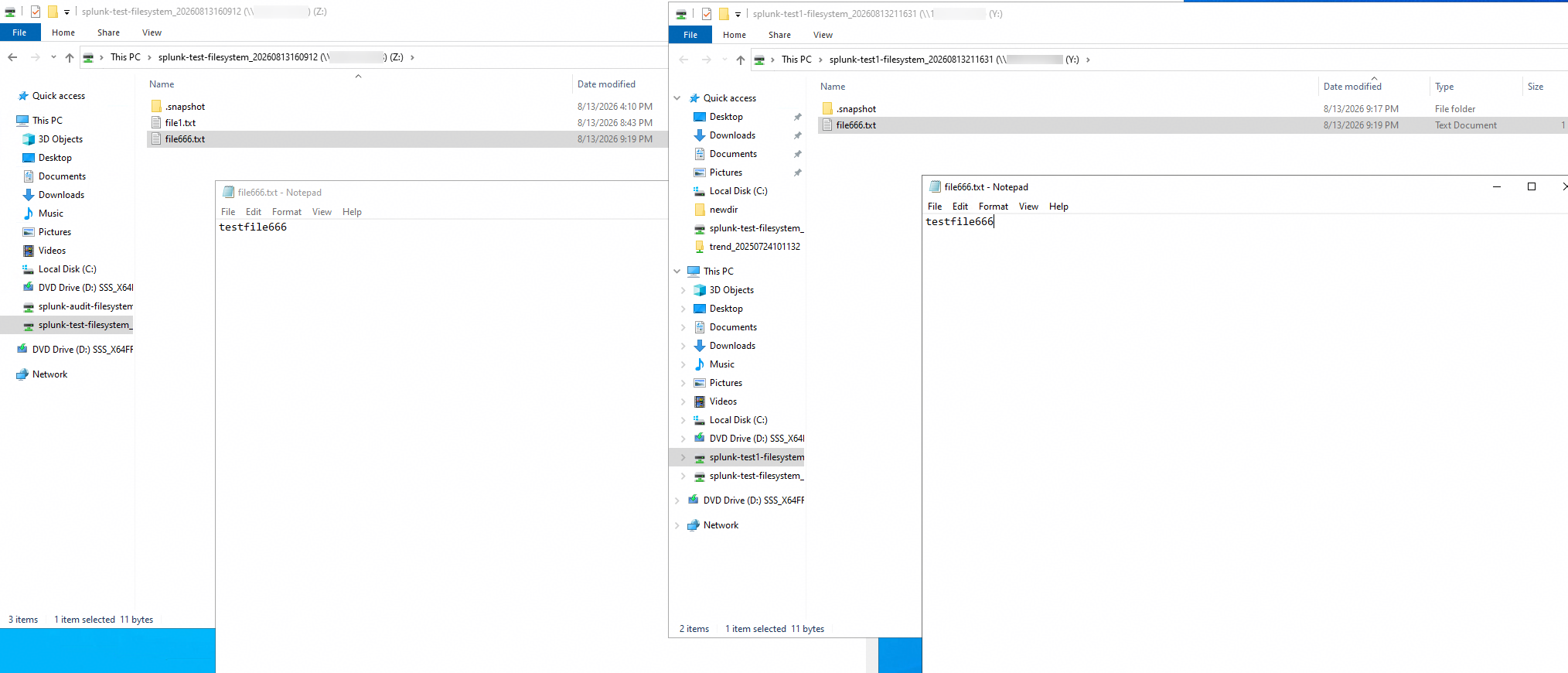
2. On the Splunk Server, verify whether the logs generated in Step 1 can be retrieved. 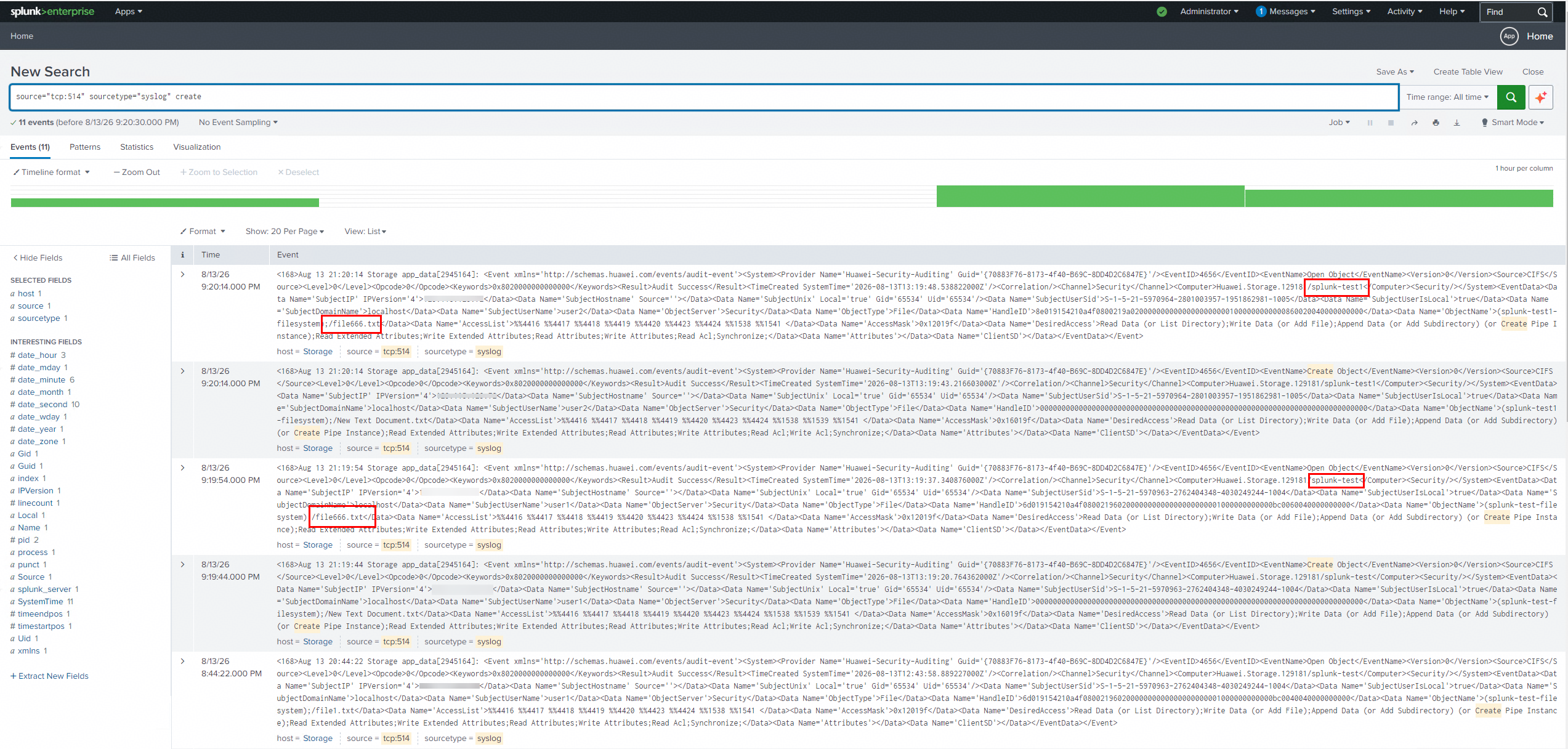
|
Test Conclusion | Passed |
5. Syslog —— Reliability Test
5.1 Restart the Splunk Server
Test Purpose | To verify that under the Splunk Server failure‑recovery scenario, Huawei OceanStor Dorado all‑flash storage can still export audit logs to the Splunk Server via the Syslog protocol for subsequent viewing without any missing events. |
Network Diagram | Reference to Figure 1.1 |
Prerequisites |
|
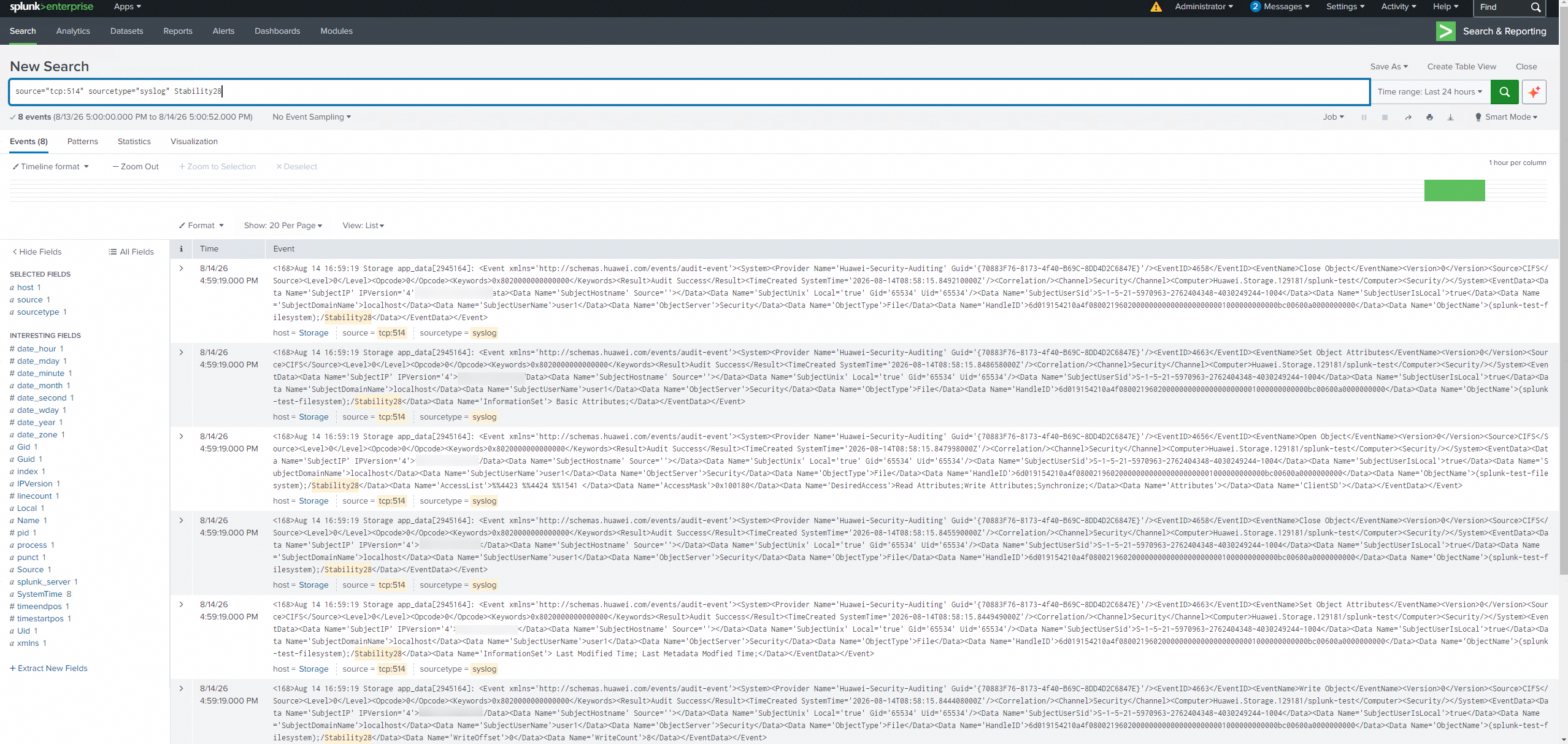
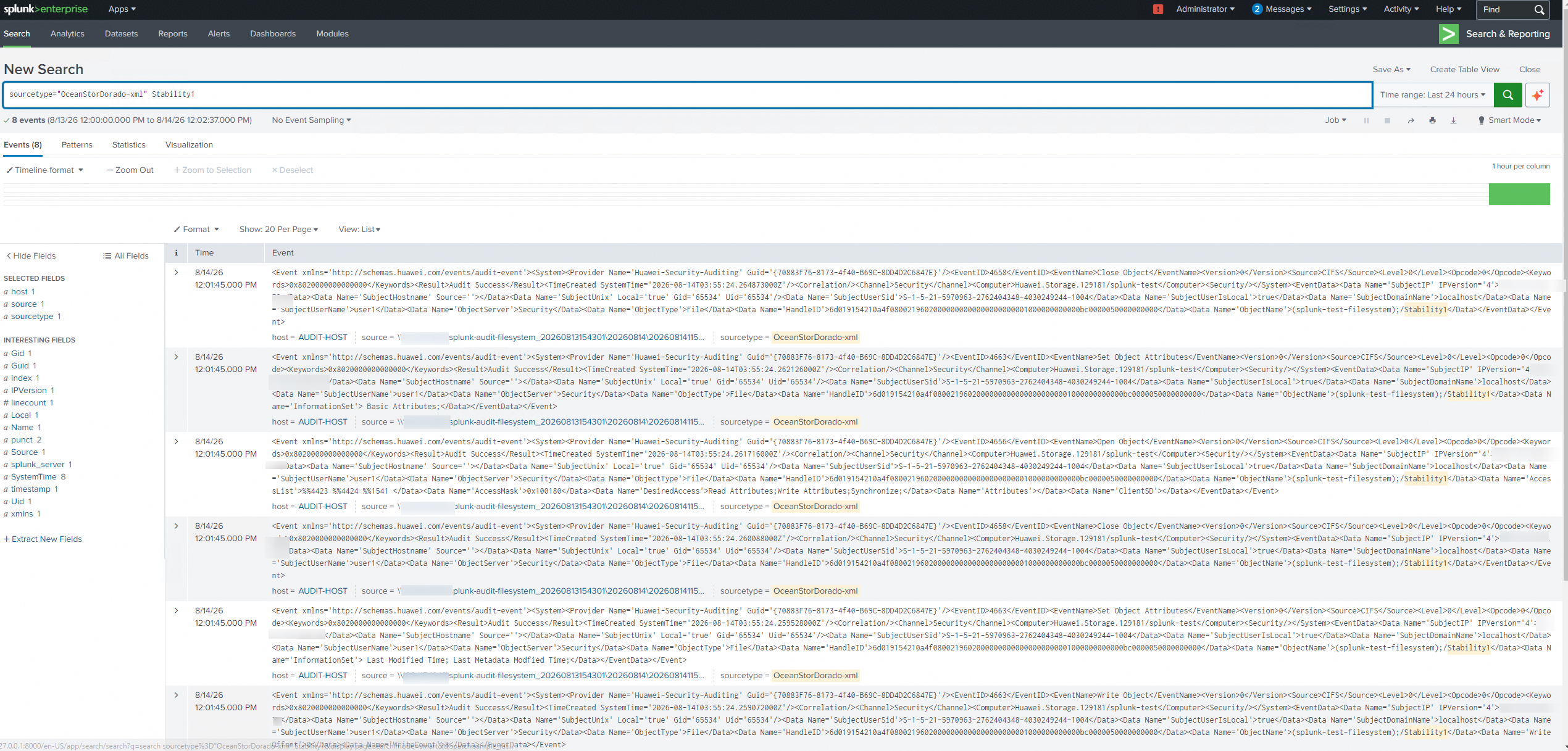
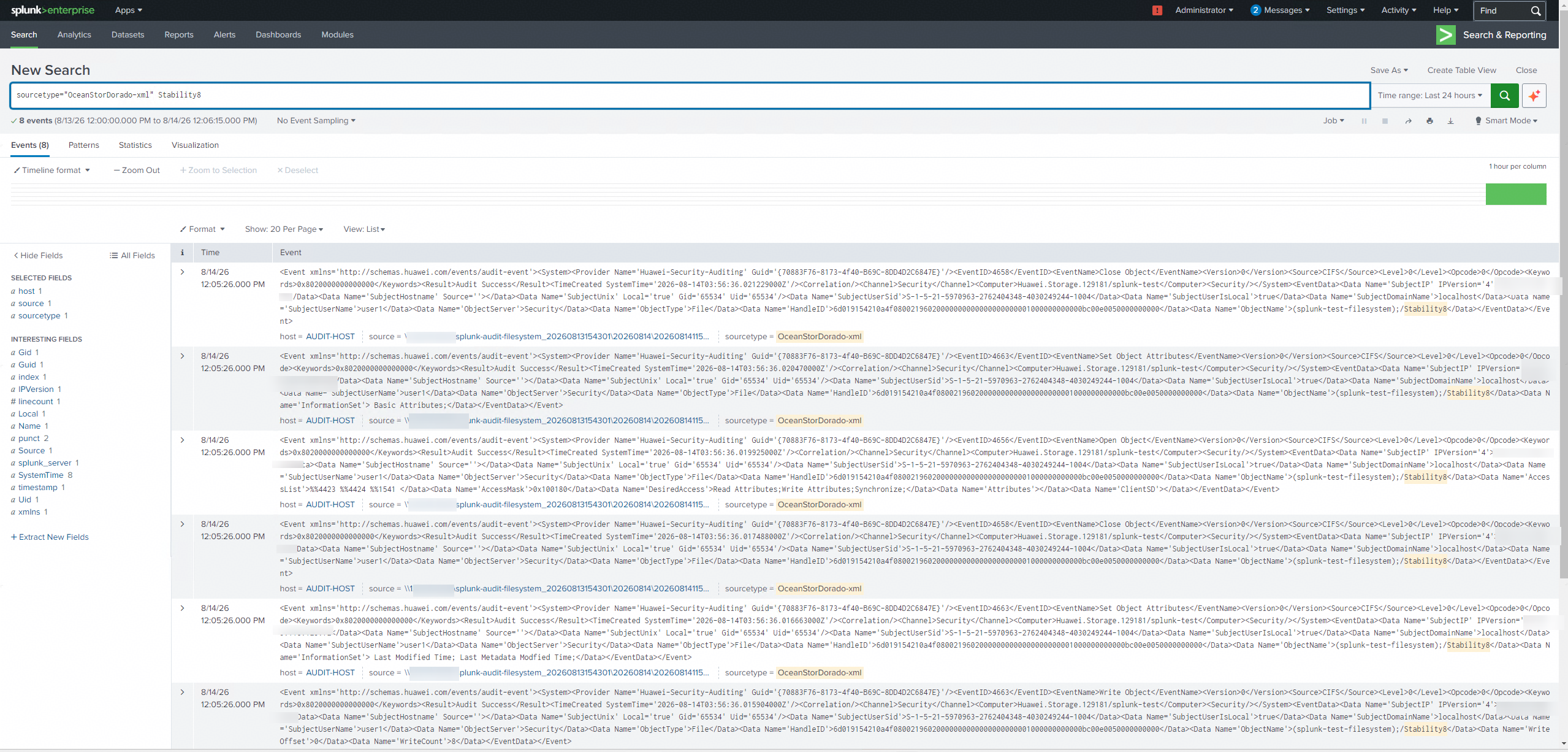
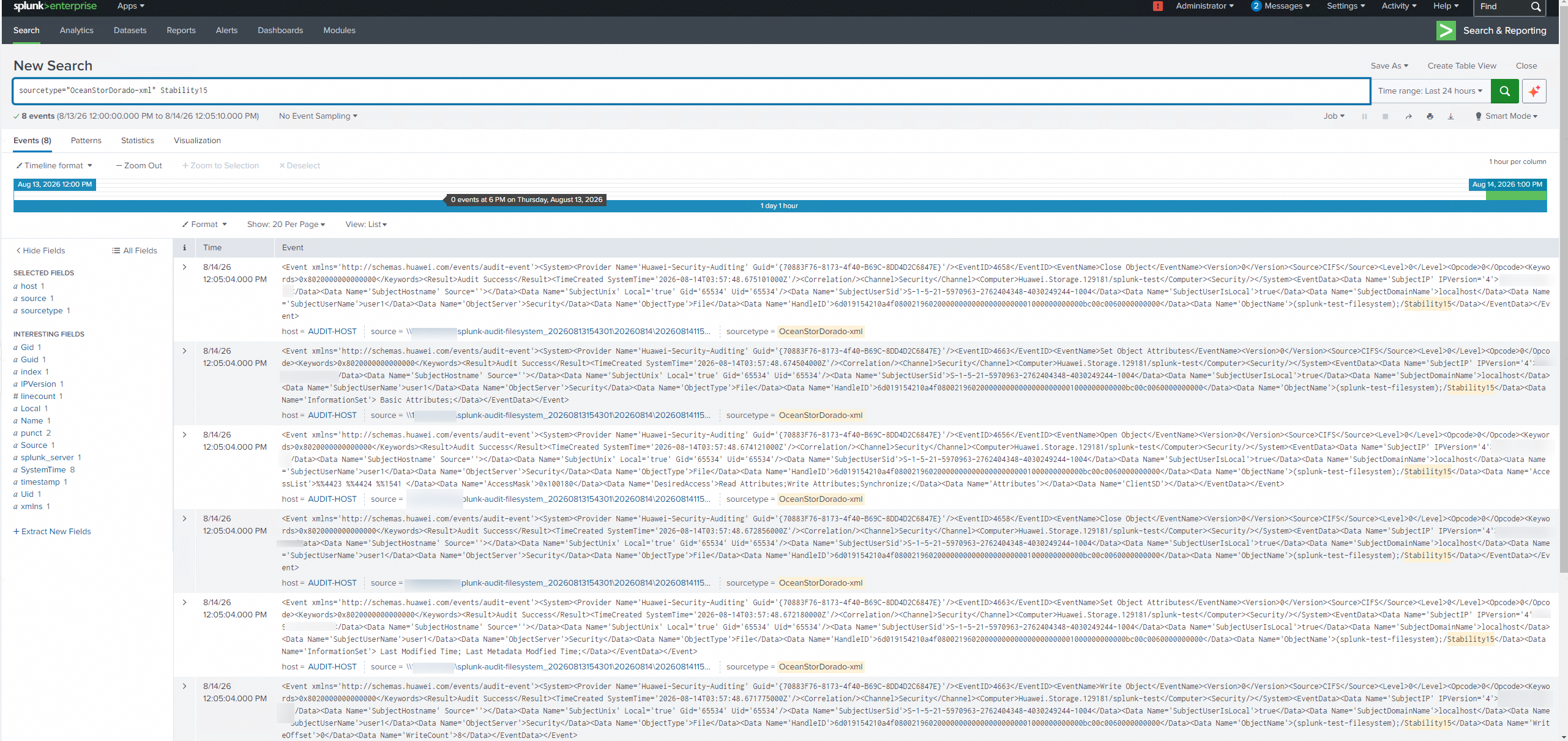
Test Procedures | Step 1: Run the test tool continuously to generate audit logs by performing read‑write operations on the storage file system (OPS > 10000). Step 2: Run a script to generate one write log entry every 10 seconds. See the script example below: createfile.bat for /l %i in (1,1,336) do (copy Y:\test.txt Y:\Stability%i && choice /t 10 /d y /n >nul) Step 3: Restart the Splunk server. Step 4: After the Splunk server is restarted, search for the number of logs generated in step 2. |
Expected Results |
|
Test Results | 1. Run the test tool continuously to generate audit logs by performing read‑write operations on the storage file system (OPS > 10000). 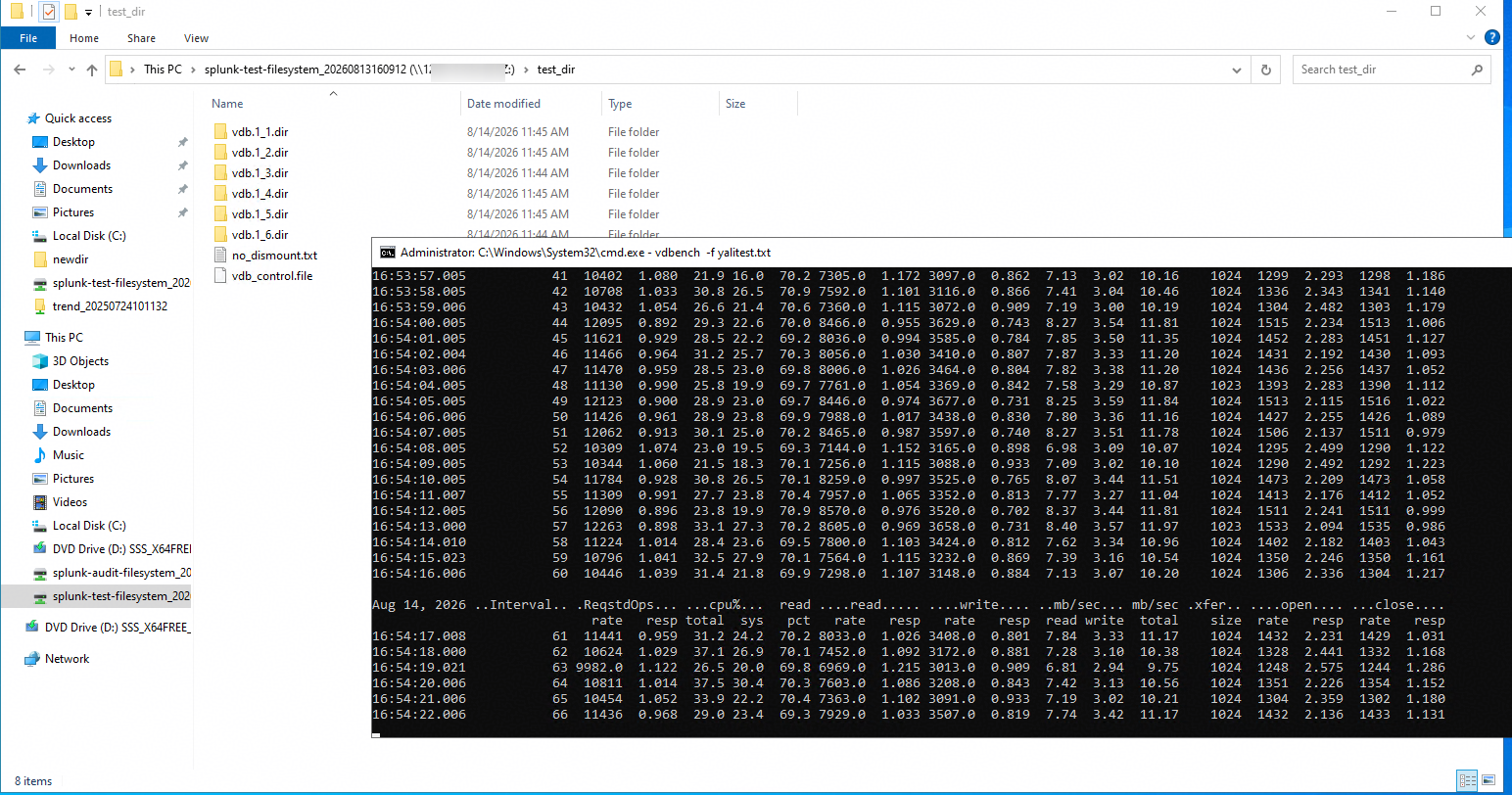

2. Run a script to generate one write log entry every 10 seconds. 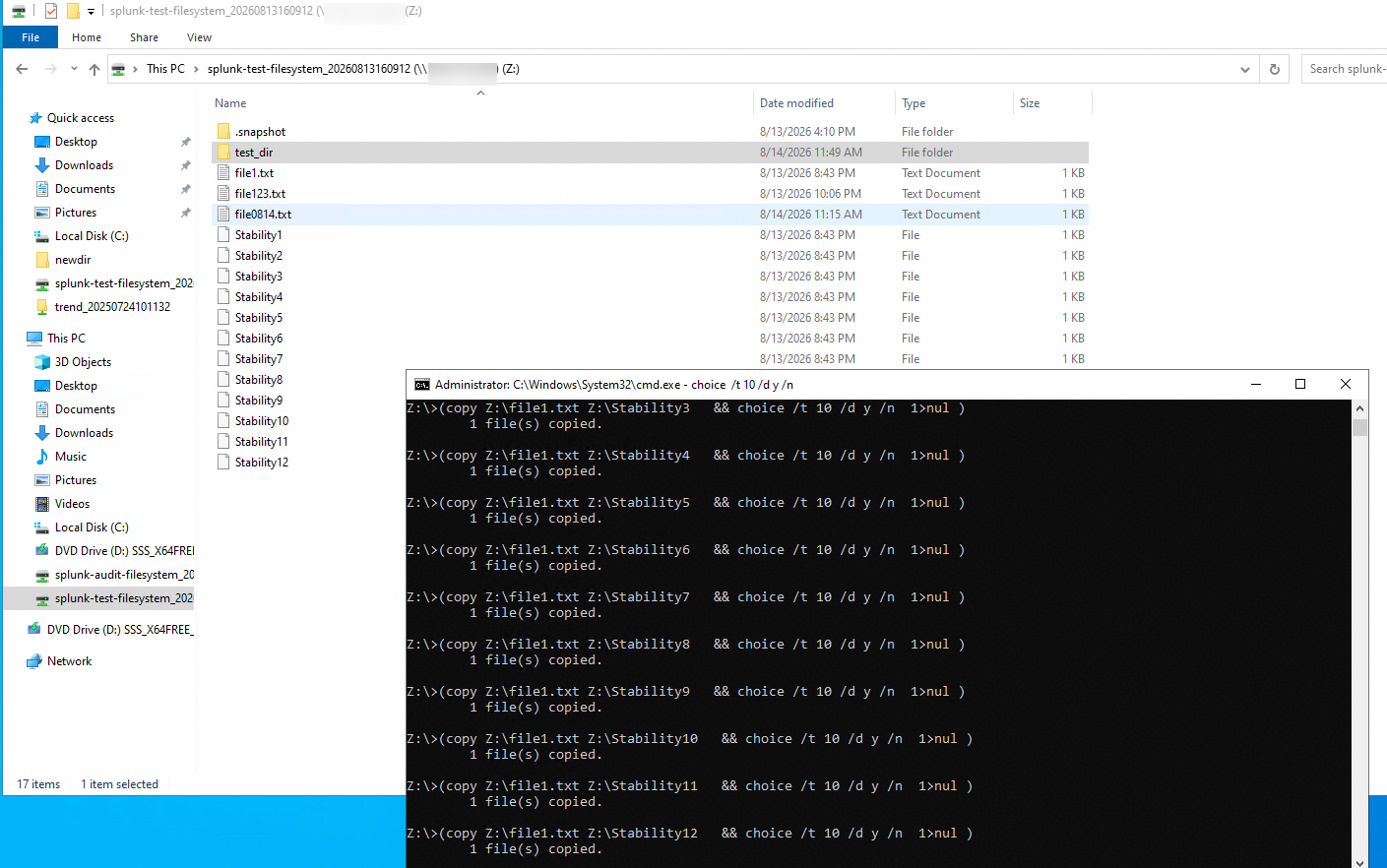
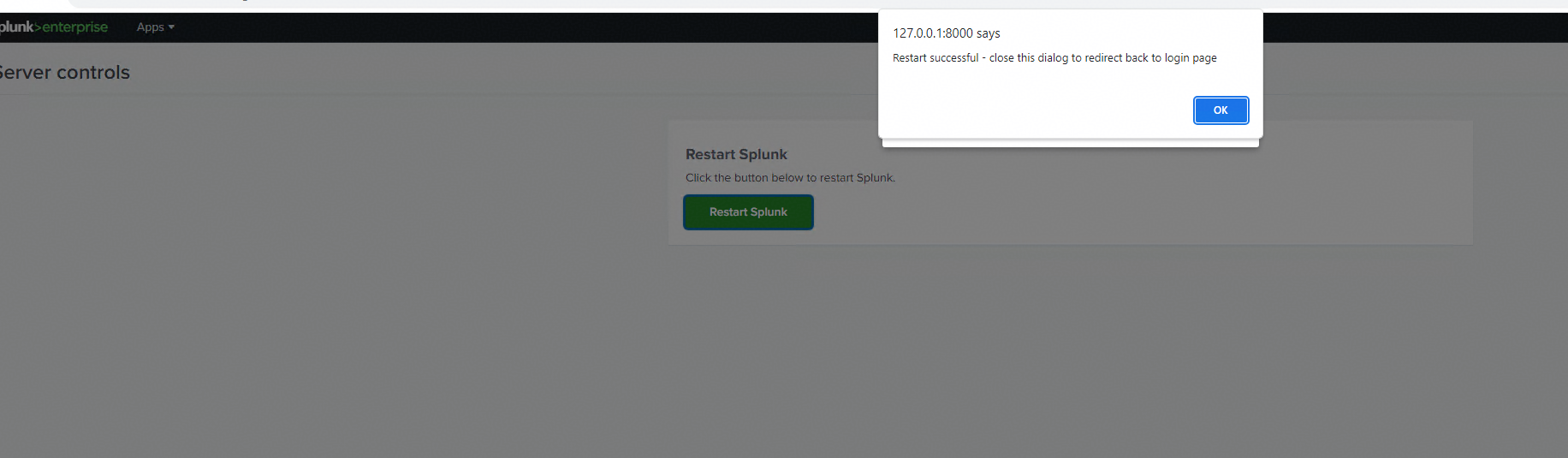
3. Restart the Splunk server. 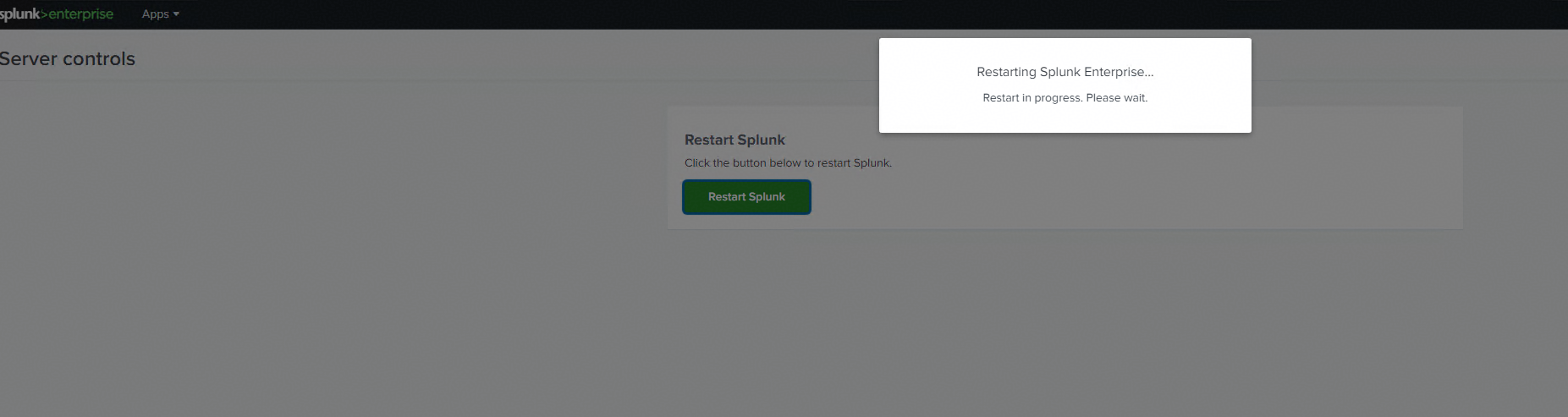
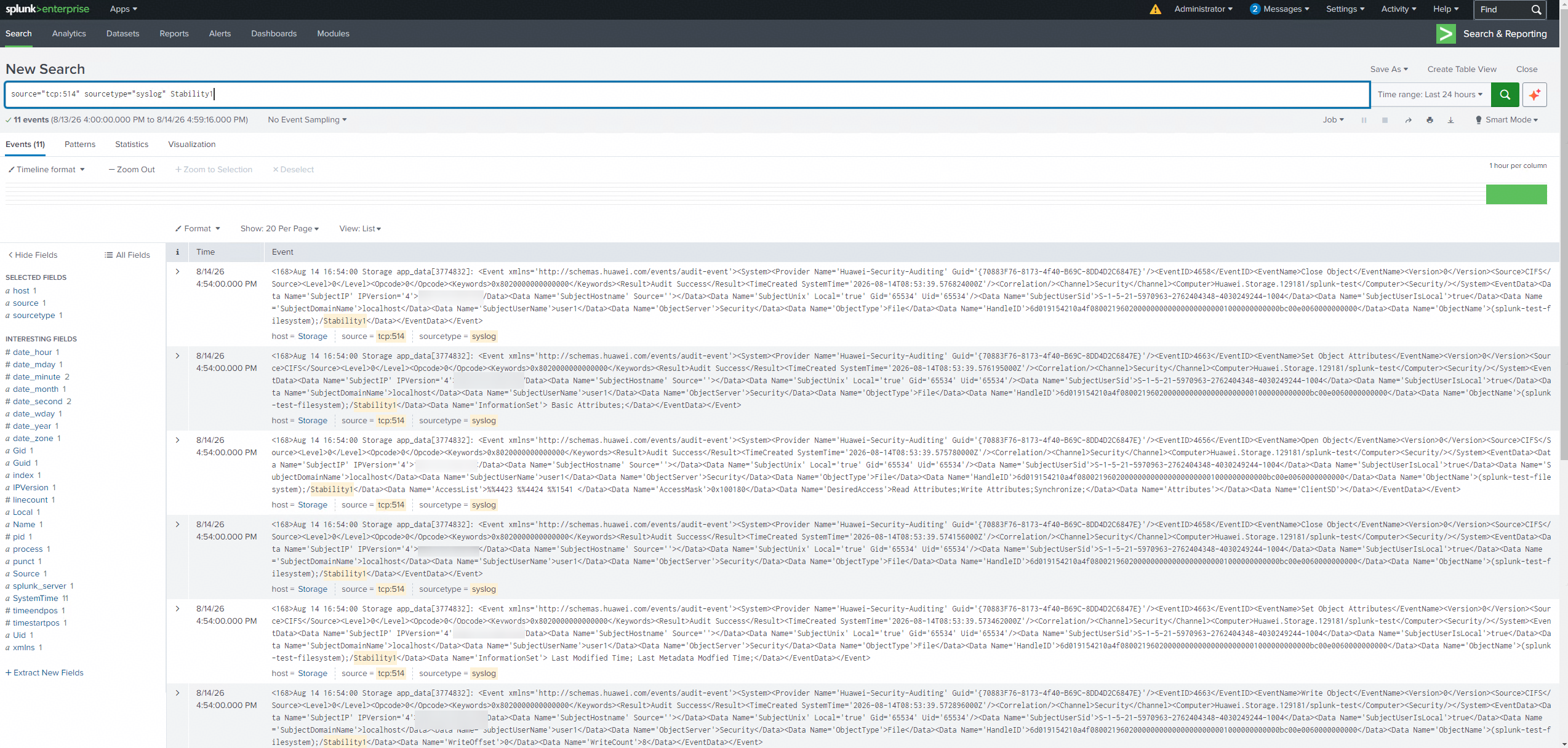
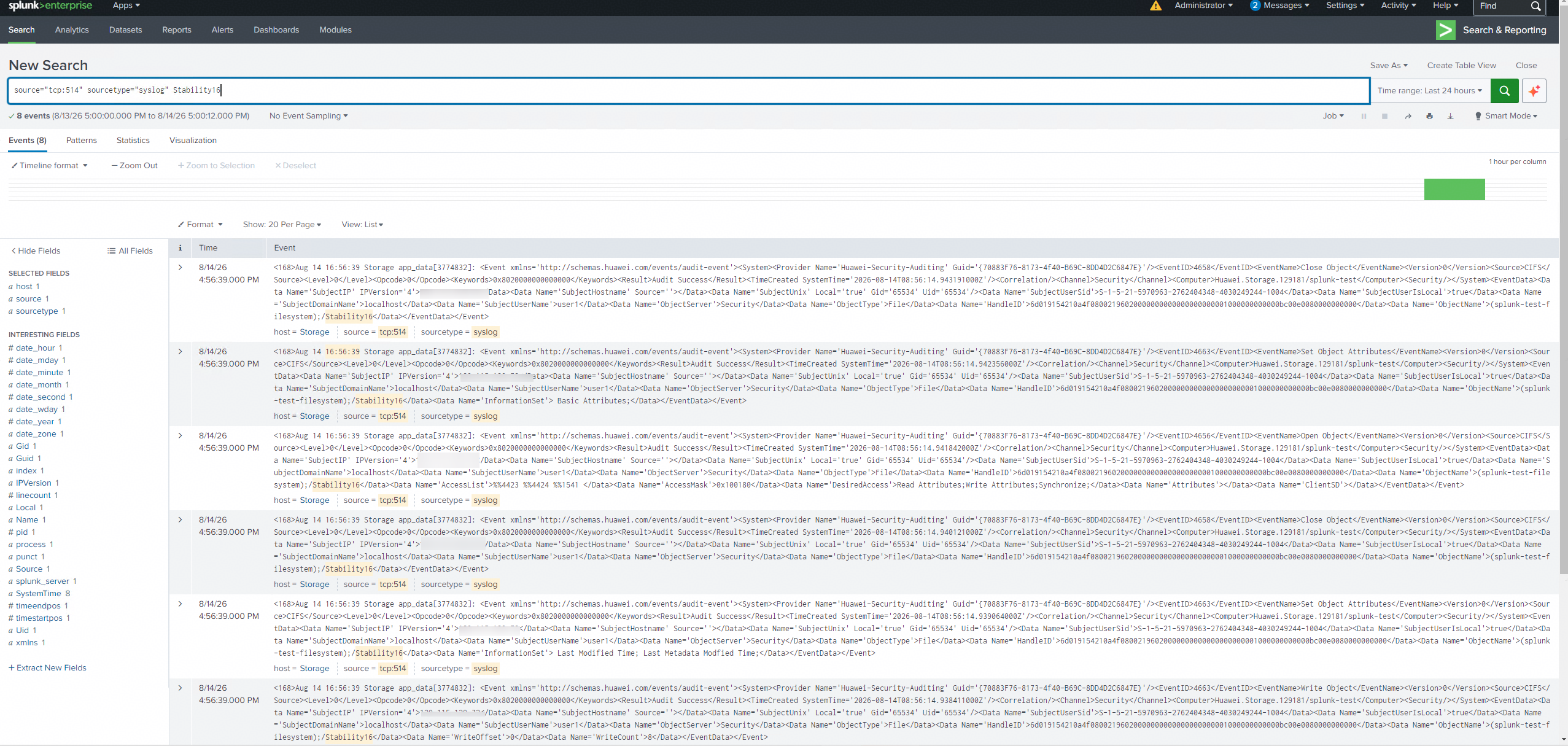
4. After the Splunk server is restarted, search for the number of logs generated in step 2. 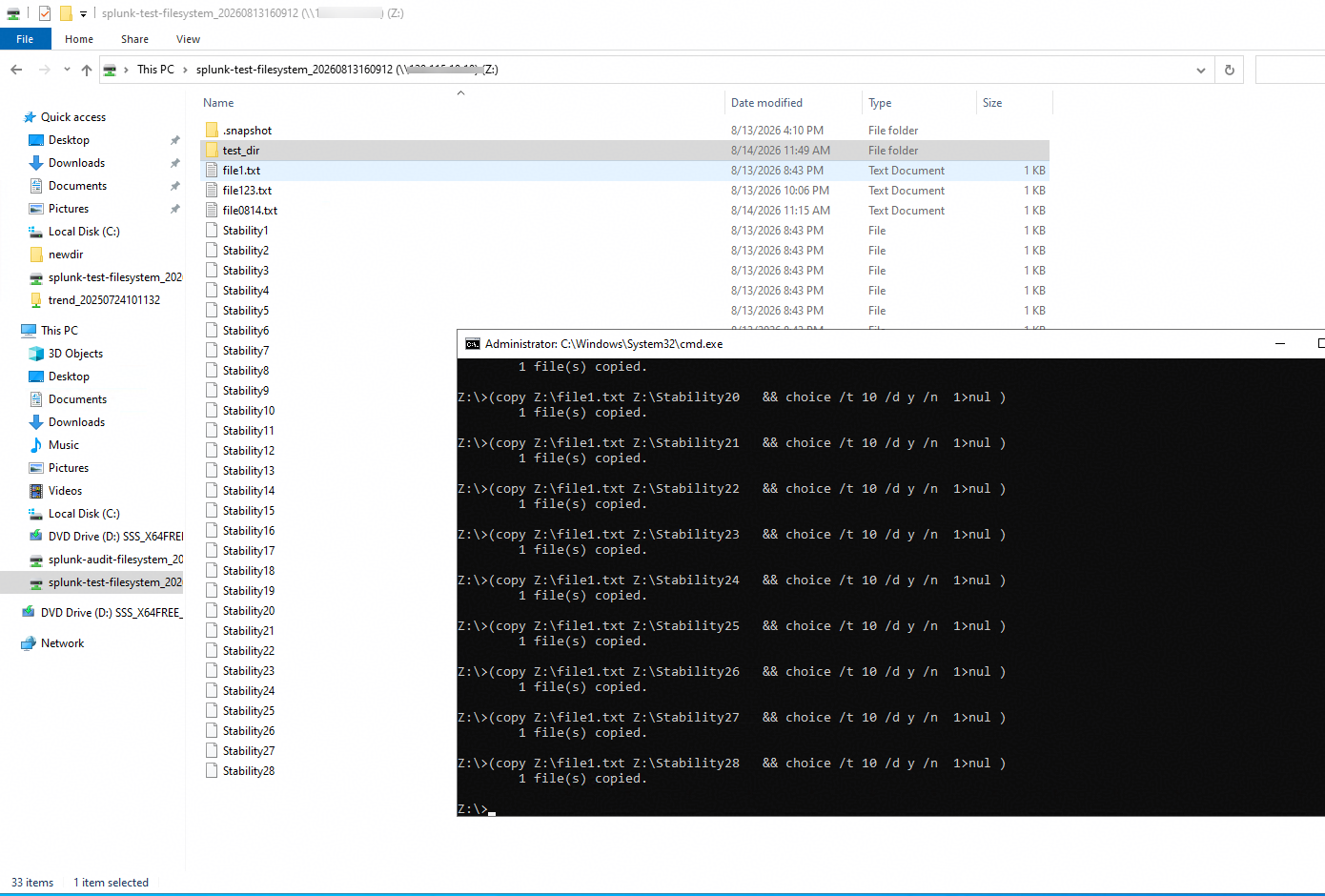
|
Test Conclusion | Passed |
6. CIFS —— Basic Connectivity Test
Test Purpose | To verify that the Splunk server can interface with Huawei OceanStor Dorado all‑flash storage via the CIFS protocol and properly parse audit log files in XML format. |
Network Diagram | Reference to Figure 1.1 |
Prerequisites |
|
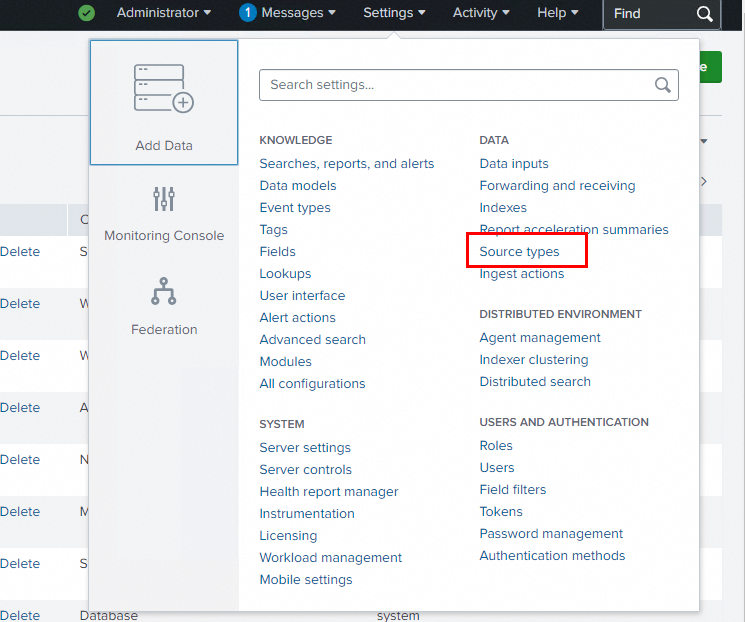
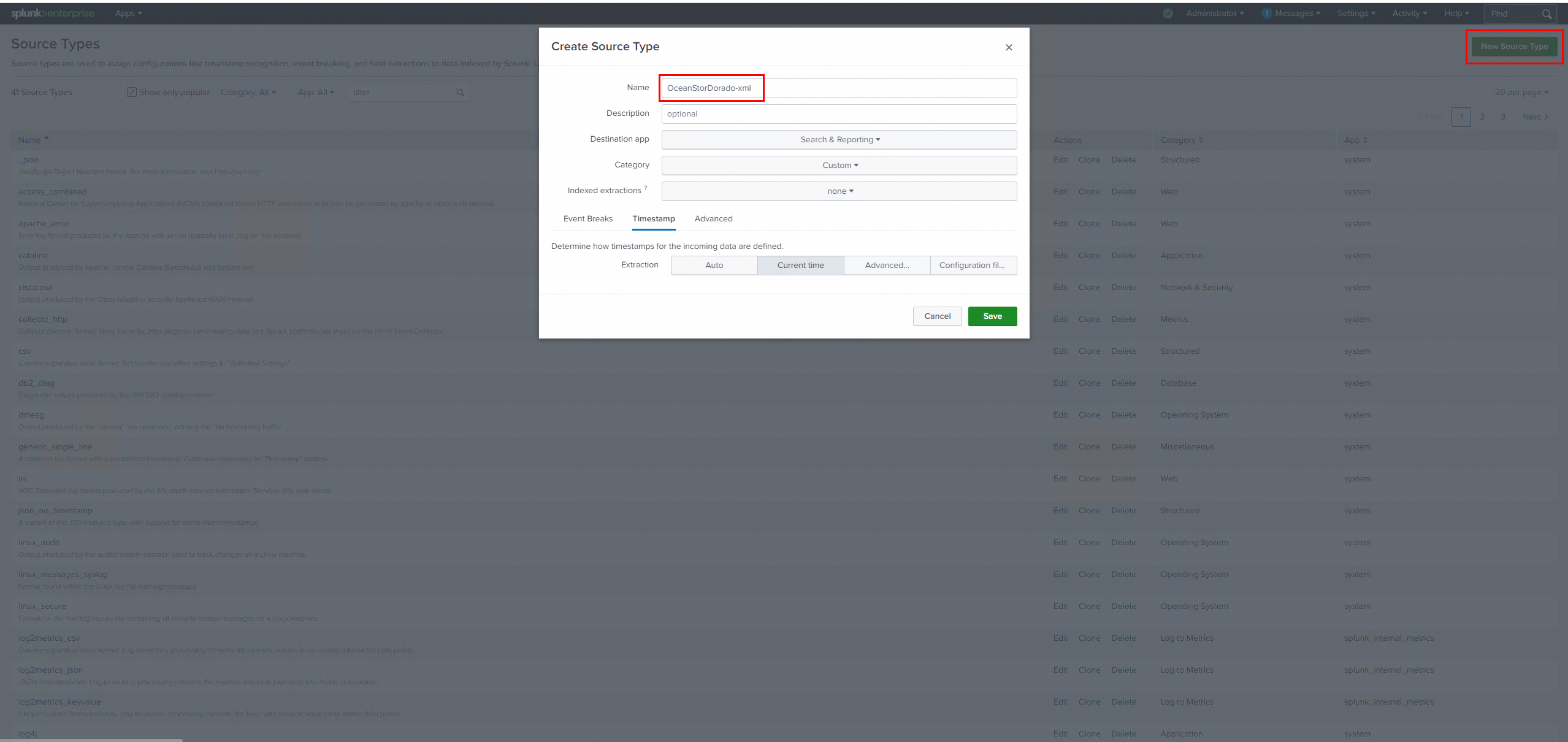
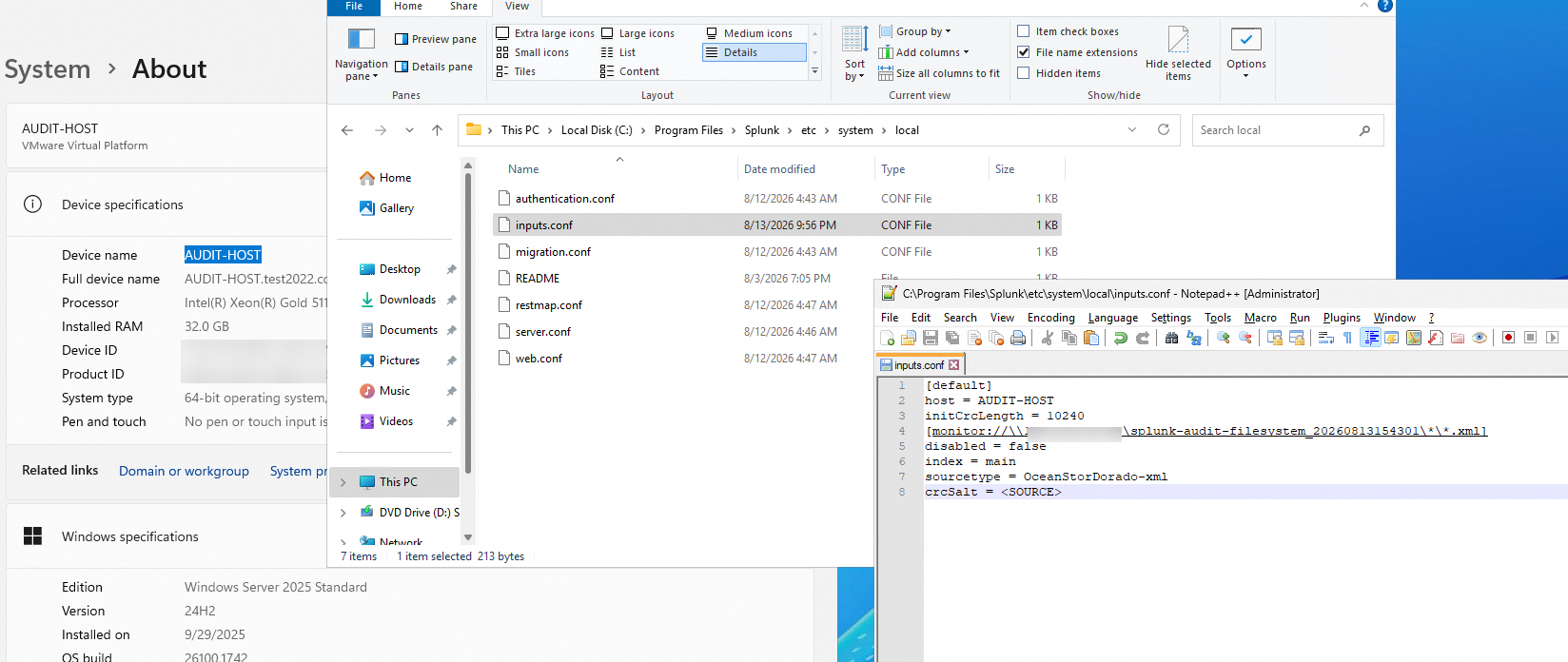
Test Procedures | Step 1: Create a Source Type in Splunk Enterprise. Step 2: Create the Splunk configuration file C:\Program Files\Splunk\etc\system\local\inputs.conf. Refer to the example below:
|
[default]
host = <Splunk Server Host Name>
initCrcLength = 10240
[monitor://\\< ServiceIP > \< Audit Log CIFS Share Name > \*\*.xml]
disabled = false
index = main
sourcetype = < Source Type Name >
crcSalt = <SOURCE>
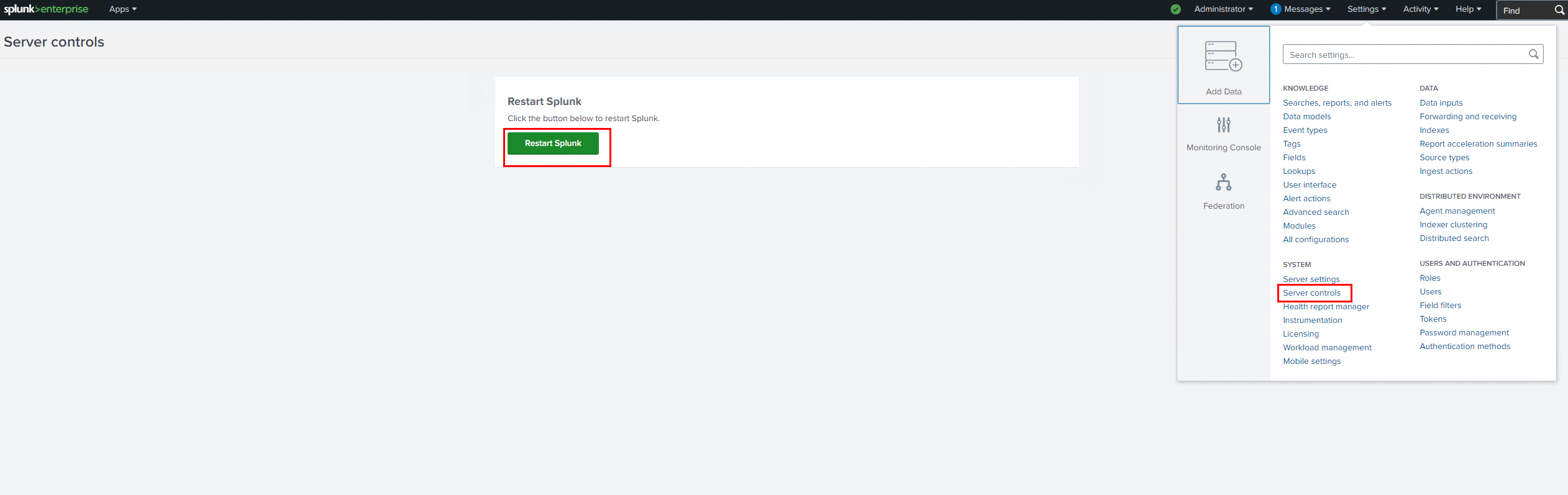
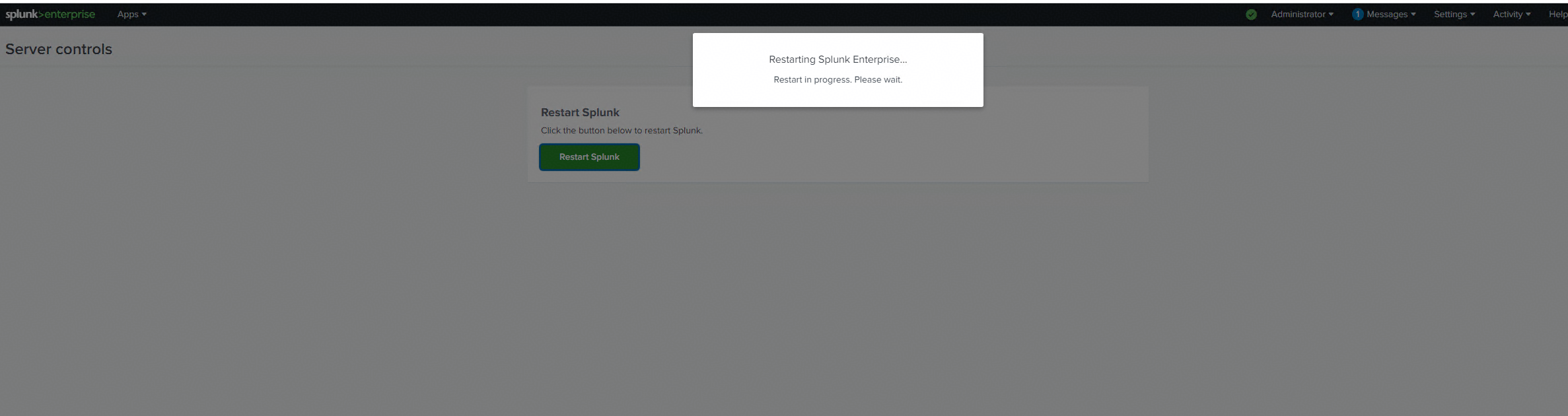
Step 3: Restart the Splunk service.
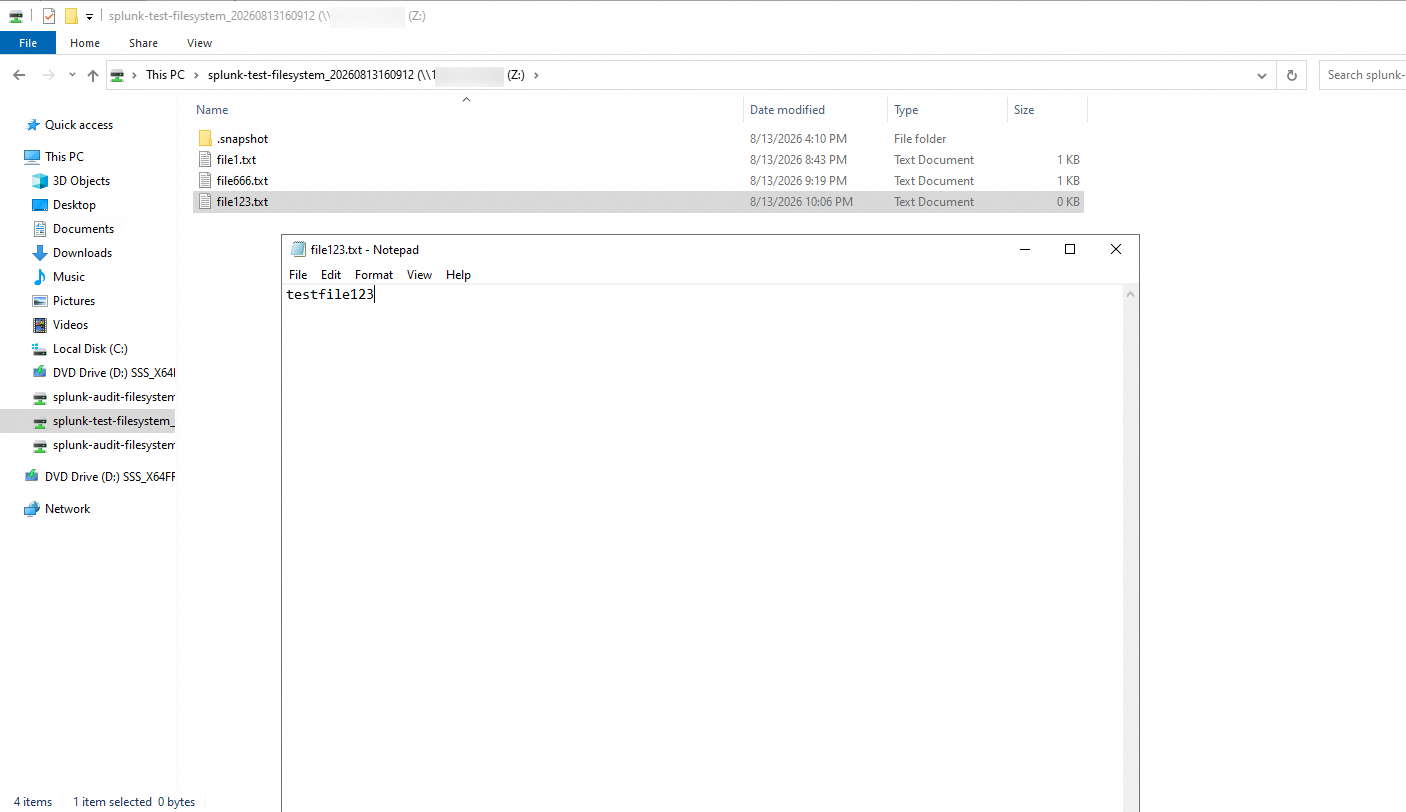
Step 4: Write a file to the storage from the application server to generate audit logs.
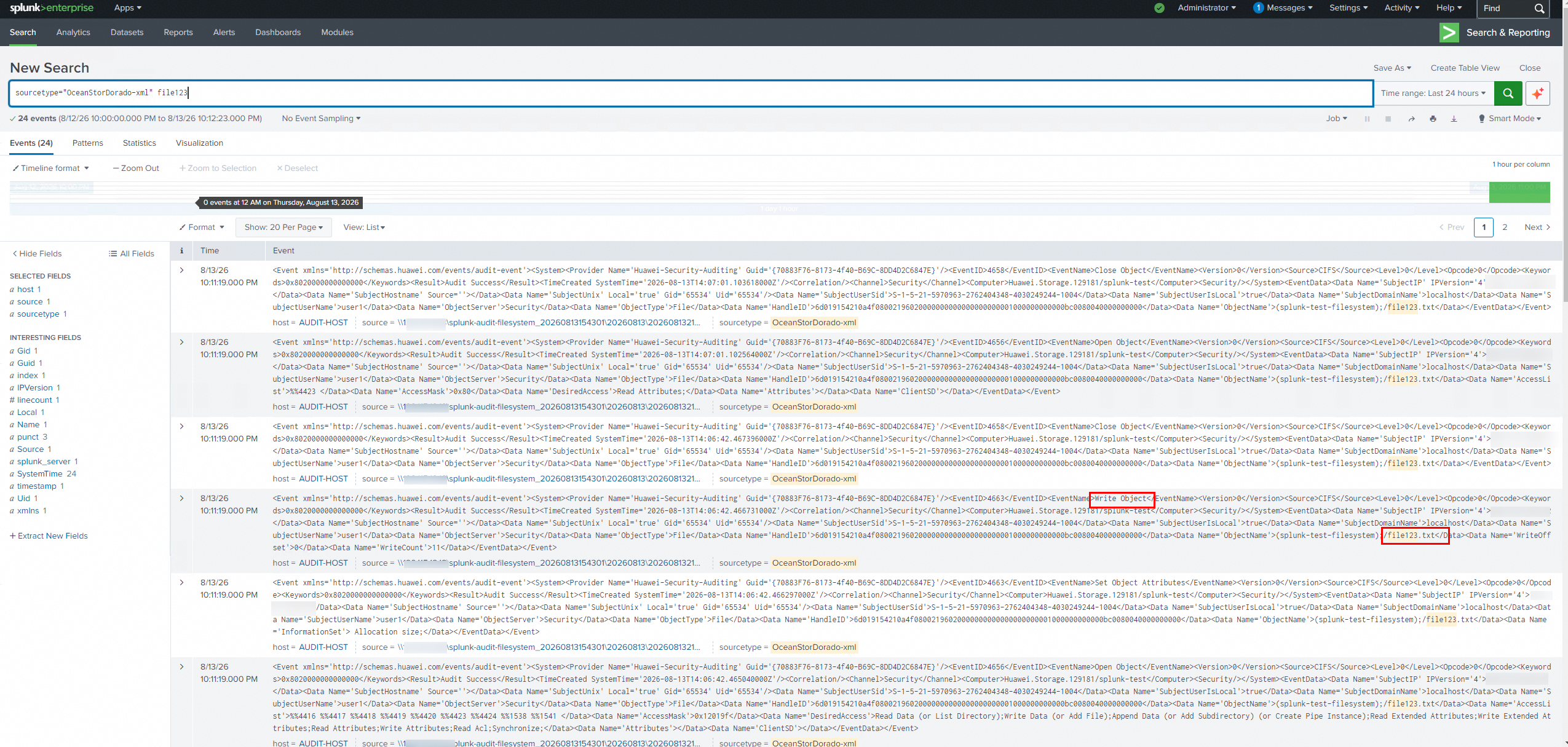
Step 5: Use the Source Type in Splunk Enterprise to perform a search and check whether the logs generated in Step 4 can be retrieved.
Expected Results
- In step 5, Successfully retrieve the logs generated in Step 4.
Test Results
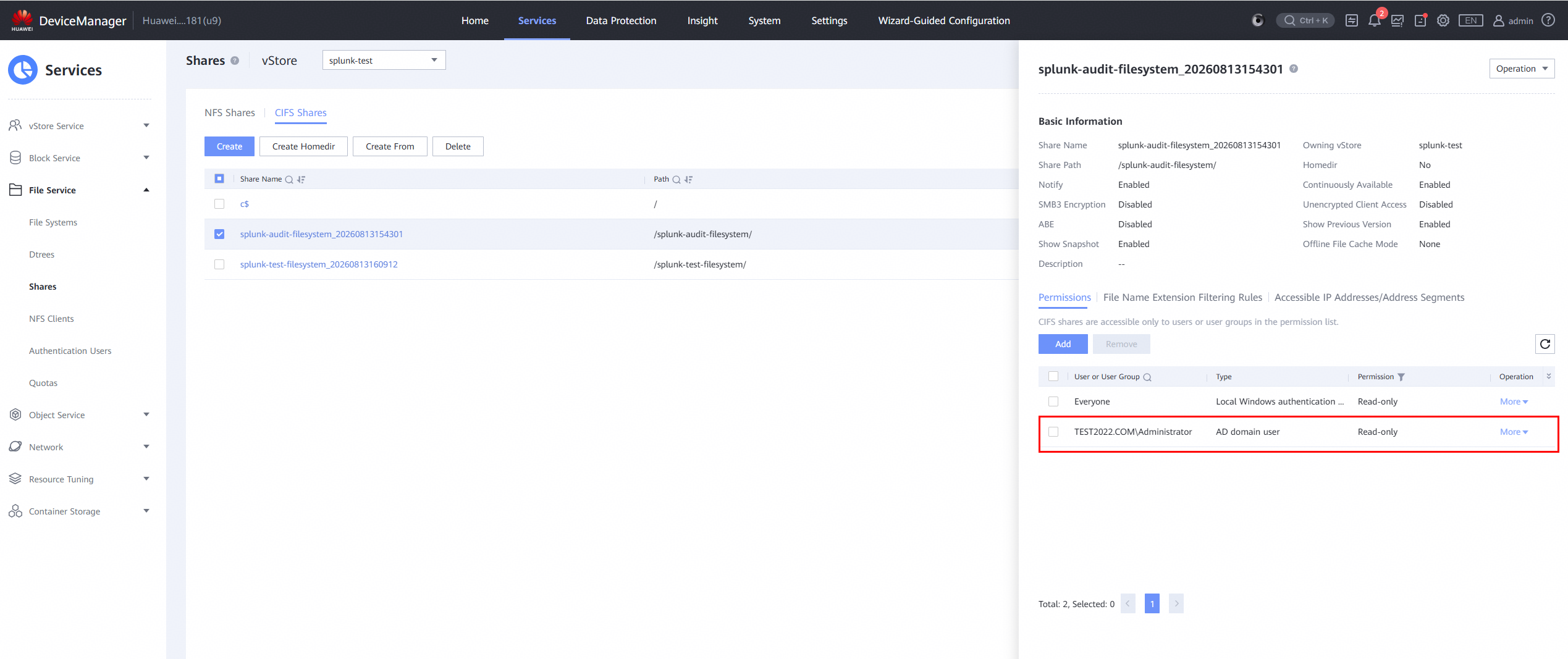
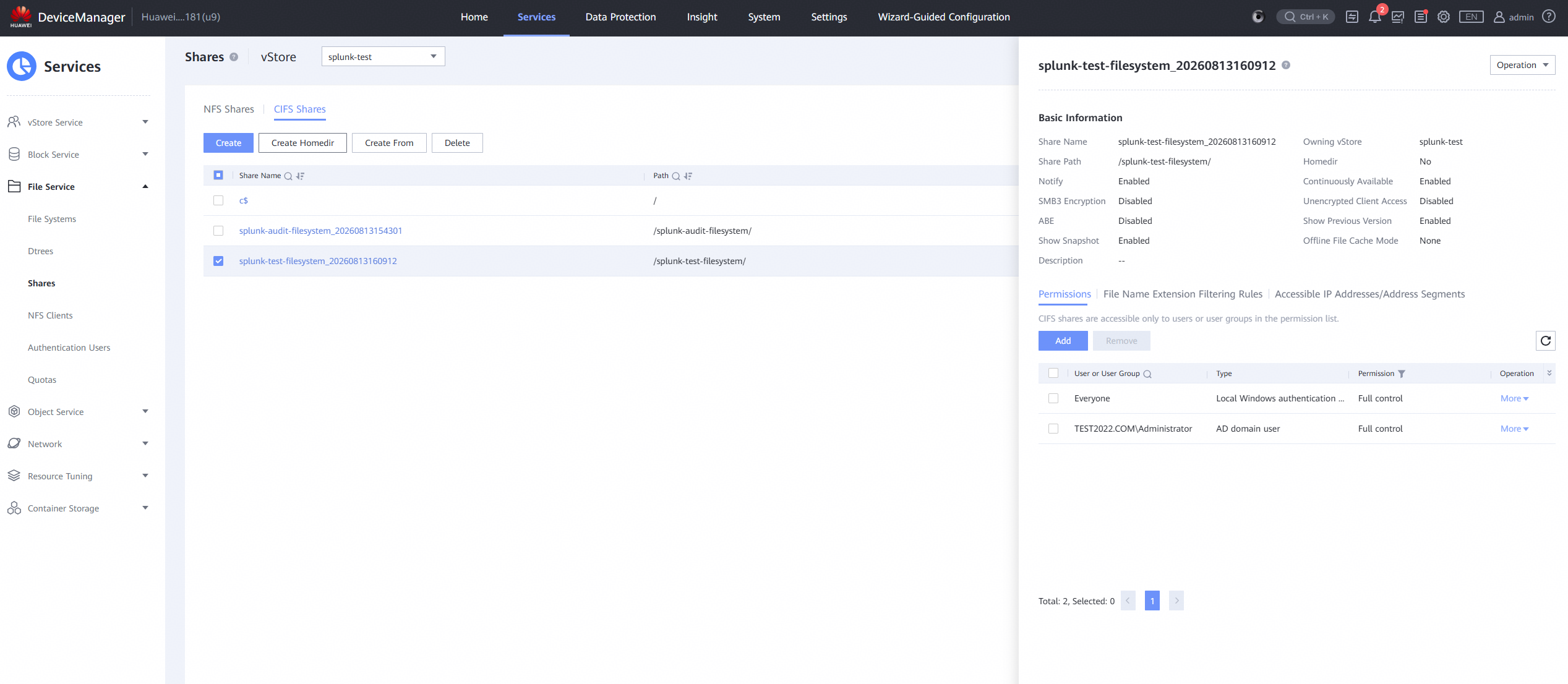
1. Create a Source Type in Splunk Enterprise.
2. Create the Splunk configuration file.
3. Restart the Splunk service.
4. Write a file to the storage from the application server to generate audit logs.
5. Use the Source Type in Splunk Enterprise to perform a search and check whether the logs generated in Step 4 can be retrieved.
Test Conclusion
Passed
7. CIFS —— Basic Funtions Test
7.1 Log Content Check —— Read
Test Purpose | To verify that read‑operation events recorded in XML‑formatted audit log files can be viewed normally after Huawei OceanStor Dorado all‑flash storage connects to the Splunk Server via the CIFS protocol. |
Network Diagram | Reference to Figure 1.1 |
Prerequisites | 1. The Huawei OceanStor Dorado All-Flash Storage, Splunk Server, AD Domain Server, Application Server have been deployed and configured successfully.
4. Audit configuration has been completed on the Splunk Server. |
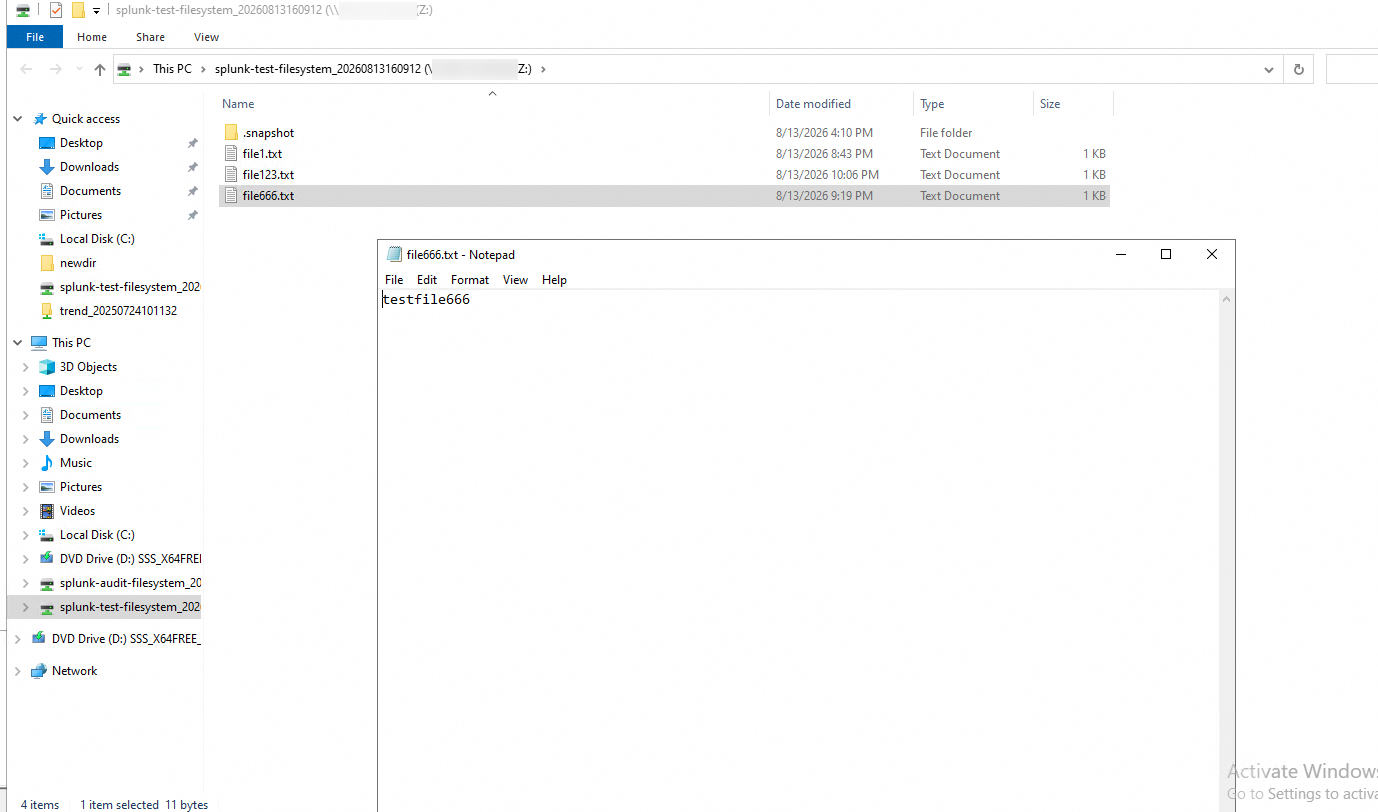
Test Procedures | Step 1: Open a file on the storage from the application server to generate audit logs. Step 2: Use a browser to open the XML audit log of the storage, and find the log for Step 1. Step 3: On the Splunk Server, find the log for Step 1 and compare its content with Step 2. |
Expected Results |
|
Test Results |
2. Use a browser to open the XML audit log of the storage, and find the log for Step 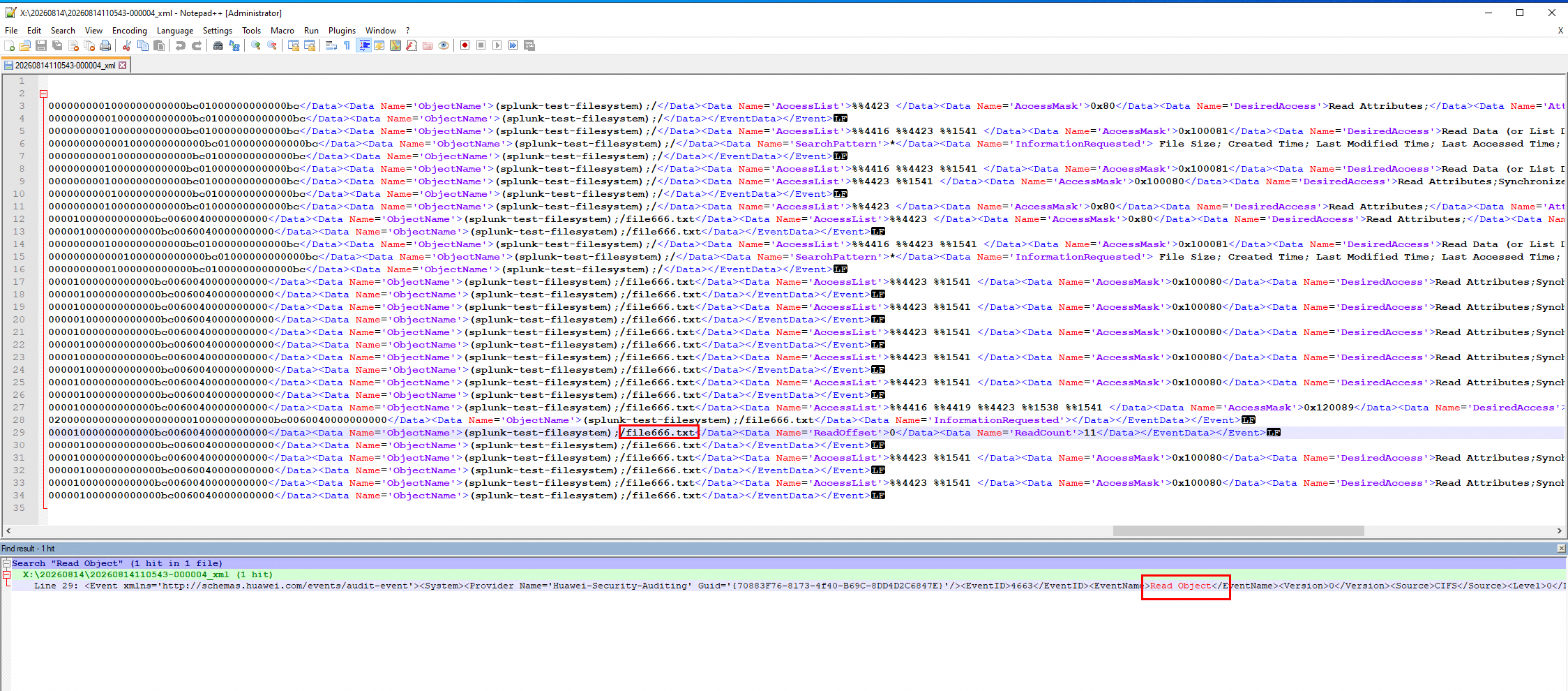 3. On the Splunk Server, find the log for Step 1 and compare its content with Step 2. 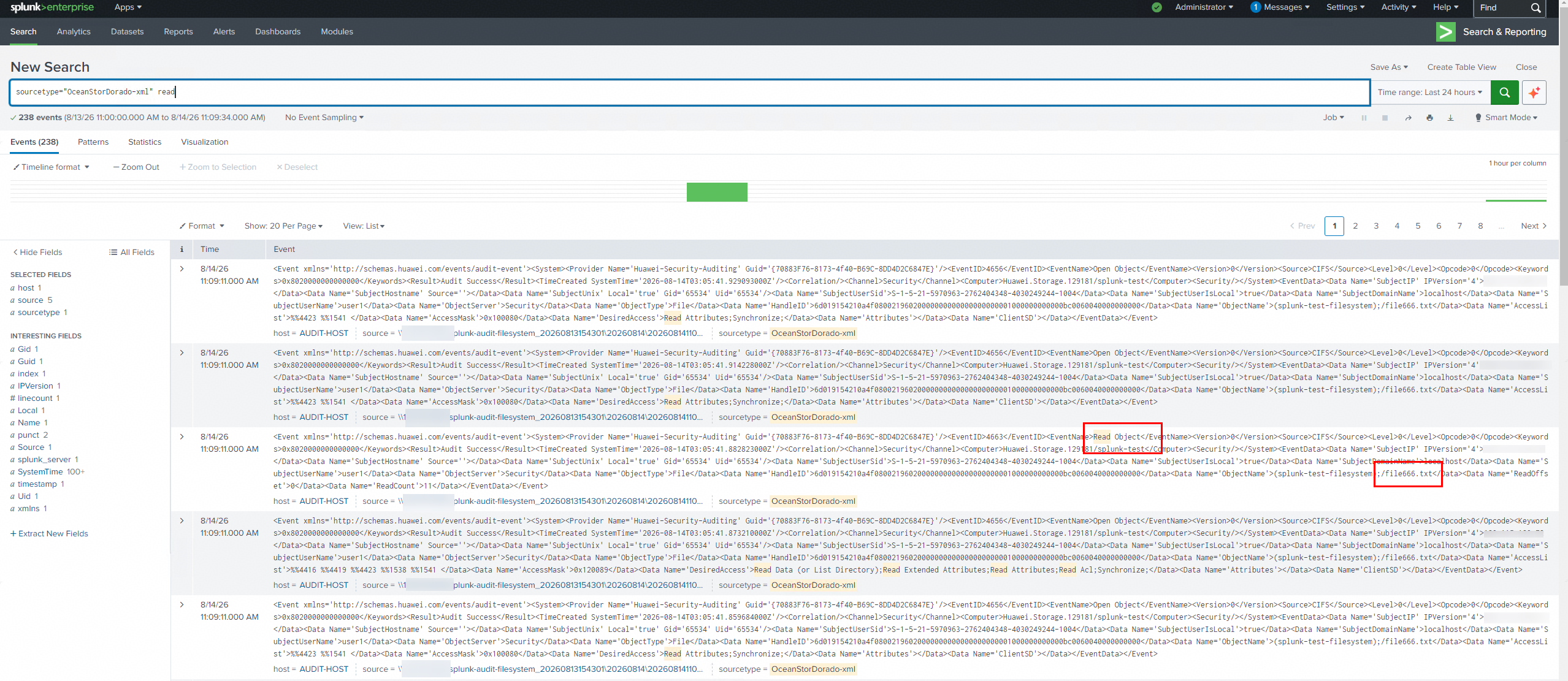 |
Test Conclusion | Passed |
7.2 Log Content Check —— Write
Test Purpose | To verify that write‑operation events recorded in XML‑formatted audit log files can be viewed normally after Huawei OceanStor Dorado all‑flash storage connects to the Splunk Server via the CIFS protocol. |
Network Diagram | Reference to Figure 1.1 |
Prerequisites |
4.Audit configuration has been completed on the Splunk Server. |
Test Procedures | Step 1: Write a file to the storage from the application server to generate audit logs. Step 2: Use a browser to open the XML audit log of the storage, and find the log for Step 1. Step 3: On the Splunk Server, find the log for Step 1 and compare its content with Step 2. |
Expected Results |
|
Test Results |
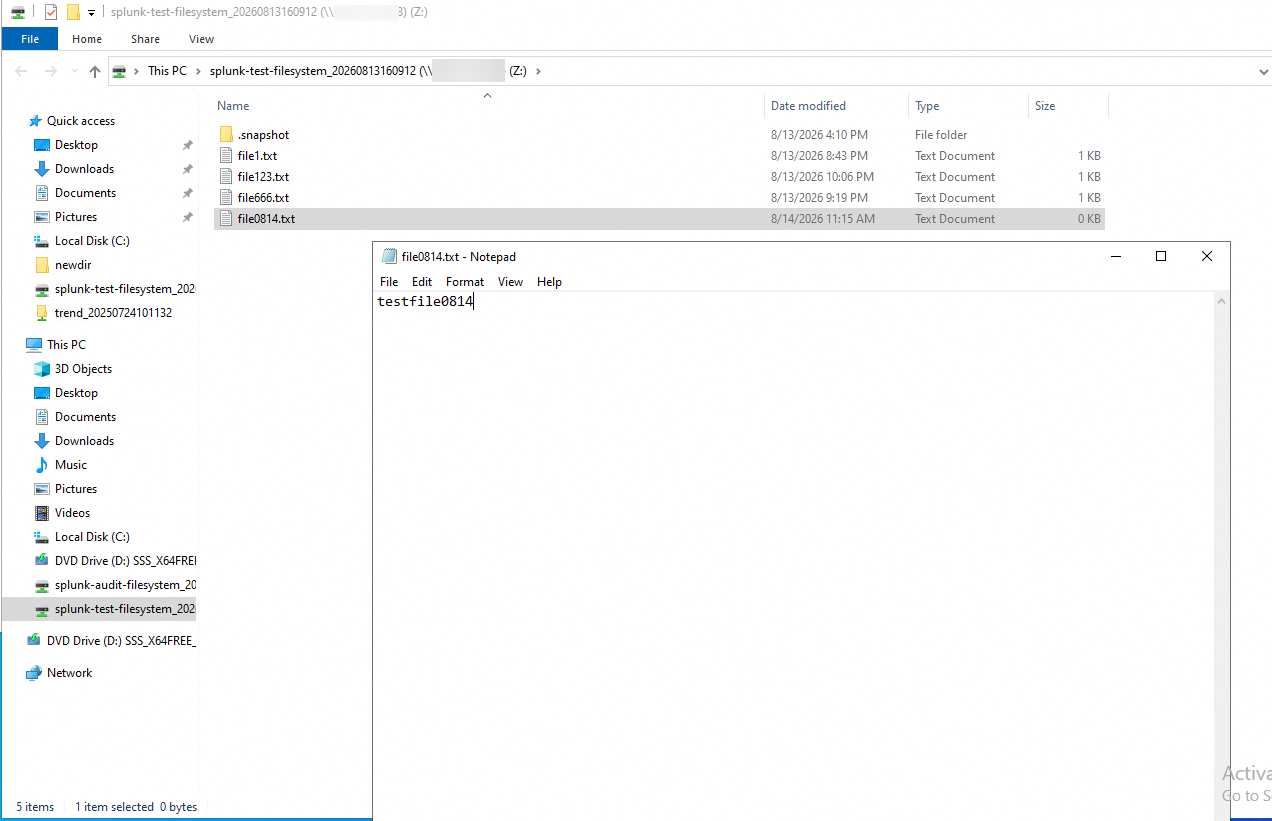
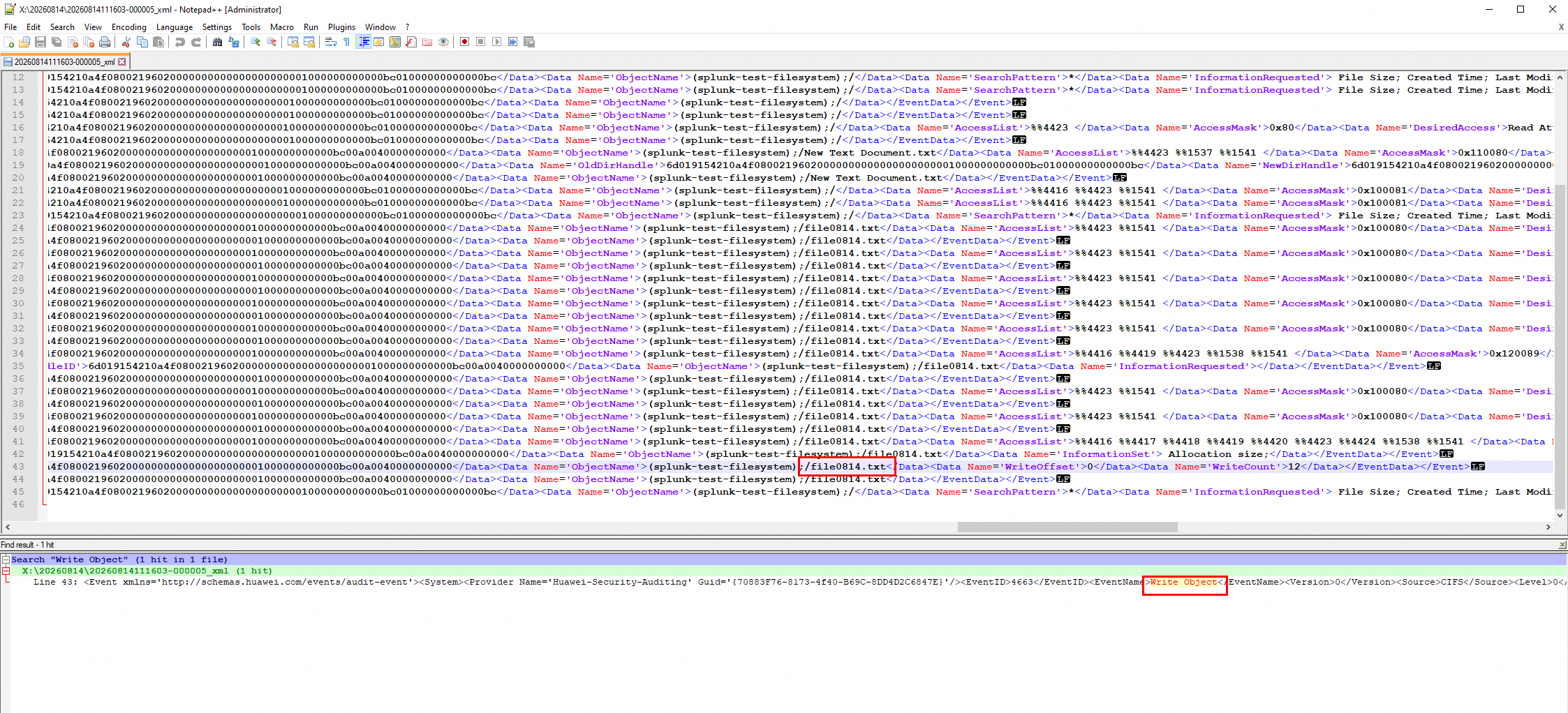 3. On the Splunk Server, find the log for Step 1 and compare its content with Step 2. 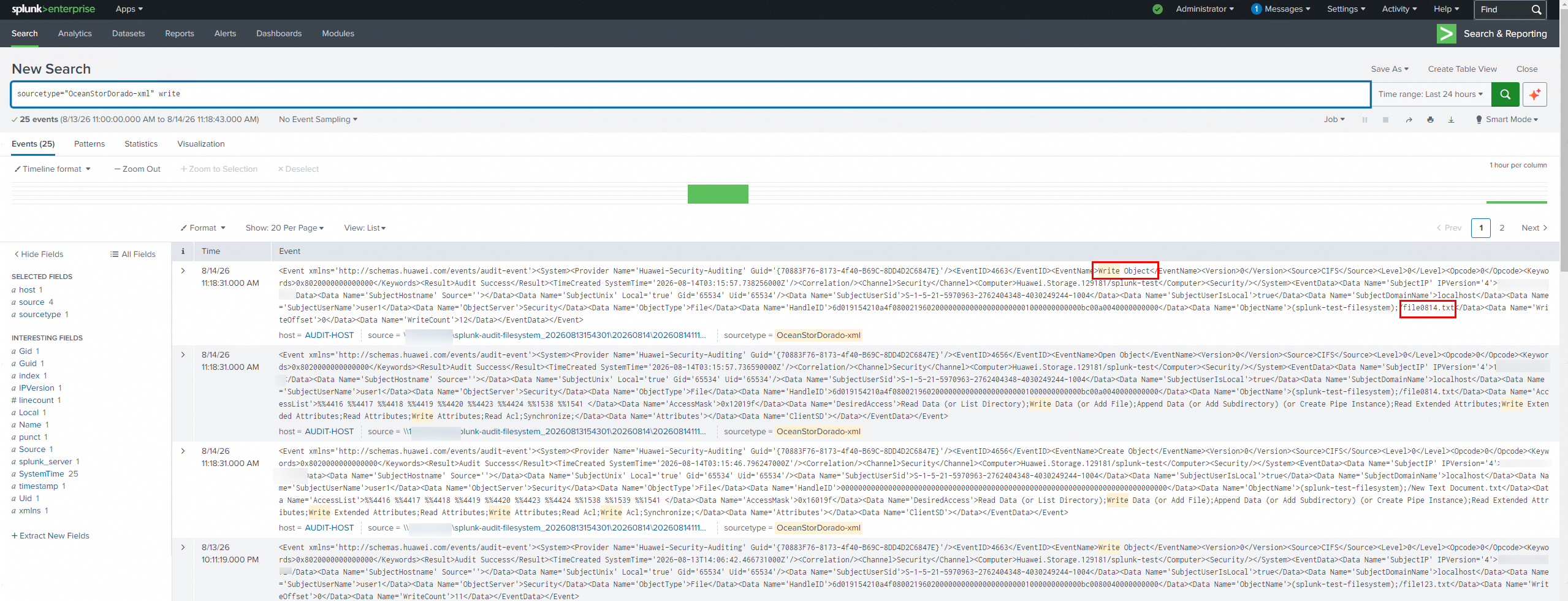
|
Test Conclusion | Passed |
7.3 Log Content Check —— Delete
Test Purpose | To verify that delete‑operation events recorded in XML‑formatted audit log files can be viewed normally after Huawei OceanStor Dorado all‑flash storage connects to the Splunk Server via the CIFS protocol. |
Network Diagram | Reference to Figure 1.1 |
Prerequisites |
4. Audit configuration has been completed on the Splunk Server. |
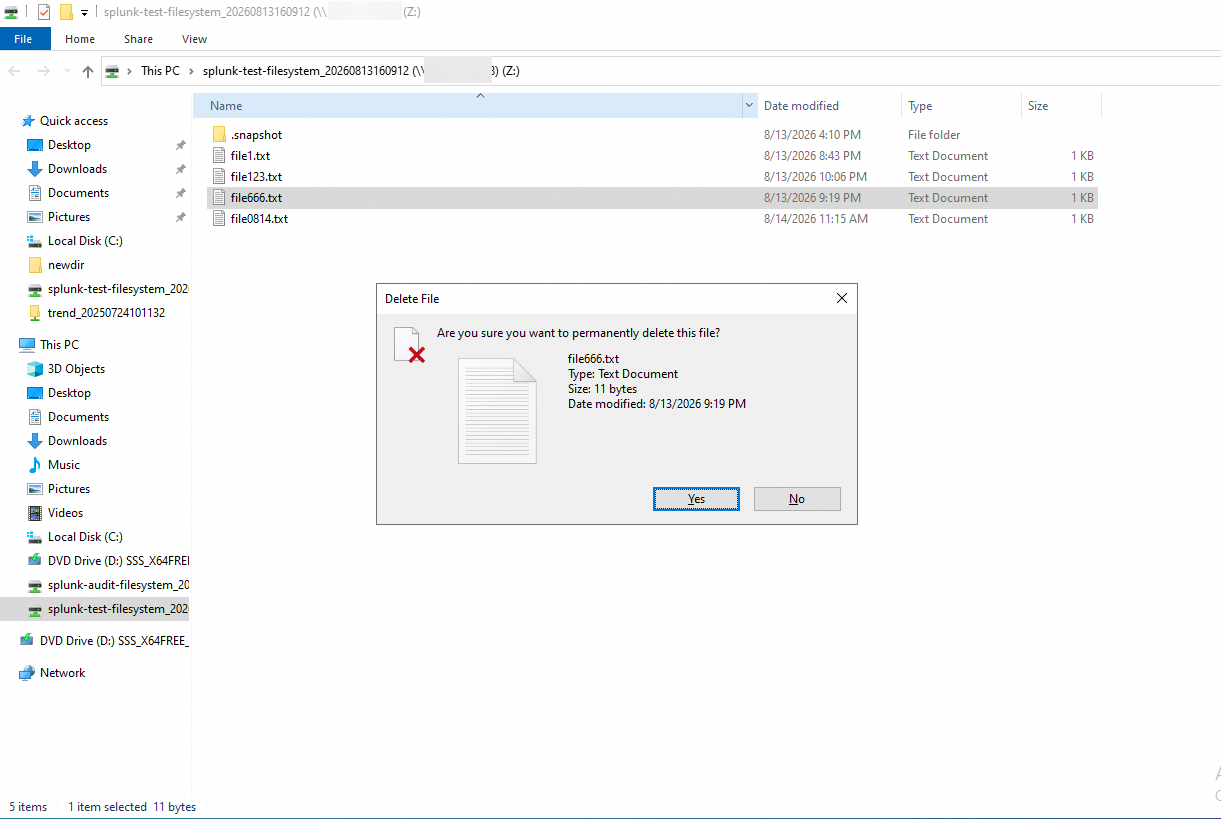
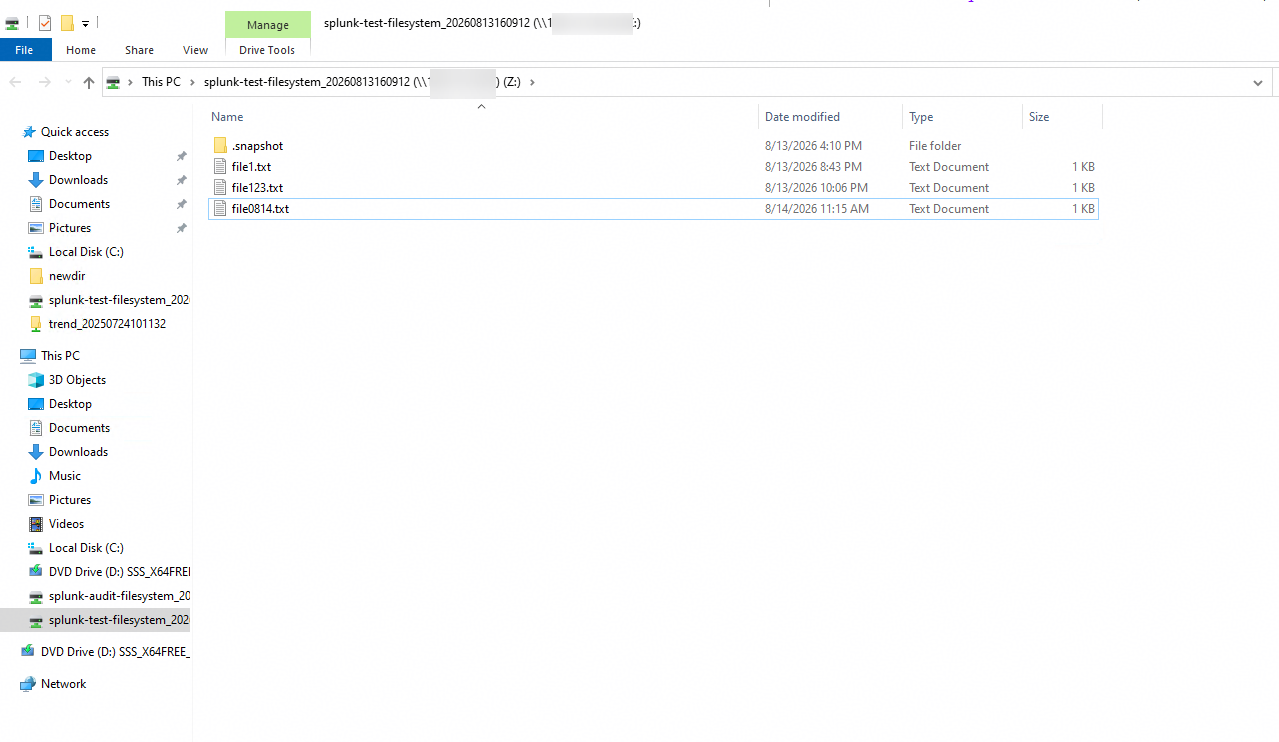
Test Procedures | Step 1: Delete a file on the storage from the application server to generate audit logs. Step 2: Use a browser to open the XML audit log of the storage, and find the log for Step 1. Step 3: On the Splunk Server, find the log for Step 1 and compare its content with Step 2. |
Expected Results | In step 3, all contents of the XML log from Step 2 are displayed in the Splunk Server without omissions or garbled characters. |
Test Results |
2. Use a browser to open the XML audit log of the storage, and find the log for Step 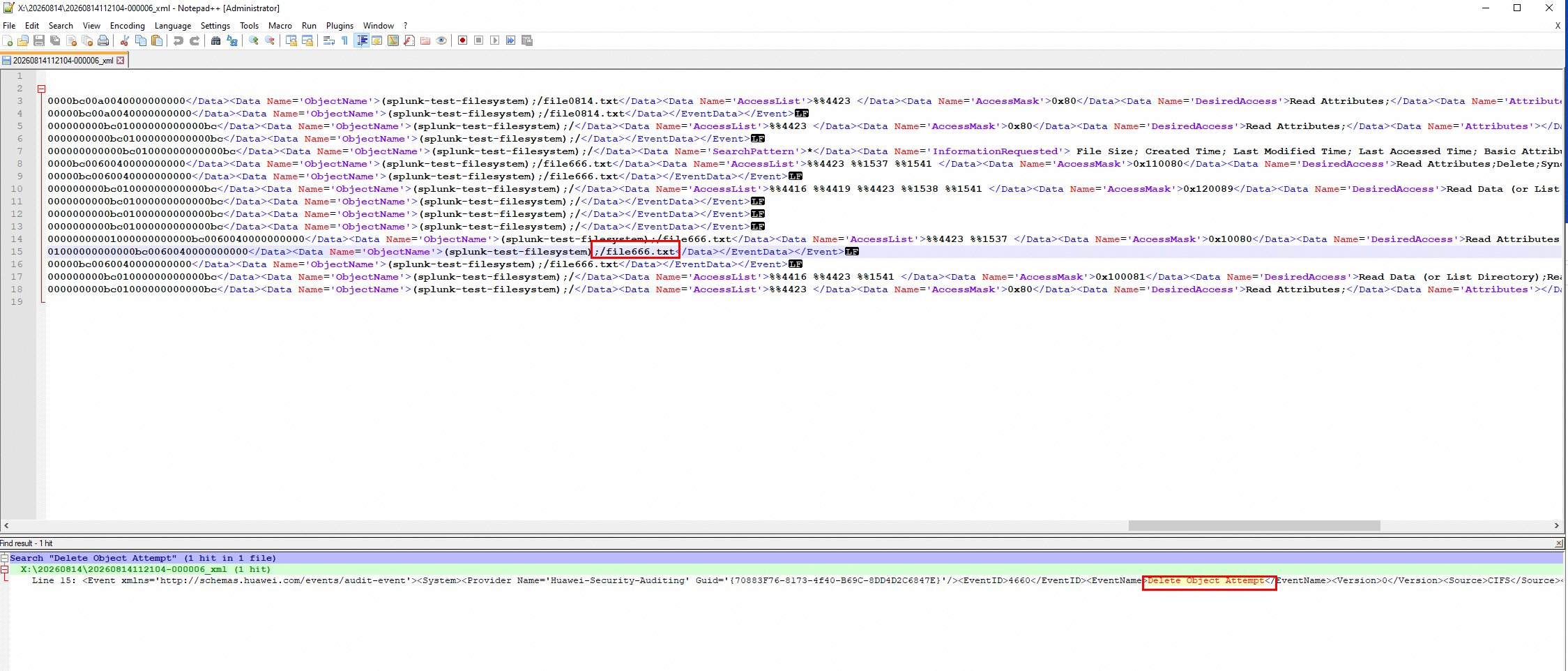 3. On the Splunk Server, find the log for Step 1 and compare its content with Step 2. 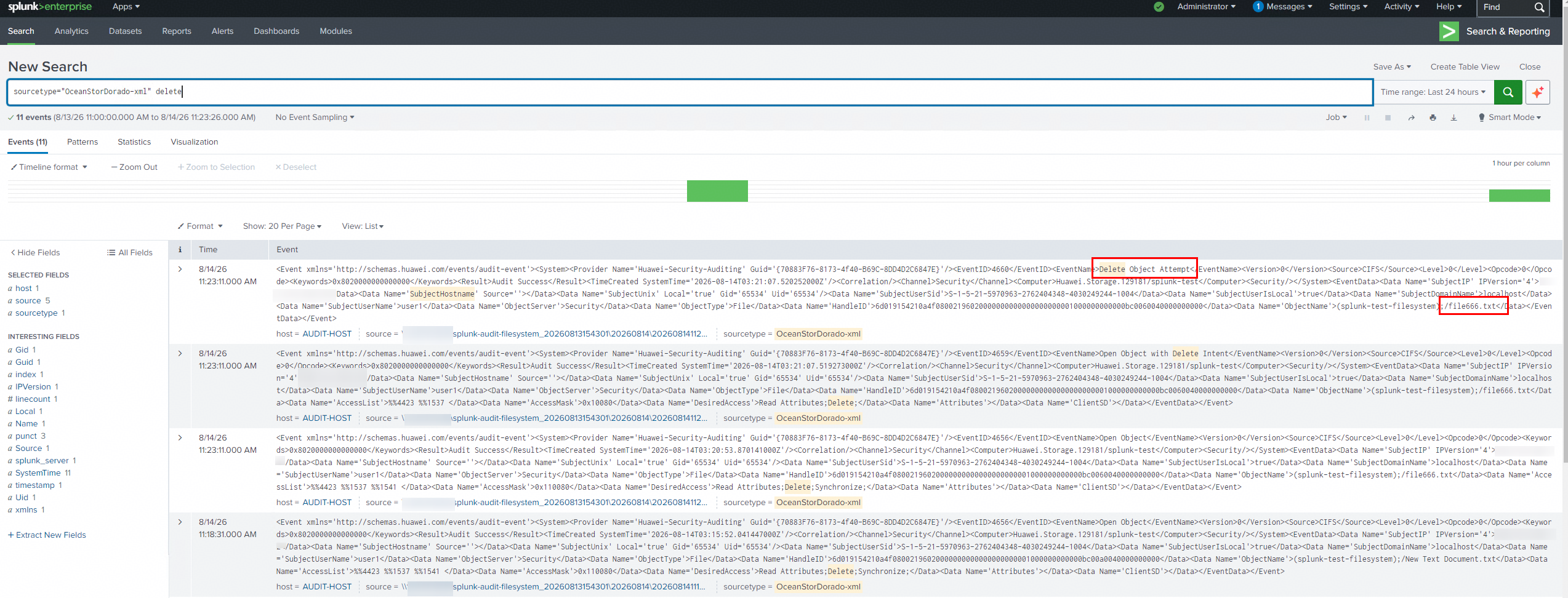 |
Test Conclusion | Passed |
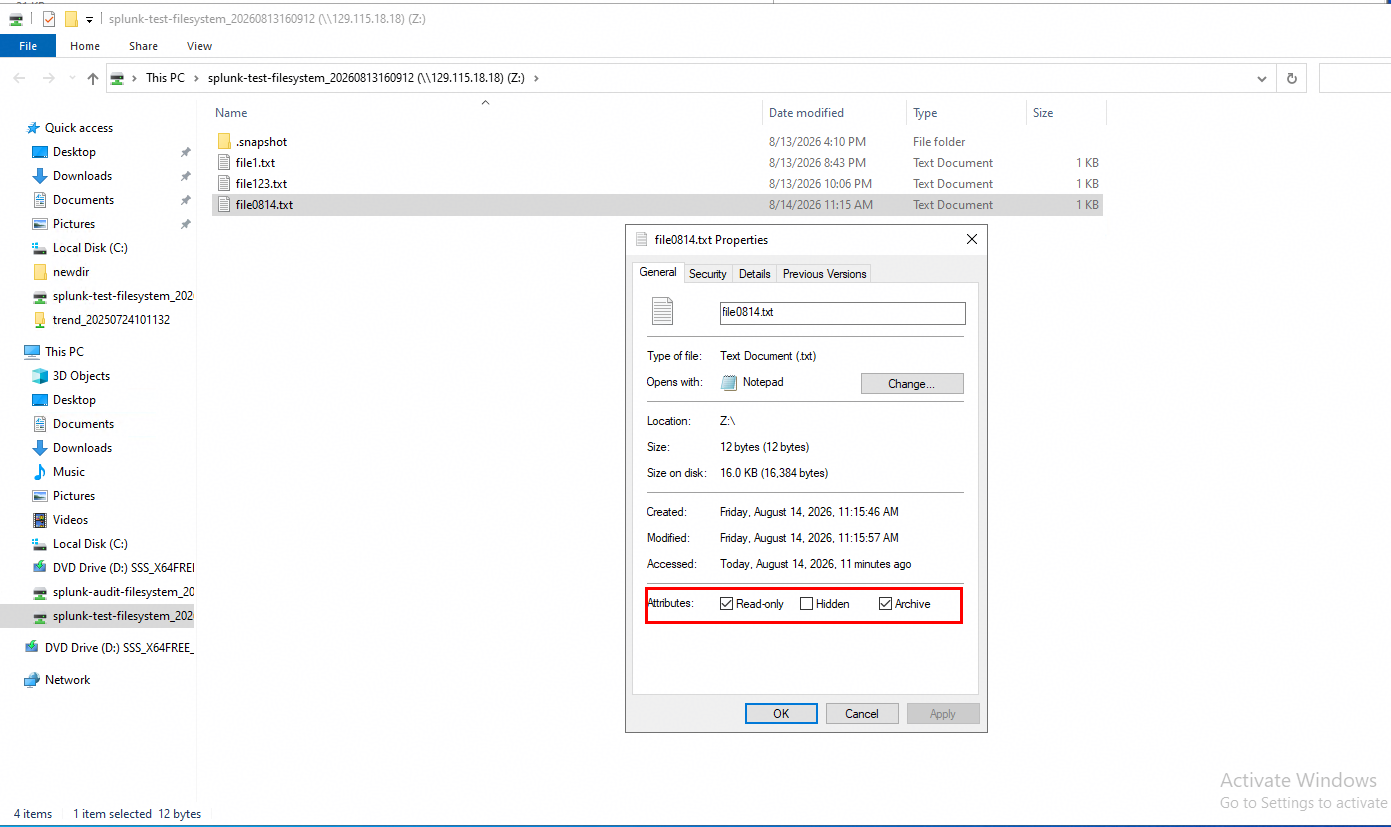
7.4 Log Content Check —— Modify permissions
Test Purpose | To verify that permission‑modification operation events recorded in XML‑formatted audit log files can be viewed normally after Huawei OceanStor Dorado all‑flash storage connects to the Splunk Server via the CIFS protocol. |
Network Diagram | Reference to Figure 1.1 |
Prerequisites | 1. The Huawei OceanStor Dorado All-Flash Storage, Splunk Server, AD Domain Server, Application Server have been deployed and configured successfully.
4. Audit configuration has been completed on the Splunk Server. |
Test Procedures | Step 1: Modify the access permissions of a file on the storage from the application server to generate audit logs. Step 2: Use a browser to open the XML audit log of the storage, and find the log for Step 1. Step 3: On the Splunk Server, find the log for Step 1 and compare its content with Step 2. |
Expected Results |
|
Test Results |
2. Use a browser to open the XML audit log of the storage, and find the log for Step 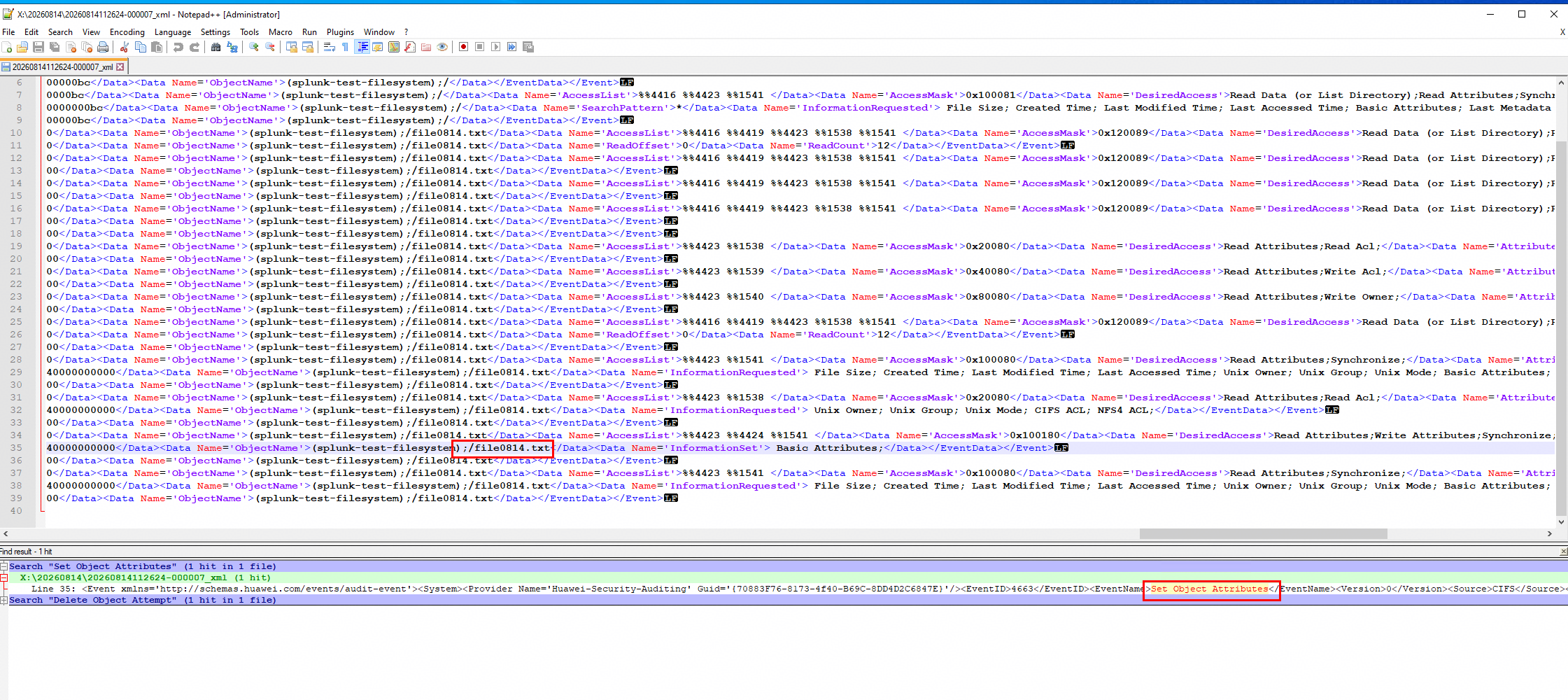 3. On the Splunk Server, find the log for Step 1 and compare its content with Step 2. 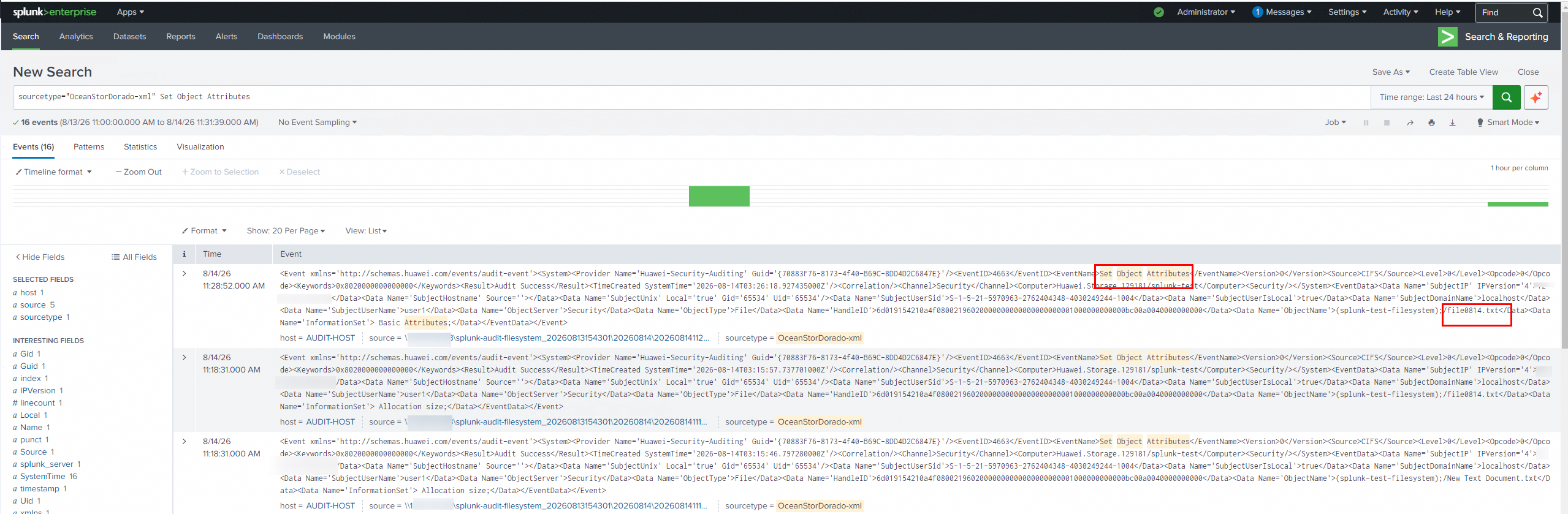 |
Test Conclusion | Passed |
8. CIFS —— Reliability Test
8.1 Restart the Splunk Server
Test Purpose | To verify that after Huawei OceanStor Dorado all-flash storage is connected to the Splunk Server using the CIFS protocol, all events recorded in the XML audit log file can be viewed without missing any event when the Splunk Server is recovered from a fault. |
Network Diagram | Reference to Figure 1.1 |
Prerequisites | 1. The Huawei OceanStor Dorado All-Flash Storage, Splunk Server, AD Domain Server, Application Server have been deployed and configured successfully.
4. Audit configuration has been completed on the Splunk Server. |
Test Procedures | Step 1: Run the test tool continuously to generate audit logs by performing read‑write operations on the storage file system (OPS > 10000). Step 2: Run a script to generate one write log entry every 10 seconds. See the script example below: createfile.bat for /l %i in (1,1,336) do (copy Y:\test.txt Y:\Stability%i && choice /t 10 /d y /n >nul) Step 3: Restart the Splunk server. Step 4: After the Splunk server is restarted, search for the number of logs generated in step 2. |
Expected Results |
|
Test Results | 1. Run the test tool continuously to generate audit logs by performing read‑write operations on the storage file system (OPS > 10000). 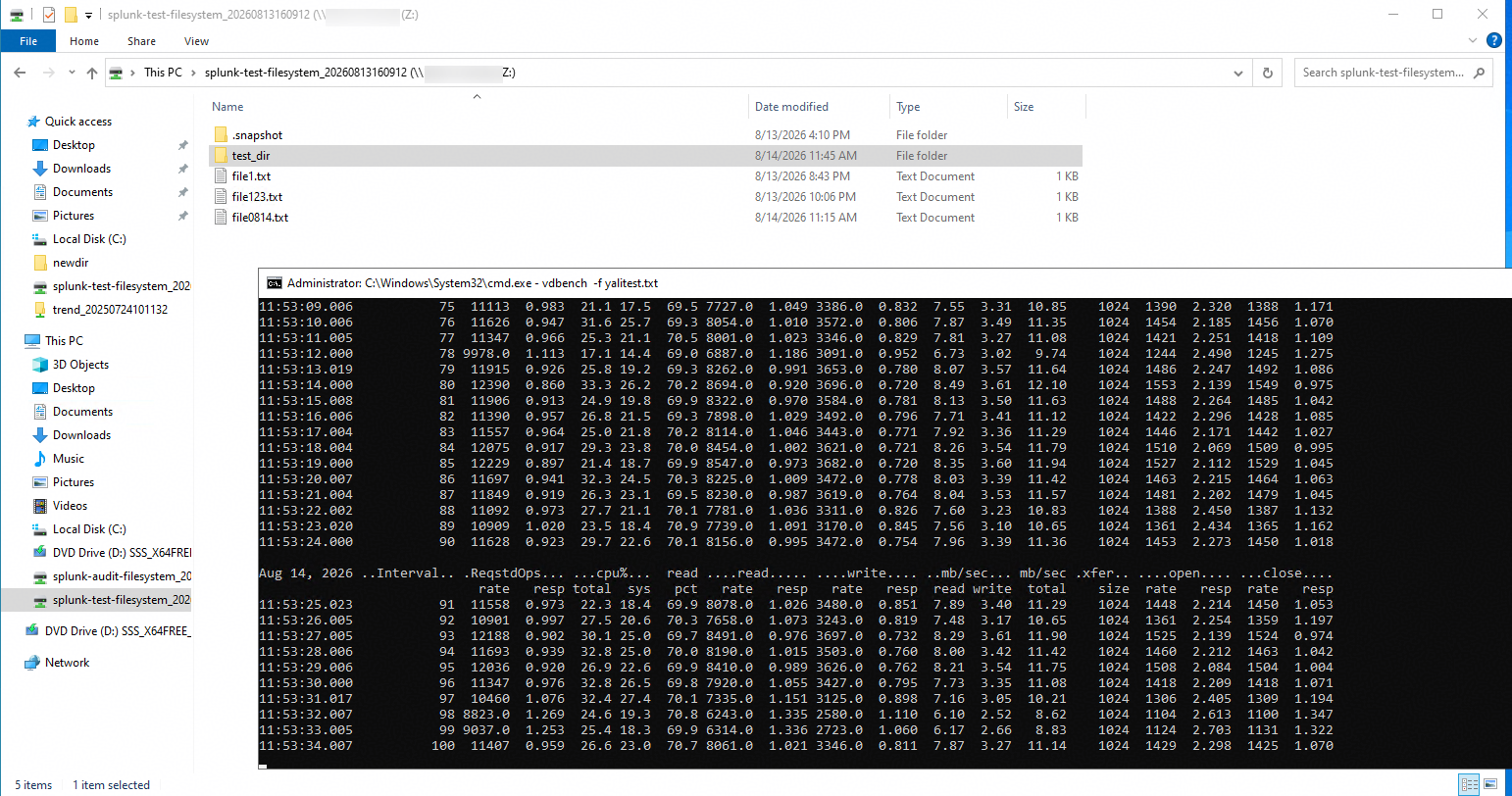

2. Run a script to generate one write log entry every 10 seconds. 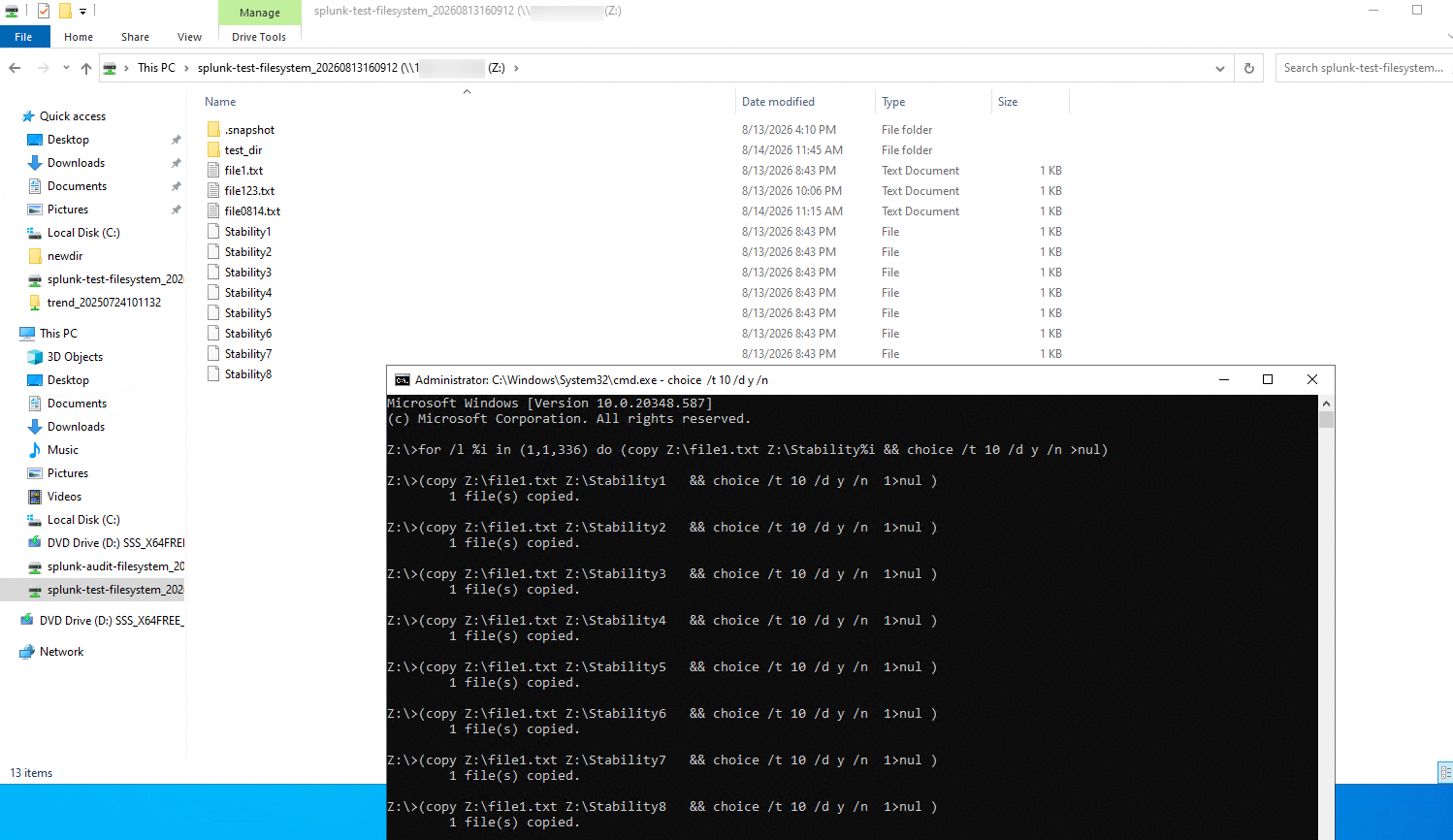
3. Restart the Splunk server. 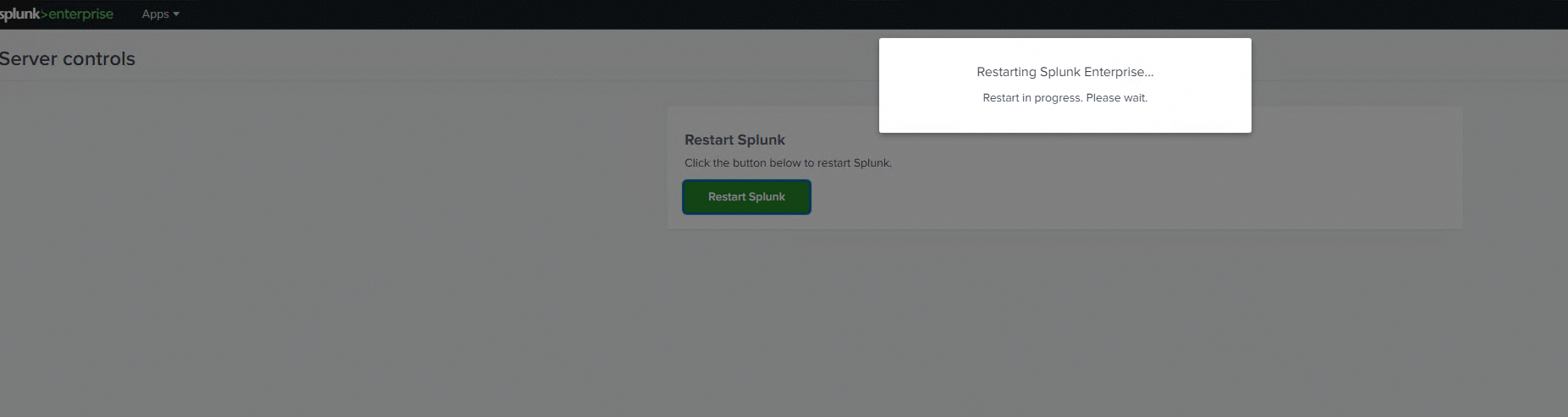
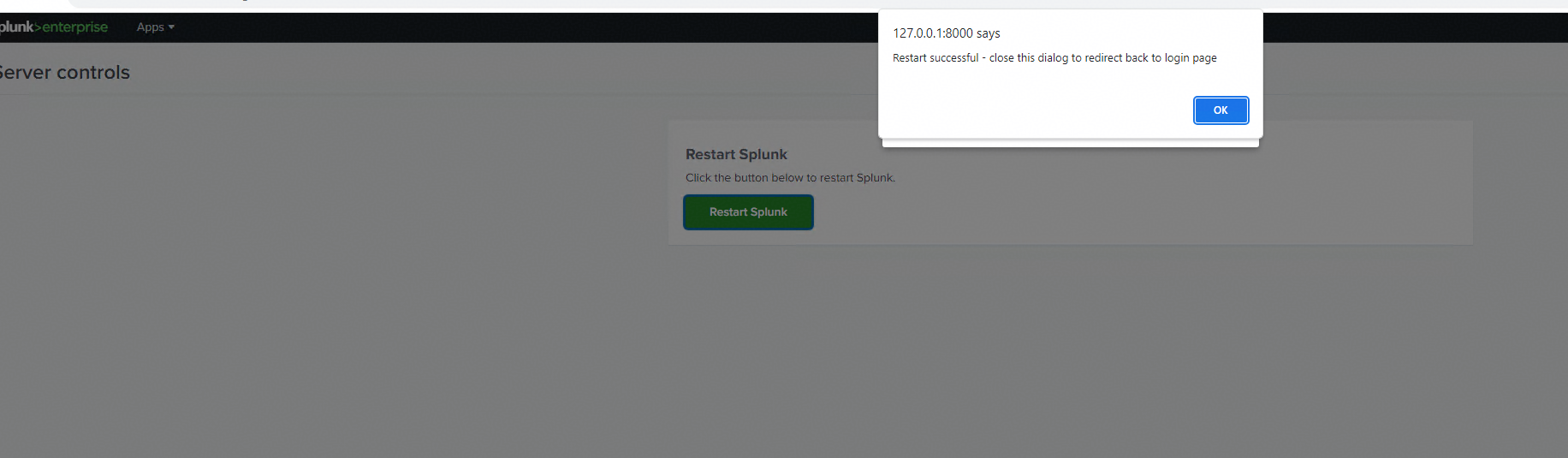
4. After the Splunk server is restarted, search for the number of logs generated in step 2. 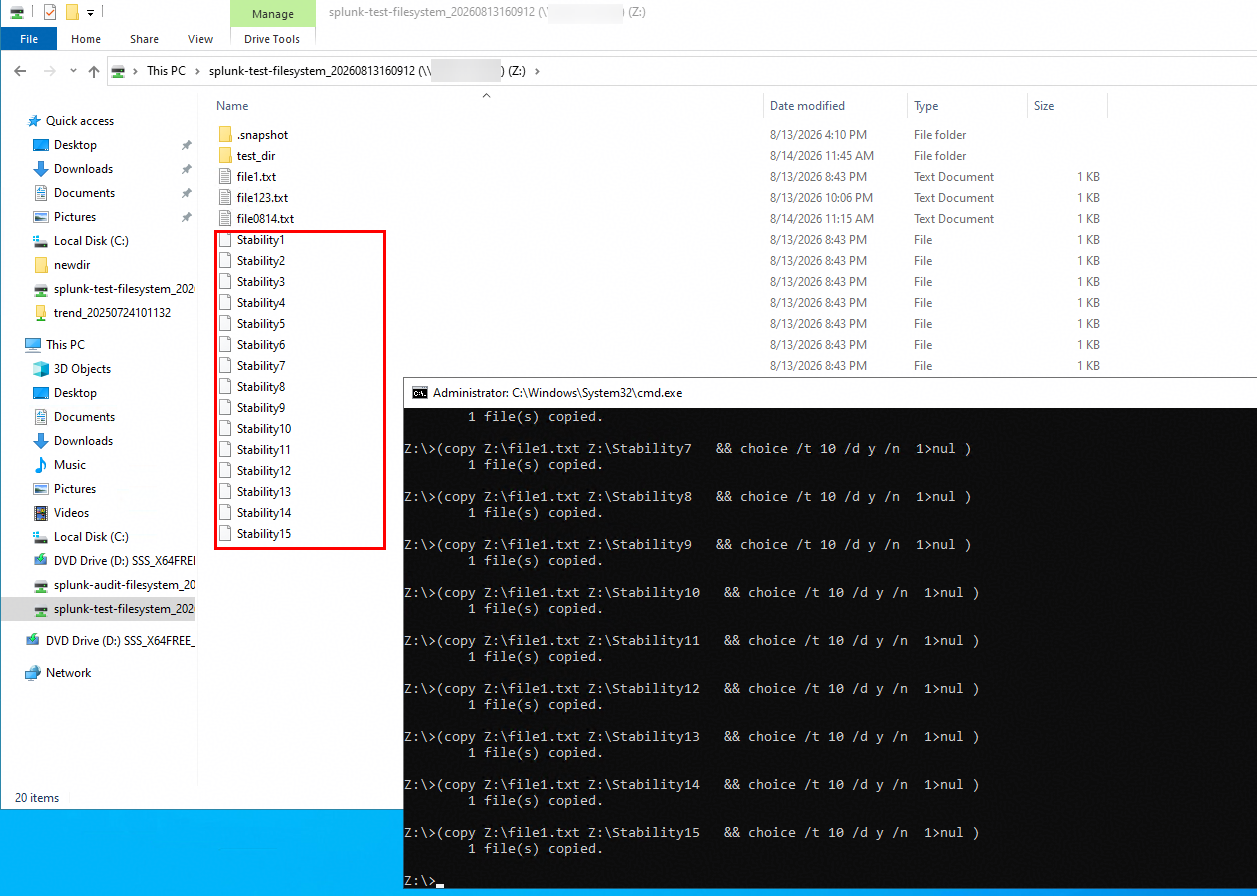
|
Test Conclusion | Passed |
9. Reference
9.1 Splunk Enterprise 10.2 User Guide
9.2 Huawei OceanStor Dorado All-Flash Storage User Guide
https://support.huawei.com/hedex/hdx.do?docid=EDOC1100489518&id=securityConfig_015
