Huawei OceanStor Flash Storage and Huawei Plugin for Veeam 13 Backup & Replication
Interoperability Test Report

Axians Global All Rights Reserved
Executive Summary
Axians Global (“Axians”) assessed the interoperability of Huawei Plugin for Veeam Backup & Replication with Huawei OceanStor Dorado All-Flash Storage/OceanStor Capacity Flash Storage/OceanStor Hybrid Flash Storage. The goal of the assessment is to validate that Huawei Plugin for Veeam Backup & Replication is interoperable with Huawei OceanStor Dorado All-Flash Storage/OceanStor Capacity Flash Storage/OceanStor Hybrid Flash Storage.
In the assessment, Axians has determined that Veeam Backup and Replication software backup and restore jobs will function with Huawei Plugin for the following scenarios:
Test Scenario | Storage Involved | Result |
VMware Backup from Storage Snapshots using Huawei Plugin (SAN Network) | Huawei OceanStor Dorado All-Flash Storage/OceanStor Capacity Flash Storage/OceanStor Hybrid Flash Storage | Passed |
VMware Backup from Storage Snapshots using Huawei Plugin (NAS Network) | Huawei OceanStor Dorado All-Flash Storage/OceanStor Capacity Flash Storage/OceanStor Hybrid Flash Storage | Passed |
All the interoperability test cases were completed. Veeam Backup & Replication can use Huawei Plugins to integrate Huawei OceanStor Dorado all-flash storage, OceanStor Capacity Flash Storage, and OceanStor hybrid flash storage (Huawei OceanStor flash storage for short) to back up and restore VMware using storage snapshots.
In this document, you will find details on the above test cases and the captured output. The procedures conducted in the tests are referenced from standard online documentation from Veeam and Huawei.
1. Environment Configuration
1.1 Network Diagram
Figure 1.1 Huawei OceanStor flash storage and Veeam Backup & Replication Test Network
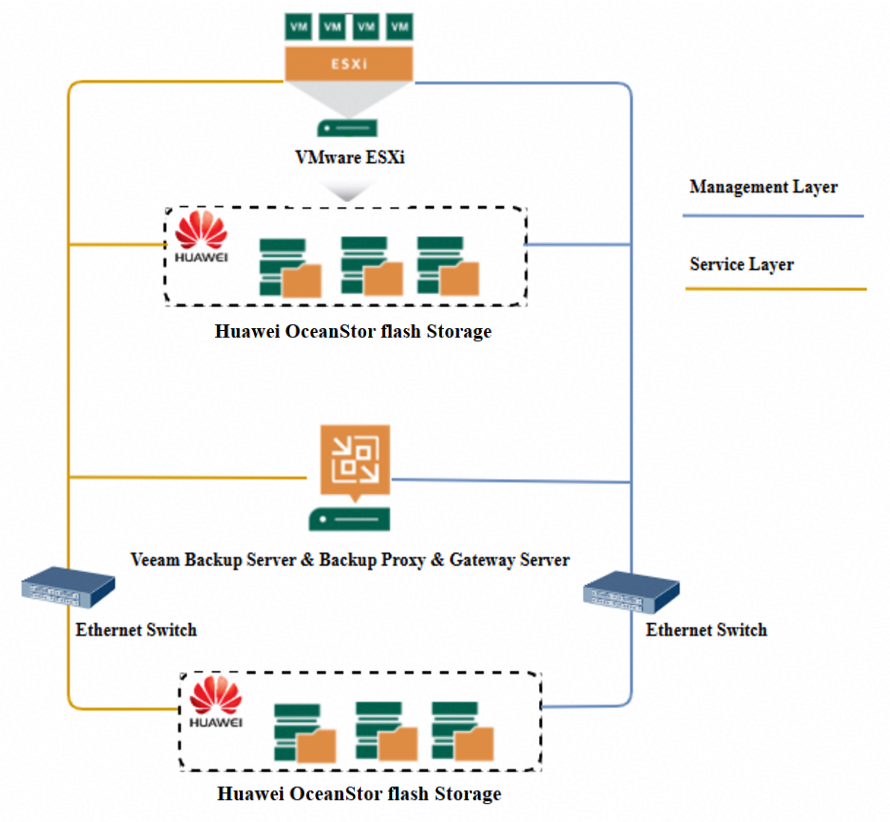
Network description:
- Production site deployment:
1) The management network and service network are connected to the VMware server, Veeam backup server and Huawei OceanStor flash storage through switches.
2) Deploy the physical host and install the VMware software. Configure the File System or LUN of Huawei OceanStor flash storage as VMware Datastore. Create VMs in the production datastore and preconfigure production data for VM backup.
- Backup Server deployment: Deploy the windows physical host and install the Veeam backup software. In this test network, the backup server, backup proxy, and backup gateway server are the same physical host.
- Backup storage deployment: In this test network, Huawei OceanStor flash storage is used as the backup storage.
1.2 Hardware and Software Configuration
1.2.1 Storage Configuration
Table 1-1 Huawei storage configuration table
Name | Model | Quantity |
Production Storage | Huawei OceanStor Dorado All-Flash Storage/OceanStor Capacity Flash Storage/OceanStor Hybrid Flash Storage | 1 |
Backup Storage | Huawei OceanStor Dorado All-Flash Storage/OceanStor Capacity Flash Storage/OceanStor Hybrid Flash Storage | 1 |
1.2.2 Matching Hardware Configuration
Table 1-2 Hardware Configuration
Name | description | Quantity | Usage |
VMware ESXi |
| 1 | VMware VM Backup and Restoration |
Veeam Backup Server & Backup Proxy & Gateway Server (Hereinafter referred to as “the Veeam backup server” as well) |
| 1 | Deploys backup software to schedule backup tasks and transfer backup data. |
Ethernet switch | Huawei 6855 10GE Network Switch | 2 | 10GE network switch on the storage and Veeam server backup service plane |
1.2.3 Test Software and Tools
Table 1-3 Test Software and Tool List
Software Name | description | Version | Quantity |
VMware vSphere Client | Advanced server management software | 8.0 | 1 |
VMware ESXi | VMware virtualization platform | 7.0 | 1 |
Veeam Backup & Replication | Veeam Backup and Recovery Software | 13 | 1 |
Operation System | Windows Hosts for Veeam Backup and Recovery | Windows Server 2022 | 1 |
Huawei Plugin | Huawei Plugin for Veeam Backup and Recovery Note: Please contact Huawei engineers to obtain the detailed procedure for installing the Huawei Plugin for Veeam Veeam Backup & Replication 13 on Windows Server. | 1.0.23 | 1 |
2. Test Preparation
2.1 Huawei OceanStor flash storage Pre-configuration
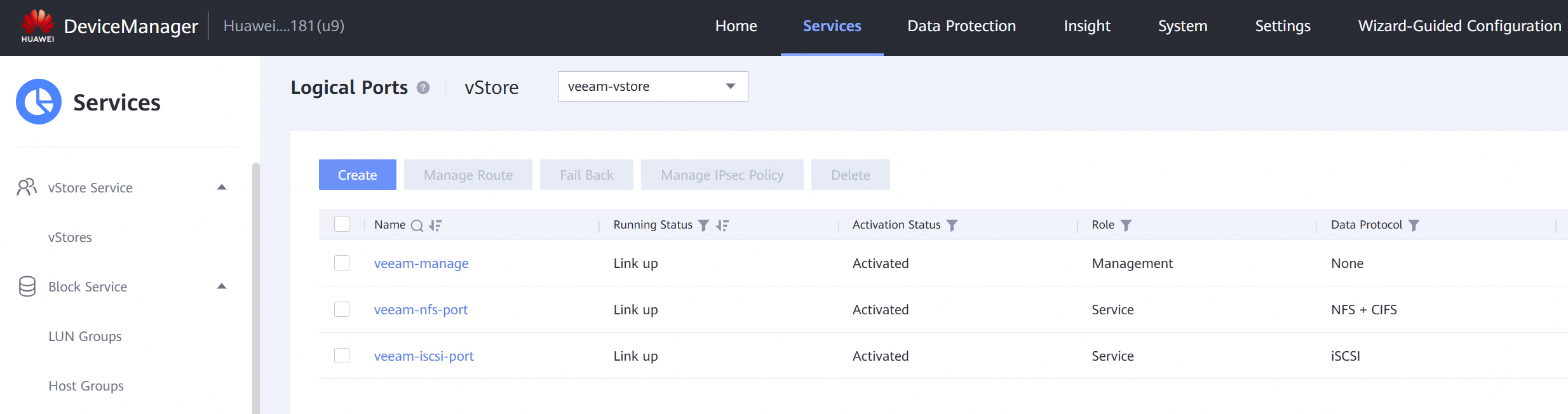
2.1.1 Create the vStore,logical port and vStore administrator


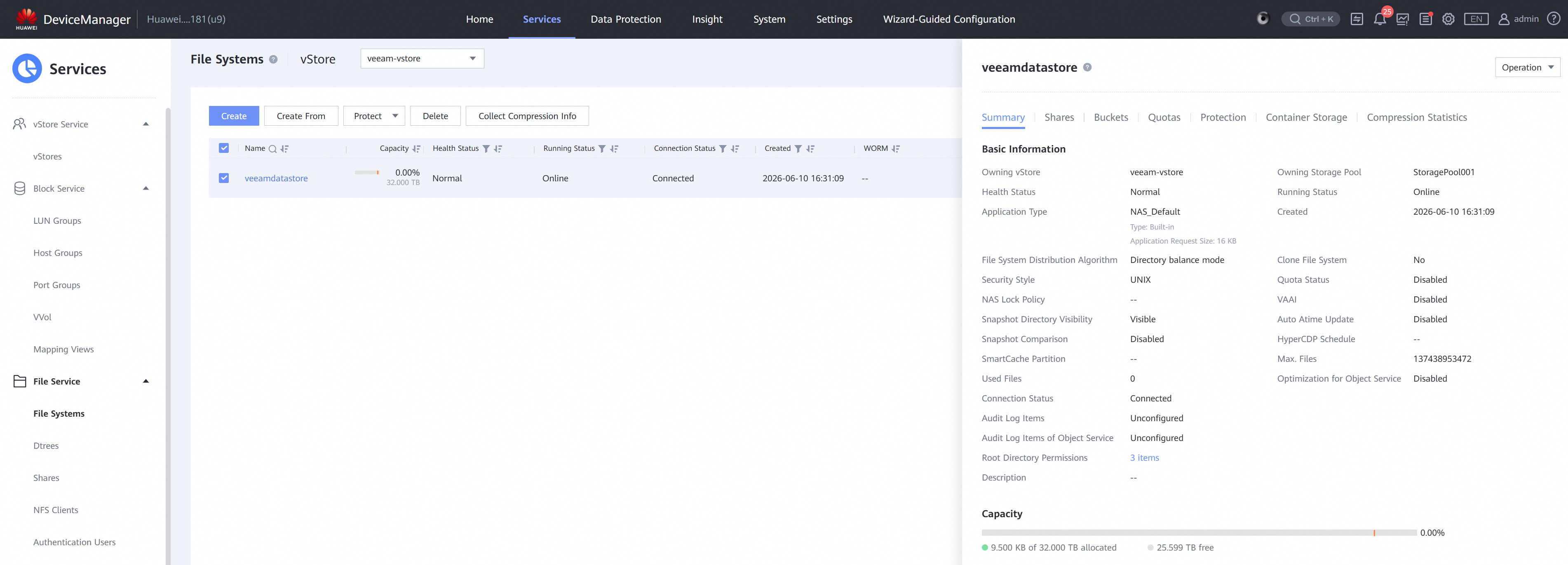
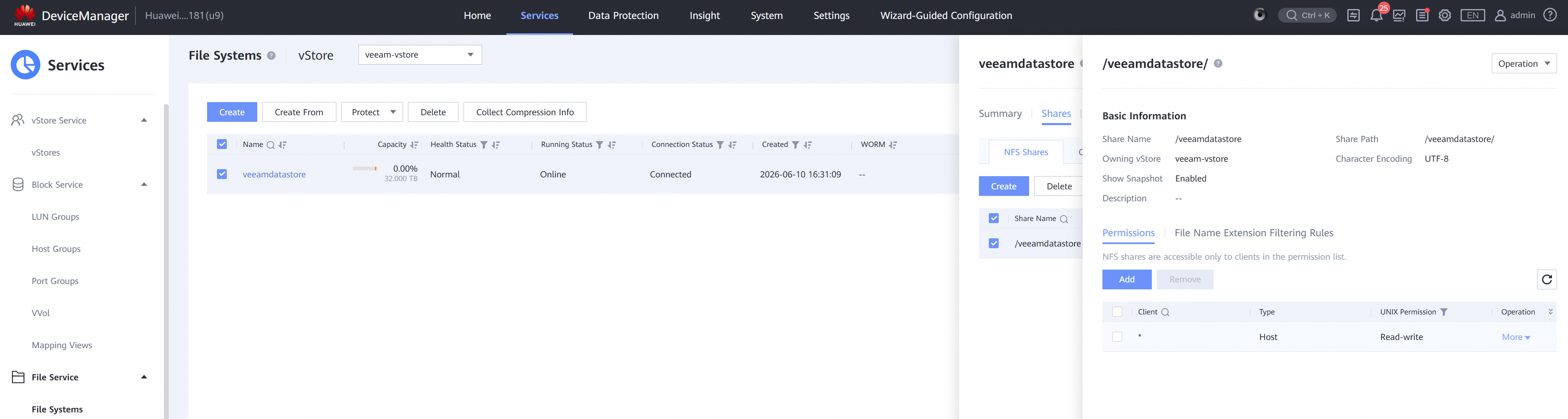
2.1.2 Create the FileSystem and NFS Share for VMware Datastore
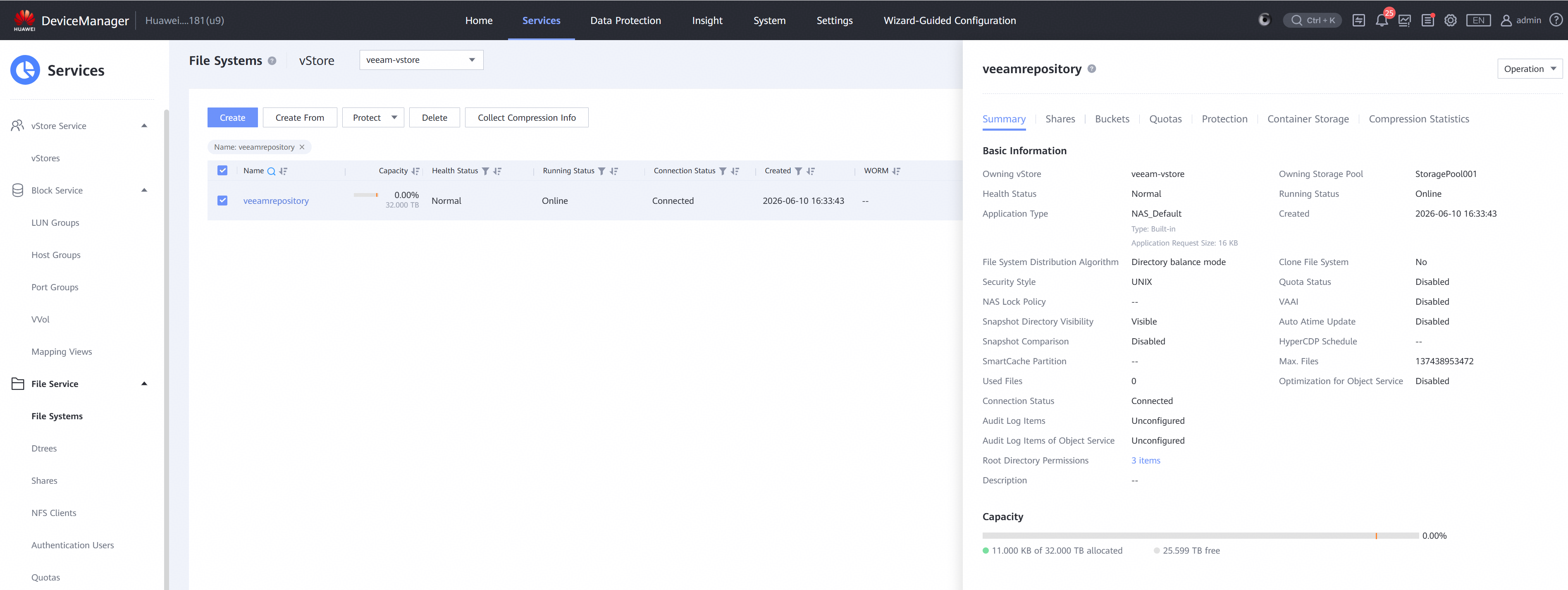
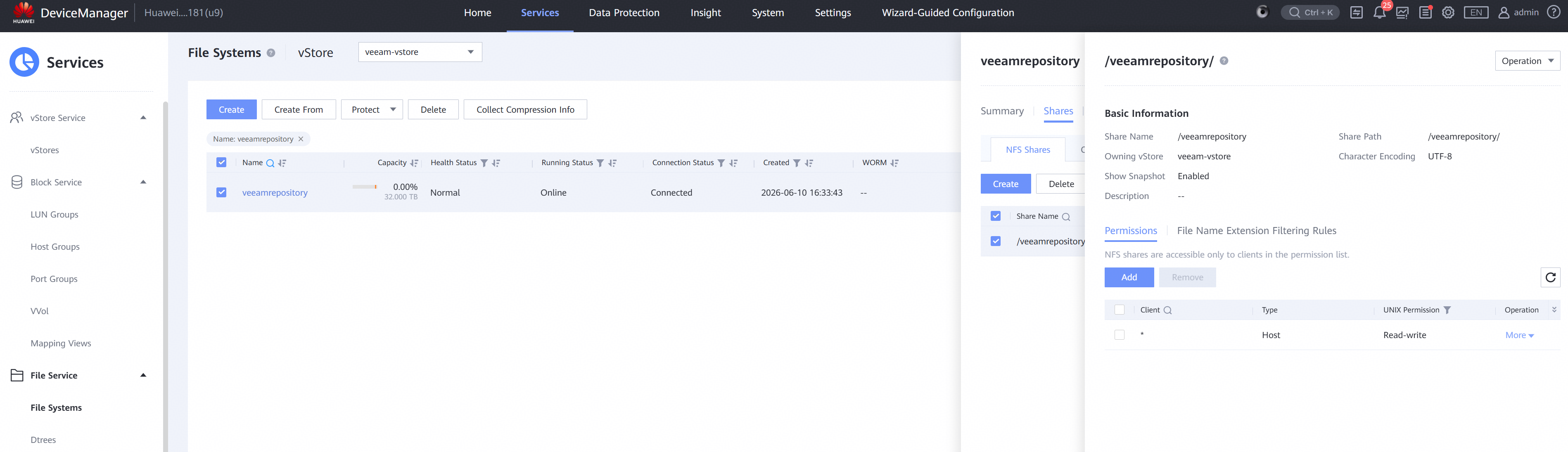
2.1.3 Create the FileSystem and NFS Share for backup storage
2.1.4 Create the LUN,host and mapping view for VMware Datastore



2.1.5 Create the host of Veeam proxy for backup in SAN Network Test Scenario.

2.2 VMware ESXi Pre-configuration
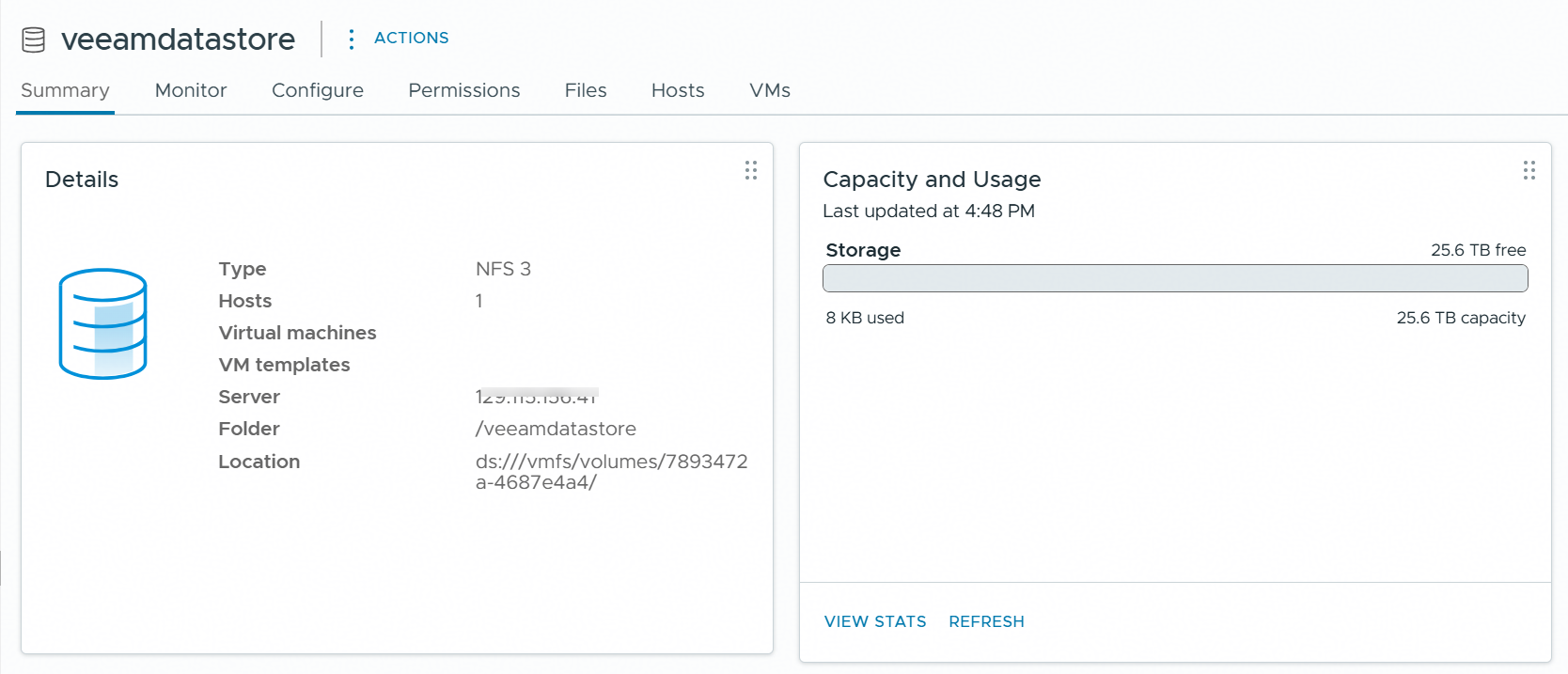
2.2.1 Mount NFS datastore through NFSv3
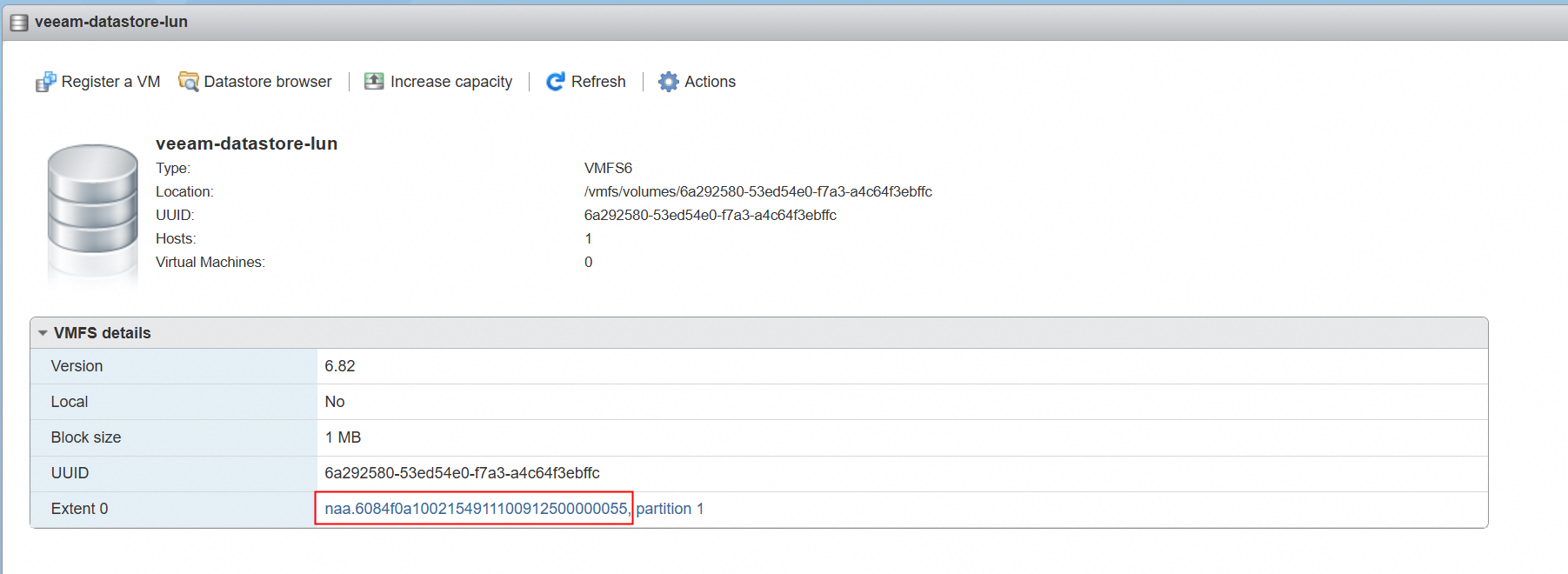
2.2.2 Create new VMFS datastore
2.2.3 Create VMs for backup and restore
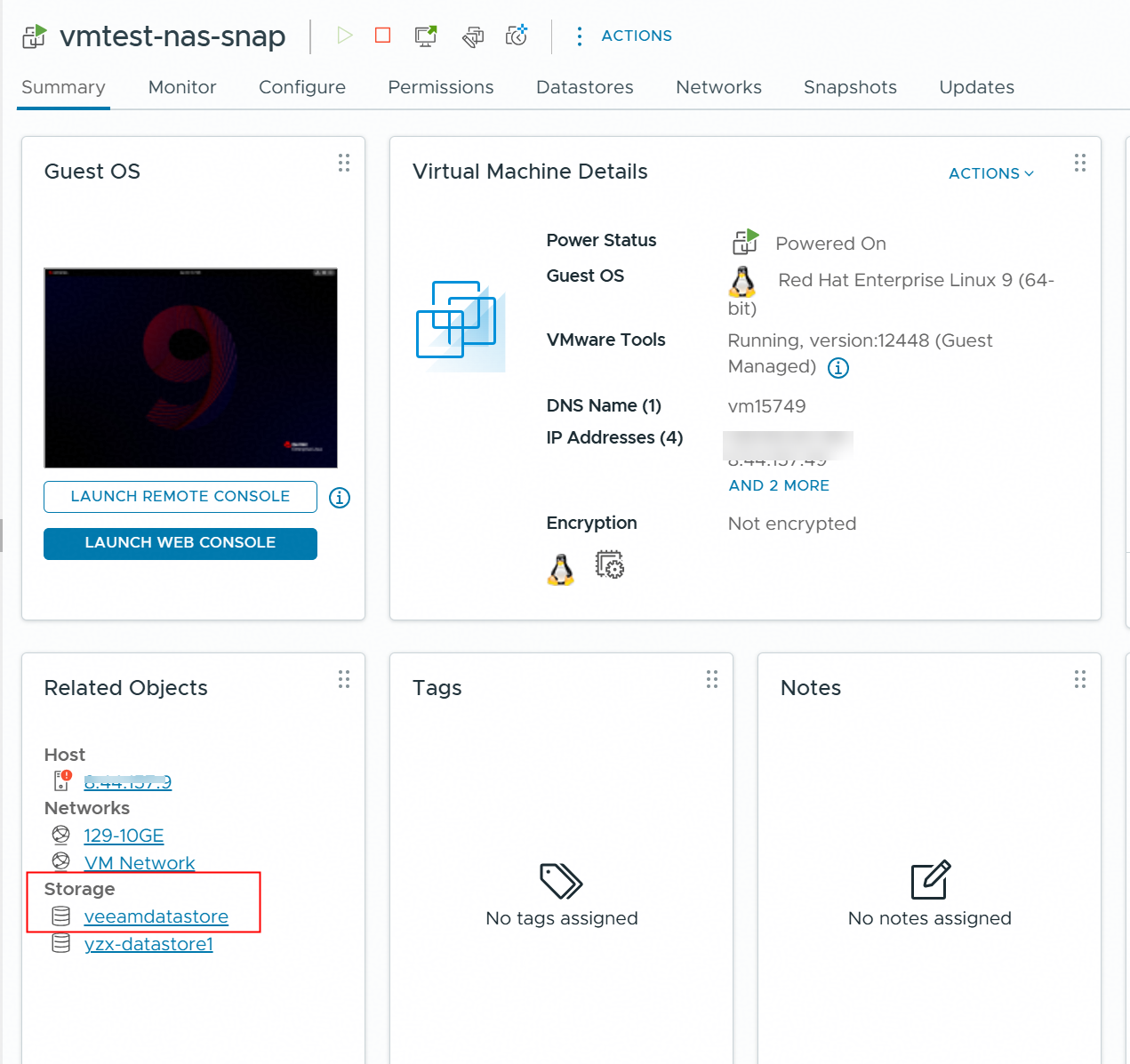
Create a VM in the NFS datastore.
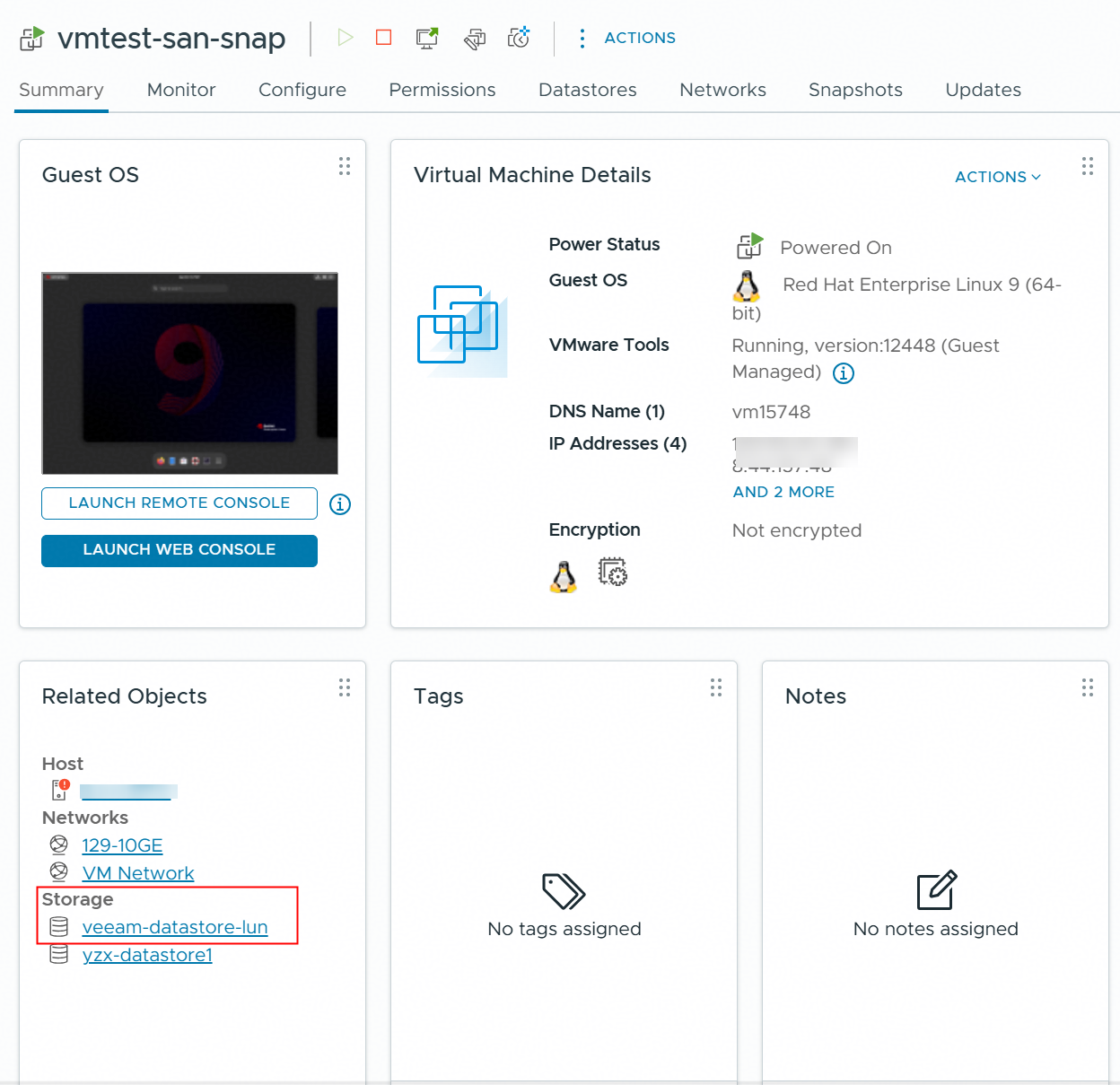
Create a VM in the VMFS datastore.
3. Verify that Veeam backup and restore VM from Huawei OceanStor flash storage Snapshots using the Huawei plugin (SAN Network)
3.1 Add Huawei OceanStor flash storage on the Veeam Backup & Replication console
Test Purpose | To verify that Huawei OceanStor flash storage can be added to the Veeam backup server through iSCSI or FC protocol. |
Test Network | Huawei OceanStor flash storage and Veeam Backup & Replication Test Network. |
Prerequisites |
|
Test Procedure |
|
Expected Result |
|
Test Results |
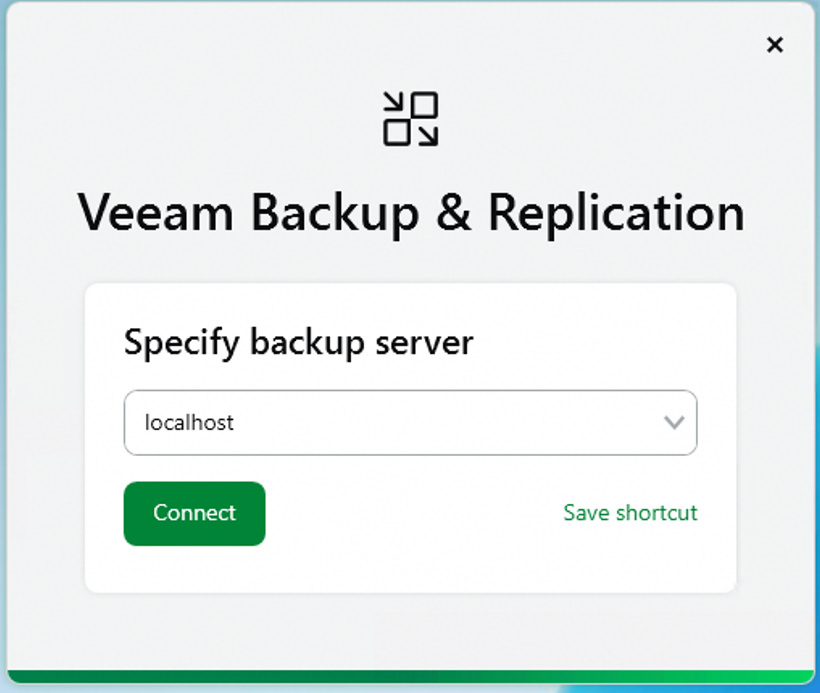
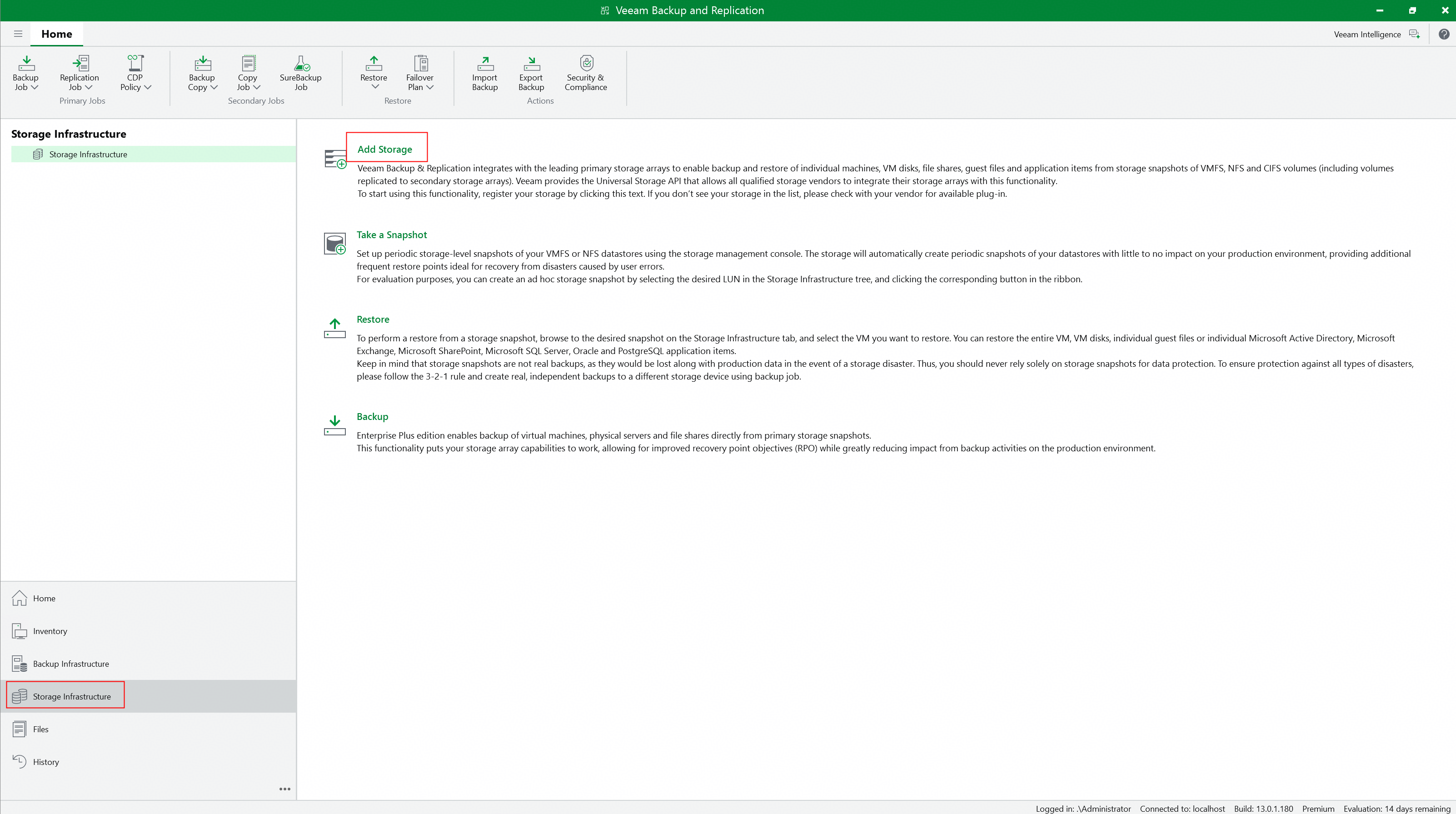
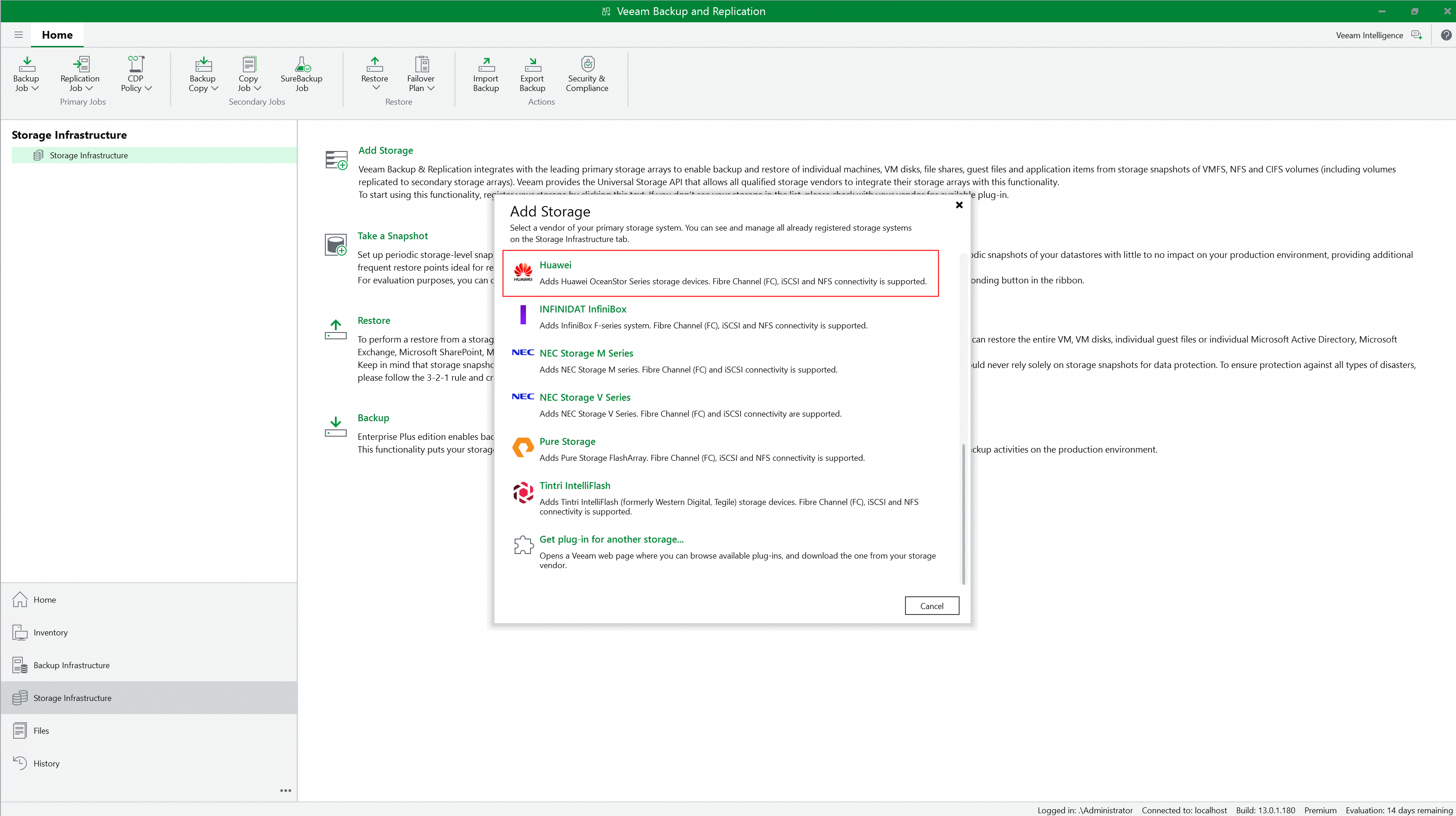
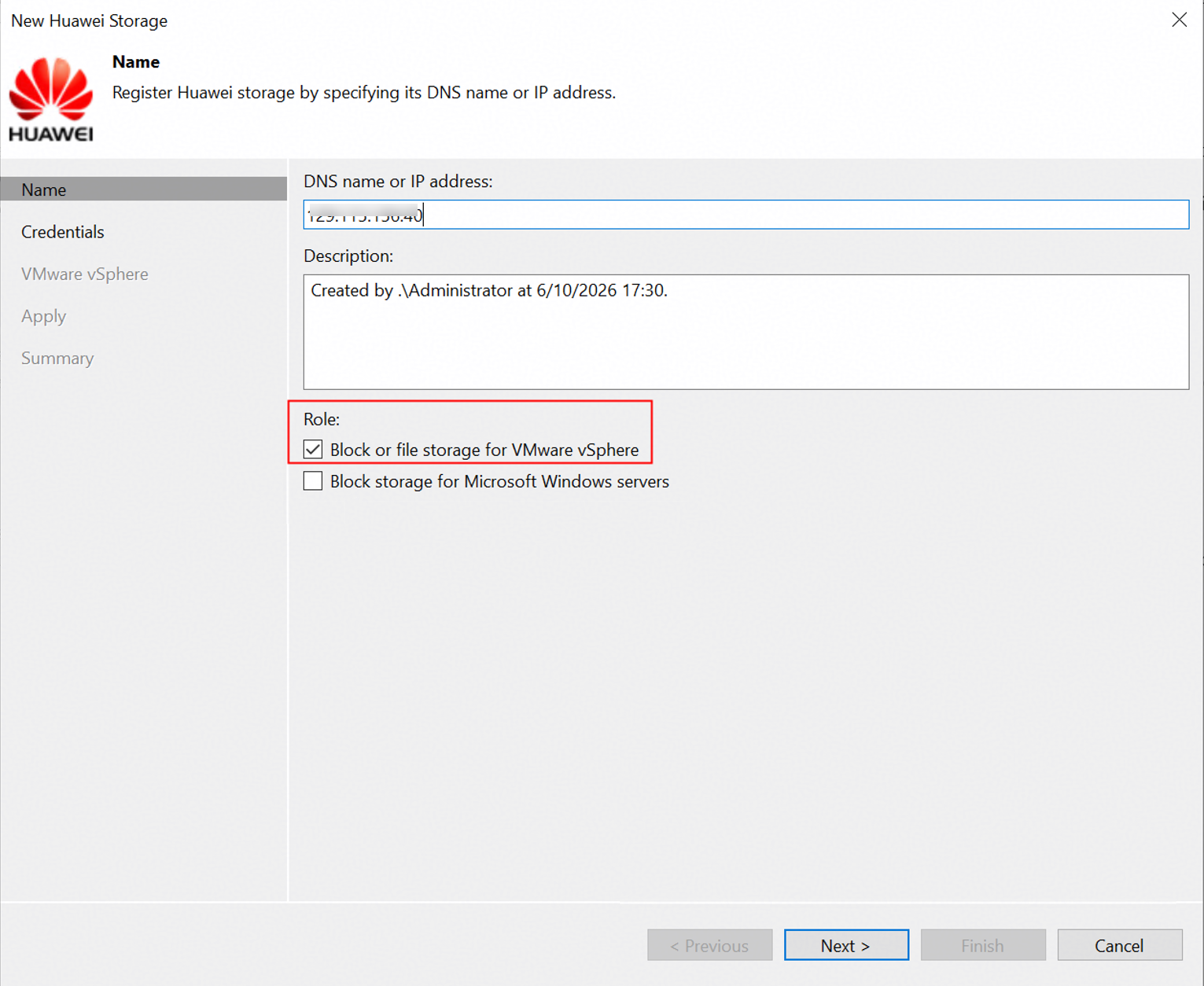
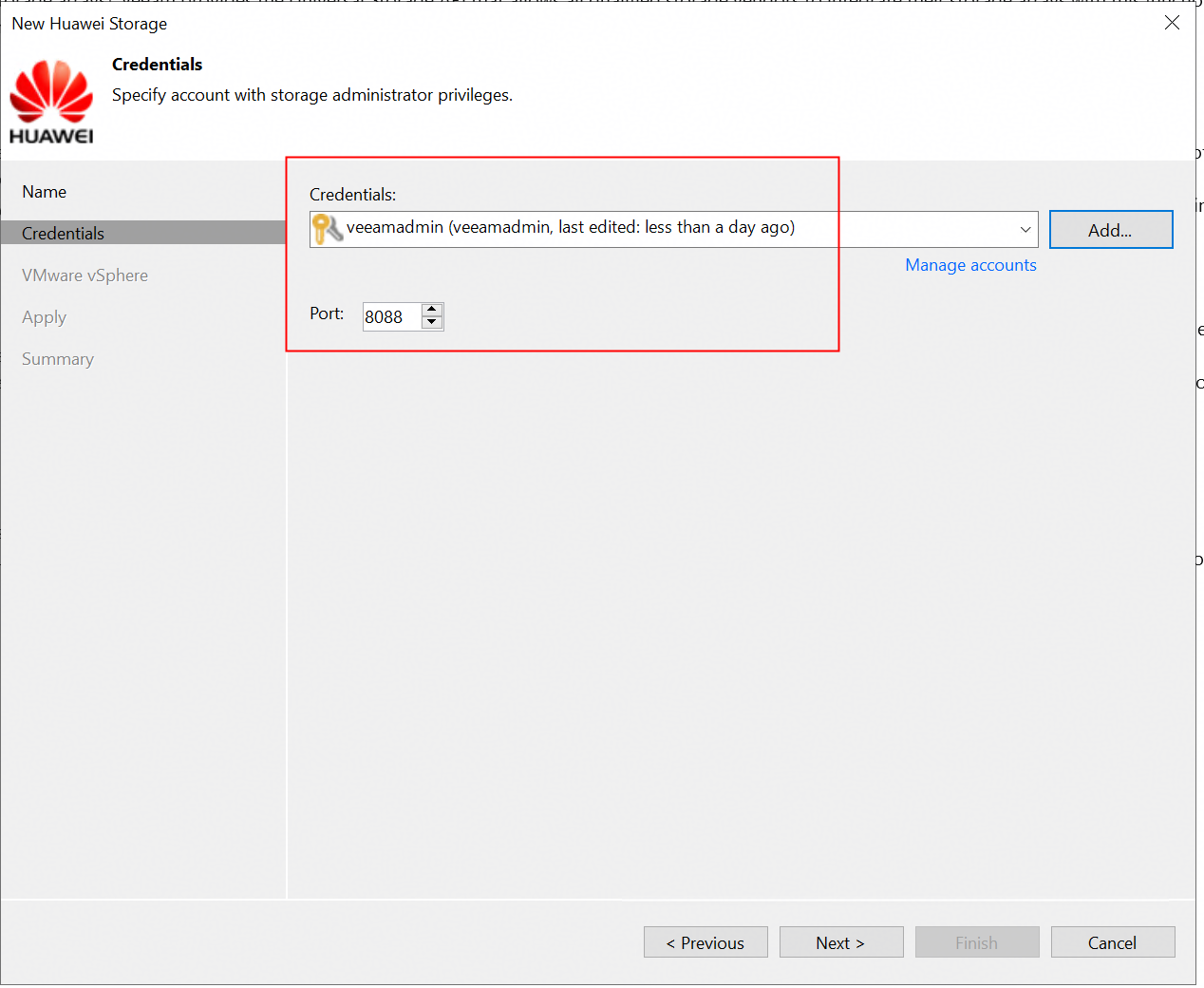
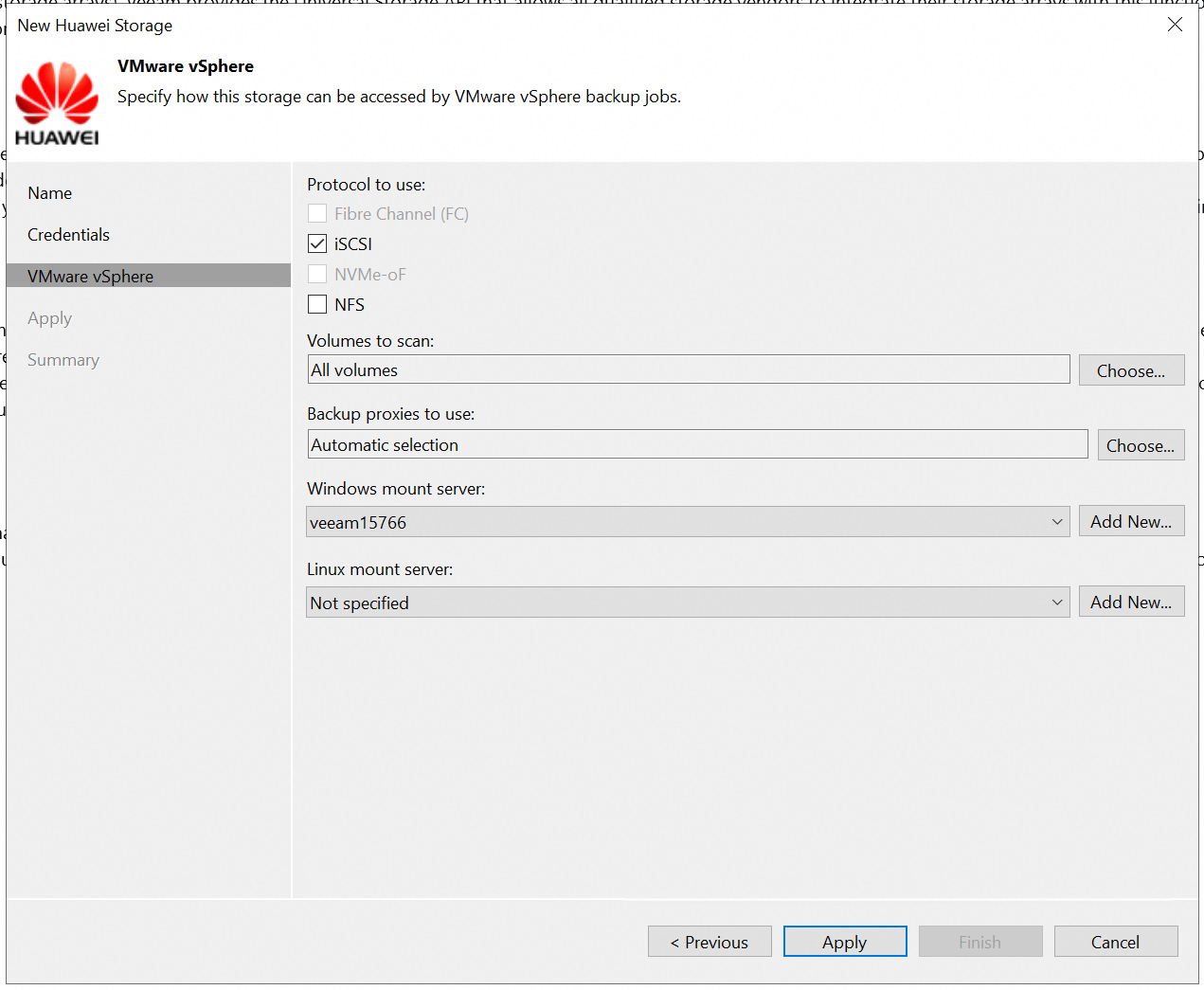
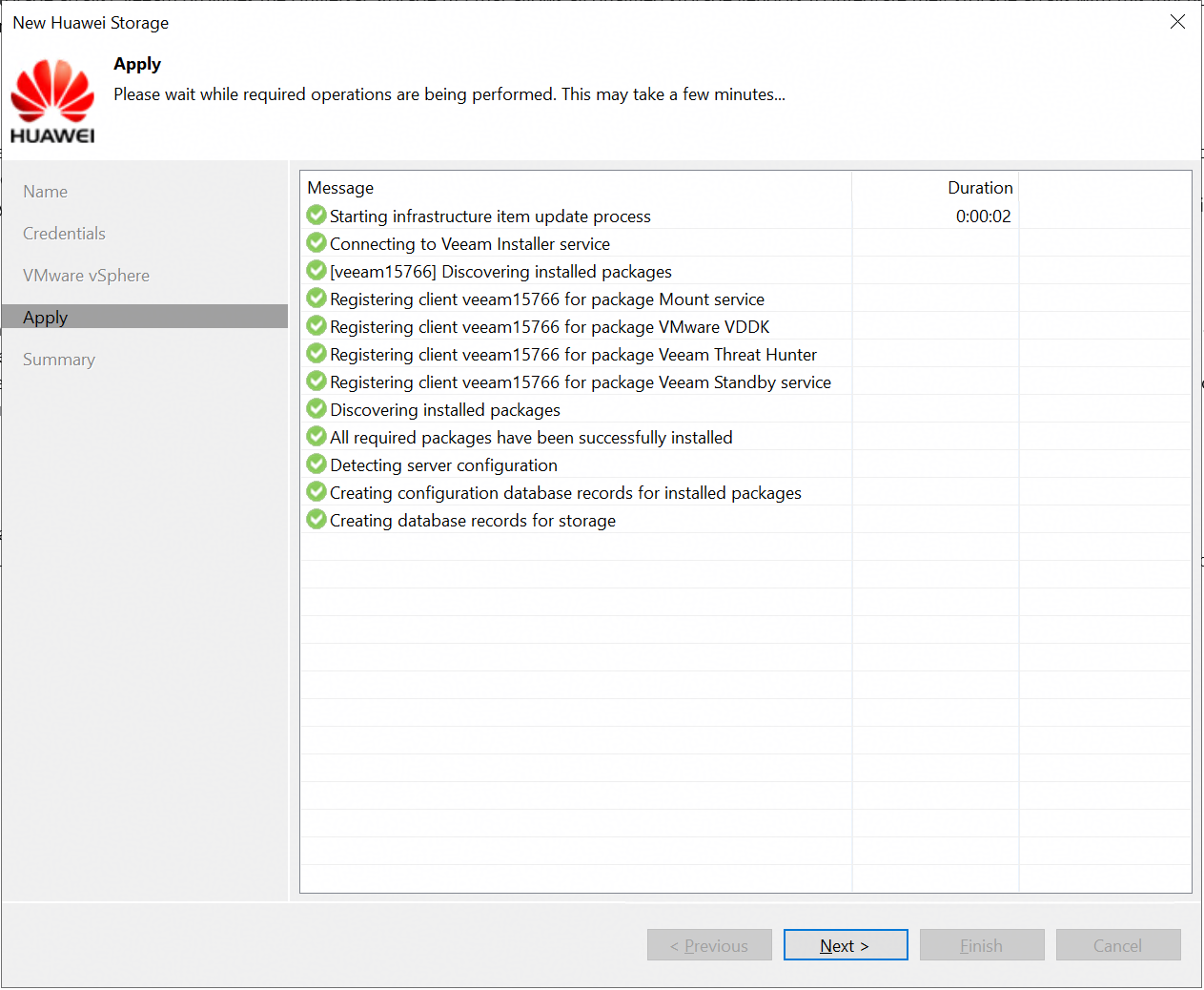
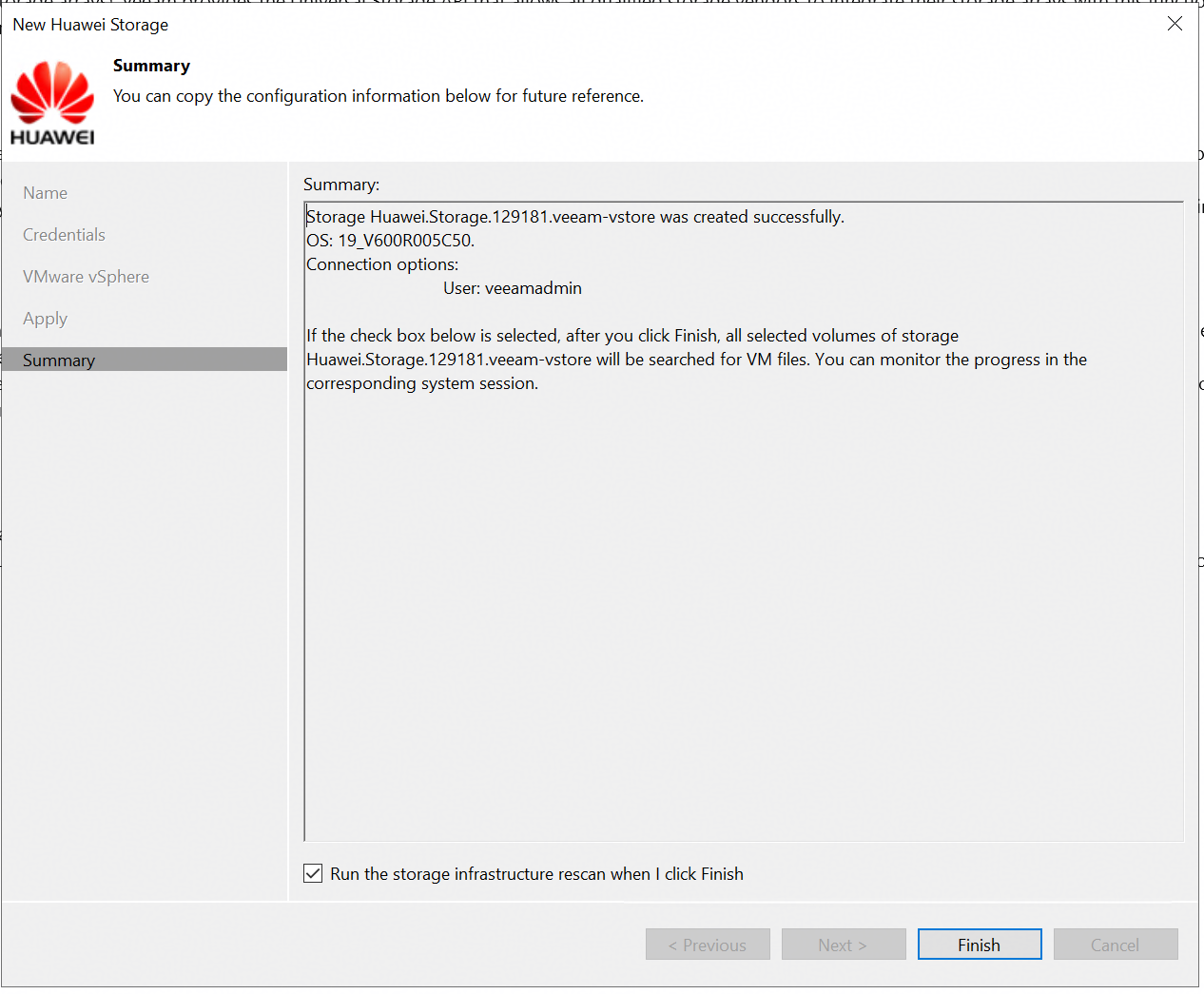 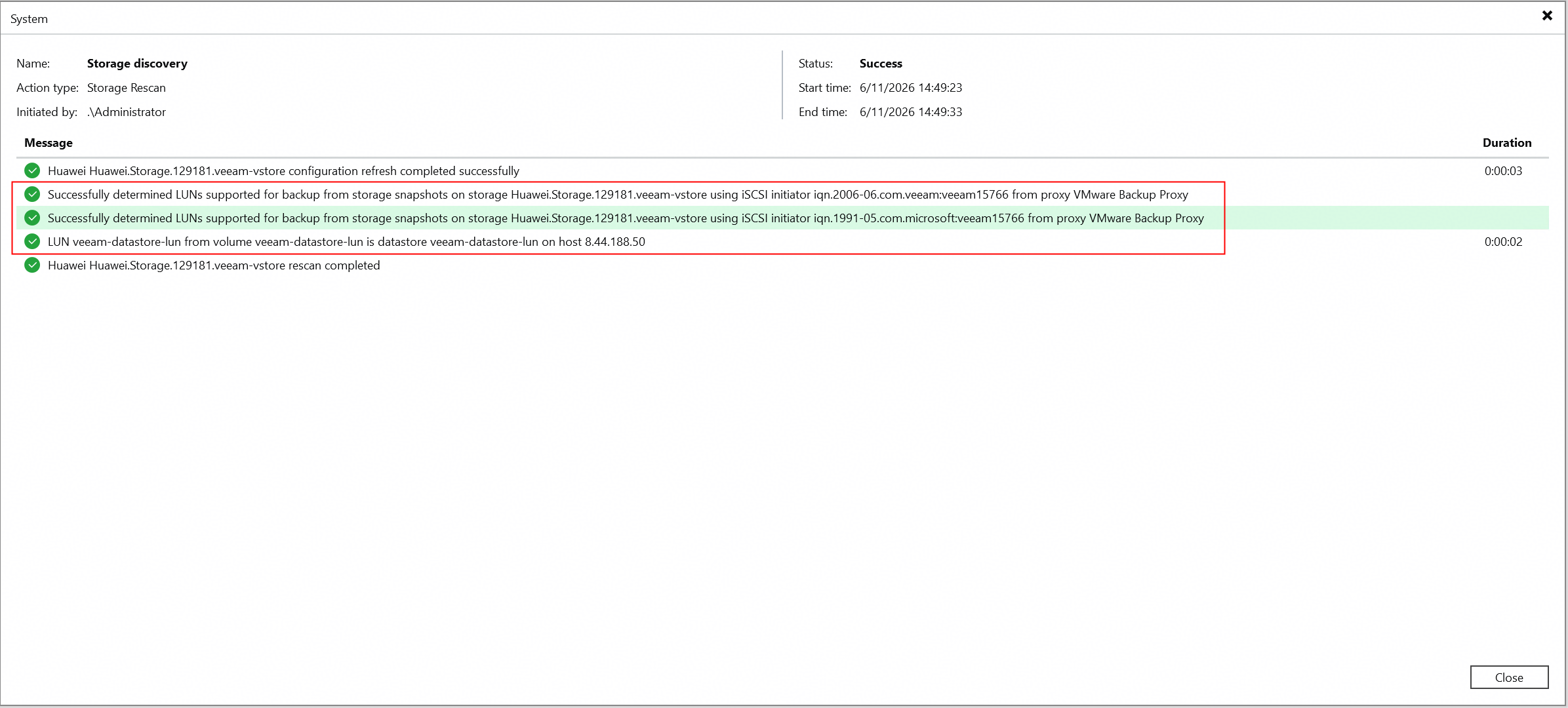
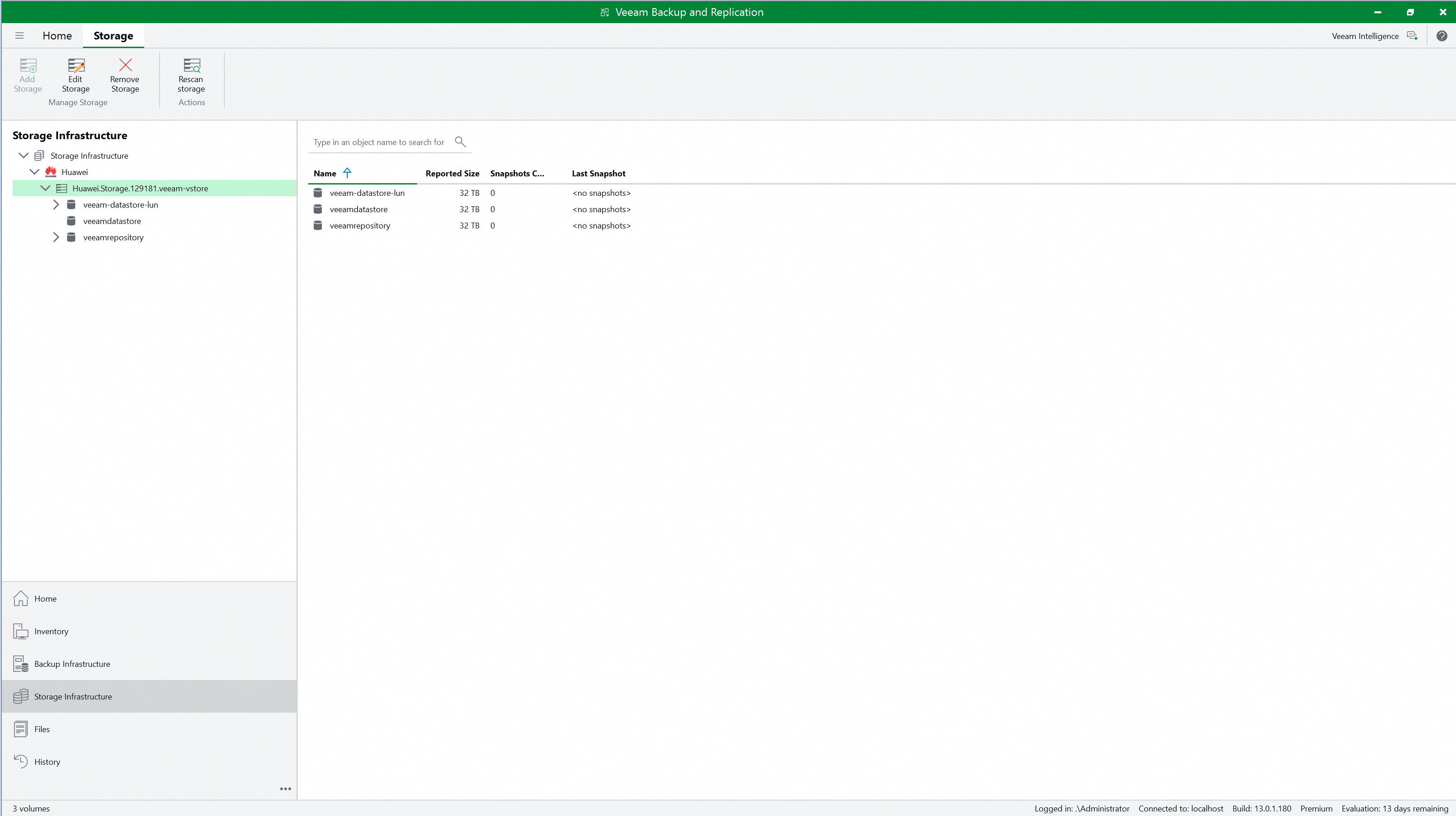
|
Test Conclusion | Passed |
3.2 Full back up the VM from Huawei OceanStor flash storage Snapshots
Test Purpose | To verify that the Veeam backup server can full back up the VM from Huawei OceanStor flash storage Snapshots using the Huawei plugin. |
Test Network | Huawei OceanStor flash storage and Veeam Backup & Replication Test Network. |
Prerequisites |
|
Test Procedure |
|
Expected Result |
|
Test Results |
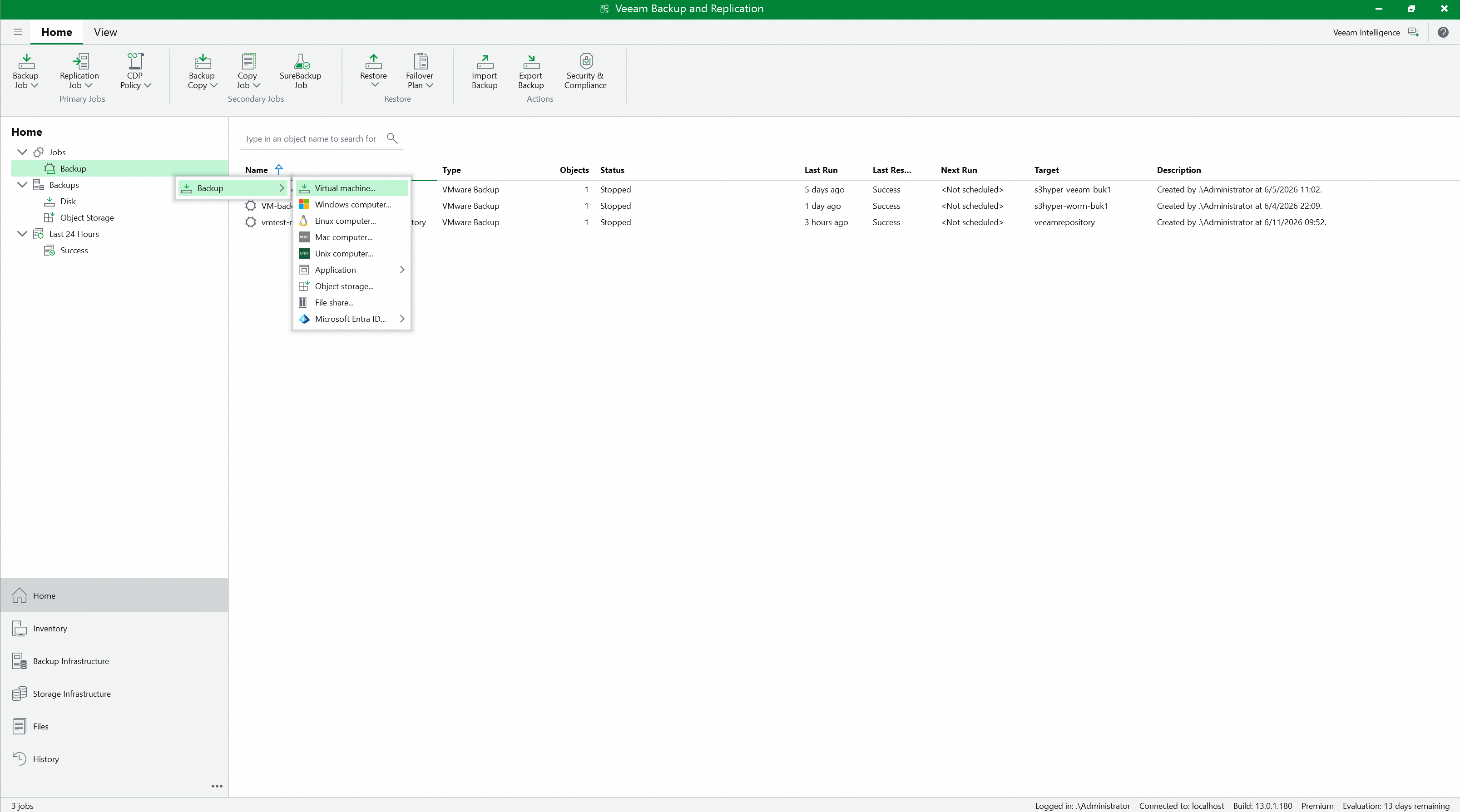 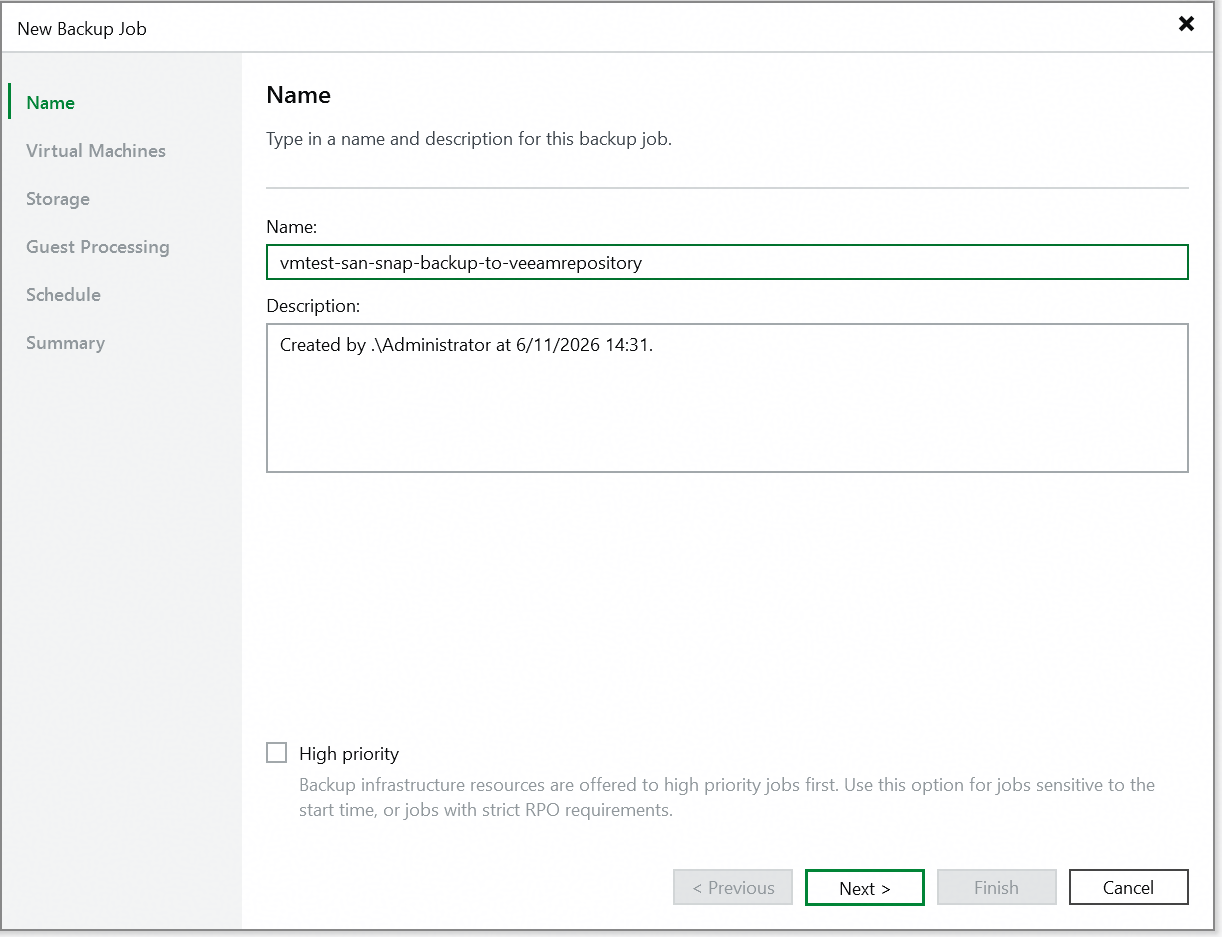 3. Select the VM to be backed up, and next. 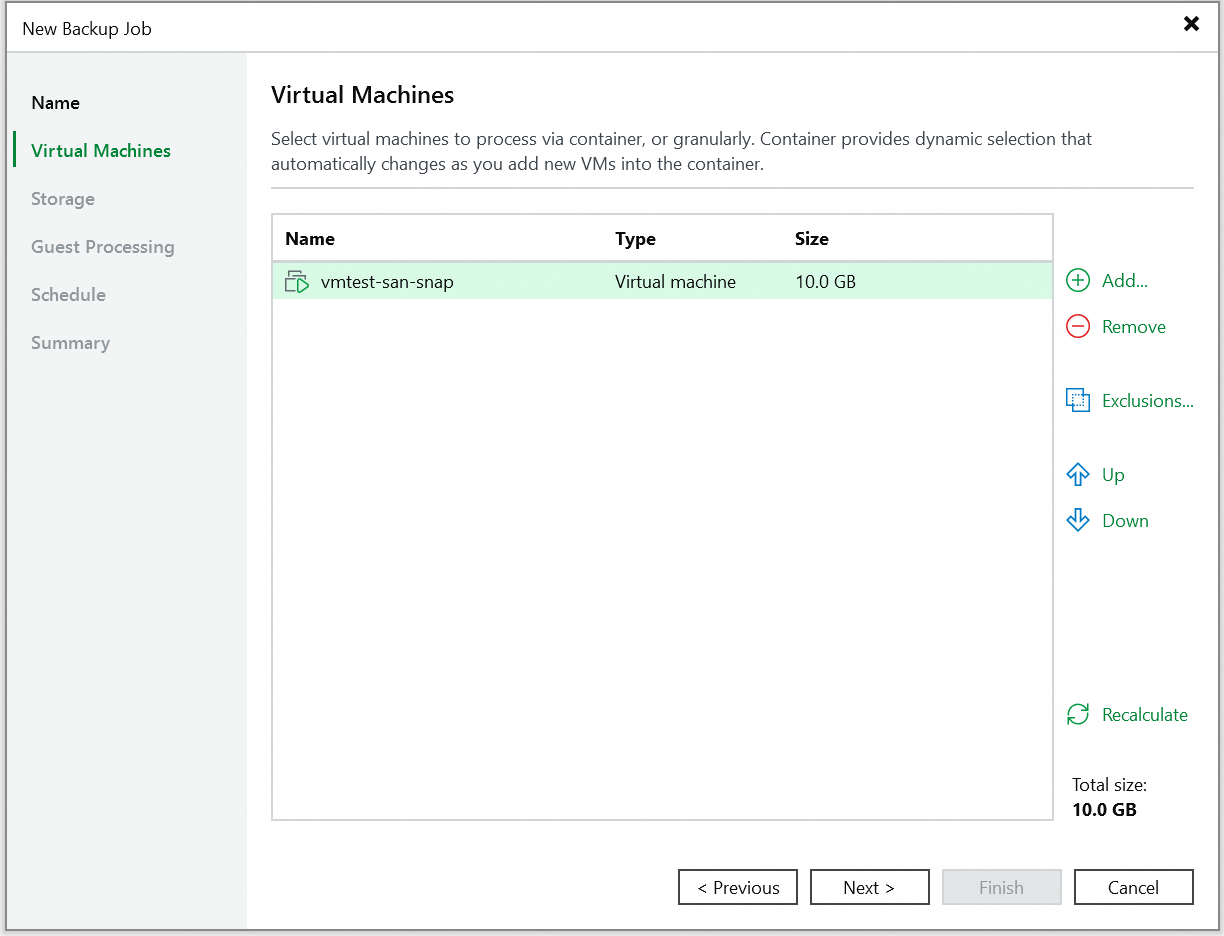 Initial state of the VM. 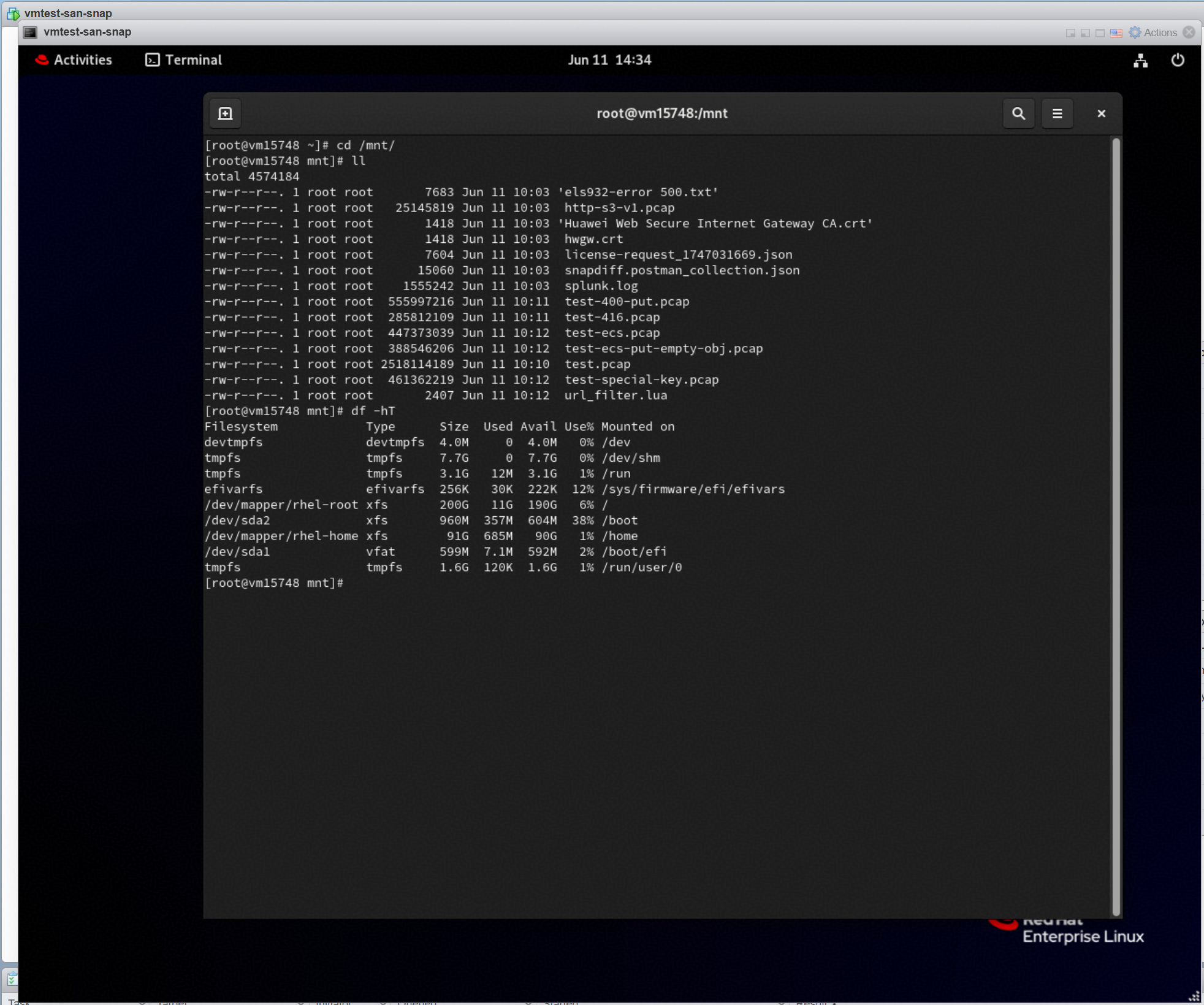 4. Select the added backup repository, and select the configure secondary destinations for this job. Retain the default settings for other parameters, and next. 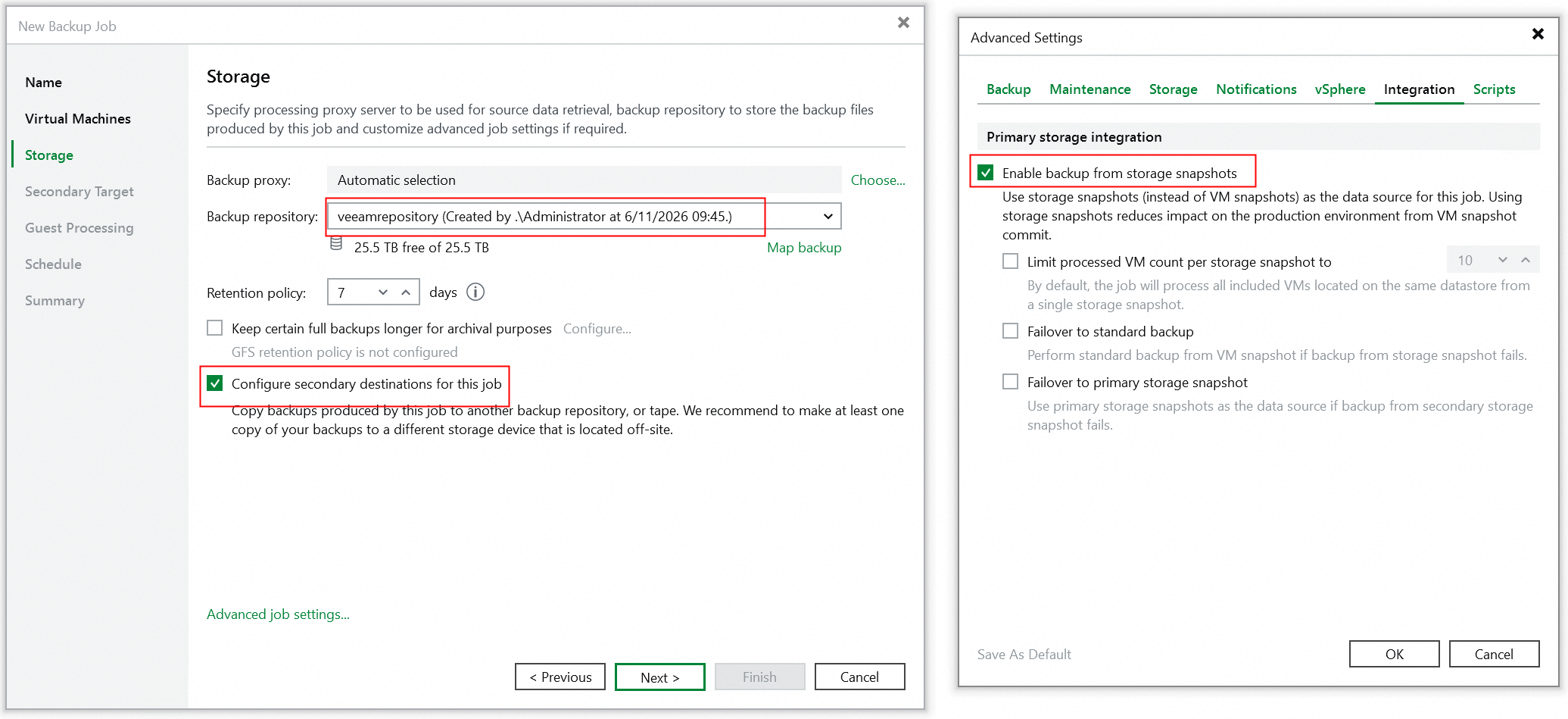 5. Click the Add and select the Huawei Snapshot to create the secondary destinations job, and next. 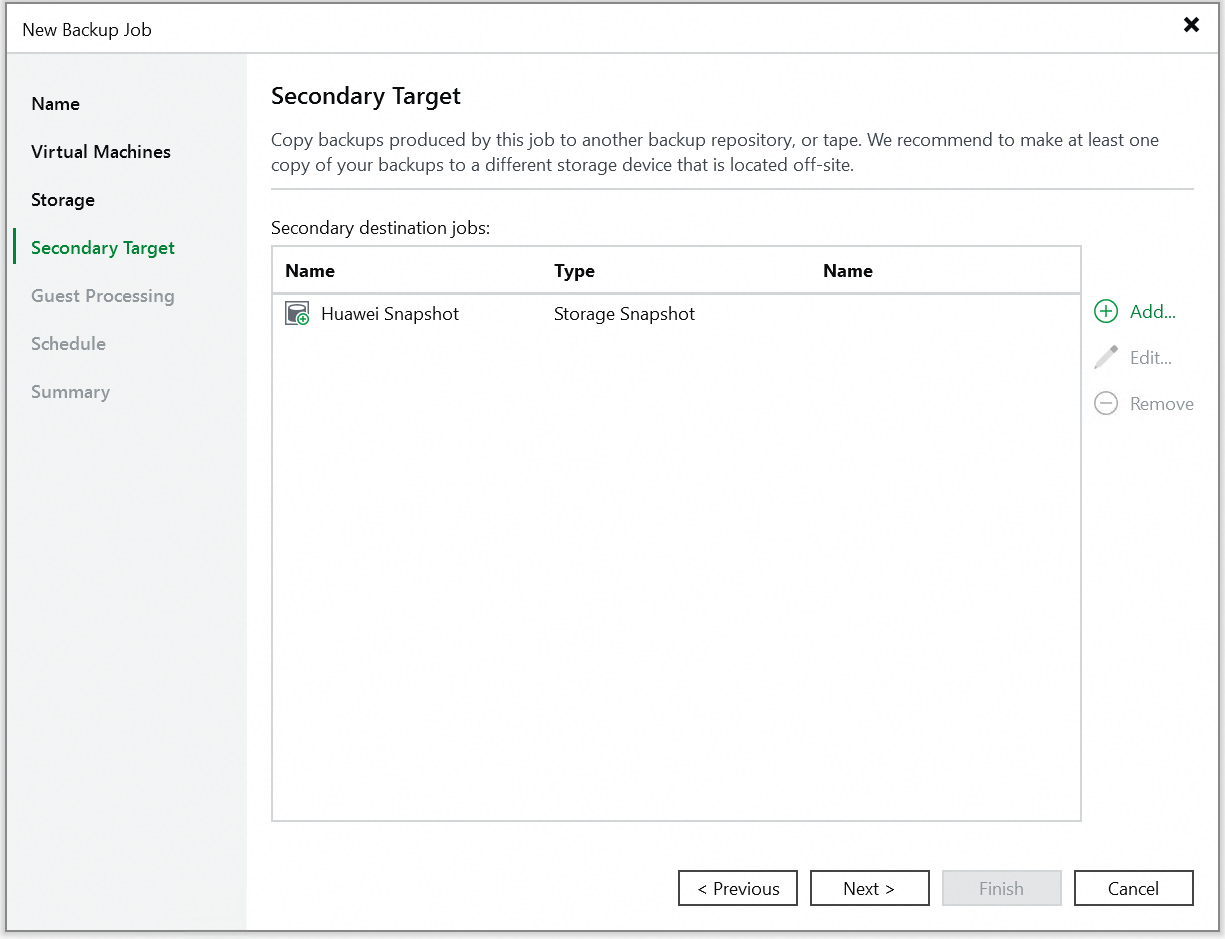 6. Click Next until the configuration is finished. 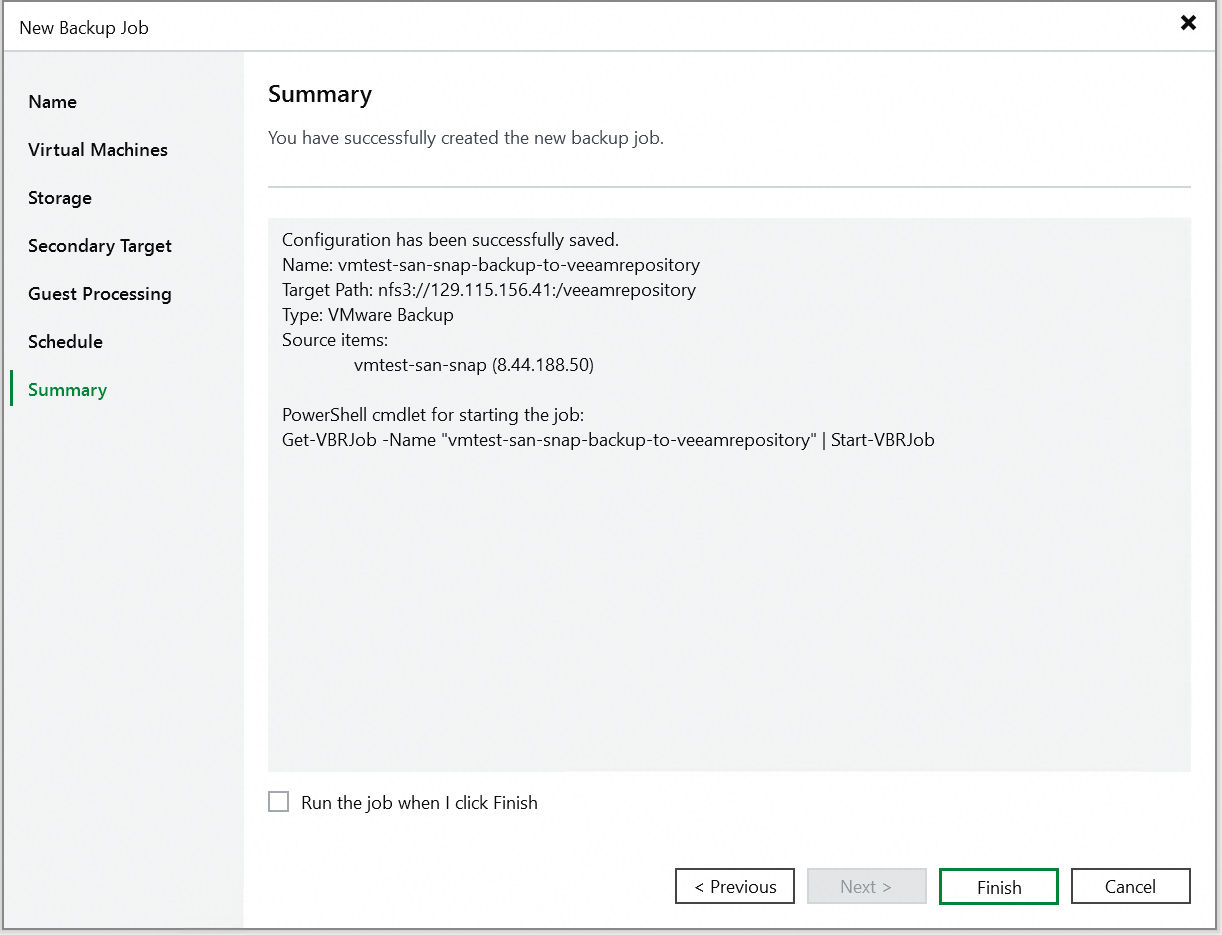 7. Right-click and start the added backup job. 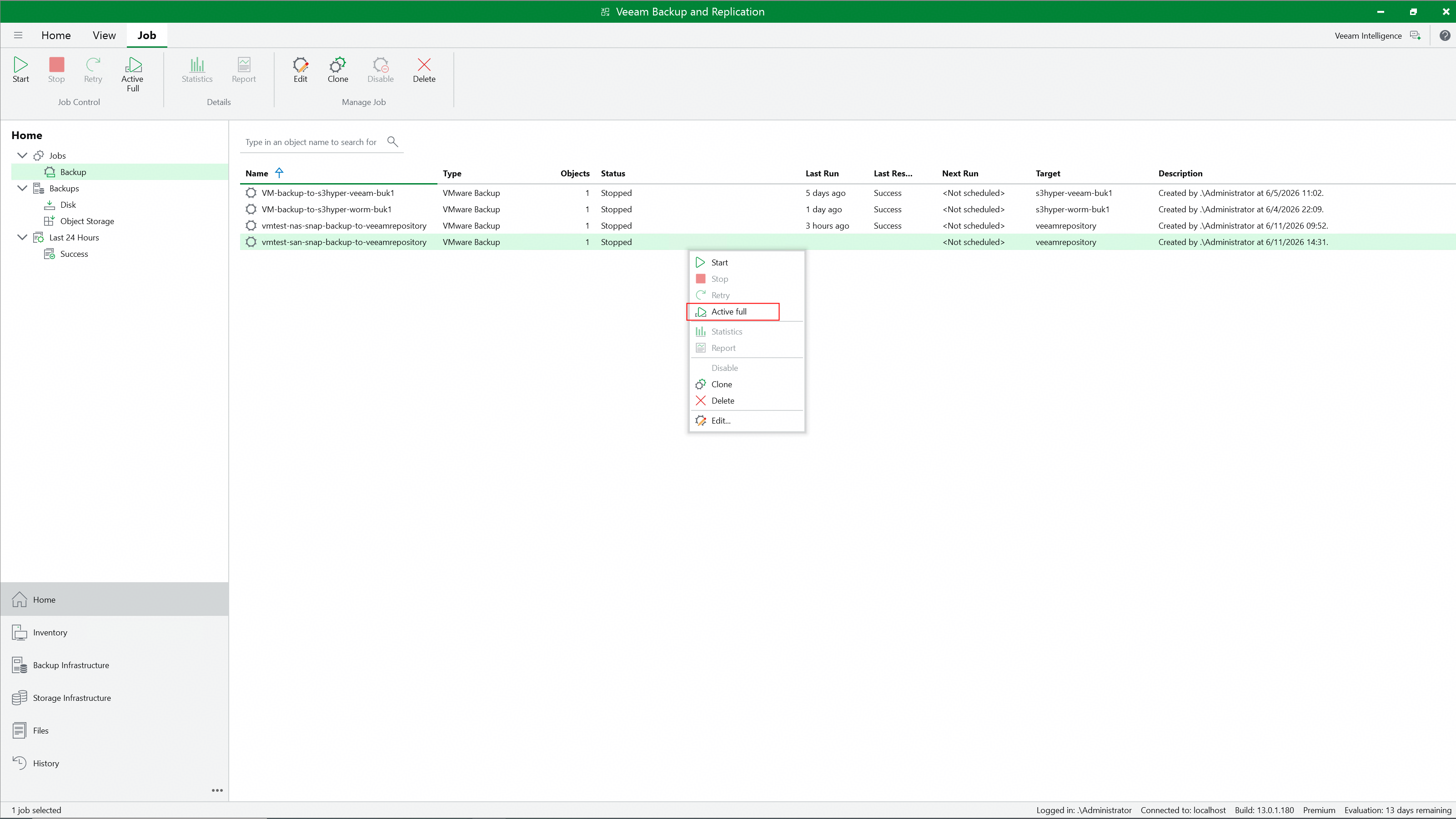 8. Check the full backup job status on the Veeam backup server. 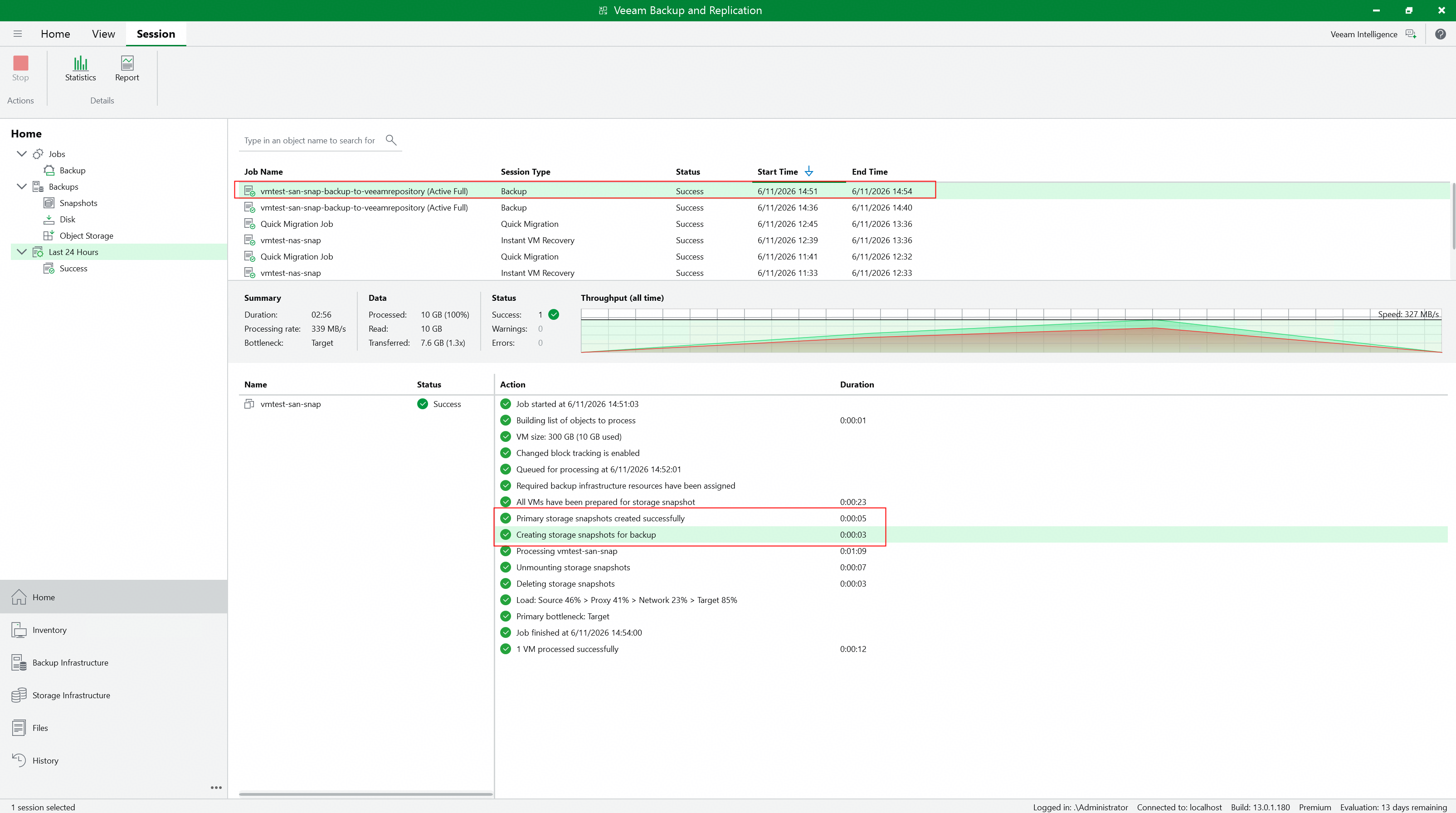 9. Check the full backup job details to confirm whether to perform snapshot backup. 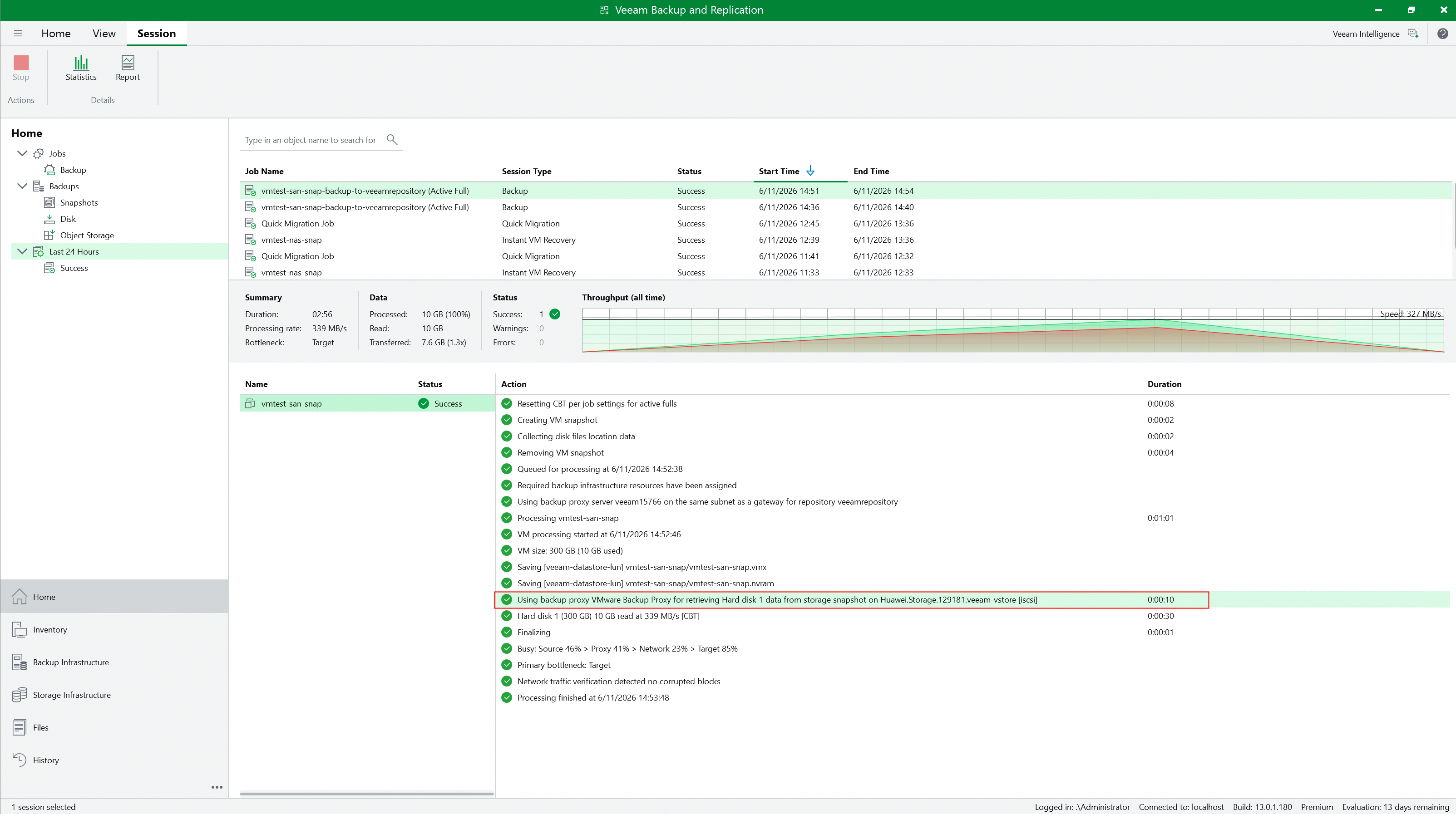 10. Check whether Huawei OceanStor flash storage generates and retains the Prod snapshot created by Veeam. 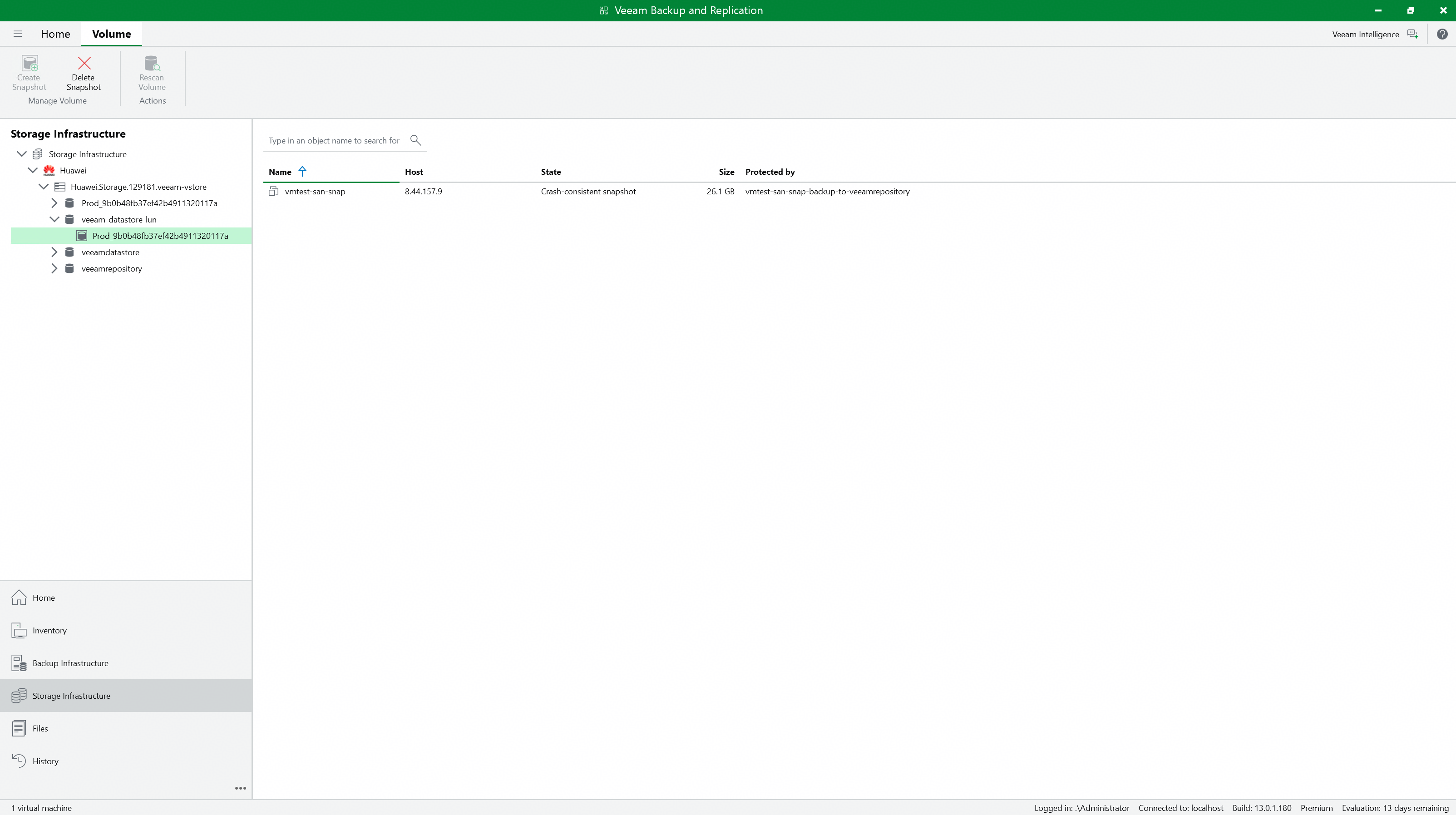  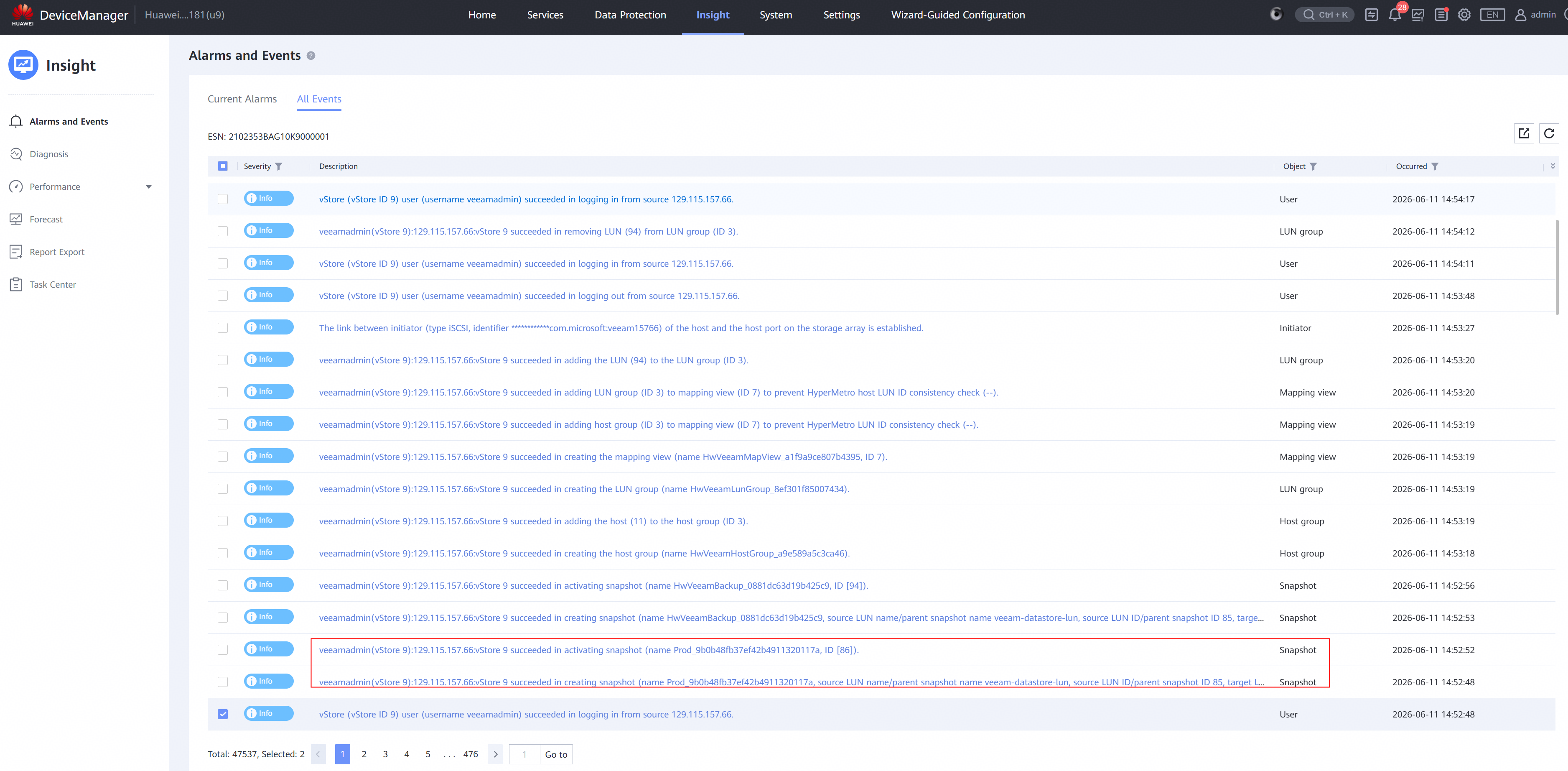 |
Test Conclusion | Passed |
3.3 Incremental back up the VM from Huawei OceanStor flash storage Snapshots
Test Purpose | To verify that the Veeam backup server can incremental back up the VM from Huawei OceanStor flash storage Snapshots using the Huawei plugin. |
Test Network | Huawei OceanStor flash storage and Veeam Backup & Replication Test Network. |
Prerequisites | 1. The Huawei Plugin has been installed on the Veeam backup server. 2. Huawei OceanStor flash storage, Veeam backup server, VMware ESXi deployment and Network have been completed. 3. The vStore, logical port and vStore administrator of Huawei OceanStor flash storage have been created. 4. The Veeam Proxy has been added as a host on Huawei OceanStor flash storage. 5. Huawei OceanStor flash storage has been added to the Veeam backup server. 6. The VMware vSphere has been added to the Veeam backup server. 7. The VM has been created in the VMFS Datastore of Huawei OceanStor flash storage. 8. The NFS share of Huawei OceanStor flash storage has been added to the Veeam backup server as backup repository. 9. The full backup job in section 4.2 has been performed successfully. |
Test Procedure |
|
Expected Result |
|
Test Results |
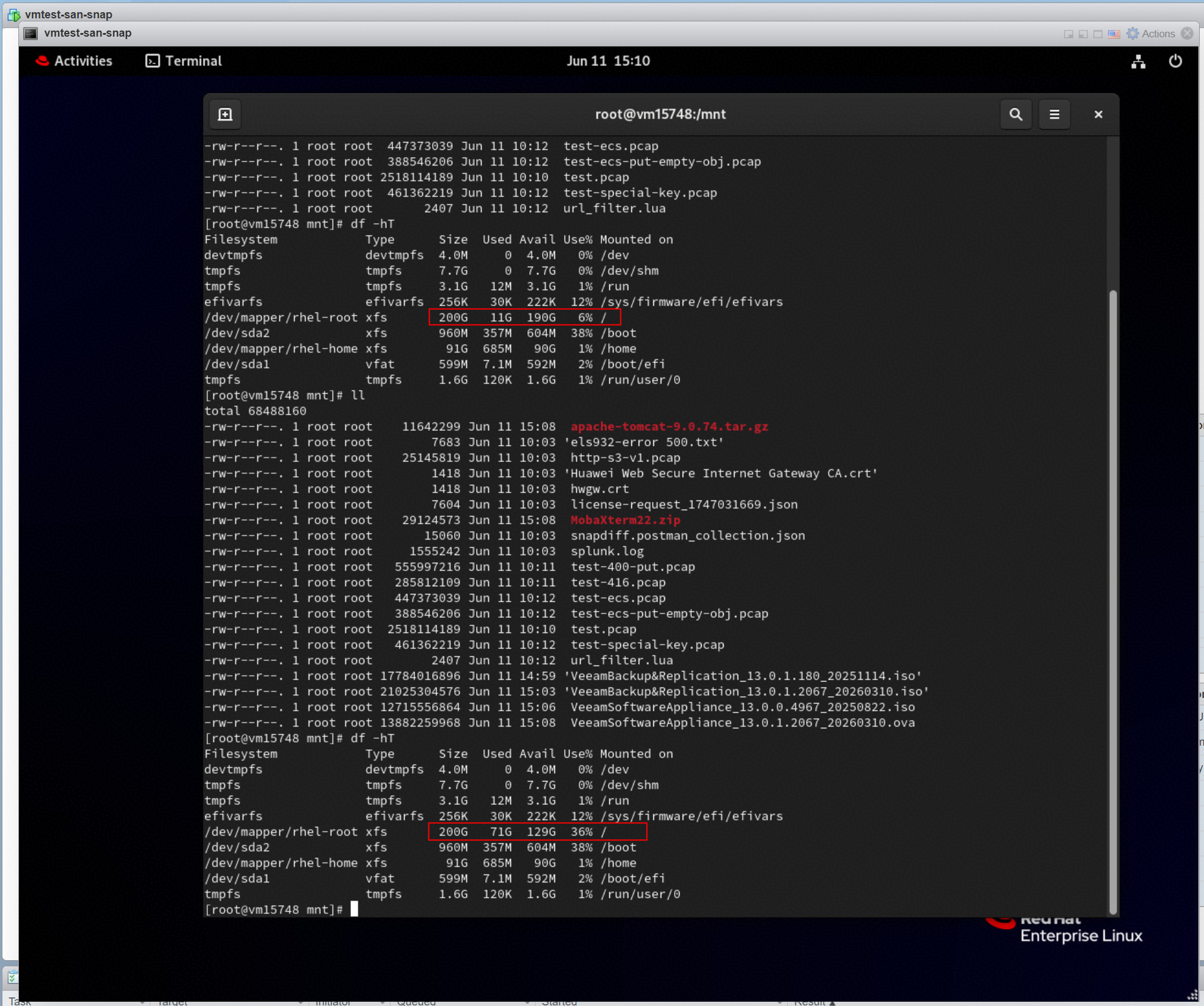 2. Right-click the created VM backup job in section 4.2 and perform incremental backup. 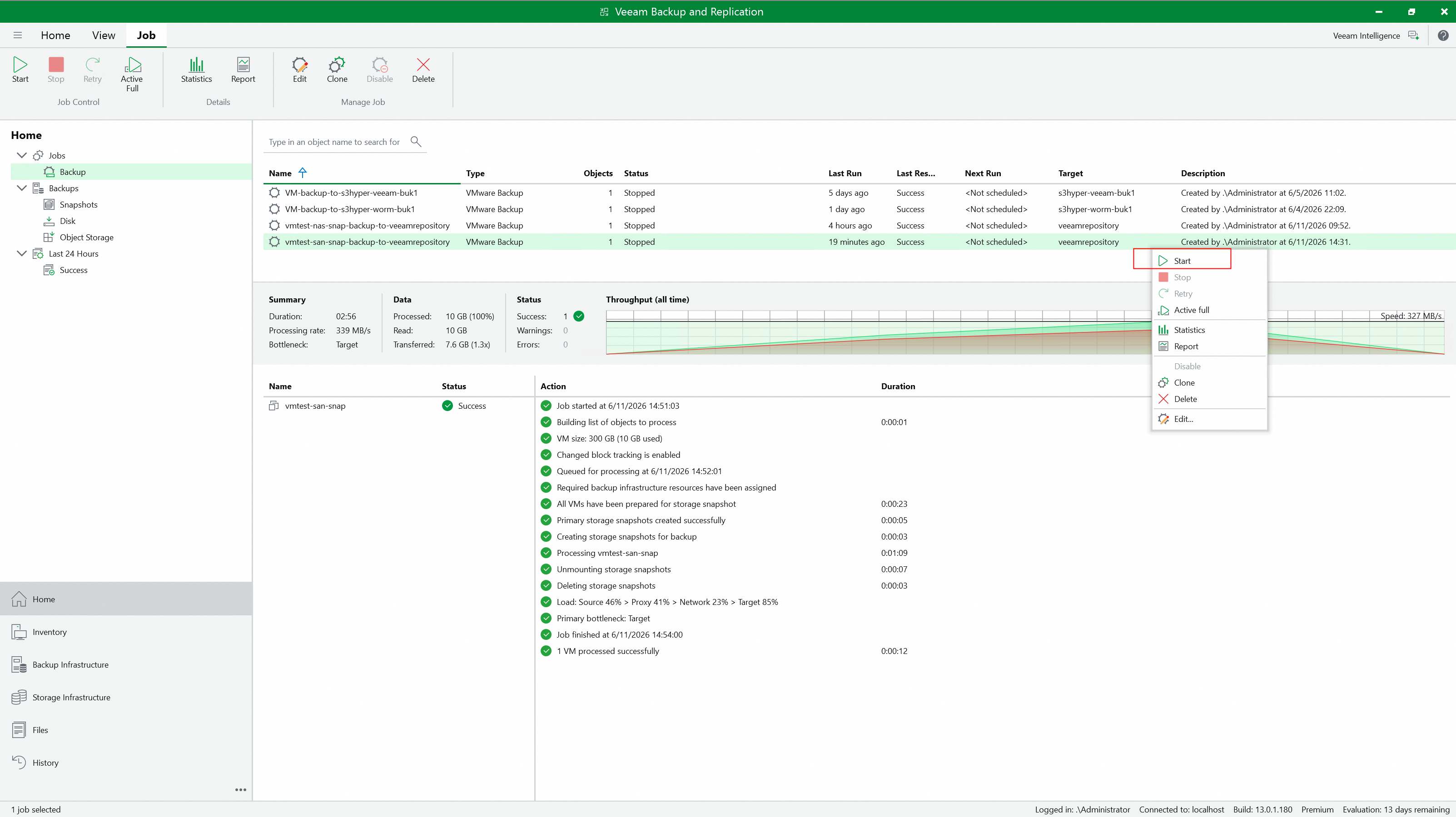 3. Check the incremental backup job status on the Veeam backup server. 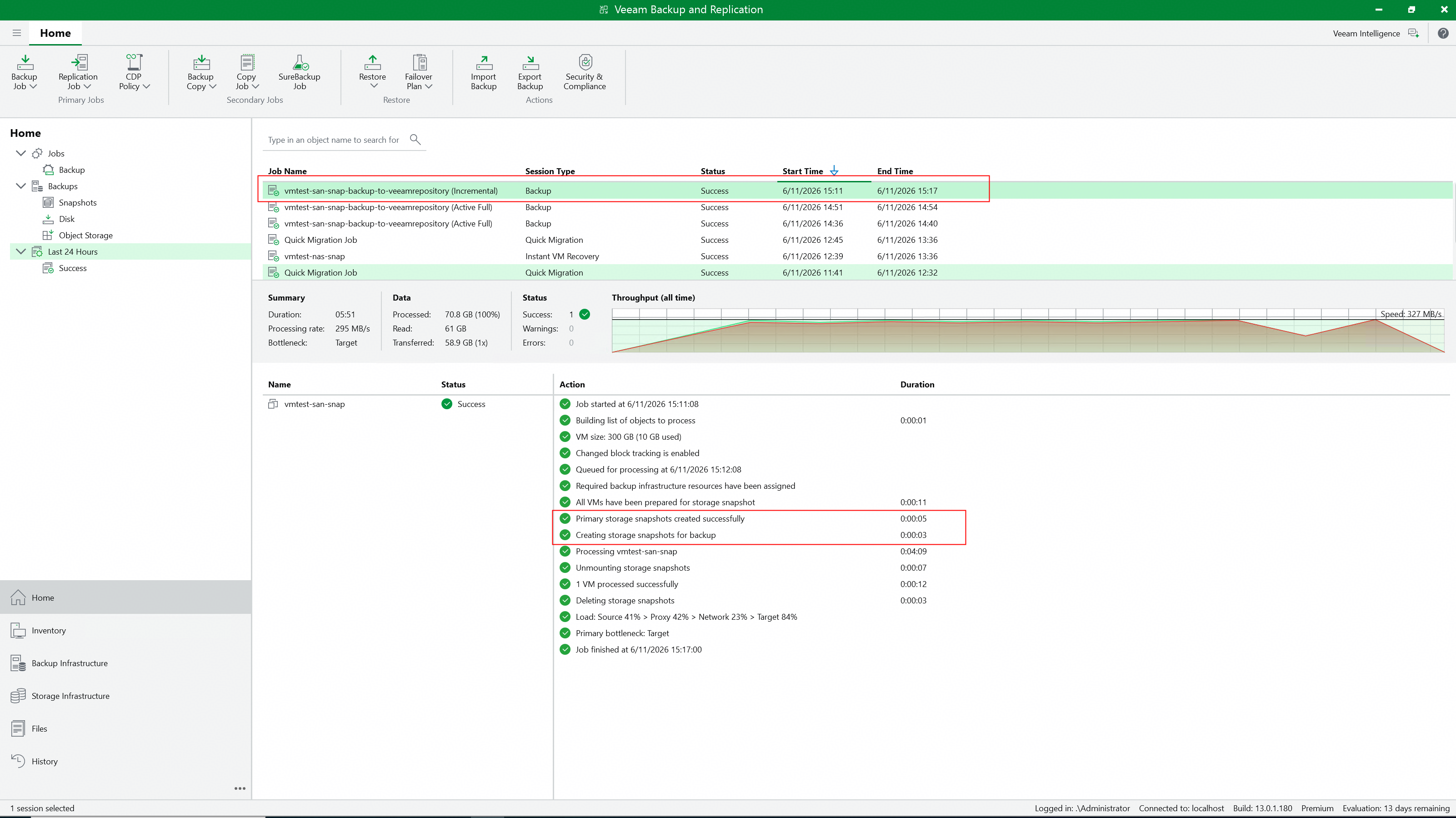 4. Check the incremental backup job details to confirm whether to perform snapshot backup. 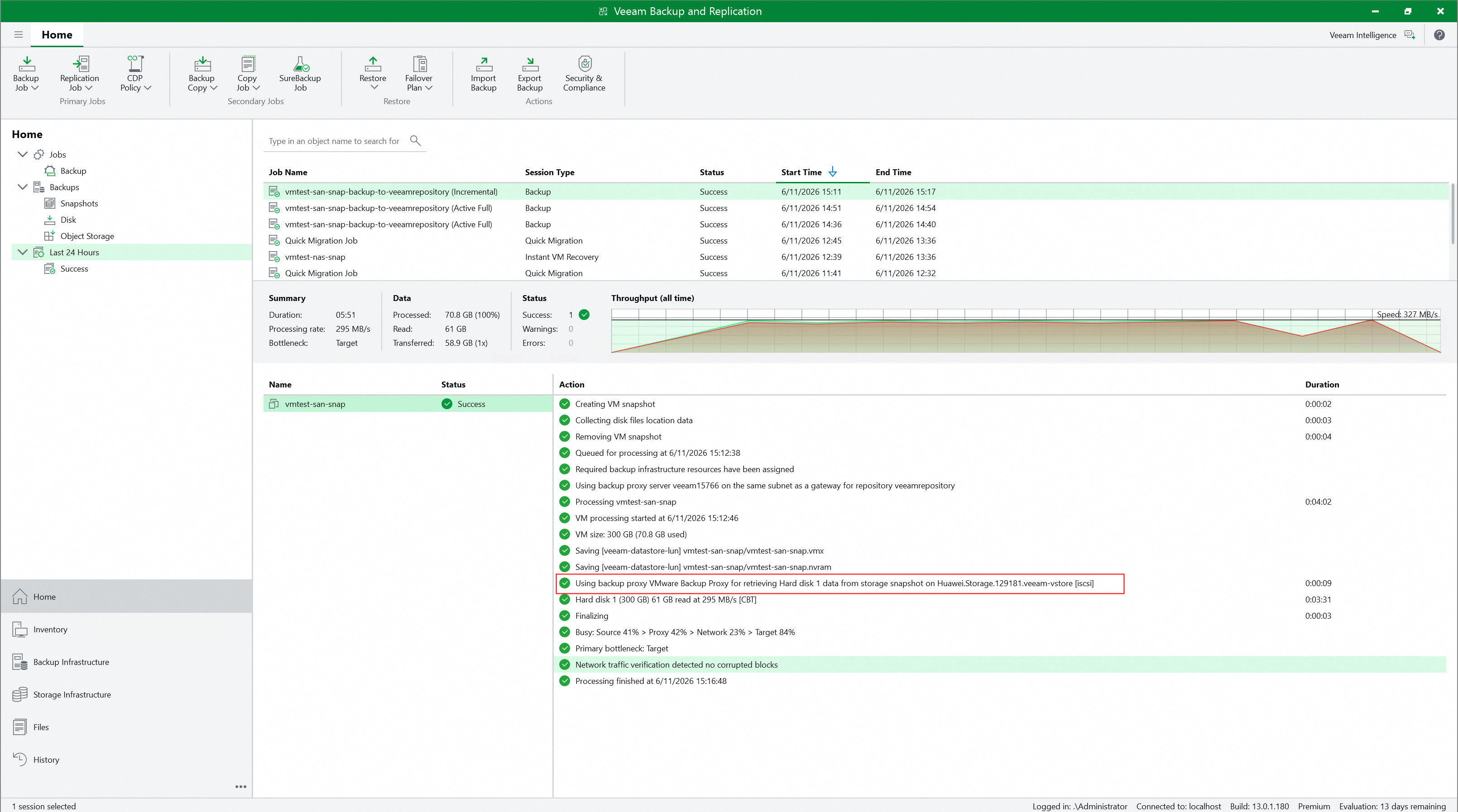 5. Check whether Huawei OceanStor flash storage generates and retains the Prod snapshot created by Veeam. 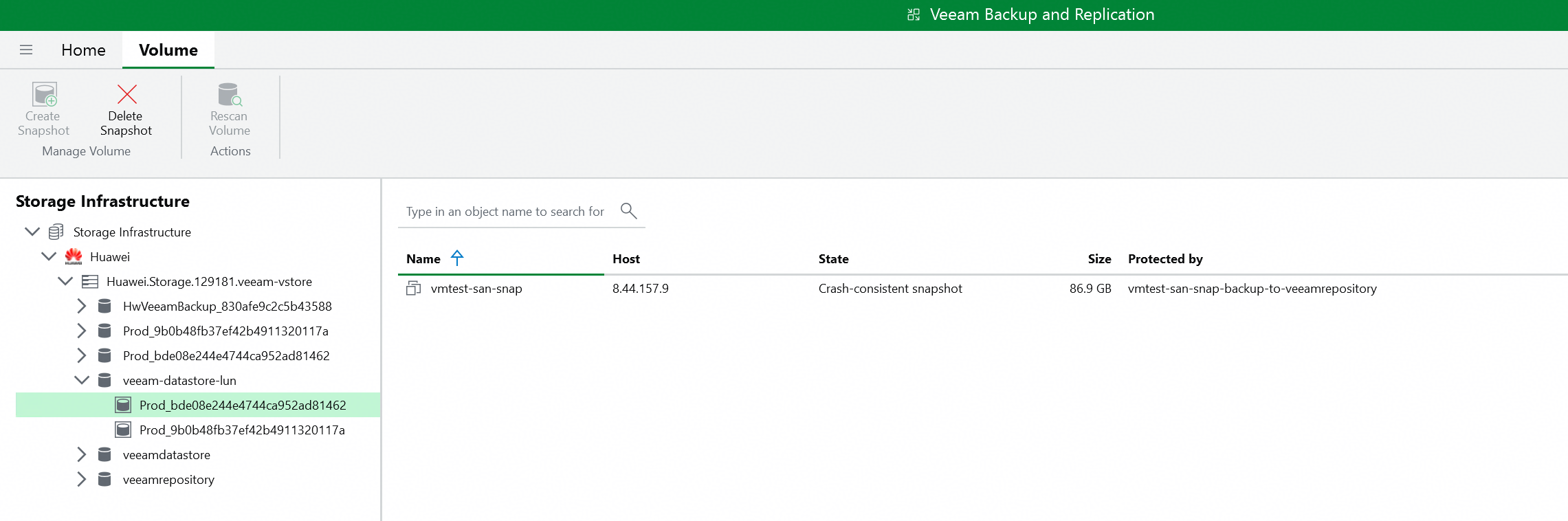 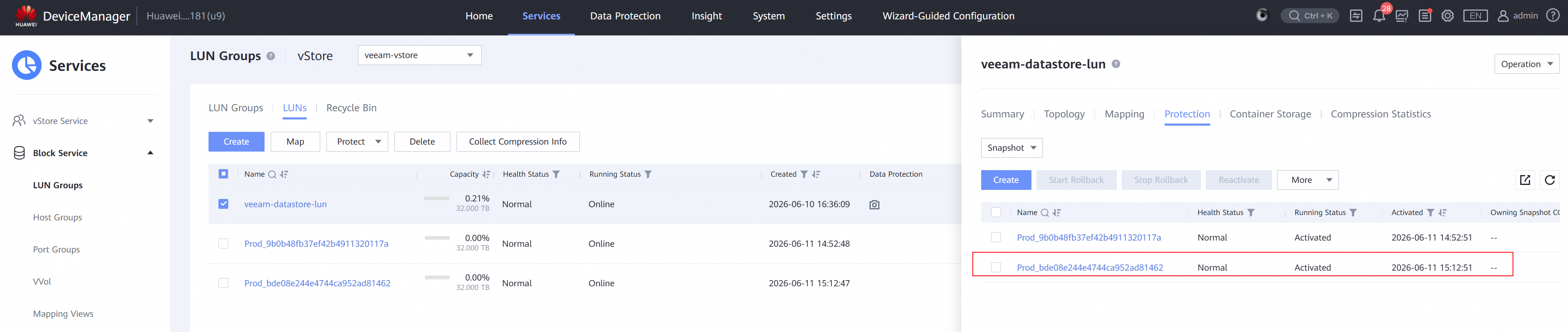 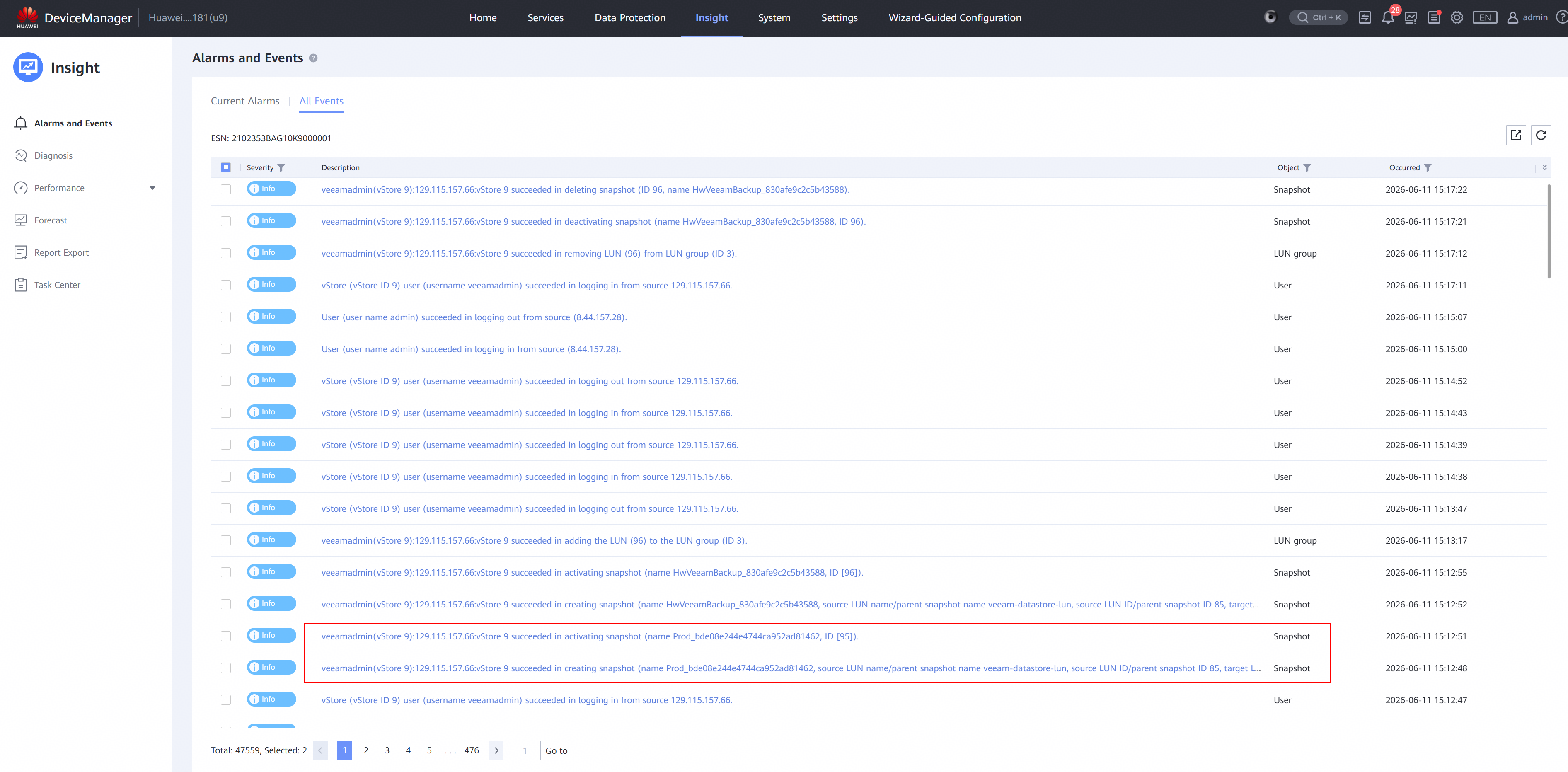 |
Test Conclusion | Passed |
3.4 Instant Recover the VM of incremental backup point to the new location
Test Purpose | To verify that the Veeam backup server can restore the VM from the storage snapshot using the Huawei plugin. |
Test Network | Huawei OceanStor flash storage and Veeam Backup & Replication Test Network. |
Prerequisites | 1. The Huawei Plugin has been installed on the Veeam backup server. 2. Huawei OceanStor flash storage, Veeam backup server, VMware ESXi deployment and Network have been completed. 3. The vStore, logical port and vStore administrator of Huawei OceanStor flash storage have been created. 4. The Veeam Proxy has been added as a host on Huawei OceanStor flash storage. 5. Huawei OceanStor flash storage has been added to the Veeam backup server. 6. The VMware vSphere has been added to the Veeam backup server. 7. The VM has been created in the VMFS Datastore of Huawei OceanStor flash storage. 8. The NFS share of Huawei OceanStor flash storage has been added to the Veeam backup server as backup repository. 9. The incremental backup job in section 4.3 has been performed successfully. |
Test Procedure |
|
Expected Result |
|
Test Results |
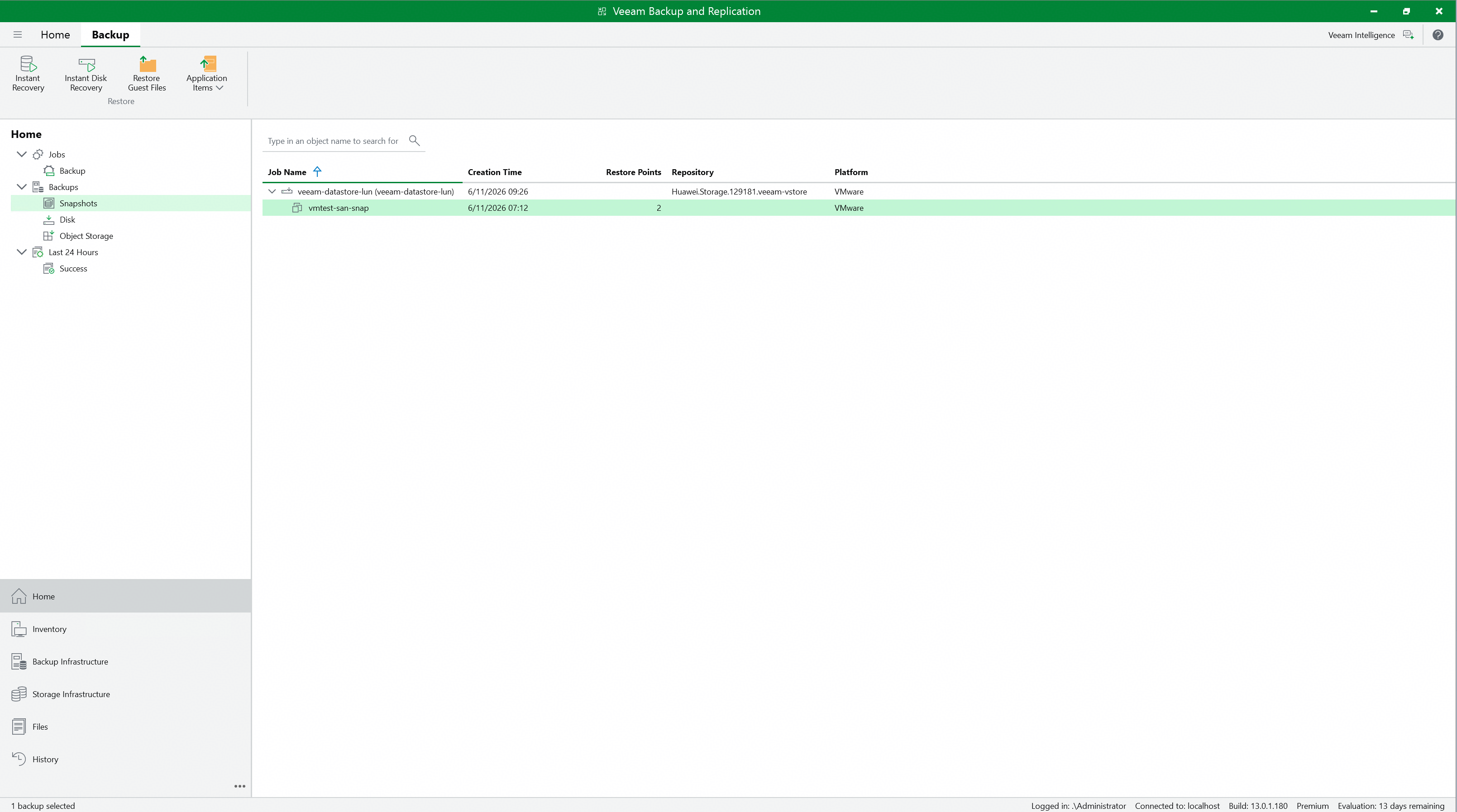
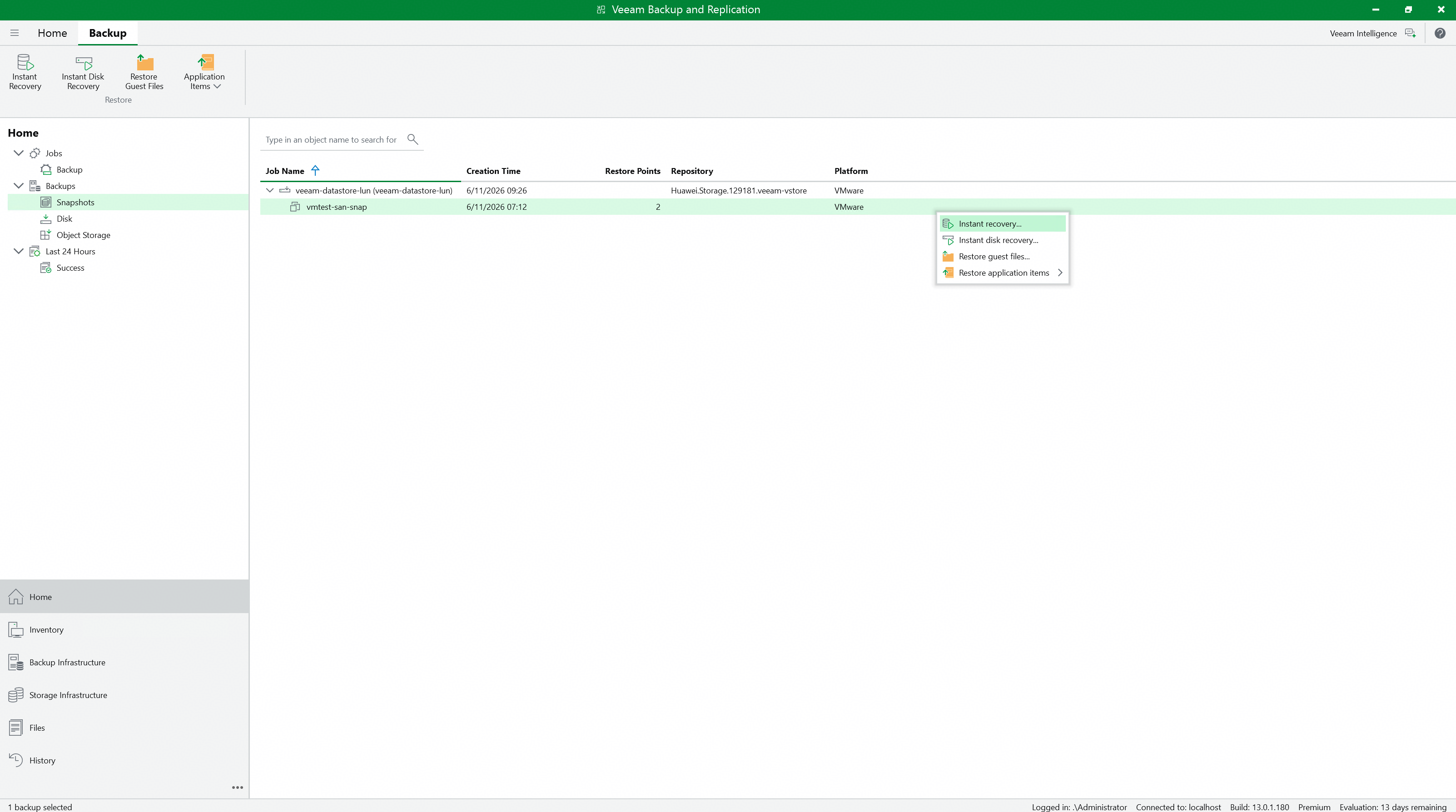
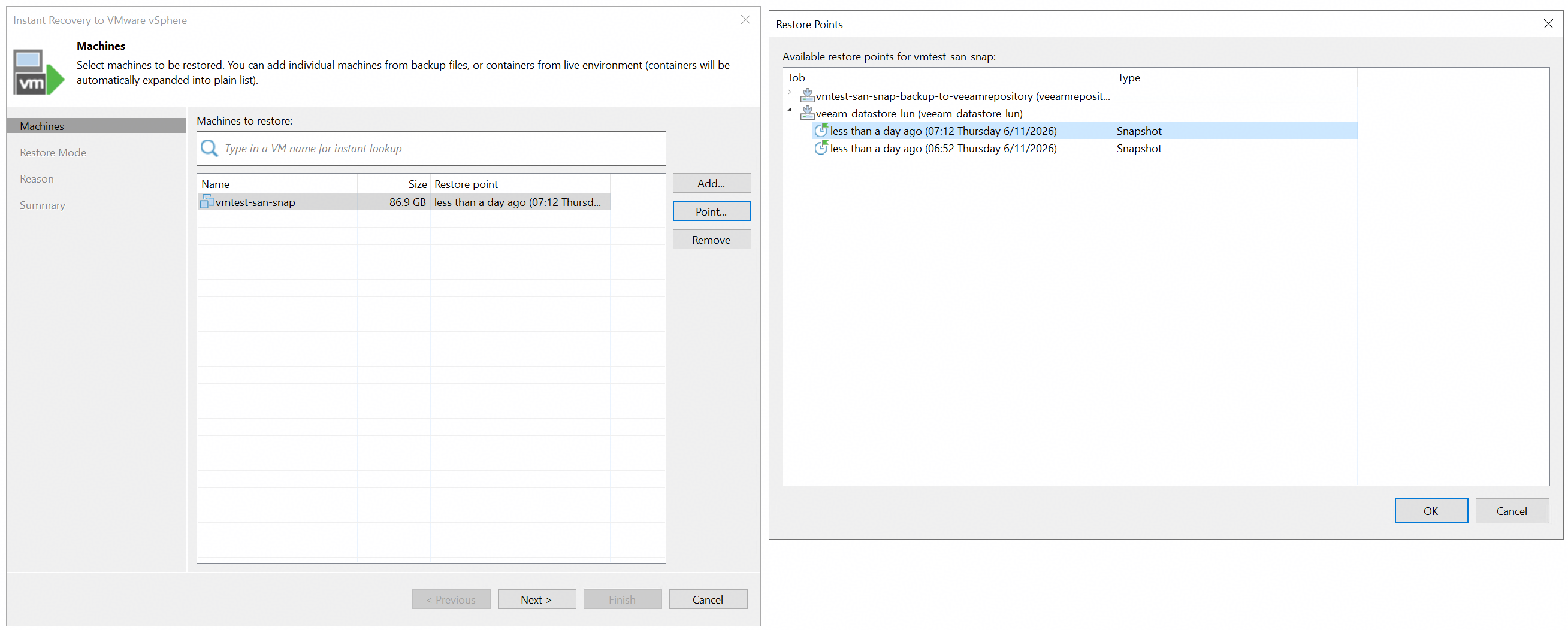
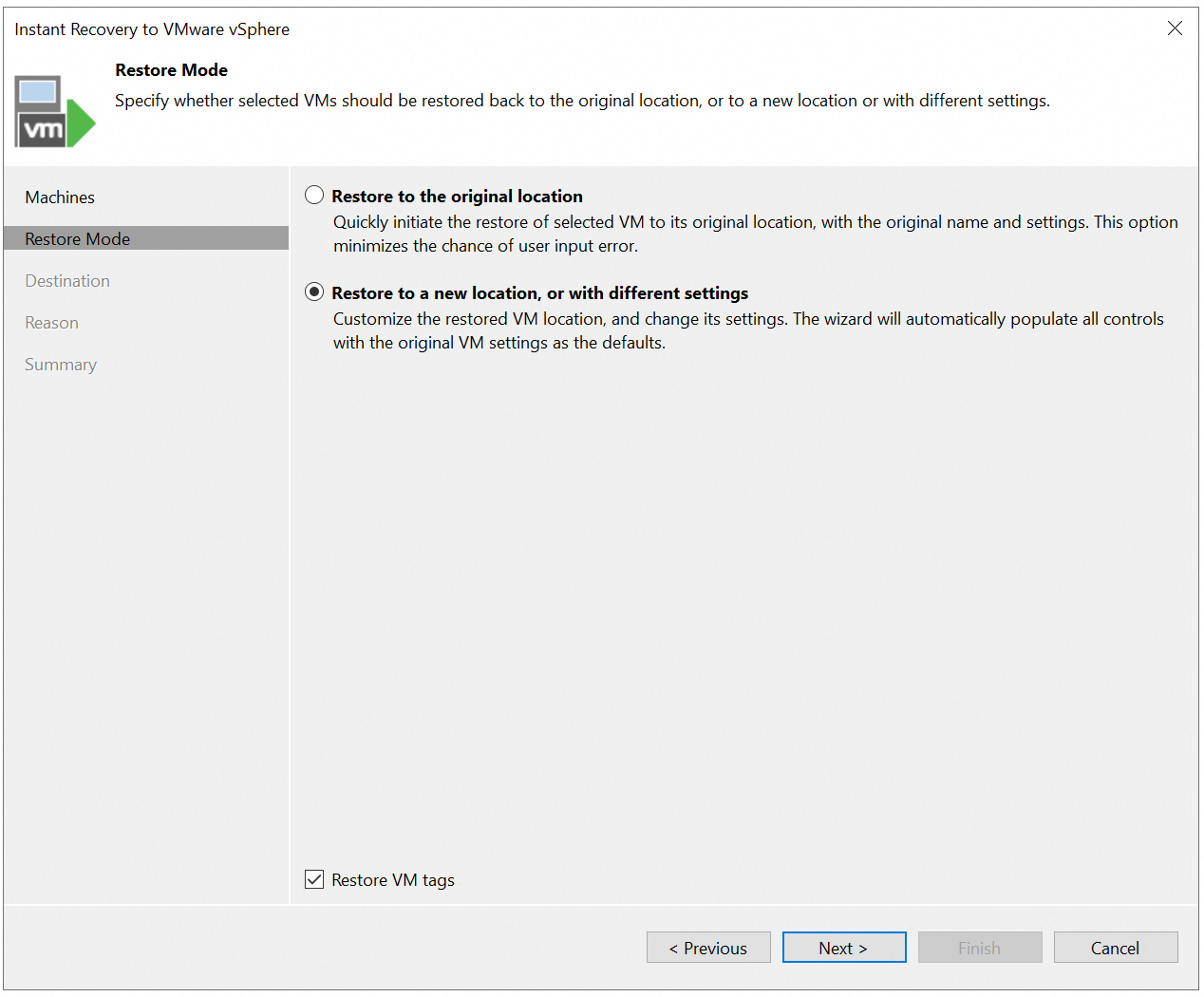
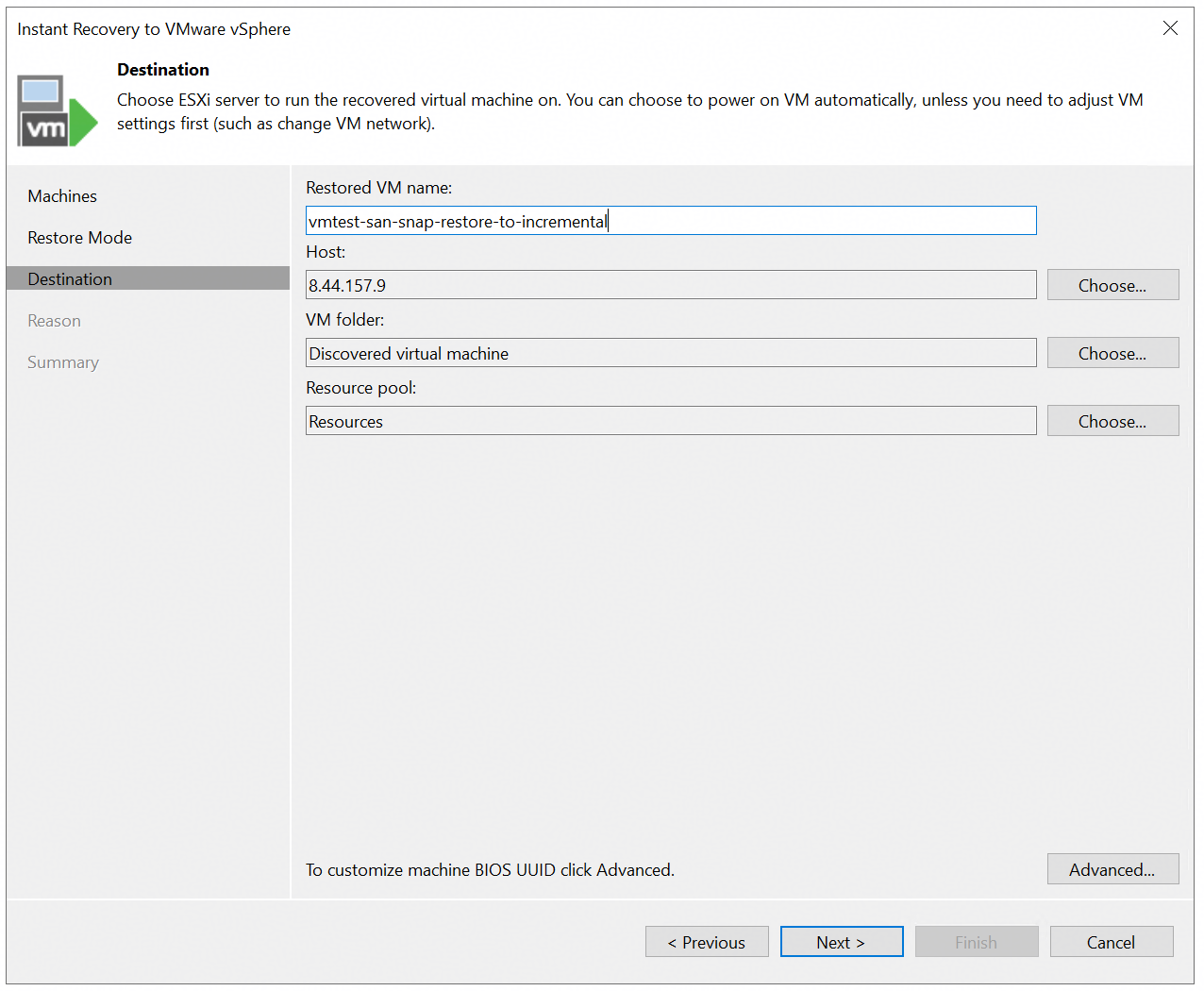
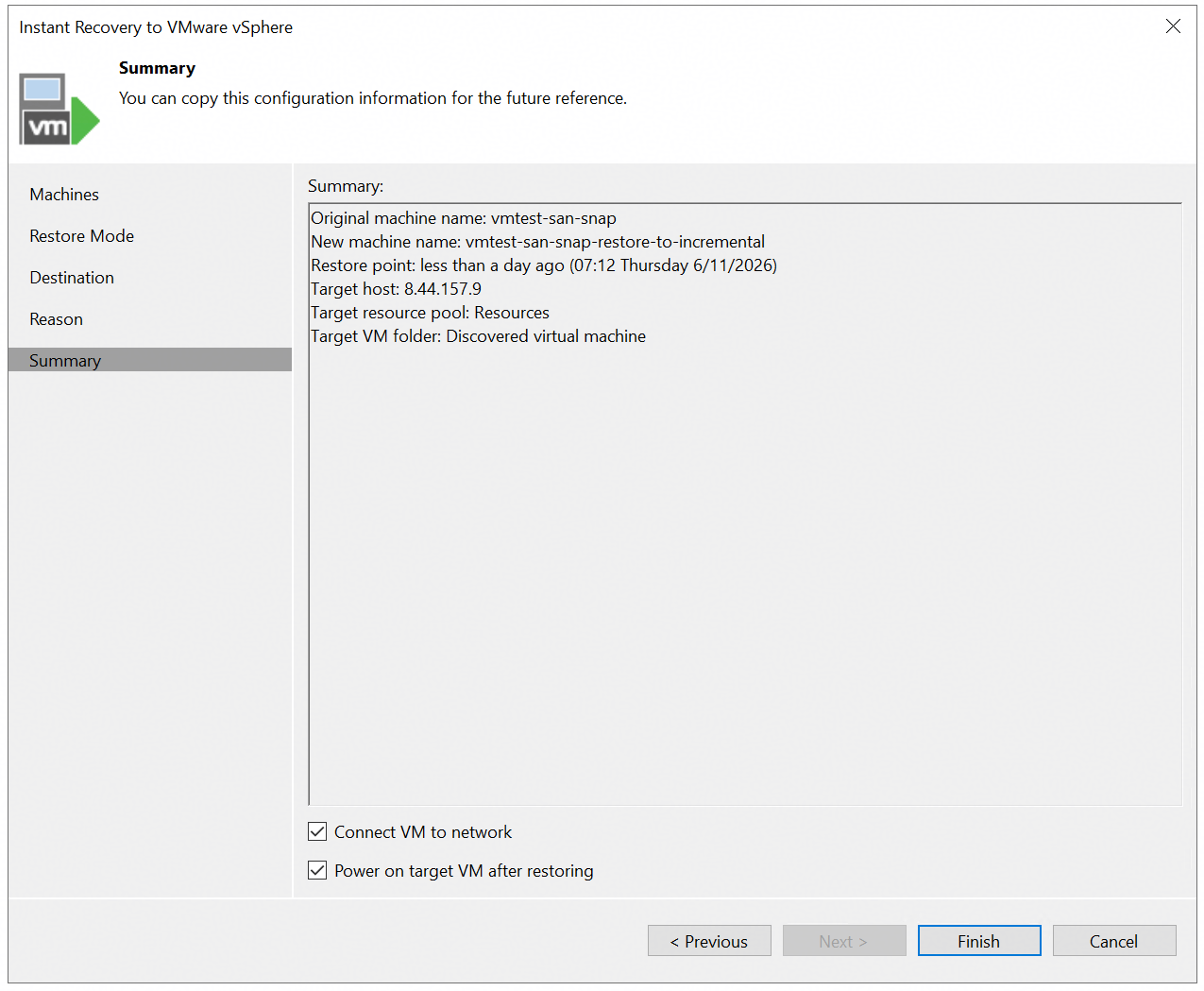
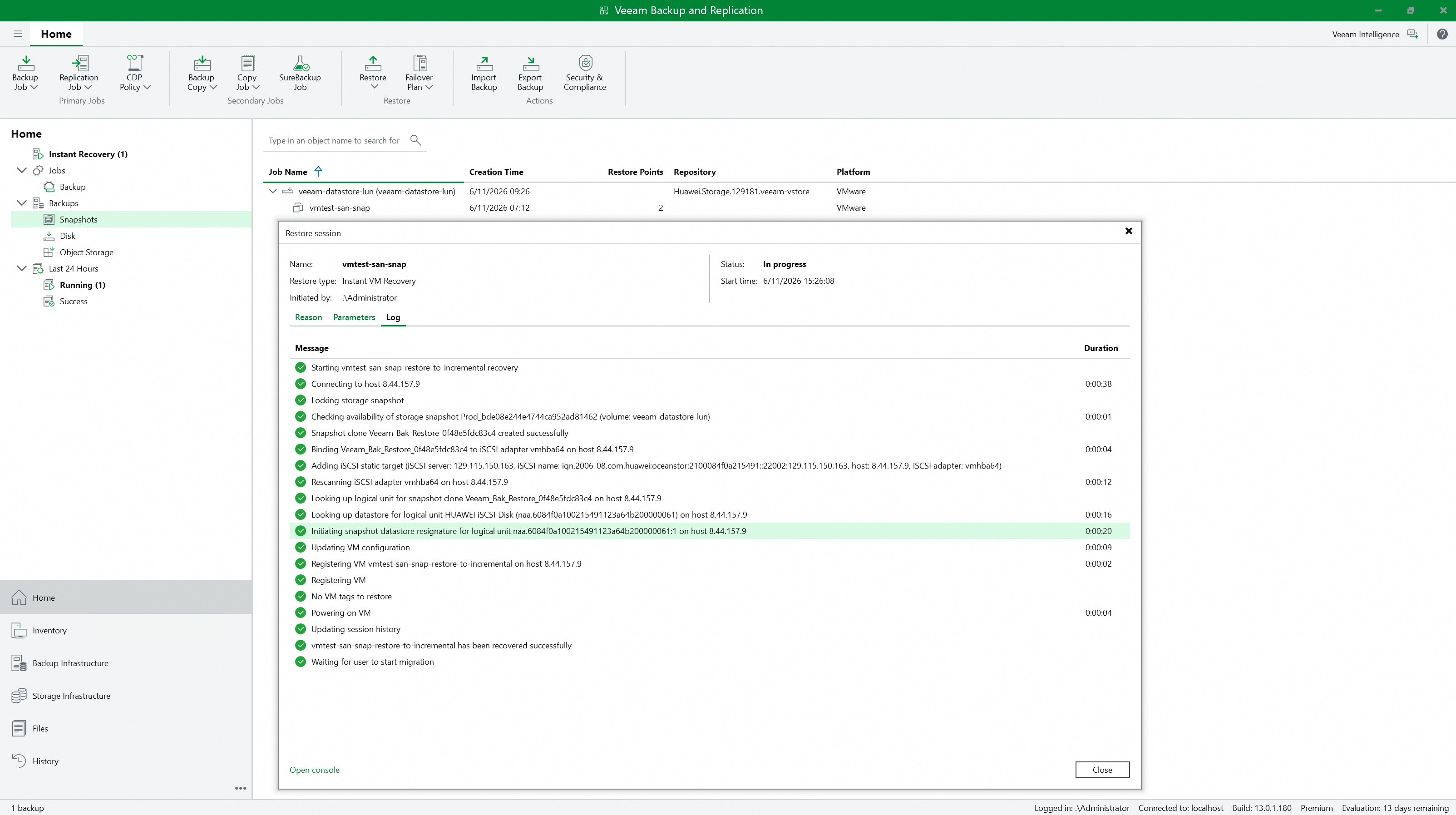
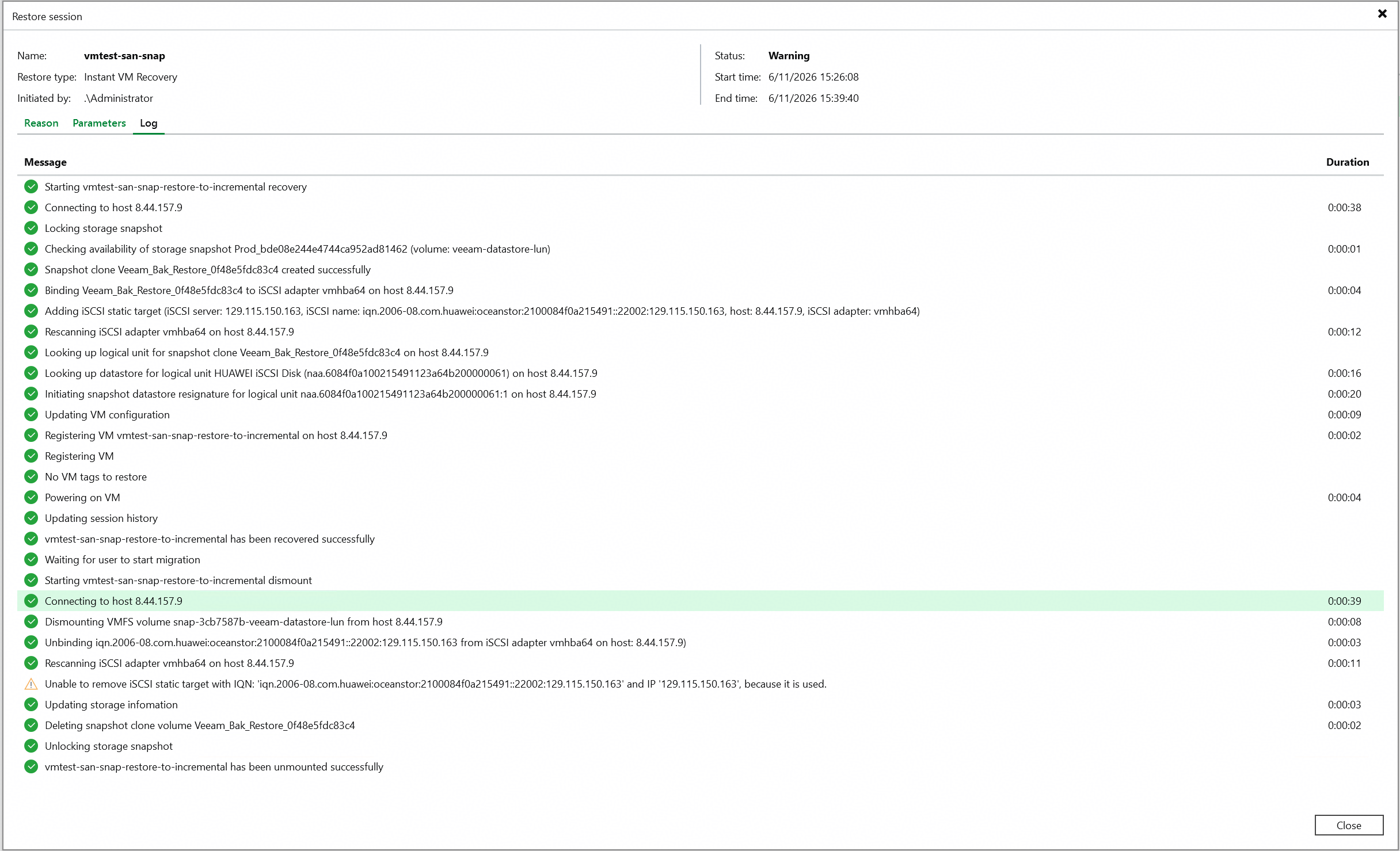
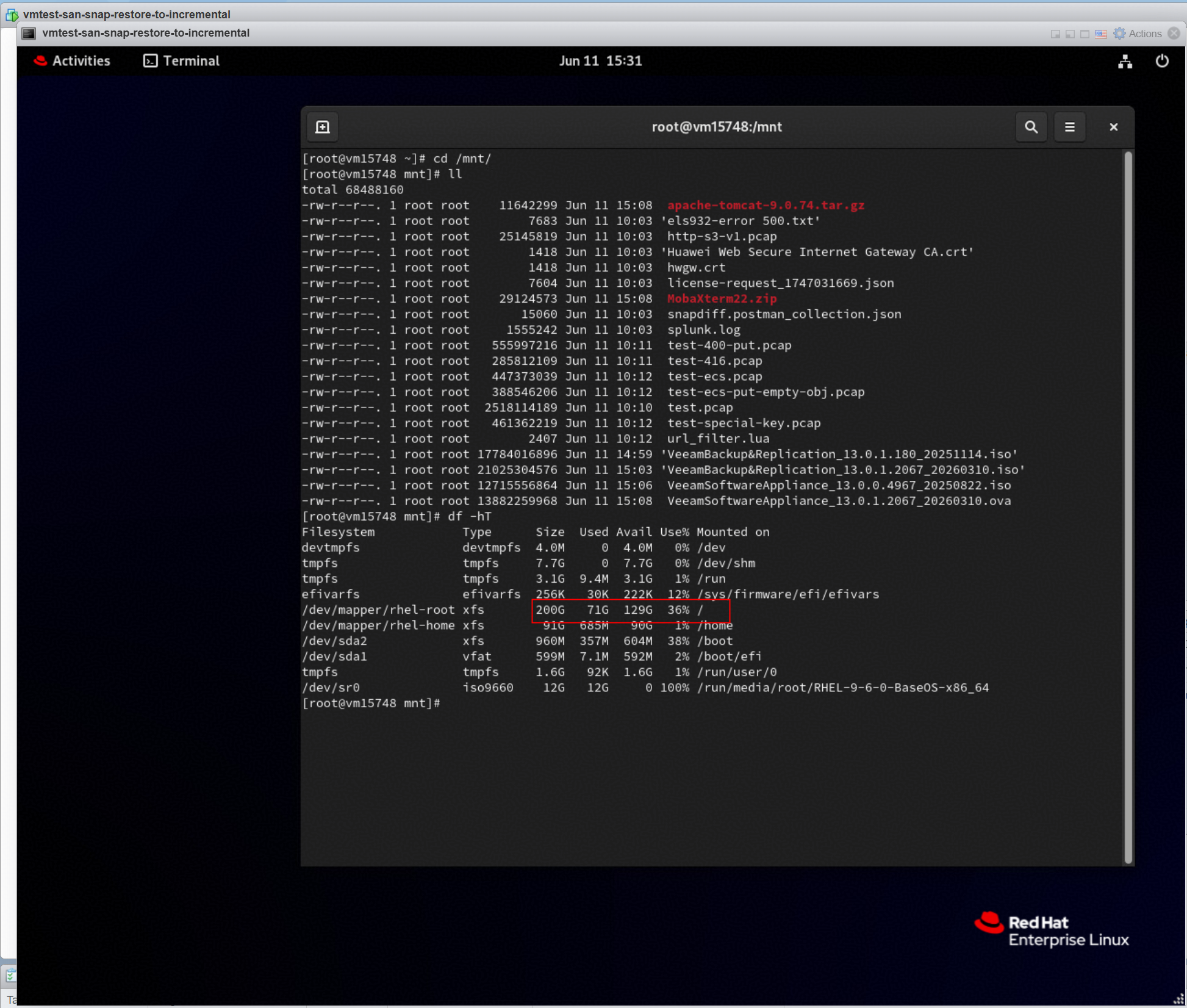
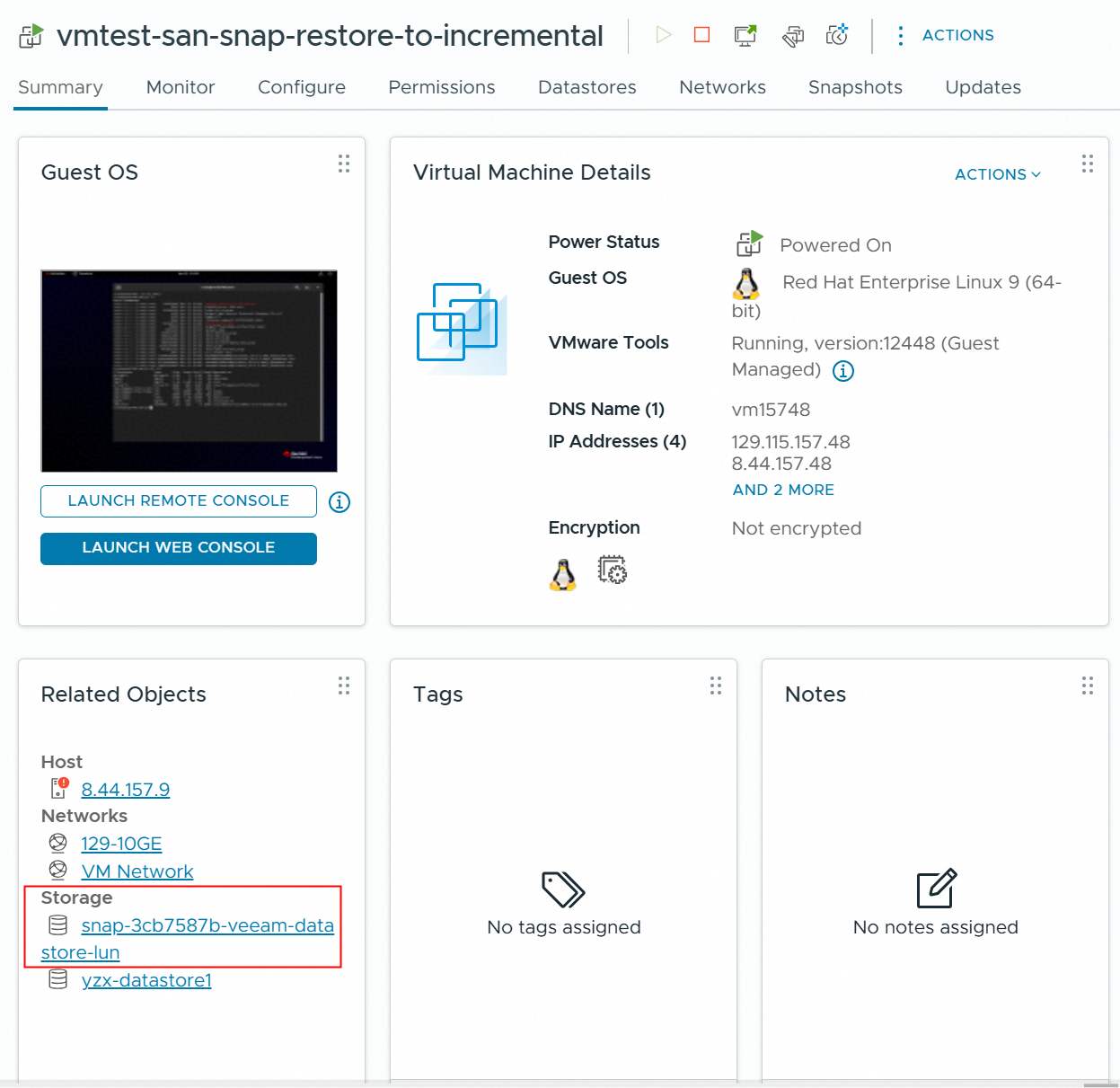
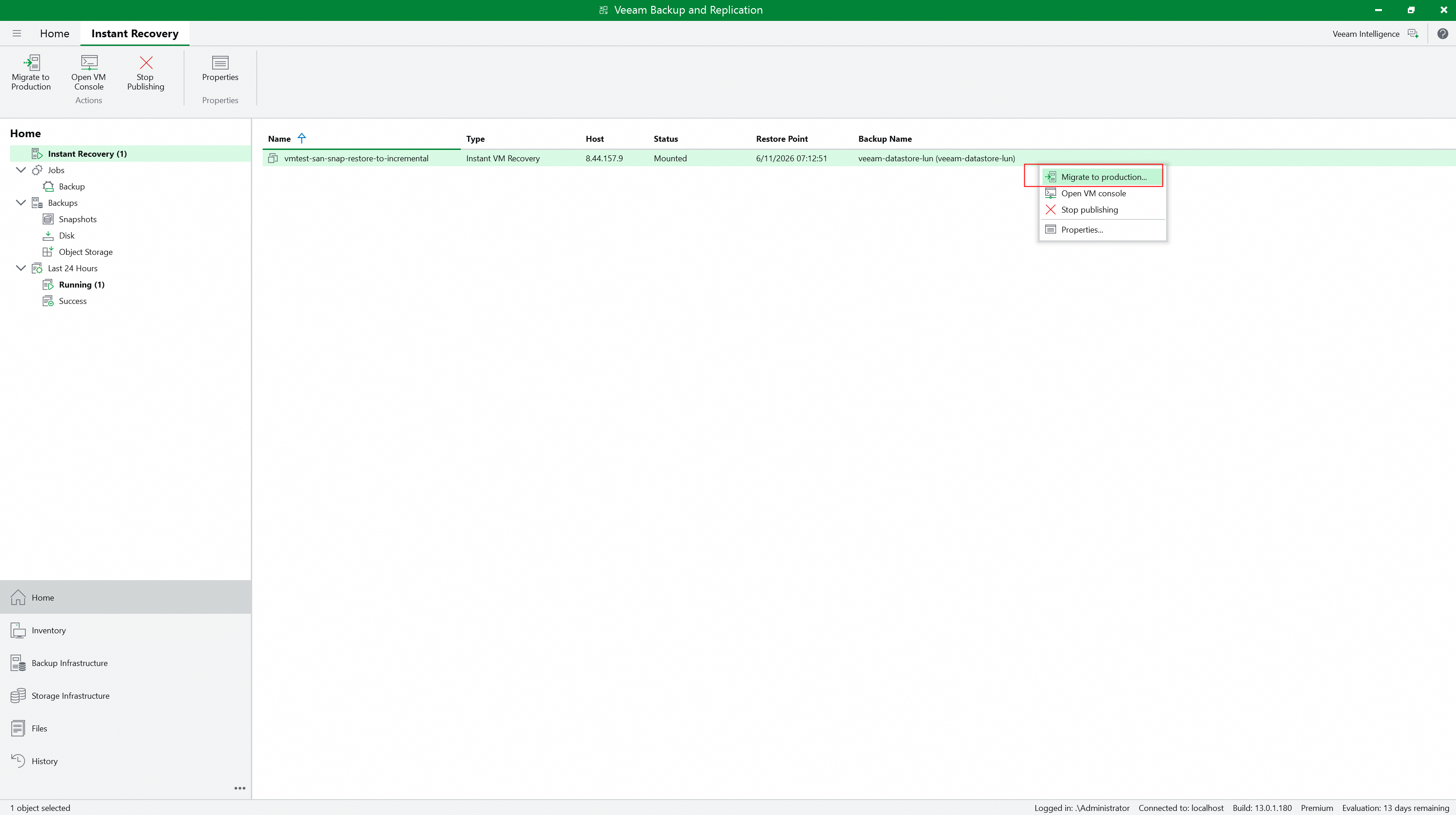
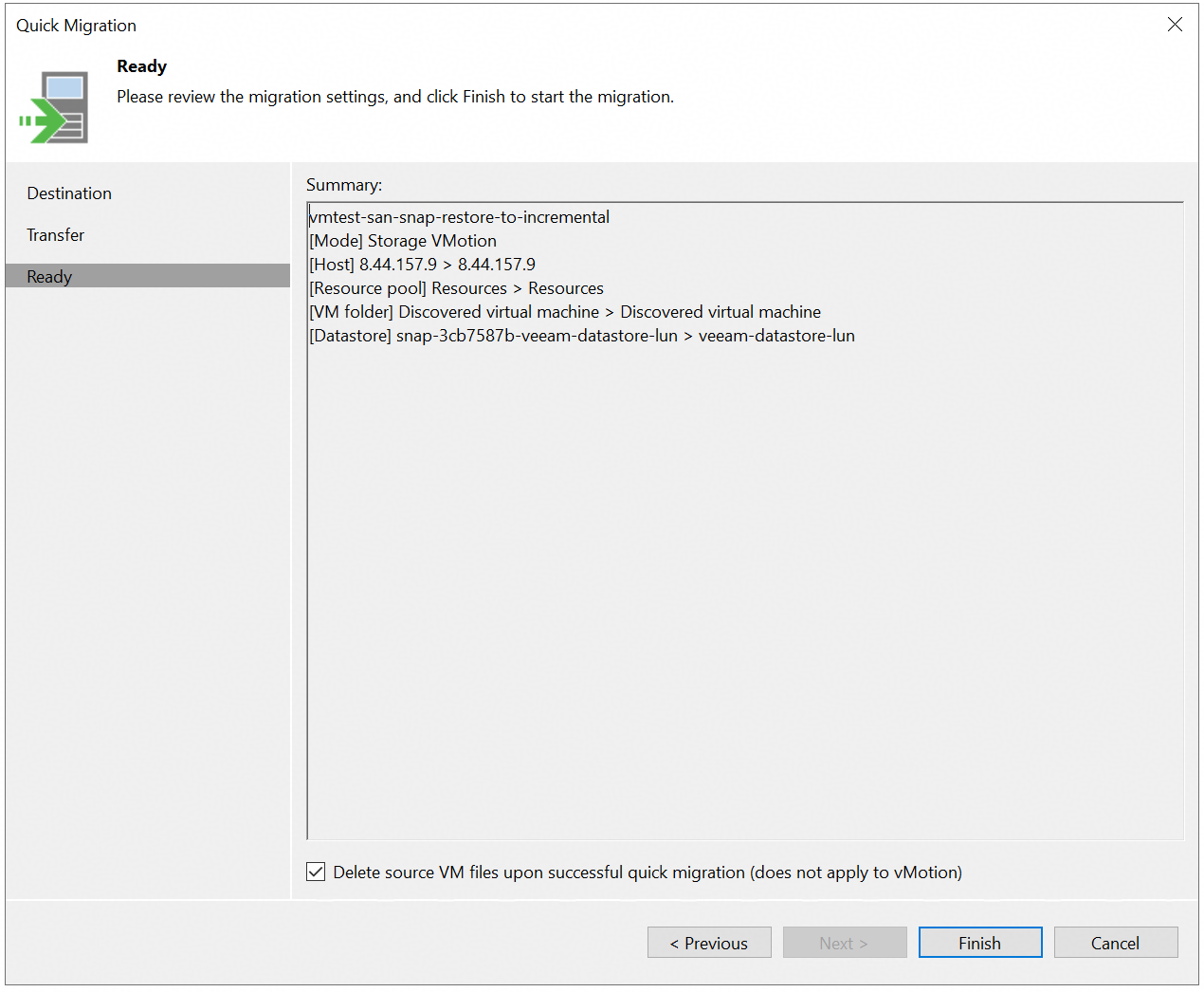
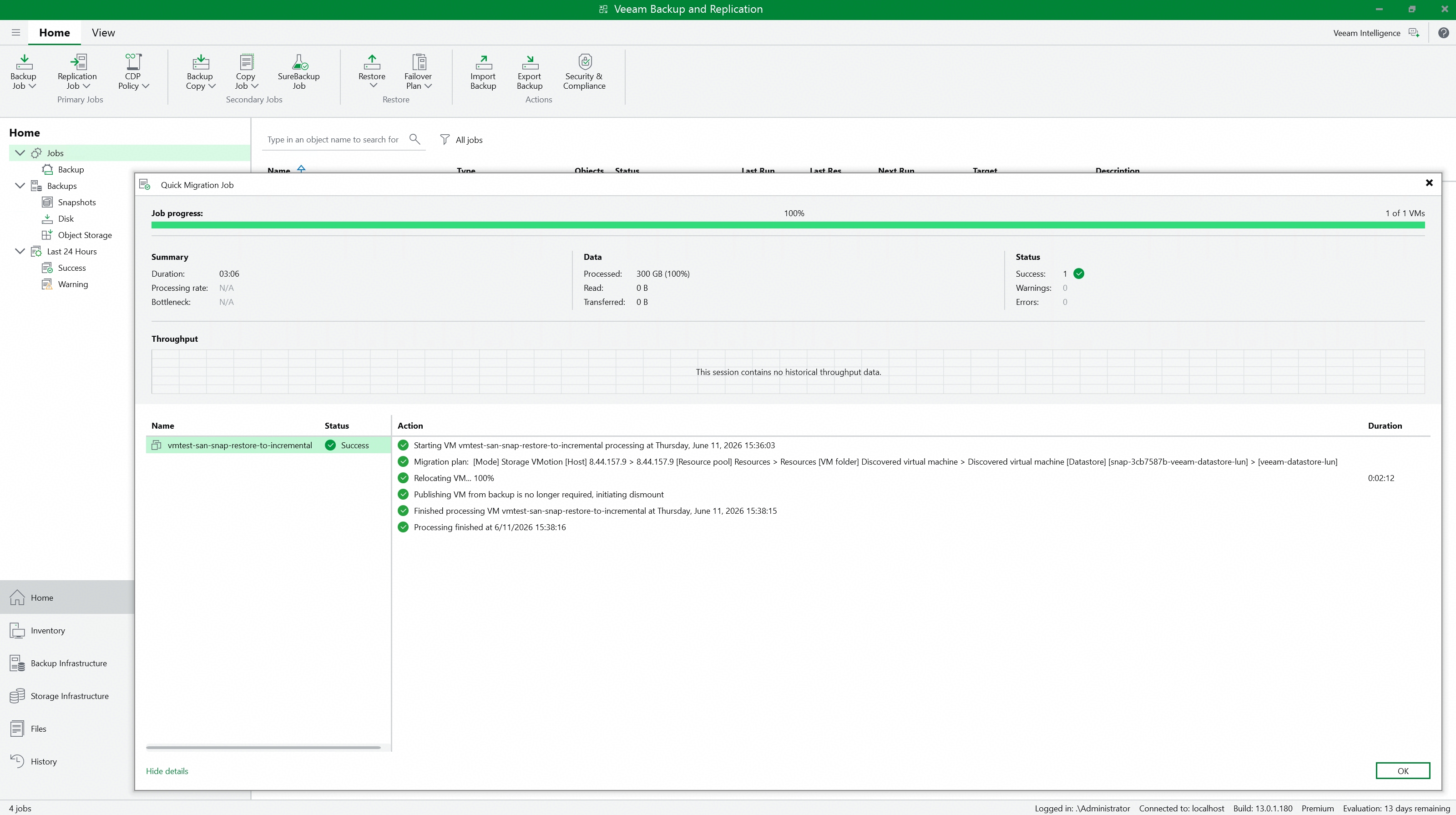 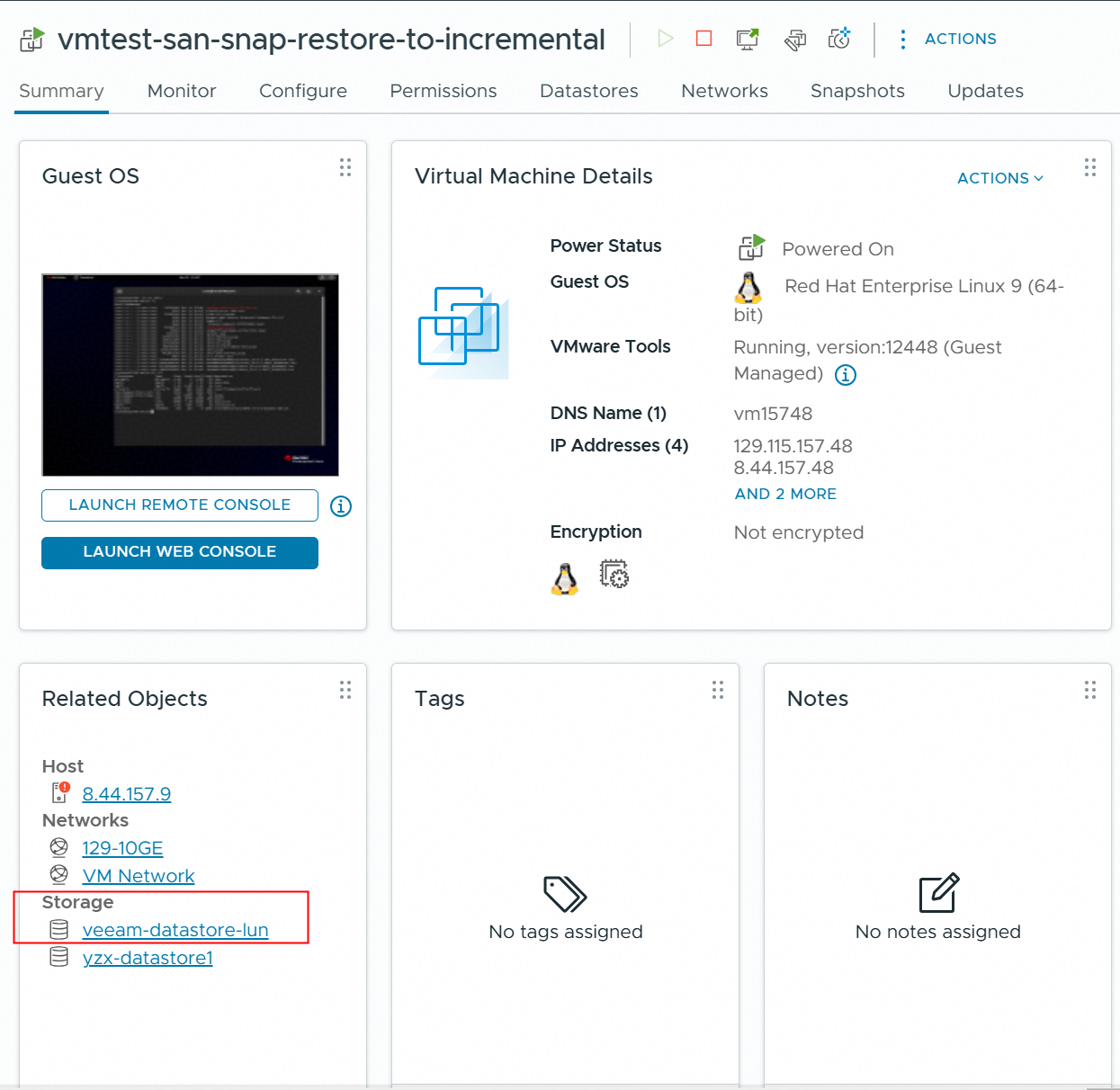 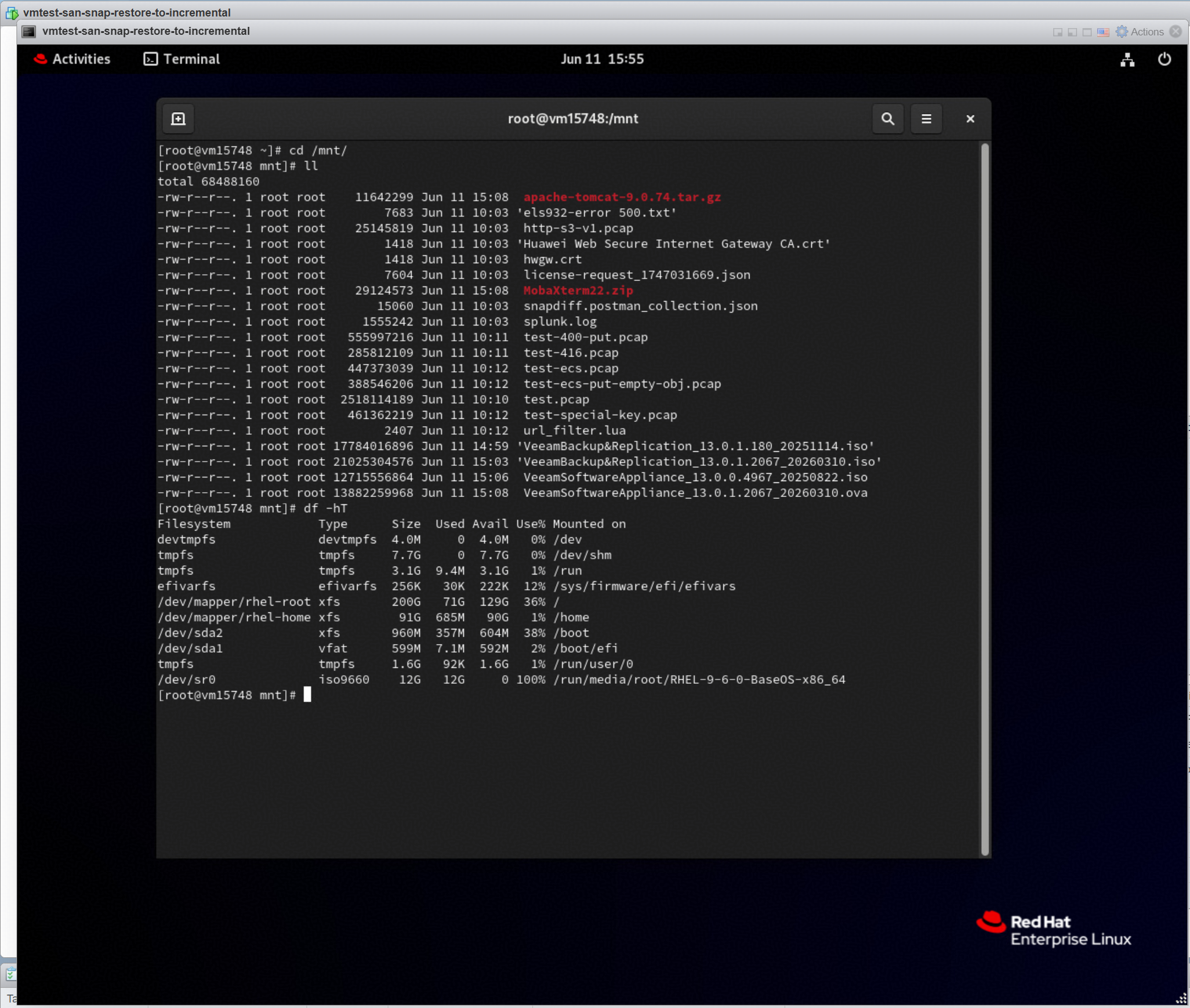
|
Test Conclusion | Passed |
3.5 Instant Recover the VM of full backup point to the original location
Test Purpose | To verify that the Veeam backup server can restore the VM from the storage snapshot using the Huawei plugin. |
Test Network | Huawei OceanStor flash storage and Veeam Backup & Replication Test Network. |
Prerequisites | 1. The Huawei Plugin has been installed on the Veeam backup server. 2. Huawei OceanStor flash storage, Veeam backup server, VMware ESXi deployment and Network have been completed. 3. The vStore, logical port and vStore administrator of Huawei OceanStor flash storage have been created. 4. The Veeam Proxy has been added as a host on Huawei OceanStor flash storage. 5. Huawei OceanStor flash storage has been added to the Veeam backup server. 6. The VMware vSphere has been added to the Veeam backup server. 7. The VM has been created in the VMFS Datastore of Huawei OceanStor flash storage. 8. The NFS share of Huawei OceanStor flash storage has been added to the Veeam backup server as backup repository. 9. The full backup job in section 4.2 has been performed successfully. |
Test Procedure |
|
Expected Result |
|
Test Results |
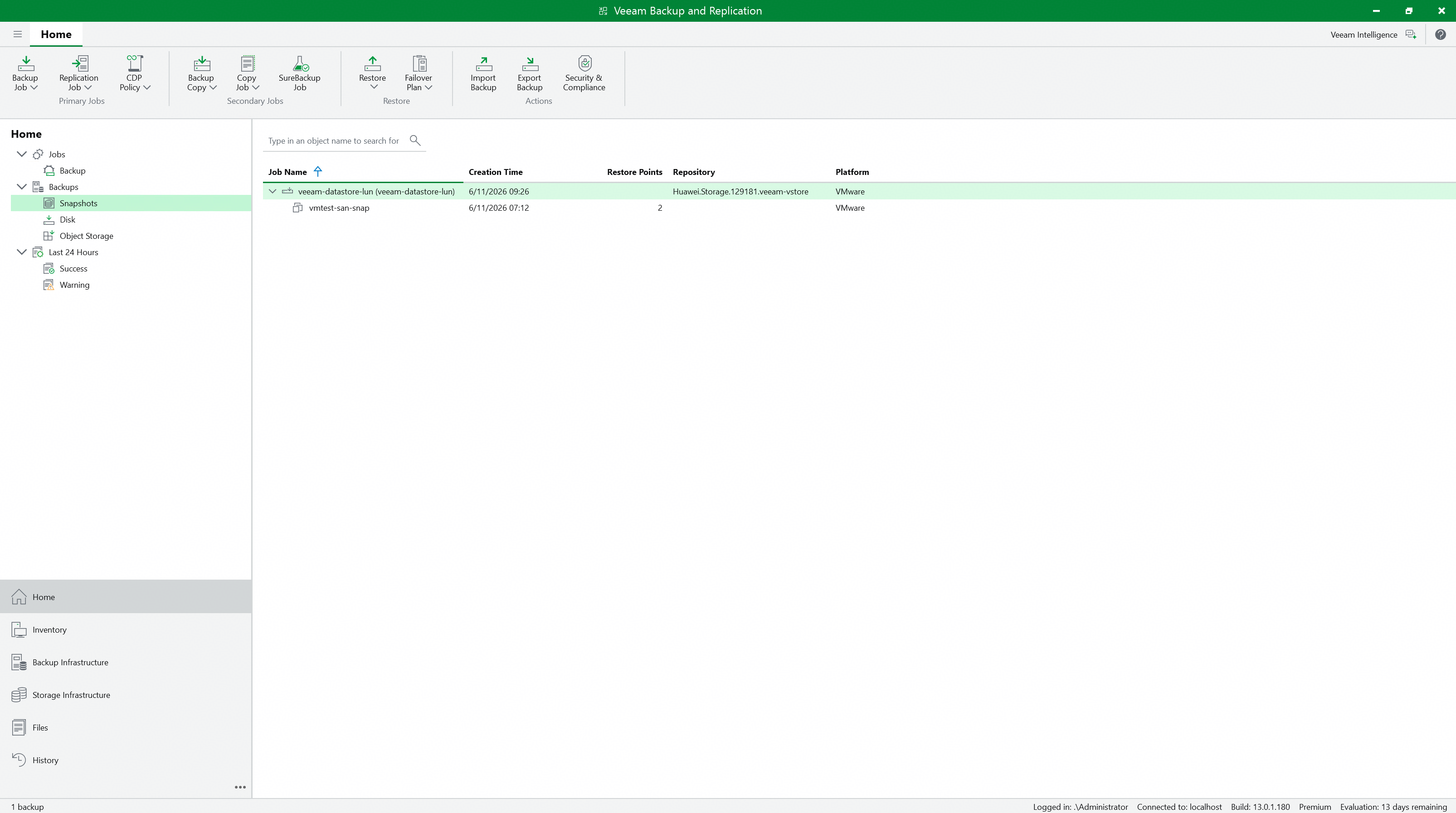
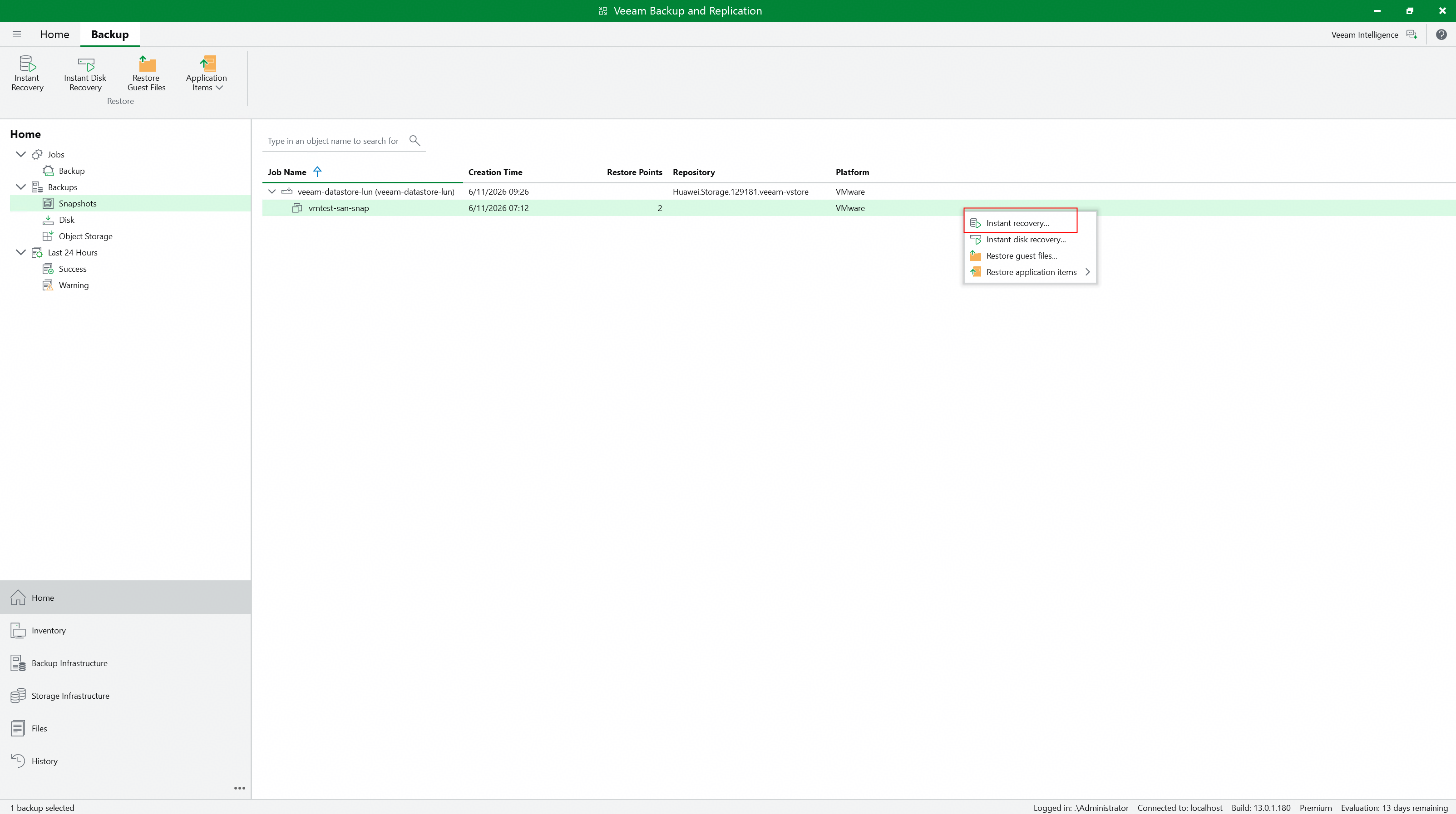
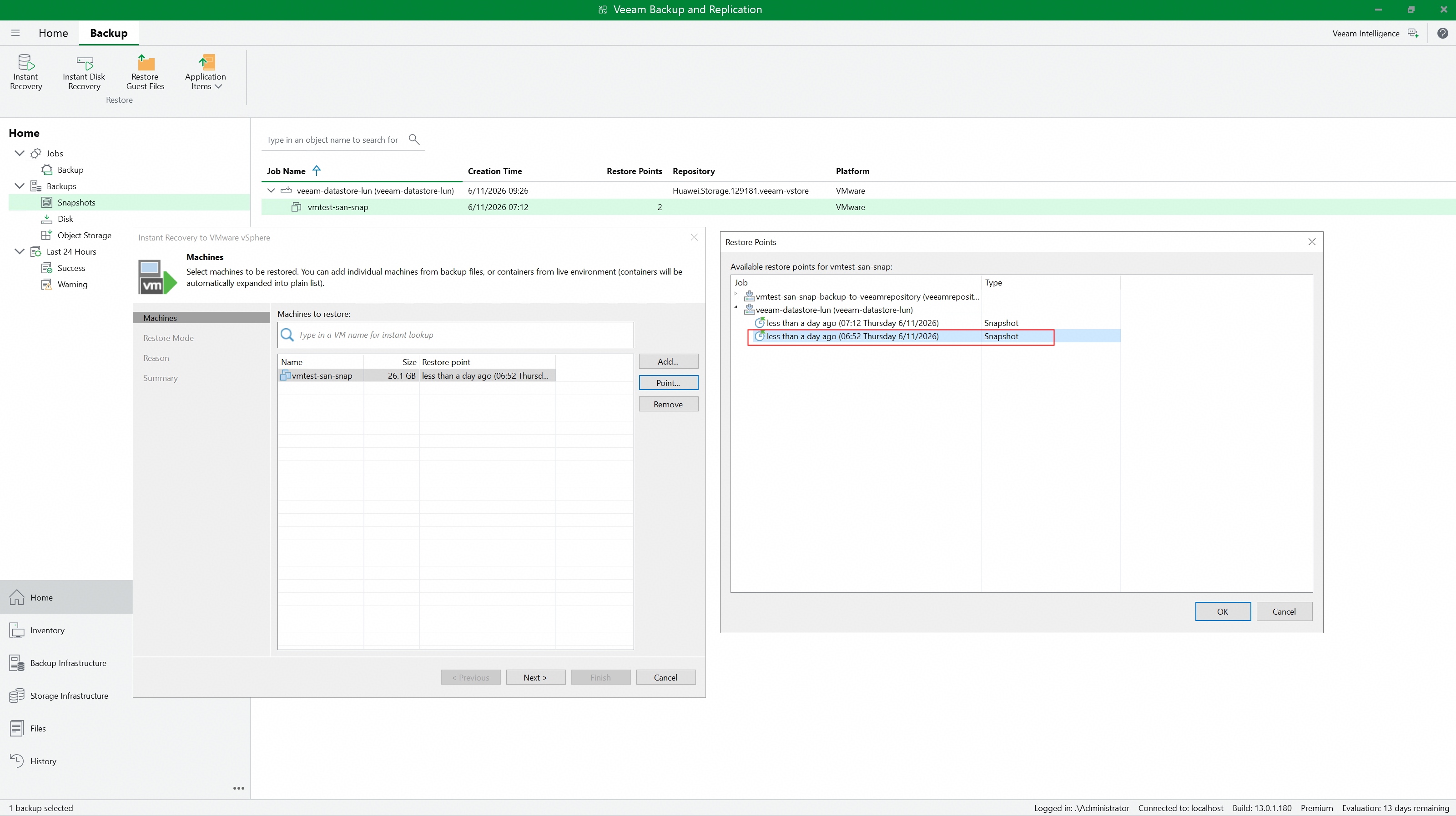
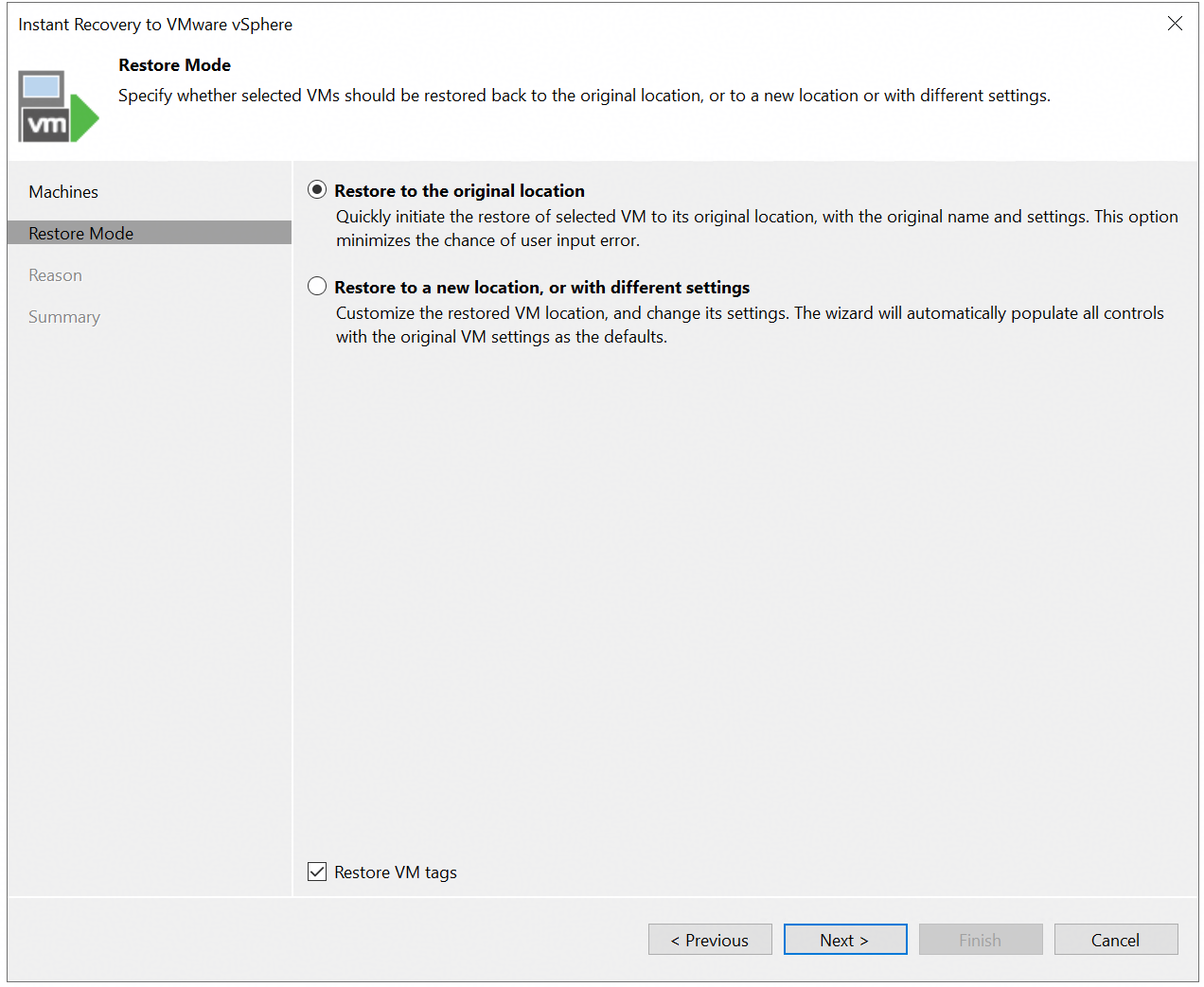
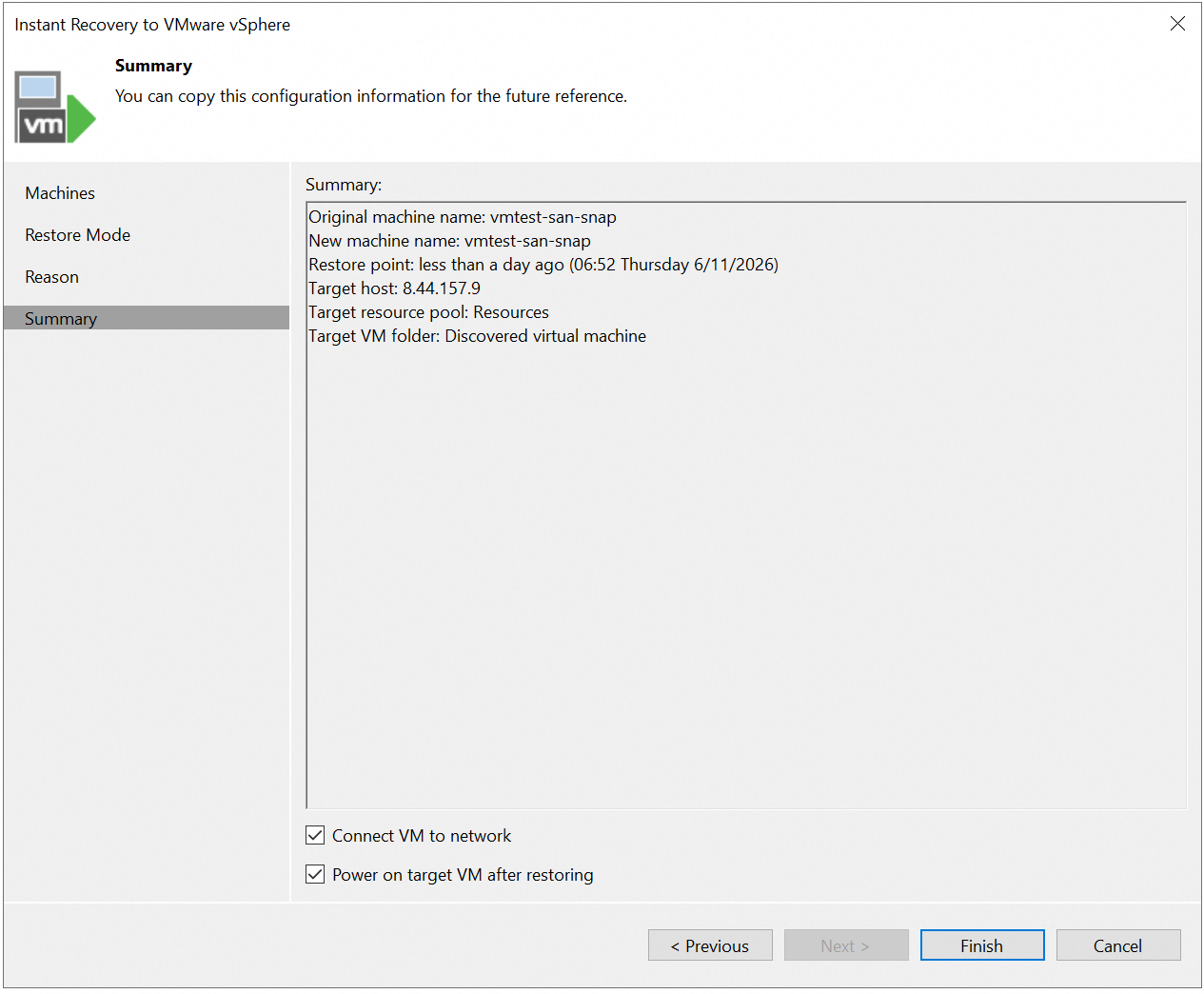
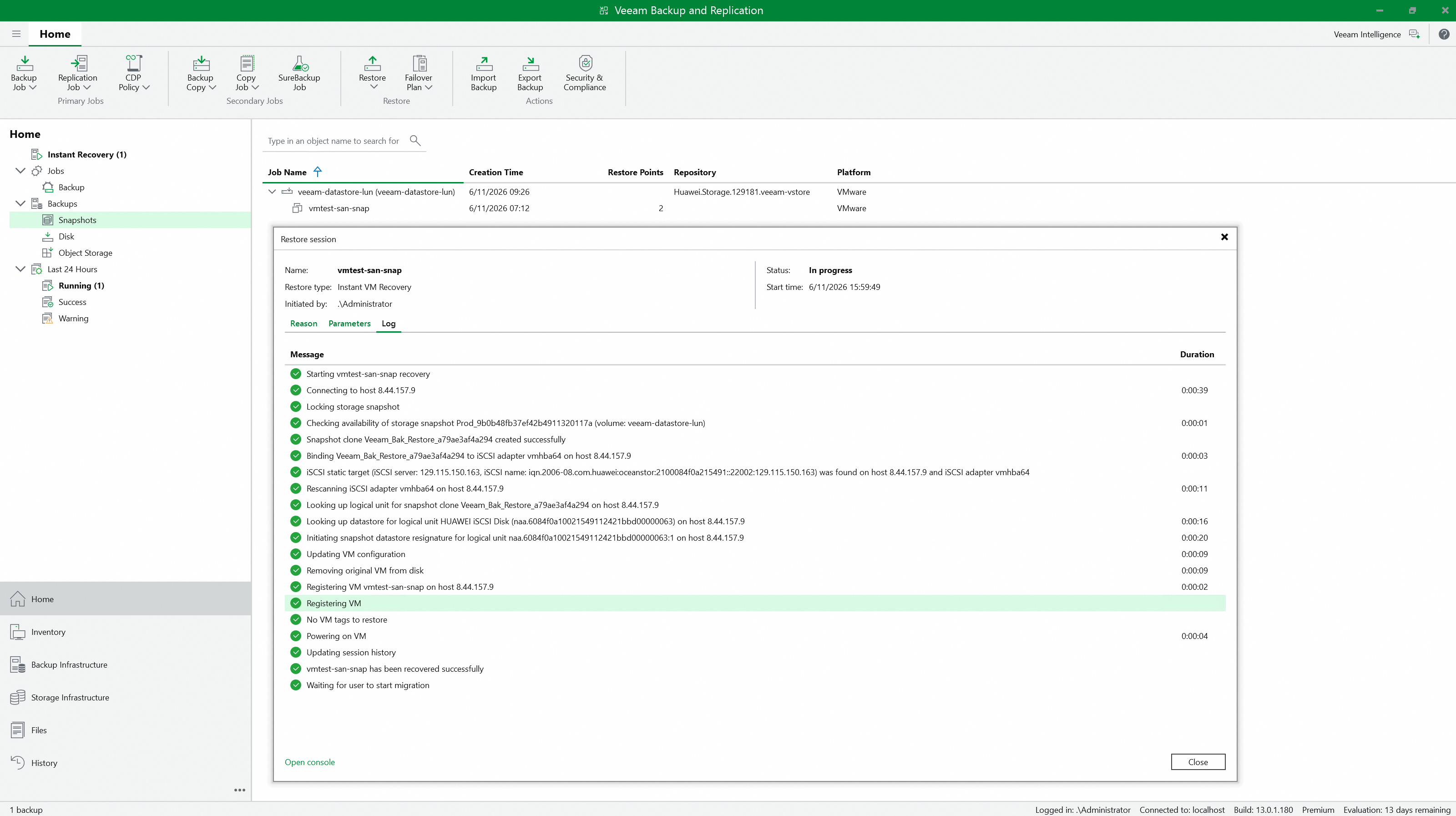 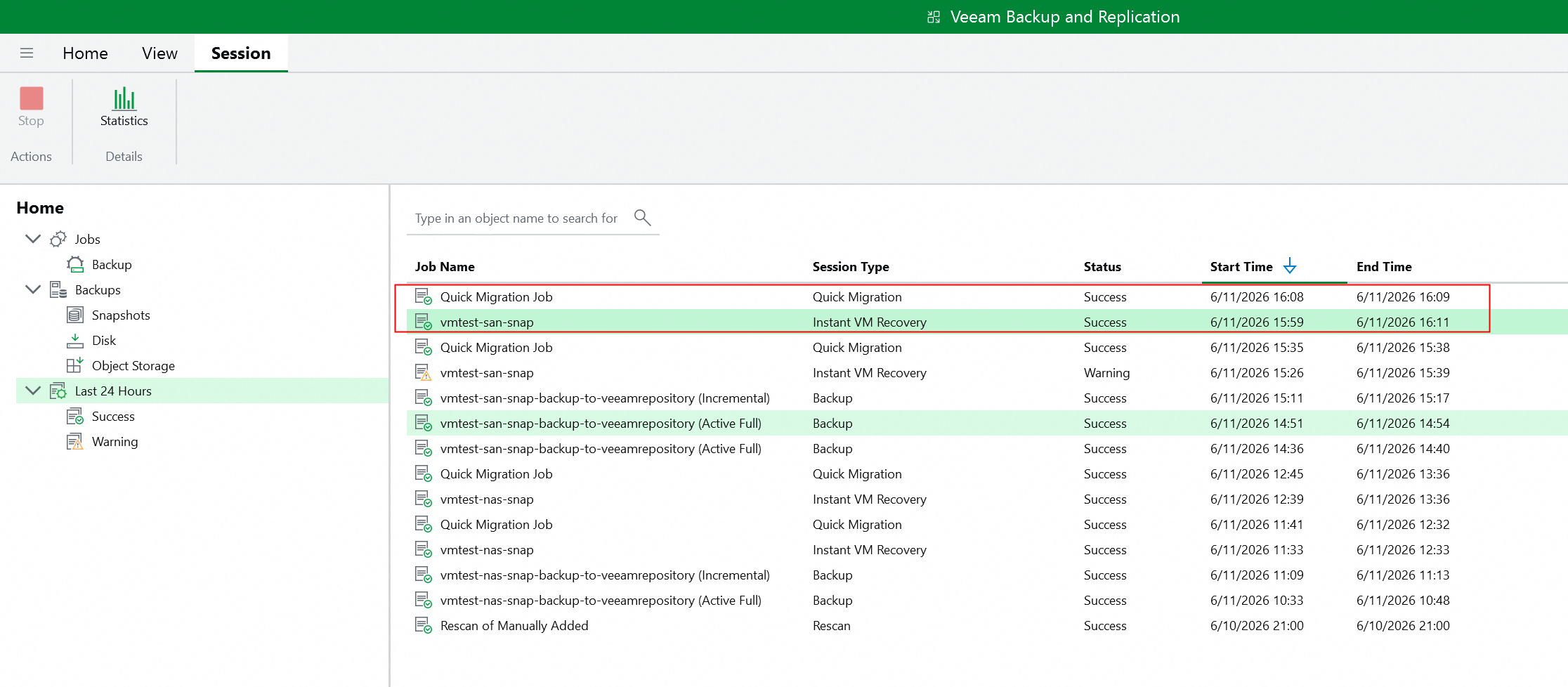
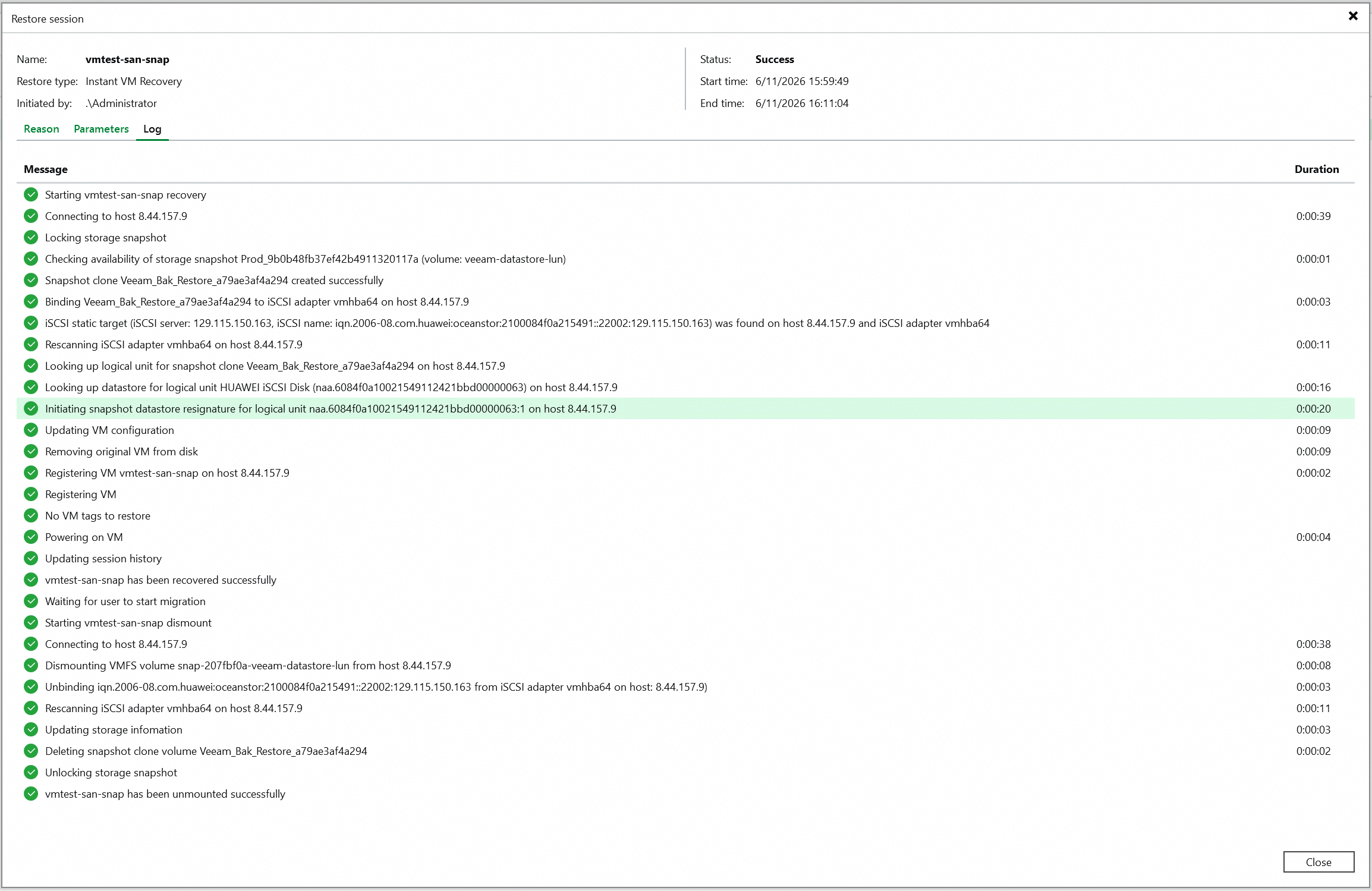
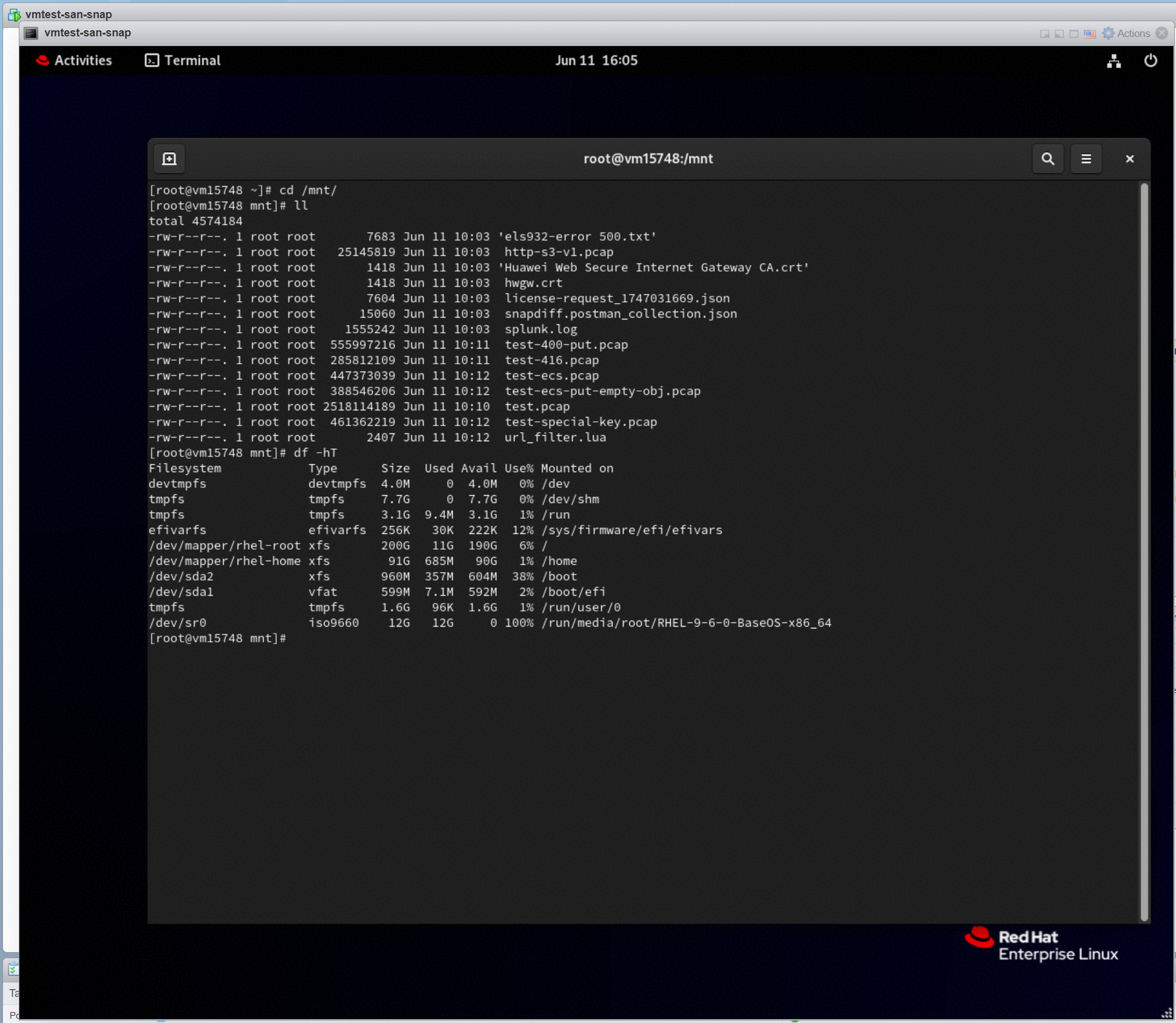
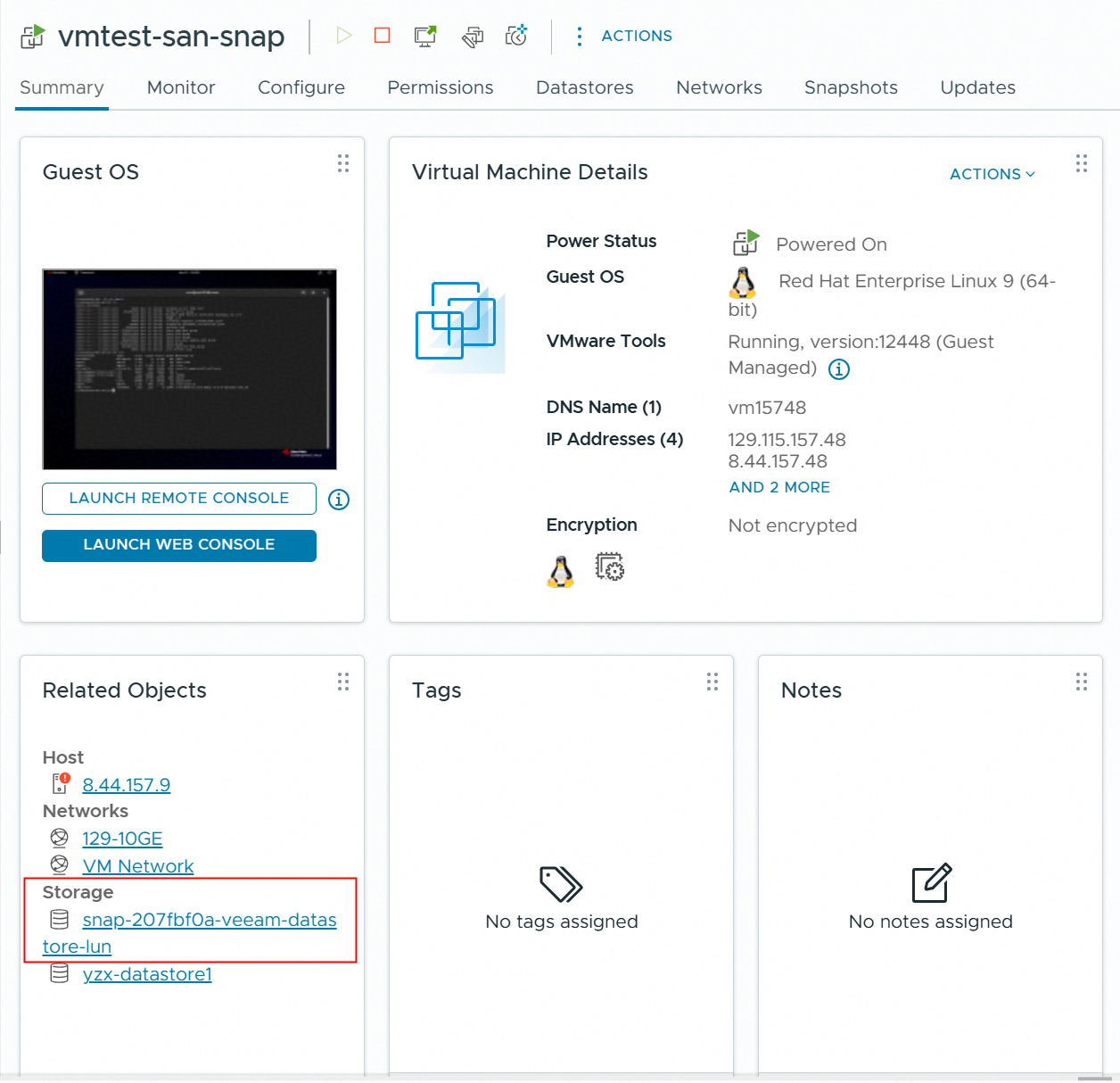
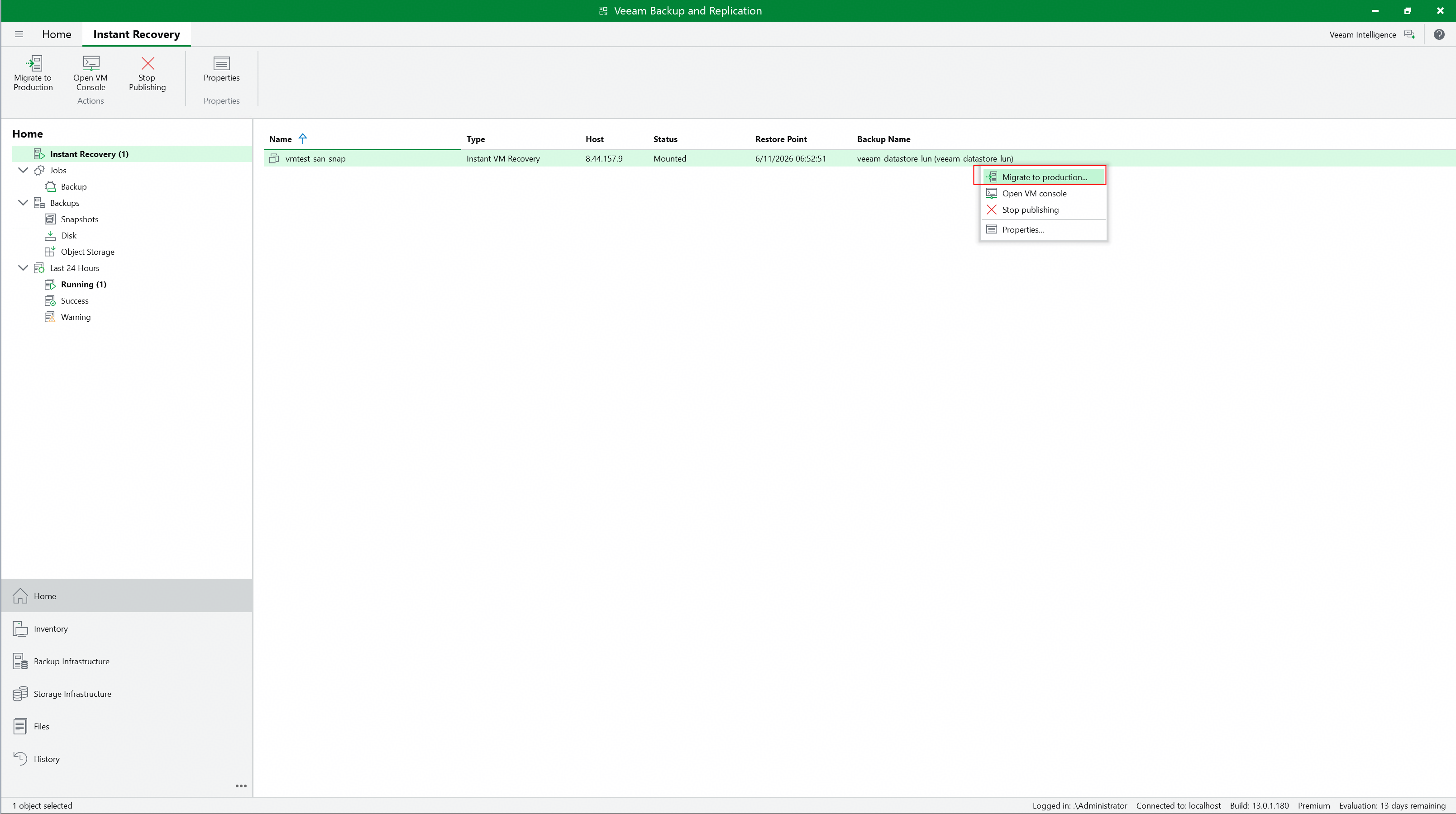 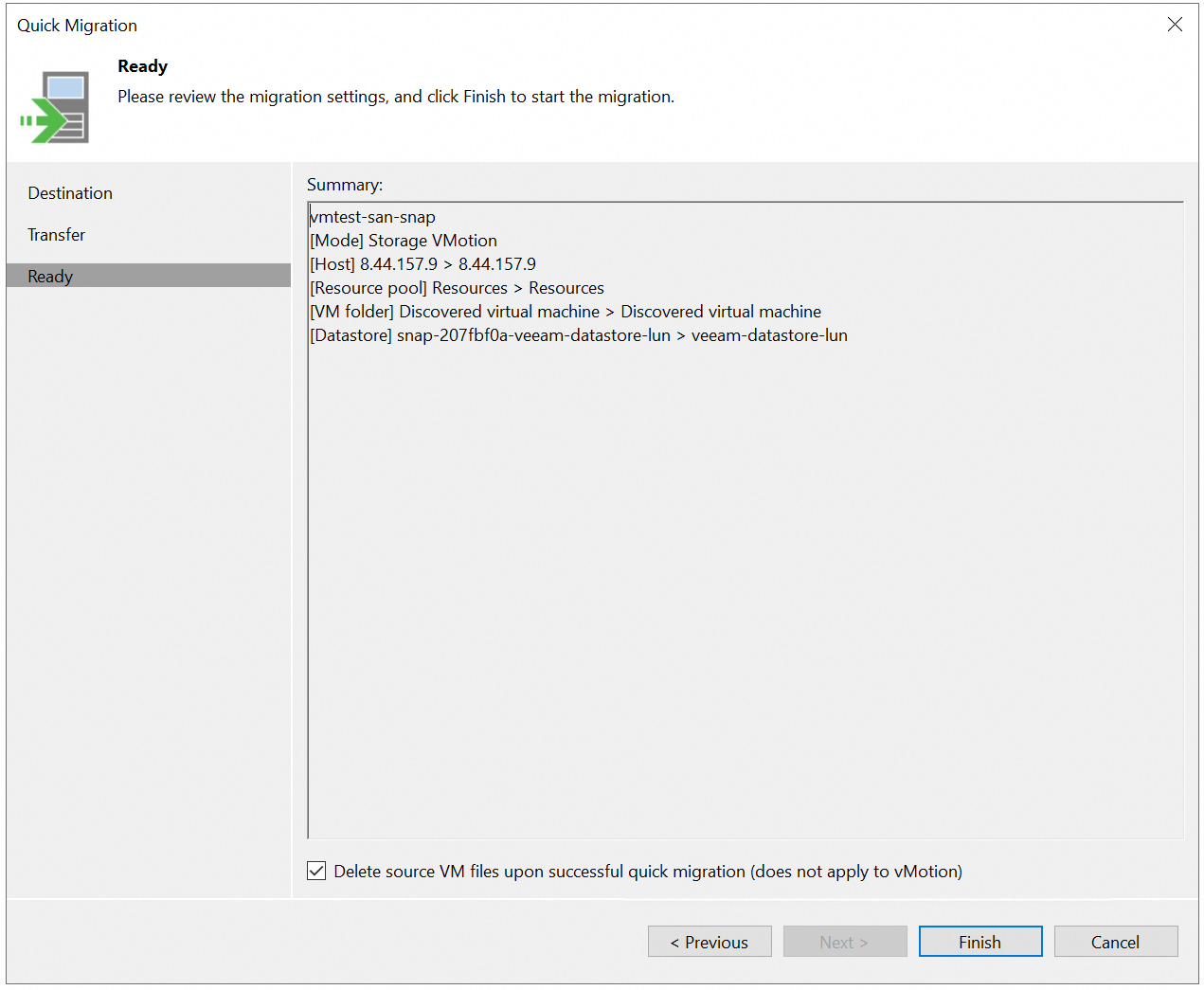 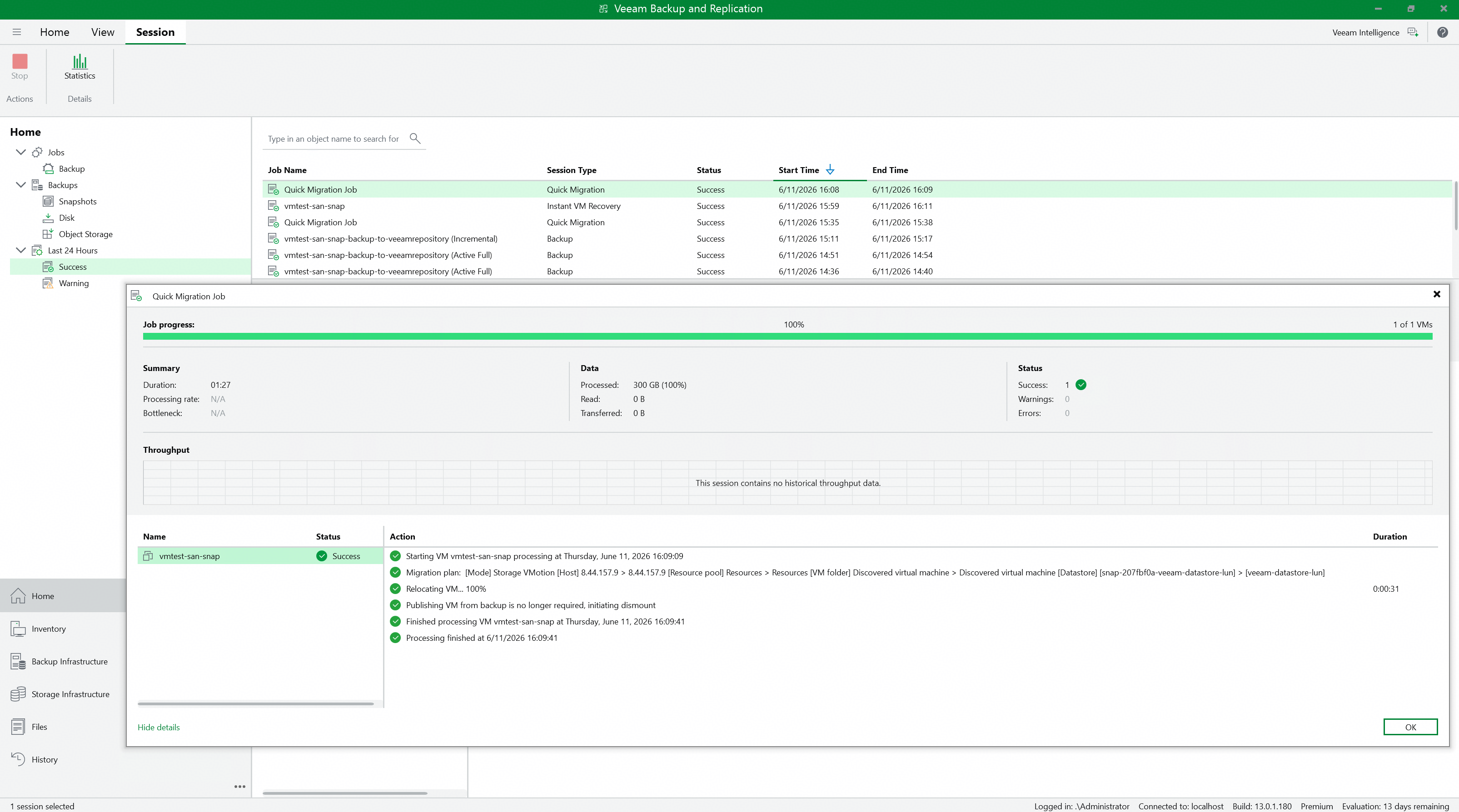 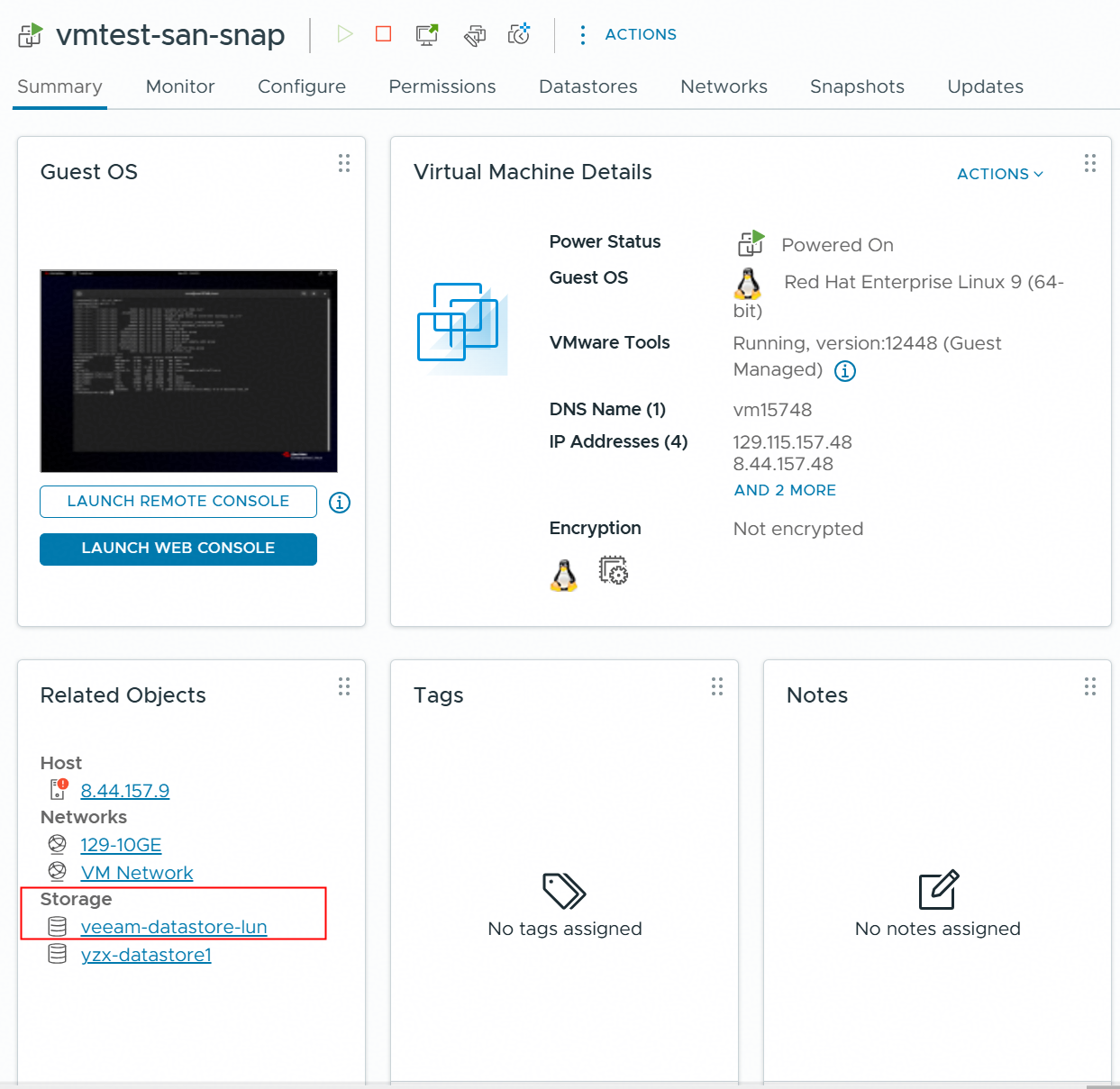 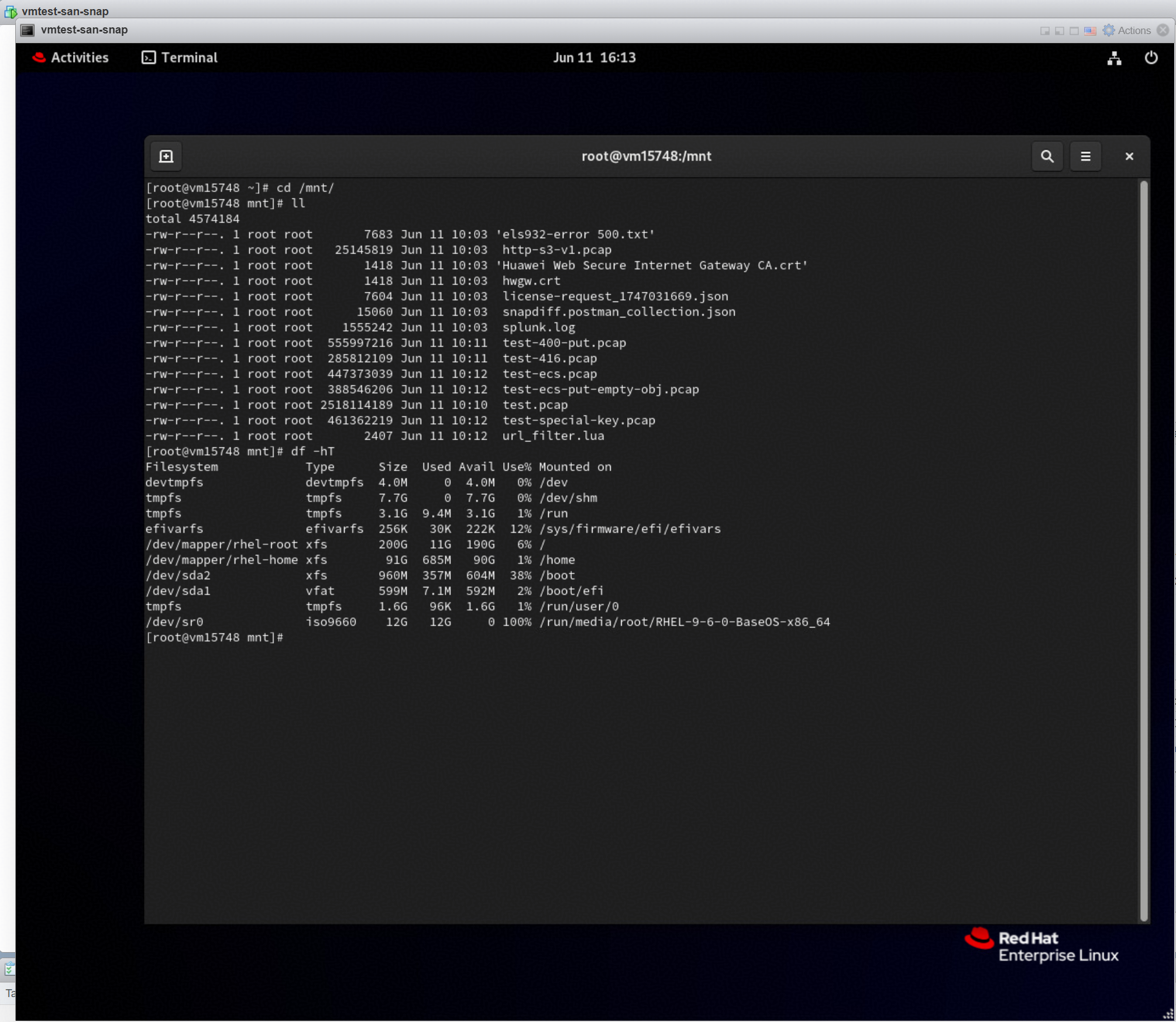
|
Test Conclusion | Passed |
4. Verify that Veeam backup and restore VM from Huawei OceanStor flash storage Snapshots using the Huawei plugin (NAS Network)
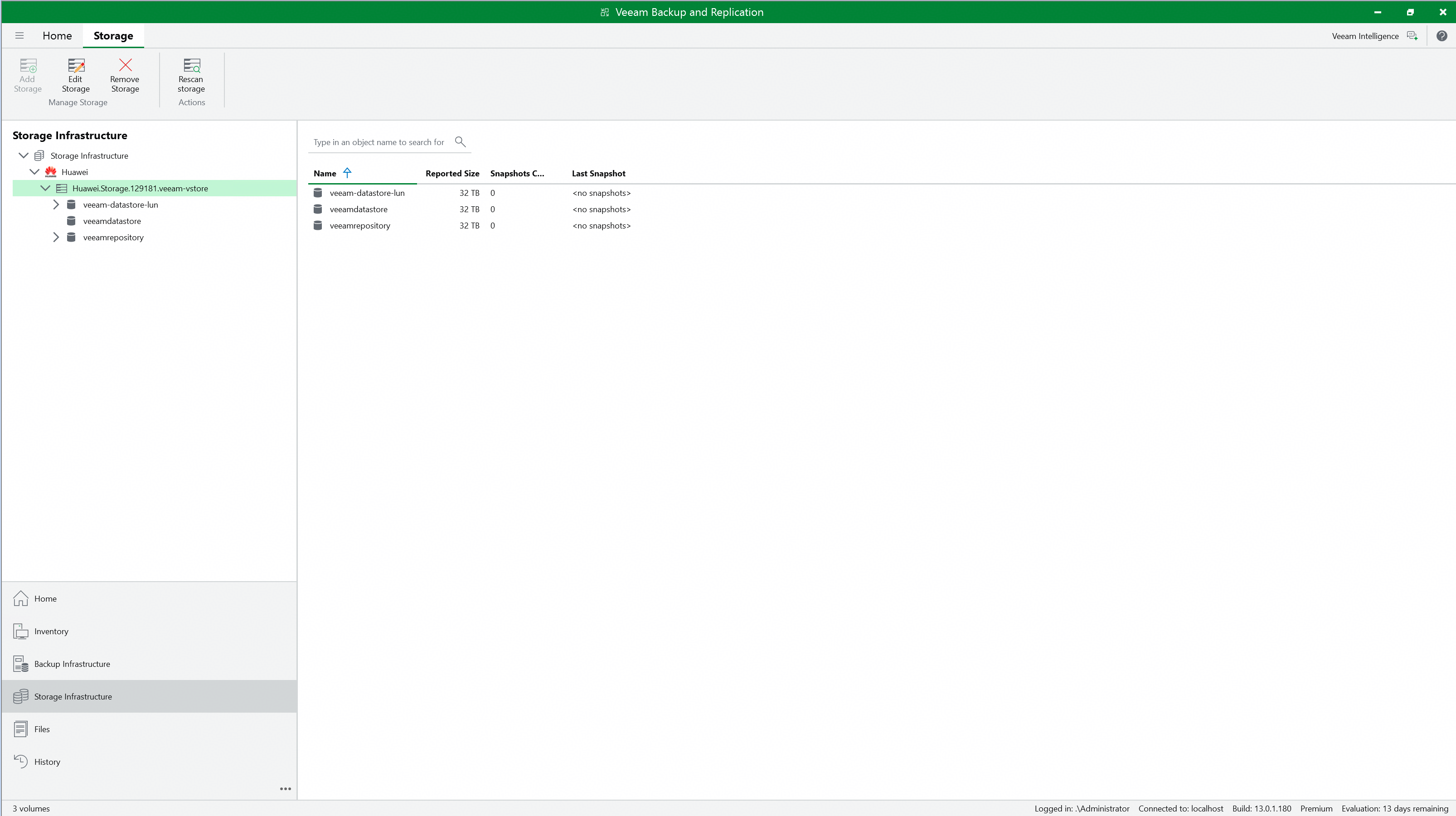
4.1 Add the Huawei OceanStor flash storage on the Veeam Backup & Replication console.
Test Purpose | To verify that Huawei OceanStor flash storage can be added to the Veeam backup server through NFS protocol. |
Test Network | Huawei OceanStor flash storage and Veeam Backup & Replication Test Network. |
Prerequisites |
|
Test Procedure |
|
Expected Result |
|
Test Results |
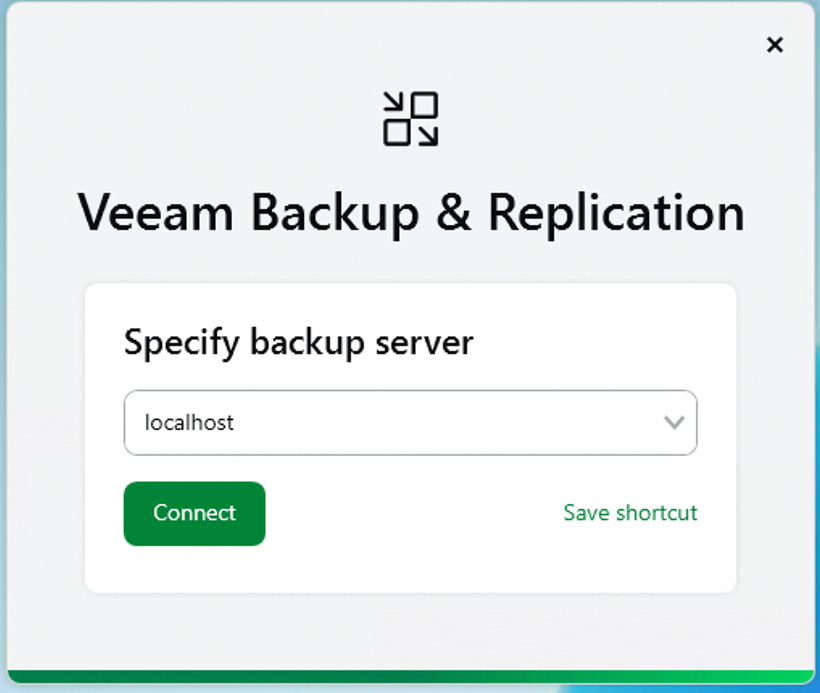
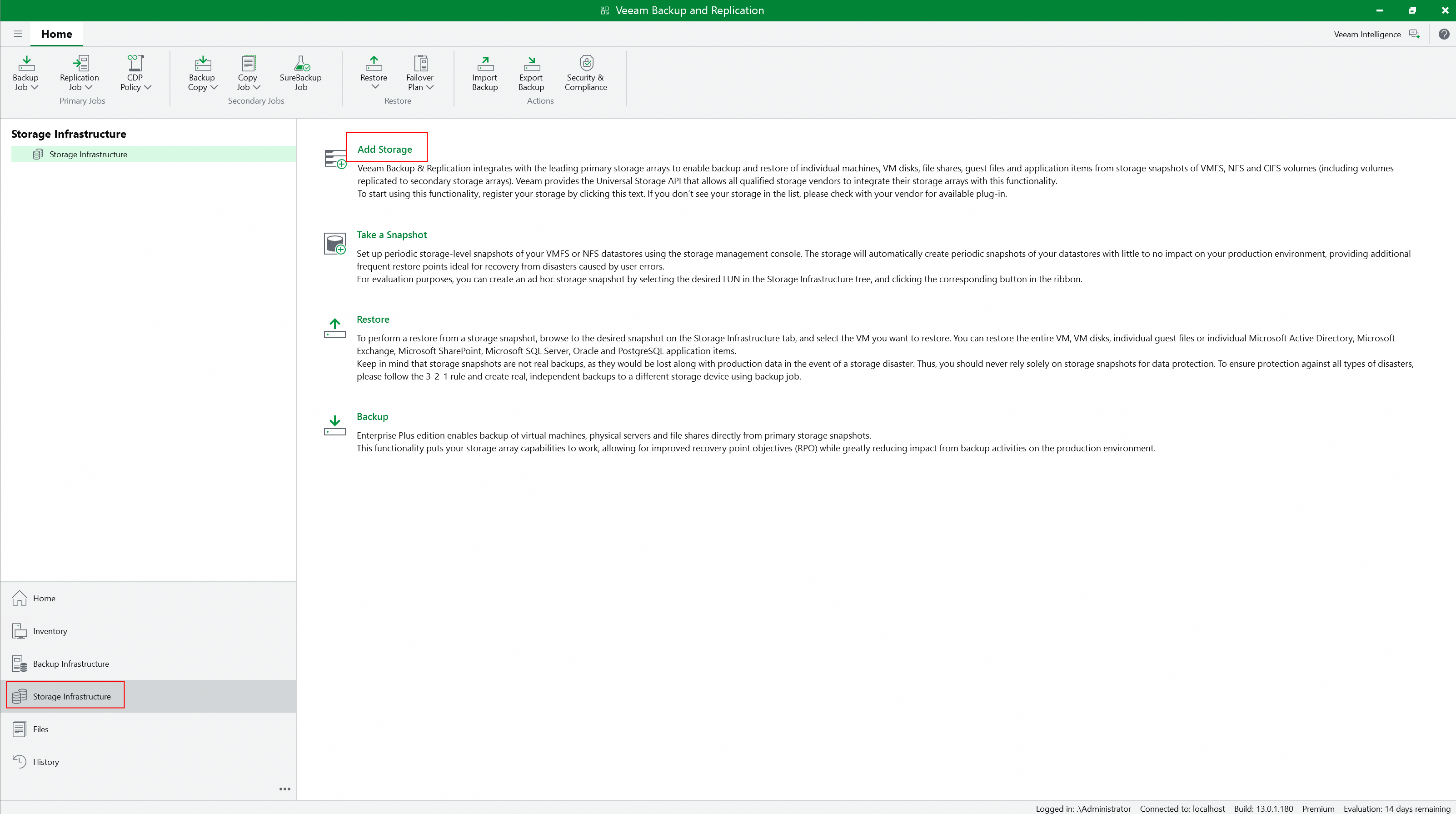
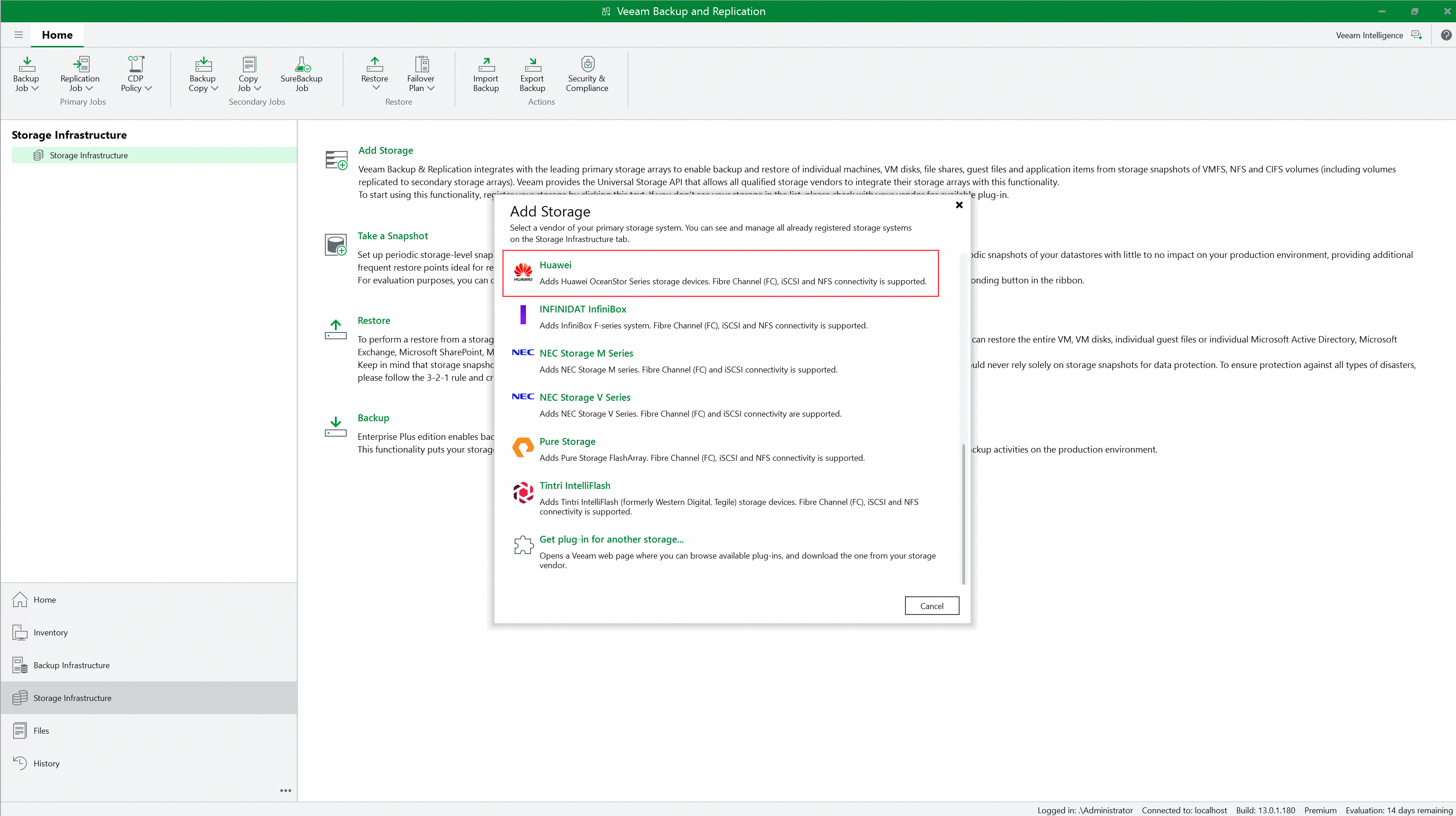
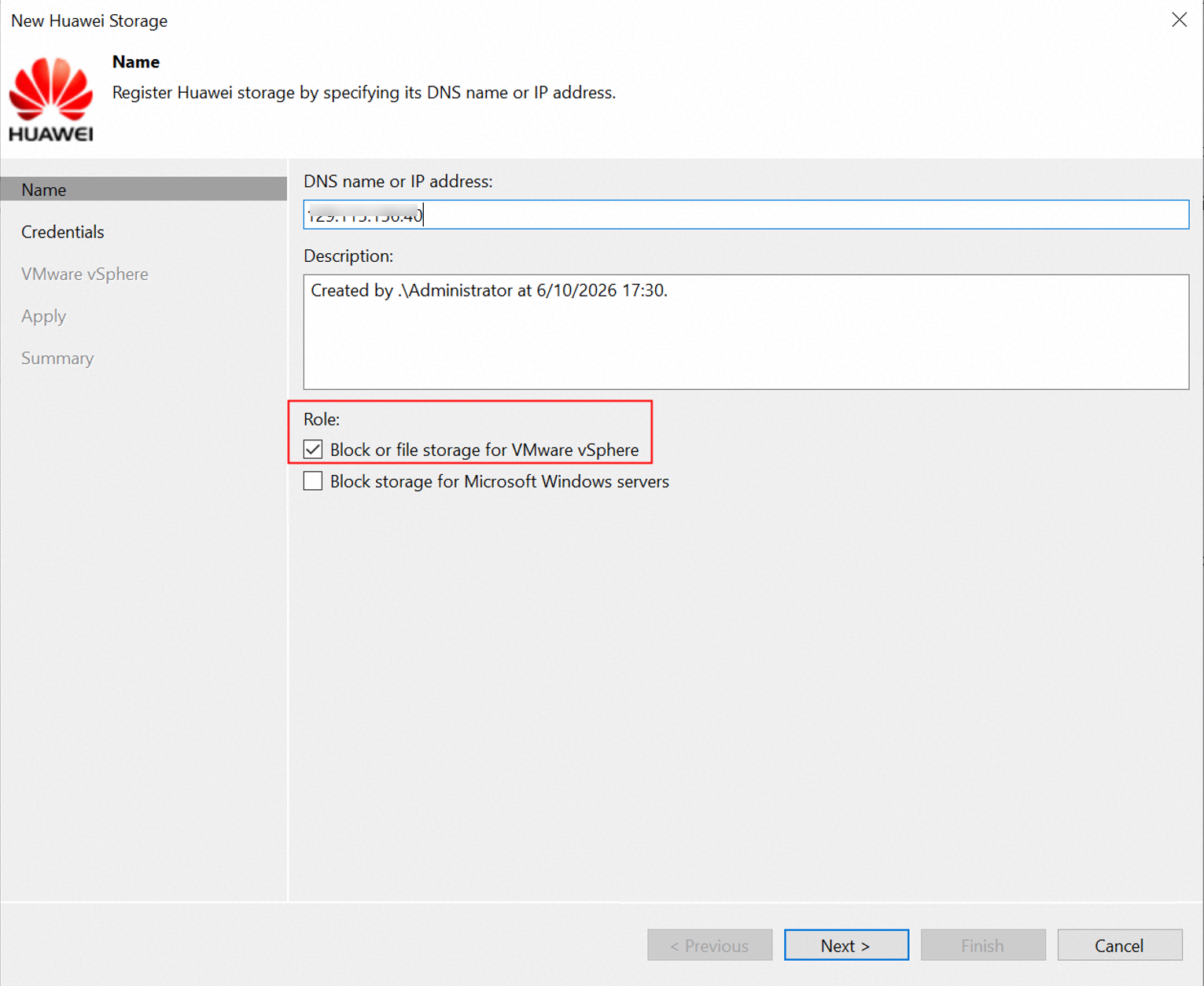
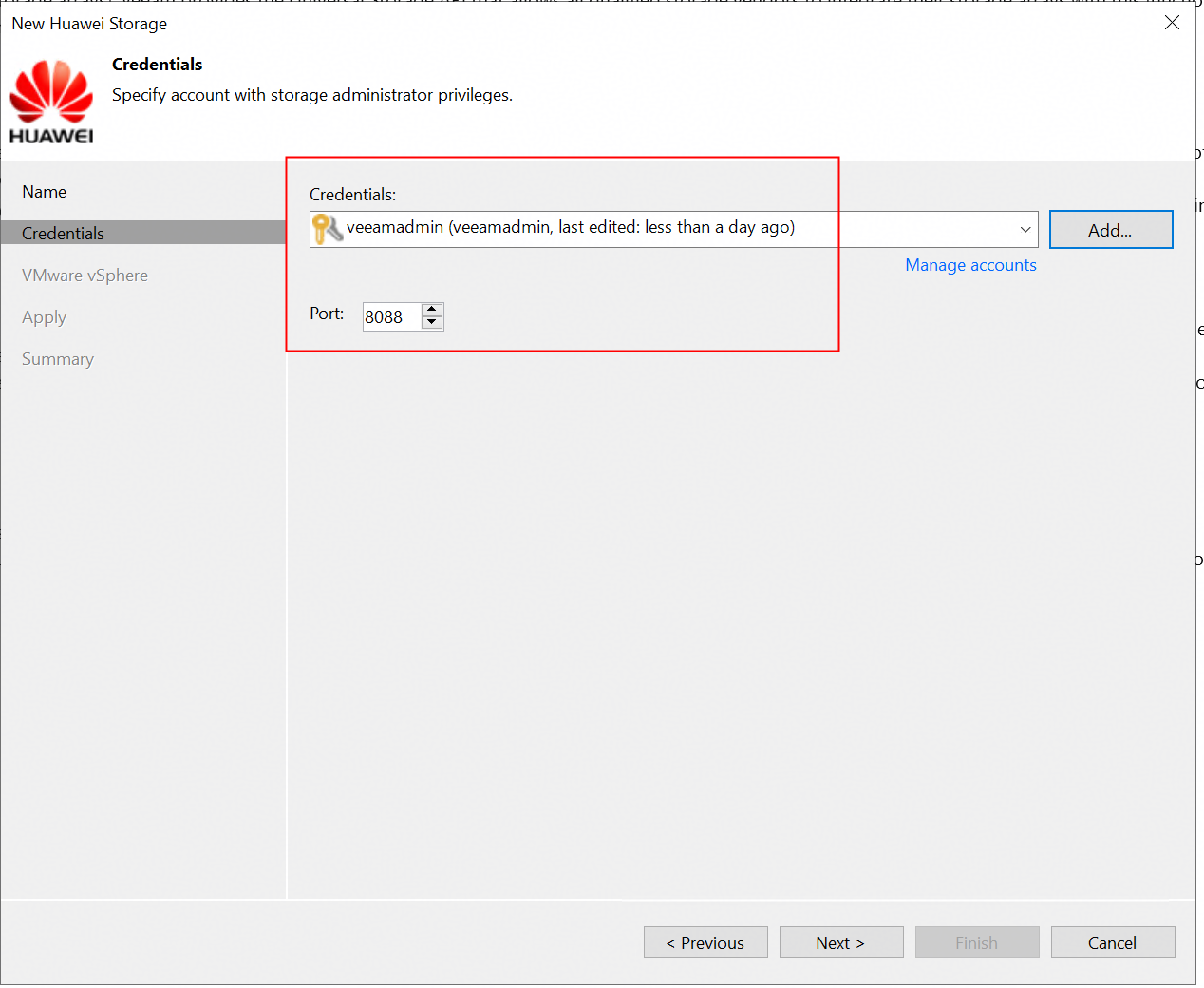
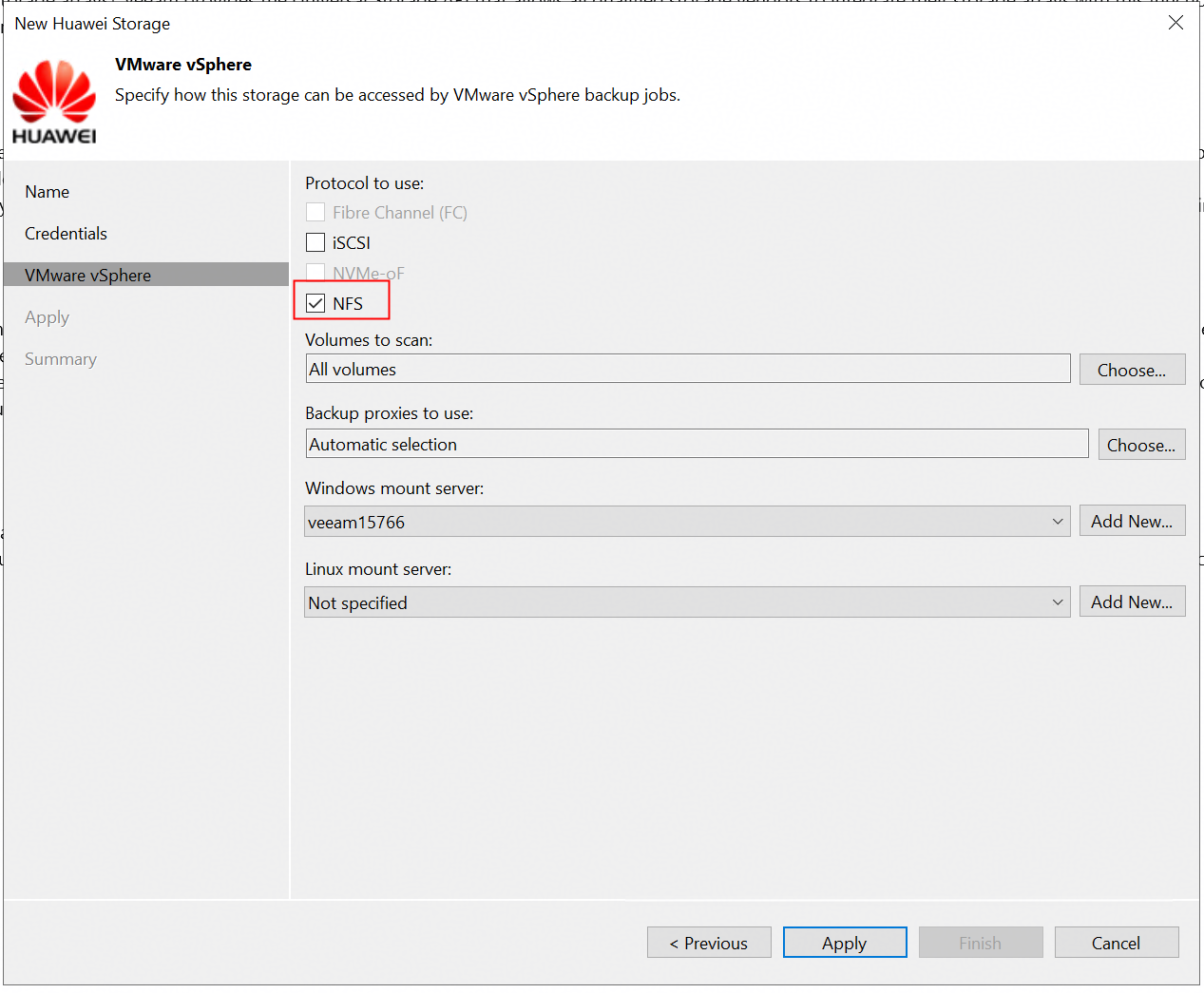
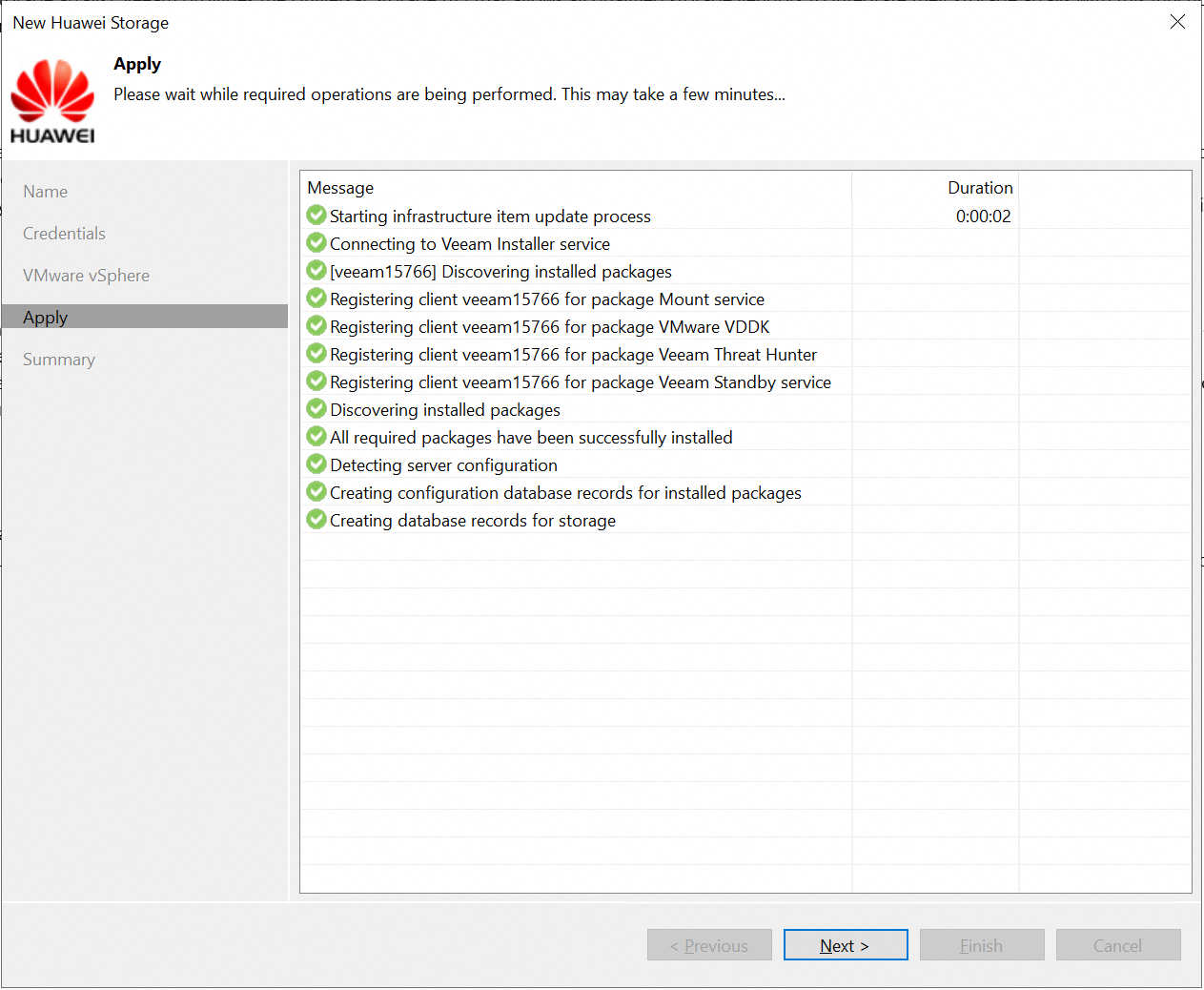
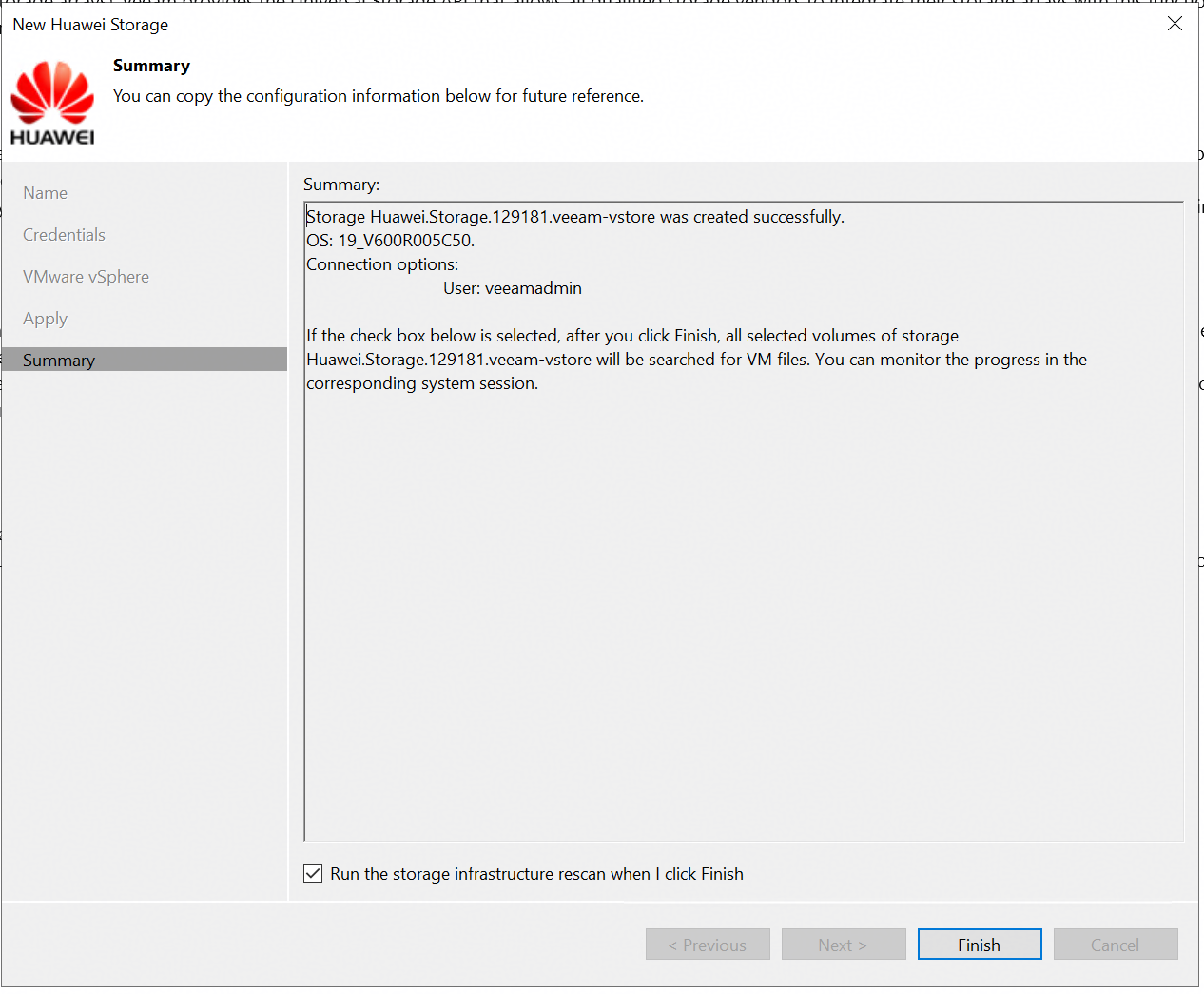 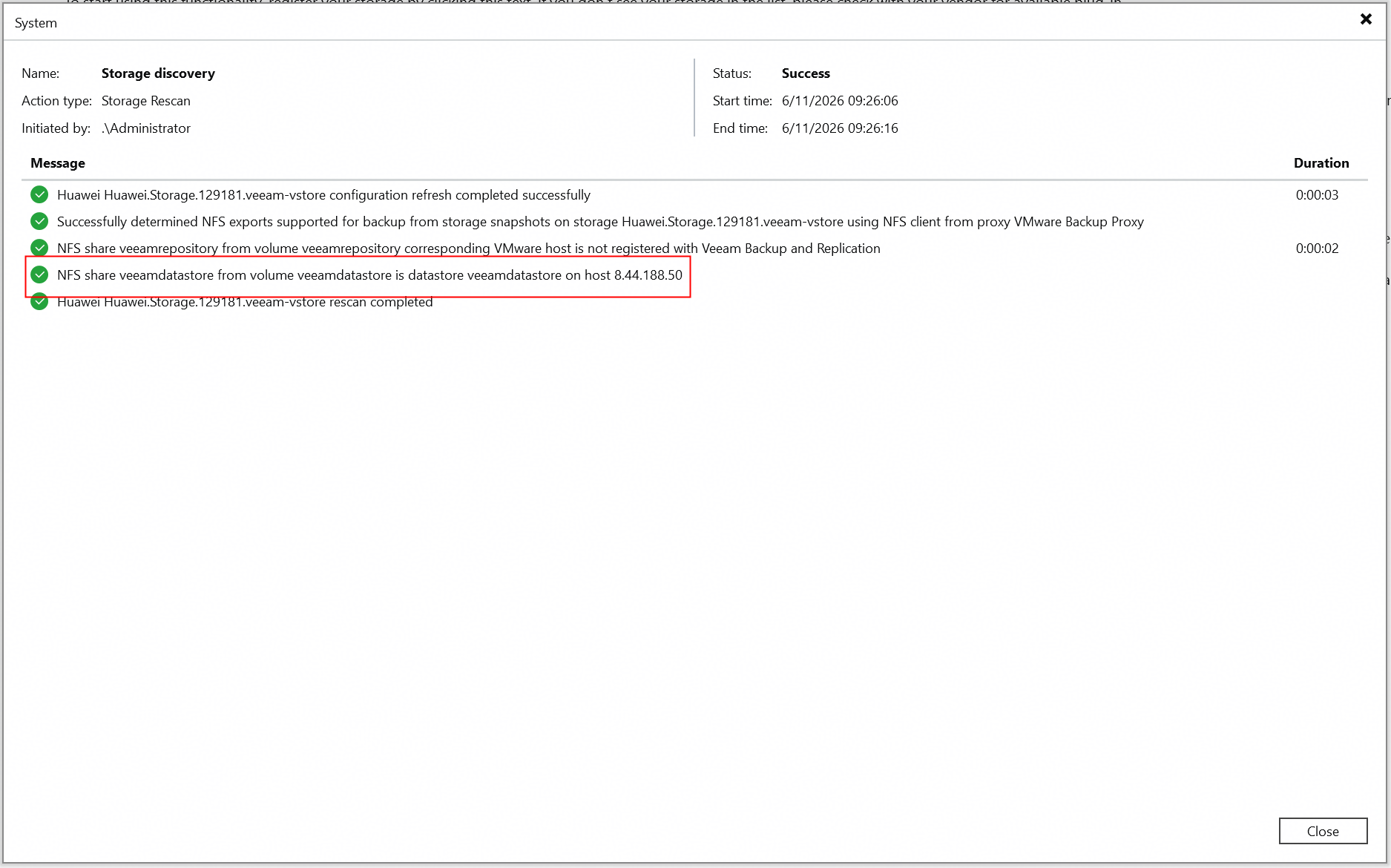
|
Test Conclusion | Passed |
4.2 Full back up the VM from Huawei OceanStor flash storage Snapshots
Test Purpose | To verify that the Veeam backup server can full back up the VM from Huawei OceanStor flash storage Snapshots using the Huawei plugin. |
Test Network | Huawei OceanStor flash storage and Veeam Backup & Replication Test Network. |
Prerequisites |
|
Test Procedure |
|
Expected Result |
|
Test Results |
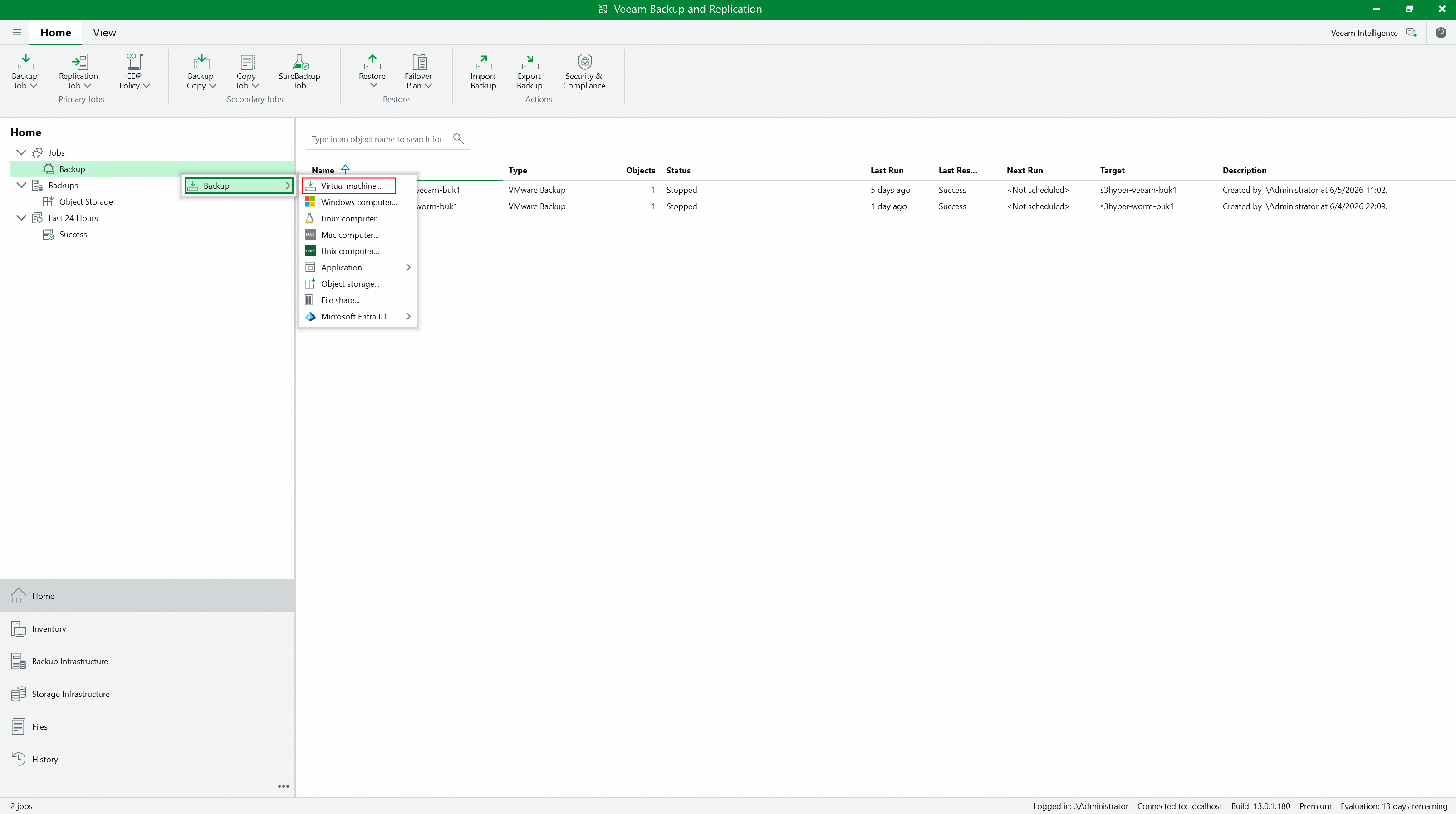 2. Enter the backup job name, and next. 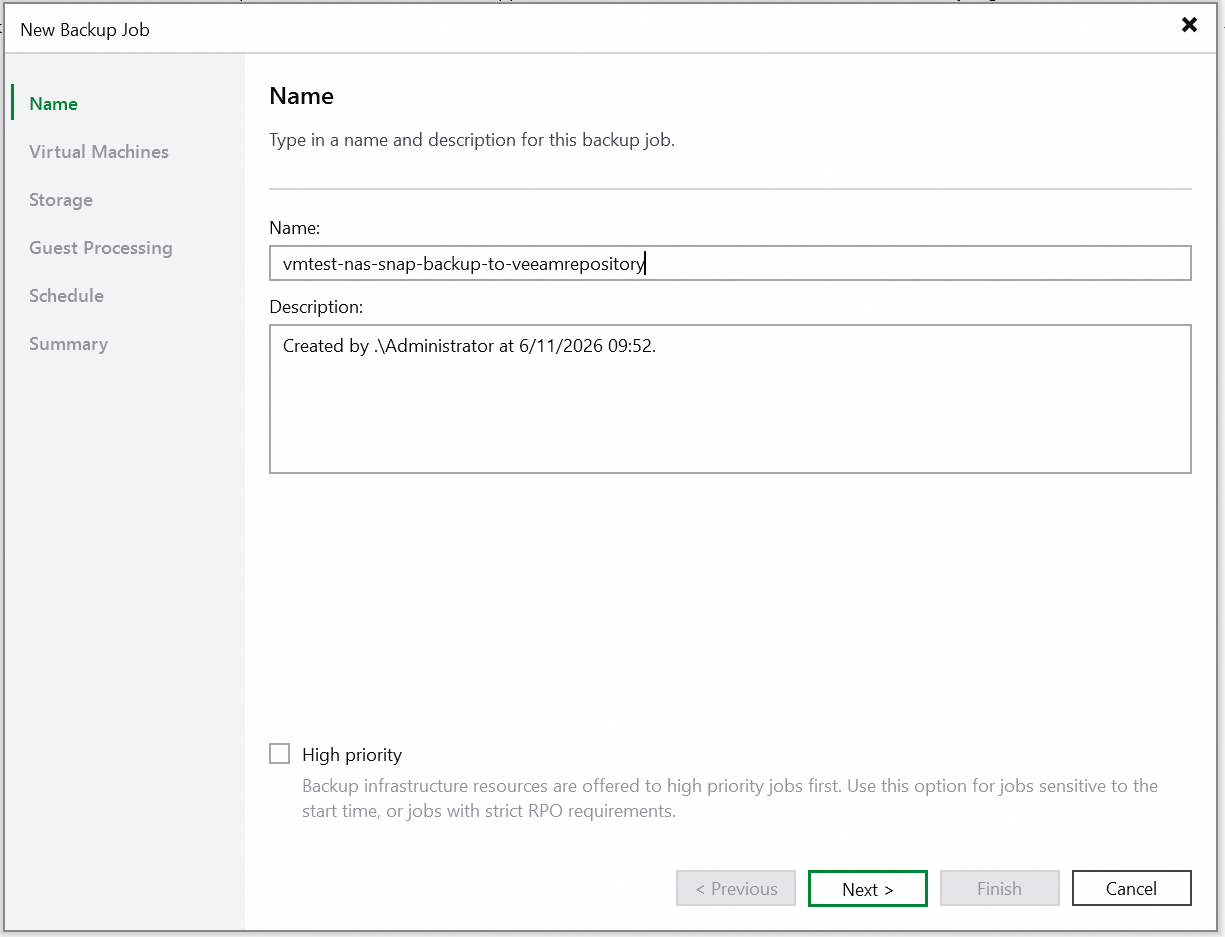 3. Select the VM to be backed up, and next. 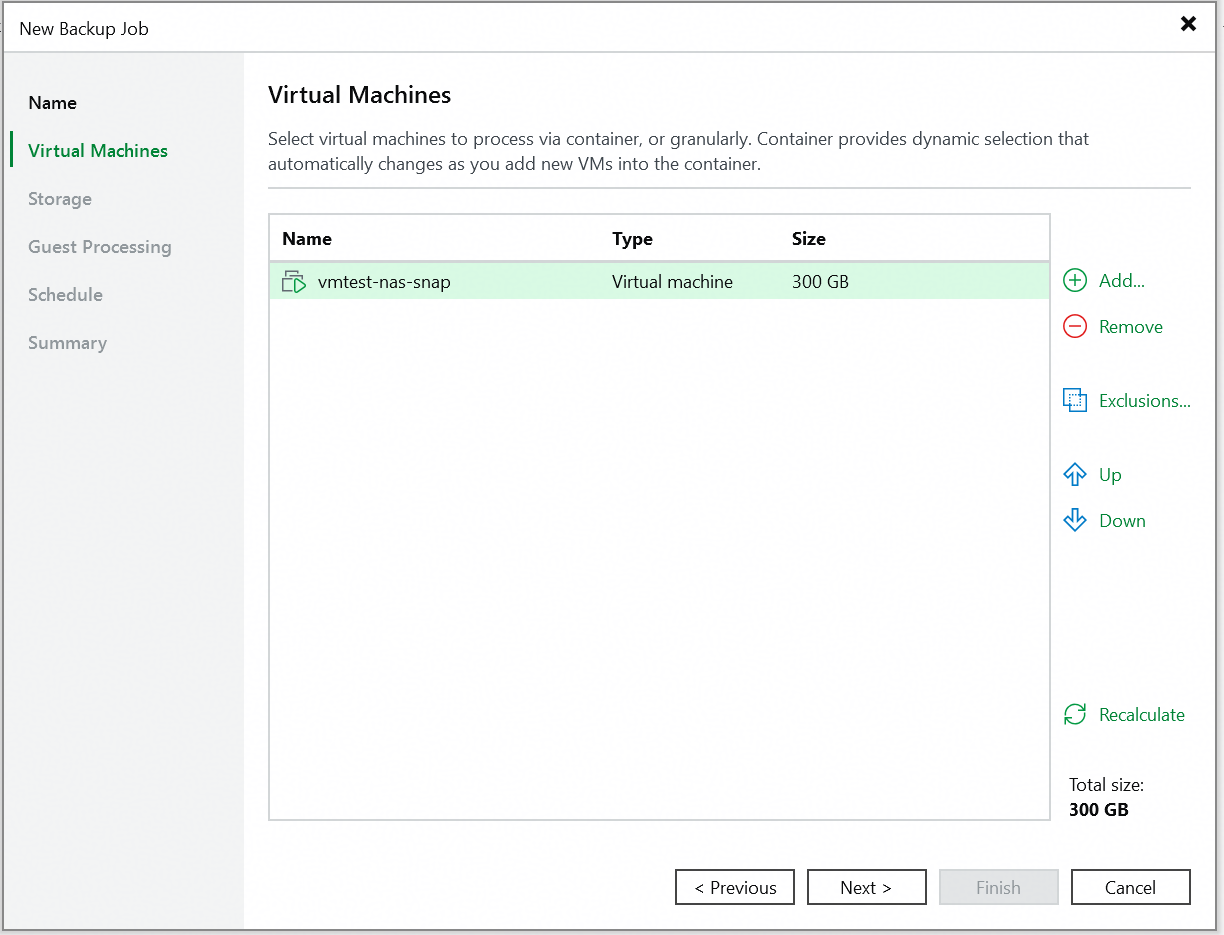 Initial state of the VM. 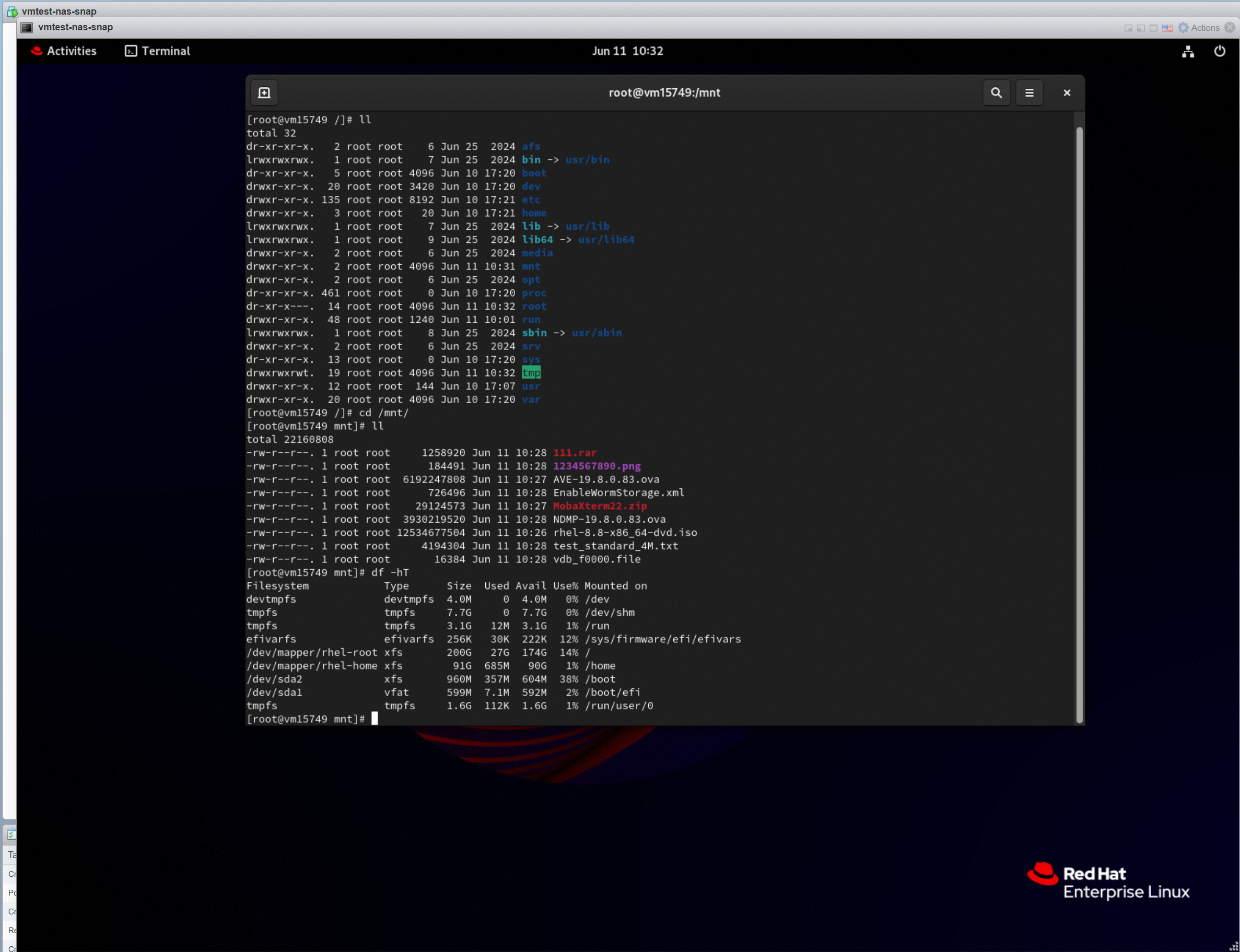 4.Select the added backup repository, and select the configure secondary destinations for this job. Retain the default settings for other parameters, and next. 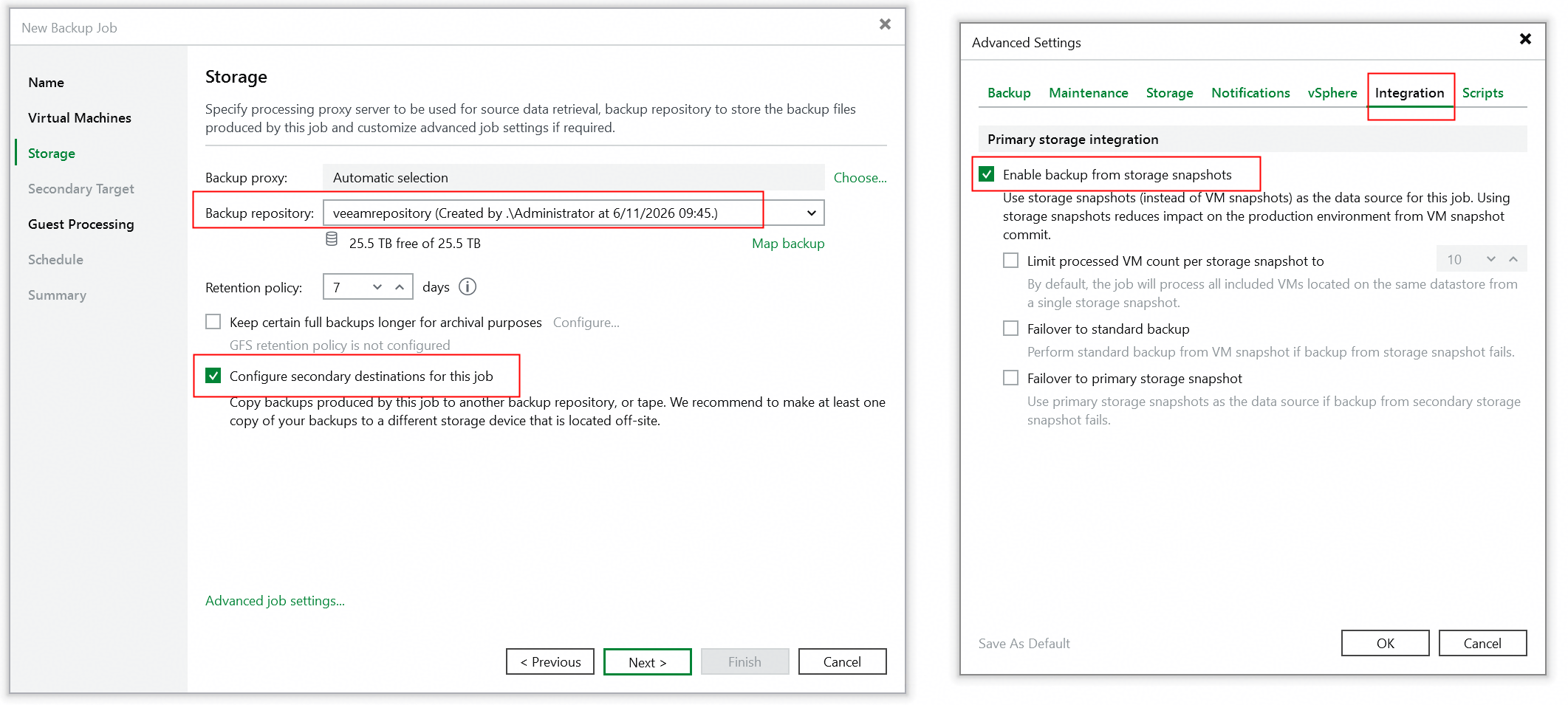 5. Click the Add and select the Huawei Snapshot to create the secondary destinations job, and next. 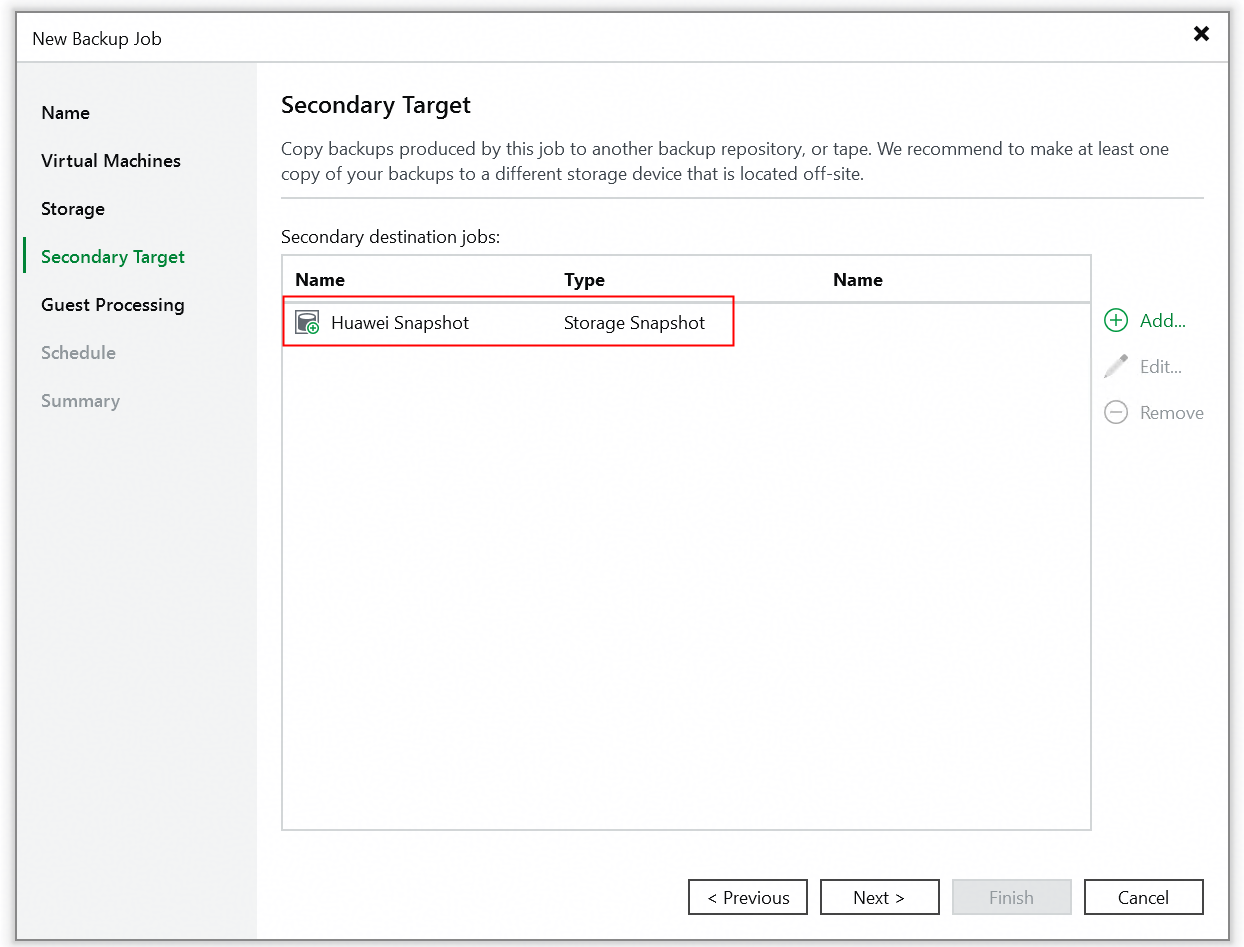 6. Click Next until the configuration is finished. 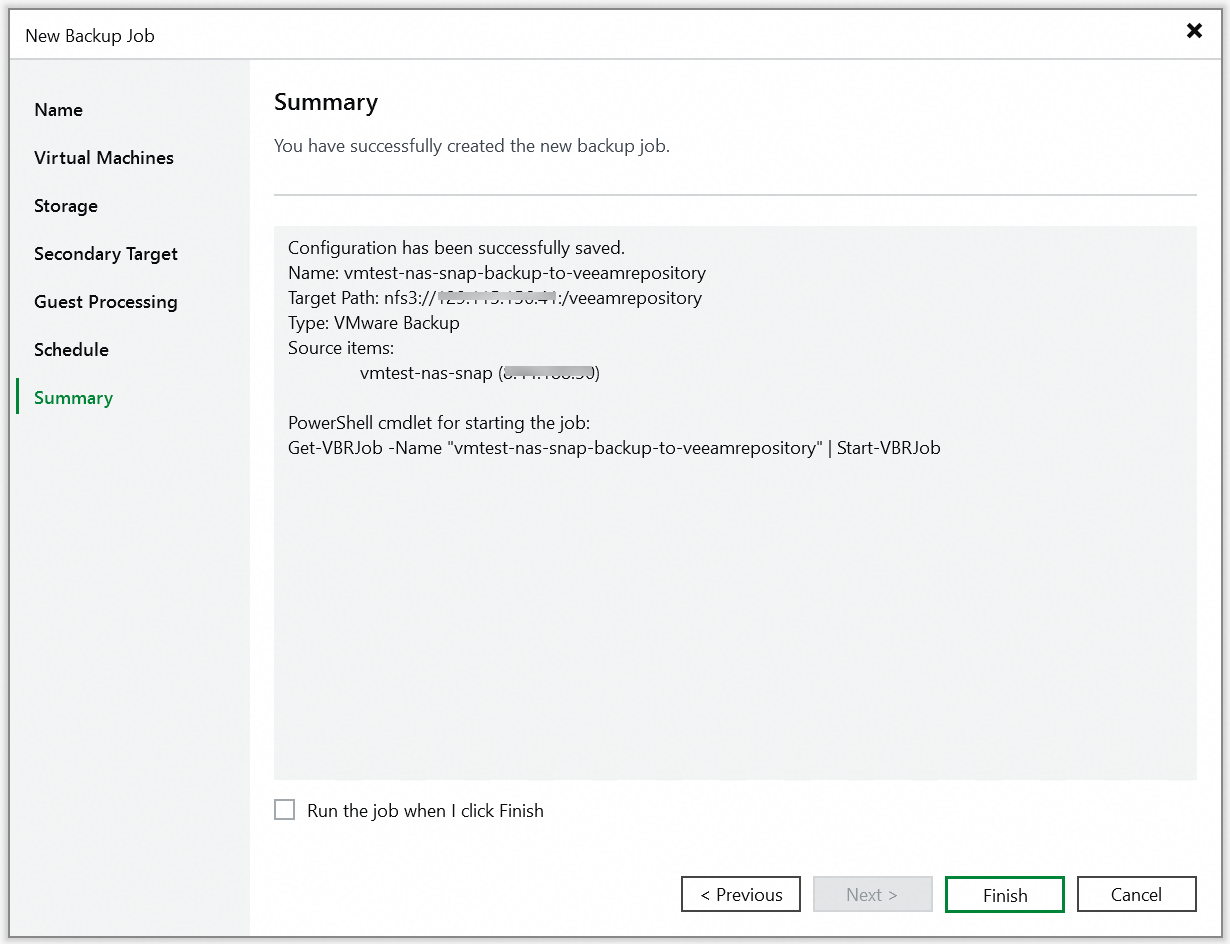 7. Right-click and start the added backup job. 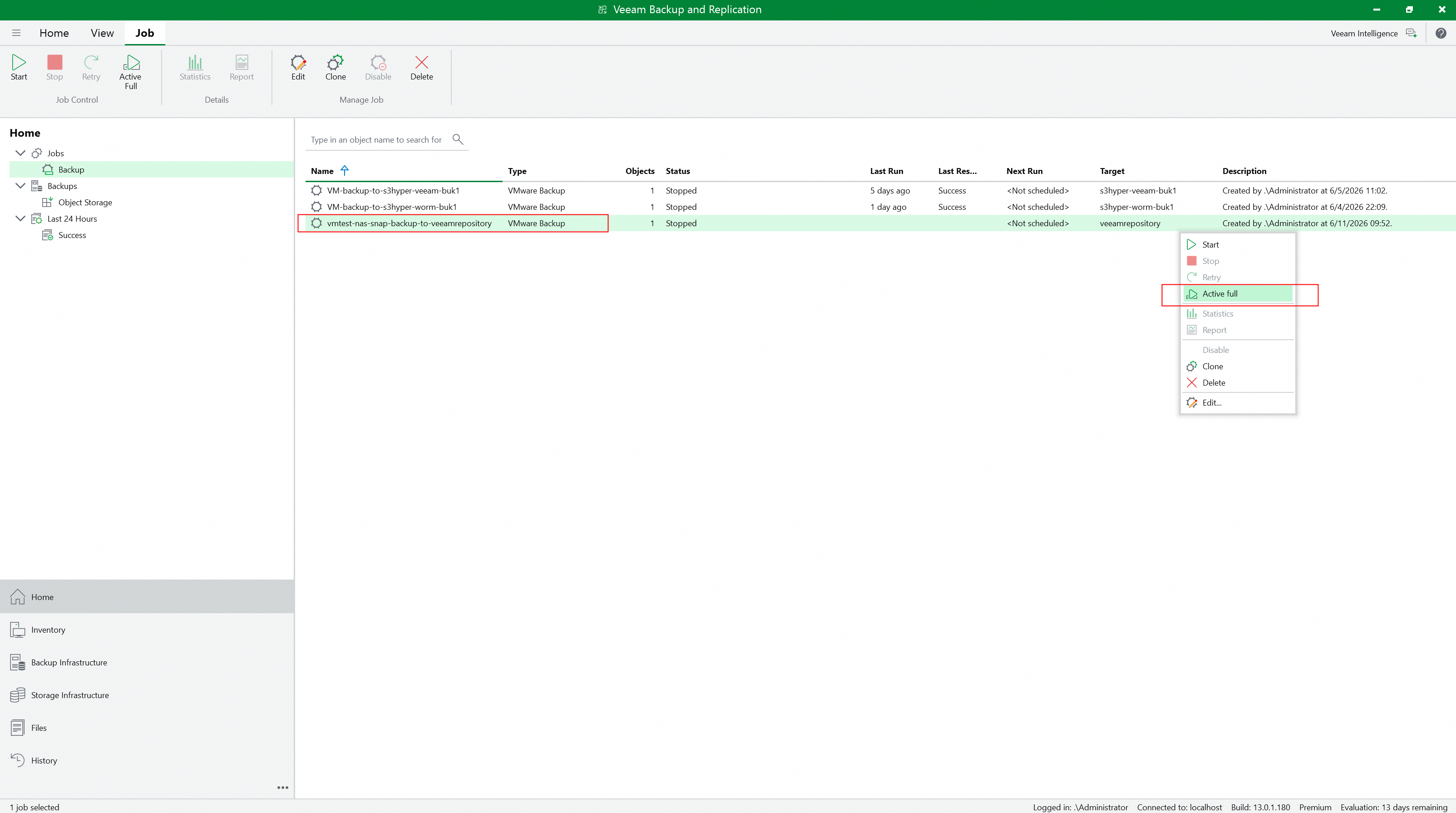 8. Check the full backup job status on the Veeam backup server. 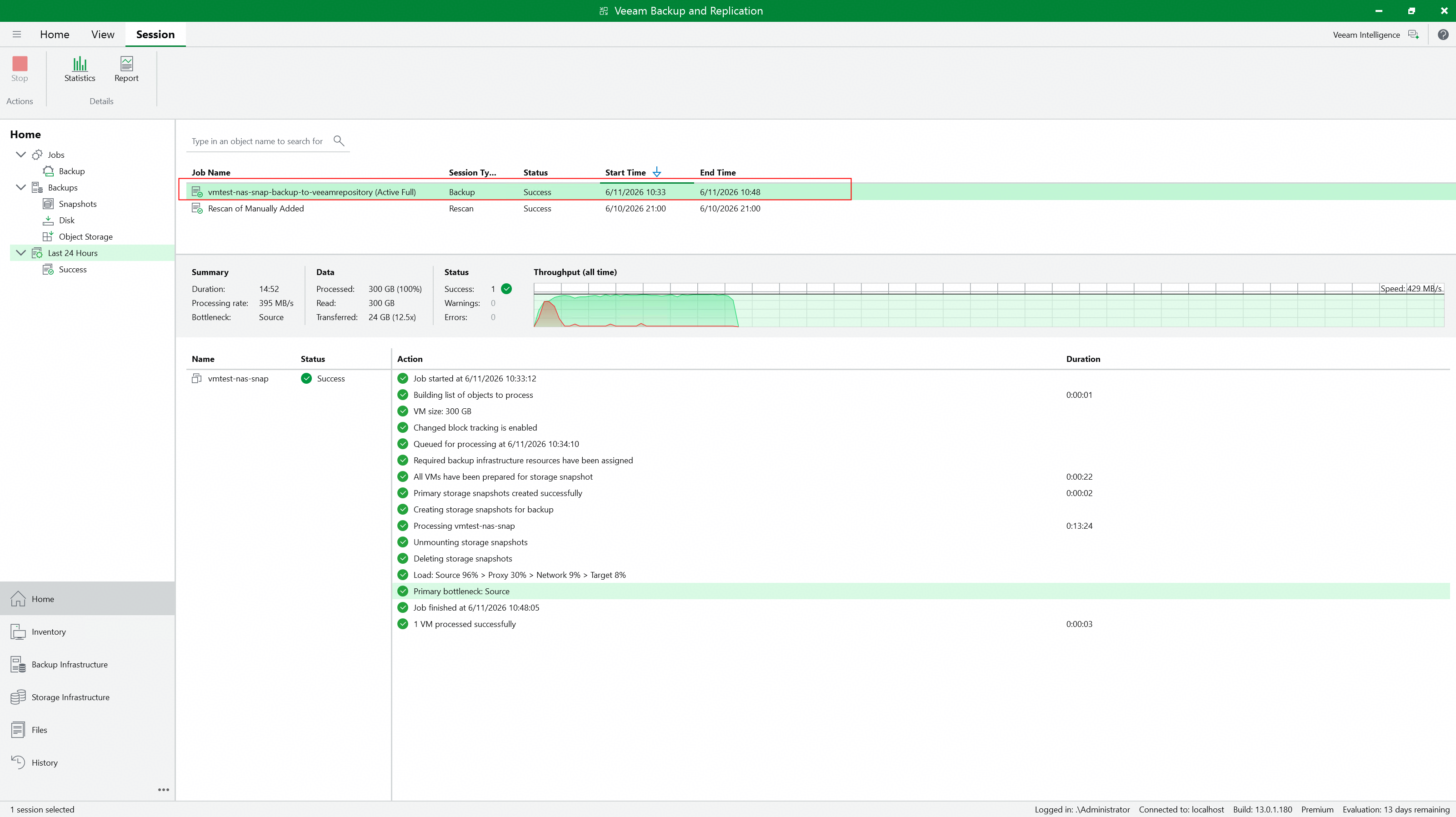 9. Check the full backup job details to confirm whether to perform snapshot backup. 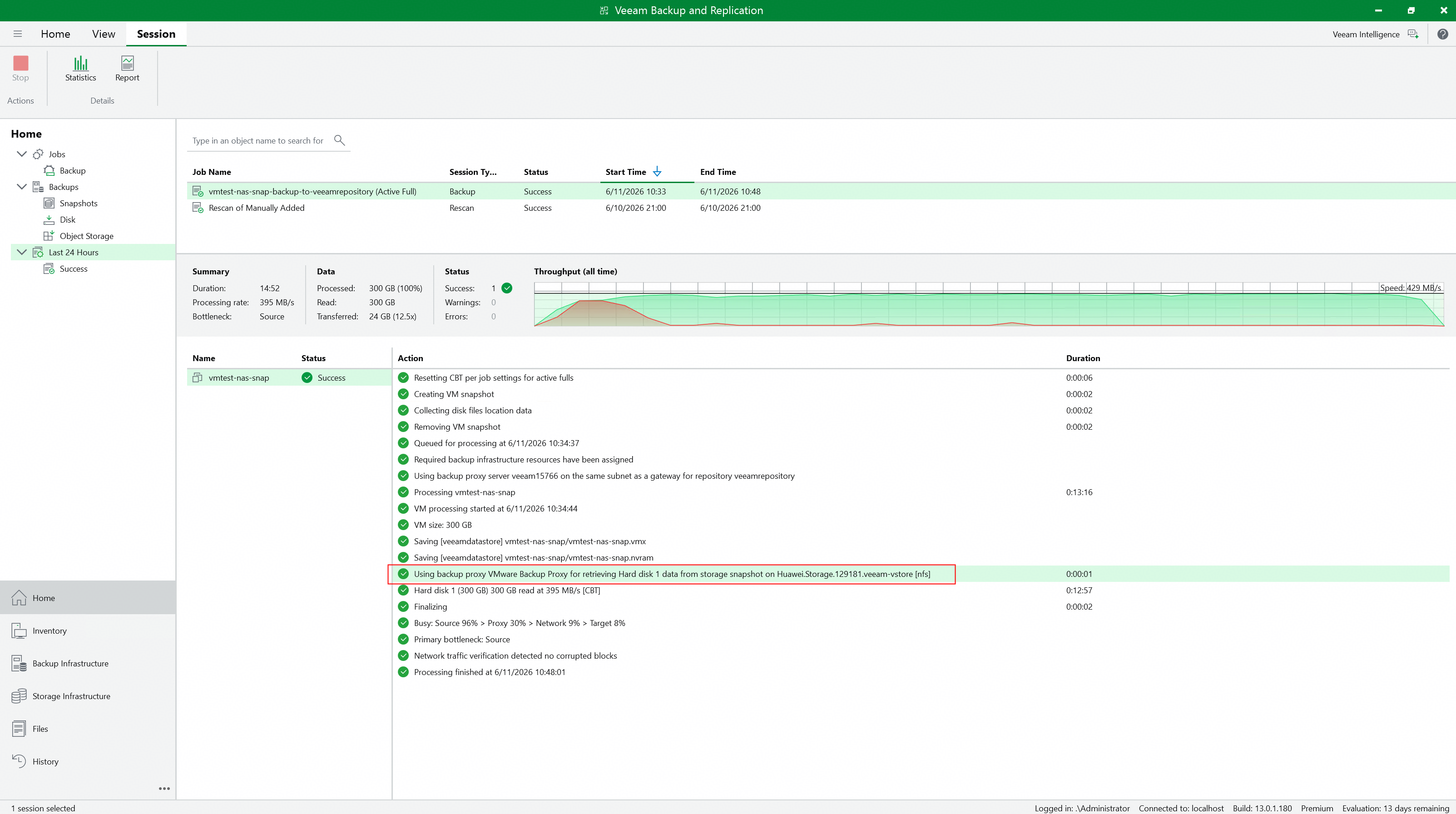 10. Check whether Huawei OceanStor flash storage generates and retains the Prod snapshot created by Veeam. 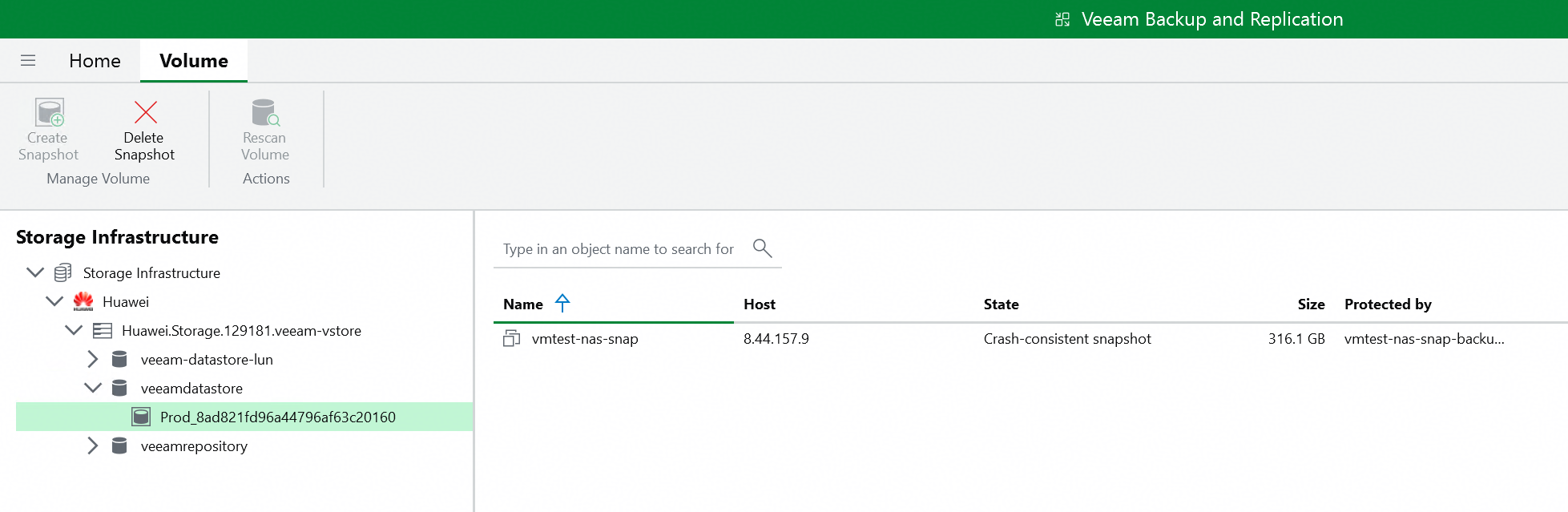 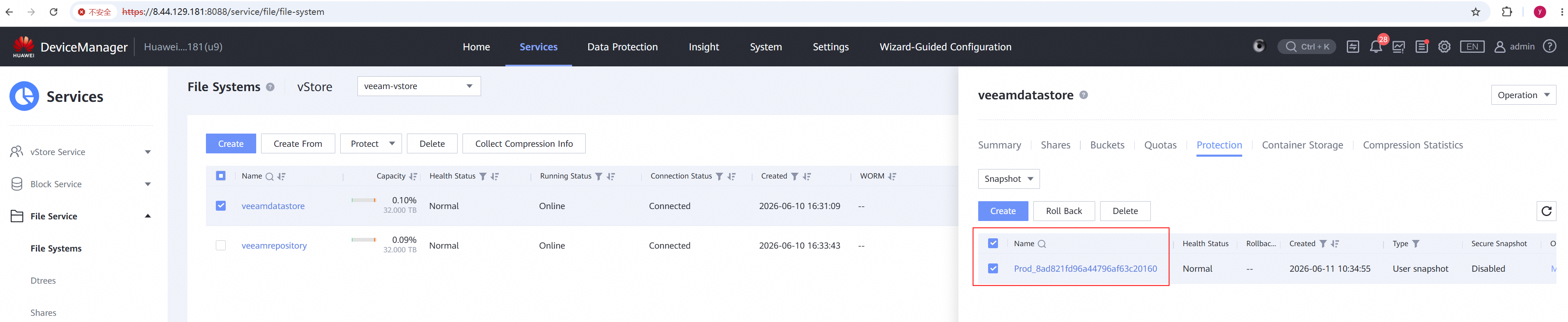 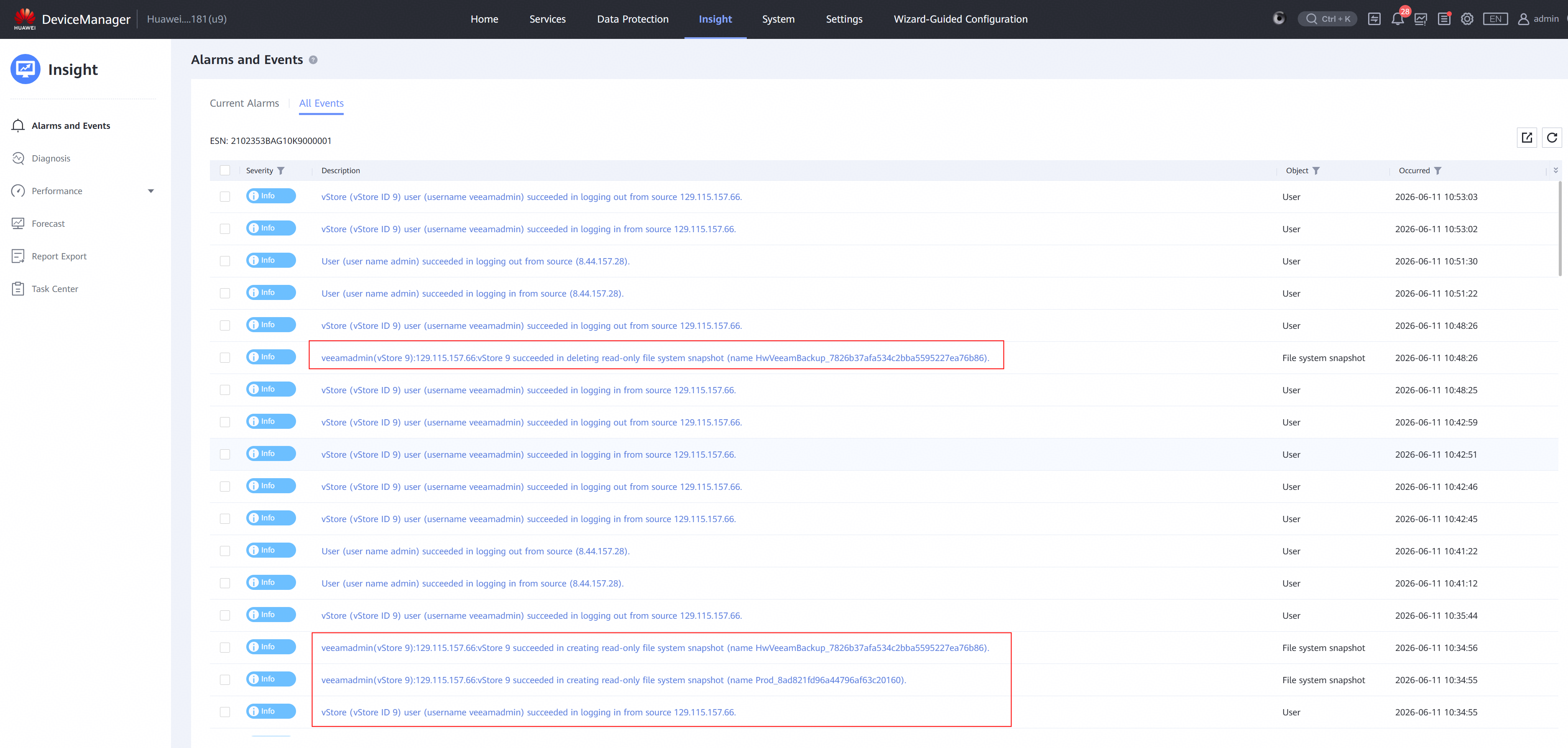 |
Test Conclusion | Passed |
4.3 Incremental back up the VM from Huawei OceanStor flash storage Snapshots
Test Purpose | To verify that the Veeam backup server can incremental back up the VM from Huawei OceanStor flash storage Snapshots using the Huawei plugin. |
Test Network | Huawei OceanStor flash storage and Veeam Backup & Replication Test Network. |
Prerequisites | 1. The Huawei Plugin has been installed on the Veeam backup server. 2. Huawei OceanStor flash storage, Veeam backup server, VMware ESXi deployment and Network have been completed. 3. The vStore, logical port and vStore administrator of Huawei OceanStor flash storage have been created. 4. Huawei OceanStor flash storage has been added to the Veeam backup server. 5. The VMware vSphere has been added to the Veeam backup server. 6. The VM has been created in the NFS Datastore of Huawei OceanStor flash storage. 7. The NFS share of Huawei OceanStor flash storage has been added to the Veeam backup server as backup repository. 8. The full backup job in section 3.2 has been performed successfully. |
Test Procedure |
|
Expected Result |
|
Test Results |
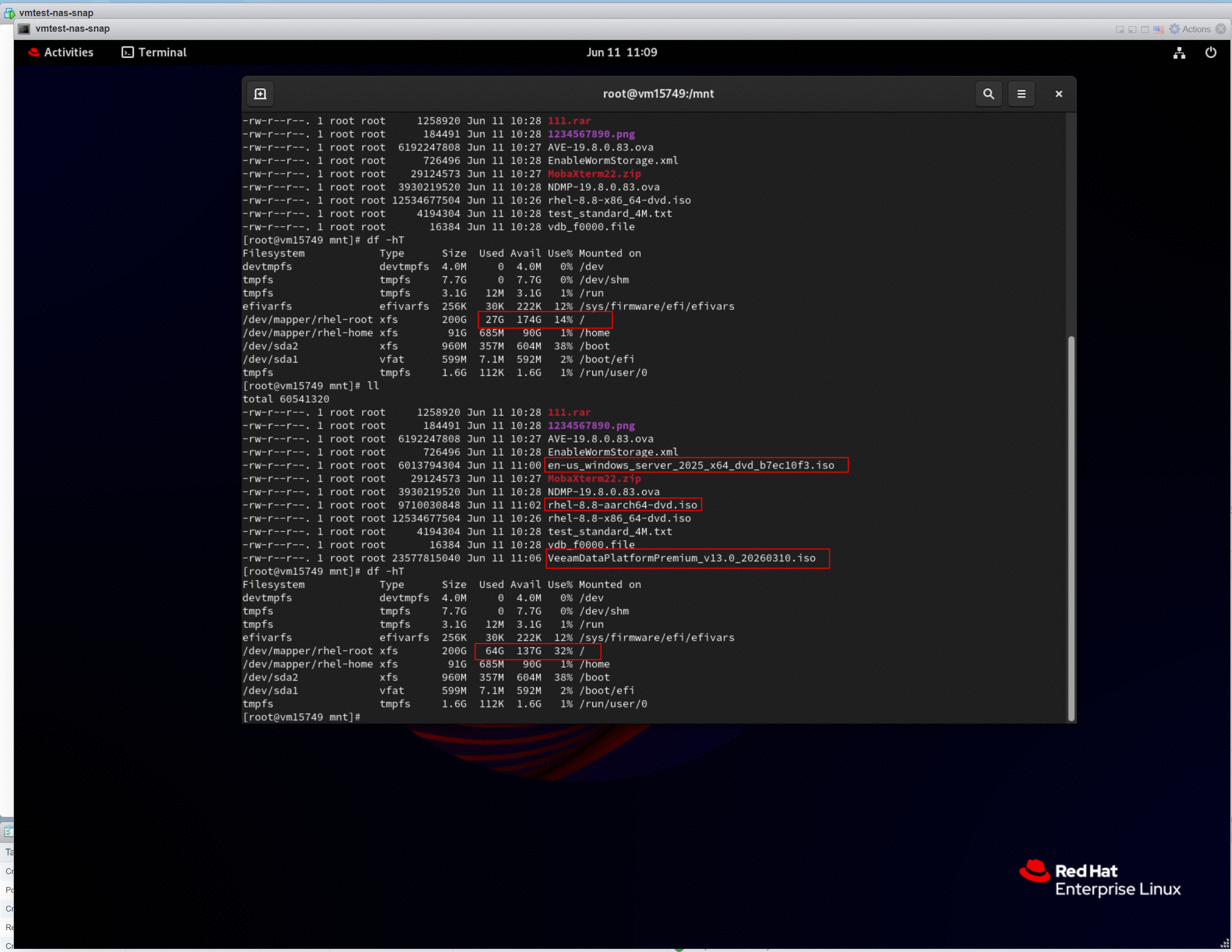 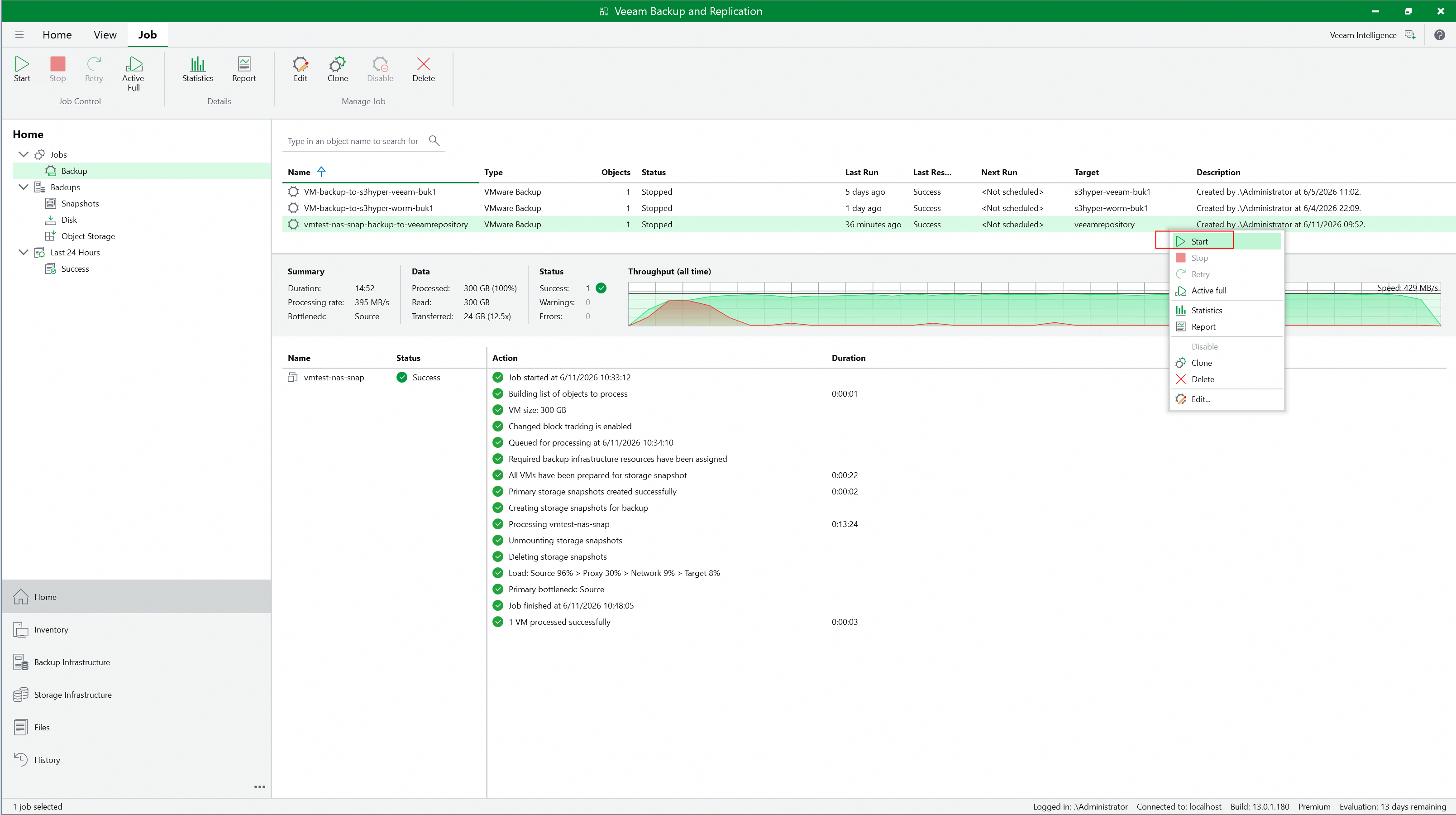 3. Check the incremental backup job status on the Veeam backup server. 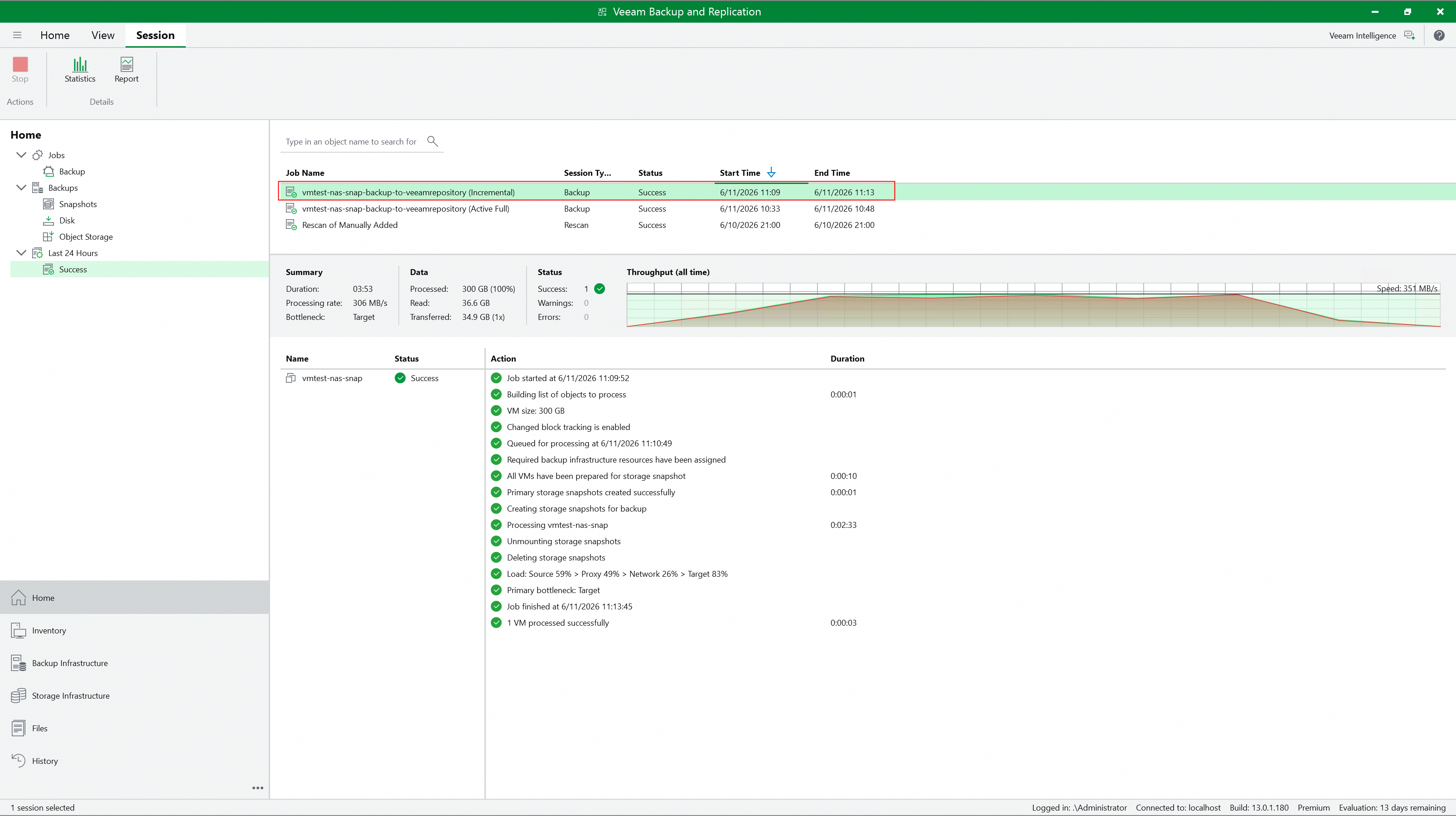 4. Check the incremental backup job details to confirm whether to perform snapshot backup. 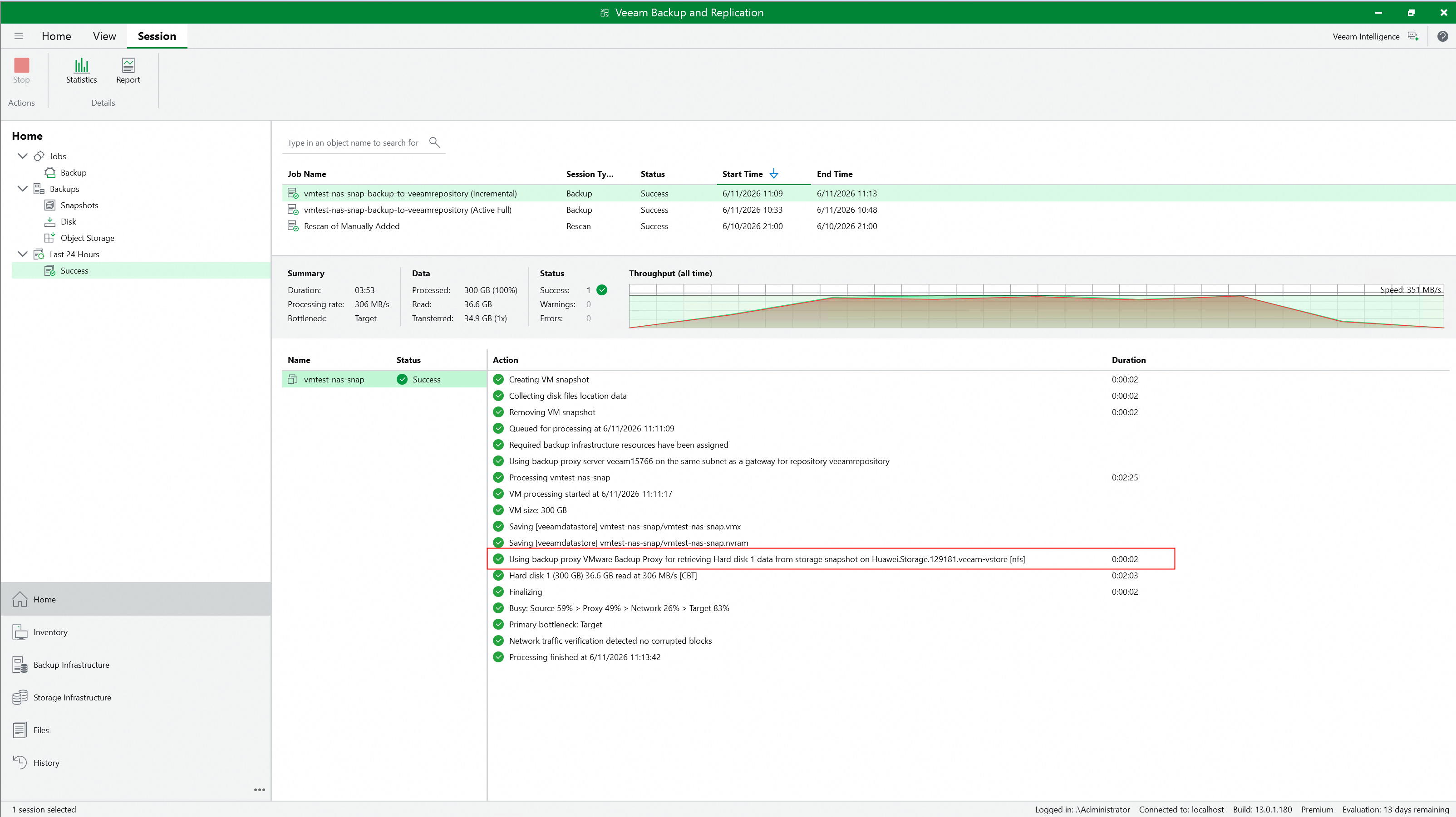 5. Check whether Huawei OceanStor flash storage generates and retains the Prod snapshot created by Veeam. 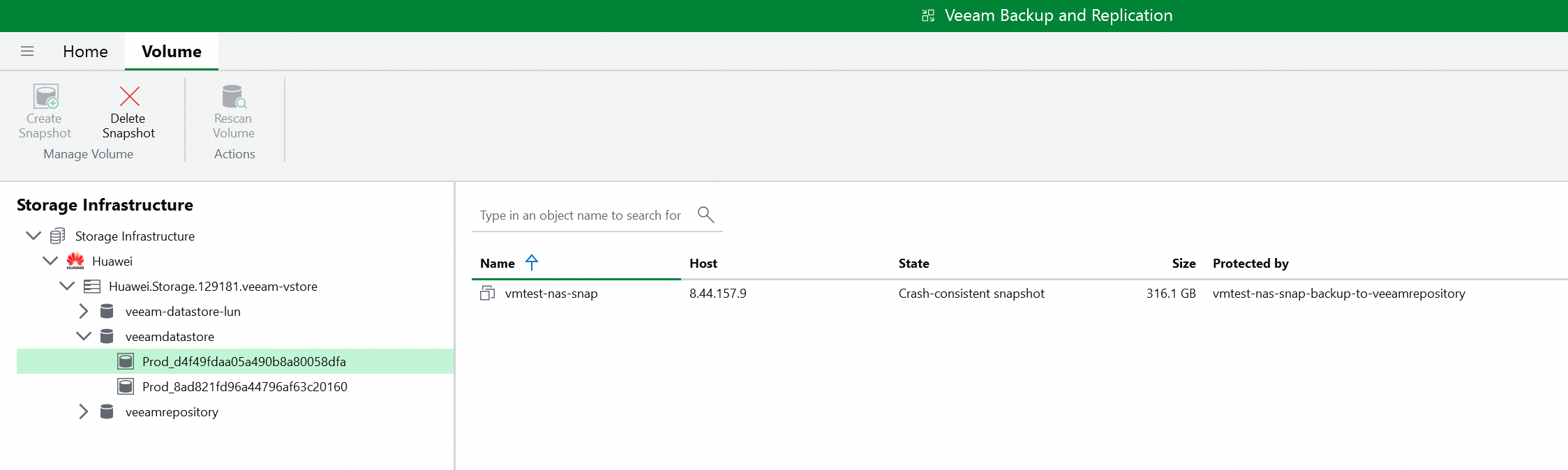 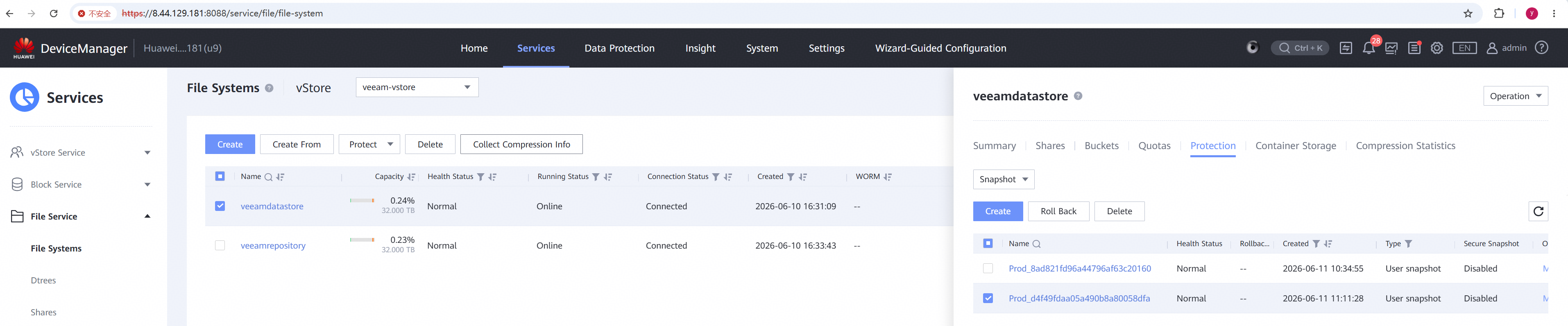 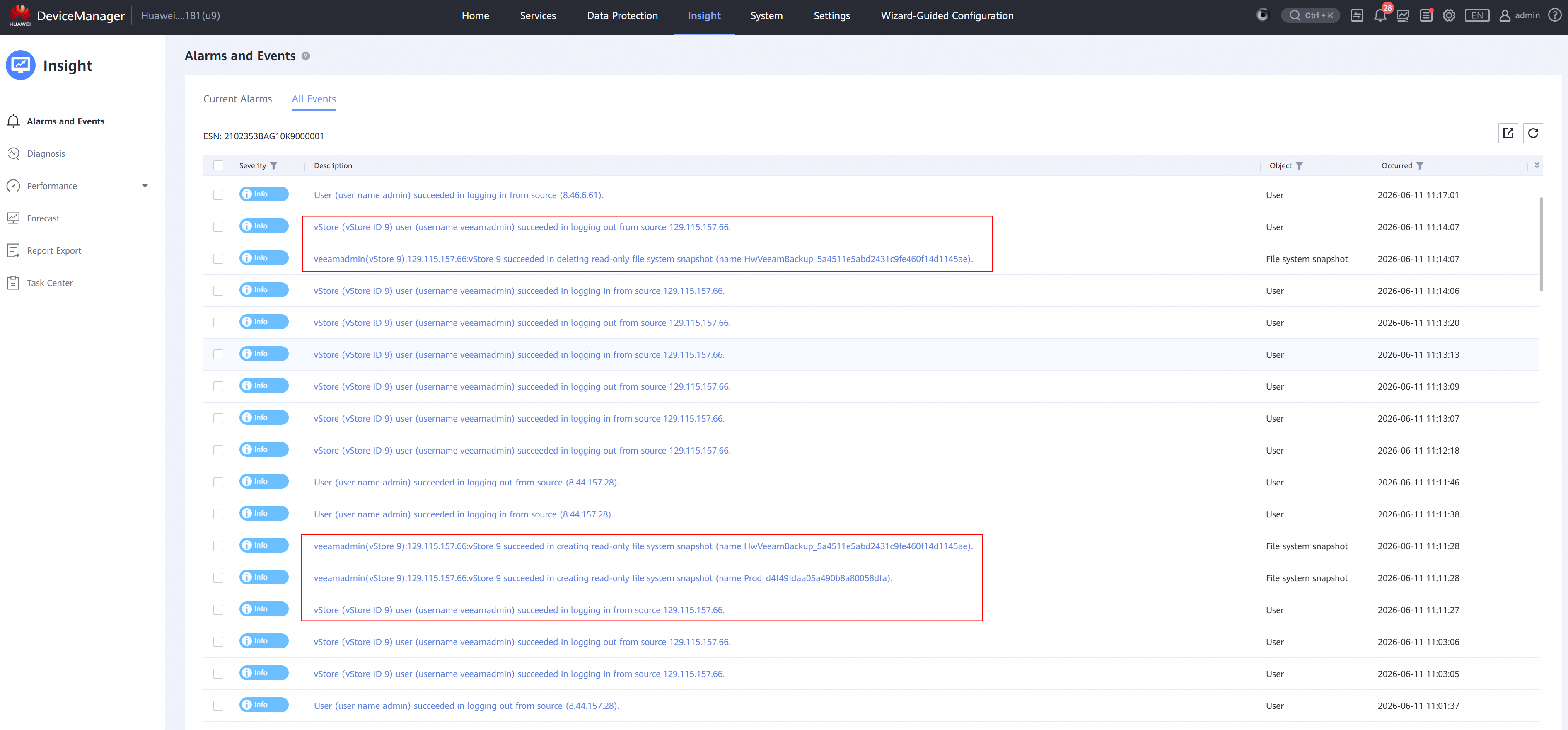 |
Test Conclusion | Passed |
4.4 Instant Recover the VM of incremental backup point to the new location
Test Purpose | To verify that the Veeam backup server can restore the VM from the backup repository. |
Test Network | Huawei OceanStor flash storage and Veeam Backup & Replication Test Network. |
Prerequisites | 1. The Huawei Plugin has been installed on the Veeam backup server. 2. Huawei OceanStor flash storage, Veeam backup server, VMware ESXi deployment and Network have been completed. 3. The vStore, logical port and vStore administrator of Huawei OceanStor flash storage have been created. 4. Huawei OceanStor flash storage has been added to the Veeam backup server. 5. The VMware vSphere has been added to the Veeam backup server. 6. The VM has been created in the NFS Datastore of Huawei OceanStor flash storage. 7. The NFS share of Huawei OceanStor flash storage has been added to the Veeam backup server as backup repository. 8. The incremental backup job in section 3.3 has been performed successfully. |
Test Procedure |
|
Expected Result |
|
Test Results |
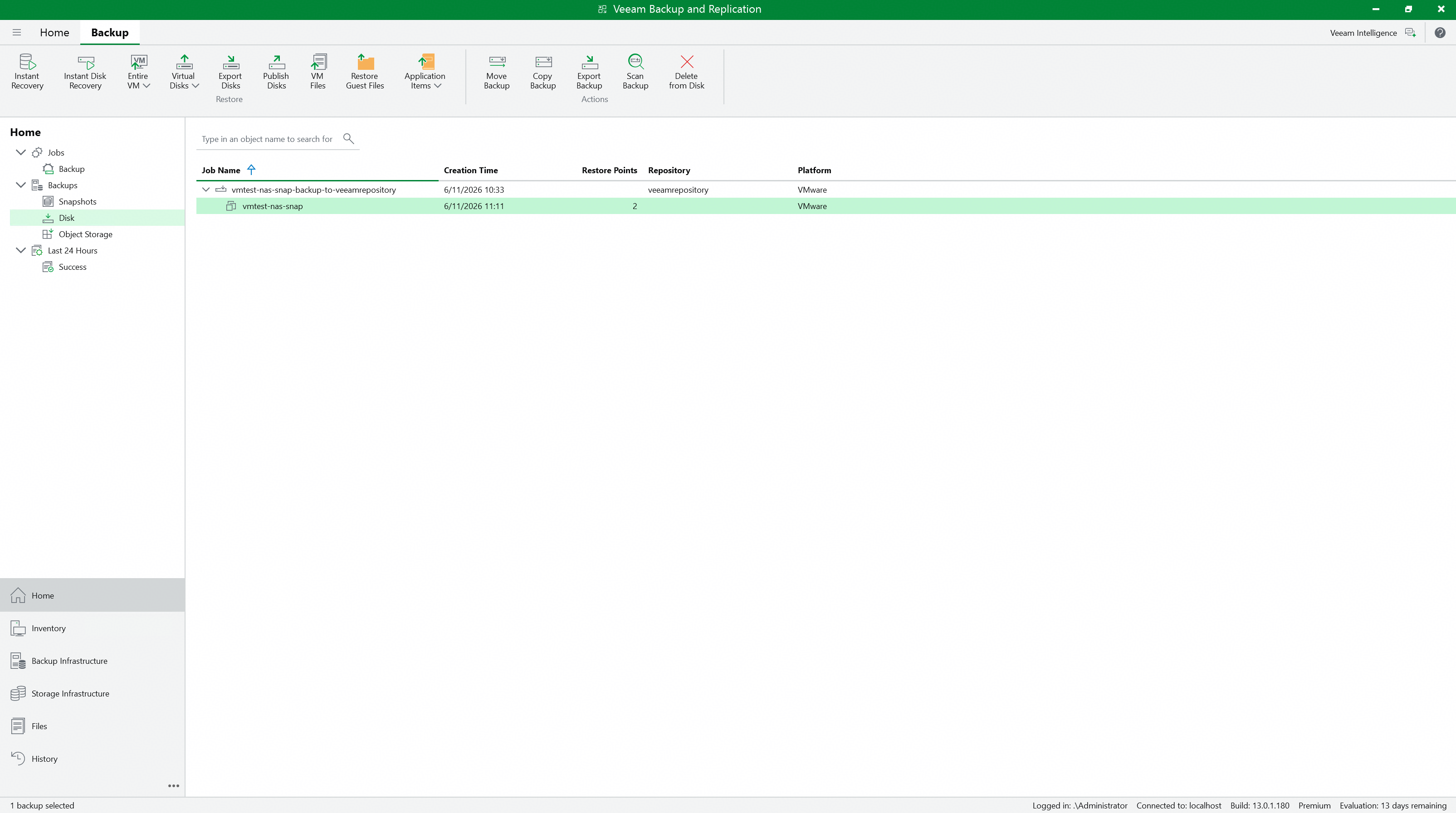
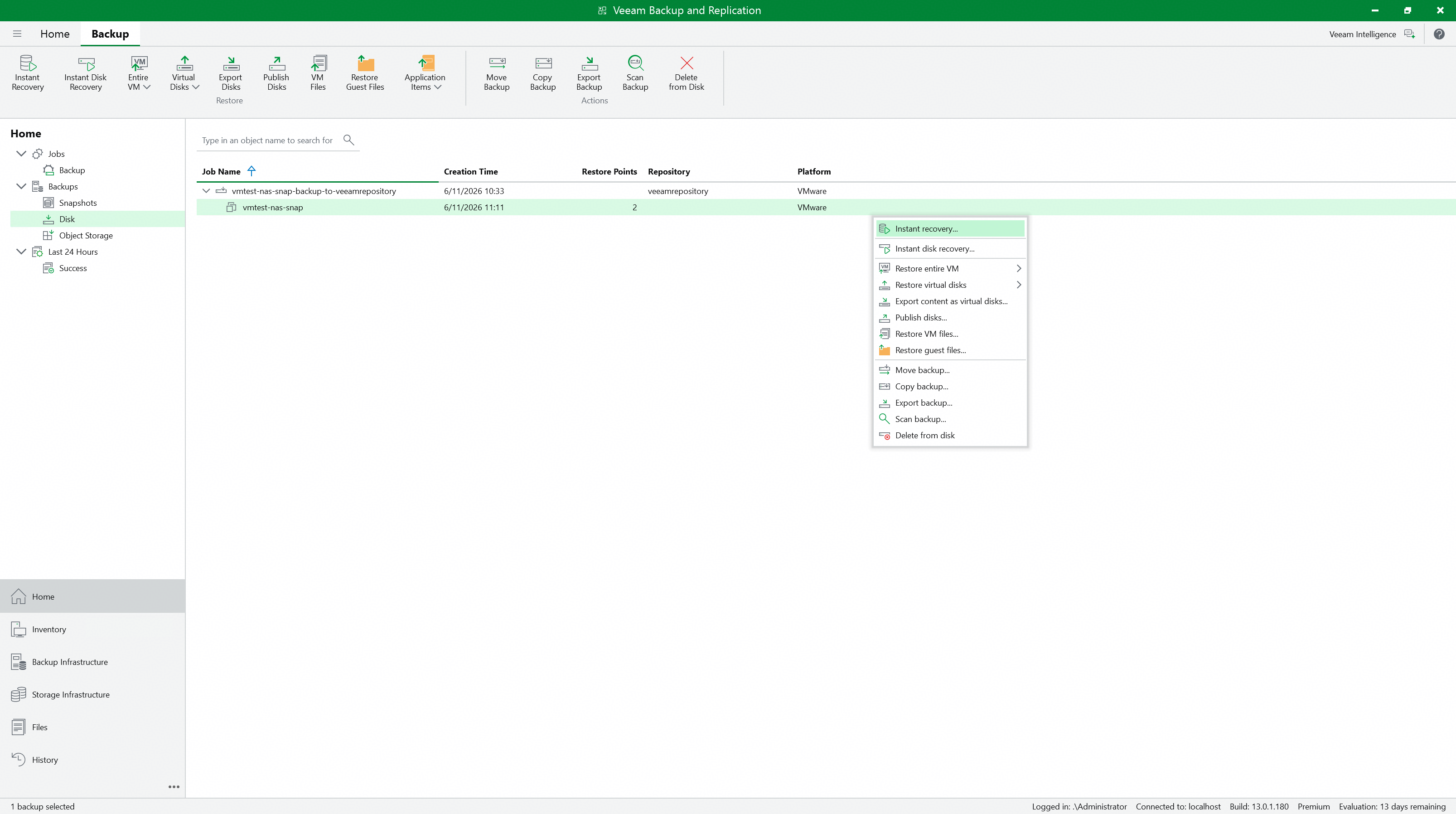
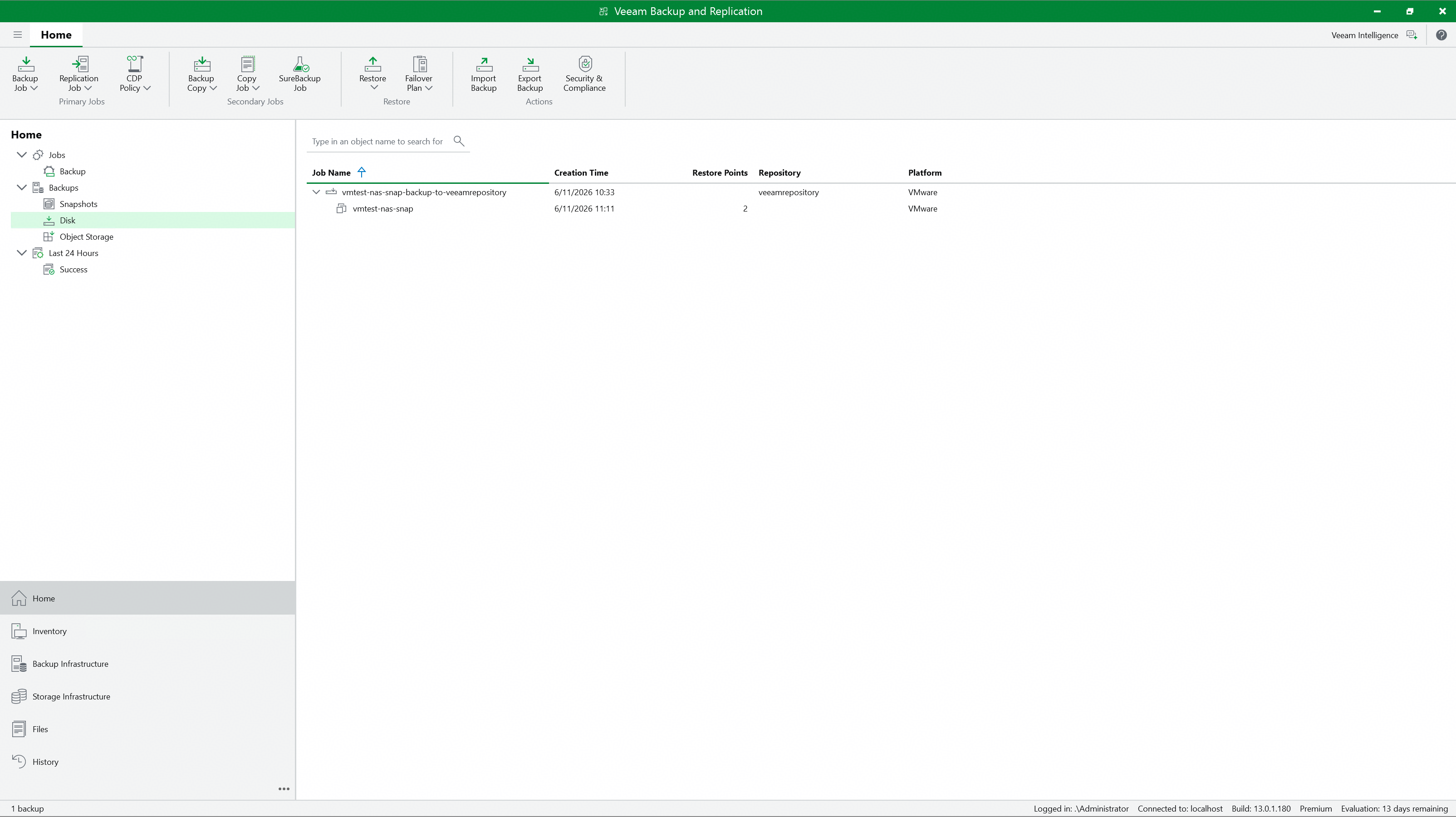
2. Select the performed job in section 3.3 and right-click the VM to Instant Recovery. 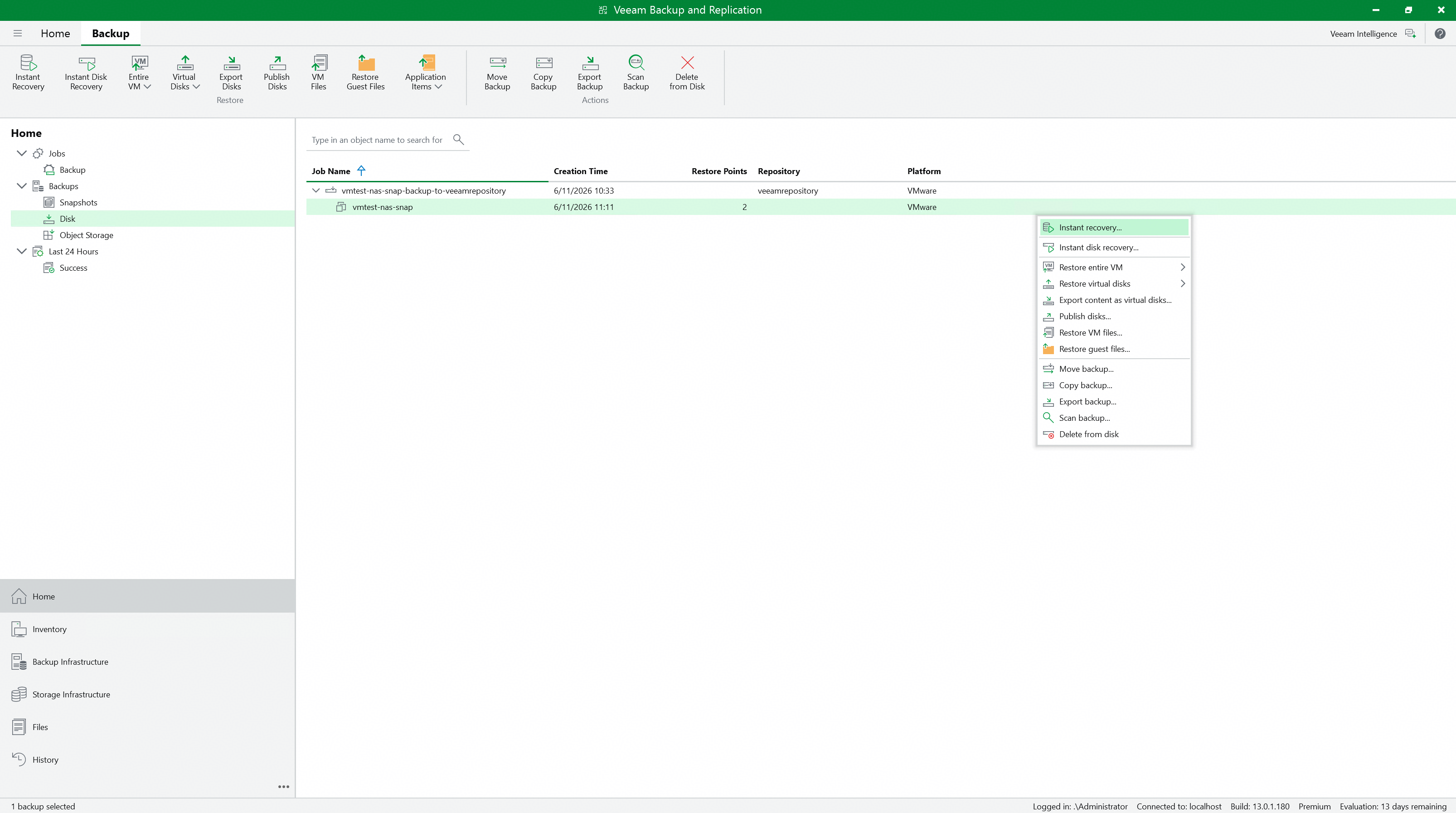 3. Select the restore point of the VM incremental backup to restore, and next. 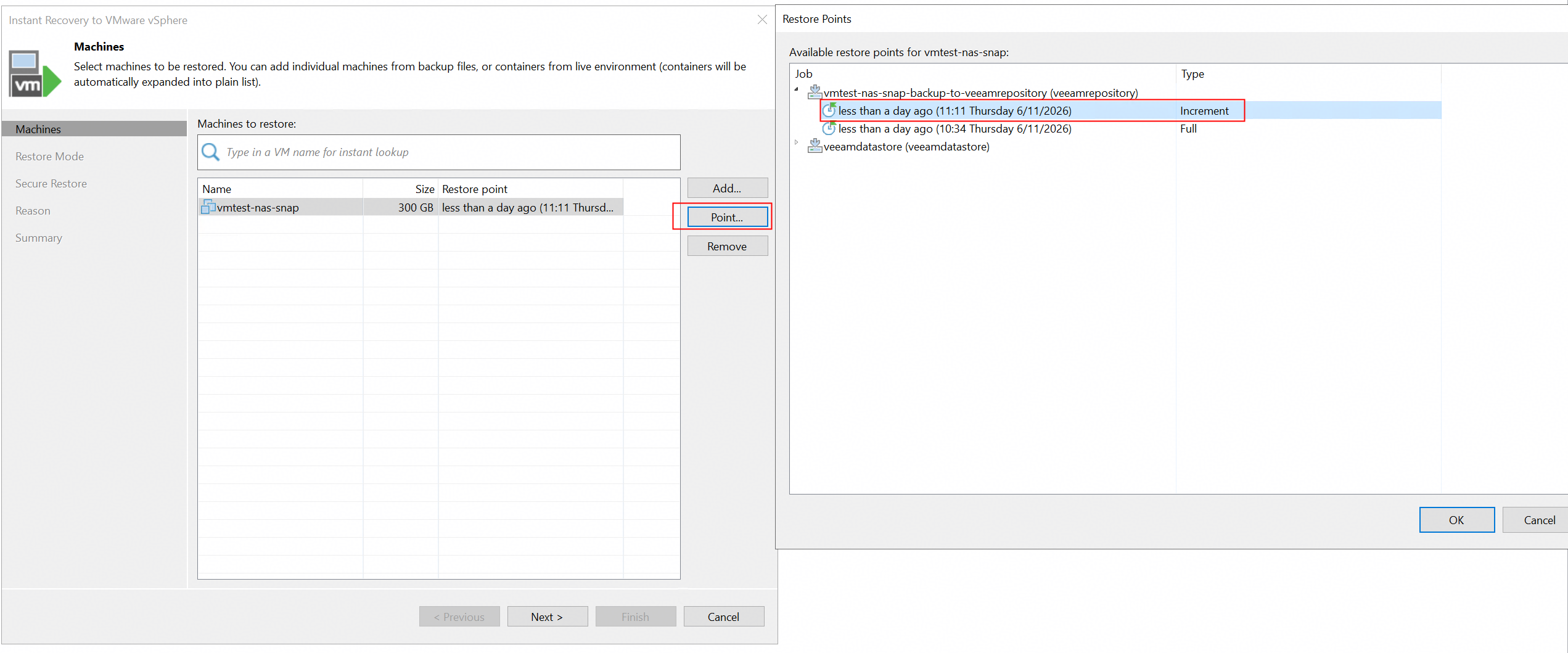 4. Select the restore to the new location, and next. 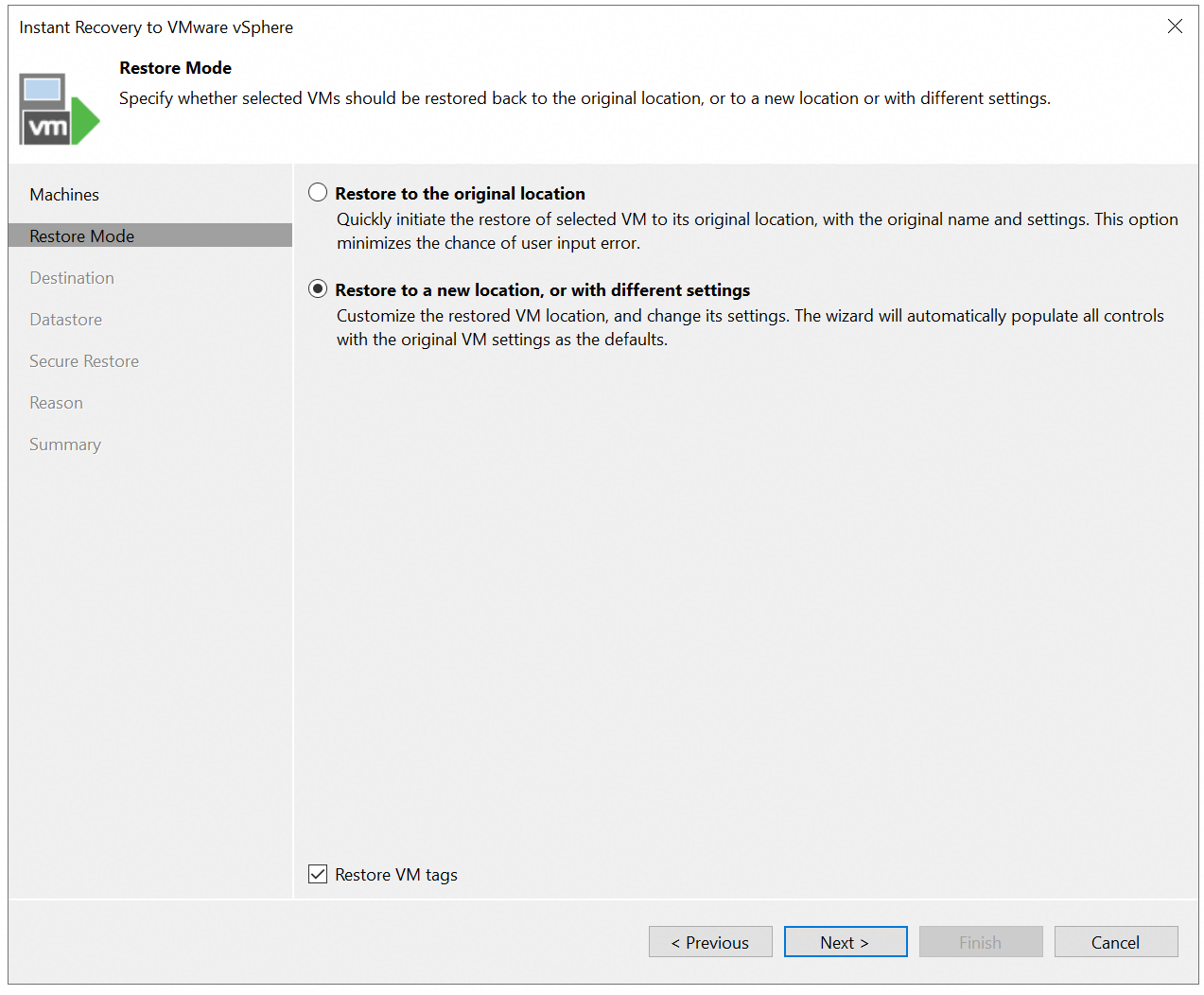 5. Enter the restored VM name. Retain the default settings for other parameters, and next. 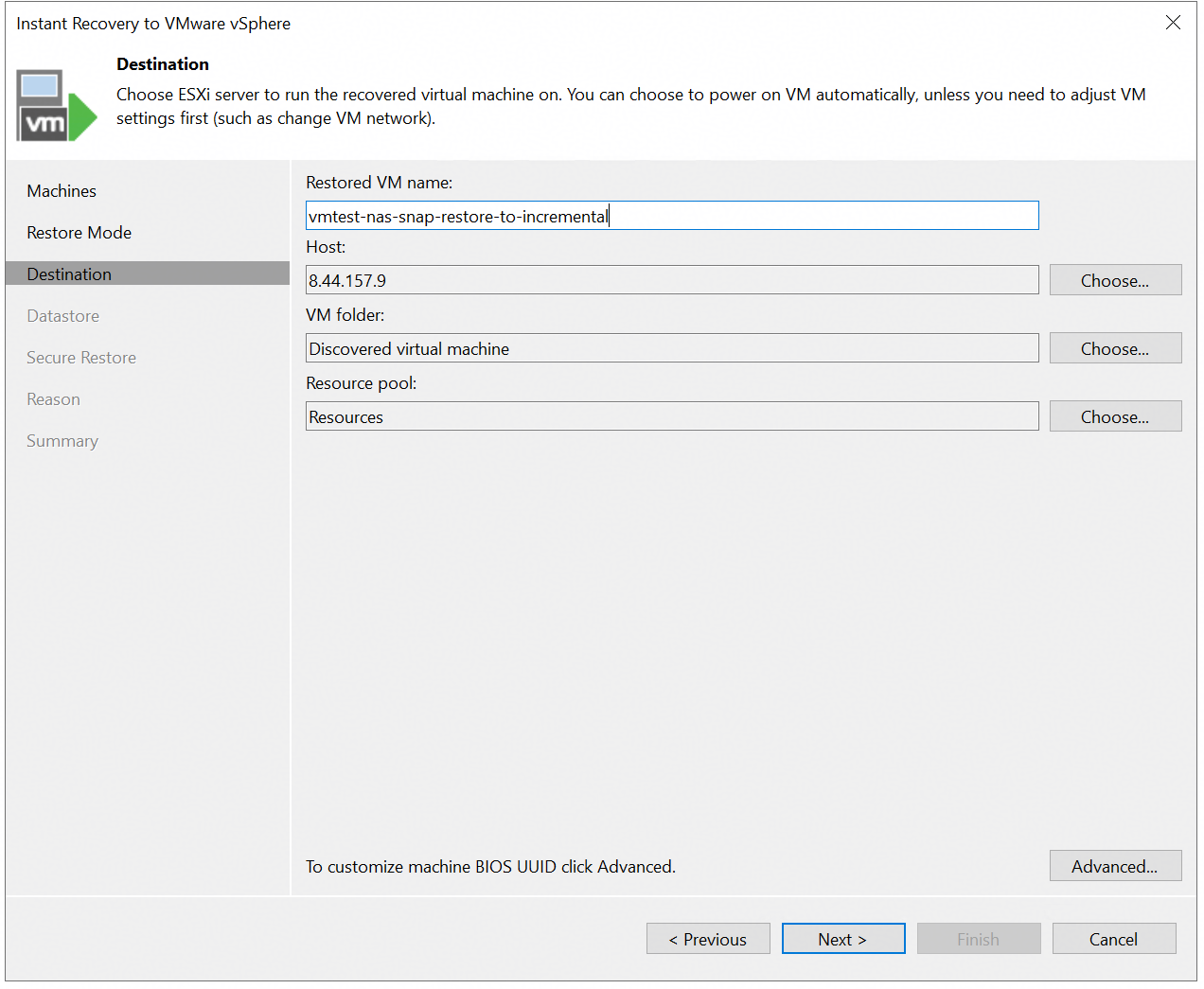 6. Finish the configuration and start the restore job. 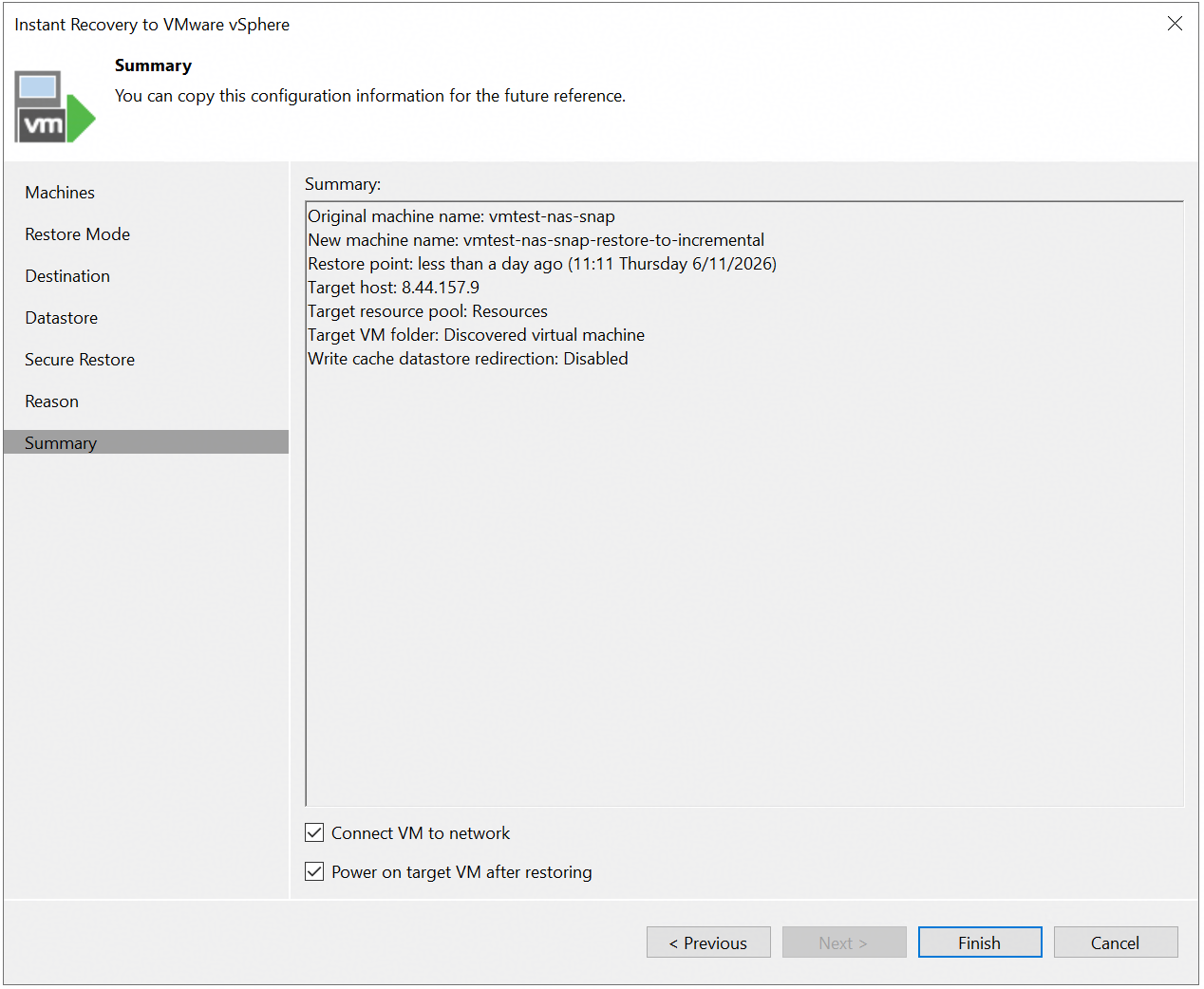 7. Check the restore job status on the Veeam backup server. 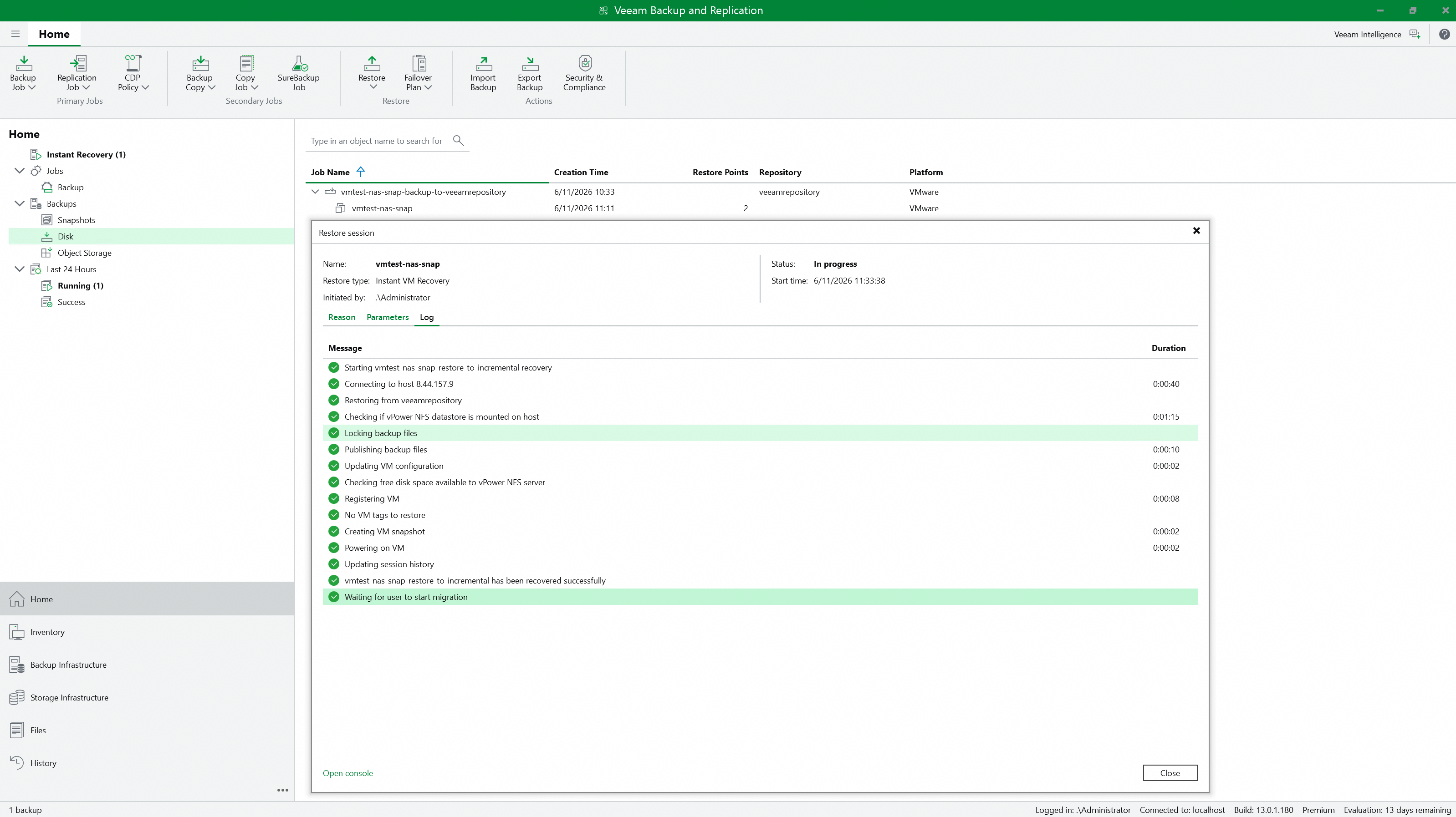 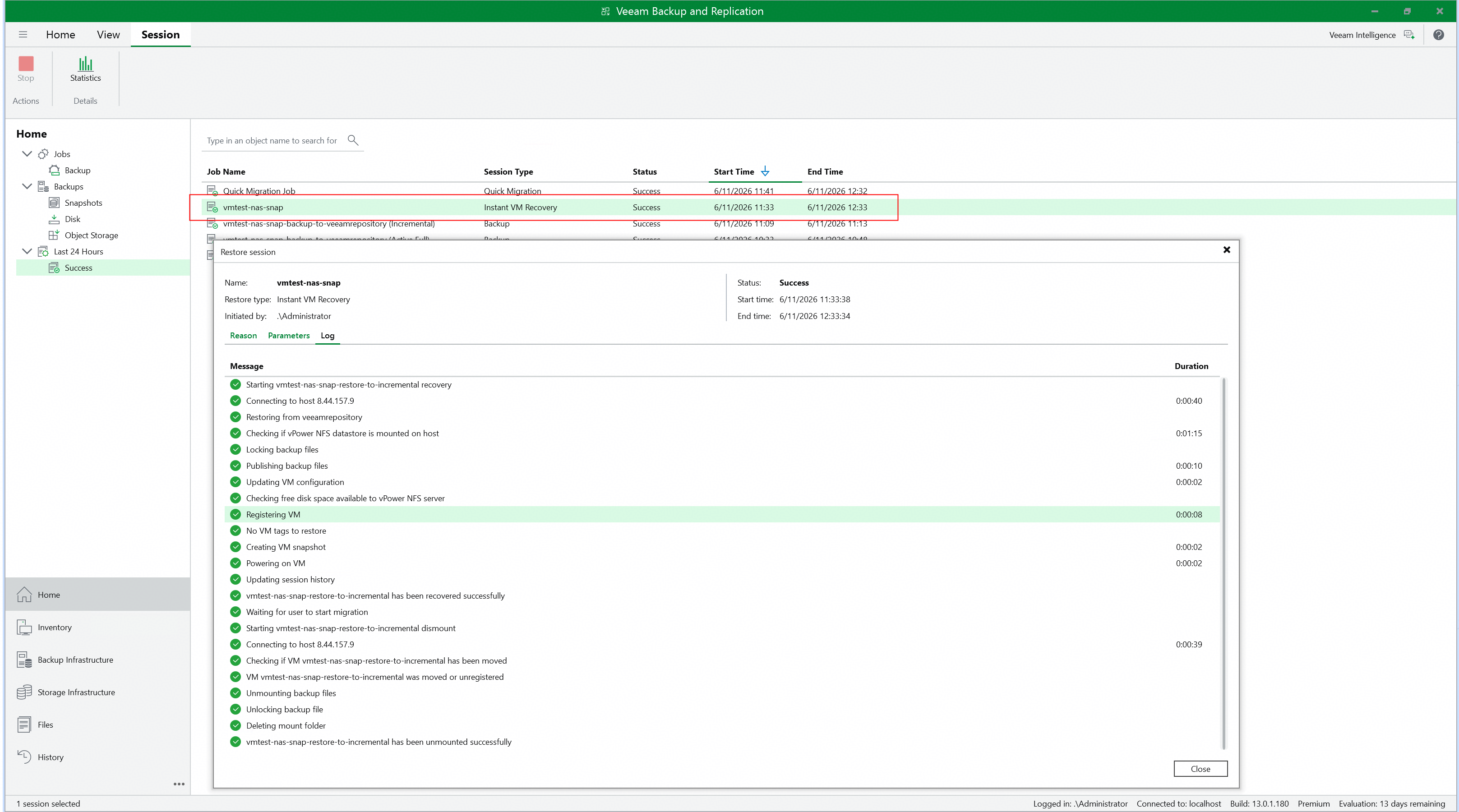 8. Check the restored VM status and data. 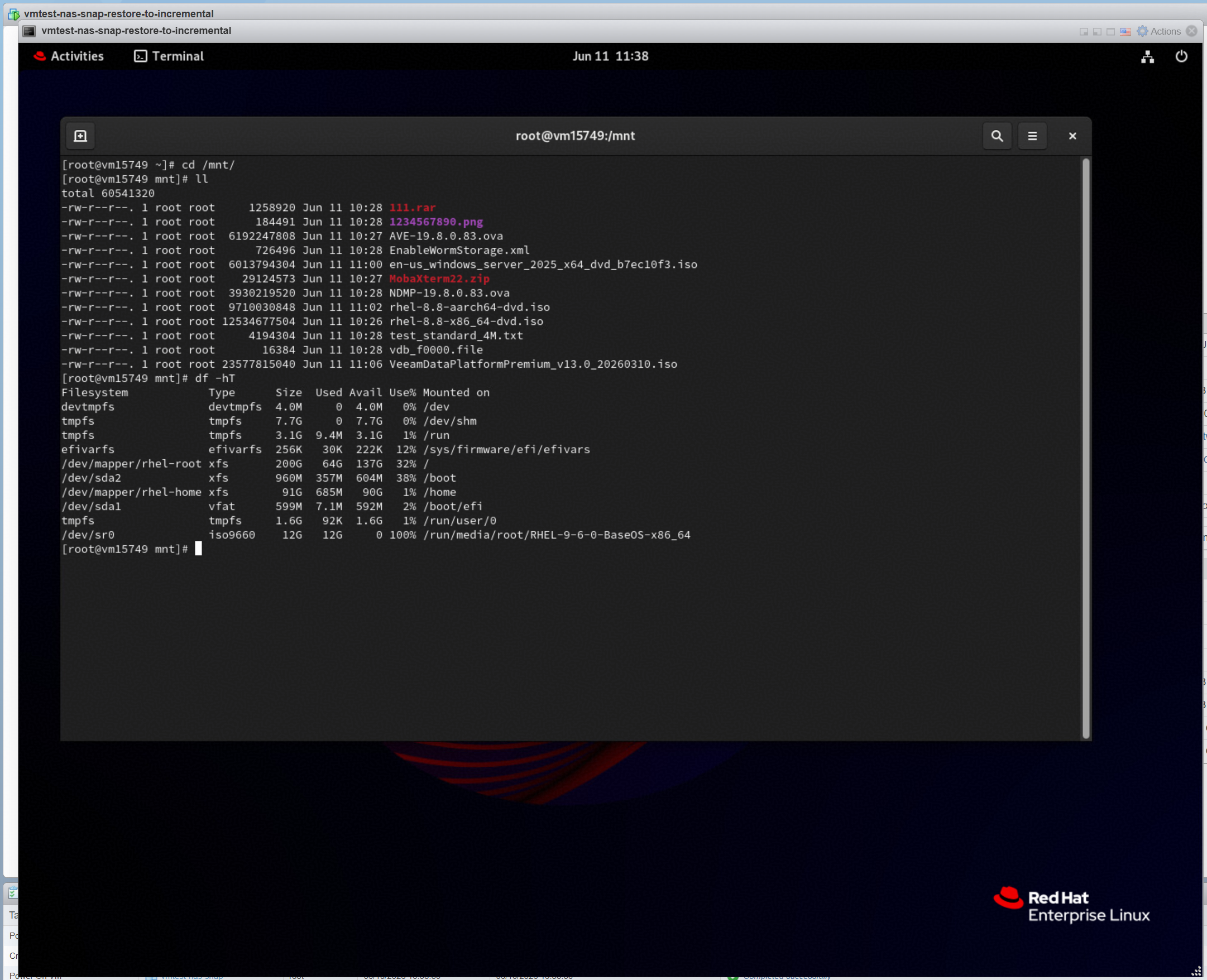 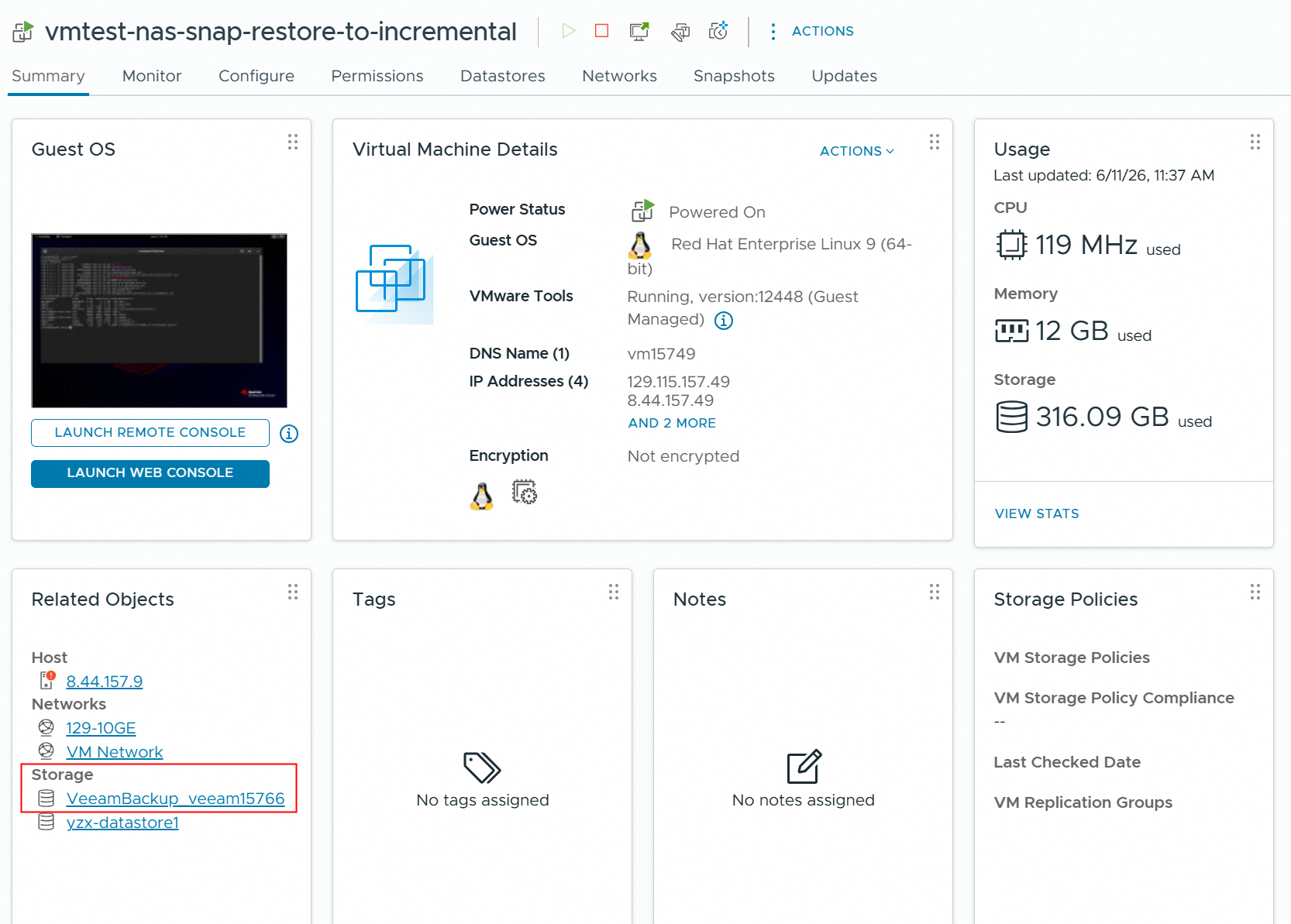 9. Migrate the VM to Production Storage, and check the migrated VM status and data. 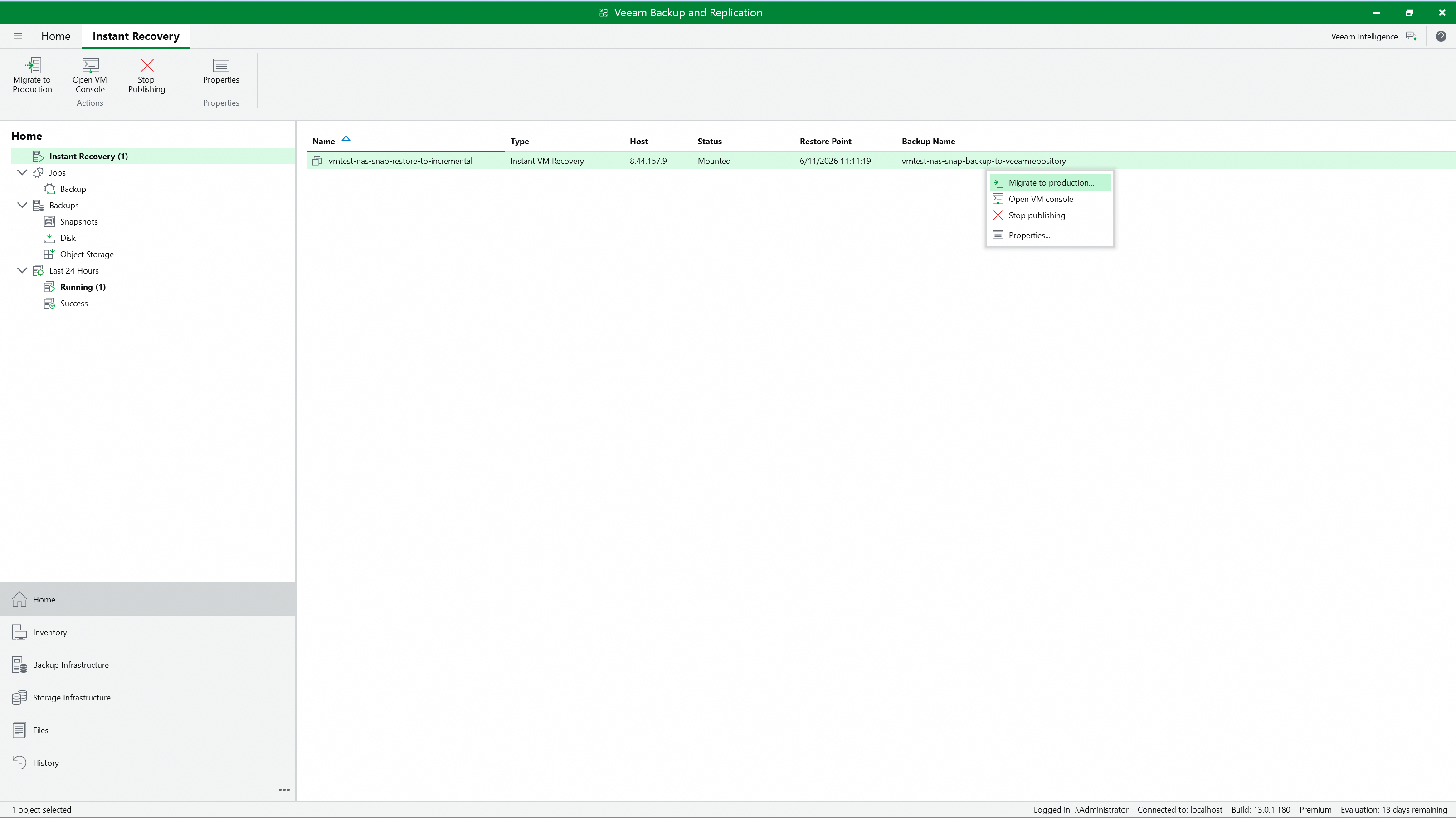 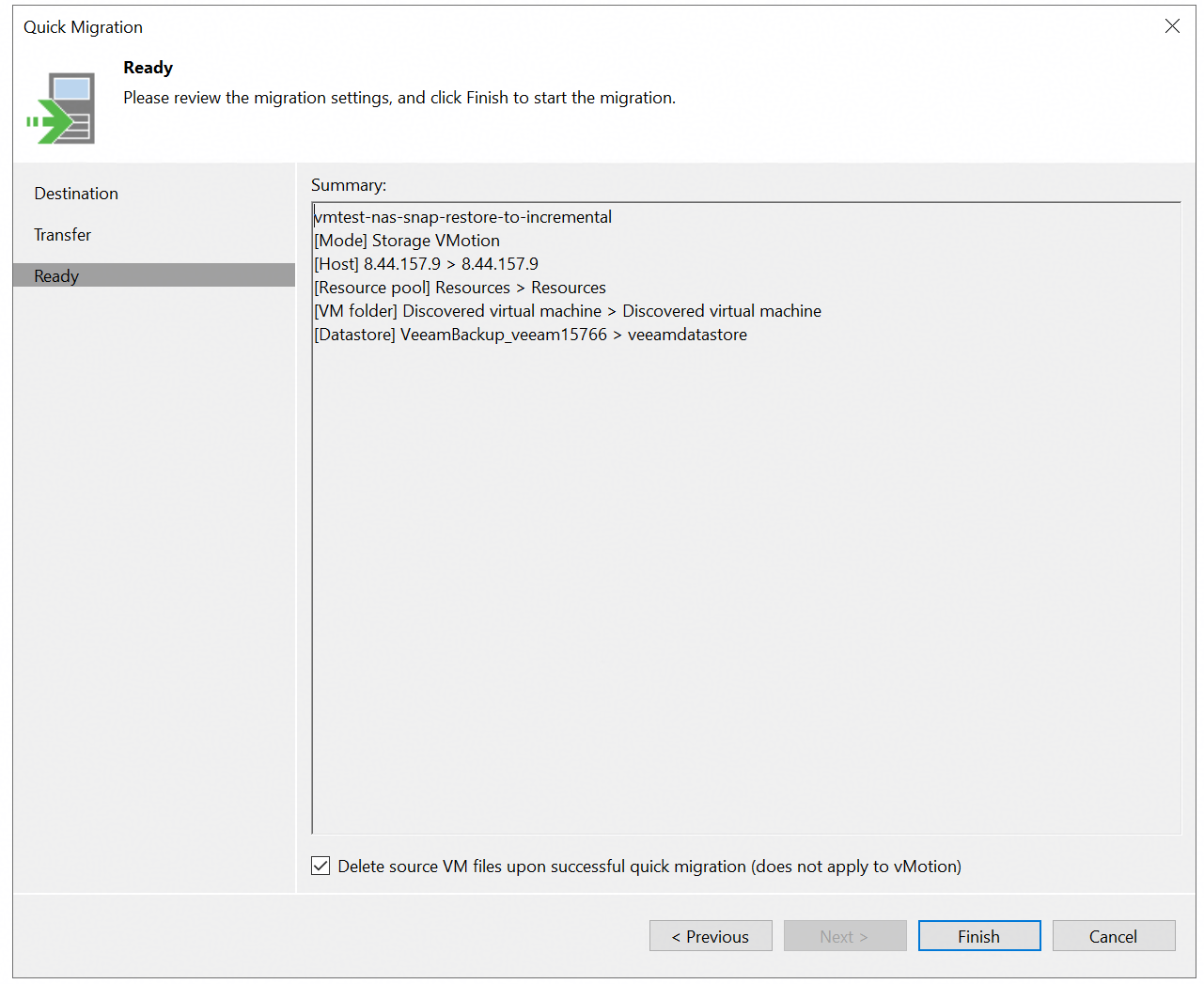 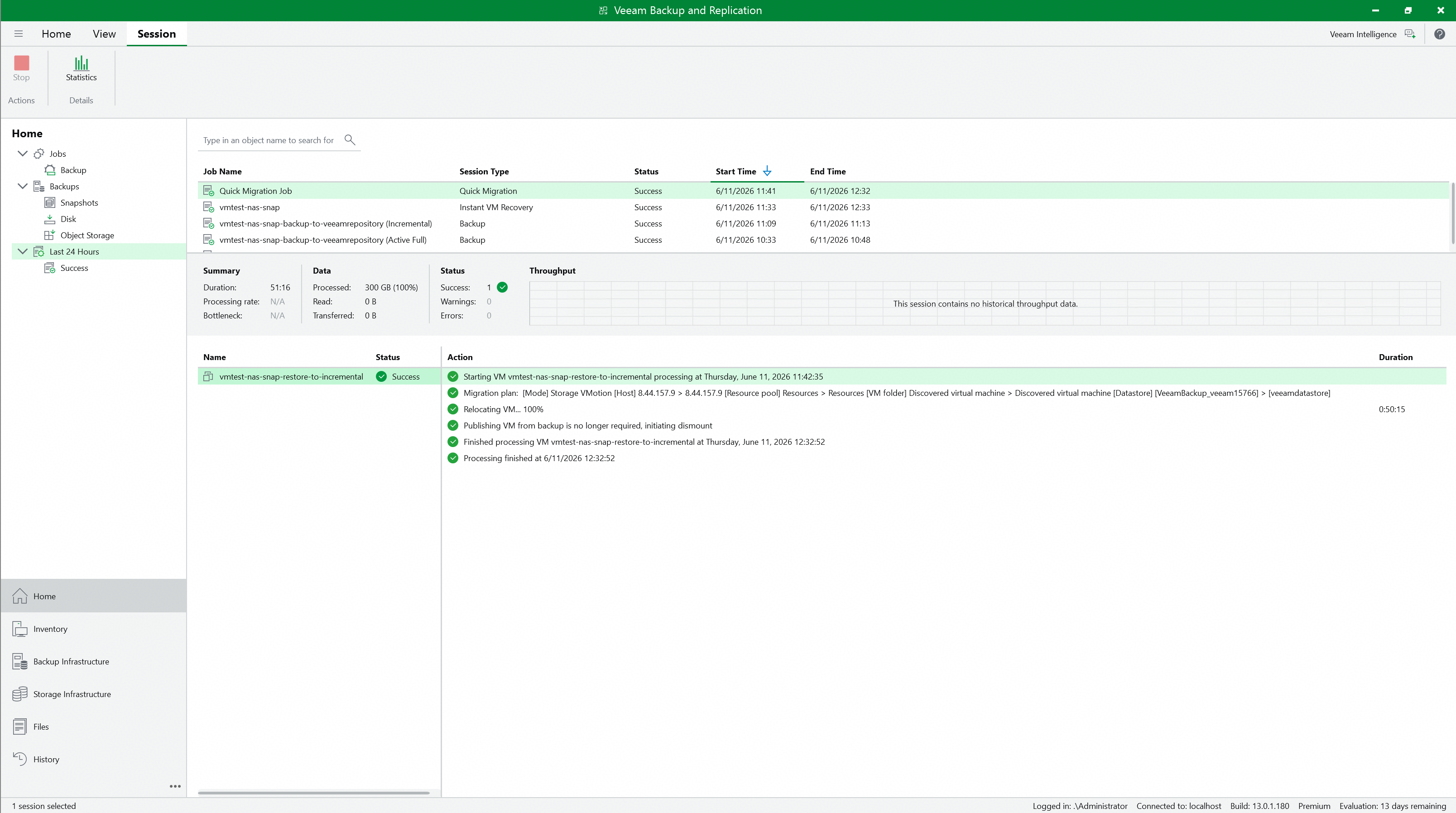 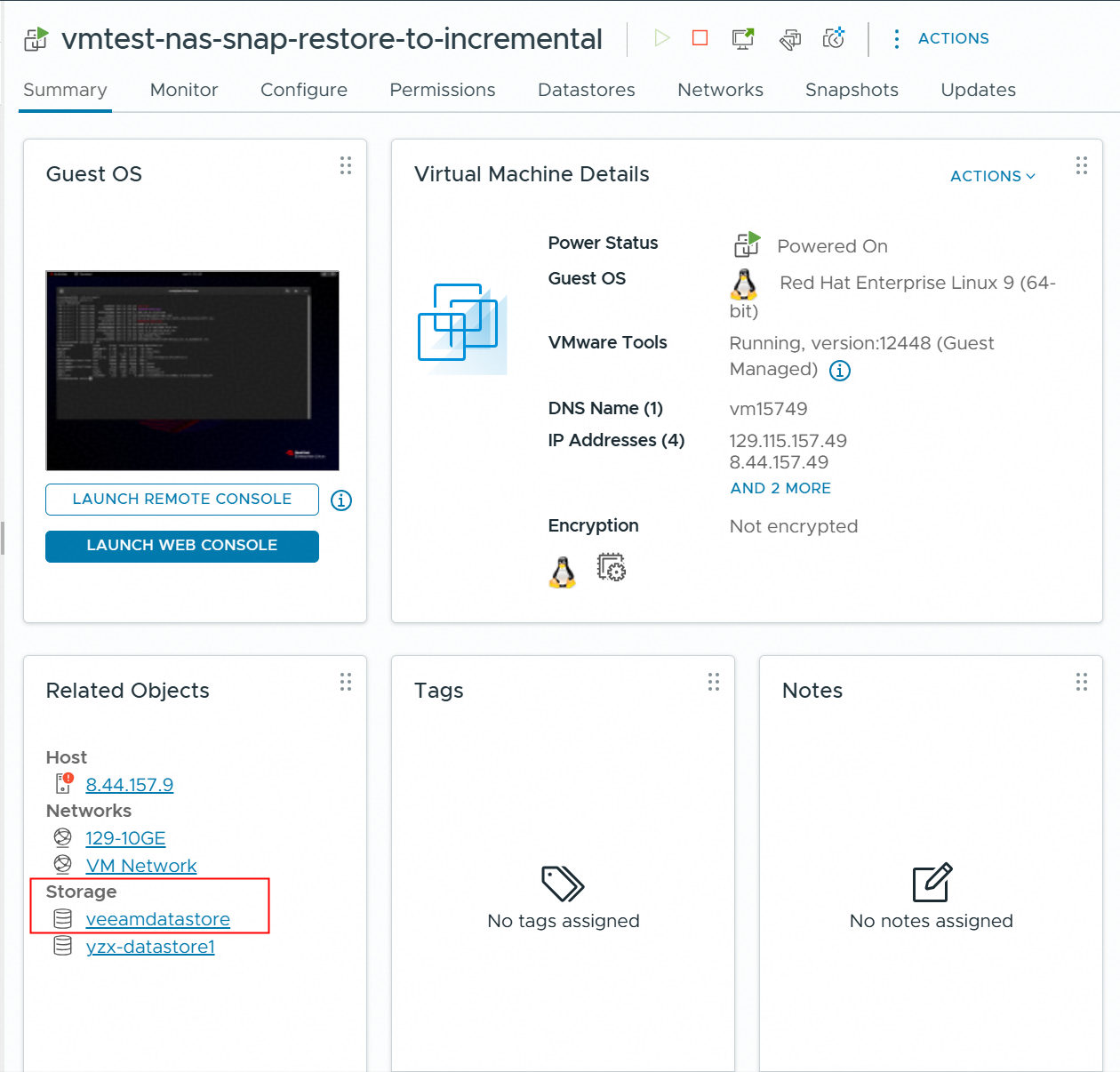 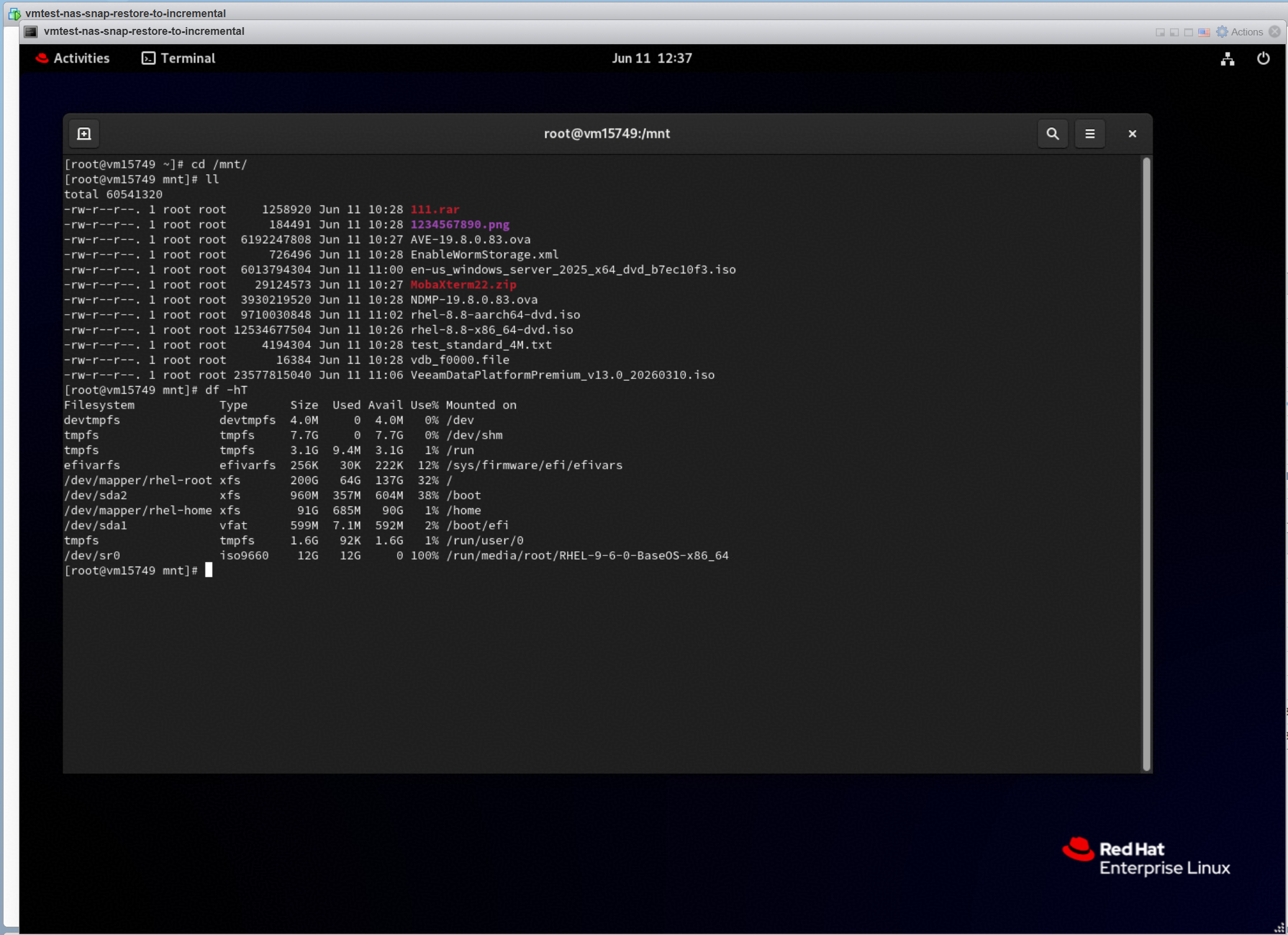 |
Test Conclusion | Passed |
4.5 Instant Recover the VM of full backup point to the original location
Test Purpose | To verify that the Veeam backup server can restore the VM from the backup repository. |
Test Network | Huawei OceanStor flash storage and Veeam Backup & Replication Test Network. |
Prerequisites | 1. The Huawei Plugin has been installed on the Veeam backup server. 2. Huawei OceanStor flash storage, Veeam backup server, VMware ESXi deployment and Network have been completed. 3. The vStore, logical port and vStore administrator of Huawei OceanStor flash storage have been created. 4. Huawei OceanStor flash storage has been added to the Veeam backup server. 5. The VMware vSphere has been added to the Veeam backup server. 6. The VM has been created in the NFS Datastore of Huawei OceanStor flash storage. 7. The NFS share of Huawei OceanStor flash storage has been added to the Veeam backup server as backup repository. 8. The full backup job in section 3.2 has been performed successfully. |
Test Procedure |
|
Expected Result |
|
Test Results |
3. Select the restore point of the VM full backup to restore, and next. 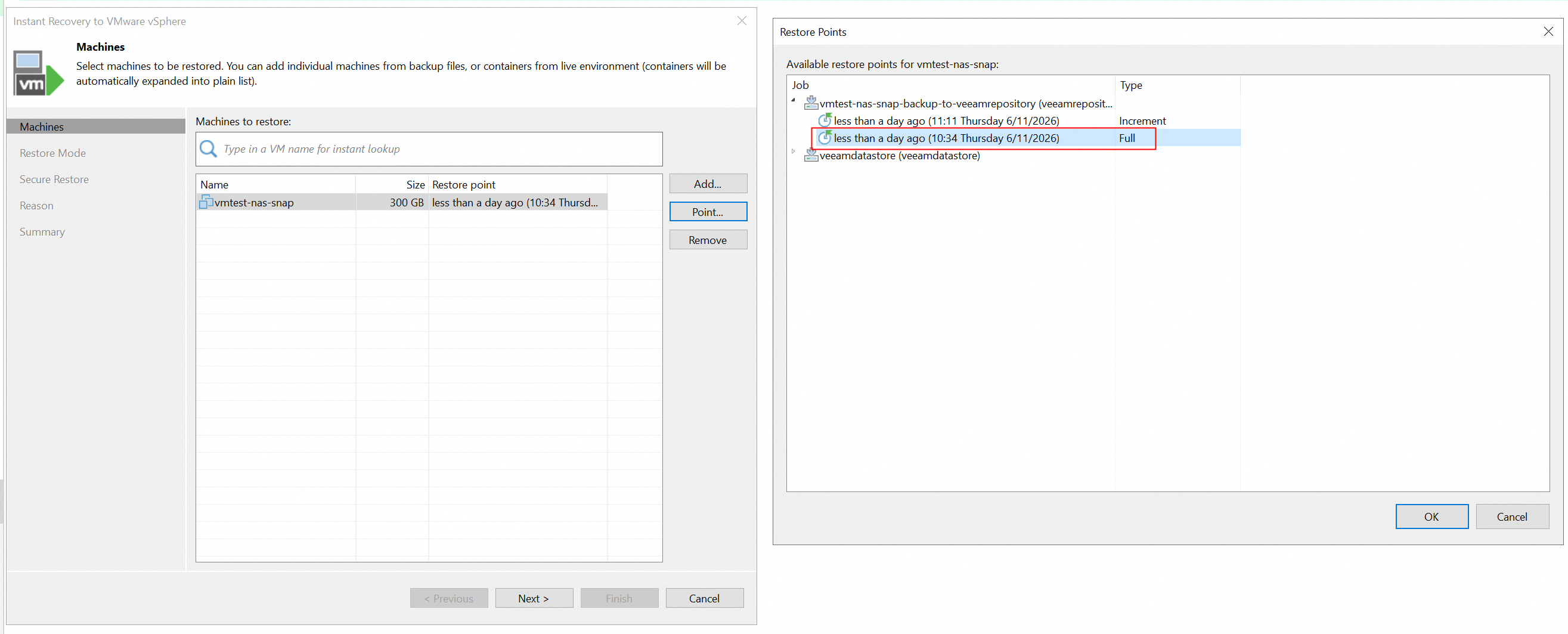 4.Select the restore to the original location, and next. 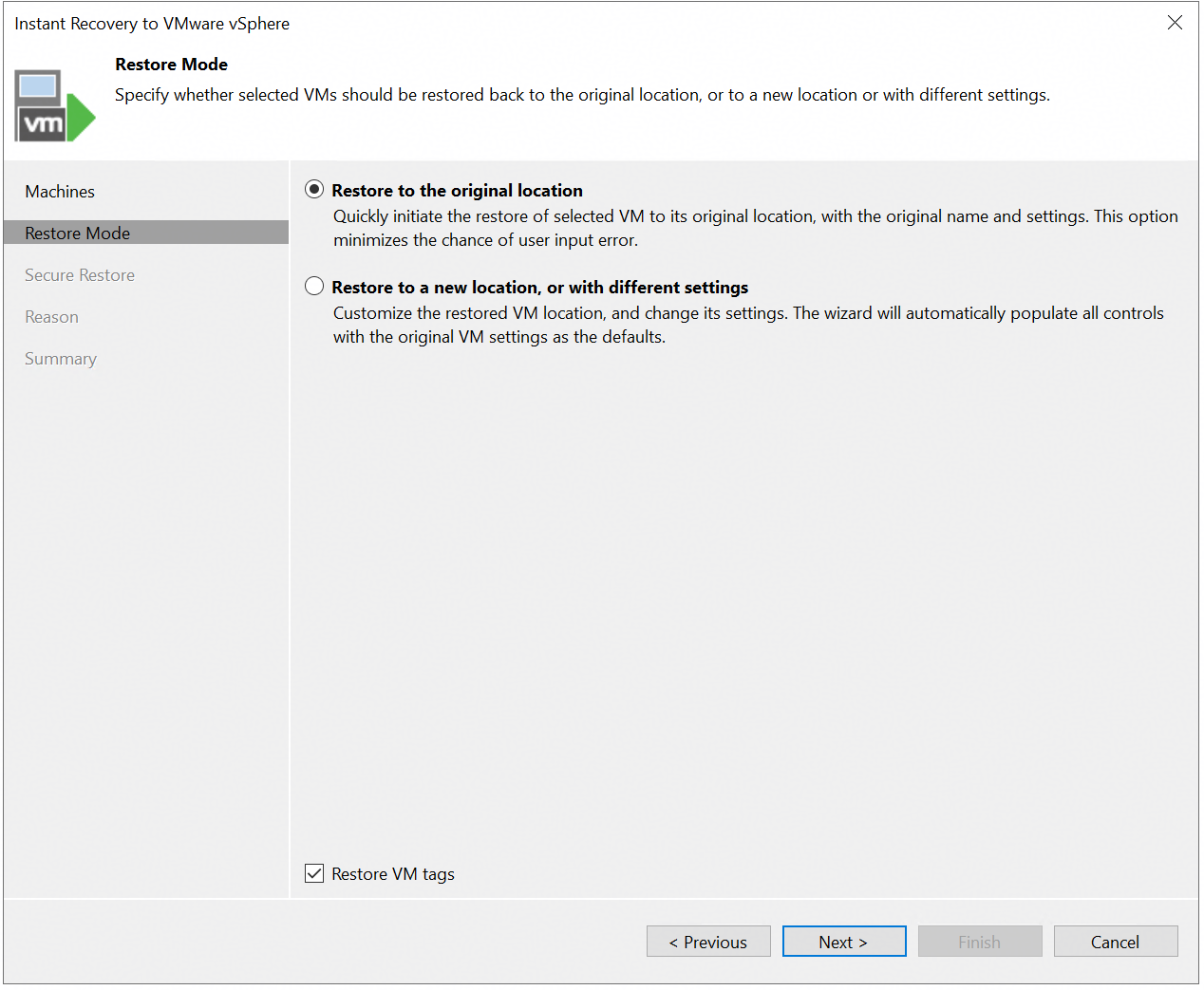 5. Finish the configuration and start the restore job. 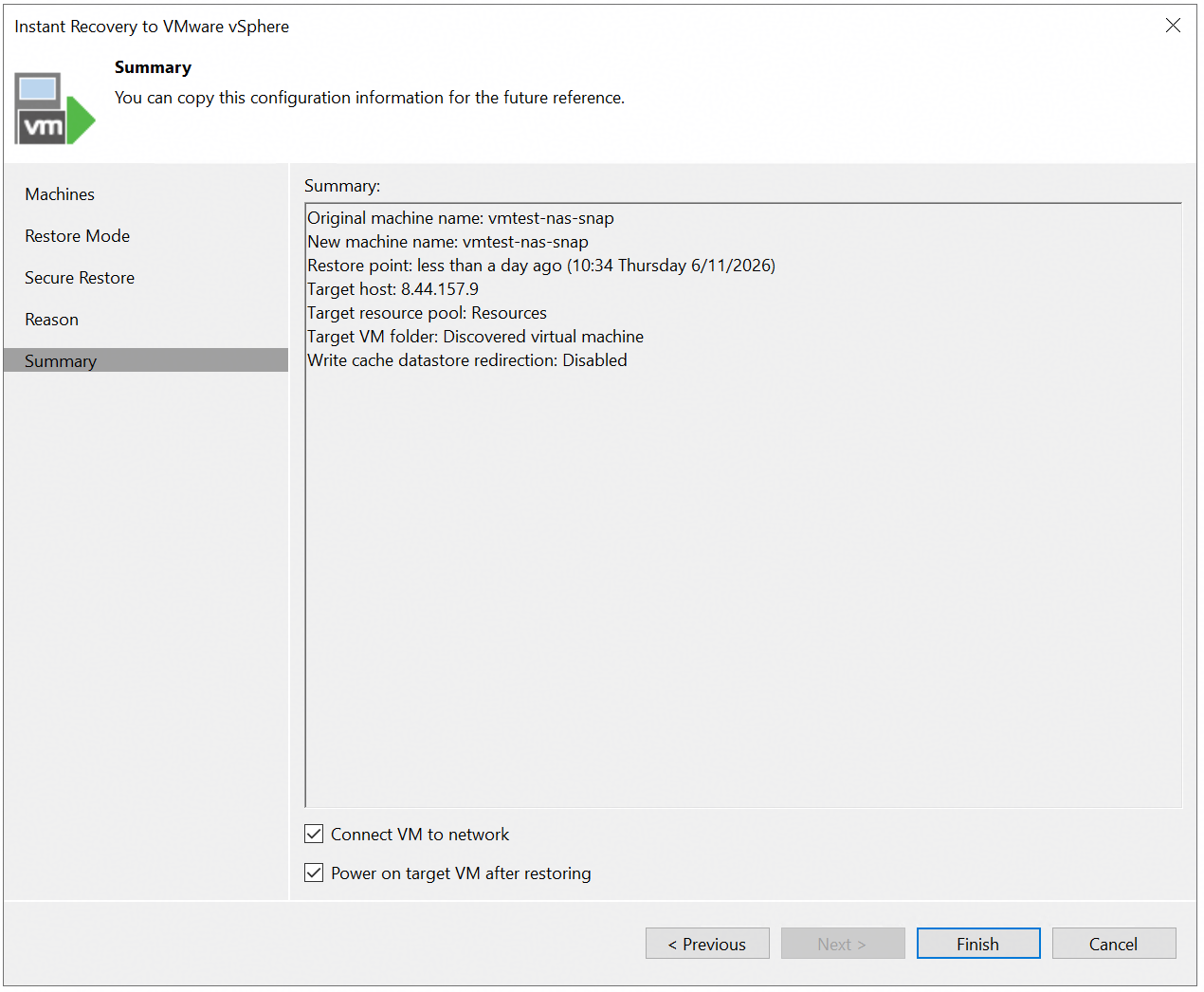 6. Check the restore job status on the Veeam backup server. 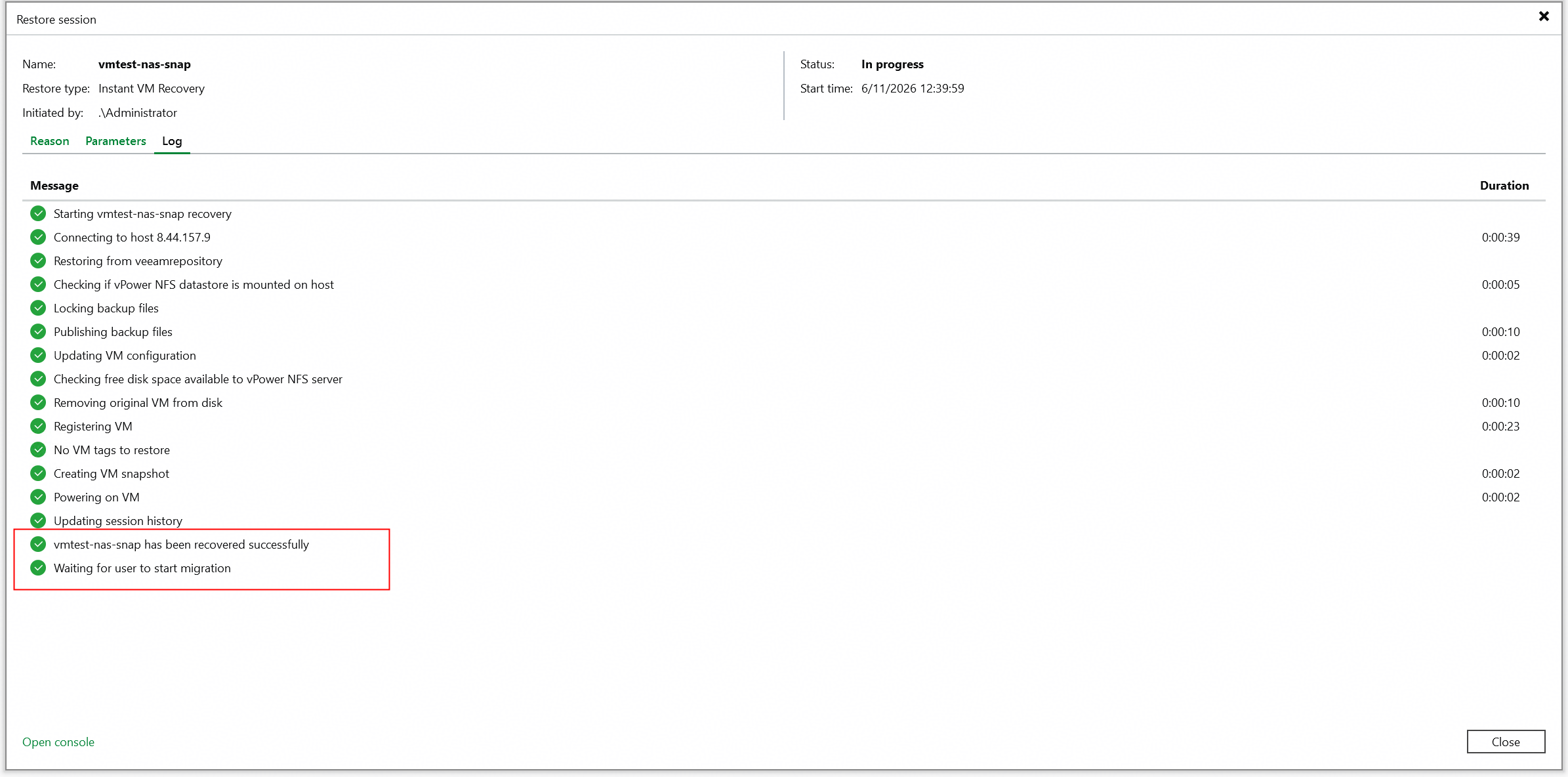 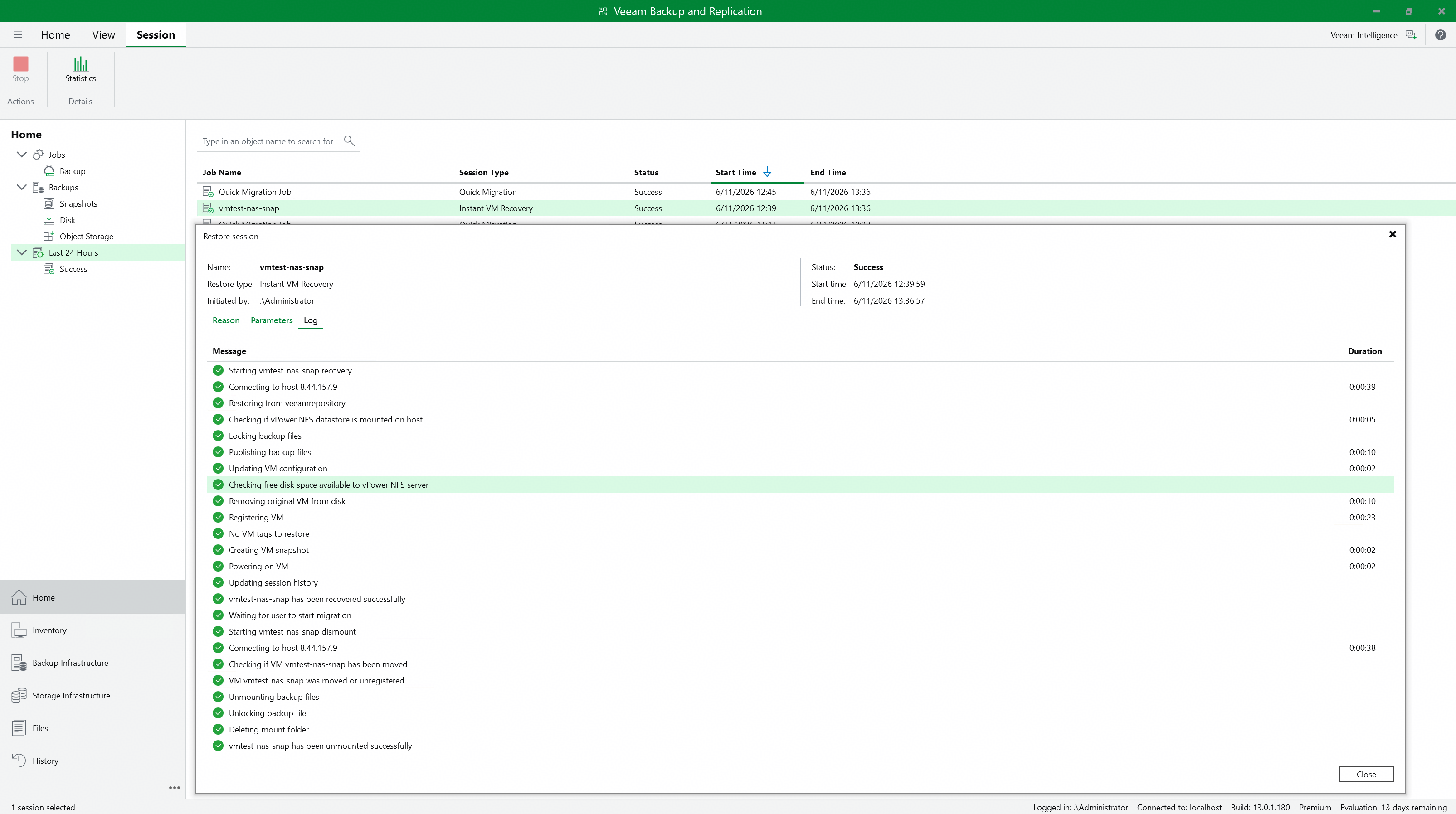 7. Check the restored VM status and data. VM status and data before recovery. 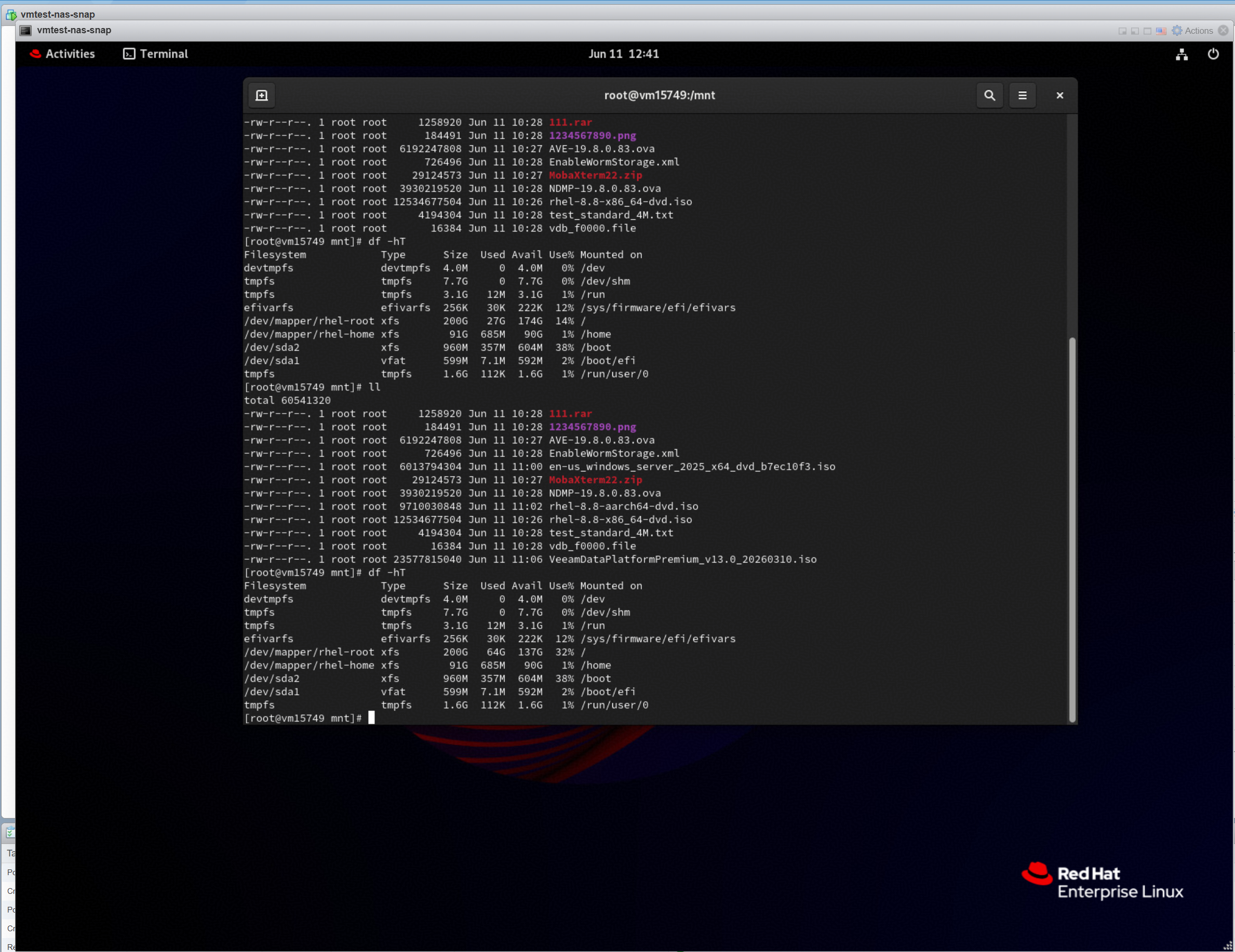 VM status and data after recovery 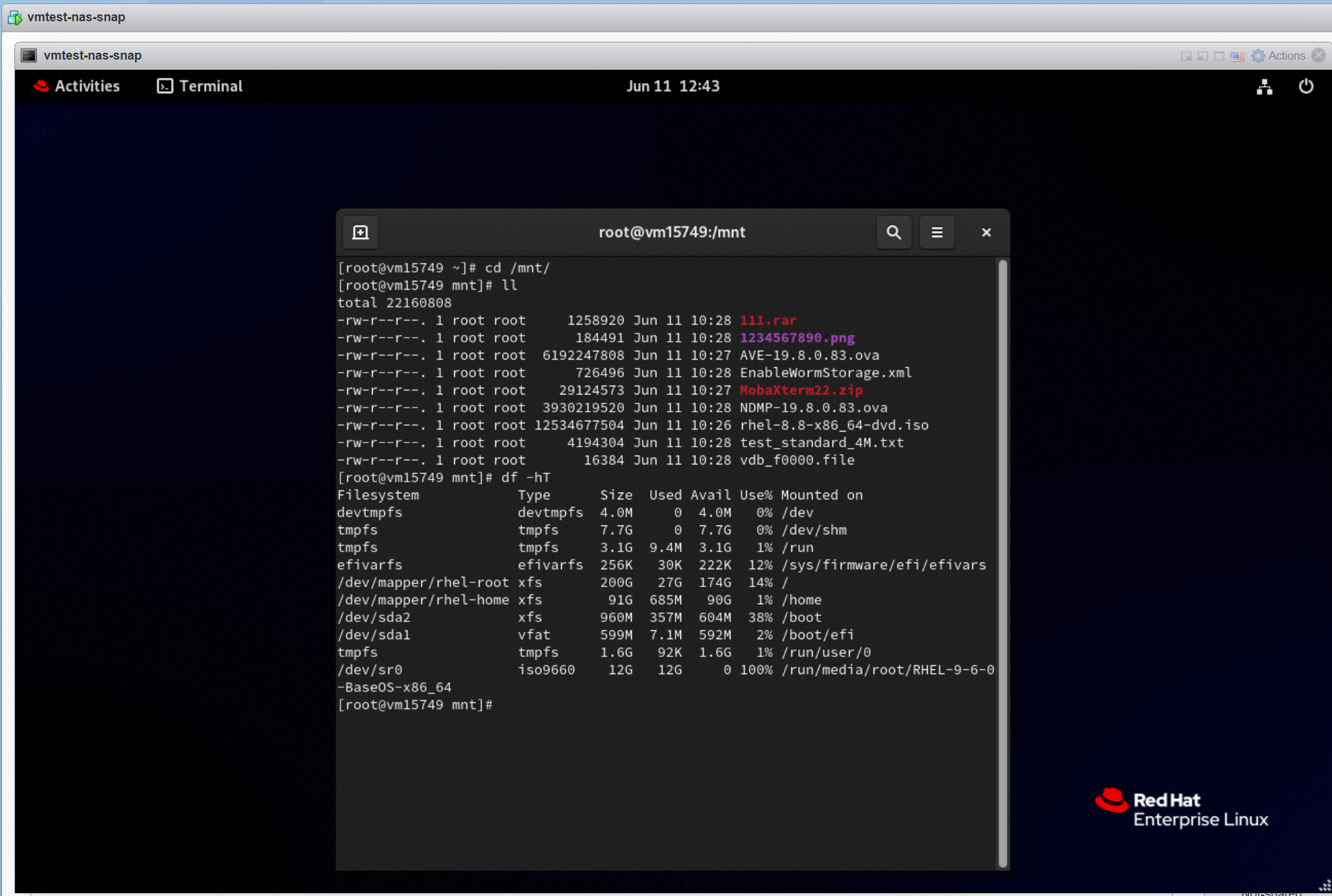 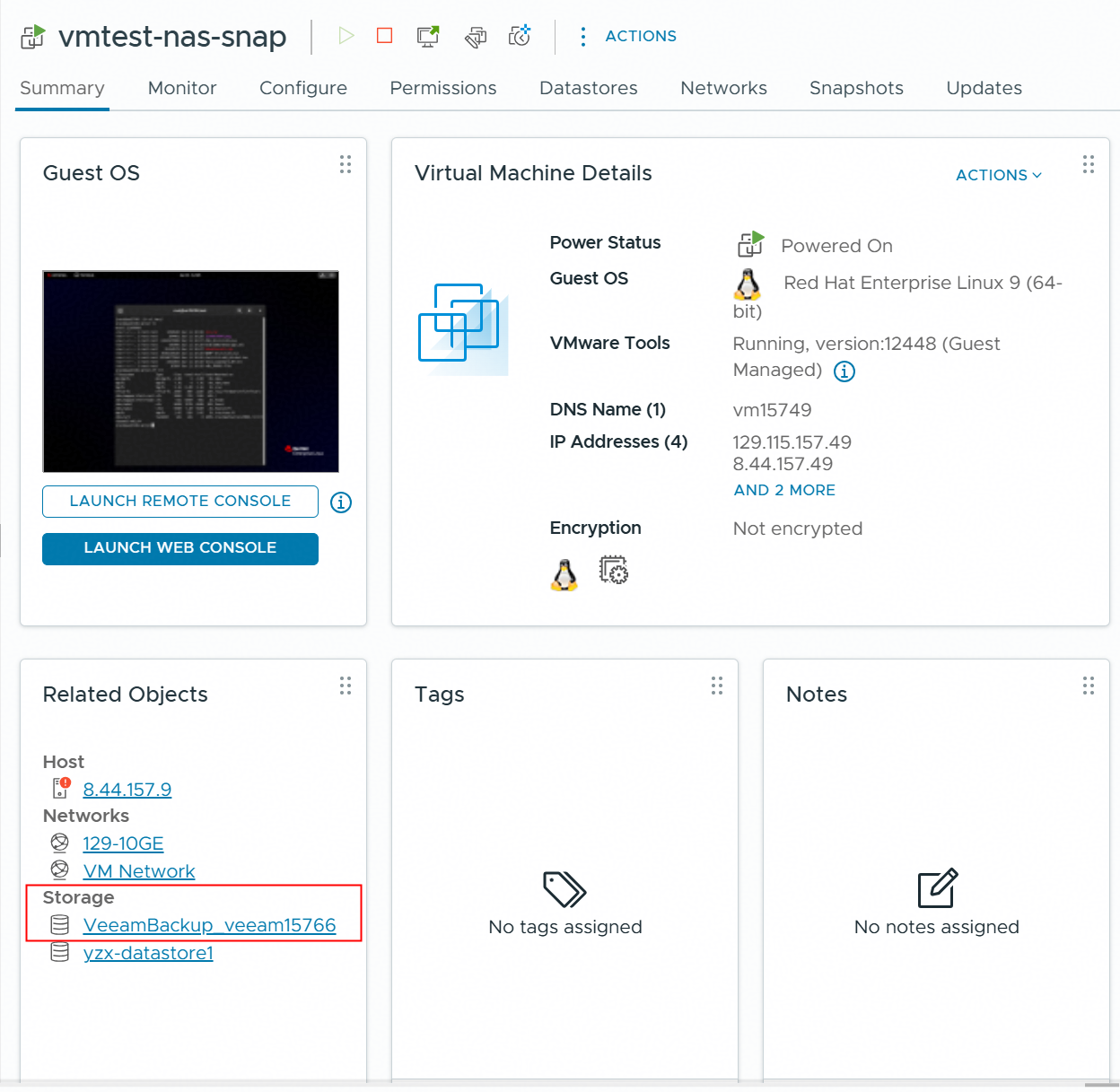 8. Migrate the VM to Production Storage, and check the migrated VM status and data. 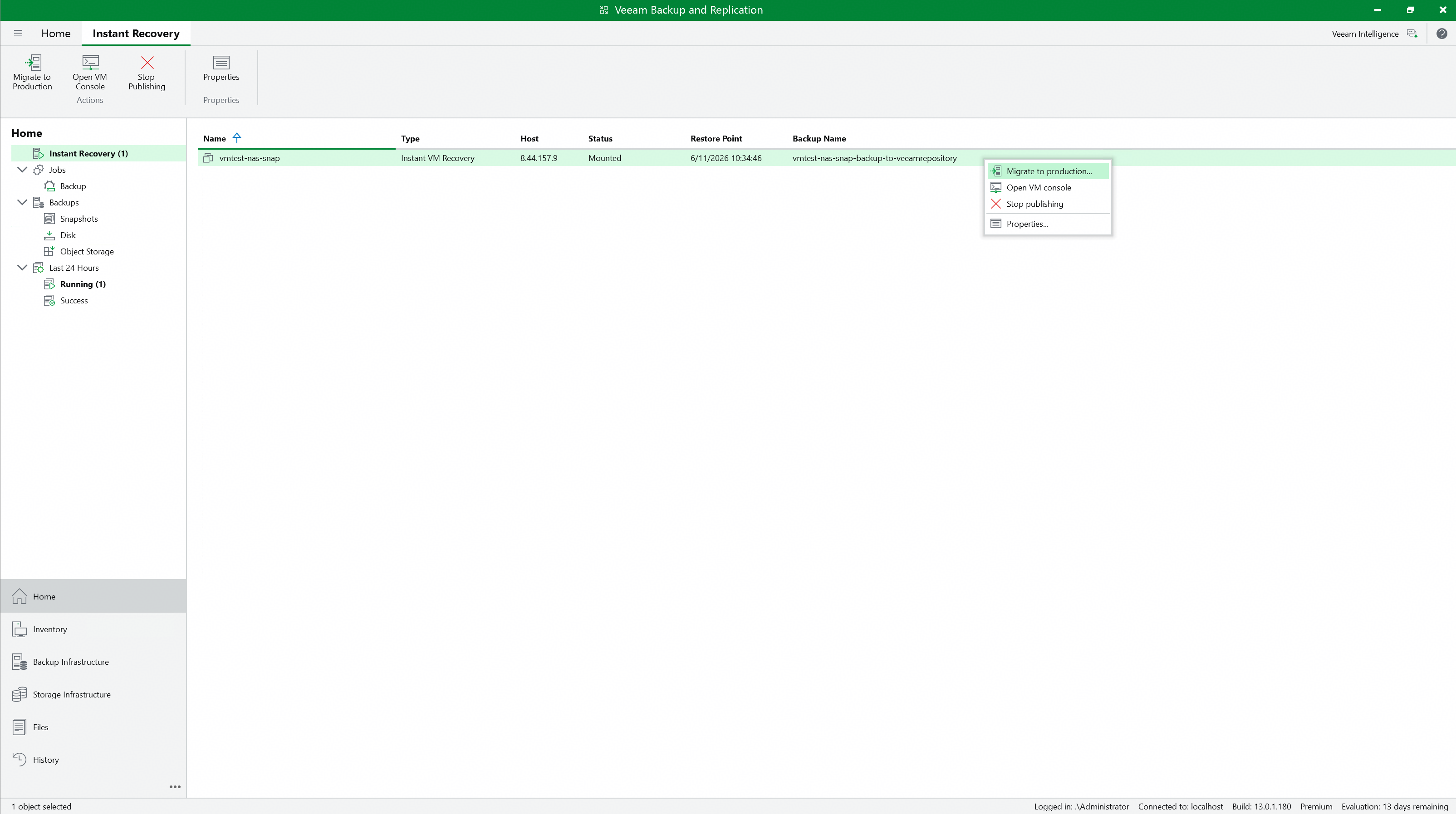 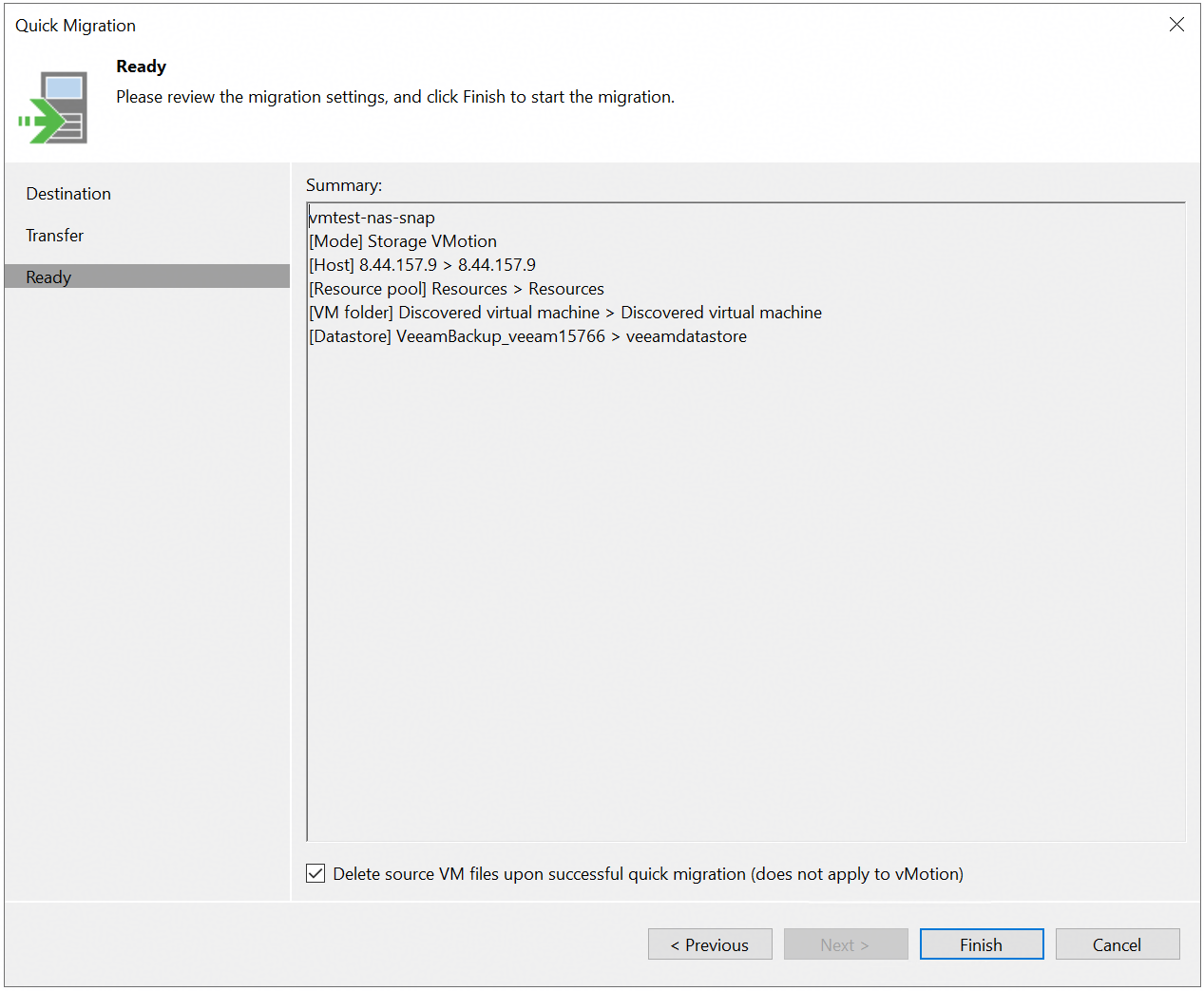 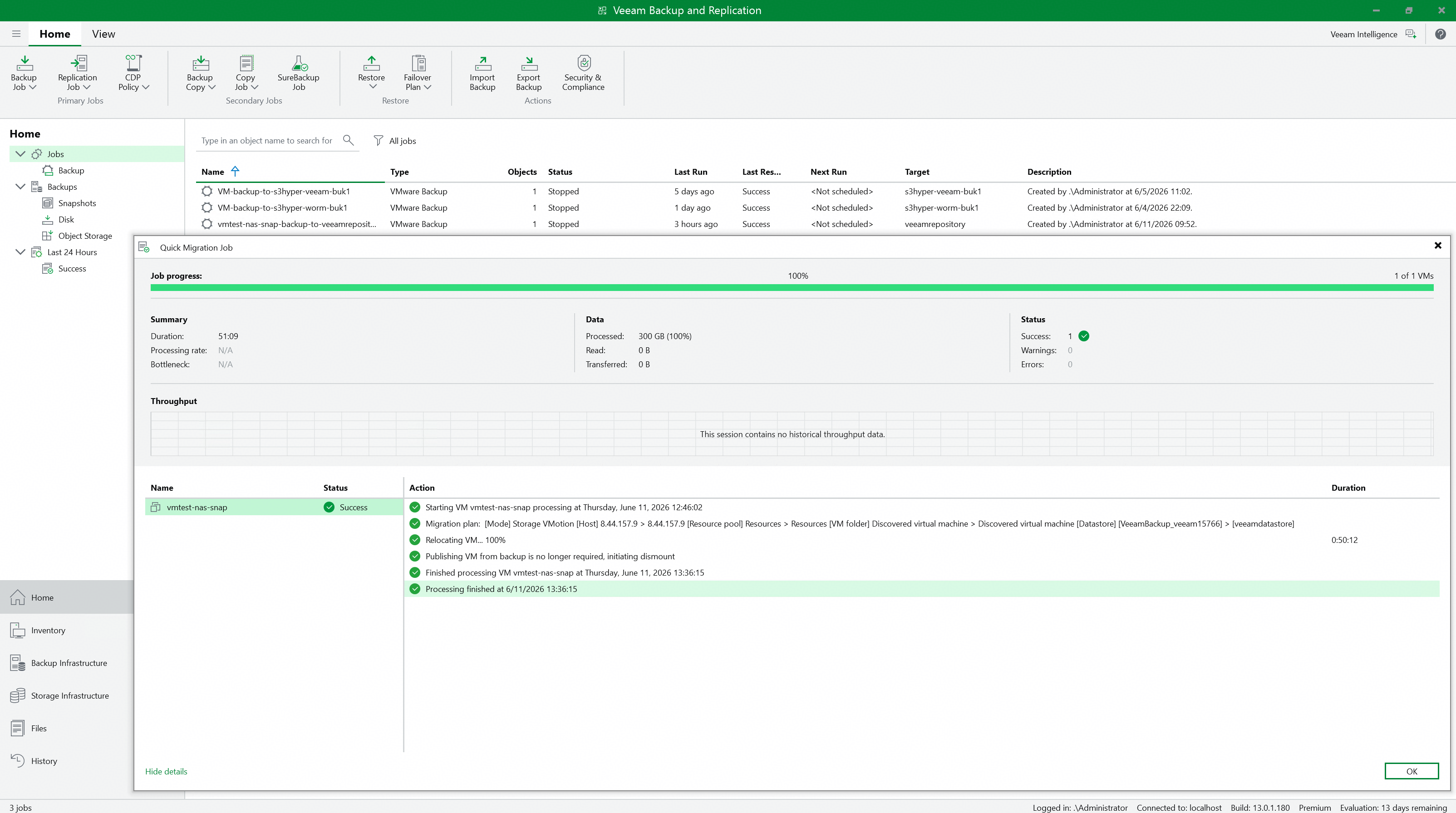 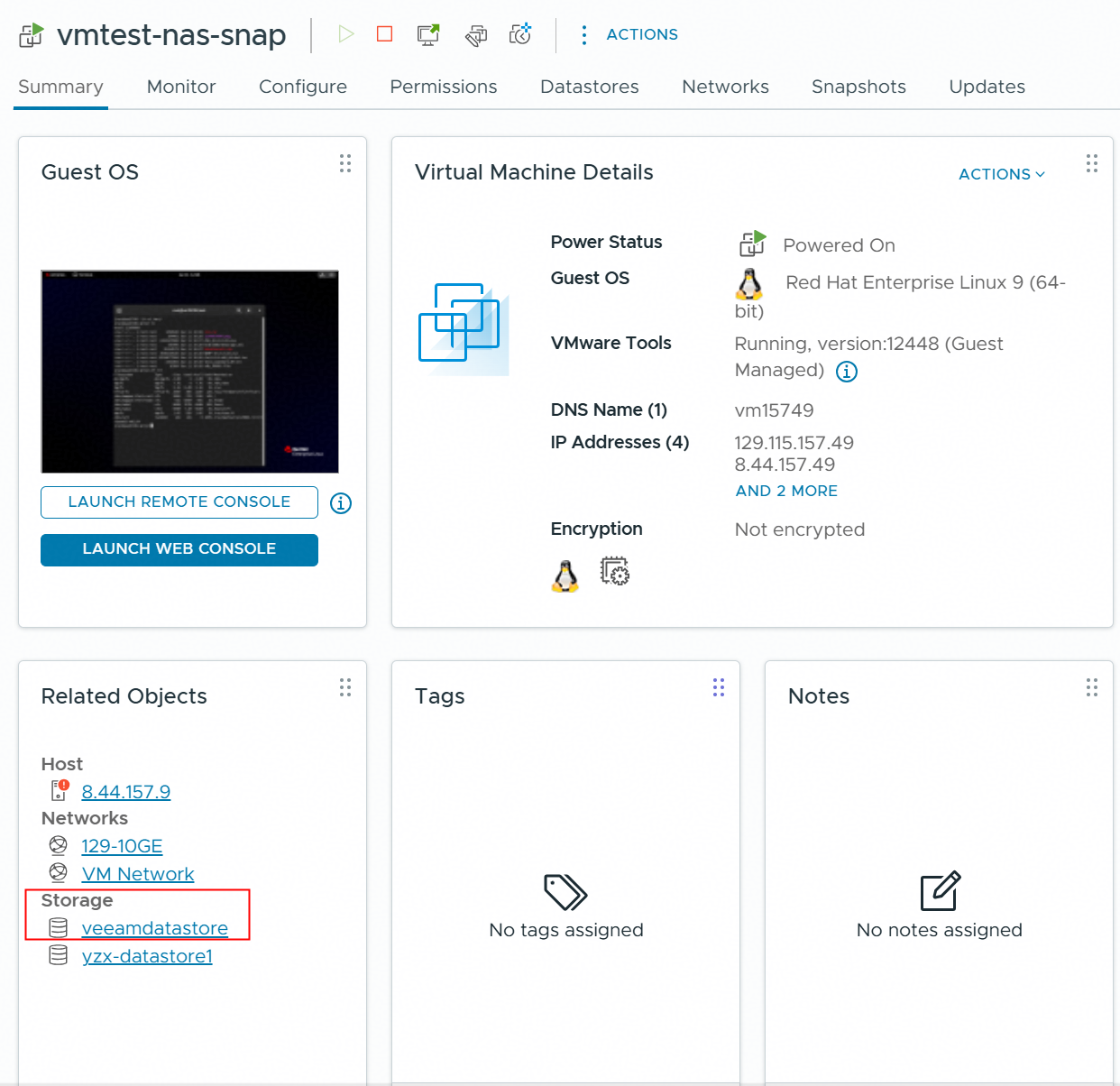 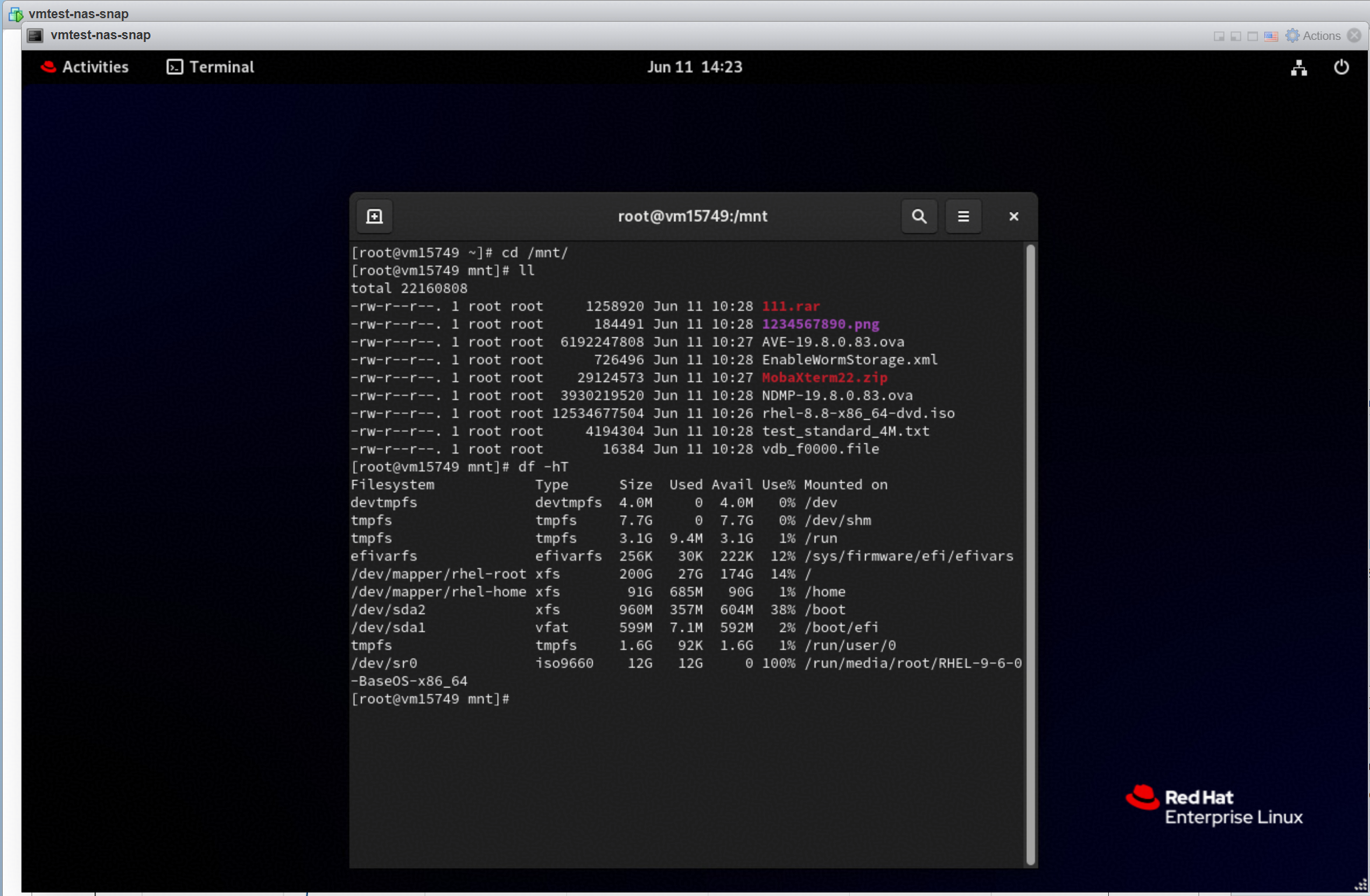 |
Test Conclusion | Passed |