Huawei OceanStor Pacific and Philips PACS Joint Solution Test Report

Interoperability Test Report

Axians Global All Rights Reserved

Copyright © Huawei Technologies Co., Ltd. 2026. All rights reserved.


No part of this document may be reproduced or transmitted in any form or by any means without prior written consent of Huawei Technologies Co., Ltd.

Trademarks and Permissions


and other Huawei trademarks are trademarks of Huawei Technologies Co., Ltd.


All other trademarks and trade names mentioned in this document are the property of their respective holders.

Notice


The purchased products, services and features are stipulated by the contract made between Huawei and the customer. All or part of the products, services and features described in this document may not be within the purchase scope or the usage scope. Unless otherwise specified in the contract, all statements, information, and recommendations in this document are provided « AS IS » without warranties, guarantees or representations of any kind, either express or implied.


The information in this document is subject to change without notice. Every effort has been made in the preparation of this document to ensure accuracy of the contents, but all statements, information, and recommendations in this document do not constitute a warranty of any kind, express or implied.

Huawei Technologies Co., Ltd.

Address:

Huawei Industrial Base

Bantian, Longgang

Shenzhen 518129

People’s Republic of China

Website:

https://e.huawei.com

Security Declaration

Product Lifecycle

Huawei’s regulations on product lifecycle are subject to the Product End of Life Policy. For details about this policy, visit the following web page:

https://support.huawei.com/ecolumnsweb/en/warranty-policy

Vulnerability

Huawei’s regulations on product vulnerability management are subject to the Vul. Response Process. For details about this process, visit the following web page:

https://www.huawei.com/en/psirt/vul-response-process

For vulnerability information, enterprise customers can visit the following web page:

https://securitybulletin.huawei.com/enterprise/en/security-advisory

Initial Digital Certificate

The Initial digital certificates on Huawei devices are subject to the Rights and Responsibilities of Initial Digital Certificates on Huawei Devices. For details about this document, visit the following web page:

https://support.huawei.com/enterprise/en/bulletins-service/ENEWS2000015789

Huawei Enterprise End User License Agreement

This agreement is the end user license agreement between you (an individual, company, or any other entity) and Huawei for the use of the Huawei Software. Your use of the Huawei Software will be deemed as your acceptance of the terms mentioned in this agreement. For details about this agreement, visit the following web page:

https://e.huawei.com/en/about/eula

Lifecycle of Product Documentation

Huawei after-sales user documentation is subject to the Product Documentation Lifecycle Policy. For details about this policy, visit the following web page:

https://support.huawei.com/enterprise/en/bulletins-website/ENEWS2000017761

1. About This Document

1.1 Purpose

1.2 Scope

1.1 Purpose

This document verifies the functions, performance, and reliability of Philips picture archiving and communication system (PACS) integrated with a Huawei OceanStor Pacific storage cluster in PACS image upload and retrieval scenarios.

1.2 Scope

This document is organized as follows:

  • Project overview
  • Test scheme (the actual test scheme includes the test networking, materials, software, and other constraints)
  • Test case execution process and result
  • Test summary

2. Scheme Overview

2.1 Test Objective

2.2 Test Scheme

2.3 Philips Product

2.4 Huawei Product

2.5 Test Environment

2.1 Test Objective

This document verifies the functions, performance, and reliability of Philips PACS integrated with a Huawei OceanStor Pacific storage cluster in PACS image upload and retrieval scenarios.

2.2 Test Scheme

Focusing on functions, performance, and reliability, this test utilizes professional tools like COSBench and Vdbench to simulate real-world upload and retrieval requests, ensuring comprehensive test case coverage for the system.

2.3 Philips Product

Philips PACS provides « medical consortium + imaging » services to enable seamless connections between images and remote platforms, effectively addressing the shortage of primary care diagnostic physicians. By integrating multimodal imaging data for complex diseases into a unified imaging center, the product enables comprehensive disease management, facilitating holistic diagnostic decisions by physicians. It also offers intra-hospital cloud PACS and digital imaging services, delivering an integrated, all-in-one solution.

2.4 Huawei Product

OceanStor Pacific series adopts a fully symmetric scale-out architecture. It enables a linear growth in system capacity and performance by increasing storage nodes, requiring no complex resource requirement plans. It can be easily expanded to contain thousands of nodes and provide EB-level storage capacity. This helps meet your future storage demands. OceanStor Pacific series supports the interworking of file, object, and HDFS unstructured data storage services. One piece of data can be shared and accessed by all the unstructured services. OceanStor Pacific series leverages high-density hardware to help customers save equipment room space. Specifically, the ultra-large capacity design helps store more data with fewer devices; the superb performance density design helps quickly adapt to the all-flash trend.

2.5 Test Environment

2.5.1 Test Networking
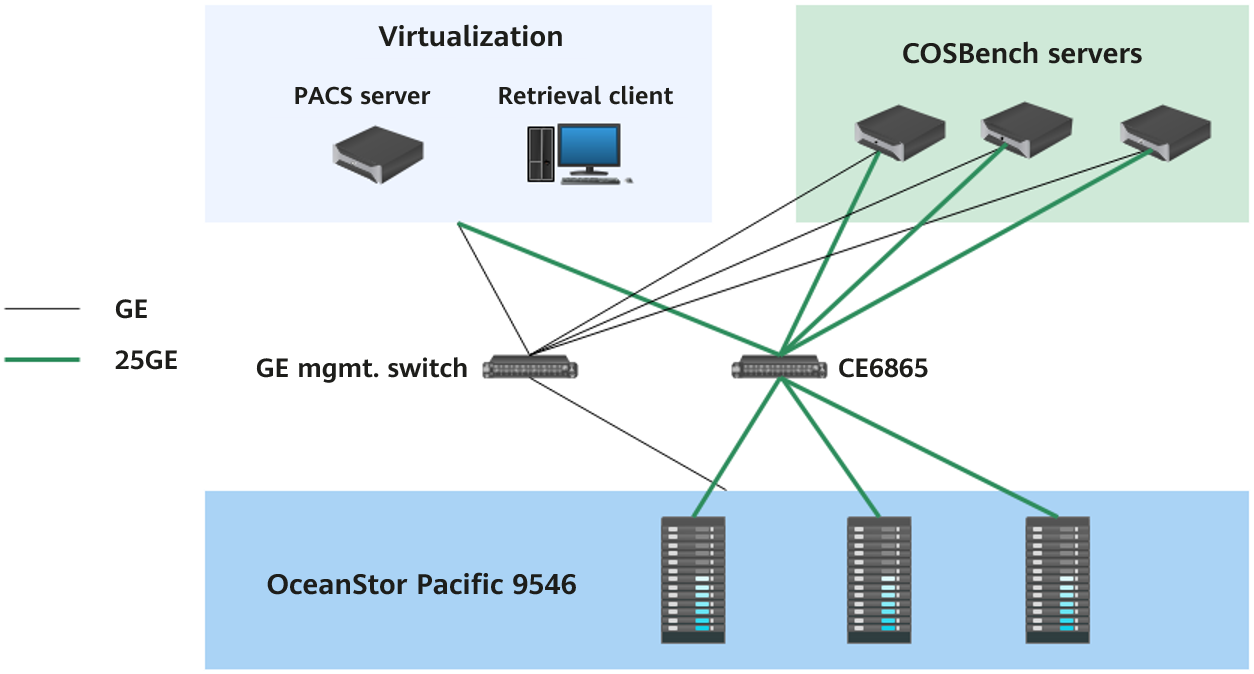
2.5.2 Hardware Configuration

Name

Configuration

Quantity

Function

OceanStor Pacific 9546

CPU: 2 × Kunpeng 920, 48 cores

Memory: 16 × 16 GB

Data disk: 30 × 14 TB SATA HDDs

Cache disk: 2 × 3.84 TB NVMe SSDs

NIC: 1 × Mellanox ConnectX-4 Lx

3

Storage node

CE6865

25GE switch

1

Service network switch

CE5810

GE switch

1

Management network switch

2288H V5

OS: CentOS 7.6

CPU: 2 × Intel(R) Xeon(R) Gold 6130 CPU @ 2.10 GHz, 16 cores

Memory: 16 × 16 GB

Disk: 2 × 480 GB SATA SSDs

NIC: 1 × Mellanox ConnectX-4 Lx

3

COSBench server

VM

OS: Windows Server 2019

CPU: 22 cores

Memory: 64 GB

Disk: 2 TB

1

Philips PACS server

VM

OS: Windows 10

CPU: 10 cores

Memory: 32 GB

Disk: 200 GB SSD

1

Retrieval client

2.5.3 Software Configuration

Type

Version

Storage service

OceanStor Pacific 8.1.5

PACS

Philips Vue PACS V12

OS of PACS image retrieval client

Windows 10

OS of PACS server

Windows Server 2019

OS of the COSBench server

CentOS 7.6

Stress test tool

COSBench 0.4.2.c4

3.Test Execution

3.1 Test Content

3.2 Test Cases

3.1 Test Content

No.

Test Category

Test Case

Function_01

Function test

Philips application integration

Function_02

Multi-protocol interworking

Function_03

Quota of any directory

Function_04

Recycle bin

Benchmark_01

Benchmark test

Upload performance for 512 KB objects

Benchmark_02

Download performance for 512 KB objects

Benchmark_03

Upload performance for 4 KB objects

Benchmark_04

Download performance for 4 KB objects

Performance_01

Performance test

Retrieval performance for 1,316 images

Performance_02

Retrieval performance for 1,714 images

Performance_03

Retrieval performance for 2,081 images

Performance_04

Retrieval performance for 2,327 images

Pressure_01

Stress test

Retrieval performance for 1,316 images in a simulated scenario of 300 concurrent requests

Pressure_02

Retrieval performance for 1,714 images in a simulated scenario of 300 concurrent requests

Pressure_03

Retrieval performance for 2,081 images in a simulated scenario of 300 concurrent requests

Pressure_04

Retrieval performance for 2,327 images in a simulated scenario of 300 concurrent requests

Reliability_01

Reliability test

Disk fault of the storage cluster

3.2 Test Cases

3.2.1 Function Tests

3.2.1.1 Philips Application Integration

Name

Philips application integration

No.

Function_01

Scenario

Verify the integration between the storage cluster and Philips application, as well as service write and read functions.

Prerequisites

  1. The storage system is running properly.
  2. Storage services have been initialized on DeviceManager.
  3. The Philips application has been installed.
  4. A test environment has been set up according to the test networking diagram.

Procedure

  1. Create a namespace (shared directory) named testpacs on DeviceManager.
  2. Configure the SMB and S3 share protocols for testpacs.
  3. Mount namespace testpacs to the Philips application through the SMB protocol.
  4. Mount namespace testpacs to the Philips application through the S3 protocol.
  5. On the Philips application, write data to and read data from namespace testpacs through the SMB protocol.
  6. On the Philips application, write data to and read data from namespace testpacs through the S3 protocol.

Expected Result

  1. Namespace testpacs is successfully created in the storage system.
  2. The SMB and S3 share protocols are successfully configured for namespace testpacs.
  3. Namespace testpacs is successfully mounted to the Philips application through the SMB protocol.
  4. Namespace testpacs is successfully mounted to the Philips application through the S3 protocol.
  5. The Philips application successfully writes data to and reads data from namespace testpacs through the SMB protocol.
  6. The Philips application successfully writes data to and reads data from namespace testpacs through the S3 protocol.

Pass or Not

Yes

Failure Cause

Execution Result

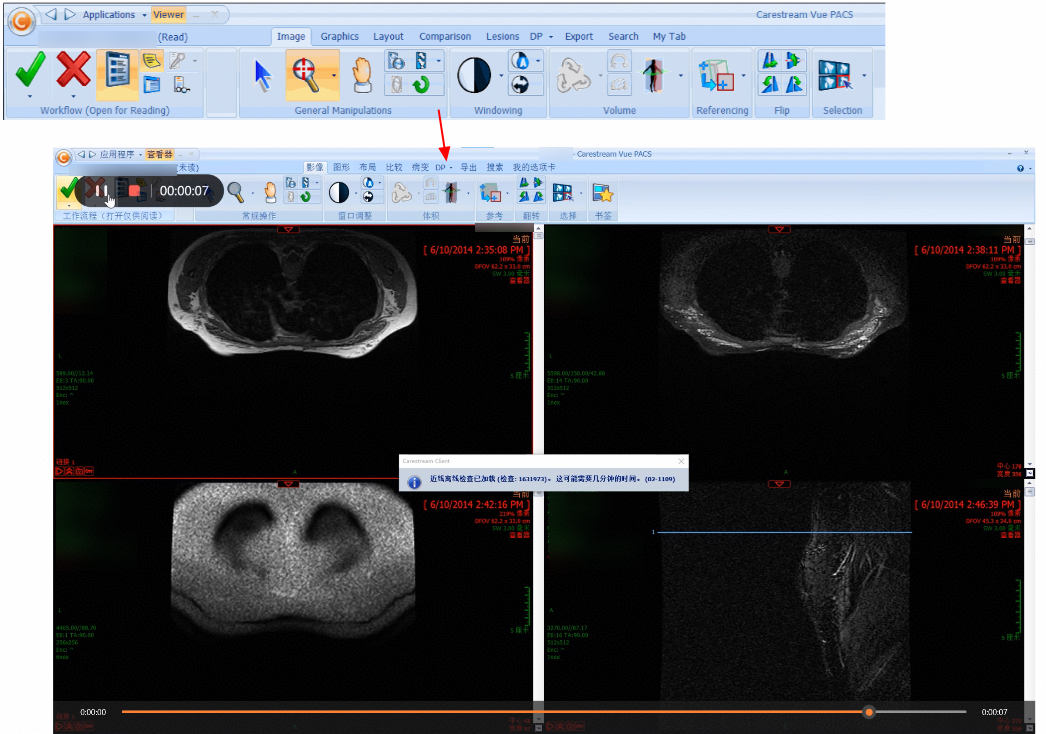
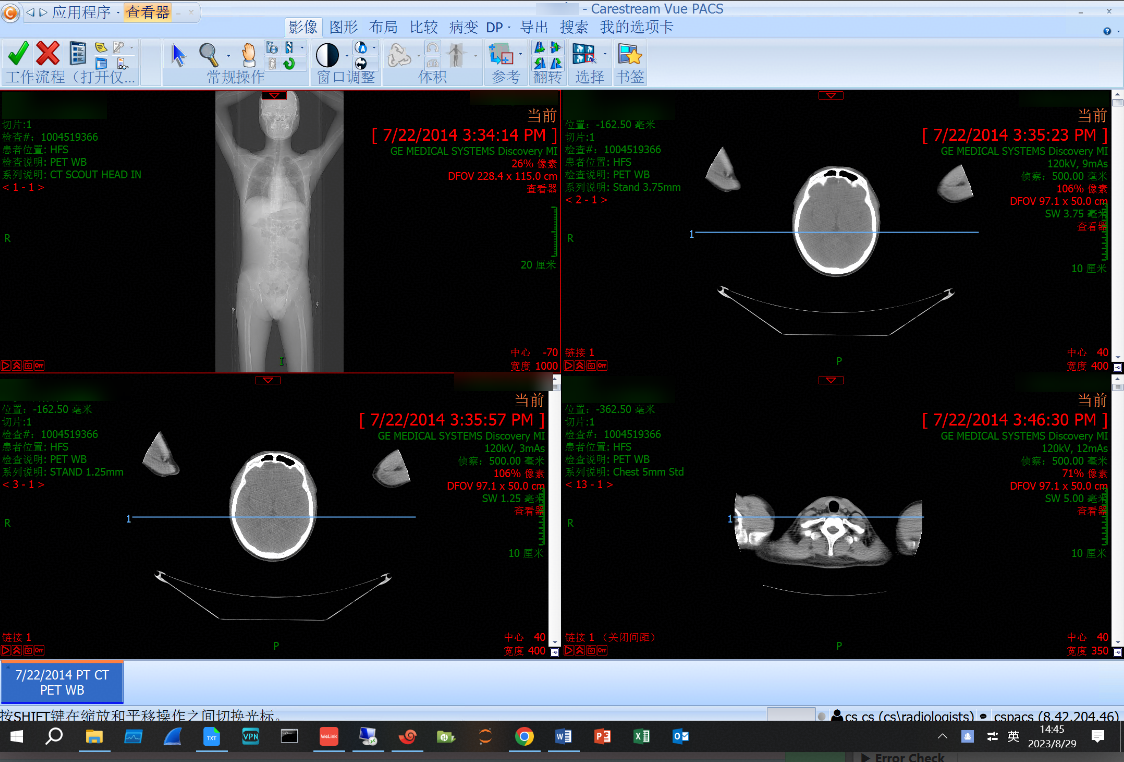
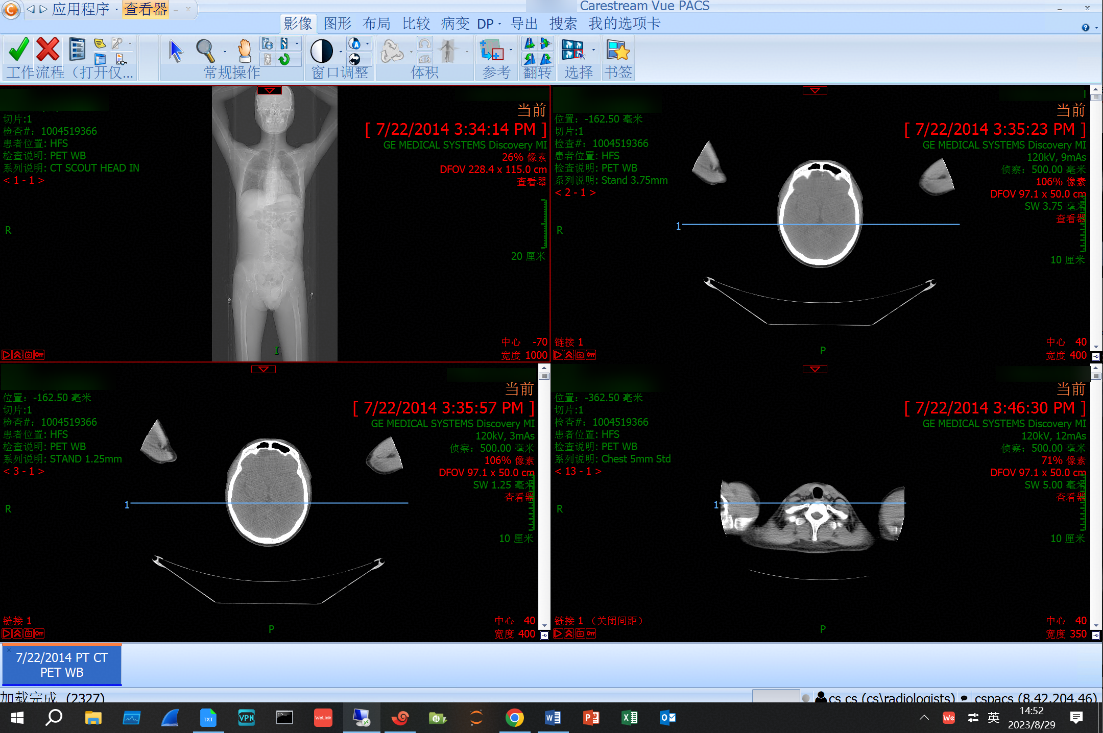
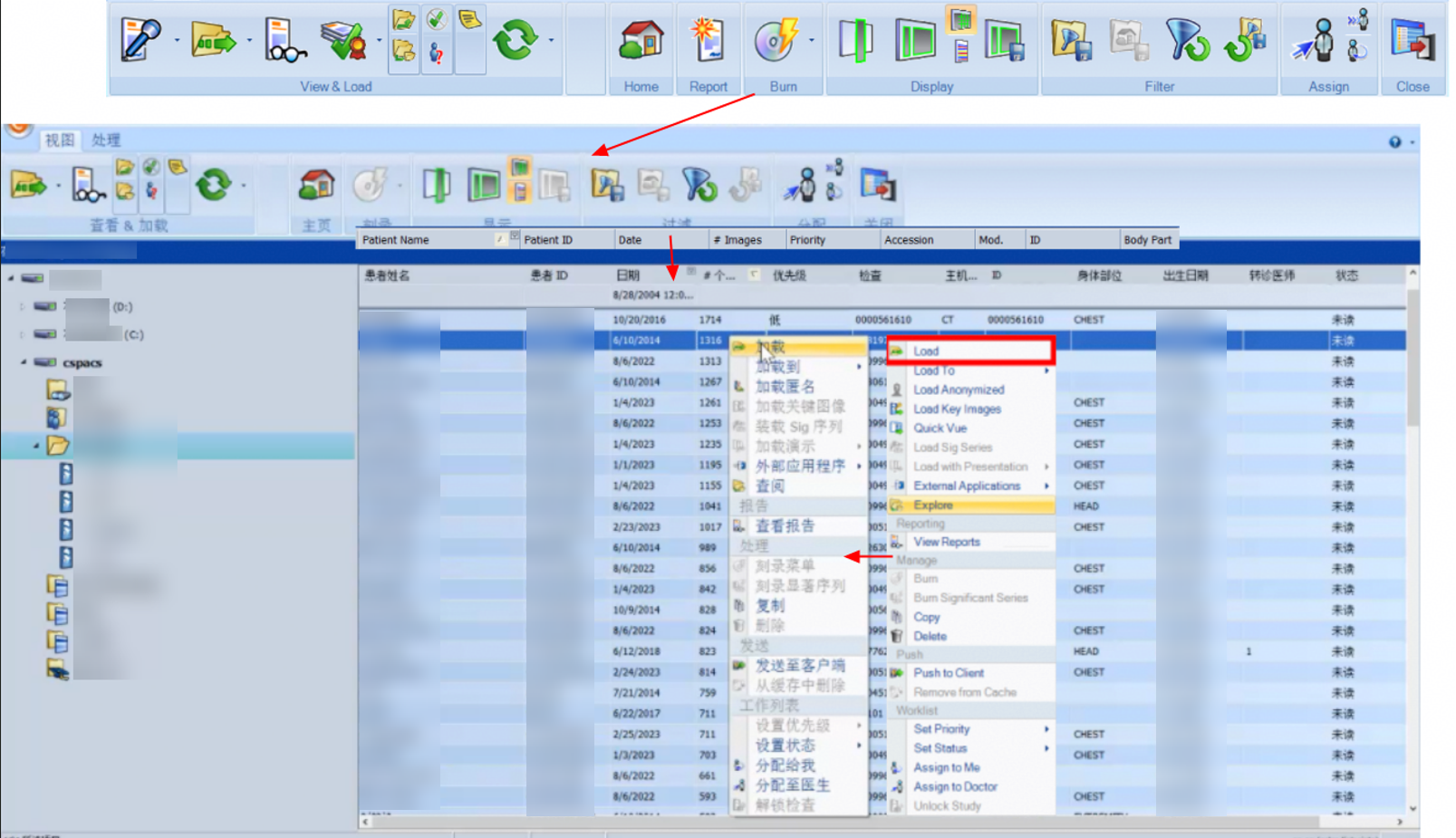
The client successfully invokes the application to retrieve images.
3.2.1.2 Multi-Protocol Interworking

Name

Multi-protocol interworking

No.

Function_02

Scenario

Verify that the storage system supports multi-protocol interworking access.

Prerequisites

  1. The storage system is running properly.
  2. Storage services have been initialized on DeviceManager.
  3. Namespace philips has been created, and the object and NFS protocols have been enabled.

Procedure

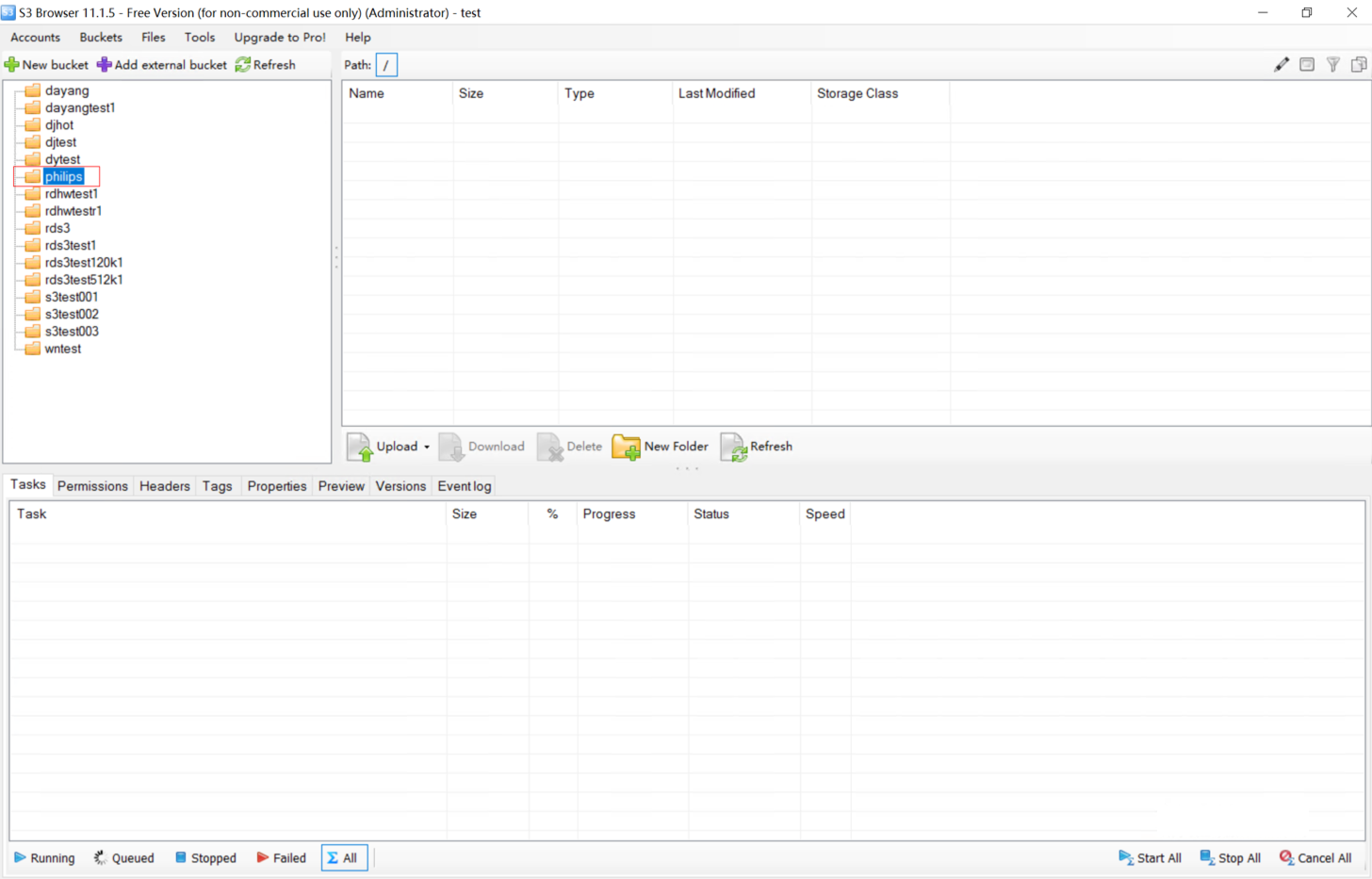
  1. Use S3 Browser to connect to namespace philips through the object protocol.
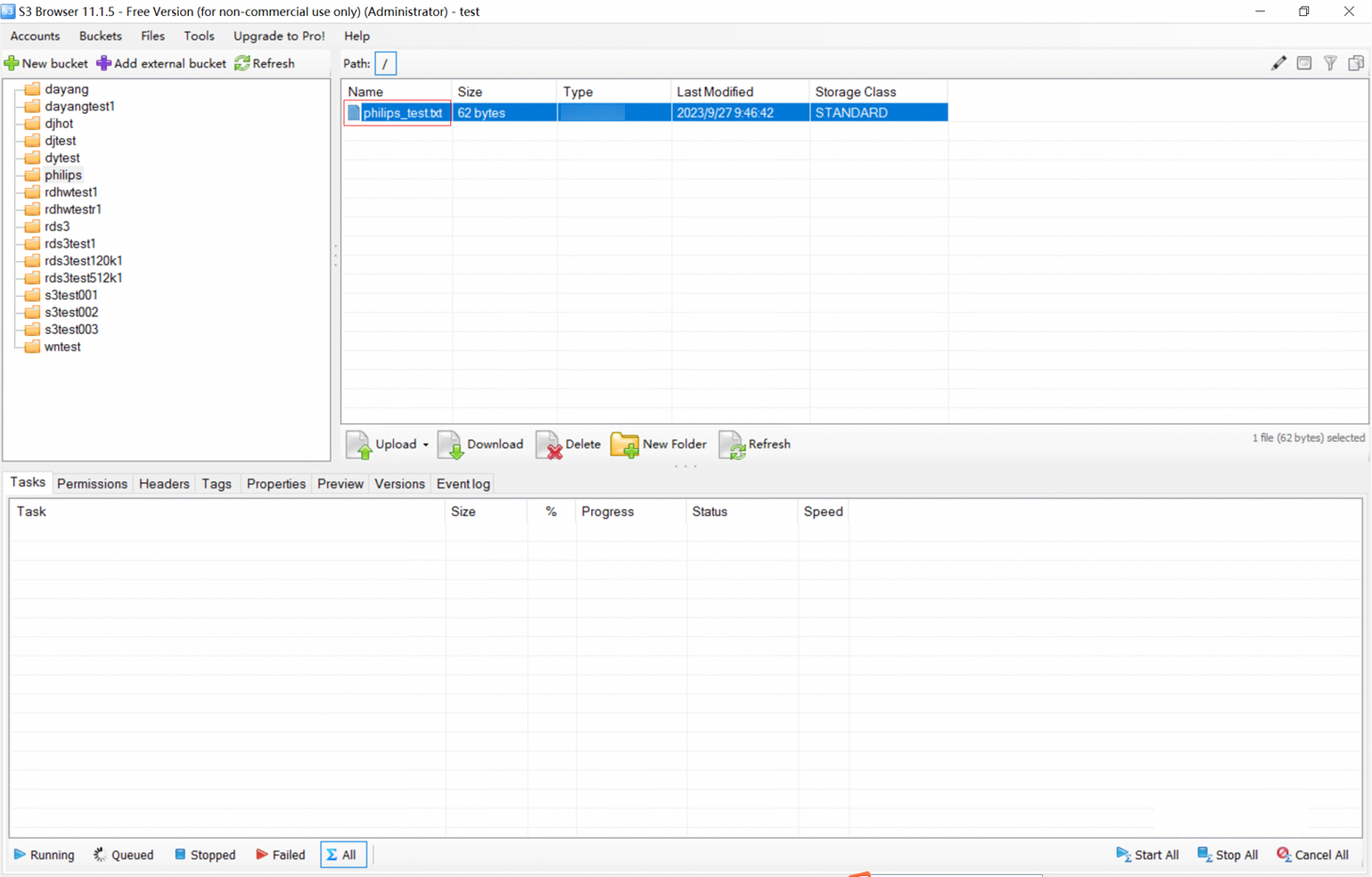
  2. Upload a test text file to the namespace through the object protocol.
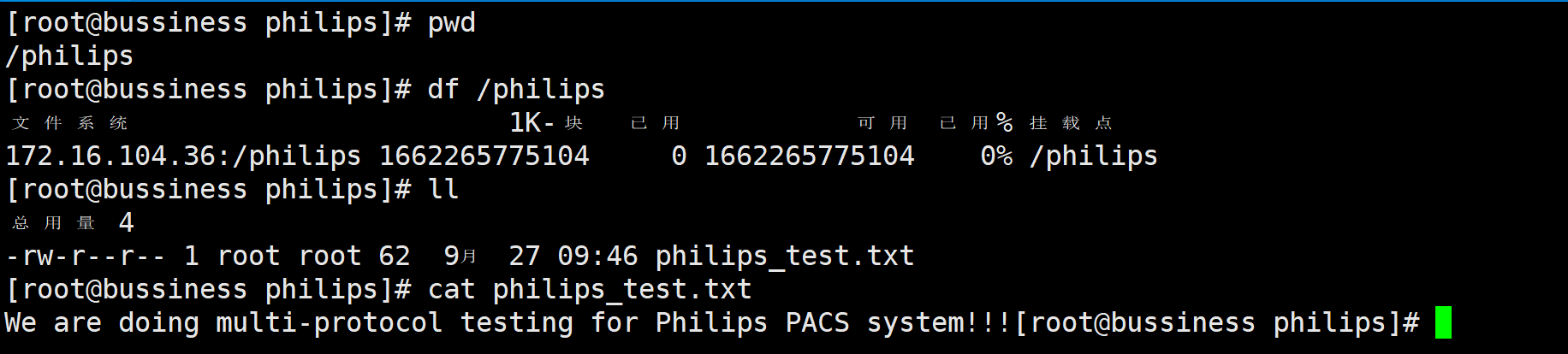
  3. Remotely mount the namespace to a Linux test machine through the NFS protocol.
  4. Check whether the test text file exists in the namespace mount point and whether it is the same as the original file.

Expected Result

  1. In step 1, the connection to the namespace is successful by using S3 Browser.
  2. In step 2, the test text file is successfully uploaded to the namespace through the object protocol.
  3. In step 3, the namespace is successfully mounted through the NFS protocol.
  4. In step 4, the test text file exists in the namespace mount point and is the same as the original file.

Pass or Not

Yes

Failure Cause

Execution Result

1. Original test text file:

2. The namespace is successfully created on DeviceManager, and the NFS and object protocols are successfully enabled.

3. The connection to the namespace is successful by using S3 Browser.
4. The test text file is successfully uploaded through the object protocol.
5. The test text file exists in the namespace mount point and is the same as the original file.
3.2.1.3 Quota of Any Directory

Name

Quota of any directory

No.

Function_03

Scenario

Verify that the storage system allows quotas to be configured for any non-empty directory.

Prerequisites

  1. The storage system is running properly.
  2. Storage services have been initialized on DeviceManager.
  3. Namespace philips has been created, and the object protocol has been enabled.

Procedure

  1. Set the namespace quota to 80 MB.
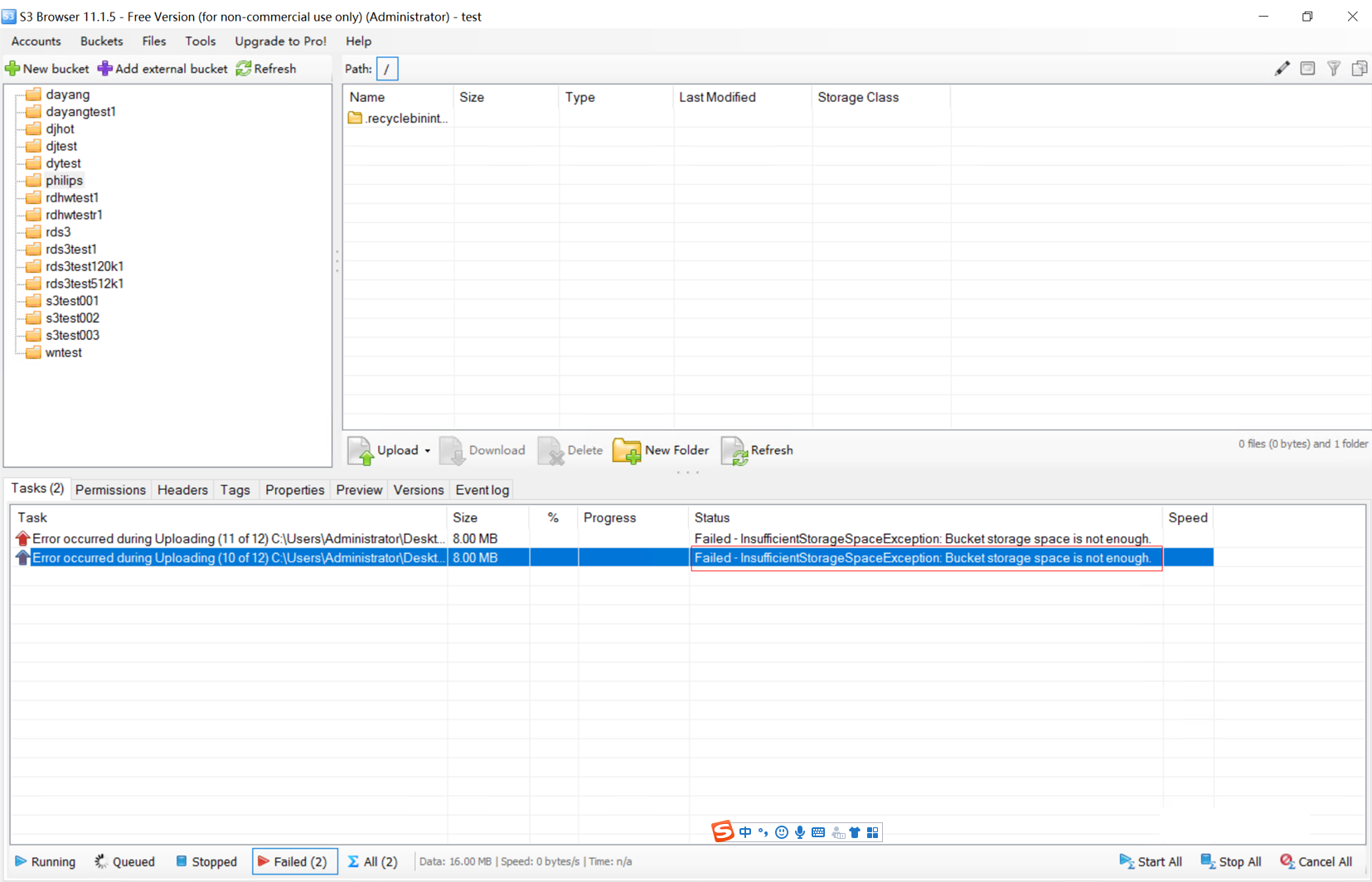
  2. Use S3 Browser to upload 89.3 MB data to the namespace.
  3. Check whether the upload is successful.

Expected Result

  1. In step 1, the namespace quota is successfully set.
  2. In step 2, data fails to be uploaded using S3 Browser.
  3. In step 3, an alarm is generated on DeviceManager, indicating that the write operation is rejected because the quota is exceeded.

Pass or Not

Yes

Failure Cause

Execution Result

1. The namespace quota is set to 80 MB.

2. 89.3 MB data fails to be uploaded using S3 Browser.

3. Alarm on DeviceManager:

ID: 0xFEA6A000B

Description: The used [warning-type]{0:space;1:files;2:space;3:files} ([used]) of quota (type [quota-type]{1:directory quota;2:user quota;3:user group quota}) of path [path] in dtree (name [dtree-name], ID [dtree-id]) in namespace (name [fs-name], ID [fs-id]) reaches or approaches the [warning-type]{0:space soft quota;1:file quantity soft quota;2:space hard quota;3:file quantity hard quota} of ([threshold]). Data writing is about to be rejected.

Suggestion: Increase the hard quota or delete unnecessary files to ensure that the quota usage is less than 90% of the hard quota. If the alarm persists, repeat the step.

3.2.1.4 Recycle Bin

Name

Recycle bin

No.

Function_04

Scenario

Verify that the storage system supports the recycle bin function, which prevents data loss caused by users’ accidental deletion and allows accidentally deleted data to be restored from the recycle bin.

Prerequisites

  1. The storage system is running properly.
  2. Storage services have been initialized on DeviceManager.
  3. Namespace philips has been created, the object protocol and recycle bin have been enabled, and the recycle bin directory has been set to be visible.
  4. The test text file is successfully uploaded.

Procedure

  1. Use S3 Browser to connect to the namespace through the object protocol.
  2. Delete the test text file from the namespace.
  3. Check whether the deleted file is archived to the recycle bin directory.
  4. Check whether the text file in the recycle bin is consistent with the original test text file.

Expected Result

  1. In step 2, the test text file is successfully deleted.
  2. In step 3, the deleted file is archived to the recycle bin directory.
  3. In step 4, the file in the recycle bin is consistent with the original test text file.

Pass or Not

Yes

Failure Cause

Execution Result

1. The namespace recycle bin is enabled and the recycle bin directory is visible.

2. After being deleted, the file is automatically archived to ./recyclebininternal.
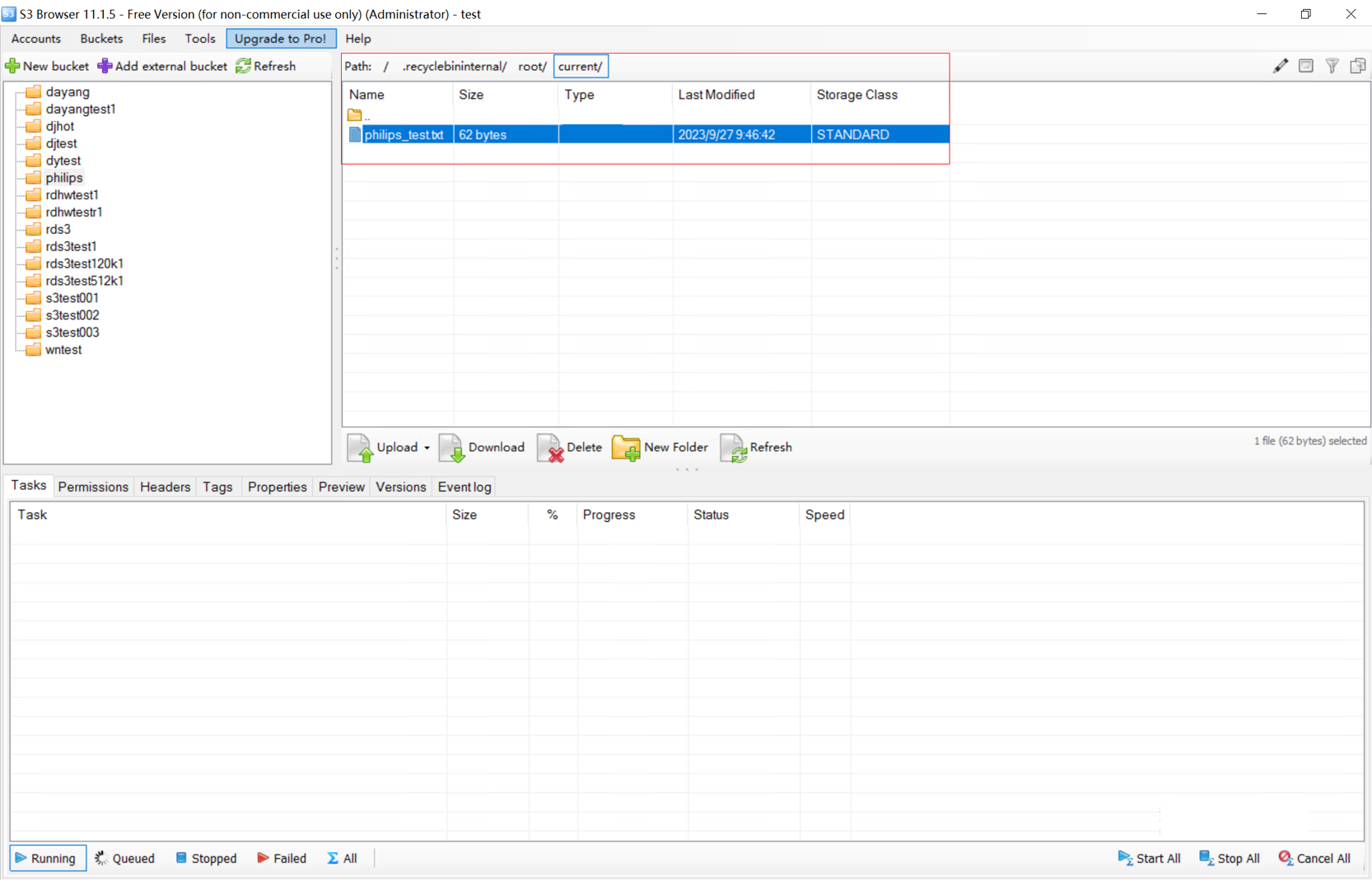
3. The file in the recycle bin is consistent with the original file.

3.2.2 Benchmark Performance Tests

3.2.2.1 Upload Performance for 512 KB Objects

Name

Upload performance for 512 KB objects

No.

Benchmark_01

Scenario

Verify the performance of writing 512 KB objects to the object storage system.

Prerequisites

  1. A test environment has been set up according to the test networking diagram.
  2. The storage cluster contains 500 million 512 KB files (the file generation takes 1 to 2 days).
  3. The storage pool of the storage cluster is a pure-HDD pool and a multi-protocol interworking converged pool.
  4. Windows clients normally communicate with the scale-out object storage cluster. Test clients have been prepared and the number of clients is twice the number of nodes.
  5. A test account has been created and its AK has been recorded.
  6. The COSBench test tool has been prepared.

Procedure

  1. Log in to the storage system. Confirm that the data protection mode is EC and the theoretical storage space utilization is greater than 50%.
  2. Create a bucket for the performance test.
  3. Use COSBench to test the performance when 512 KB objects are concurrently uploaded to a single bucket. The concurrency rate is 100% and the test data volume is 10 million files on a single client. (The test is expected to take more than 2 hours.)
  4. After the performance test is complete, observe the TPS and service success rate of the uploaded objects.

Expected Result

All objects are uploaded successfully and the TPS is recorded.

Pass or Not

Yes

Failure Cause

Execution Result

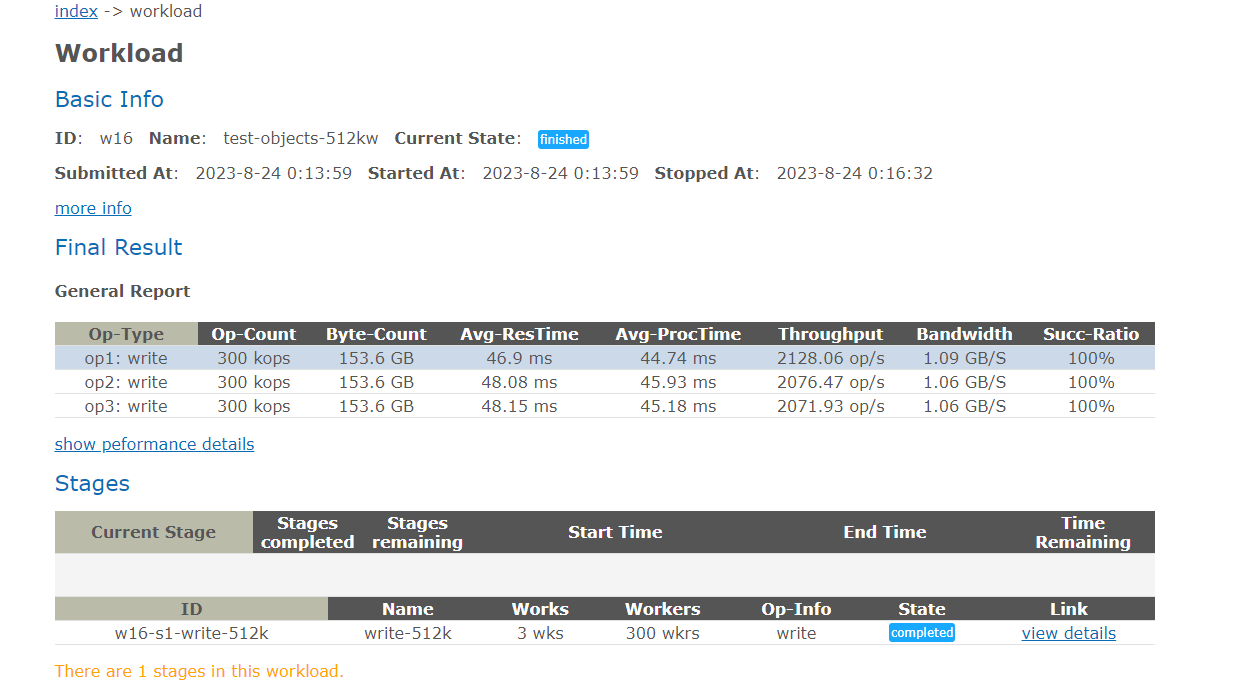
Average values: TPS: 6276.46 op/s; bandwidth: 3.21 GB/s.

3.2.2.2 Download Performance for 512 KB Objects

Name

Download performance for 512 KB objects

No.

Benchmark_02

Scenario

Verify the performance of reading 512 KB objects from the object storage system.

Prerequisites

  1. A test environment has been set up according to the test networking diagram.
  2. The storage cluster contains 500 million 512 KB files (the file generation takes 1 to 2 days).
  3. The storage pool of the storage cluster is a pure-HDD pool and a multi-protocol interworking converged pool.
  4. Windows clients normally communicate with the scale-out object storage cluster. Test clients have been prepared and the number of clients is twice the number of nodes.
  5. A test account has been created and its AK has been recorded.
  6. The COSBench test tool has been prepared.

Procedure

  1. Log in to the storage system. Confirm that the data protection mode is EC and the theoretical storage space utilization is greater than 50%.
  2. Create a bucket for the performance test.
  3. Use COSBench to test the performance when 512 KB objects are concurrently downloaded from a single bucket. The concurrency rate is 100% and the test data volume is 10 million files on a single client. (The test is expected to take more than 2 hours.)
  4. After the performance test is complete, observe the TPS and service success rate of the downloaded objects.

Expected Result

All objects are downloaded successfully and the TPS is recorded.

Pass or Not

Yes

Failure Cause

Execution Result

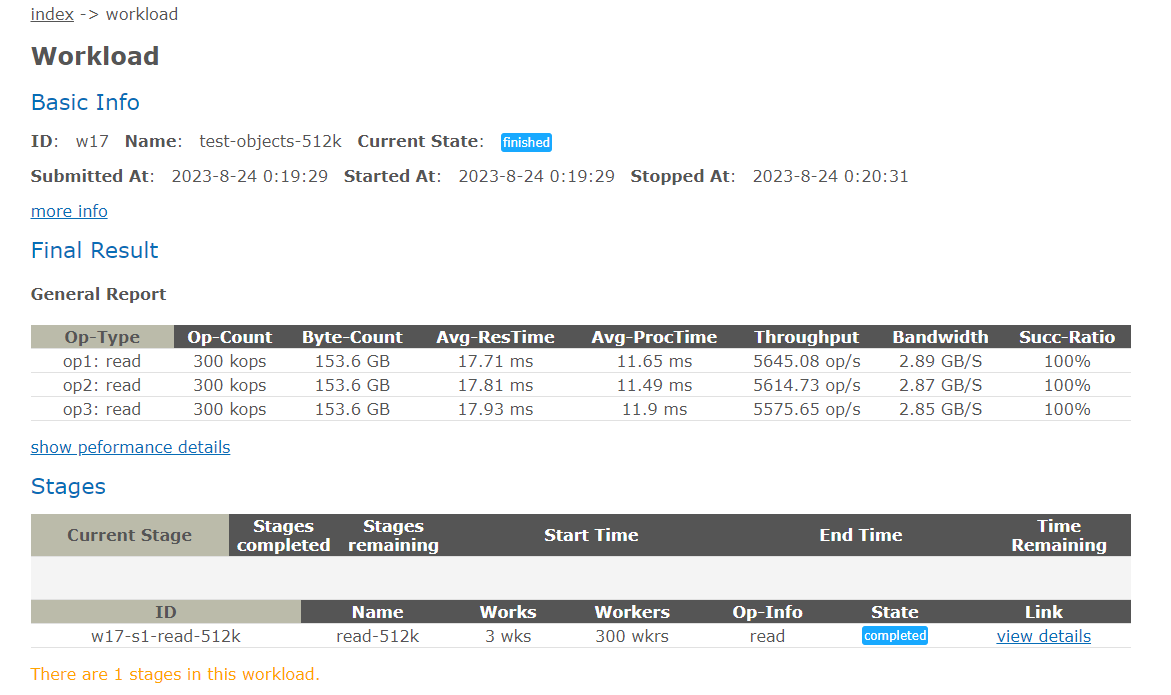
Average values: TPS: 16835.46 op/s; bandwidth: 8.61 GB/s.

Upload Performance for 4 KB Objects

Name

Upload performance for 4 KB objects

No.

Benchmark_03

Scenario

Verify the performance of writing 4 KB objects to the object storage system.

Prerequisites

  1. A test environment has been set up according to the test networking diagram.
  2. The storage cluster contains 500 million 512 KB files (the file generation takes 1 to 2 days).
  3. The storage pool of the storage cluster is a pure-HDD pool and a multi-protocol interworking converged pool.
  4. Windows clients normally communicate with the scale-out object storage cluster. Test clients have been prepared and the number of clients is twice the number of nodes.
  5. A test account has been created and its AK has been recorded.
  6. The COSBench test tool has been prepared.

Procedure

  1. Log in to the storage system. Confirm that the data protection mode is EC and the theoretical storage space utilization is greater than 50%.
  2. Create a bucket for the performance test.
  3. Use COSBench to test the performance when 4 KB objects are concurrently uploaded to a single bucket. The concurrency rate is 100% and the test data volume is 10 million files on a single client. (The test is expected to take more than half an hour.)
  4. After the performance test is complete, observe the TPS and service success rate of the uploaded objects.

Expected Result

All objects are uploaded successfully and the TPS is recorded.

Pass or Not

Yes

Failure Cause

Execution Result

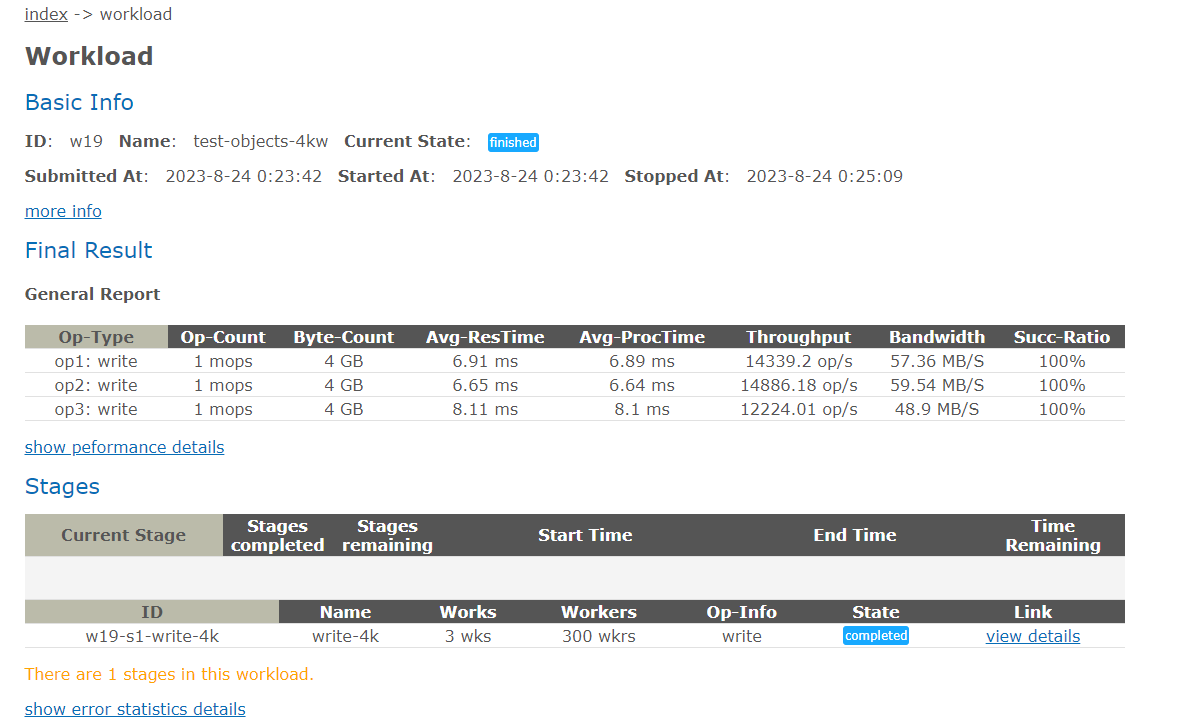
Average values: TPS: 41449.39 op/s; bandwidth: 165.8 MB/s.

3.2.2.4 Download Performance for 4 KB Objects

Name

Download performance for 4 KB objects

No.

Benchmark_04

Scenario

Verify the performance of reading 4 KB objects from the object storage system.

Prerequisites

  1. A test environment has been set up according to the test networking diagram.
  2. The storage cluster contains 500 million 512 KB files (the file generation takes 1 to 2 days).
  3. The storage pool of the storage cluster is a pure-HDD pool and a multi-protocol interworking converged pool.
  4. Windows clients normally communicate with the scale-out object storage cluster. Test clients have been prepared and the number of clients is twice the number of nodes.
  5. A test account has been created and its AK has been recorded.
  6. The COSBench test tool has been prepared.

Procedure

  1. Log in to the storage system. Confirm that the data protection mode is EC and the theoretical storage space utilization is greater than 50%.
  2. Create a bucket for the performance test.
  3. Use COSBench to test the performance when 4 KB objects are concurrently downloaded from a single bucket. The concurrency rate is 100% and the test data volume is 10 million files on a single client. (The test is expected to take more than half an hour.)
  4. After the performance test is complete, observe the TPS and service success rate of the downloaded objects.

Expected Result

All objects are downloaded successfully and the TPS is recorded.

Pass or Not

Yes

Failure Cause

Execution Result

Average values: TPS: 42997.79 op/s; bandwidth: 172 MB/s.

3.2.3 Retrieval Performance Tests

3.2.3.1 Retrieval Performance for 1,316 Images

Name

Retrieval performance for 1,316 images

No.

Performance_01

Scenario

Verify the performance of retrieving 1,316 images on the client.

Prerequisites

  1. A test environment has been set up according to the test networking diagram.
  2. Storage services have been initialized on DeviceManager.
  3. A namespace has been created and the object protocol share function has been enabled.
  4. Test data samples have been uploaded.
  5. The retrieval client is ready.

Procedure

  1. Retrieve target test samples.
  2. Record the retrieval performance statistics.

Expected Result

1,316 images are successfully retrieved and the performance meets the requirements.

Pass or Not

Yes

Failure Cause

Execution Result

Performance test result: 438.67 images per second

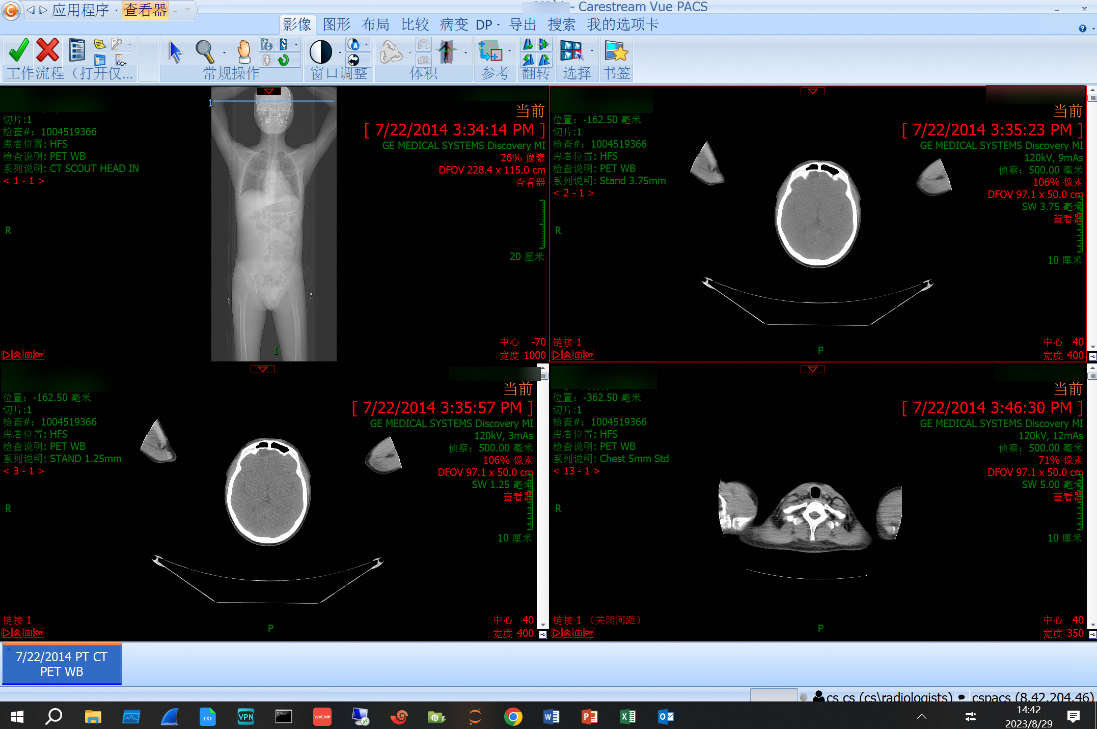
1. Target samples are retrieved on the client.
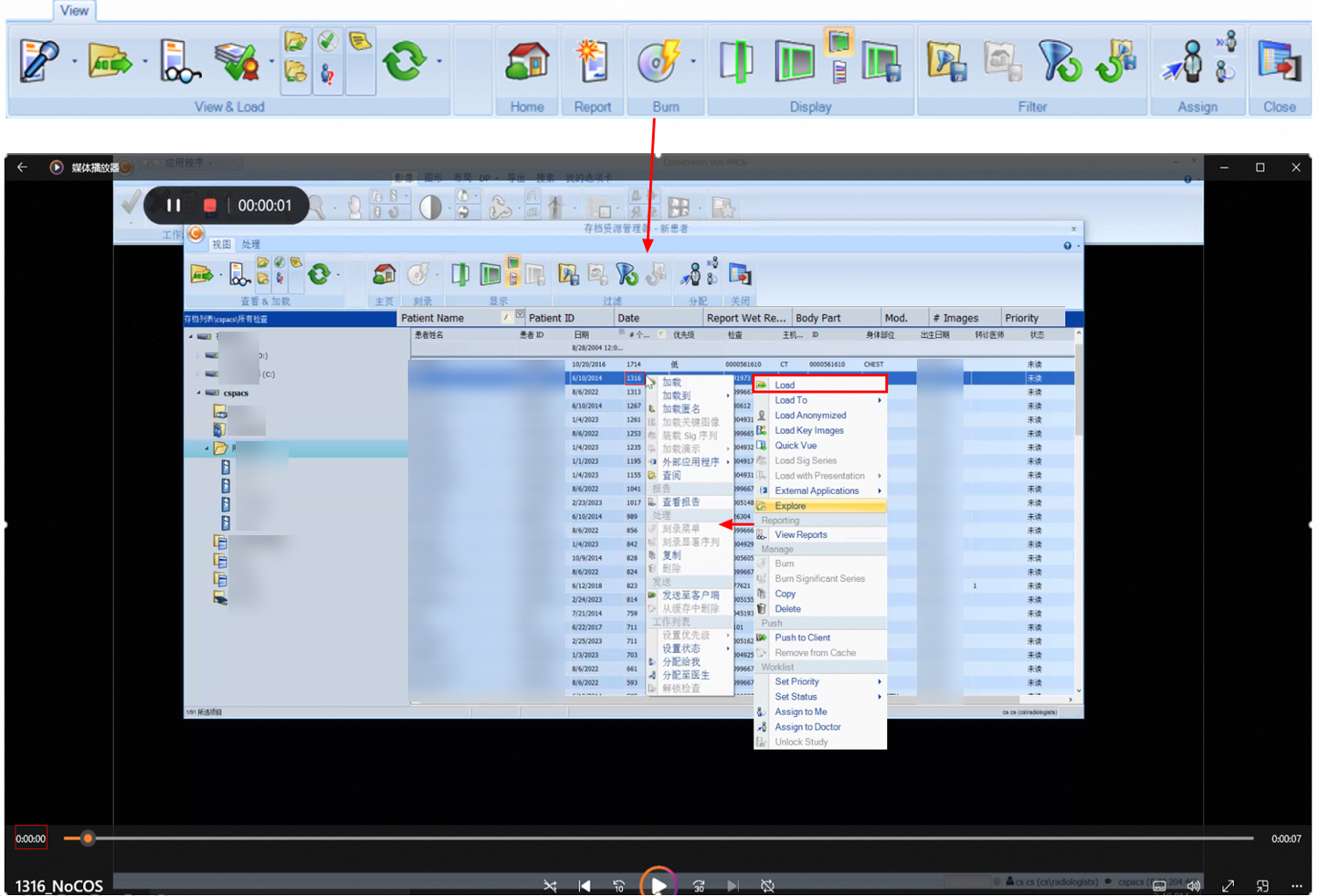
2. The retrieval is complete, which takes about 3 seconds.
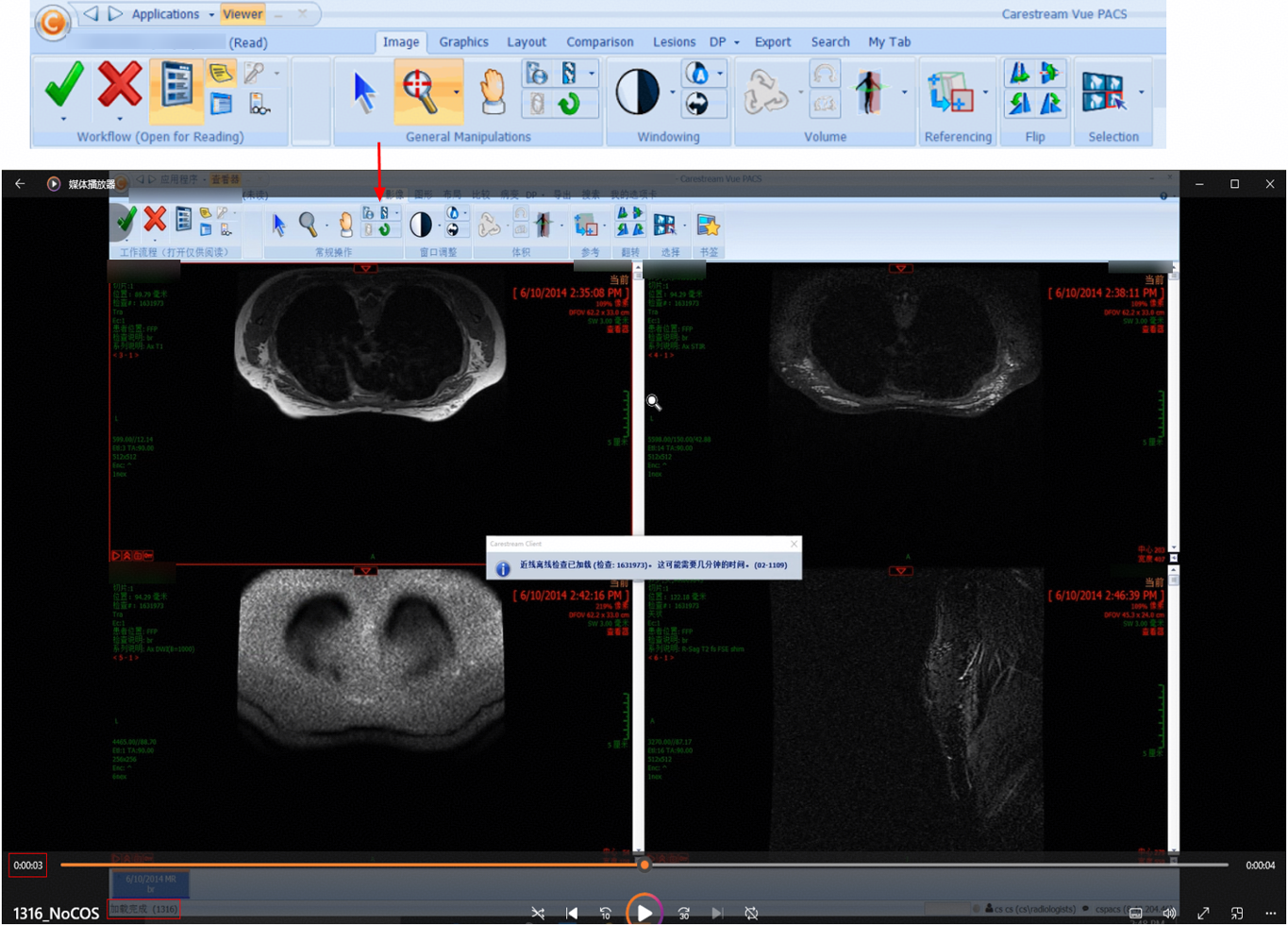
3.2.3.2 Retrieval Performance for 1,714 Images

Name

Retrieval performance for 1,714 images

No.

Performance_02

Scenario

Verify the performance of retrieving 1,714 images on the client.

Prerequisites

  1. A test environment has been set up according to the test networking diagram.
  2. Storage services have been initialized on DeviceManager.
  3. A namespace has been created and the object protocol share function has been enabled.
  4. Test data samples have been uploaded.
  5. The retrieval client is ready.

Procedure

  1. Retrieve target test samples.
  2. Record the retrieval performance statistics.

Expected Result

1,714 images are successfully retrieved and the performance meets the requirements.

Pass or Not

Yes

Failure Cause

Execution Result

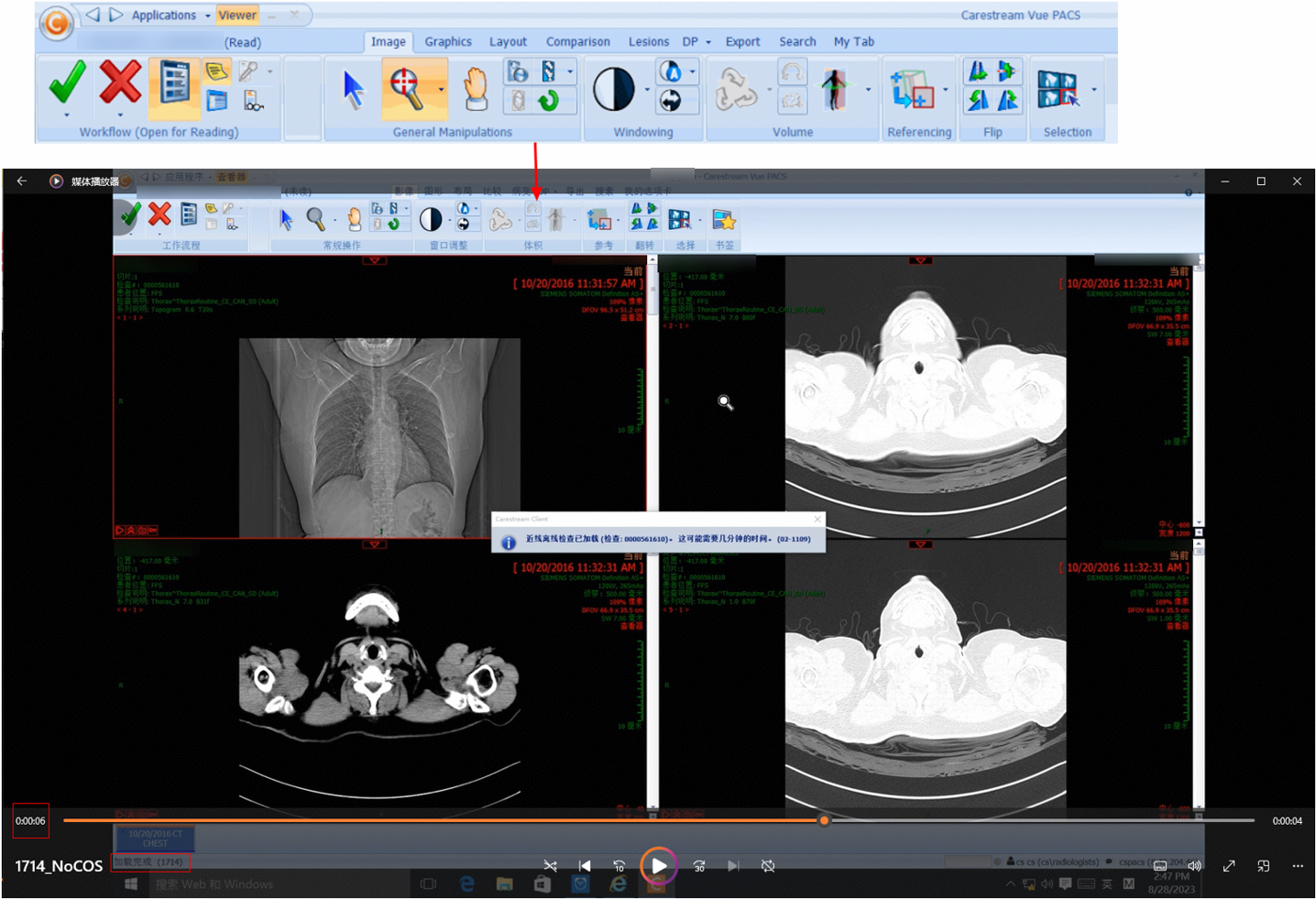
Performance test result: 342.8 images per second

1. Target samples are retrieved on the client.
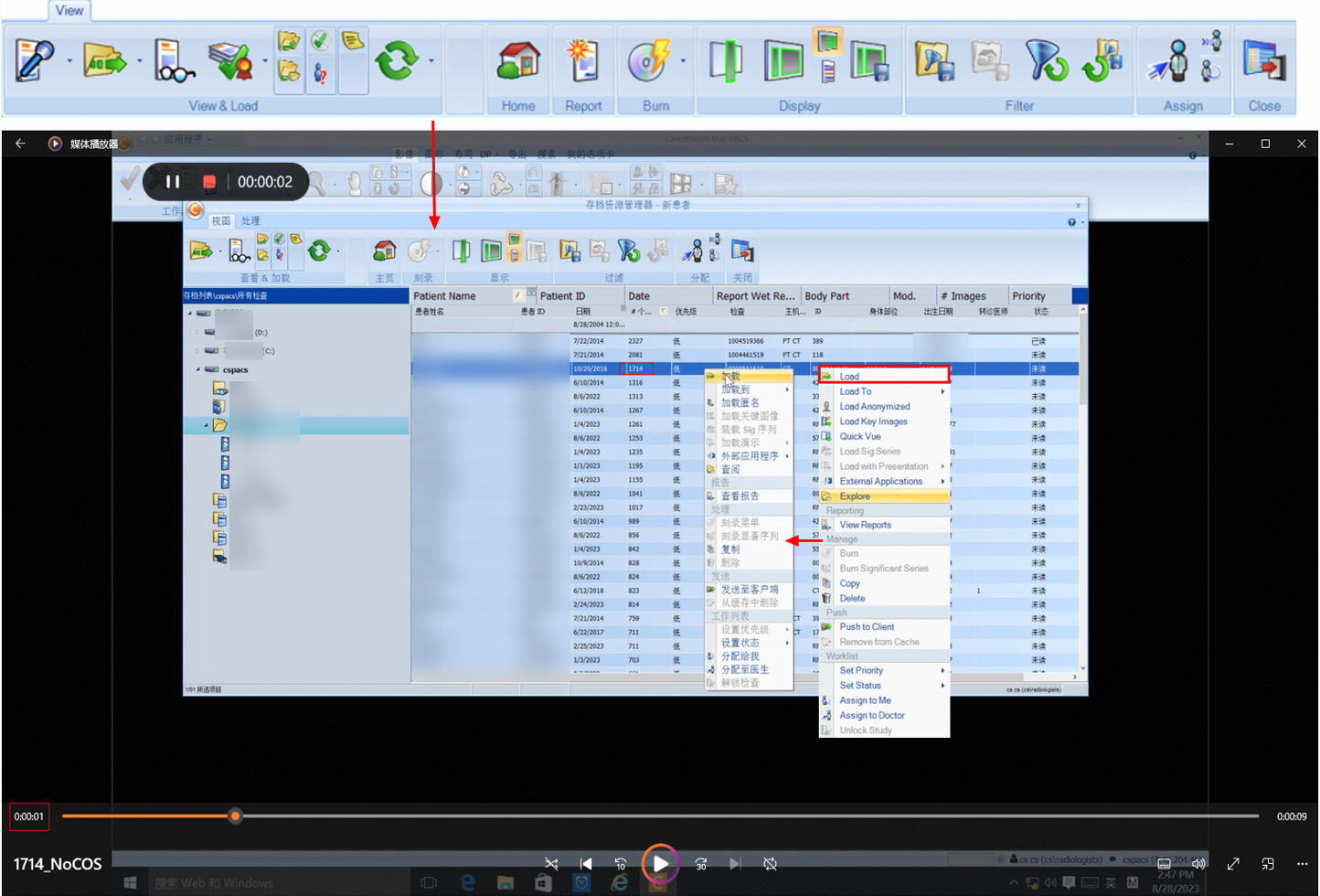
2. The retrieval is complete, which takes about 5 seconds.
3.2.3.3 Retrieval Performance for 2,081 Images

Name

Retrieval performance for 2,081 images

No.

Performance_03

Scenario

Verify the performance of retrieving 2,081 images on the client.

Prerequisites

  1. A test environment has been set up according to the test networking diagram.
  2. Storage services have been initialized on DeviceManager.
  3. A namespace has been created and the object protocol share function has been enabled.
  4. Test data samples have been uploaded.
  5. The retrieval client is ready.

Procedure

  1. Retrieve target test samples.
  2. Record the retrieval performance statistics.

Expected Result

2,081 images are successfully retrieved and the performance meets the requirements.

Pass or Not

Yes

Failure Cause

Execution Result

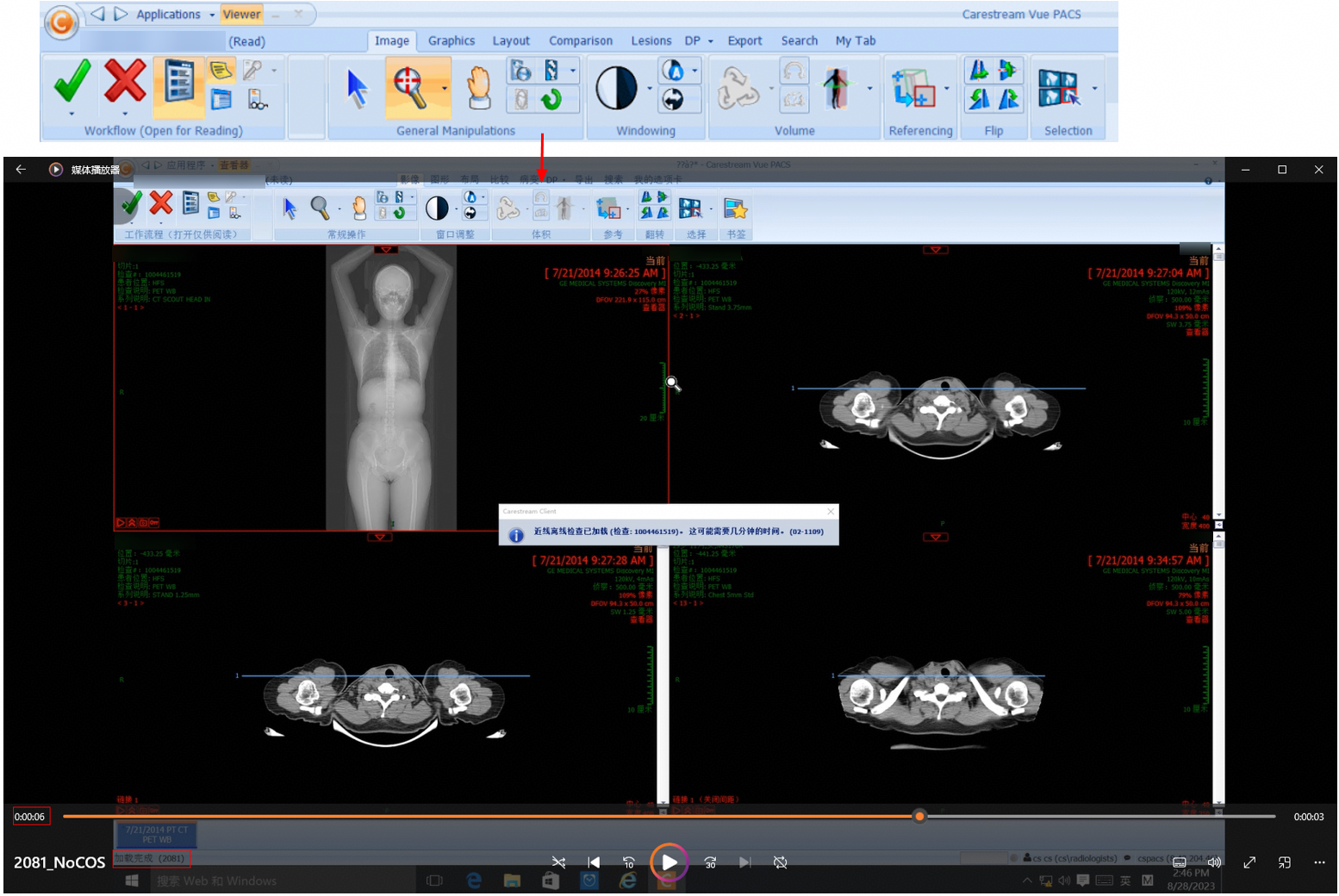
Performance test result: 416.2 images per second

1. Target samples are retrieved on the client.
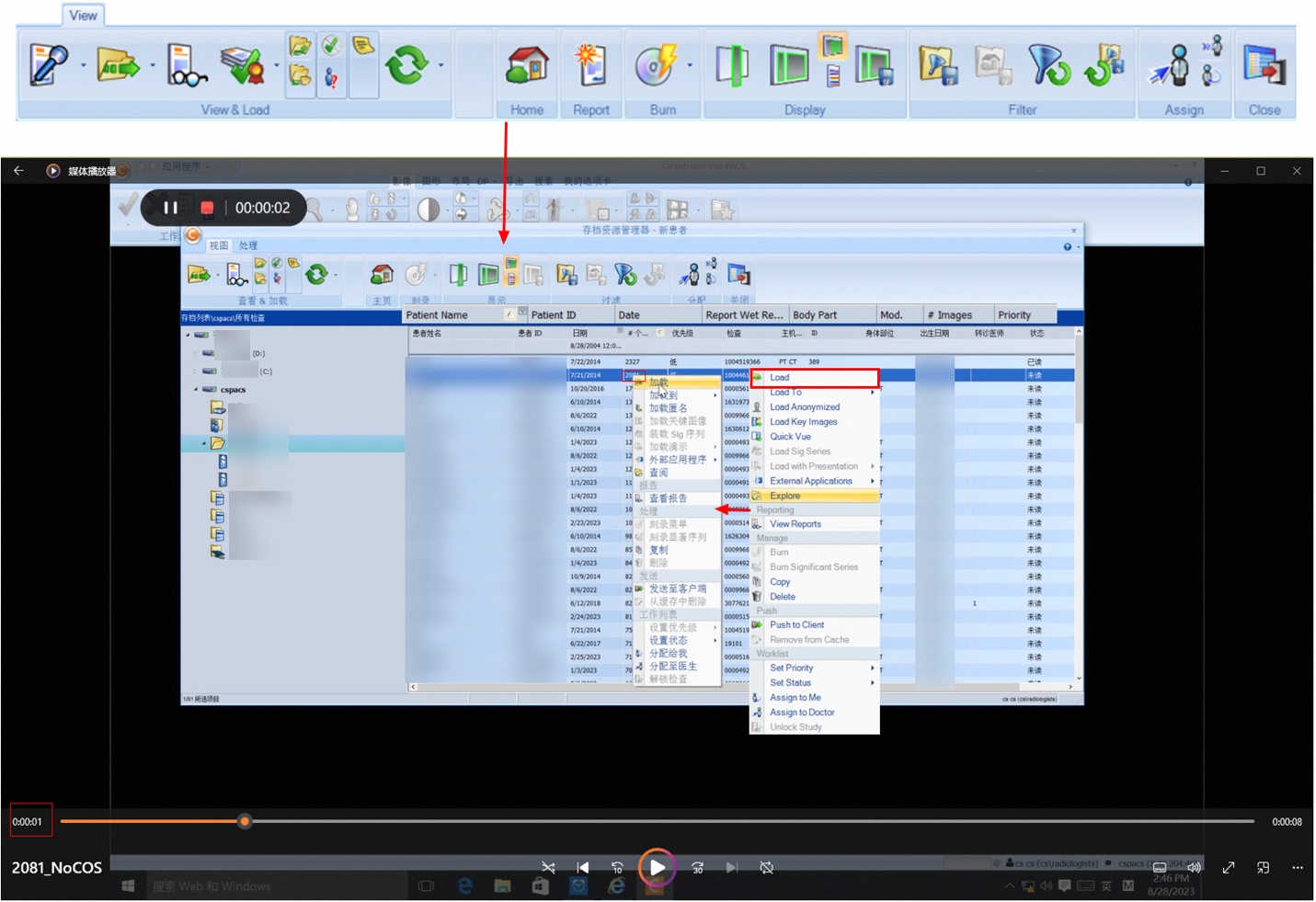
2. The retrieval is complete, which takes about 5 seconds.
3.2.3.4 Retrieval Performance for 2,327 Images

Name

Retrieval performance for 2,327 images

No.

Performance_4

Scenario

Verify the performance of retrieving 2,327 images on the client.

Prerequisites

  1. A test environment has been set up according to the test networking diagram.
  2. Storage services have been initialized on DeviceManager.
  3. A namespace has been created and the object protocol share function has been enabled.
  4. Test data samples have been uploaded.
  5. The retrieval client is ready.

Procedure

  1. Retrieve target test samples.
  2. Record the retrieval performance statistics.

Expected Result

2,327 images are successfully retrieved and the performance meets the requirements.

Pass or Not

Yes

Failure Cause

Execution Result

Performance test result: 465.4 images per second

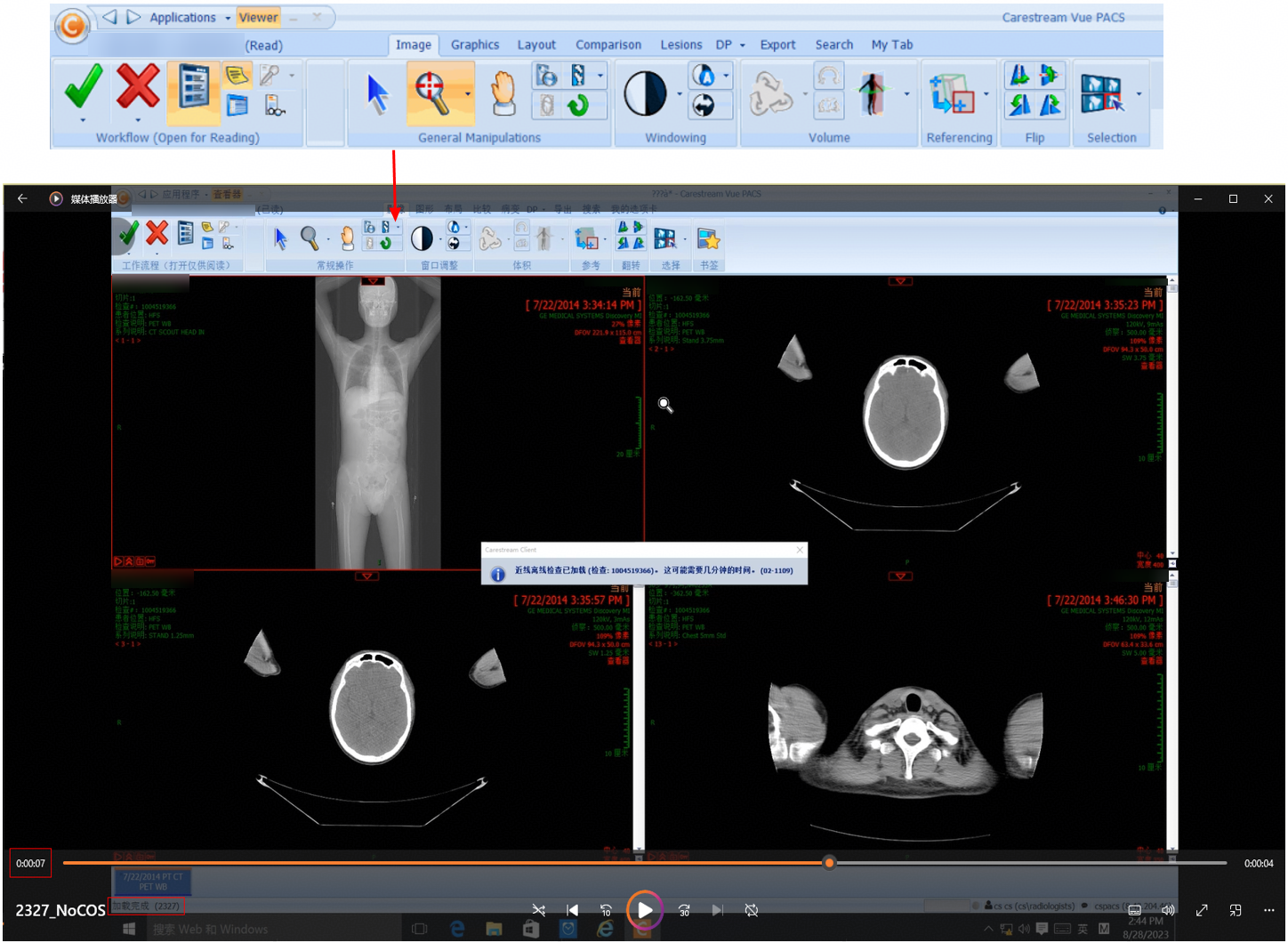
1. Target samples are retrieved on the client.
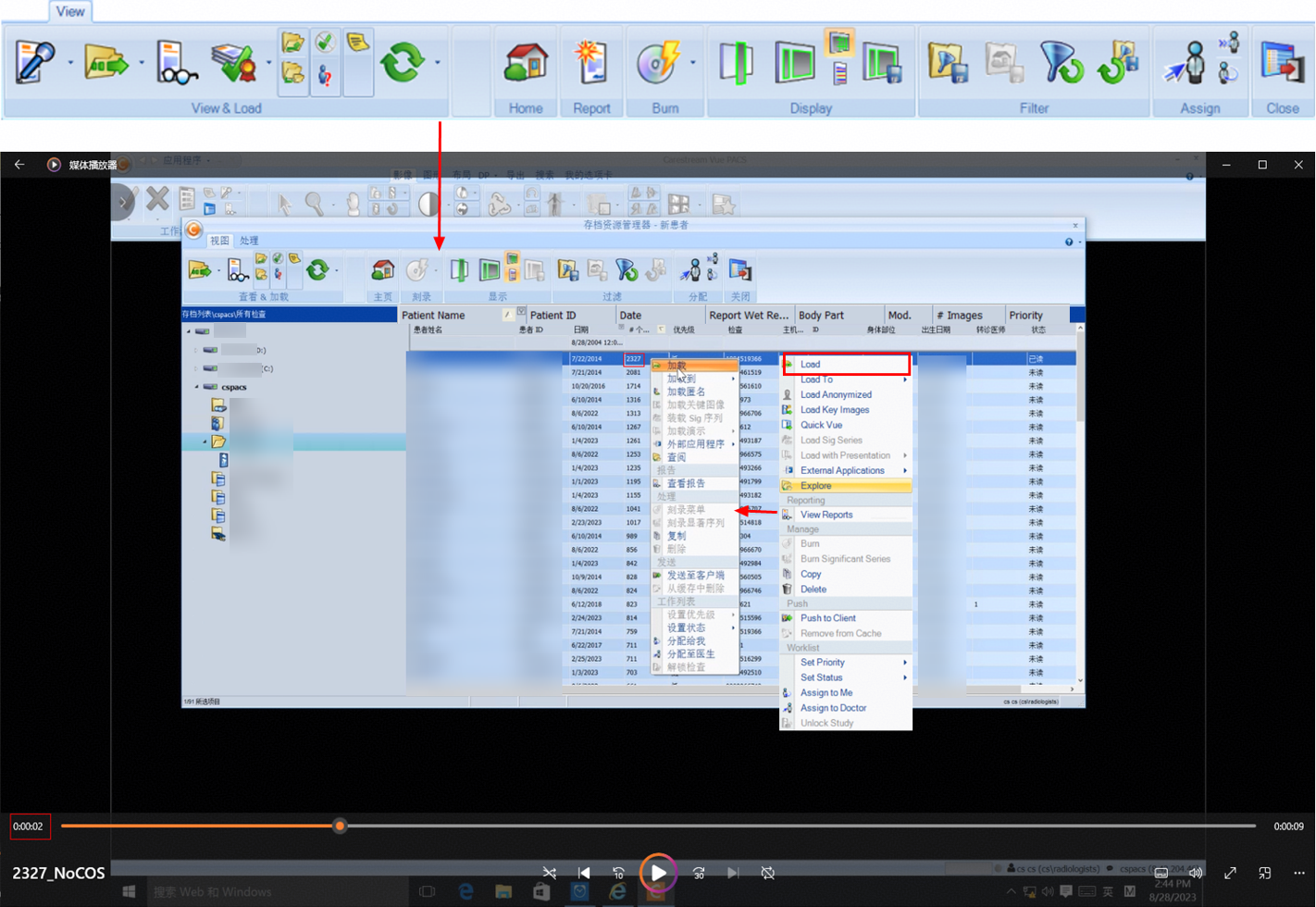
2. The retrieval is complete, which takes about 5 seconds.
3.2.4 Retrieval Stress Tests

3.2.4.1 Retrieval Performance for 1,316 Images in a Simulated Stress Scenario of 300 Concurrent Requests

Name

Retrieval performance for 1,316 images in a simulated stress scenario of 300 concurrent requests

No.

Pressure_01

Scenario

Verify the performance of retrieving 1,316 images on the client in a stress scenario of 300 concurrent requests.

Prerequisites

  1. A test environment has been set up according to the test networking diagram.
  2. Storage services have been initialized on DeviceManager.
  3. A namespace has been created and the object protocol share function has been enabled.
  4. Test data samples have been uploaded.
  5. The COSBench stress test tool is ready.

Procedure

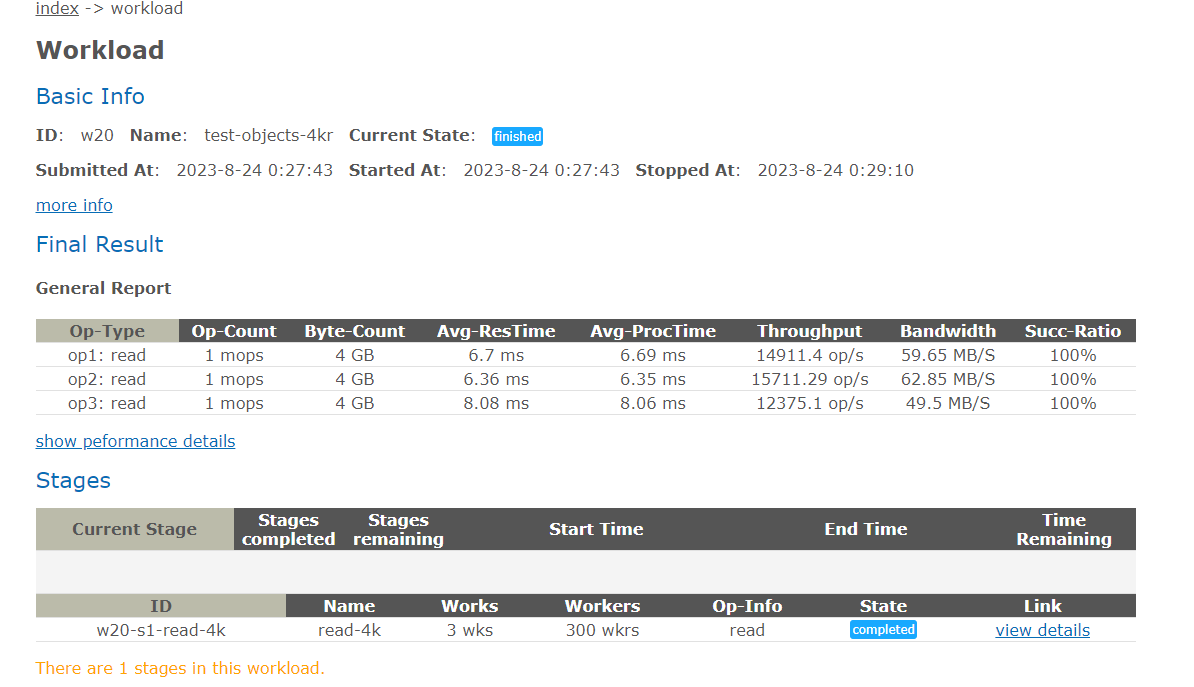
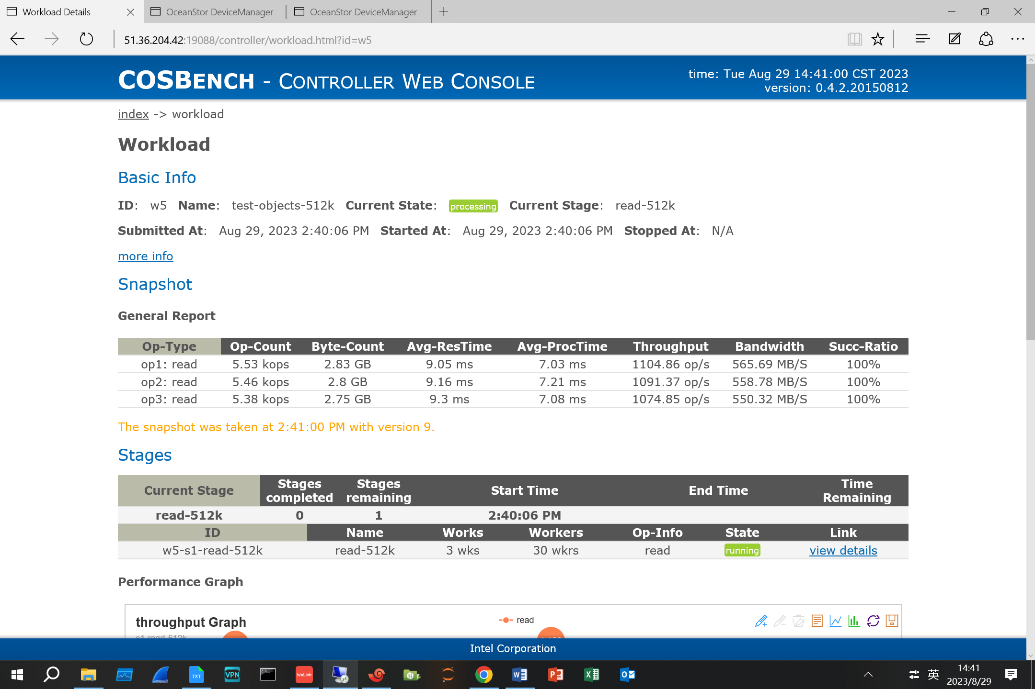
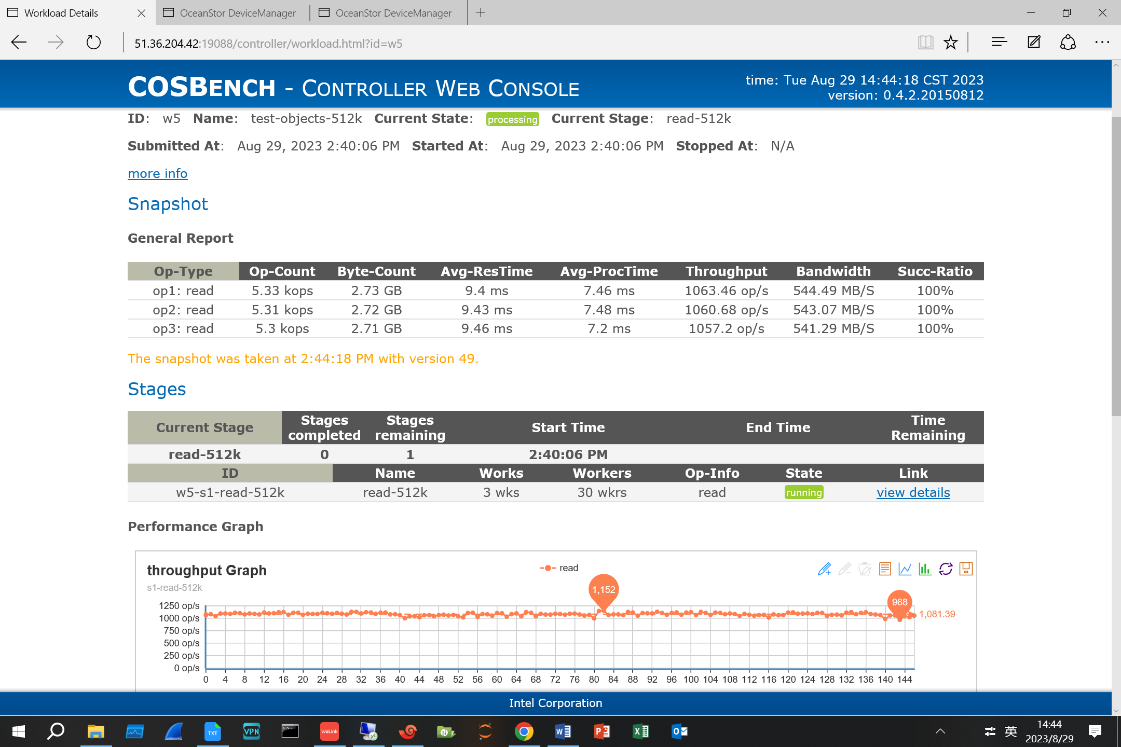
  1. Use the COSBench test tool to simulate continuous delivery of 300 concurrent read requests to the storage cluster. The configuration file is as follows:

    .
  2. Retrieve target test samples.
  3. Record the retrieval performance statistics.

Expected Result

1,316 images are successfully retrieved and the performance meets the requirements.

Pass or Not

Yes

Failure Cause

Execution Result

Performance test result: 438.67 images per second

1. Target samples are retrieved on the client.
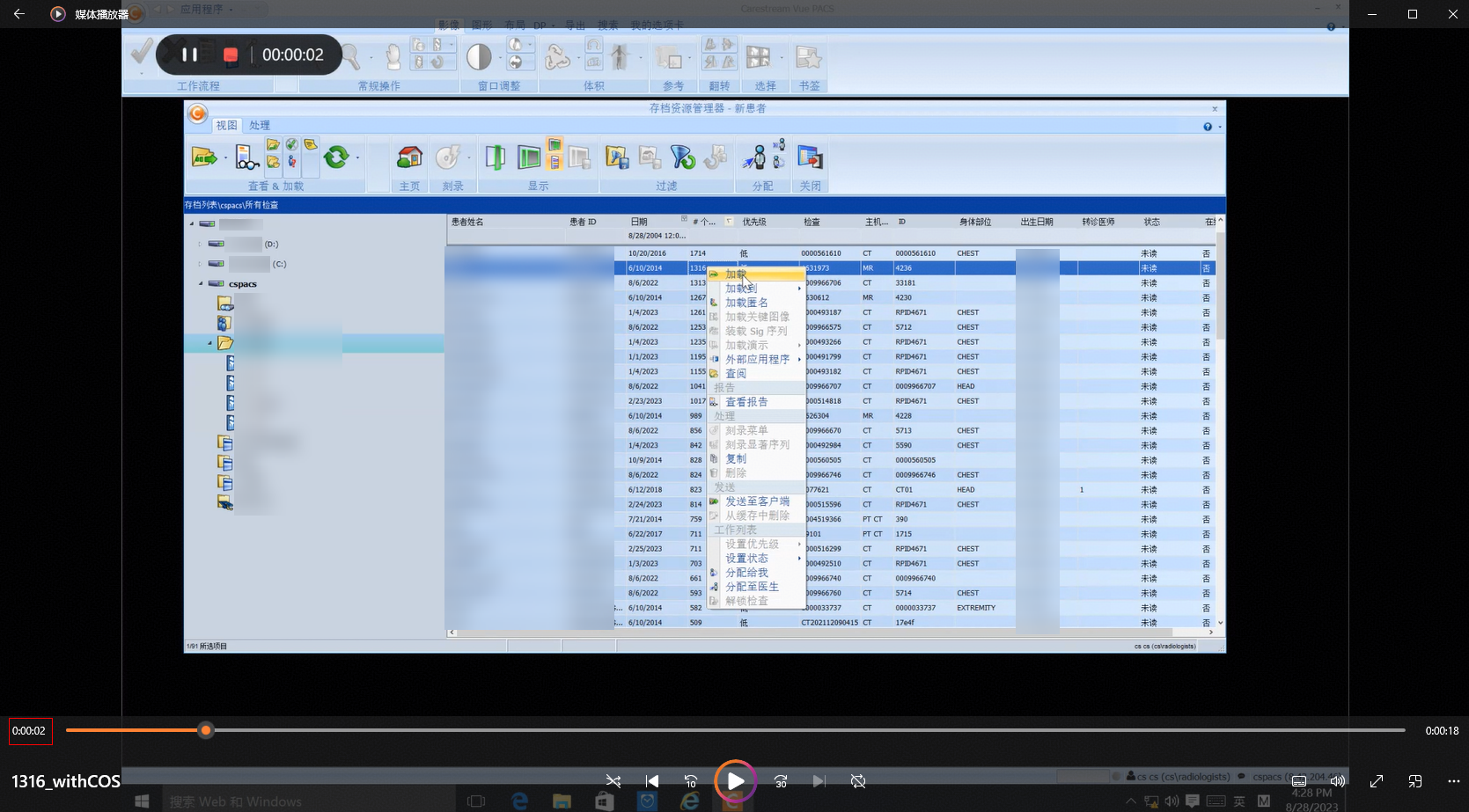
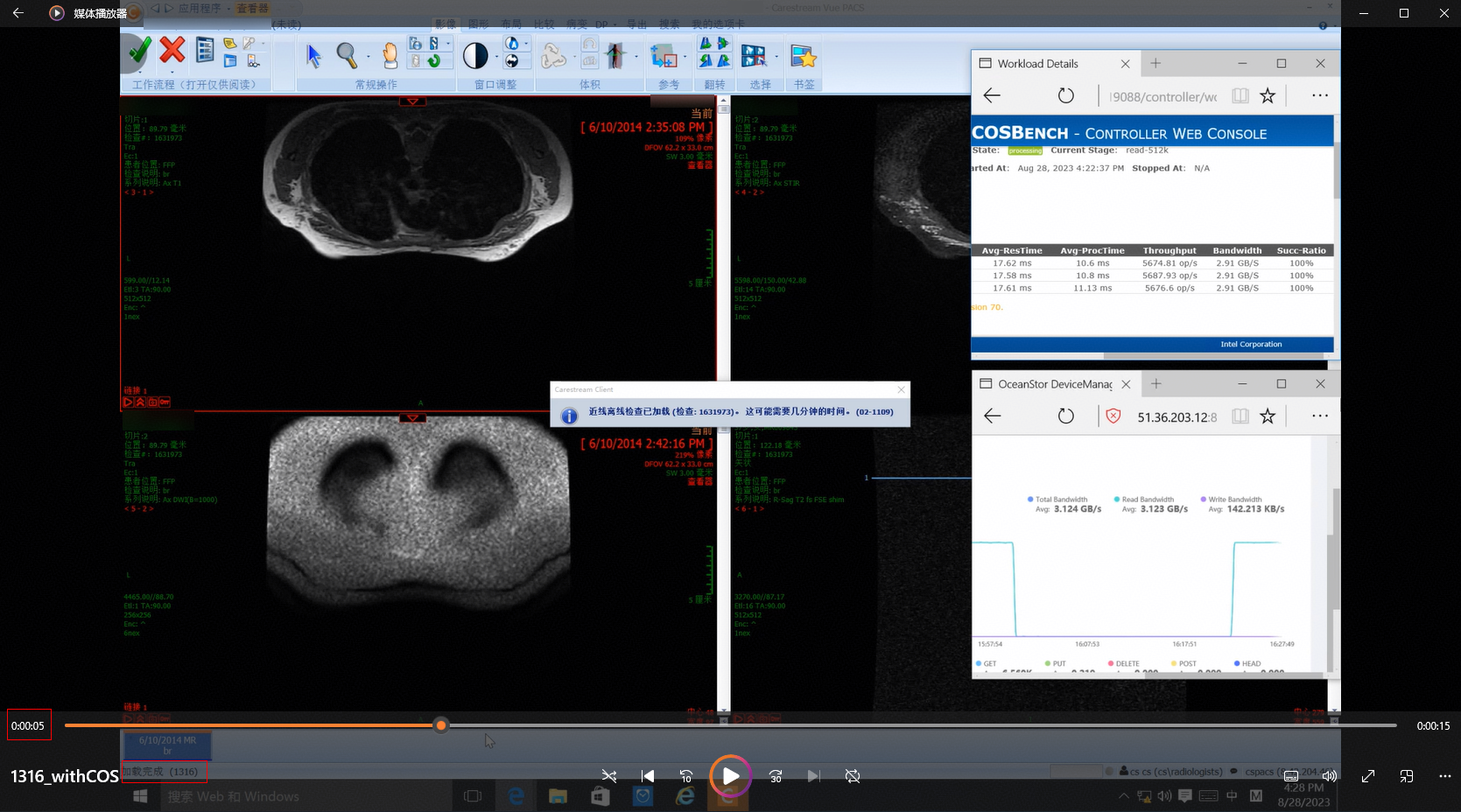
2. The stress test tasks delivered by COSBench run properly during the retrieval.
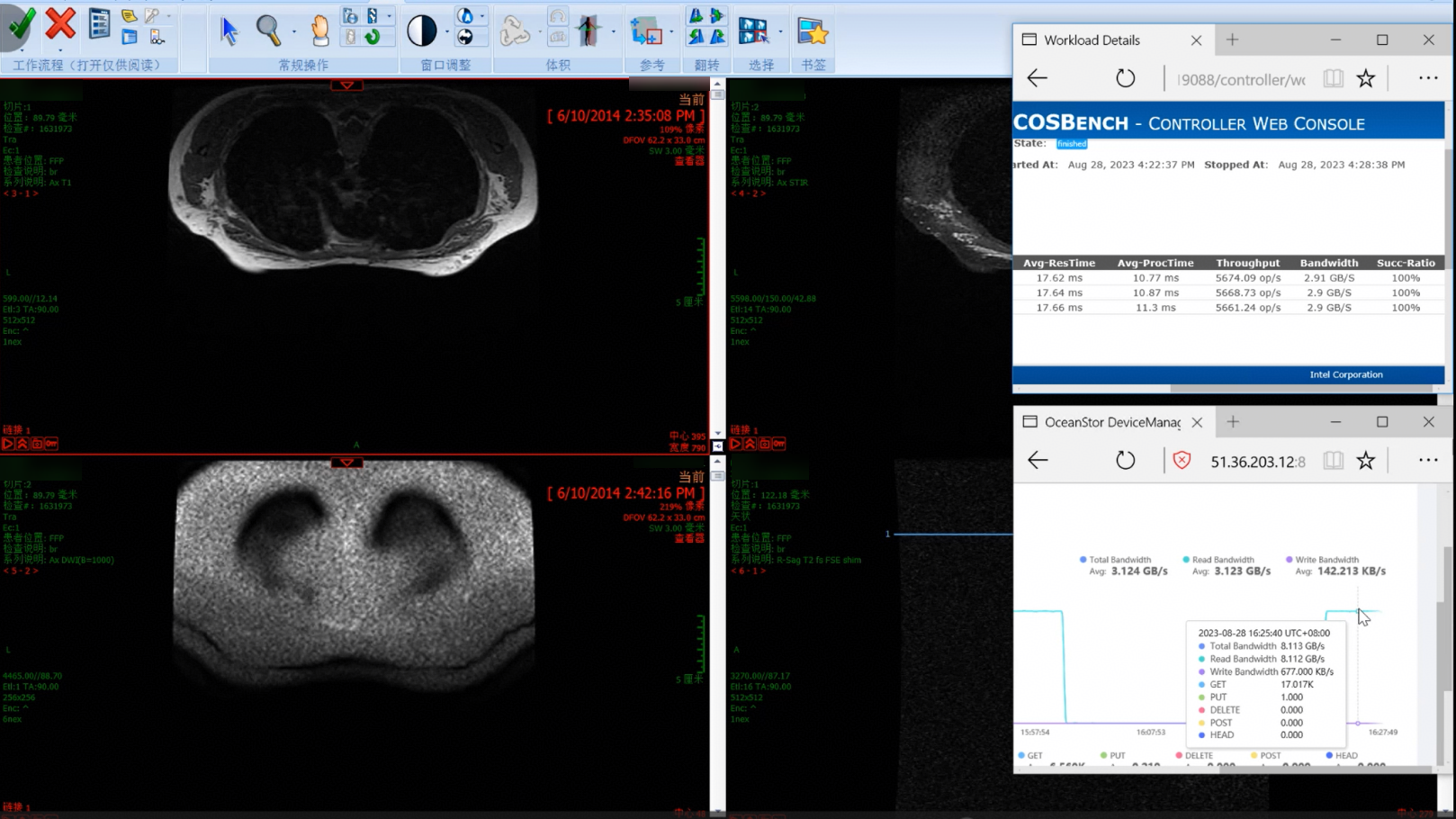
3. The retrieval is complete, which takes about 3 seconds.
3.2.4.2 Retrieval Performance for 1,714 Images in a Simulated Stress Scenario of 300 Concurrent Requests

Name

Retrieval performance for 1,714 images in a simulated stress scenario of 300 concurrent requests

No.

Pressure_02

Scenario

Verify the performance of retrieving 1,714 images on the client in a stress scenario of 300 concurrent requests.

Prerequisites

  1. A test environment has been set up according to the test networking diagram.
  2. Storage services have been initialized on DeviceManager.
  3. A namespace has been created and the object protocol share function has been enabled.
  4. Test data samples have been uploaded.
  5. The COSBench stress test tool is ready.

Procedure

  1. Use the COSBench test tool to simulate continuous delivery of 300 concurrent read requests to the storage cluster. The configuration file is as follows:

    .
  2. Retrieve target test samples
  3. Record the retrieval performance statistics.

Expected Result

1,714 images are successfully retrieved and the performance meets the requirements.

Pass or Not

Yes

Failure Cause

Execution Result

Performance test result: 342.8 images per second

1. Target samples are retrieved on the client.
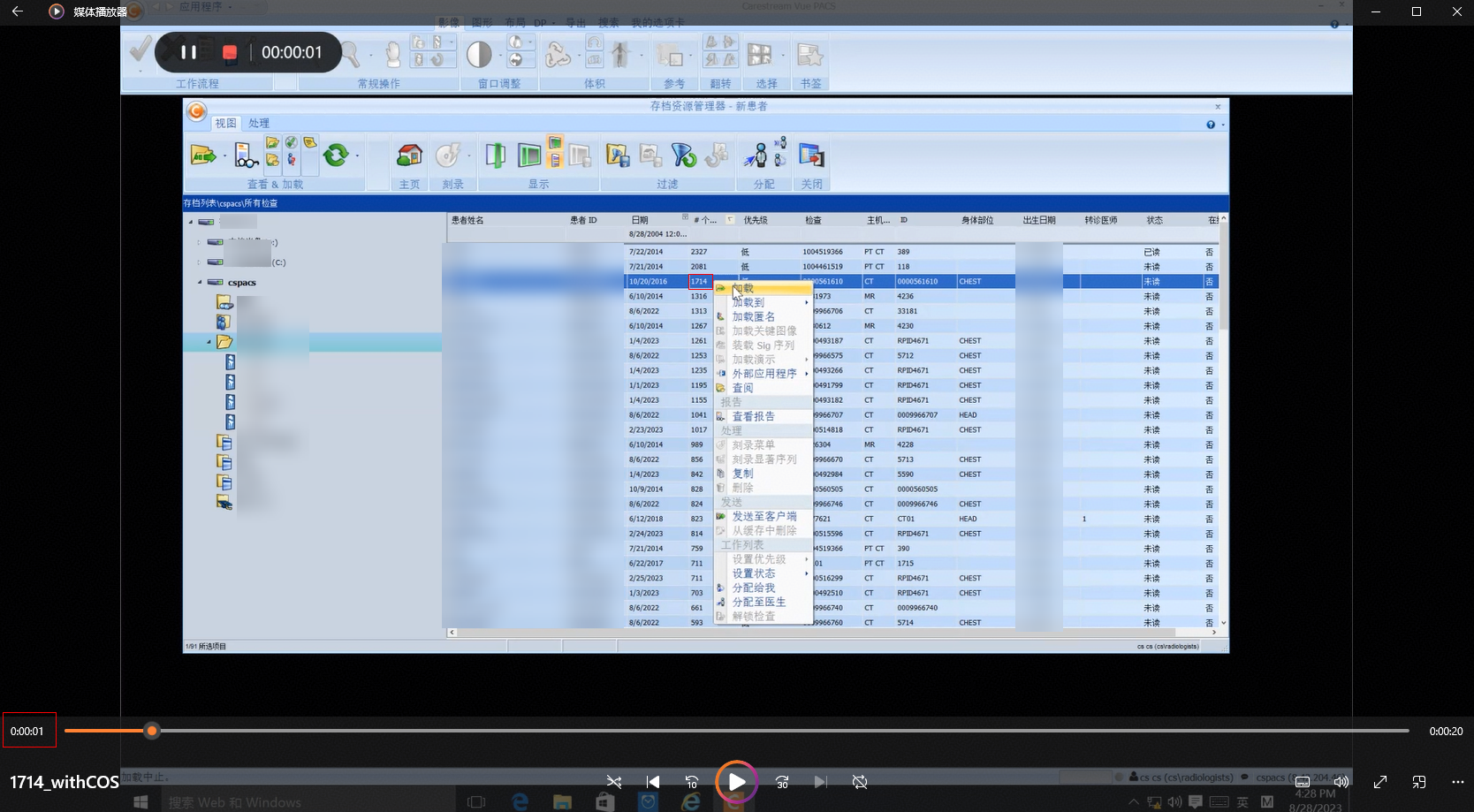
2. The stress test tasks delivered by COSBench run properly during the retrieval.
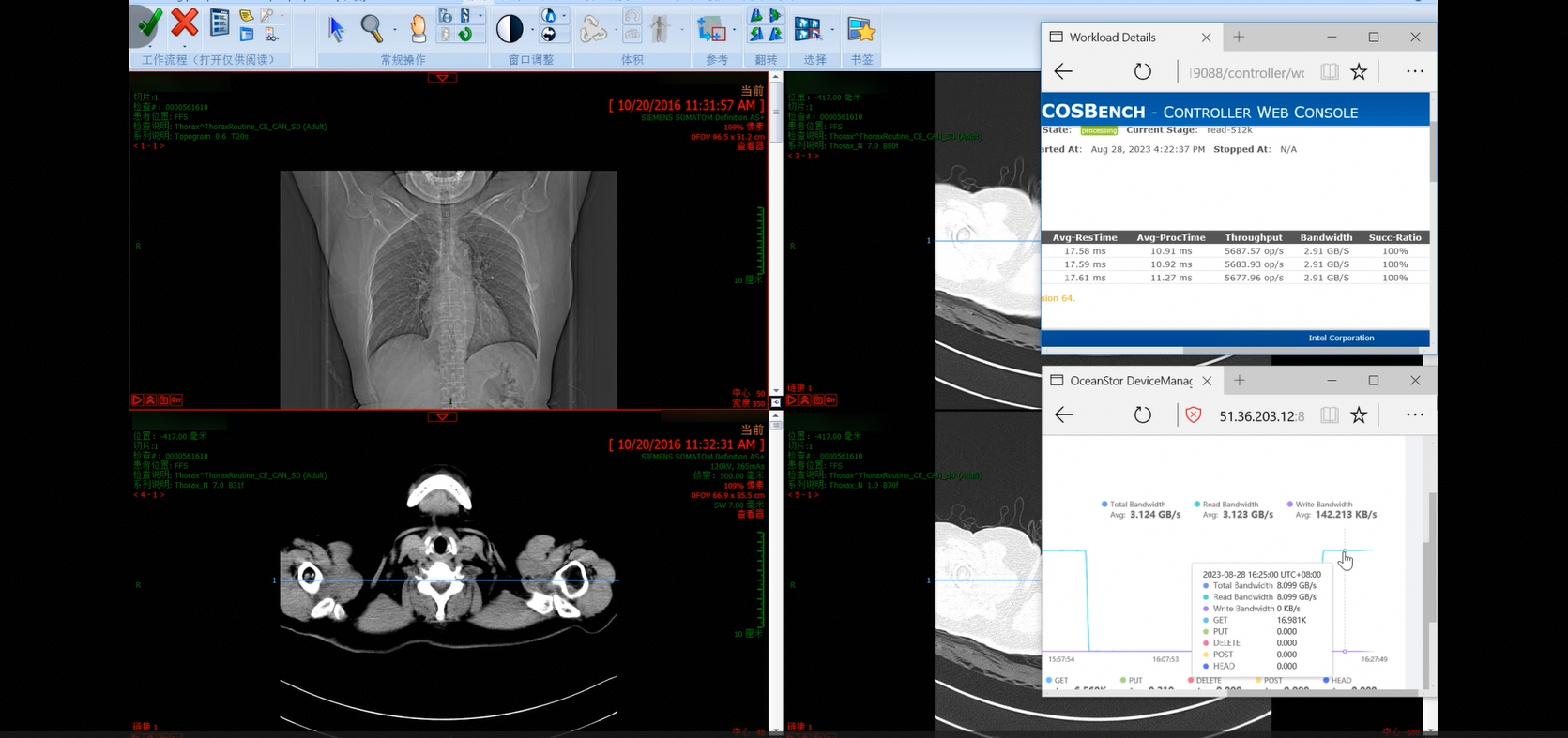
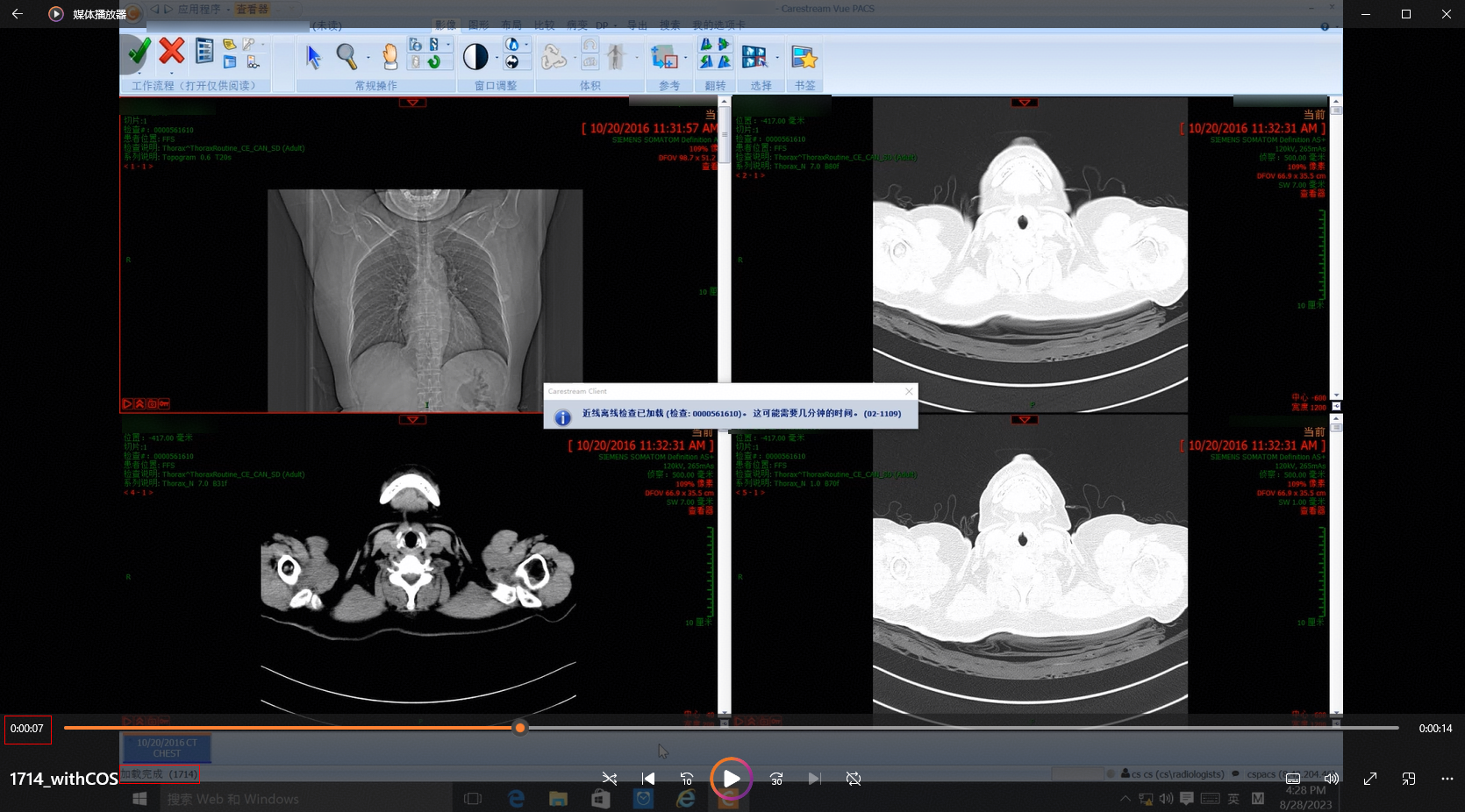
3. The retrieval is complete, which takes about 6 seconds.
3.2.4.3 Retrieval Performance for 2,081 Images in a Simulated Stress Scenario of 300 Concurrent Requests

Name

Retrieval performance for 2,081 images in a simulated stress scenario of 300 concurrent requests

No.

Pressure_03

Scenario

Verify the performance of retrieving 2,081 images on the client in a stress scenario of 300 concurrent requests.

Prerequisites

  1. A test environment has been set up according to the test networking diagram.
  2. Storage services have been initialized on DeviceManager.
  3. A namespace has been created and the object protocol share function has been enabled.
  4. Test data samples have been uploaded.
  5. The COSBench stress test tool is ready.

Procedure

  1. Use the COSBench test tool to simulate continuous delivery of 300 concurrent read requests to the storage cluster. The configuration file is as follows:

    .
  2. Retrieve target test samples.
  3. Record the retrieval performance statistics.

Expected Result

2,081 images are successfully retrieved and the performance meets the requirements.

Pass or Not

Yes

Failure Cause

Execution Result

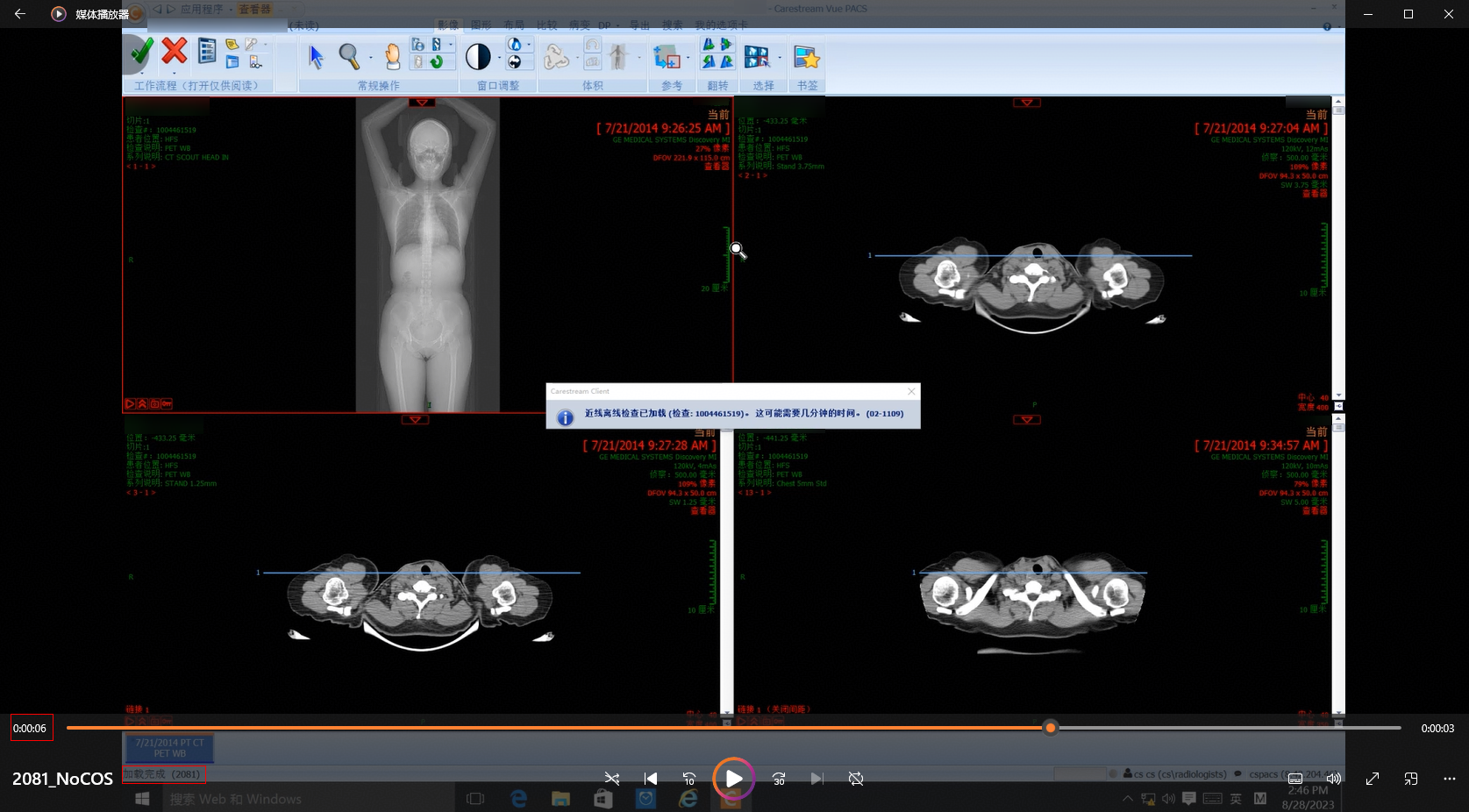
Performance test result: 416.2 images per second

1. Target samples are retrieved on the client.
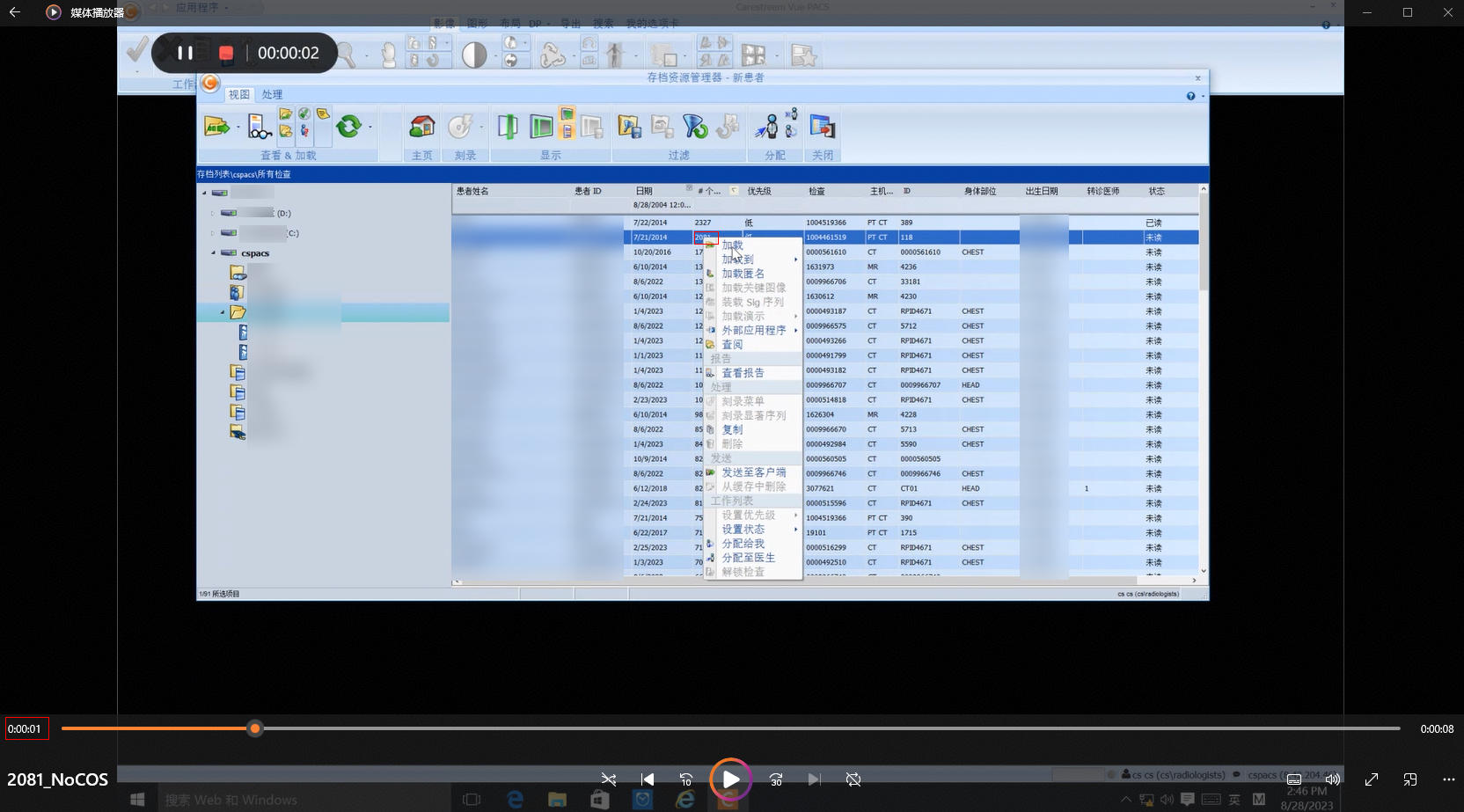
2. The stress test tasks delivered by COSBench run properly during the retrieval.
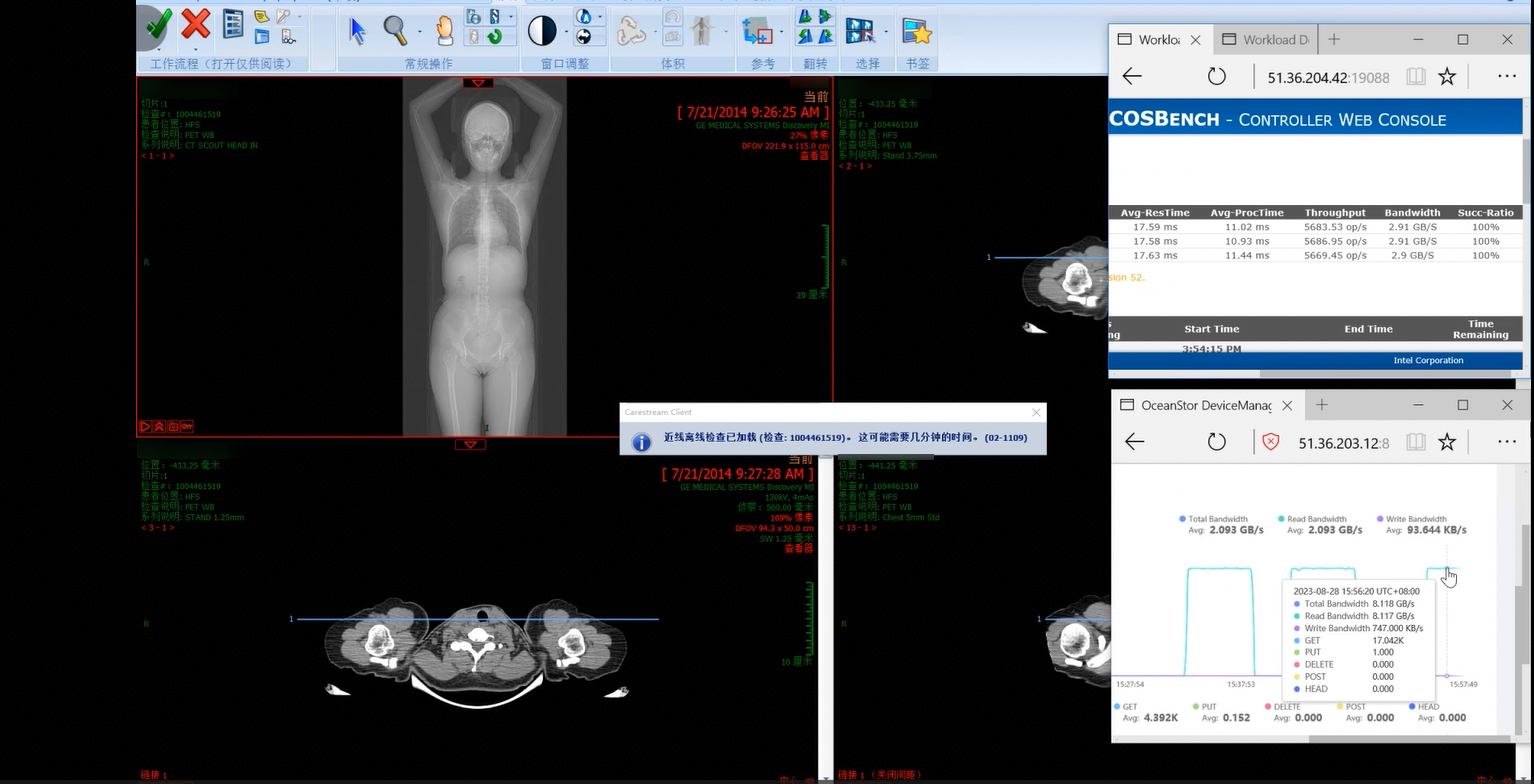
3. The retrieval is complete, which takes about 5 seconds.
3.2.4.4 Retrieval Performance for 2,327 Images in a Simulated Stress Scenario of 300 Concurrent Requests

Name

Retrieval performance for 2,327 images in a simulated stress scenario of 300 concurrent requests

No.

Pressure_04

Scenario

Verify the performance of retrieving 2,327 images on the client in a stress scenario of 300 concurrent requests.

Prerequisites

  1. A test environment has been set up according to the test networking diagram.
  2. Storage services have been initialized on DeviceManager.
  3. A namespace has been created and the object protocol share function has been enabled.
  4. Test data samples have been uploaded.
  5. The COSBench stress test tool is ready.

Procedure

  1. Use the COSBench test tool to simulate continuous delivery of 300 concurrent read requests to the storage cluster. The configuration file is as follows:

    .
  2. Retrieve target test samples.
  3. Record the retrieval performance statistics.

Expected Result

2,327 images are successfully retrieved and the performance meets the requirements.

Pass or Not

Yes

Failure Cause

Execution Result

Performance test result: 465.4 images per second

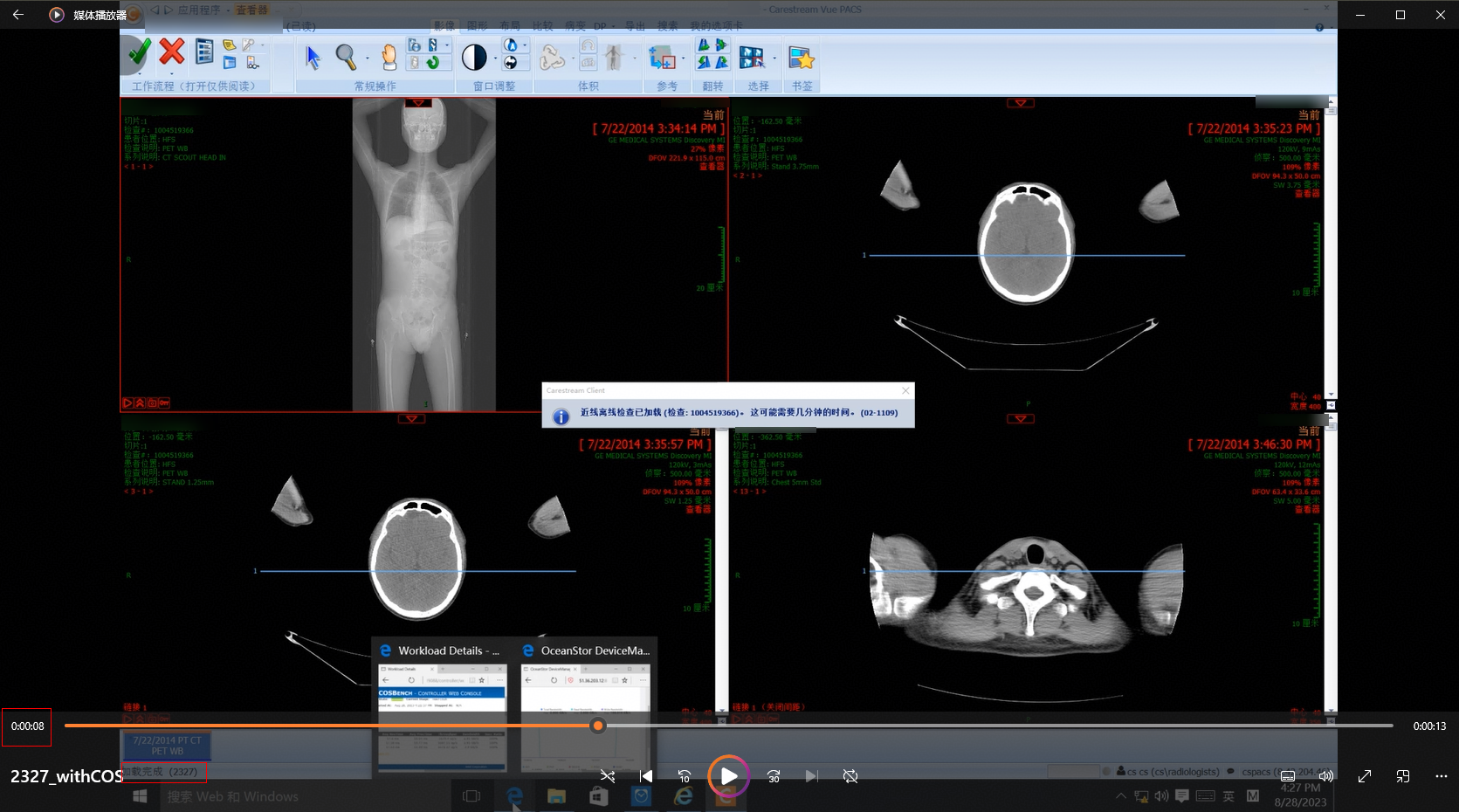
1. Target samples are retrieved on the client.
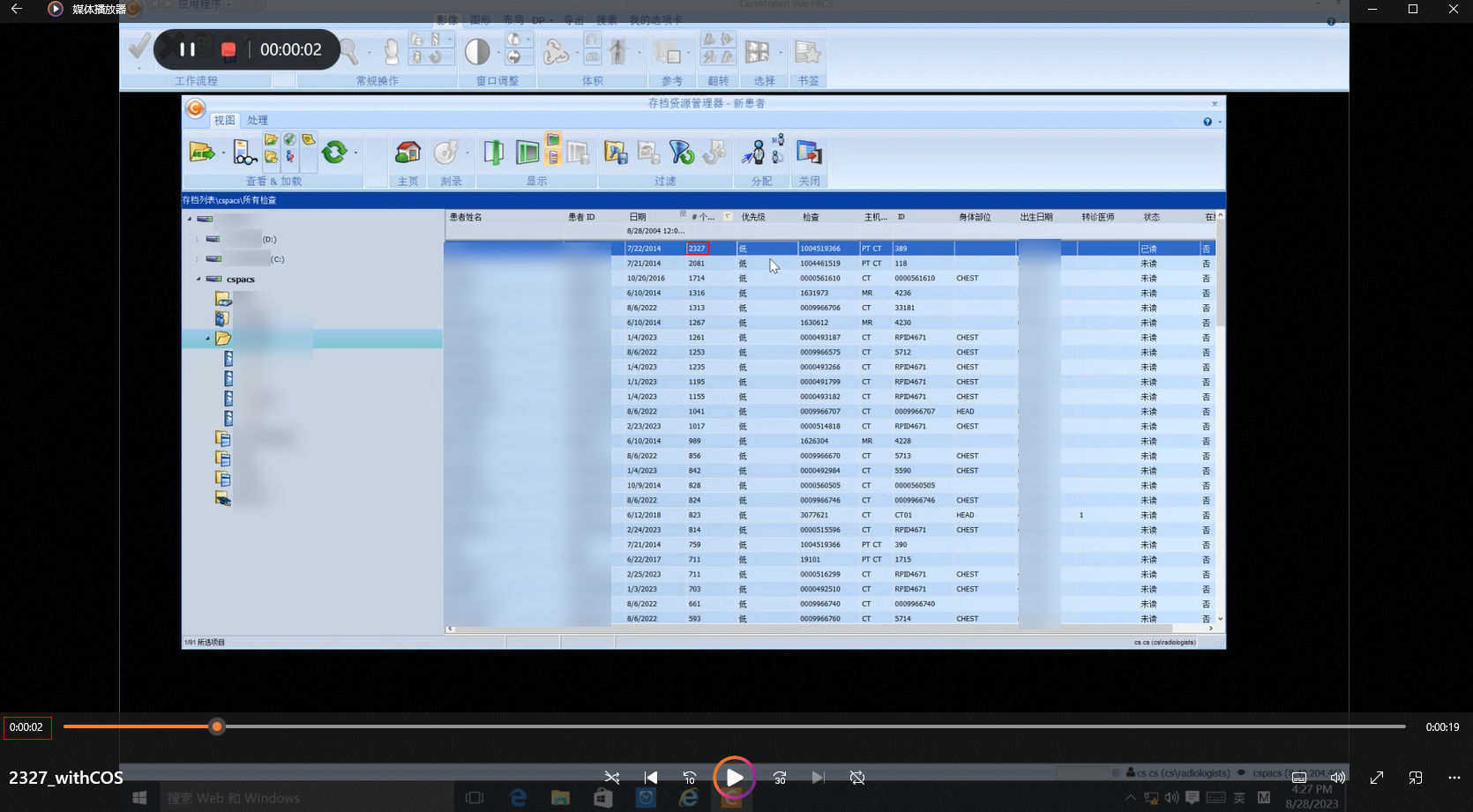
2. The stress test tasks delivered by COSBench run properly during the retrieval.
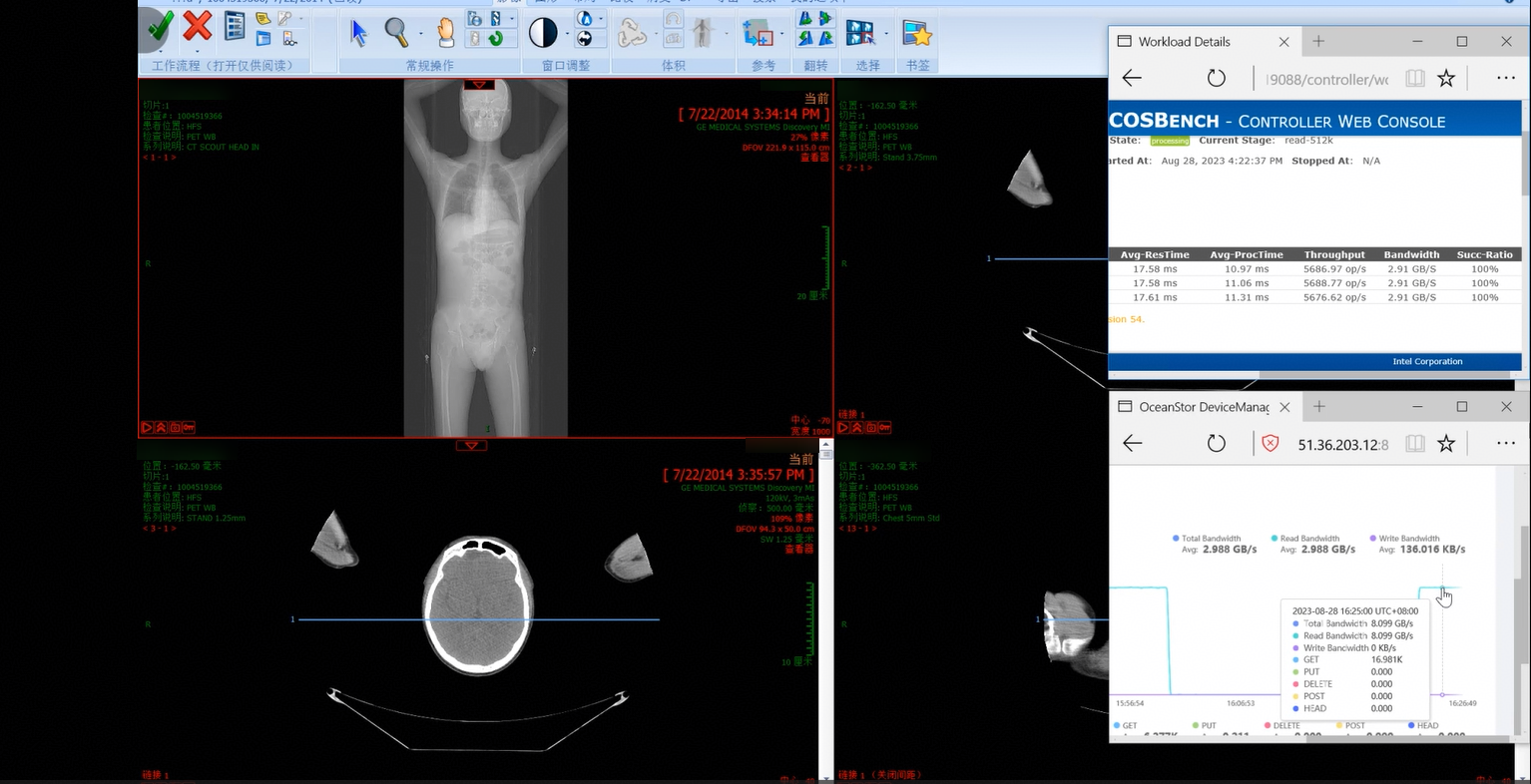
3. The retrieval is complete, which takes about 6 seconds.
3.2.5 Reliability Tests

3.2.5.1 Disk Fault of the Storage Cluster
Name

Disk fault of the storage cluster

No.

Reliability_01

Scenario

Verify that services are not affected by an online disk fault in the storage cluster.

Prerequisites

  1. A test environment has been set up according to the test networking diagram.
  2. A storage cluster has been created and the object service has been enabled.
  3. COSBench has been installed and configured.

Procedure

  1. Use the COSBench test tool to deliver 512 KB read requests continuously to the storage cluster. The configuration file is as follows:

    .
  2. Check whether the running status of the COSBench service, storage pool status, and client retrieval service are normal.
  3. Select a storage node and run the following command to remove a random data disk from the system:

echo « scsi remove-single-device 4:0:0:0 » > /proc/scsi/scsi

  1. Check whether the running status of the COSBench service, storage pool status, and client retrieval service are normal.
  2. Three minutes later, run the following command to add the removed disk back to the system:

echo « scsi add-single-device 4:0:0:0 » > /proc/scsi/scsi

  1. Check whether the running status of the COSBench service, storage pool status, and client retrieval service are normal.

Expected Result

  1. In step 1, the COSBench read requests are successfully delivered based on the configuration.
  2. In step 2, the running status of the COSBench service, storage pool status, and client retrieval service are normal.
  3. In step 3, the data disk is successfully removed.
  4. In step 4, the system automatically reports an alarm, the COSBench service is running properly without interruption, and the client retrieval service is normal.
  5. In step 5, the data disk is successfully added back.
  6. In step 6, the alarm is cleared about 10 minutes after the disk is added back, the COSBench service is running properly without interruption, and the client retrieval service is normal.

Pass or Not

Yes

Failure Cause

Execution Result

1. The COSBench read requests are successfully delivered based on the configuration, the status of the disk pool in the storage cluster is normal, and the retrieval service is normal.

2. The disk is successfully removed, the system automatically reports an alarm, the COSBench service is running properly without interruption, and the client retrieval service is normal.

3. The data disk is successfully added back, the alarm is cleared about 10 minutes later, the COSBench service is running properly without interruption, and the client retrieval service is normal.

4 Test Summary

4.1 Test Result

4.2 Test Conclusion

4.1 Test Result

No.

Test Category

Total Cases

Passed Cases

Failed Cases

Unsupported Cases

Untested Cases

1

Function test

4

4

0

0

0

2

Performance test

4

4

0

0

0

3

Benchmark test

4

4

0

0

0

4

Stress test

4

4

0

0

0

5

Reliability test

1

1

0

0

0

4.2 Test Conclusion

1. All function tests are passed.

2. All benchmark performance tests are passed. The data is as follows.

File Size

Action

TPS

Bandwidth

512 KB

Upload

6276.46 op/s

3.21 GB/s

512 KB

Download

16835.46 op/s

8.61 GB/s

4 KB

Upload

41449.39 op/s

165.8 MB/s

4 KB

Download

42997.79 op/s

172 MB/s

3. All retrieval performance tests are passed. The data is as follows.

Number of Samples (Images)

Retrieval Duration (s)

Retrieval Speed (Image/s)

1,316

3

438.67

1,714

5

342.8

2,081

5

416.2

2,327

5

465.4

4. All retrieval stress tests in a simulated scenario of 300 concurrent requests are passed. The data is as follows.

Number of Samples (Images)

Retrieval Duration (s)

Retrieval Speed (Image/s)

1,316

3

438.67

1,714

6

285.67

2,081

5

416.2

2,327

6

387.83